

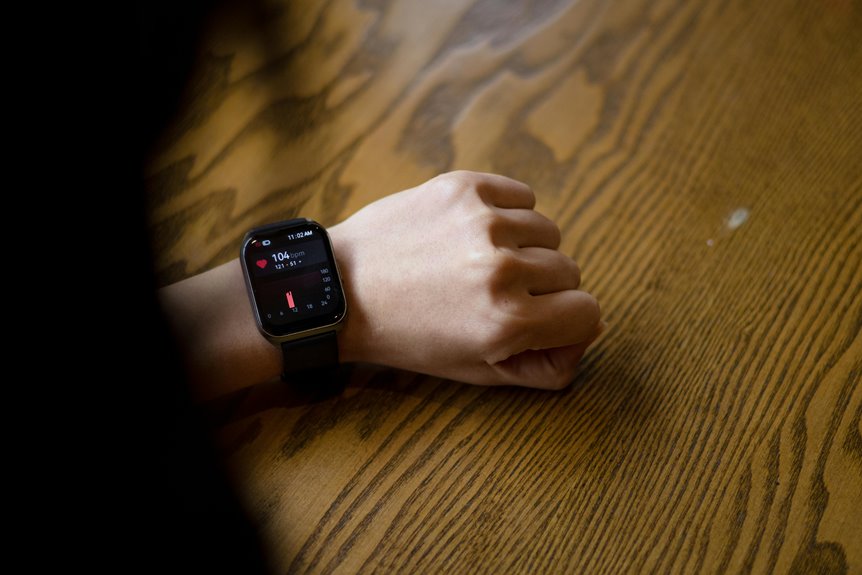

Yes, a smartwatch can give a solid view of heart rate and sleep, though it is not perfect. Heart rate readings are usually reliable during rest and steady movement. Sleep tracking can show useful habits over time, even though quiet wakefulness can look like sleep. This article covers where smartwatch data works well, where it slips, and how to read it with confidence.
How Accurate Are Smartwatches Overall?
How accurate are smartwatches generally? You can trust most modern models for everyday tracking, especially whenever you wear them snugly and use them during steady routines. Across studies, many devices stay within a small error range, and top brands often perform best. That means you can feel more confident sharing goals, comparing progress, and staying connected with your health-minded circle.
Still, accuracy shifts with motion, fit, and sensor quality. In case your watch slips while you walk, type, or exercise hard, readings can drift. So, once you choose a watch, look beyond style. A clear user interface helps you spot trends fast, and strong battery longevity keeps tracking consistent all day. In that way, your smartwatch becomes a supportive teammate, not just another screen on your wrist each day.
How Accurate Is Smartwatch Heart Rate?
You’ll usually get the most accurate smartwatch heart rate reading if the sensor sits snugly on your wrist and you’re at rest.
Once you start running hard or moving your wrist a lot, accuracy often drops, so your watch might lag, read low, or miss fast changes. That’s why you should treat smartwatch heart rate as a helpful guide, not a perfect medical-grade measure.
Sensor Placement Matters
Because a smartwatch reads your pulse through light sensors on your skin, where it sits on your wrist can change the number you see. In case you want readings you can trust, focus on placement calibration and sensor alignment. You’re not doing it wrong provided numbers drift. Small shifts matter, and many people deal with them.
- Wear it about one finger above your wrist bone.
- Keep the back flat against your skin, not tilted.
- Snug is best, since loose contact lets light leak and weakens the signal.
- Recheck fit after typing, carrying bags, or moving your sleeve.
That simple setup helps you feel more confident and part of the crowd using wearables well. Once your watch sits right, it can read your pulse more cleanly and give steadier feedback every day.
Rest Versus Exercise
While smartwatch heart rate tracking feels impressively steady as you’re sitting still, it usually gets less reliable once your workout gets hard. At rest, you can usually trust the numbers. Many watches stay within 5 beats per minute, so rest accuracy is strong enough to help you feel confident in your daily trends and recovery.
As intensity rises, though, you might notice an exercise discrepancy. During moderate effort, your watch often keeps up fairly well, especially around 100 to 150 beats per minute.
But as you push into harder running or fast intervals, accuracy can drop across brands. That doesn’t mean you’re doing anything wrong. It simply means wrist sensors struggle more once your body moves faster. Should you ever be curious whether your watch is “off,” you’re not alone, and your experience fits what researchers have seen.
Common Accuracy Limits
Even though smartwatch heart rate tracking can be very good, it still has clear limits that matter in real life. You can trust it more at rest than during hard workouts, where motion, sweat, and weaker skin contact reduce reliability.
Most watches meet solid accuracy thresholds whenever you’re calm, but measurement limitations show up fast as intensity rises.
- At rest, many devices stay within 5 bpm, which helps you feel confident.
- During fast runs, accuracy often drops, and readings might lag behind your true pulse.
- Wrist movement, typing, and loose fit can push numbers too high or too low.
- Should you need precise training data, a chest strap still keeps you in the most reliable crowd.
That means your watch supports your wellness path, but it doesn’t replace clinical or elite sports tools.
How Smartwatches Measure Heart Rate
Your smartwatch uses optical sensors to shine light into your skin and track tiny changes in blood flow with each beat.
Then it processes that pulse data to estimate your heart rate, but movement, fit, and skin contact can change how clearly it reads the signal.
As you read on, you’ll see why your watch is usually very accurate at rest and why hard exercise can make those readings less reliable.
Optical Sensor Technology
Tiny flashes of light do the hard work inside your smartwatch. Whenever you wear it snugly, green LEDs and infrared sensors shine into your skin and read changes in blood flow. That optical method helps you feel connected to the same health tools millions trust every day.
- Green light wavelengths highlight blood near the skin’s surface.
- Infrared sensors reach deeper tissue and support readings in varied conditions.
- Reflected light shifts as blood pulses through your wrist.
- The watch captures those changes many times each second.
Because your blood absorbs light differently than surrounding tissue, the sensor can detect each pulse without needles, wires, or fuss. You get a quiet, shared kind of support on your wrist, which feels pretty incredible for something smaller than a cookie.
It works best whenever your watch sits flat.
Pulse Data Processing
How does that soft flash of light turn into a heart rate you can trust? Your smartwatch reads tiny changes in blood flow under your skin, then turns those pulses into numbers your community of health-minded users can understand.
Initially, it finds each pulse wave in the light signal. Next, signal filtering removes noise that doesn’t match your pulse pattern. Then data smoothing steadies brief jumps, so one odd beat doesn’t throw everything off.
From there, the watch measures the time between pulse peaks and converts that rhythm into beats per minute. It repeats this process constantly, comparing fresh readings with recent ones to keep the result stable.
That’s why your watch can feel simple on your wrist while doing smart, careful work in the background for you every day.
Factors Affecting Accuracy
Even with smart signal processing, heart rate tracking still depends on real-world conditions on your wrist. You’re not making a mistake when readings shift. That’s normal, and you’re not isolated.
At rest, many watches stay highly accurate, but movement changes the scenario fast.
- Fit matters: A loose band weakens skin contact and lowers signal quality.
- Motion matters: Walking, typing, and workouts can distort pulse signals or delay responses.
- sensor calibration matters: Your watch needs clean setup and consistent wear to read well.
- environmental factors matter: Sweat, temperature, and light can affect optical sensors.
Skin tone usually doesn’t cause major problems, but body mass index and skin traits sometimes do.
In case you want steadier results, wear your watch snugly and give it a stable spot.
When Smartwatch Heart Rate Is Most Reliable
During the period your smartwatch gives the most trustworthy heart rate reading, the pattern is clear: it’s usually most reliable during the period you’re at rest or doing steady, moderate exercise. With good wearable calibration and smart measurement timing, you’ll usually see readings that feel consistent and reassuring.
| Situation | Reliability | What you notice |
|---|---|---|
| Sitting quietly | Very high | Stable numbers |
| Resting baseline | Very high | Close tracking |
| Easy walking | High | Smooth updates |
| Moderate exercise | Good | Useful trends |
| Hard sprints | Lower | Less consistency |
That matters because your watch reads best once blood flow stays steady and your wrist movement stays controlled. You’re not doing anything wrong in those calm moments giving cleaner data. In fact, you’re using your device the way many people in the community do for everyday health check-ins.
Why Smartwatch Heart Rate Can Be Wrong
You can get a wrong heart rate reading if your watch sits too loose, too low on your wrist, or shifts as you move.
And whenever you walk, type, sweat, or swing your arms, motion can disturb the light signal, while skin tone usually matters less than fit and steady skin contact.
On top of that, outside light, weak sensor contact, and signal delays can make your watch lag behind your real heart rate, especially during exercise.
Sensor Placement Issues
Because a smartwatch reads blood flow through your skin, where and how the sensor sits on your wrist can change the number you see. Should it shifts, lifts, or presses unevenly, your reading might drift. You’re not doing anything wrong. Small fit issues happen to everyone, especially whenever you’re busy.
To help your watch work with you, focus on:
- Wrist tightness: Keep it snug, not pinching, so the sensor stays steady.
- Device alignment: Center the watch on the top of your wrist, above the wrist bone.
- Band position: In case it slides side to side, the light signal can weaken.
- Daily consistency: Wear it in the same spot each day for steadier tracking.
That simple setup helps you feel confident, included, and more in tune with your body each day.
Motion And Skin Tone
Fit matters, and motion matters just as much. Whenever you swing your arms, type, or grip a handlebar, your watch can lose steady contact with your skin. That creates motion artifacts, which can cause your heart rate read too high or too low. You’re not doing anything wrong. It’s just a common limit of wrist sensors during real life movement.
Skin tone also gets mentioned a lot, but the bigger issue is usually how well the sensor reads through your unique skin and fit. Research suggests skin tone alone doesn’t strongly change accuracy across light, medium, and dark skin.
Even so, your skin traits, wrist shape, and band comfort can still affect readings. So in case your numbers look odd during activity, you’re in good company, and your watch might simply need a steadier moment.
Signal Interference Causes
While smartwatch sensors seem simple, several kinds of signal interference can quietly throw off your heart rate reading. Even though your watch fits well, tiny disruptions can confuse the light-based system and make you feel like you’re doing something wrong. You’re not.
This happens to many of us, especially during changing effort levels.
- Wrist motion shakes the optical signal, causing signal distortion.
- Loose contact lets outside light slip in and weakens pulse detection.
- Sudden pace changes create sensor delay, so your watch lags behind your body.
- Typing or bending your wrist breaks steady skin contact and lowers readings.
That helps explain why watches usually perform well at rest but lose accuracy during hard exercise.
You’re still part of the same health-minded crowd, and understanding these limits helps you trust your data more wisely.
How Accurate Are Smartwatches During Workouts?
Still, many people share your experience when your watch seems close, not perfect. Apple Watch models usually lead the pack during workouts, while some Fitbit devices might read a bit low.
For a rapid heartbeat, several watches stayed impressively close in testing. Even so, wrist monitors can lag or miss peaks during intense sessions.
In case you train seriously, a chest strap still gives your community-level confidence and steadier workout data.
How Fit and Skin Tone Affect Accuracy
Workout intensity is only part of the story, because your body and your skin can change how well a smartwatch reads your pulse. You’re not doing anything wrong provided numbers seem off.
Most studies show skin tone doesn’t notably reduce heart rate measurement accuracy, which is reassuring for everyone in your circle.
Still, your fit matters because sensors need steady contact.
- Higher body mass can slightly affect light-based readings in some people.
- Skin texture, dryness, and hair can scatter light and weaken signals.
- Loose bands let the watch shift, especially whenever you move or type.
- Sweat can help contact, but too much motion can confuse the sensor.
How Accurate Is Smartwatch Sleep Tracking?
Still, your results depend on how you wear the watch, how still you stay, and your sleep environment. In case your room is noisy, bright, or too warm, the data might reflect restless patterns without telling the full story.
That’s why you should treat sleep scores as guidance, not judgment. Once you notice trends over several nights, you can feel more confident, supported, and connected to habits that help you rest better altogether.
How Smartwatches Detect Sleep and Stages
After you understand that sleep tracking works best as a pattern tool, it helps to see how your smartwatch actually decides at what point you’re asleep and which stage you’re in.
Your watch blends several signals to make that call, so you can feel more in tune with your nightly rhythm. It usually looks at:
- Movement from wrist sensors, since stillness often signals sleep.
- Heart rate patterns, which tend to slow and change through the night.
- Breath monitoring, which helps estimate shifts between lighter and deeper sleep.
- Timing and circumstances, including your usual schedule and sleep environment.
These signals are compared against models built from many sleepers, so your results reflect both your body and shared human patterns. That’s why your watch can feel surprisingly personal, like a quiet teammate beside you.
What Smartwatch Sleep Tracking Measures Well
So what does your smartwatch actually measure well during you sleep? It usually does a solid job tracking the basics that help you feel more in tune with your nights. You can count on it to estimate once you fell asleep, once you woke up, and how long you stayed still. Because heart rate is often accurate at rest, your watch can also spot overnight patterns and changes tied to bedtime routines.
That means you get useful clues about consistency, recovery, and how your sleep environment might support better rest. In case your room runs hot, your schedule shifts, or stress follows you to bed, your data might reflect it.
You’re not guessing alone anymore. Your watch helps you notice patterns, feel supported, and make small changes that fit your real life and goals.
Where Smartwatch Sleep Tracking Falls Short
While your smartwatch can spot helpful sleep patterns, it can’t truly see sleep the way a lab test can. You might feel reassured through neat graphs, but the watch often guesses from movement and heart rate, not brain activity. That means it can miss key details that matter to people trying to feel understood and supported.
- It might misjudge sleep latency, especially during the times you lie still but stay awake.
- It can blur light, deep, and REM sleep, so stages could look cleaner than real life.
- It might miss brief sleep interruptions unless you don’t move enough to trigger detection.
- It can confuse quiet rest, reading, or bedtime scrolling with actual sleep.
How Smartwatches Compare With Chest Straps and Sleep Labs
That same gap shows up as you compare smartwatches with chest straps and sleep labs. On your wrist, a watch usually handles resting heart rate well, but chest straps track the heart’s electrical signals, so they stay closer during hard workouts. That matters whenever you want numbers you can trust and still feel part of the same fitness crowd.
| Tool | What you feel | What it does |
|---|---|---|
| Smartwatch | Included, comfortable | Strong at rest, weaker in intense exercise |
| Chest straps | Serious, focused | Better heart rate accuracy during training |
| Sleep labs | Cared for, understood | Most complete sleep measurement |
For sleep, your watch estimates patterns, while sleep labs measure brain waves, breathing, and movement. You get convenience from a watch, but labs give the fuller clinical image when sleep questions feel personal.
How to Improve Accuracy and Use the Data Wisely
Even the best smartwatch needs the right setup and a little background, because wrist sensors work well at rest but can lose accuracy once your pace climbs, your wrist moves a lot, or the fit gets loose.
To get results you can trust, treat your watch like a teammate, not a referee.
- Wear it snug, a finger above your wrist bone, so light reaches your skin well.
- Use measurement calibration after updates, workouts, or weight changes to keep readings steady.
- Compare hard sessions with a chest strap, since wrist data often drops during fast running.
- Practice calm data interpretation. Look for patterns across days, not one weird spike after coffee or bad sleep.
That way, you stay informed without stressing, and you use your numbers to support your goals and your place in the group.
Frequently Asked Questions
Can Smartwatches Detect Irregular Heart Rhythms Like Atrial Fibrillation?
Yes, many smartwatches can identify possible atrial fibrillation using built in ECG features and irregular rhythm notifications. These tools provide useful indications rather than a diagnosis, so any unusual result should be reviewed with your clinician as soon as possible.
How Long Do Smartwatch Heart Rate Sensors Typically Last?
Smartwatch heart rate sensors usually work well for 3 to 5 years, and careful use can extend that. The sensor itself often remains reliable longer, while the battery tends to wear down sooner, so charging trouble is usually noticed before sensor failure.
Do Smartwatch Updates Change Heart Rate or Sleep Tracking Accuracy?
Yes, updates can change tracking performance. For example, Apple Watch Series 2 reached 100% resting heart rate accuracy within 5 bpm. Firmware changes and improved sensor calibration can make heart rate readings and sleep estimates more consistent.
Are Smartwatch Heart Rate and Sleep Features Safe During Pregnancy?
Yes. Smartwatch heart rate and sleep tracking are generally considered safe to use during pregnancy and do not pose a known risk to the fetus. These features can help you notice patterns in rest and heart rate, but they are not a substitute for medical care. Check with your prenatal care clinician about how to use wearable data, especially since these devices can miss important changes.
Can Multiple Users Share One Smartwatch Without Affecting Health Data?
Yes, but only if each person uses a separate profile correctly. If not, health readings can blend together, trends can become unreliable, and tracking accuracy can drop. To keep personal data private and ensure accurate records for everyone, switch or reset accounts between users.