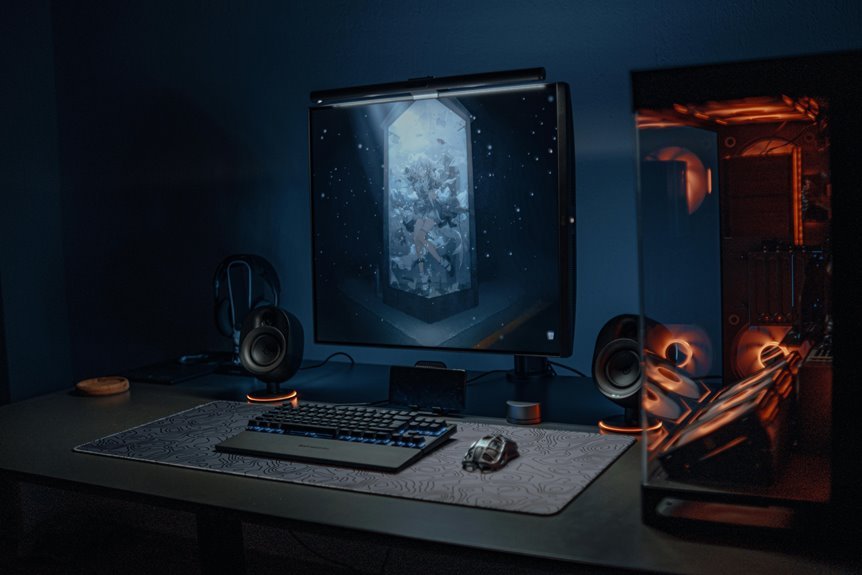

A budget gaming setup can still feel fast, smooth, and fun. Put most of your budget into the GPU, then pair it with a solid CPU, 16GB of RAM, and a 1TB NVMe SSD. A good monitor, reliable PSU, and comfortable desk setup can boost the whole experience more than expected. Smart spending beats flashy parts every time, and a few small upgrades can push FPS higher without draining your wallet.
What Counts as a Budget Gaming Setup?
A budget gaming setup is one that gives you smooth, enjoyable play without draining your wallet, and it usually lands in the $500 to $1,250 range depending on what you want to play.
You’re not chasing luxury here; you’re setting clear budget limits and aiming for real value targets that match your games.
In this range, you can still join the fun with friends, run popular titles well, and keep your system feeling modern enough for everyday use.
The sweet spot is a build that matches your screen, your favorite genres, and the level of polish you care about.
Whenever you choose wisely, you get a setup that feels capable, welcoming, and ready for long sessions without the stress of overspending.
Choose the Best Budget PC Parts
The initial smart move is to spend your money where games feel it most, and that usually means the GPU comes first. You’ll fit in faster with a build that matches your budget and your goals. Keep part compatibility in mind, then check your upgrade path so you don’t box yourself in later.
- Aim for 30% to 40% of your budget on the graphics card.
- Pick an i5-14400 or Ryzen 5 5600 for steady gaming support.
- Use 16GB DDR4 for entry builds, or 32GB DDR5 whenever prices make sense.
- Choose a 1TB NVMe SSD should you’re starting small.
- Buy a trusted 550W to 650W PSU, not a mystery unit.
That way, you build smart, stay welcome in the gaming crowd, and keep your wallet calm.
Pick a Budget Monitor for Smooth Play
Once you’ve picked the right PC parts, your monitor becomes the next big piece of the comfort puzzle, because even a strong budget build can feel rough on a bad screen.
You don’t need a flashy panel to enjoy smooth play. Start with monitor refresh rates. A 1080p display with 120Hz or 144Hz helps your games feel quick, clean, and easier on your eyes.
Then look for adaptive sync support, since it keeps tearing and stutter down whenever your frame rate jumps around. Whenever your GPU pushes high frames, a faster panel lets you actually see that work.
Stick with a size and resolution that match your rig, and you’ll feel like you’re gaming with the group, not fighting the screen.
Choose Durable Budget Peripherals
With your monitor set up, your hands become the next part of the gaming feel, because cheap gear that flexes, skips, or fails can make even a solid PC feel frustrating. You want peripheral durability, so choose long lasting accessories that stay steady through late-night matches and busy school days.
A solid budget mouse, keyboard, headset, and mousepad can help you feel like you fit right in.
- Check button feel for consistency.
- Look for braided or reinforced cables.
- Pick keys that don’t wobble much.
- Choose a headset with sturdy hinges.
- Buy from brands with clear warranty support.
When you test gear, move it hard and listen for rattle. That small step saves money, stress, and a few dramatic desk sighs.
Set Up a Space-Saving Gaming Desk
A smart desk layout can save you more space than you’d expect, and it can also make your gaming corner feel calm instead of cramped.
Start with a narrow desk that fits your wall, then keep your monitor close and centered. A compact monitor arm frees room for your keyboard, mouse, and a drink, so you don’t feel boxed in.
Next, use desk cable management to route cords along the back and under the top. That keeps your setup neat and makes cleaning easier.
You can also place your tower on a small stand beside the desk instead of on the floor, which opens legroom. Whenever you arrange everything with purpose, your space feels more like yours, and that matters.
Raise FPS Without Spending Much
You’ve already made your desk feel more open, so now it’s time to make your games run smoother without blowing up your budget.
Start with fps optimization by trimming heavy effects that you barely notice in the middle of a fight. Then open your game settings and tune these basics:
- Lower shadows initially
- Drop anti-aliasing a notch
- Use fullscreen mode
- Cap uncapped menus
- Turn off extra motion blur
These small moves often lift frame rates fast, and they keep your setup feeling sharp with the gear you already own.
Should a game still stutters, reduce resolution scale a little and test again.
You’re not chasing perfection here. You’re building a setup that feels steady, responsive, and ready for your next match with friends.
Avoid the Most Common Budget Build Mistakes
Once the parts list starts to grow, it’s easy to waste money on the wrong pieces and still end up with a weak gaming rig.
You belong to a smarter crowd once you skip flashy extras and protect your budget. Put your money into the GPU initially, then match the CPU so it won’t hold you back.
Don’t ignore power supply sizing, because a cheap unit can hurt stability and shorten part life. Choose a trusted 550W to 650W model for modest builds.
Next, plan storage capacity planning with care, since 1TB fills fast and 2TB often feels safer. Also, avoid overspending on RGB, fanless hype, or tiny RAM gains that won’t help your games much. Keep each choice practical, and your build will feel solid from day one.
Frequently Asked Questions
How Much Should I Spend on GPU Versus CPU?
Put roughly 30 to 40% of your budget into the GPU and 20 to 30% into the CPU. That split usually delivers stronger gaming performance and helps prevent one part from holding back the other.
Is DDR4 Still Good for Budget Gaming in 2026?
Yes, DDR4 remains a practical choice for budget gaming in 2026, particularly for 1080p setups. It delivers reliable performance at a lower cost, making it well suited for value focused builds. DDR5 can offer stronger long term platform support, but DDR4 still makes sense when keeping costs under control is the priority.
Should I Buy a 1TB or 2TB SSD?
Choose 2TB if your budget allows it. A 1TB drive can fill up quickly, especially with large modern games and updates. If you keep a sizable game library, 2TB gives you more room and fewer storage headaches.
What Wattage PSU Is Safest for My Build?
A reliable 550W to 650W PSU suits most budget systems, 850W to 1000W fits many mid range builds, and 1000W or more works best for high end PCs. Leave extra wattage headroom to absorb sudden power spikes and to help the unit run cooler and quieter.
Which Budget GPU Gives the Best 1440P Value?
For 1440p on a budget, the Radeon RX 9060 XT stands out as a strong value pick, especially if you are open to used GPUs. It delivers solid raster performance for the price and makes sense for buyers focused on higher frame rates without overspending.