

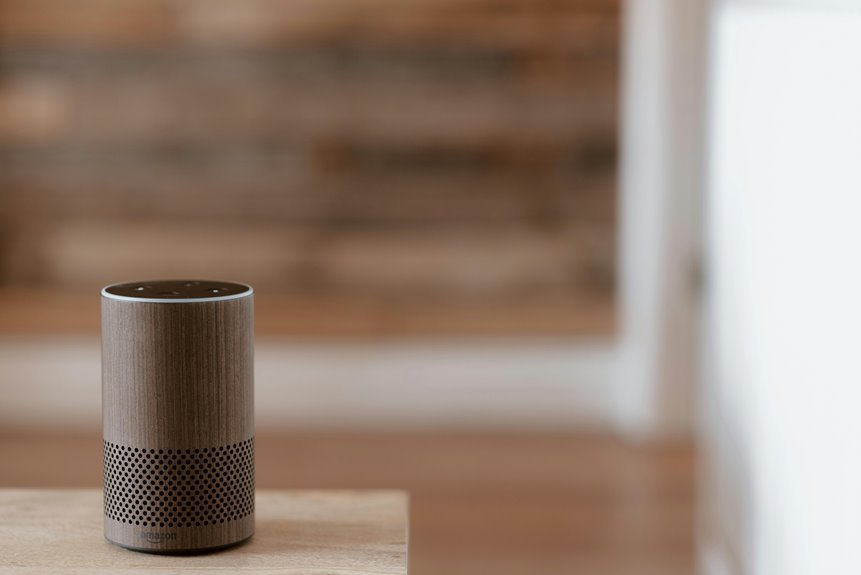

Yes, smart speaker voice accuracy can get much better with a few simple changes. The biggest fixes are better placement, less background noise, updated settings, and clean microphones. Clear speech and a refreshed voice profile also help your device catch words more reliably. This article shares 10 easy ways to get faster, more accurate responses from your smart speaker.
Place Your Smart Speaker Correctly
Because placement shapes everything your smart speaker hears, start with putting it where your voice reaches the microphone cleanly and where room noise stays out of the way. Good room placement helps your device catch your words the first time, so you feel understood instead of left out.
Set it on a stable surface about chest to head height, not tucked behind decor or crowded surrounded books. Keep open space around it so your voice travels straight in.
Also, avoid corners, glass, and bare walls, because sound reflection can blur words before they reach the mic. Place the speaker where you naturally talk, like near a sofa or kitchen counter, but not too far away.
Upon your setup fits your daily rhythm, your smart speaker feels less fussy and more like part of your home and routine every day.
Reduce Background Noise
While good placement gives your smart speaker a fair chance to hear you, background noise can still crowd your voice and make simple commands fall apart. You’ll get better results whenever you lower the room’s noise floor control and clear away steady sounds like fans, TVs, and humming appliances.
That creates a calmer space where your device can keep up with you.
- Turn off nearby TV audio, music, or running water before you speak.
- Close windows to block traffic, barking dogs, and hallway chatter.
- Use gentle acoustic clutter reduction with rugs, curtains, and soft furniture.
These small changes help your home feel more supportive, like everyone’s working together for smoother responses.
Whenever your speaker offers noise suppression, keep it moderate so it trims hiss and hum without flattening your natural voice or details.
Speak Clearly, Don’t Shout
Whenever you speak to your smart speaker, say each word clearly and keep your tone natural.
You’ll get better results whenever you open your mouth fully, finish your word endings, and speak at a steady pace instead of shouting.
That way, your device hears your real voice, not a strained or distorted version of it.
Enunciate Each Word
Although it can feel natural to speak louder whenever a smart speaker misses a command, shouting usually makes recognition worse, not better. Instead, slow down a touch and make each word clean. When you articulate endings, your device catches the full command, not a blurry guess. Clear mouth movement helps too, because fuller speech shapes create stronger sound patterns your speaker can follow.
- Finish words like “lights” and “playlist” instead of letting the last sound fade.
- Open your mouth enough for crisp consonants, especially with short commands.
- Pause briefly between key words so your request sounds steady and complete.
This small shift helps you feel more in sync with your device. You don’t need a stage voice. You just need steady, confident speech that sounds like you on a good day, every single time.
Use A Natural Tone
Your voice works best at a calm, natural level, because smart speakers hear clear speech better than loud speech. Whenever you shout, the sound can distort, and your words may blur together. Instead, speak as though you’re talking to someone nearby who already knows you. That steady approach helps the device catch full words, especially at the ends of sentences.
As you continue, aim for conversational pacing and a relaxed delivery. You don’t need a fake announcer voice, and you don’t need to push extra volume. Just open your mouth, finish each word, and keep your tone even. This makes your speech feel natural and easy to follow.
In shared spaces, a calm voice also feels more comfortable for everyone around you, so you stay understood and connected without sounding stiff or strained.
Retrain Smart Speaker Voice Recognition
Should your smart speaker keep missing words, retraining its voice recognition can make a real difference. You help it learn how your household sounds, so it catches your accent, pacing, and favorite phrases more often. That shared fit helps everyone feel understood.
- Add voice samples in the rooms where you usually speak.
- Include your common commands, names, and daily routines.
- Repeat training whenever seasons, noise, or speakers in your home change.
This is where model fine tuning and domain adaptation matter most.
You shape the acoustic and language patterns around your life, not some average user. Should your family use regional words, nicknames, or bilingual phrases, retraining teaches those details.
With each guided session, your smart speaker grows more familiar, more reliable, and more like it truly belongs with you every day.
Update Speaker Software and Firmware
To keep your smart speaker hearing you well, check for firmware updates on a regular basis.
You should also turn on automatic updates, so your device gets vital fixes without extra work from you.
After each update installs, restart the speaker to help the new software run cleanly and smoothly.
Check For Firmware Updates
Because smart speakers depend on both their microphones and their voice software, keeping the firmware up to date can make a real difference in how well they understand you. When you check the firmware version, you make sure your device has the latest fixes for speech pickup, command handling, and stability. That helps your speaker respond more like part of your home, not a frustrating outsider.
- Open the companion app and look for the current firmware version in device settings.
- Compare it with the brand’s update schedule so you know whether your speaker is on track.
- If your speaker seems slower or misses words, check again after restarts or app syncs.
This quick habit helps you stay in step with your device. You give it the best chance to hear your voice clearly, and that makes daily routines feel smoother for everyone.
Enable Automatic Updates
Often, the easiest way to keep your smart speaker hearing you well is to turn on automatic updates for both its software and firmware. Whenever you do, you help your device stay in step with the features and fixes your whole connected home relies on. That sense of ease matters.
Automatic updates quietly deliver auto update benefits like stronger voice matching, better wake word detection, and smoother response to your daily requests. You won’t need to keep in mind every release or hunt through settings whenever life gets busy.
Just as vital, background update timing lets your speaker install improvements during low-use hours, so your routines feel uninterrupted. Provided your app offers update controls, check that Wi-Fi stays stable, power saving won’t block downloads, and update alerts remain on. Small settings like these help your speaker keep up with you.
Restart After Installation
Once automatic updates are on, give your smart speaker a full restart after each software or firmware install so the new files load cleanly and the device can rebuild its voice features from scratch. That simple step helps your speaker hear you like it knows you again. It also supports your installation checklist and makes setup verification easier, especially in the case that your home feels busy.
- You unplug it, wait 30 seconds, and plug it back in while the room stays quiet.
- You watch the lights blink, then settle, like your speaker is rejoining the household.
- You test a familiar command and notice faster, cleaner replies that feel more natural.
After that, check the app for update status, microphone settings, and saved voice profile details. In the event that anything seems off, restart once more before changing other settings.
Check Your Wi‑Fi Connection
Should your smart speaker seem to miss words or answer slowly, check your Wi‑Fi before you blame your voice. Your device depends on strong network stability to hear, process, and reply without awkward pauses. As soon as your connection drops, commands can sound incomplete, delayed, or simply wrong, which can make your whole setup feel out of sync.
Begin by moving your speaker closer to the router. Then test your bandwidth latency with a speed app and see whether other devices are crowding the network. Should video streams, game downloads, or busy family hours fill your connection, your speaker may struggle to keep up.
You can also restart the router, switch to a less crowded band, or place the speaker away from thick walls. A steadier signal helps your home feel connected again.
Turn Off Nearby Wake Words
While your Wi‑Fi helps your speaker respond on time, nearby wake words can still confuse it before your command even begins. When more than one device listens for similar trigger phrases, wake word interference can split attention and lower accuracy. You can make your space feel calmer and more cooperative by turning off extra assistants nearby, especially on phones, TVs, tablets, and other speakers.
- Your speaker hears one clear cue instead of a chorus of lookalike prompts.
- You reduce accidental activation when family members chat, stream shows, or joke around.
- You create a more reliable routine, so everyone in your home feels in sync.
If you live with others, ask them to disable unused wake words too. That small team effort helps your speaker recognize you faster and makes daily commands feel smooth, shared, and less frustrating overall.
Match Language and Accent Settings
Cutting down extra wake words helps your speaker listen to the right moment, and matching its language and accent settings helps it understand the right words.
When your device hears the way you naturally speak, it feels less like a machine and more like part of your home.
Start with the app’s language selection, then choose the regional English or other language you actually use every day. That small change helps your speaker catch local vocabulary, names, and everyday phrases.
Next, check accent calibration options or voice training if your device offers them. Speak normally during setup, because your real voice gives the best results.
Should family members use different accents, add each profile so everyone feels recognized.
You shouldn’t have to sound different to belong. Your speaker should meet you where you are.
Clean Smart Speaker Microphones
Your smart speaker can’t hear you well when dust builds up on its microphones, so you’ll want to keep those tiny openings clean.
Use safe tools like a soft brush, dry microfiber cloth, or gentle compressed air so you don’t push debris deeper inside.
When you clean it on a regular schedule, you’ll help your speaker catch your voice more clearly and respond with less frustration.
Remove Dust Buildup
Because smart speaker microphones sit out in the open all day, they collect dust, lint, and tiny bits of debris that can muffle your voice before the device even starts to process it.
Whenever you stay on top of dust removal, you help your speaker hear you like it belongs in your daily routine.
- A light dusty ring around the microphone openings can soften your words
- Lint near interior vents can trap more particles over time
- Fine debris can settle quietly, even in tidy rooms
Use Safe Cleaning Tools
Often, the safest cleaning tools make the biggest difference whenever you’re trying to clear smart speaker microphones without causing damage. You want results, but you also want to protect the device that helps your home feel connected. Start with safe cleaning supplies like a soft, dry microfiber cloth, a clean camera brush, or a manual air blower. These tools lift debris without pushing it deeper.
Next, focus on gentle speaker care. You should avoid paper towels, metal picks, soaking wipes, and canned air used too closely, since they can scratch openings or force moisture inside. Instead, hold your tool lightly and work with patience.
Once you choose kinder tools, you’re not just cleaning a speaker. You’re taking care of a shared part of daily life, and that thoughtful habit helps your whole space work better.
Maintain Regular Cleaning
Regular cleaning keeps your smart speaker microphones clear, responsive, and ready whenever you need them most. Whenever dust, lint, and kitchen film build up, your speaker can miss words you know you said.
Through making device hygiene part of your routine, you help your speaker hear your voice the way your household expects. That simple habit supports accuracy and helps everyone feel more connected.
- You wipe the mic area gently each week, so grime doesn’t muffle your commands.
- You check openings for dust after cooking, pet shedding, or busy family days.
- You follow a maintenance schedule, so cleaning feels easy, steady, and shared.
As you stay consistent, your speaker keeps up with daily life better.
Small care creates a smoother, more reliable experience your whole home can count on together.
Test Recognition After Each Change
Start via testing recognition every time you change one thing in your setup, since that’s the fastest way to see what truly helps. Whenever you adjust mic distance, noise settings, or speaking pace, run the same commands right away. That gives you clear test results and helps you compare changes fairly.
Next, keep your checks simple and consistent so you don’t feel lost. Use a short list of everyday phrases, then say them at your normal speed, around 110 to 130 words per minute. Try testing in the same room initially, then in a noisier space. Unless accuracy drops, you’ll know the new setting didn’t serve your voice well. Write down what worked, what didn’t, and how the speaker responded. Small checks help you build a setup that feels reliable, familiar, and truly yours.
Frequently Asked Questions
Which Microphone Types Improve Voice Recognition Most for Smart Speakers?
Smart speaker voice recognition improves most with high quality condenser microphones, dedicated noise resistant microphones, and carefully calibrated headset style inputs during setup. Focus on microphone array design and far field pickup patterns to capture speech clearly and accurately.
How Does Audio Sample Rate Affect Smart Speaker Recognition Accuracy?
Audio sample rate influences recognition accuracy because higher rates preserve more of the speech signal, including brief consonant sounds that are often lost at lower settings. For smart speakers, 16 kHz is a practical minimum for consistent voice capture and more reliable understanding.
Can Automatic Punctuation Improve Transcription Accuracy for Smart Speaker Commands?
Yes. Automatic punctuation can sharply reduce transcription errors. A 2025 study lowered WER from 18.08% to 4.75%. For smart speaker commands, punctuation intent detection helps mark pauses, numbers, and phrasing more clearly, which improves command recognition.
Do AI Noise Reduction Tools Help Smart Speakers Hear Better?
AI noise reduction can help your smart speaker pick up commands more clearly by reducing background sounds and controlling acoustic echo. It works best with moderate settings and in a relatively quiet room.
When Should Domain-Specific Language Models Be Used for Voice Recognition?
Use domain specific models when your voice commands consistently include specialized terminology, distinctive pronunciations, or recurring task patterns. They improve intent tuning, recognize wake word vocabulary more accurately, and increase recognition reliability for the way your users actually speak.




