

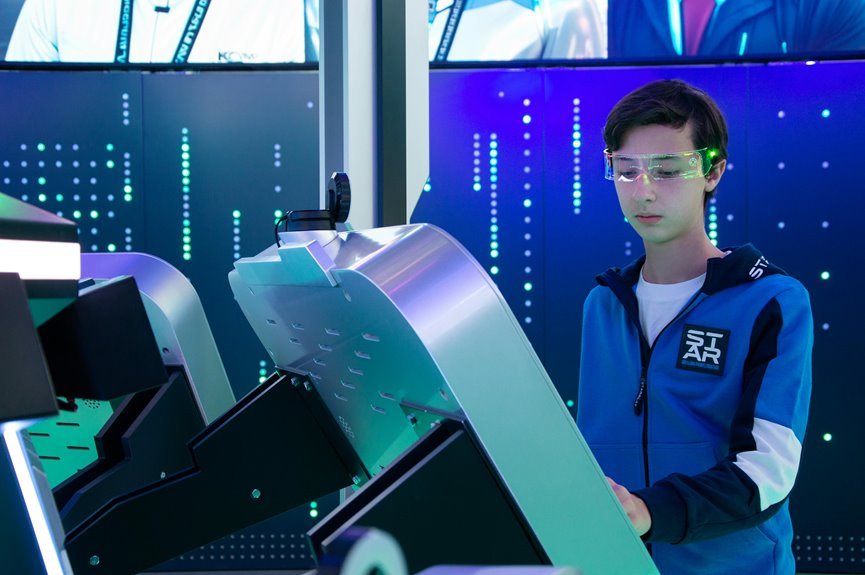

AR glasses display quality comes down to how the screen feels in real use, not just how it looks on paper. A bright, sharp display can still seem disappointing with a narrow view or shaky image. Comfort, glare, text clarity, and outdoor visibility often shape the experience more than raw specs. That’s why real-world use says far more than marketing ever can.
Why AR Glasses Specs Don’t Tell the Whole Story
Even though a spec sheet looks impressive, it still won’t tell you how AR glasses feel once they’re on your face and in your daily routine. You can read field of view, refresh rate, and resolution all day, yet spec sheet limitations show up fast whenever text feels cramped, menus drift, or the frames press on your ears.
That gap matters because you want gear that fits your life, not just your wishlist. In practice, different glasses handle daily use very differently. XREAL can sound ideal, but narrow viewing space can box you in.
Meta’s wider view helps movement, yet weight and warm overlays can wear on you. Snapchat looks sharp, but its narrow window breaks flow. That real world demo mismatch is why shared user experience matters so much whenever you choose.
How AR Displays Actually Look and Feel
As soon as you put AR glasses on, you notice fast that display quality isn’t just about specs, it’s about how clear the image stays as you read, watch, and move.
You also feel the difference in comfort, because sharp visuals can still fall flat provided the glasses feel heavy, warm, or tiring after a while.
Visual Clarity In Use
Although AR glasses can look stunning at first glance, visual clarity in real use depends on three things working together: field of view, panel sharpness, and how stable the image feels while you move.
When you wear them, the lens sweet spot decides whether the image feels crisp or slightly off. When that spot is narrow, you keep adjusting instead of settling in.
Then field of view shapes how natural everything feels. A wider view, like Meta’s prototype, lets graphics stay with you better. Narrower views, like XREAL or Snapchat, can clip menus and break focus.
Panel sharpness matters too. Rokid looks super crisp, while XREAL shines more with movies than fine text.
Just as significant, image stability keeps overlays from drifting, wobbling, or feeling disconnected from your world around you daily.
Comfort During Viewing
Sharp visuals only get you so far, because comfort decides whether you’ll keep the glasses on past the initial wow moment. When AR glasses feel right, you settle in faster and feel like you belong in the experience, not just beside it. Good panels help, but eye fatigue still shows up when text shimmers, overlays drift, or warm graphics linger too long.
That’s where fit and viewing posture matter just as much as sharpness. Heavier frames can press on your ears, while narrow fields of view make you hold your head still in awkward ways. You notice this on productivity tasks first, especially when menus sit at the edges or holograms clip.
In contrast, glasses tuned for movies feel easier because you relax, lean back, and let the image come to you instead.
What Matters for Work vs. Media
For work, in the event that you want AR glasses, you need more than a pretty screen. You need clear text, stable overlays, and enough field of view to keep windows in sight during workplace collaboration.
That’s why wider views, like Meta’s 70 degrees, feel more useful than the 46 degree limits on XREAL or Snapchat. For detailed tasks, narrow views and lower clarity can make websites, documents, and dashboards feel cramped.
For media immersion, your priorities shift. Here, color, smooth motion, and audio matter more than multitasking space.
XREAL and Rokid shine because their Micro OLED displays look rich and cinematic, and fast refresh rates keep motion clean. RayNeo fits quick alerts better than movies.
Brightness in Sunlight and Shade
In bright sun, display quality changes fast, and that’s where many AR glasses start to struggle. You notice sunlight readability drop initially. Transparent designs like RayNeo X3 Pro feel useful for quick info, but harsh light can wash out color. XREAL and Rokid look richer, yet outdoor glare still fights the image. Whenever you’ve ever squinted and asked yourself whether it was just you, you’re not alone.
| Glasses | Sunlight | Shade |
|---|---|---|
| XREAL/Rokid | Bright image, glare fights back | Better contrast, easier viewing |
| Spectacles | Tint helps outside | Comfortable balance |
| RayNeo X3 Pro | Best for glanceable data | Cleaner overlays |
Then shade adaptation becomes the real comfort test. In softer light, menus feel steadier, colors settle, and you can relax into the experience with everyone else using them.
Resolution and Text Sharpness
When you put on AR glasses, pixel density quickly decides whether text looks clean or fuzzy.
You’ll notice sharper panels make menus, captions, and small UI details easier to read, while lower-resolution displays can add jagged edges and eye strain.
That matters most when you try to read fine text, because what feels acceptable for video can still fall short for real work.
Pixel Density Impact
Two things shape how sharp AR glasses feel: pixel density and how those pixels spread across your view. When density is high, images look smoother, edges look cleaner, and graphics feel more natural to everyone around you using this tech. That’s why Snapchat Spectacles can look sharper than Meta’s prototype, even with a narrower view.
Still, pixel density tradeoffs matter. Should pixels stretch across a wider field, sharpness can drop, and you might notice the screen door effect, where tiny gaps make the image feel less solid. XREAL Air and Rokid both push vivid Micro-OLED panels, but Rokid’s 1200p-per-eye setup feels crisp because its viewing area stays controlled.
On waveguide pairs like RayNeo X3 Pro, lower density fits quick glances better than rich visuals, so your experience feels practical, not polished.
Reading Fine Text
Although bright colors can make any AR display look impressive at first glance, fine text is where the real test begins, because your eyes notice weak resolution right away. When you read menus, captions, or long notes, tiny font legibility decides whether you feel at home or left out. Sharper displays like Snapchat Spectacles and Rokid help you stay comfortable, while XREAL and RayNeo can show aliasing that breaks paragraph readability.
- You notice blur first in small app labels and browser tabs.
- You feel the narrow field of view when lines clip or force head movement.
- You trust a display more when letters stay clean during longer reading.
That difference matters in shared spaces too, because you want your AR view to feel easy, natural, and welcoming, not like you’re fighting every sentence alone each day.
Contrast and Black Levels Indoors
Even in a normal room, contrast and black levels can make or break the whole AR glasses experience, because your eyes notice deep blacks and clean separation long before they care about fancy features. Indoors, you want strong contrast depth, not a raised black floor that makes dark scenes look washed out. That’s why Micro-OLED models like XREAL Air and Rokid feel more premium in shared spaces.
| What you notice | Why it matters |
|---|---|
| Deep blacks | Night scenes feel rich |
| Low black floor | Shadows stay believable |
| Strong contrast depth | Menus pop without glare |
| Weak contrast | Images look flat indoors |
After reading fine text, this matters next because darker UI elements reveal panel quality fast. You’ll feel more at home with glasses that keep blacks steady, crisp, and comforting during late evening use.
How Accurate AR Glasses Colors Look
Black levels shape the mood of an image, and color accuracy decides whether that image feels real or slightly off. When you wear AR glasses, you notice fast whether reds lean orange or whites look blue. Good color calibration helps scenes feel natural, while weak tuning makes graphics seem detached from your world.
- XREAL and Rokid feel more believable because their Micro-OLED panels show richer, steadier hues.
- Skin tone fidelity matters most. Whenever faces look healthy and familiar, you trust the display more and settle in faster.
- RayNeo X3 Pro shows full color, but its limited palette can make overlays feel flatter than you’d want.
That difference affects comfort, movies, photos, and simple daily tasks. You want colors that match what your eyes expect, so the experience feels like it belongs with you.
Field of View in Daily Use
How much of the image can you actually see without moving your head too much? In daily use, field of view decides whether AR feels natural or boxed in. You notice it fast whenever menus clip, maps crowd your sight, or a giant virtual screen loses peripheral setting. That affects spatial awareness and comfort, especially whenever you want to stay connected to people around you.
| Glasses | Daily feel | What you notice |
|---|---|---|
| XREAL, Snapchat | Tight view | More head turning |
| Rokid | Slightly roomier | Better for shows |
| Meta prototype | More open | Easier overlays |
Refresh Rate and Motion Comfort
Often, refresh rate shapes comfort faster than specs on a box ever do, because your eyes feel the difference the moment motion starts. When visuals glide well, you stay present, relaxed, and connected instead of fighting motion blur or eye strain. That’s why 120Hz models like XREAL Air and Rokid feel easier during fast clips, gaming, or walking.
- You notice refresh smoothness first when menus slide, videos pan, or holograms track your head without jitter.
- You feel less fatigue when motion stays stable, especially during longer sessions with bright overlays and moving graphics.
- You trust the experience more when action looks natural, because your brain doesn’t keep correcting every tiny stutter.
Even prototype gear can feel impressive at first, but if motion turns uneven, your whole group notices, and comfort drops fast for everyone.
How Sharp the Edges Really Look
Where edge sharpness really matters is in the moments as your eyes drift away from the center and the image starts to soften, because that’s once a screen stops feeling natural.
You notice it fast as text, menus, or subtitles sit near the edges. If edge crispness drops, your eyes work harder, and you feel less settled inside the image.
That’s why some glasses feel easier to live with. Snapchat Spectacles keep stronger border definition than you’d expect, so menus stay cleaner even with a tighter view. Rokid also holds up well, giving you a more confident view across its 50° window. XREAL looks vivid in the middle, but the softer outer area can make detailed tasks feel less welcoming.
As edges stay clean, you feel like you belong in the experience, not outside it.
Glare and Reflection Control
While you wear AR glasses indoors, ceiling lights and bright windows can bounce across the lenses and pull your eyes away from the image. Then, outside, sunlight can wash out the display fast, so glare control matters just as much as resolution.
You’ll also notice that lens coatings make a big difference, because good ones cut reflections and keep the view calmer and easier to trust.
Indoor Lighting Reflections
Why do indoor lights make some AR glasses feel sharp in one moment and washed out in the next? You’re not imagining it. Indoor lamp glare and ceiling light reflections can bounce across lenses, lower contrast, and make text or menus fade. Since you’ve felt this, you’re in good company.
- Warm lamps often create soft haze, which makes dark scenes look gray instead of deep and rich.
- Bright overhead bulbs can hit the lens angle just right, so graphics lose punch as you shift your head.
- Glasses with better tint or coatings usually hold image strength longer in occupied rooms, offices, and cafés.
That’s why the same display can feel great on a couch, then frustrating at a desk. Small lighting changes matter, and once you notice them, your experience starts making a lot more sense.
Outdoor Sunlight Glare
How quickly outdoor sunlight can turn a great AR display into a squint test depends on one thing: glare control. As you step outside, bright light competes with every virtual layer, so sunlight readability becomes the difference between feeling included in the moment and fighting your gear. You want graphics to stay clear without forcing your eyes to work overtime.
That matters even more because outdoor visibility changes on device. XREAL and Snapchat can lose impact fast in harsh noon light, especially with narrower views. Rokid’s bright Micro OLED image helps more, while RayNeo X3 Pro works best for quick glance tasks, not rich visuals. Meta’s wider view feels easier to track outdoors, but strong glare still breaks immersion.
In real use, good glare control helps you stay present, confident, and connected with everyone around you.
Lens Coating Performance
Even though the display itself looks sharp, weak lens coatings can fill your view with reflections that pull you out of the moment. Whenever glare bounces back at you, even bright panels like XREAL Air or Rokid feel less immersive, and you notice the lens more than the image.
- Good coatings cut mirror-like reflections, so you stay with the scene instead of seeing your room, your shirt, or your own eyes.
- Strong anti scratch coating matters too, because small marks scatter light and make clean graphics look hazy over time.
- Better lens durability helps your glasses keep that polished look after daily wipes, travel, and pocket-to-desk life.
That’s why coatings shape real comfort. Whenever they work well, you feel more at ease, more focused, and more connected to what everyone else is excited to see.
Eye Comfort in Long AR Sessions
Often, eye comfort in long AR sessions comes down to a simple balance between sharpness, field of view, brightness, and fit on your face. When that balance feels right, you settle in faster and stay present with everyone else using the same space.
Sharp displays help, but too much brightness or poor fit can still wear you down. You notice this quickly in glasses that press on your ears or sit unevenly on your nose. Wider views can feel easier on your eyes because you move less to follow menus and overlays.
Crisp panels also support eye strain relief by keeping text and graphics cleaner. Still, warmth, weight, and narrow viewing windows can build long session fatigue. If your glasses feel natural, stable, and easy to focus on, you stay comfortable longer and feel more at home.
Which Display Trade-Offs Matter Most
Whenever you use AR glasses, you quickly feel the trade-offs that matter most: brightness can help outdoors, but it often drains battery faster.
You also notice field of view right away, because a narrow view can clip menus, screens, and holograms whenever you need more space.
Then clarity in motion becomes the test that really counts, since you want text, graphics, and real-world overlays to stay sharp while you move.
Brightness Vs Battery
Because AR glasses sit inches from your eyes, brightness feels like a big win at the outset, but battery life usually decides whether that display stays useful beyond a short demo.
You notice this fast in daily use. A bright image helps outdoors and makes colors pop, but it also raises battery drain. If you want glasses that last through commutes, breaks, and late-night videos, power efficiency matters just as much as punchy visuals.
- Higher brightness helps in sunny spaces, yet heat and battery drain can pull you out of the moment.
- Smart dimming keeps the image clear while saving power, so you stay in the flow longer.
- Efficient panels, like Micro-OLED, often give your group the best balance of vivid image and all-day comfort.
That balance is what makes AR glasses feel ready for real life.
Field Of View
Battery life tells you how long the display can stay on, but field of view tells you how much of that display you can actually use without feeling boxed in. When you wear AR glasses, a wider view helps you feel present, connected, and confident in shared spaces. It improves spatial awareness and supports peripheral immersion, so digital elements feel less clipped and more natural.
| FOV range | What you feel |
|---|---|
| 46° to 50° | More tunnel-like, tighter framing |
| Around 70° | More open, easier to look around |
That gap matters in real use. XREAL and Snapchat feel narrower, which can interrupt tasks and group experiences. Meta’s 70° prototype feels freer and more social. Should you want AR that fits into your world, field of view shapes whether you feel included or fenced off.
Clarity In Motion
While field of view decides how open the image feels, clarity in motion tells you whether that image still looks clean once your eyes, head, or the scene starts moving. That matters fast, because you don’t use AR glasses like a statue. You glance, walk, turn, and refocus.
- Higher refresh rates, like 120Hz on XREAL Air and Rokid, help cut motion blur so moving detail stays readable.
- Stable tracking matters just as much. Whenever holograms drift or lag, your brain works harder, and you feel less at home in the experience.
- Sharp panels help, but only unless they hold up in motion. Snapchat looks crisp in menus, while RayNeo suits quick glance tasks better than rich scenes.
How to Judge Display Quality in Person
Whenever you try AR glasses in person, don’t get pulled in through screen size claims initially. Start your display evaluation with text, edges, and comfort. Open a menu, read small words, and move your head slowly. You’ll spot blur, aliasing, and drifting fast.
Then do a hands on comparison between models. XREAL and Snapchat can look sharp, yet their 46 degree view feels tight. Rokid often looks crisp and bright, while Meta’s wider 70 degree view helps graphics feel less boxed in.
RayNeo suits quick info better than movies, so test for your real use.
Also check warmth, weight, and outdoor visibility. Though the image looks great but your ears ache or tint kills the world, you won’t keep wearing them. Trust what feels right for your everyday group.
Frequently Asked Questions
Do AR Glasses Work Well With Prescription Lenses or Contacts?
Yes, AR glasses usually work well with contacts or prescription lens inserts. Think of it like wearing a fitted jacket: comfort depends on how well everything lines up. Prescription compatibility differs by model. Contacts often feel simpler during longer sessions, but frame pressure and display alignment can still cause discomfort.
How Much Battery Life Affects Display Performance Over Time?
As battery life declines, AR glasses often reduce brightness, increase heat, and limit visual stability, which can make the display feel less vivid and comfortable during longer use. Most current models are still better suited for shorter sessions than reliable all day performance.
Can AR Glasses Connect Easily to Phones, PCS, and Game Consoles?
AR glasses usually pair smoothly with phones and connect to many PCs without much setup. Game consoles are less direct and often require the right adapter, so checking the available ports first helps avoid compatibility issues.
How Durable ARe AR Displays for Travel and Daily Commuting?
Durability remains uneven. Meta’s prototype reaches about 80% hand tracking accuracy, which suggests dependable response for daily use, but added weight, a limited field of view, and weak outdoor visibility still make travel and commuting harder, so carrying a protective case is a smart precaution.
Do Built-In Speakers Leak Audio in Quiet Public Places?
Yes. In quiet public places, built in speakers can leak enough sound for nearby people to notice, especially on louder AR glasses like Rokid. Keeping the volume low reduces what others can hear and helps you stay discreet.




