

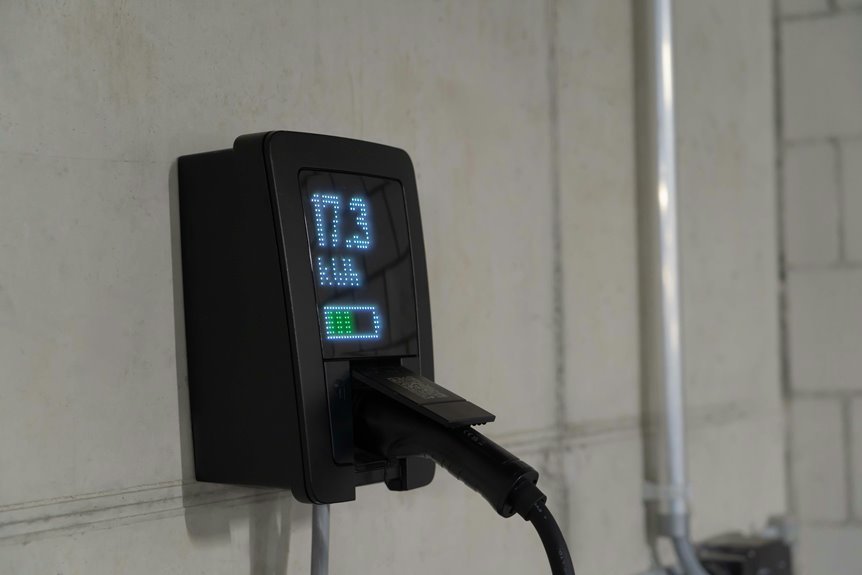

A smart plug shows exactly how much electricity a device uses in real time. It turns vague guesses into clear numbers, from live watts to total energy use. That makes it easier to spot waste, cut standby power, and catch expensive devices early. A space heater, charger, or desk setup can reveal costs far higher than expected.
What Data a Smart Plug Tracks
Because energy use can feel invisible, a smart plug makes it easy for you to see exactly what an appliance is doing in real time. You can check live power in watts, total energy in kWh, and often voltage, so your home feels less like a mystery and more like a team effort.
That view also helps you build a clearer device inventory. You can spot which lamp, heater, or desk setup pulls more power than expected, and you can compare daily patterns without guesswork.
Some apps also store history, which makes data retention significant when you want to track habits over time. As you follow these numbers, you feel more confident, more included, and more in control of the choices that shape your shared space, bill, routines, comfort, and peace daily.
How Smart Plug Energy Monitoring Works
Your smart plug measures voltage and current inside the device, then turns that data into real-time power and energy readings you can see in your app.
As it tracks usage over time, it reports watts for what a device is using now and kWh for how much energy you’ve used in total.
That means you can spot patterns, catch power spikes, and feel more in control of what your home is costing you.
Power Measurement Process
At the heart of energy monitoring, a smart plug measures voltage and current many times each second, then combines those readings to calculate power in watts and track energy use in kWh over time. Inside, voltage sensing checks the line level, while a current shunt tracks how much electricity your device pulls.
From there, the plug’s metering chip compares both signals, accounts for timing, and calculates true power instead of rough estimates. That matters because your devices don’t always draw electricity in a perfectly smooth way. As you monitor a heater, desk setup, or lamp, you get readings that feel grounded in real life, not guesswork. In many plugs, a chip like the CSE7766 helps keep those numbers accurate, so you can trust what you see and feel more confident managing your home together.
Data Tracking Methods
Once a smart plug turns voltage and current into power readings, it starts building a useful history from that stream of data. Your plug logs each sample, then your app groups those points into minutes, hours, and days, so you can see patterns that feel familiar and useful.
The key is sampling frequency. Faster sampling catches short spikes from heaters, kettles, or office gear, while slower reporting saves bandwidth. Some plugs, like Eve Energy, report about every 60 seconds, and Matter 1.3 devices can share watts and kWh across supported apps.
From there, you can review trends, set alerts, and trigger automations whenever usage jumps. Whenever you like deeper control, local storage options and tools like Prometheus with Grafana help you keep your home’s story close, visible, and shared with confidence daily.
Which Devices Are Worth Tracking First?
Where should you start when every plug in the house seems worth watching? Begin with high impact devices, because they reveal the biggest savings fastest and help you feel in control with the rest of us trying to cut waste.
- Track water heaters earliest. They can average 4.51 kWh a day, so small changes matter.
- Watch home office gear next. A full setup may reach 1.52 kWh daily, especially whenever devices stay on.
- Check always-on appliances like dehumidifiers, fans, or older fridges. They quietly raise bills and deserve priority monitoring.
- Include anything with heat or a motor, since those loads usually draw more power than chargers or lamps.
This order gives you a clear path. You won’t track everything at once, but you’ll start where your effort brings real wins earliest.
How to Set Up Smart Plug Monitoring
Should you want energy data that you can trust, start with checking that your smart plug, app, and smart home system all support Matter 1.3 or later, because that version adds energy monitoring with live power in watts and total energy use in kWh.
Next, update firmware if your plug is an older model. Then follow a simple installation checklist: confirm the plug’s power rating fits the device, place it where airflow stays clear, and connect it safely.
After that, finish the network setup by joining Wi-Fi or Thread, then pair the plug inside your chosen app. Thread models often feel smoother and more reliable, so you’ll feel right at home with them. Finally, name the plug clearly by room or device, test that energy reporting appears, and keep your app permissions enabled.
How to Read Smart Plug Energy Data
As you read smart plug energy data, you start by checking power in watts and energy in kWh, so you can see what an appliance is using right now and over time.
From there, you can track daily patterns, compare typical use, and notice as something runs longer or harder than it should.
That makes it easier for you to spot energy waste sooner, cut surprise costs, and feel more in control of your home.
Understanding Power Metrics
Clarity matters most whenever you open a smart plug app and see numbers like watts, kWh, and voltage all at once. You’re not alone if they seem crowded at first. Once you know what each metric means, you feel more in control and more connected to how your home uses energy.
- Watts show live power use right now, like 1800W on a heavy appliance.
- kWh shows energy over time, which helps you understand cost.
- Voltage tells you supply strength, and dips can explain odd device behavior.
- Power factor shows how efficiently a device uses electricity, while a demand charge matters when high power spikes affect billing.
Together, these numbers give you a clearer, friendlier picture of what each plugged-in device is really doing every day.
Tracking Usage Patterns
Start initially through looking for patterns instead of single spikes, because that’s where smart plug data becomes useful and much less intimidating. Whenever you check daily graphs, you start seeing how your routine shapes energy use. A coffee maker jumps in the morning. Your desk setup rises during work hours. Those repeating moments help you feel in control, not lost in numbers.
Next, compare real-time watts with total kWh over a day or week. That gives you habit trend analysis without guesswork. Whenever your plug reports every 60 seconds, you can match changes to meals, work blocks, or bedtime.
Then watch usage spike timing to learn at what time devices usually wake up, settle down, or cycle. With that rhythm, you become part of a smarter, more confident home team every day together.
Spotting Energy Waste
Why do some devices look quiet but still raise your bill? Your smart plug helps you catch waste that feels invisible, so you’re not guessing alone. Read the watts for what’s happening now, then compare daily kWh to spot habits that sneak up on your home.
- Watch steady watt draw while a device seems off. That’s where concealed phantom loads often live.
- Compare typical use to spikes. A home office near 1.52 kWh/day or a water heater jumping toward 11.1 kWh/day can reveal leaky appliance clues.
- Check voltage dips during busy hours. They can explain odd peaks and stress on appliances.
- Use thresholds and app alerts to flag changes fast, especially with Matter 1.3 plugs that report real-time watts and energy.
That way, you protect your space, save money, and feel more in control together.
What Energy Patterns to Look For
If you begin watching a smart plug’s energy data, look for patterns that repeat each day, because those steady habits tell you what’s normal and what needs attention. Notice if watt levels rise, flatten, or spike. Those shifts help you understand your household rhythm and feel more in control.
Next, compare weekday and weekend behavior, plus occupancy patterns, to see how people shape demand. Track seasonal usage too, since heaters, fans, and office gear often change with weather and routines. Watch for idle loads that stay unusually steady, sudden peaks during appliance start-up, and long run times that don’t match expected use.
If your app shows voltage and kWh, read them together. Voltage dips can line up with busy hours, while kWh totals reveal which devices quietly become part of your home’s daily energy story.
How Smart Plugs Help Cut Energy Waste
Because energy waste often hides in the background, smart plugs give you a clear, steady view of what each device is really doing and help you act on it fast. You stop guessing, and your home starts feeling more efficient, more in sync with the way you live.
- You spot idle devices pulling power all day, which supports ghost load reduction without changing your routine.
- You set automations as soon as real-time watt levels rise, so heaters, office gear, and chargers don’t quietly overrun your budget.
- You compare rooms and devices, which helps your household work together and stay motivated around seasonal savings goals.
- You catch waste in its early stages through app alerts and energy trends, then make small fixes that feel doable, shared, and rewarding.
That kind of visibility helps you feel more confident, included, and in control every day.
Limits of Smart Plug Energy Monitoring
Even the best smart plug won’t show you a perfect view, so you need to expect small accuracy gaps in the numbers you see.
You may also run into compatibility issues, because some plugs, apps, and Matter 1.3 setups still don’t fully support energy reports without updates.
And while your plug can track active loads well, it can miss tiny standby power changes that quietly add up over time.
Measurement Accuracy Limits
Accuracy has boundaries, and that matters whenever you use a smart plug to track energy closely.
Whenever you want dependable numbers, it helps to know where small errors can enter. You’re not alone here; every home setup faces them.
- Sensor tolerance means the plug may read slightly high or low, especially with tiny standby loads.
- Calibration drift can build over time, so older plugs may slowly report less exact totals.
- Fast changes in draw, like heaters cycling on, can slip between reporting intervals and blur short spikes.
- Voltage swings in your home also affect watt readings, because power calculations depend on steady input values.
Device Compatibility Gaps
While smart plugs can show useful energy data, they don’t all speak the same language yet, and that can leave you with missing numbers or limited features.
When you mix brands, you might hit an ecosystem version mismatch. A plug may support Matter 1.3 energy reporting, but your app or hub might still lag behind. Then you see on and off control, yet no watts or kWh. That feels frustrating, especially when you’re trying to build a setup that works together.
Protocol support gaps also create trouble. Some plugs use Wi-Fi, others use Thread, Bluetooth, or older standards. Your platform may welcome one and ignore another. Initially-generation models can add more friction if they still need firmware updates. You’re not doing anything wrong. Sometimes your devices just haven’t joined the same team yet.
Standby Power Blind Spots
Because standby draw often stays tiny and steady, your smart plug might miss part of the story you care about most. You want clear answers, but low-watt readings can slip below reporting thresholds or get rounded off, especially whenever updates come slowly.
- Your device may show zero even while a phantom standby load still sips power.
- An obscured idle draw can blend into normal noise, so your daily totals look cleaner than real life.
- App refresh rates matter too. Whenever reports arrive every 60 seconds, brief standby spikes may never appear.
- Plug self-use also counts. Some models consume about 1W themselves, which can blur what belongs to your gear.
That doesn’t mean you’re alone or doing it wrong. It means you should treat standby numbers as helpful clues, not perfect truth every single day.
Which Monitoring Features Matter Most
When you’re choosing a smart plug for energy tracking, the features that matter most are the ones that help you act on the data, not just stare at it. You’ll want real-time watt readings, daily kWh totals, and clear voltage reporting, because those details help you understand what each device is doing in your home.
Just as significant, look for alert thresholds that notify you whenever a device spikes above normal use. That kind of heads-up helps you stay in control without checking the app all day. Good apps also support useful export formats, so you can share or review data easily.
Should you want smoother updates, Matter 1.3 support and Thread connectivity can make the experience feel more reliable. Whenever your smart plug gives you clear, timely understanding, you feel more confident and more connected to your space.
How to Turn Energy Data Into Habits
Good monitoring features give you the facts, but better habits are what lower your bill. Whenever you see real-time watts and daily kWh, you stop guessing and start acting with purpose. That shared progress feels good, especially whenever your home starts working with you.
- Pick one device, like your water heater or desk setup, and watch its normal pattern.
- Set simple threshold alerts, so behavioral change cues nudge you whenever usage jumps.
- Tie one action to one signal: whenever standby power stays high, unplug, schedule, or automate it.
- Track weekly wins in your app, because habit reinforcement strategies work best whenever you can see growth.
As you repeat these steps, energy data becomes part of your routine. Soon, smarter choices feel natural, and your household feels more in sync together.
Frequently Asked Questions
Do Smart Plugs Support Matter 1.3 Energy Monitoring by Default?
You cannot assume it. Matter support varies by plug model, firmware version, and app ecosystem. Energy monitoring is available by default only on plugs that support Matter 1.3, while many early models require updates before energy data becomes available.
Can Smart Plugs Measure Whole-Home Electricity Usage Accurately?
No. Smart plugs alone do not provide an accurate picture of whole home electricity use. A single water heater can consume about 11.1 kWh per day. Reliable home energy totals require calibrated devices and adjustment for changing loads.
Are Thread Smart Plugs Better Than Wi-Fi for Energy Monitoring?
Yes. Thread smart plugs often provide more stable energy monitoring because they use a low traffic mesh network instead of adding more load to your Wi Fi network. Setup can take a little more effort, but daily performance is often faster, steadier, and more reliable.
How Often Do Smart Plugs Report Updated Energy Readings?
Smart plugs typically report updated energy readings every 1 to 60 seconds, depending on how often they sample power use and how quickly the app refreshes. Some models update almost immediately, while others, such as Eve, refresh about once every 60 seconds.
Can Smart Plugs Monitor 240V Appliances Like Water Heaters?
Some 240V appliances can be monitored, but only if the device is rated for that voltage and load. A water heater usually exceeds the safe limits of a standard smart plug, so a dedicated 240V energy monitor is the safer option.




