


A 240mm AIO cooler is the steady heartbeat of your build, keeping heat in check while the rest of your system works under pressure.
If you want strong thermals, low noise, and support for current sockets like AM5 and LGA1851, you cannot choose based on looks alone.
Some models prioritize raw cooling, while others offer LCDs, RGB, or better overall value, and those differences matter more than you might expect.
| ARCTIC Liquid Freezer III Pro 240 A-RGB | 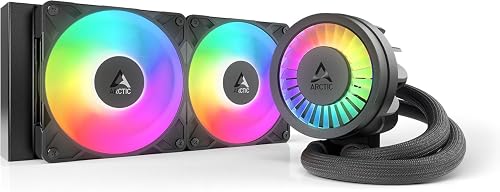 | Best Overall | Socket Support: AMD AM5/AM4; Intel LGA1851/1700 | Fan Speed: 1 RPM | Airflow: 77 CFM | VIEW LATEST PRICE | Read Our Analysis |
| Cooler Master 240L Core AIO Liquid Cooler White | 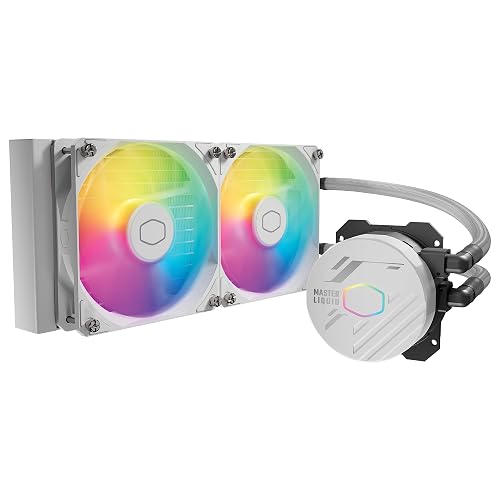 | Best Value | Socket Support: AMD AM5/AM4; Intel LGA1851/1700 | Fan Speed: 1800 RPM | Airflow: 71.93 CFM | VIEW LATEST PRICE | Read Our Analysis |
| ARCTIC Liquid Freezer III Pro 240 CPU Cooler | 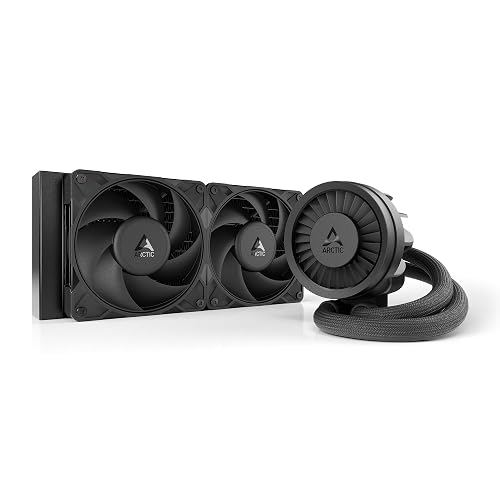 | Best Performance | Socket Support: AMD AM5/AM4; Intel LGA1851/1700 | Fan Speed: 3000 RPM | Airflow: 77 CFM | VIEW LATEST PRICE | Read Our Analysis |
| NZXT Kraken Elite 240 RGB Liquid Cooler | 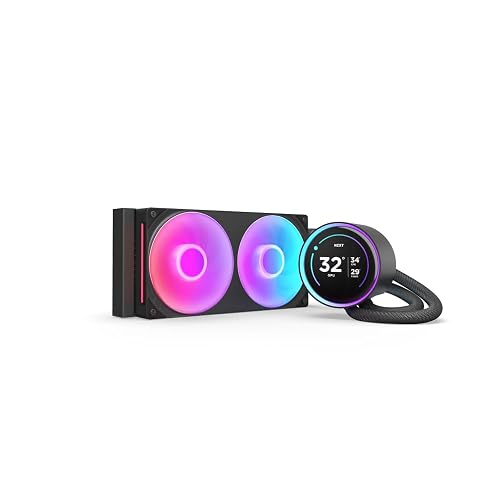 | Premium Display Pick | Socket Support: AMD AM5/AM4; Intel LGA1851/1700/1200/115X | Fan Speed: 1000 RPM | Airflow: 78.86 CFM | VIEW LATEST PRICE | Read Our Analysis |
| NZXT Kraken Elite 240 RGB Liquid Cooler |  | Best White Aesthetic | Socket Support: AMD AM5/AM4; Intel LGA1851/1700/1200/115X | Fan Speed: 1000 RPM | Airflow: Not specified | VIEW LATEST PRICE | Read Our Analysis |
| Thermalright Frozen Notte 240 ARGB V2 Cooler | 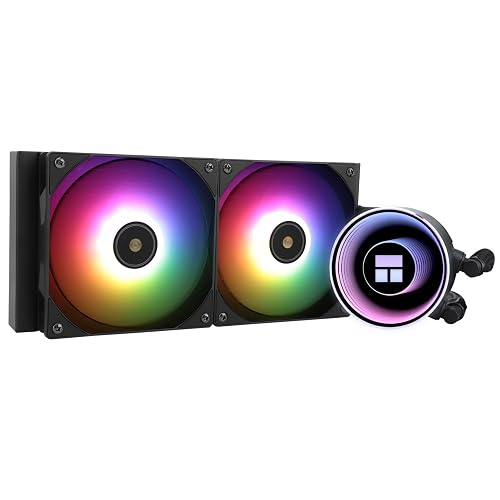 | Budget-Friendly Pick | Socket Support: AMD AM5/AM4/AM2/AM2+/AM3/AM3+/FM1/FM2/FM2+; Intel LGA1150/1151/1155/1156/1200/1700/2011/2066 | Fan Speed: 2000 RPM ±10% | Airflow: 72.37 CFM | VIEW LATEST PRICE | Read Our Analysis |
| Cooler Master Elite Liquid 240 AIO Cooler |  | Best RGB Design | Socket Support: AMD AM5/AM4; Intel LGA1851/1700 | Fan Speed: 2100 RPM | Airflow: 84.2 CFM | VIEW LATEST PRICE | Read Our Analysis |
| Thermalright Aqua Elite 240 V3 CPU Cooler | 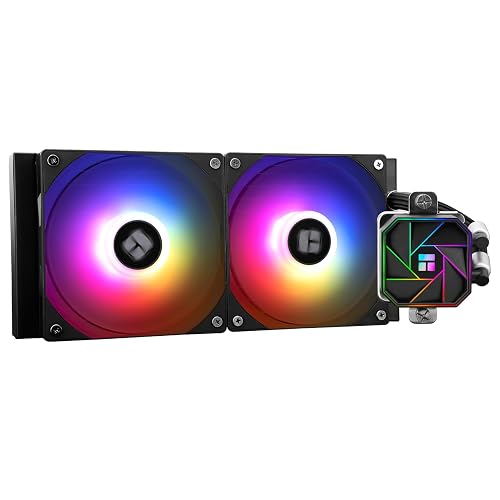 | Best For Quiet Builds | Socket Support: AMD AM5/AM4; Intel LGA1150/1151/1155/1156/1200/2011/2066/1700 | Fan Speed: 1800 RPM | Airflow: 66.17 CFM | VIEW LATEST PRICE | Read Our Analysis |
| CORSAIR Nautilus 240 RS LCD CPU Cooler | 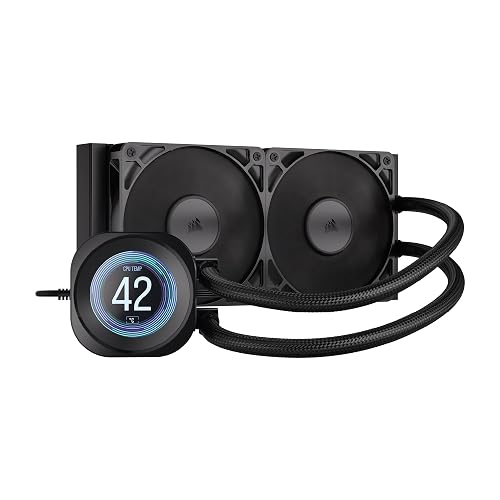 | Best LCD Value | Socket Support: AMD AM5/AM4; Intel LGA1851/1700 | Fan Speed: 0–2100 RPM ±10% | Airflow: 13.3–72.8 CFM | VIEW LATEST PRICE | Read Our Analysis |
| Thermaltake TH240 ARGB Sync V2 CPU Cooler | 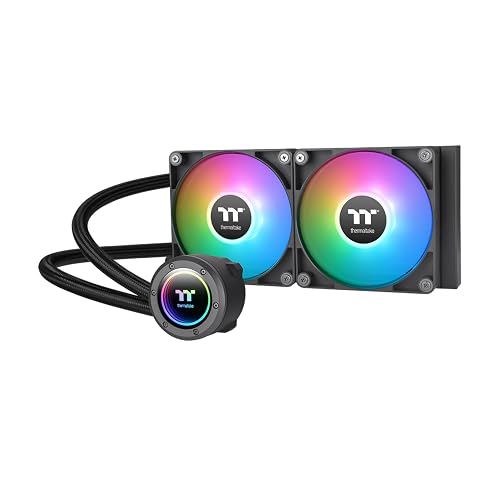 | Best Compatibility | Socket Support: AMD AM5/AM4/AM3+/AM3/AM2+/AM2/FM2/FM1; Intel LGA2066/2011-3/2011/1700/1200/1156/1155/1151/1150 | Fan Speed: 500–2000 RPM | Airflow: 57.05 CFM | VIEW LATEST PRICE | Read Our Analysis |
More Details on Our Top Picks
ARCTIC Liquid Freezer III Pro 240 A-RGB
Should you want a 240 mm AIO that prioritizes raw cooling performance without giving up clean cable routing, the ARCTIC Liquid Freezer III Pro 240 A-RGB stands out right away. You get a thick 38 mm radiator, a PWM pump, and P12 Pro fans that push up to 77 CFM for stronger cooling under load.
It supports AM5, AM4, LGA1851, and LGA1700, and its offset mounting plus Intel contact frame improve pressure and hotspot coverage. You also benefit from a PWM-controlled VRM fan, integrated hose cabling with one visible motherboard lead, and a durable aluminium-and-copper build, backed by a six-year warranty for long-term confidence.
- Socket Support:AMD AM5/AM4; Intel LGA1851/1700
- Fan Speed:1 RPM
- Airflow:77 CFM
- Noise Level:Not specified
- Materials:Aluminum, copper
- Warranty:6 years
- Additional Feature:38 mm radiator
- Additional Feature:Integrated VRM fan
- Additional Feature:Native offset mounting
Cooler Master 240L Core AIO Liquid Cooler White
Provided you want a budget-friendly 240mm AIO that still looks polished in a white-themed build, the Cooler Master 240L Core AIO Liquid Cooler White is an easy fit. You get a patented Gen S dual-chamber pump, an improved copper base, and a larger radiator that targets hot spots more effectively with stronger flow and pressure.
Its two 120mm ARGB PWM fans push up to 71.93 CFM at 1800 RPM while staying around 27.2 dB, so your system stays cool without sounding harsh. You also get CryoFuze paste, broad AM5/AM4 and LGA 1851/1700 support, customizable lighting, and a reassuring three-year warranty.
- Socket Support:AMD AM5/AM4; Intel LGA1851/1700
- Fan Speed:1800 RPM
- Airflow:71.93 CFM
- Noise Level:27.2 dB
- Materials:Aluminum, copper, plastic
- Warranty:3 years
- Additional Feature:Gen S dual-chamber pump
- Additional Feature:CryoFuze paste included
- Additional Feature:Frosted ARGB blades
ARCTIC Liquid Freezer III Pro 240 CPU Cooler
ARCTIC’s Liquid Freezer III Pro 240 stands out if you want a 240 mm AIO that prioritizes raw cooling performance without sacrificing everyday usability. It features a thick 38 mm radiator, a PWM pump, and ARCTIC P12 Pro fans that reach 3000 RPM and 77 CFM, delivering strong thermal performance under load while remaining quieter at lower speeds.
It also includes an integrated VRM fan, clean cable routing through the hose sheathing, and broad support for AM5, AM4, LGA1851, and LGA1700. ARCTIC also includes an Intel contact frame and offset mounting, which can improve pressure distribution and heat transfer, and may help support your CPU’s long term reliability.
- Socket Support:AMD AM5/AM4; Intel LGA1851/1700
- Fan Speed:3000 RPM
- Airflow:77 CFM
- Noise Level:Not specified
- Materials:Aluminum, copper
- Warranty:6 years
- Additional Feature:Intel contact frame
- Additional Feature:Integrated cable management
- Additional Feature:PWM-controlled VRM fan
NZXT Kraken Elite 240 RGB Liquid Cooler
Should you want a 240mm AIO that also serves as a visual centerpiece, the NZXT Kraken Elite 240 RGB stands out with its 2.72-inch 640 x 640 IPS LCD, which can display GIFs, images, and real-time system stats. You also get Google Photos, Spotify, and YouTube integration, along with synchronized RGB lighting.
Beyond its appearance, the 2024 Kraken Elite features NZXT’s Turbine pump, which delivers higher flow, stronger pressure, up to a 10% performance improvement, and lower noise at around 30 dB. Installation remains straightforward with pre-applied thermal paste, tool-free brackets, and a single breakout cable. It supports AM5, AM4, and Intel LGA 1851, 1700, 1200, and 115X sockets.
- Socket Support:AMD AM5/AM4; Intel LGA1851/1700/1200/115X
- Fan Speed:1000 RPM
- Airflow:78.86 CFM
- Noise Level:30 dB
- Materials:Aluminum, plastic
- Warranty:6 years
- Additional Feature:2.72-inch IPS LCD
- Additional Feature:Google Photos integration
- Additional Feature:Tool-free mounting brackets
NZXT Kraken Elite 240 RGB Liquid Cooler
If you want a 240mm AIO that combines strong cooling with standout customization, the NZXT Kraken Elite 240 RGB Liquid Cooler is an excellent choice. It features an NZXT Turbine pump, a 240mm radiator, and two F120P static pressure fans that remove heat efficiently. It handles demanding CPUs with ease, improves performance by up to 10% with lower noise, and includes Zero RPM Mode for quieter operation during low load use.
It also includes a crisp 2.72 inch 640 x 640 IPS LCD that supports GIFs, system stats, and app integration. Installation is straightforward thanks to pre applied thermal paste, a single breakout cable, and tool free mounting brackets. It supports AM5, AM4, and Intel LGA 1851, 1700, 1200, and 115X.
- Socket Support:AMD AM5/AM4; Intel LGA1851/1700/1200/115X
- Fan Speed:1000 RPM
- Airflow:Not specified
- Noise Level:30 dB
- Materials:Aluminum
- Warranty:6 years
- Additional Feature:Zero RPM mode
- Additional Feature:2.72-inch IPS LCD
- Additional Feature:Pre-applied thermal paste
Thermalright Frozen Notte 240 ARGB V2 Cooler
Thermalright’s Frozen Notte 240 ARGB V2 is a strong choice for builders who want effective cooling, broad socket compatibility, and vivid lighting without paying a premium. It features a full copper mirror-plane base, a 5300 RPM pump, and a low-resistance loop built for durability, reduced evaporation, and consistent thermal transfer.
Its two TL-E12B-S PWM fans deliver up to 72.37 CFM and 2.87 mmH2O of pressure while keeping noise at or below 27.7 dBA. This allows it to handle modern CPUs without excessive noise. The 5V 3-pin ARGB lighting can sync with compatible motherboards, and installation remains flexible across Intel and AMD platforms, including LGA 1700 and AM5.
- Socket Support:AMD AM5/AM4/AM2/AM2+/AM3/AM3+/FM1/FM2/FM2+; Intel LGA1150/1151/1155/1156/1200/1700/2011/2066
- Fan Speed:2000 RPM ±10%
- Airflow:72.37 CFM
- Noise Level:≤27.7 dBA
- Materials:Acrylic, aluminum, aluminum alloy, copper
- Warranty:Not specified
- Additional Feature:5300 RPM pump
- Additional Feature:Full copper base
- Additional Feature:Manual light adjustment
Cooler Master Elite Liquid 240 AIO Cooler
Cooler Master’s Elite Liquid 240 stands out as a smart pick for builders who want quiet 240mm liquid cooling with eye catching ARGB style, since its translucent dome and hexagonal crystal clear pump cover give it a more polished look than many entry level AIOs.
You get dual chamber pumping, widened radiator water channels, and more dissipation area for strong thermal control. Its two ARGB PWM fans push 84.2 CFM, spin up to 2100 RPM, and keep noise around 39.5 dB. You’ll also appreciate the tool free adjustable pump, pre installed fans, and broad AM5, AM4, LGA 1851, and LGA 1700 support. EPDM sealing adds anti leak protection, backed by a three year warranty.
- Socket Support:AMD AM5/AM4; Intel LGA1851/1700
- Fan Speed:2100 RPM
- Airflow:84.2 CFM
- Noise Level:39.5 dB
- Materials:Aluminum, copper, plastic
- Warranty:3 years
- Additional Feature:Dual-chamber pump
- Additional Feature:Translucent dome cover
- Additional Feature:Anti-leak prevention
Thermalright Aqua Elite 240 V3 CPU Cooler
Budget focused builders who still want modern platform support should put the Thermalright Aqua Elite 240 V3 on their shortlist. You get a 4th generation pump, a one piece liquid cooling design, and a 240mm black aluminum radiator built for low vibration, strong heat dissipation, and long service life.
Its octagonal pump head spins up to 3,300 RPM and adds subtle ARGB halo lighting. Two TL-C12B-S V2 120mm fans push up to 66.17 CFM while staying at or below 23 dBA, and PWM control adjusts speed automatically. You also get broad socket support, including AM4, AM5, and Intel LGA1700, with straightforward installation hardware included.
- Socket Support:AMD AM5/AM4; Intel LGA1150/1151/1155/1156/1200/2011/2066/1700
- Fan Speed:1800 RPM
- Airflow:66.17 CFM
- Noise Level:≤23 dBA
- Materials:Aluminum, metal, plastic
- Warranty:Not specified
- Additional Feature:4th generation pump
- Additional Feature:Octagonal pump head
- Additional Feature:ARGB halo logo
CORSAIR Nautilus 240 RS LCD CPU Cooler
Corsair’s Nautilus 240 RS LCD is a strong choice if you want a 240mm AIO that combines dependable cooling with a built in visual upgrade. It delivers efficient water cooling, a quiet 20 dBA pump, and two RS120 fans that push up to 72.8 CFM with strong static pressure. AirGuide technology and Magnetic Dome bearings help keep airflow focused and noise under control.
You can customize the 2.1 inch IPS LCD through iCUE with temperatures, GIFs, or images. The copper convex cold plate includes pre applied thermal paste for easier installation. It supports LGA 1851, 1700, AM5, and AM4, uses daisy chain connections, and is backed by a five year warranty.
- Socket Support:AMD AM5/AM4; Intel LGA1851/1700
- Fan Speed:0–2100 RPM ±10%
- Airflow:13.3–72.8 CFM
- Noise Level:20 dBA pump; 10–36 dB(A) fans
- Materials:Copper, aluminum, metal, plastic
- Warranty:5 years
- Additional Feature:2.1-inch IPS LCD
- Additional Feature:iCUE software support
- Additional Feature:AirGuide fan technology
Thermaltake TH240 ARGB Sync V2 CPU Cooler
Thermaltake’s TH240 ARGB Sync V2 makes the most sense for builders who want broad socket compatibility and standout lighting without stepping up to a thicker 240mm unit. It supports Intel LGA 1700 and older platforms, along with AMD AM5, AM4, and legacy sockets, so it works well for a wide range of desktop upgrades.
Its 27mm aluminum radiator, copper base plate, and 20mm copper chamber pair with two CT120 ARGB fans that push up to 57.05 CFM. PWM control allows fan speeds from 500 to 2000 RPM, while the pump reaches 3300 RPM. You also get Infinity Mirror lighting, motherboard ARGB sync, and a rotating cap.
- Socket Support:AMD AM5/AM4/AM3+/AM3/AM2+/AM2/FM2/FM1; Intel LGA2066/2011-3/2011/1700/1200/1156/1155/1151/1150
- Fan Speed:500–2000 RPM
- Airflow:57.05 CFM
- Noise Level:25.8 dB-A
- Materials:Copper, aluminum, rubber
- Warranty:2 years
- Additional Feature:Infinity mirror lighting
- Additional Feature:360-degree rotational cap
- Additional Feature:ARGB motherboard sync
Factors to Consider When Choosing 240mm AIO Coolers
Once you choose a 240mm AIO cooler, focus first on cooling performance and socket compatibility to ensure it supports your CPU and can manage your thermal load. You should also check radiator thickness, since clearance can determine whether the cooler fits your case and motherboard layout. Finally, compare noise levels as well as pump and fan design, because these factors directly affect how quietly and efficiently your system operates.
Cooling Performance
Although RGB lighting and software controls often get the most attention, cooling performance depends on a few core hardware factors: fan airflow and static pressure, radiator design, pump efficiency, and cold plate contact. You should review fan specifications carefully, since many strong 240 mm AIOs fall between 66 and 84 CFM, and higher static pressure helps push air through dense radiator fins.
You should also balance speed with noise. Faster fans and pumps usually remove more heat during heavy CPU loads, but they can become noticeably louder. A thicker radiator with an optimized fin layout can dissipate more heat by giving airflow more surface area to move across. Pump design also matters. Higher flow and dual chamber pumps improve coolant movement, while well designed cold plates improve contact and target CPU hot spots more effectively.
Socket Compatibility
Before you compare pump specs or fan curves, make sure the 240 mm AIO explicitly supports your CPU socket. Many models fit Intel LGA 1851 and 1700, plus AMD AM5 and AM4, but not all cover both platforms. Check the official compatibility list instead of assuming a bracket set will work.
You should also confirm whether the mounting hardware is native to your socket or requires an adapter. Some coolers include extras, such as an Intel contact frame for LGA 1851 and 1700, or offset AMD mounting to improve alignment. On Intel, verify the exact generation, since LGA 115x, 1200, 1700, and 1851 support can vary. On AMD, confirm AM4 or AM5 support and note whether older sockets are included. If you upgrade often, broader socket support can protect your investment over the long term.
Radiator Thickness
Radiator thickness directly affects cooling performance because a thicker 240 mm radiator usually provides more coolant volume and greater surface area for heat dissipation. During demanding workloads that last for extended periods, that additional thermal capacity can help your CPU maintain lower temperatures under sustained load.
Most 240 mm AIOs use radiators that are about 27 mm thick, while larger models can reach roughly 38 mm. These thicker designs may improve heat dissipation, but you should check your case carefully before buying. Extra thickness can reduce clearance around your RAM, motherboard heatsinks, and mounting locations. It can also make installation more difficult in tighter builds. You should also keep in mind that denser, thicker radiators often perform best with fans that provide higher static pressure through the fin stack.
Noise Levels
Noise levels often play a major role in how satisfying a 240 mm AIO feels in daily use, especially if your PC sits close to you. Most 240 mm AIOs operate between about 20 dB and 39.5 dB, so quieter models tend to stand out quickly during normal use.
You should also pay attention to fan speed. Units running near 1000 RPM usually stay quieter, while models pushing toward 3300 RPM can deliver stronger cooling but produce much more noise. PWM control helps because it reduces fan and pump speed during idle periods or lighter workloads, keeping your system quieter when full cooling is not necessary. Efficient airflow at moderate speeds also matters, since stronger pressure and better blade design can move air through the radiator without relying on constant high RPM. Pump noise also becomes more noticeable under load.
Pump And Fan Design
Two design elements shape how a 240 mm AIO performs day to day, the pump and the fans. You’ll want a pump that moves coolant efficiently, because higher speeds or dual chamber designs improve flow and head pressure, pulling heat away from your CPU faster. Wide pump speed ranges, around 500 to 3,300 RPM, also help you tune for quieter idle use or stronger cooling under load.
Fans matter just as much. Look for PWM control, optimized blade shapes, and high static pressure, since radiators need focused airflow. A broad fan range, even 0 to 2,100 RPM, gives you more control over acoustics versus performance. Compare airflow, noise ratings, and bearing types too. Strong 240 mm models can push roughly 66 to 79 CFM while staying near 20 to 30 dB at typical loads.
RGB And Display Features
If you want stronger visual impact, a built-in display can add much more personality. Some 240 mm coolers include small IPS LCDs, typically around 2.1 to 2.72 inches, that can show GIFs, static images, temperatures, and real-time system stats. Higher resolution panels, such as 640 × 640 screens with 24-bit color and 60 Hz refresh rates, look sharper and deliver smoother animation. You should also check the software and cabling, because app support and single-cable designs can make a significant difference in everyday usability.
Warranty And Value
Looks matter, but warranty and overall value should carry just as much weight when you choose a 240 mm AIO cooler. A longer warranty often signals better long-term value, especially when one model offers five or six years of coverage and another provides only two or three. That extra protection can outweigh flashier features when cooling performance remains close.
You should also judge value by the complete package. A higher price makes more sense when you get premium extras like an LCD, a better pump design, or stronger fans, but those features should align with the warranty length. Useful accessories matter too, including pre-applied thermal paste, mounting kits, and complete hardware. In many cases, a quieter midrange cooler with a six-year warranty beats a more expensive rival with similar performance and shorter support.
Frequently Asked Questions
Can 240MM AIO Coolers Be Safely Transported in a Built PC?
Yes, you can usually transport a built PC with a 240mm AIO safely, as long as you secure the case, avoid hard jolts, confirm the radiator mounts are tight, and properly support the GPU.
How Often Should a 240MM AIO Cooler Be Replaced?
You should replace a 240mm AIO cooler every 5 to 7 years, though quality models can last longer. Watch for pump noise, rising temperatures, leaks, or failing fans, and replace it sooner if you notice any of those warning signs.
Do 240MM AIO Coolers Increase Overall System Power Consumption Significantly?
Power-wise, you will not see a significant increase from a 240mm AIO cooler. You are typically adding only pump and fan power draw, often around 5 to 15 watts total, so your system’s overall power consumption changes very little under normal use.
Are 240MM AIO Coolers Affected by Air Travel or Altitude Changes?
Yes, they can be mildly affected by air travel or altitude changes, but serious issues are uncommon. Lower air pressure can cause trapped air inside the loop to expand, which may lead to brief noise, slightly reduced performance, or temporary pump gurgling.
Can a 240MM AIO Cooler Be Recycled or Disposed of Safely?
Yes, about 53 million metric tons of e-waste were generated worldwide in 2019, so you should recycle a 240mm AIO cooler through e-waste or hazardous waste programs. Do not throw it in the trash. If there are leaks, handle and drain them carefully, and follow local disposal rules.




