

More than 60% of PC gamers now play at 1440p or higher, and 4K adoption continues to rise as newer GPUs become faster and more efficient.
If you want a system that can handle ultra settings, ray tracing, and stable frame rates, you need to look beyond flashy branding and focus on the components that matter most.
These 2026 picks show which desktops truly justify the price, and which specs can quietly make or break your setup.
| ASUS ROG G700 Gaming Desktop PC (G700TF-AB776) |  | Stylish 4K Pick | Processor: Intel Core Ultra 7 265KF | Graphics: NVIDIA GeForce RTX 5070 | Memory: 32GB DDR5 | VIEW LATEST PRICE | Read Our Analysis |
| HP OMEN 45L Gaming Desktop (GT22-3080) | 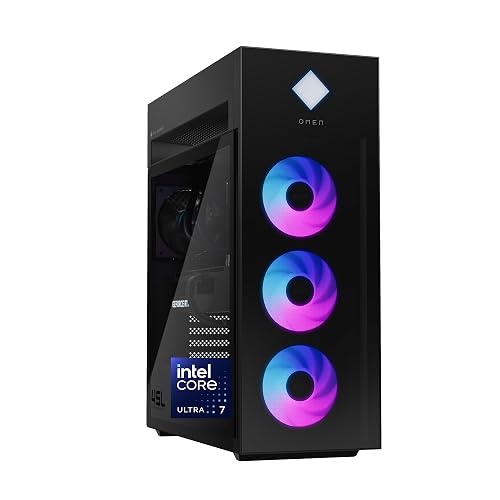 | Premium Performance | Processor: Intel Core Ultra 7 265K | Graphics: NVIDIA GeForce RTX 5080 | Memory: 32GB DDR5 | VIEW LATEST PRICE | Read Our Analysis |
| ASUS ROG G700 Gaming Desktop PC (G700TF-XS776) | 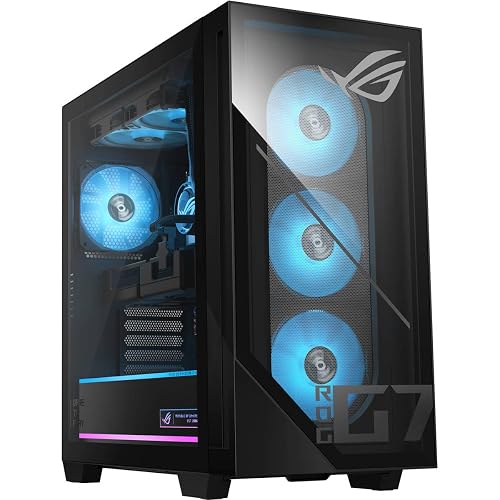 | Best For Upgrades | Processor: Intel Core Ultra 7 265F | Graphics: NVIDIA GeForce RTX 5070 | Memory: 32GB DDR5 | VIEW LATEST PRICE | Read Our Analysis |
| Skytech Archangel 5 Gaming PC Desktop | 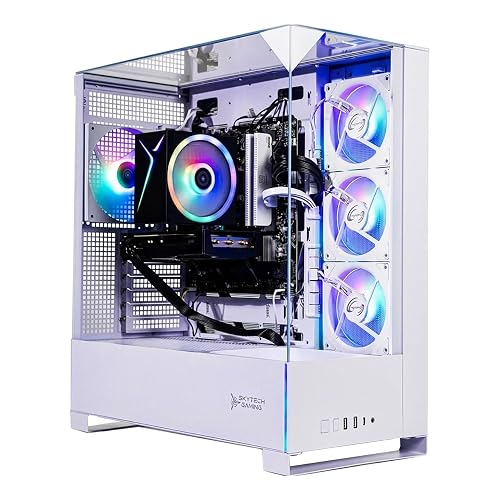 | Budget-Friendly Pick | Processor: AMD Ryzen 7 7700 | Graphics: NVIDIA GeForce RTX 5060 | Memory: 32GB DDR5 | VIEW LATEST PRICE | Read Our Analysis |
| CyberPowerPC Gamer Master Gaming PC (GMA2900A3) |  | Best Value | Processor: AMD Ryzen 7 8700F | Graphics: NVIDIA GeForce RTX 5060 Ti | Memory: 16GB DDR5 | VIEW LATEST PRICE | Read Our Analysis |
| CyberPowerPC Gamer Xtreme VR Gaming PC (GXiVR8060A24) | 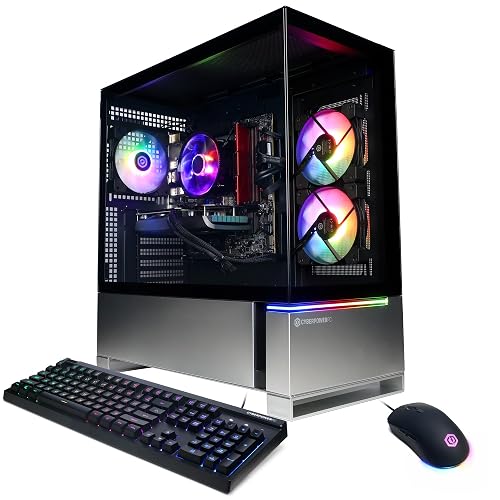 | Entry-Level Choice | Processor: Intel Core i5-13400F | Graphics: NVIDIA GeForce RTX 4060 | Memory: 16GB DDR5 | VIEW LATEST PRICE | Read Our Analysis |
| Skytech Gaming Azure 3 Desktop PC | 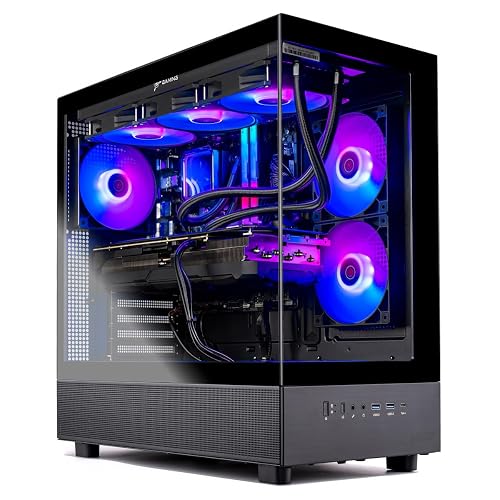 | Best Overall | Processor: AMD Ryzen 7 9800X3D | Graphics: NVIDIA GeForce RTX 5080 | Memory: 32GB DDR5 | VIEW LATEST PRICE | Read Our Analysis |
| CyberPowerPC Gamer Xtreme VR Gaming PC (GXiVR8060A40) | 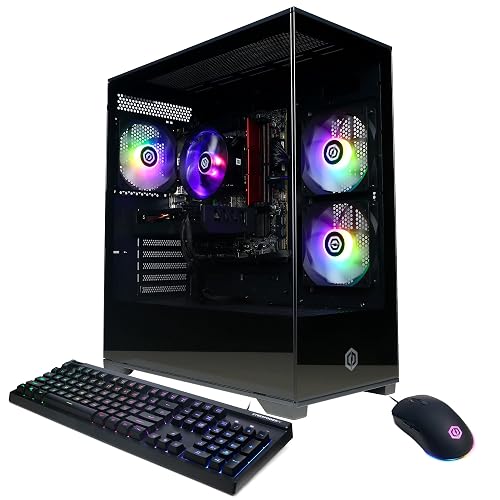 | Best For 1080p | Processor: Intel Core i5-13400F | Graphics: NVIDIA GeForce RTX 5060 | Memory: 16GB DDR5 | VIEW LATEST PRICE | Read Our Analysis |
| Skytech Azure 3 Gaming PC (Ryzen 7) |  | Midrange Sweet Spot | Processor: AMD Ryzen 7 9700X | Graphics: NVIDIA GeForce RTX 5060 | Memory: 16GB DDR5 | VIEW LATEST PRICE | Read Our Analysis |
| GEEKOM IT15 AI Mini PC 32GB/2TB | 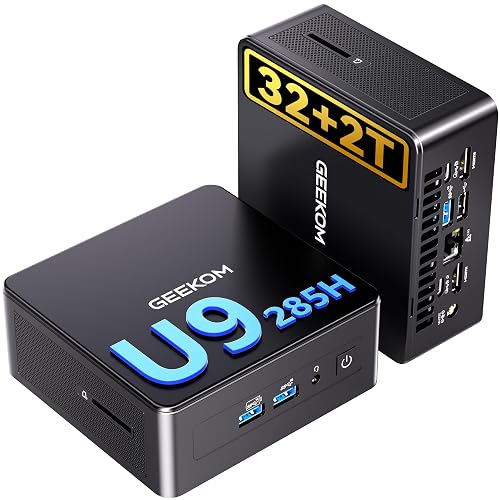 | Compact AI Powerhouse | Processor: Intel Core Ultra 9 285H | Graphics: Intel Arc 140T | Memory: 32GB DDR5 | VIEW LATEST PRICE | Read Our Analysis |
More Details on Our Top Picks
ASUS ROG G700 Gaming Desktop PC (G700TF-AB776)
When you want a 4K gaming PC that balances strong performance with an upgrade-friendly design, the ASUS ROG G700 Gaming Desktop PC (G700TF-AB776) stands out right away. It features an Intel Core Ultra 7 265KF, GeForce RTX 5070, 32GB DDR5 RAM, and a 1TB PCIe 4 SSD, so modern games, streaming, and creator tasks stay smooth.
Its 58L dual-glass chassis looks sharp with Aura Sync RGB, while the quad-fan airflow system, 240mm liquid cooler, and dust filters help protect long-term performance. You can access components without tools, and support for ATX or Micro ATX boards makes future upgrades simple. WiFi 6, 2.5Gb Ethernet, and Dolby Atmos complete the package.
- Processor:Intel Core Ultra 7 265KF
- Graphics:NVIDIA GeForce RTX 5070
- Memory:32GB DDR5
- Storage:1TB NVMe PCIe 4 SSD
- Wireless:WiFi 6
- Operating System:Windows 11 Home
- Additional Feature:240mm liquid cooler
- Additional Feature:Tool-less upgrade access
- Additional Feature:Dolby Atmos audio
HP OMEN 45L Gaming Desktop (GT22-3080)
Should you want a 4K gaming PC that also handles creation and AI-heavy workloads without breaking a sweat, the HP OMEN 45L Gaming Desktop (GT22-3080) is an easy fit. You get an Intel Core Ultra 7 265K with 20 cores and RTX 5080 graphics with 16GB GDDR7, so high-frame 4K play feels effortless.
Its patented CRYO CHAMBER and 360mm LCD liquid cooler keep thermals in check. You also get 32GB DDR5-5600, a 2TB PCIe Gen4 SSD, Wi-Fi 6E, 2.5GbE, and Windows 11 Pro. The tool-less tower looks premium, supports upgrades to 128GB RAM, and includes OMEN Gaming Hub plus three months of PC Game Pass.
- Processor:Intel Core Ultra 7 265K
- Graphics:NVIDIA GeForce RTX 5080
- Memory:32GB DDR5
- Storage:2TB PCIe Gen4 NVMe M.2 SSD
- Wireless:Wi‑Fi 6E + Bluetooth 5.3
- Operating System:Windows 11 Pro
- Additional Feature:OMEN CRYO CHAMBER
- Additional Feature:360mm LCD cooler
- Additional Feature:1000W Gold PSU
ASUS ROG G700 Gaming Desktop PC (G700TF-XS776)
ASUS’s ROG G700TF-XS776 is a strong choice for gamers who want a stylish, upgrade-friendly tower that handles demanding modern titles with confidence. It features an Intel Core Ultra 7 265F, an RTX 5070 with 12GB of VRAM, 32GB of DDR5 memory, and a 1TB PCIe 4.0 NVMe SSD, which helps keep load times short and gameplay smooth.
The dual-glass 58L chassis, Aura Sync RGB lighting, and tool-less access make upgrades straightforward. Quad-fan airflow, dust filters, and an 850W PSU support long gaming sessions. You also get WiFi 6, 2.5Gb Ethernet, Dolby Atmos, AI noise cancellation, Windows 11 Pro, and included peripherals.
- Processor:Intel Core Ultra 7 265F
- Graphics:NVIDIA GeForce RTX 5070
- Memory:32GB DDR5
- Storage:1TB M.2 NVMe PCIe 4 SSD
- Wireless:WiFi 6
- Operating System:Windows 11 Pro
- Additional Feature:Quad-fan airflow system
- Additional Feature:850W power supply
- Additional Feature:Aura Sync RGB
Skytech Archangel 5 Gaming PC Desktop
Skytech’s Archangel 5 is a strong fit when you want a stylish prebuilt that balances modern gaming power with everyday ease of use. It includes a Ryzen 7 7700, 32GB of DDR5-6000 memory, and a 1TB NVMe SSD, so boot times stay fast and multitasking feels smooth. The white tempered-glass case and ARGB fans add clean visual appeal to your setup.
It also features an RTX 5060 with 8GB of GDDR7, which helps competitive and mainstream games run well, especially at 1080p. Air cooling supports stable performance, while Wi-Fi, Ethernet, HDMI, DisplayPort, and the included keyboard and mouse make it easy to start playing right away.
- Processor:AMD Ryzen 7 7700
- Graphics:NVIDIA GeForce RTX 5060
- Memory:32GB DDR5
- Storage:1TB NVMe M.2 SSD
- Wireless:Wi‑Fi 802.11ac
- Operating System:Windows 11 Home
- Additional Feature:High-performance air cooler
- Additional Feature:No bloatware
- Additional Feature:Lifetime technical support
CyberPowerPC Gamer Master Gaming PC (GMA2900A3)
CyberPowerPC’s Gamer Master GMA2900A3 is a solid fit for gamers who want a modern AMD platform and fast everyday responsiveness without paying for extras they may not need. It includes a Ryzen 7 8700F with eight cores, an AM5 socket, 16GB of DDR5 memory, and a 1TB PCIe 4.0 NVMe SSD, so boot times and load screens stay short.
For graphics, it uses an RTX 5060 Ti 8GB with GDDR7 memory, along with HDMI and DisplayPort outputs for a clean multi monitor setup. WiFi 6, Bluetooth 5.3, Ethernet, eight USB ports, Windows 11, RGB lighting, and included peripherals complete a practical gaming package.
- Processor:AMD Ryzen 7 8700F
- Graphics:NVIDIA GeForce RTX 5060 Ti
- Memory:16GB DDR5
- Storage:1TB PCIe 4.0 NVMe SSD
- Wireless:WiFi 6 + Bluetooth 5.3
- Operating System:Windows 11 Home
- Additional Feature:8 total USB ports
- Additional Feature:7.1 channel audio
- Additional Feature:Lifetime tech support
CyberPowerPC Gamer Xtreme VR Gaming PC (GXiVR8060A24)
Built for gamers who want a capable entry point into 4K gaming without overspending, the CyberPowerPC Gamer Xtreme VR GXiVR8060A24 pairs an Intel Core i5-13400F with an NVIDIA GeForce RTX 4060 8GB for strong modern performance. You get 10 cores, 16GB of DDR5-5200 memory, and a fast 1TB PCIe Gen4 NVMe SSD, so load times stay short and everyday multitasking feels smooth.
It handles esports titles with ease and can support lighter 4K settings in many games. The tempered glass side panel and RGB lighting add visual appeal, while nine USB ports, WiFi 5, Bluetooth 4.2, and an included keyboard and mouse make setup easy from the start.
- Processor:Intel Core i5-13400F
- Graphics:NVIDIA GeForce RTX 4060
- Memory:16GB DDR5
- Storage:1TB PCIe Gen4 NVMe SSD
- Wireless:WiFi 5 + Bluetooth 4.2
- Operating System:Windows 11 Home 64-bit
- Additional Feature:9 total USB ports
- Additional Feature:Tempered side panel
- Additional Feature:128GB memory maximum
Skytech Gaming Azure 3 Desktop PC
If you want a 4K gaming PC that can handle modern titles at high settings without compromise, the Skytech Gaming Azure 3 is a strong option with its Ryzen 7 9800X3D and GeForce RTX 5080 combination. It delivers smooth 60+ FPS 4K gaming in demanding titles, along with solid multitasking performance from 32GB of DDR5-6000 RAM and a fast 2TB NVMe SSD.
A 360mm AIO helps keep temperatures under control, while the 850W Gold ATX 3 power supply provides reliable support for the hardware. You also get Wi,Fi, Ethernet, USB connectivity, Windows 11 Home, and no bloatware. The tempered glass case has a clean look, and Skytech includes lifetime technical support.
- Processor:AMD Ryzen 7 9800X3D
- Graphics:NVIDIA GeForce RTX 5080
- Memory:32GB DDR5
- Storage:2TB NVMe M.2 SSD
- Wireless:Wi‑Fi 802.11ac
- Operating System:Windows 11 Home 64-bit
- Additional Feature:360mm AIO cooler
- Additional Feature:850W Gold PSU
- Additional Feature:4K 60+ FPS
CyberPowerPC Gamer Xtreme VR Gaming PC (GXiVR8060A40)
For gamers who want a modern, more budget-friendly option with room to upgrade, the CyberPowerPC Gamer Xtreme VR GXiVR8060A40 stands out with its Intel Core i5-13400F, GeForce RTX 5060 8GB, and 16GB of DDR5 RAM. It also includes a fast 1TB PCIe 4.0 NVMe SSD, WiFi 6, Bluetooth 5.3, and Windows 11 Home.
This system can deliver smooth 1080p gaming, features vivid RGB lighting, and leaves upgrade flexibility with four RAM slots that support up to 192GB. The tempered glass side panel puts the build on display, while nine USB ports, LAN, HDMI, and DisplayPort connections make setup simple. CyberPowerPC also includes a keyboard, a mouse, and lifetime tech support.
- Processor:Intel Core i5-13400F
- Graphics:NVIDIA GeForce RTX 5060
- Memory:16GB DDR5
- Storage:1TB PCIe 4.0 NVMe SSD
- Wireless:WiFi 6 + Bluetooth 5.3
- Operating System:Windows 11 Home
- Additional Feature:192GB memory maximum
- Additional Feature:9 total USB ports
- Additional Feature:Tempered side panel
Skytech Azure 3 Gaming PC (Ryzen 7)
Skytech’s Azure 3 Gaming PC suits gamers who want a modern Ryzen 7 desktop with strong everyday performance, efficient cooling, and an easy entry into high refresh 1080p gaming. It includes a Ryzen 7 9700X, an RTX 5060 with 8GB of GDDR7, 16GB of DDR5 6000 memory, and a fast 1TB NVMe SSD.
A 360mm AIO and ARGB fans help reduce thermal throttling, while the 850W Gold ATX 3 power supply provides support for future upgrades. You can play Fortnite, Apex Legends, GTA V, ELDEN RING, and more at a smooth 60 plus FPS. The tempered glass tower also includes four memory slots, Windows 11, Wi Fi, and lifetime tech support.
- Processor:AMD Ryzen 7 9700X
- Graphics:NVIDIA GeForce RTX 5060
- Memory:16GB DDR5
- Storage:1TB NVMe M.2 SSD
- Wireless:Wi‑Fi 802.11ac
- Operating System:Windows 11 Home 64-bit
- Additional Feature:360mm AIO cooler
- Additional Feature:850W Gold PSU
- Additional Feature:Lifetime technical support
GEEKOM IT15 AI Mini PC 32GB/2TB
GEEKOM’s IT15 AI Mini PC 32GB/2TB is a strong choice if you want a compact, 4K-ready system that can also manage AI-assisted workloads. It features an Intel Core Ultra 9 285H processor, Intel Arc 140T graphics, and support for up to four displays at resolutions up to 8K.
It includes 32GB of DDR5 RAM, a fast 2TB PCIe Gen4 SSD, Wi-Fi 7, and 2.5Gb Ethernet in a small chassis. It works well for video editing, streaming, coding, and esports titles such as Fortnite and CS:GO, while also supporting mid-tier AAA games. Cooling stays quiet at under 35 dB, security features include Windows Hello and TPM 2.0, and the VESA mount helps maintain a clean setup.
- Processor:Intel Core Ultra 9 285H
- Graphics:Intel Arc 140T
- Memory:32GB DDR5
- Storage:2TB PCIe Gen4 NVMe SSD
- Wireless:Wi‑Fi 7 + Bluetooth 5.4
- Operating System:Windows 11 Pro
- Additional Feature:99 TOPS AI
- Additional Feature:Quad-display support
- Additional Feature:3-year warranty
Factors to Consider When Choosing a 4K Gaming PC
When choosing a 4K gaming PC, start with GPU performance, since it has the greatest impact on smooth, high-resolution gameplay. You should also look for a processor that avoids bottlenecks, along with enough RAM and fast storage to keep games responsive. Finally, confirm that the system offers effective cooling, good airflow, and sufficient power supply headroom to handle demanding sessions reliably.
GPU 4K Performance
The GPU is the biggest factor in 4K gaming performance, because rendering at 3840 × 2160 places much greater strain on graphics hardware than lower resolutions. When shopping for a 4K gaming PC, prioritize the graphics card first, since it usually determines whether games run smoothly or struggle under heavy visual loads. Look for a high-end GPU with plenty of VRAM, because 16 GB of GDDR7 handles high-resolution textures and modern effects far better than 8 GB.
At 4K, raw GPU power affects more than average FPS. It also helps maintain stronger 1% lows, which means less stutter in demanding scenes. If you want 60+ FPS, choose a top-tier GPU class that can keep ray tracing, anti-aliasing, and ultra textures enabled without major image quality sacrifices.
Processor And Bottlenecks
GPU power drives the 4K experience, but your processor still needs enough speed to keep the graphics card fed. For smooth 4K gaming, look for a strong CPU that can keep up with a high-end GPU. An 8-core chip with a turbo speed around 5.2 to 5.5 GHz helps reduce frame-time spikes and CPU-related slowdowns.
At 4K, bottlenecks are less common than at 1080p because the graphics card usually limits performance first. Even so, a weaker processor can still hurt performance in open-world games, simulations, and high-FPS competitive titles. If you pair a flagship GPU with a modest CPU, the graphics card may sit underused, which can lower FPS and increase stutter in demanding scenes. You will also get better long-term value by choosing a processor with strong single-core speed and enough headroom for future games.
RAM And Storage
Many 4K gaming PCs look powerful on paper, but RAM and storage still play a major role in how smooth and responsive the system feels each day. Treat 32 GB of DDR5 RAM as a practical baseline, since modern games, launchers, browsers, and voice apps often run at the same time. Faster DDR5, ideally in the 5600 MHz to 6000 MHz range, can also improve overall responsiveness and help reduce bottlenecks.
For storage, do not settle for less than a 1 TB NVMe SSD. A 2 TB drive is a better fit if you plan to keep several large games installed alongside captures or media files. PCIe Gen4 NVMe drives reduce load times and improve boot speeds. For better long term value, choose a PC with open RAM slots and extra M.2 slots so you can upgrade more easily later.
Cooling And Airflow
You’ll also want a case designed for strong airflow. Larger interiors, multiple fan mounts, and unobstructed intake and exhaust paths help keep components stable during extended sessions. Dust filters are important as well, since buildup can restrict fans and reduce cooling efficiency over time. Tool less panels make cleaning and maintenance easier, which helps preserve performance. Efficient cooling also supports long term reliability and gives you more flexibility for future component upgrades.
Power Supply Headroom
While you’re choosing a 4K gaming PC, don’t overlook power supply headroom. You should target a PSU with at least 20 to 30 percent capacity above your system’s peak draw, so sudden CPU and GPU surge spikes won’t cause instability. For many high-end 4K builds, that means roughly 850W to 1000W, especially if you’re pairing a flagship GPU with a power-hungry 20-core processor and liquid cooling.
That extra margin doesn’t just protect performance. It can also improve efficiency and reduce fan noise, since many power supplies run cooler and quieter well below maximum load. You’ll also give yourself room for future upgrades, such as moving from a 500 to 600W class GPU to a 700W-plus card later. Make sure the PSU also includes enough dedicated PCIe and 12VHPWR or 12V-2×6 connectors.
Connectivity And Networking
Strong connectivity can make or break a 4K gaming PC, especially when you download large games, play online, or connect extra accessories. Prioritize at least 2.5Gbps Ethernet or Wi-Fi 6, 6E, or 7, so downloads, patches, and multiplayer sessions stay fast and responsive.
You should also have plenty of high-speed USB ports. A mix of USB-A and USB-C makes it easier to connect mice, keyboards, headsets, storage, and other gear without awkward adapters. If you plan to use external displays, capture hardware, or streaming equipment, check for HDMI and DisplayPort outputs that support your target resolution and refresh rate. Bluetooth also matters, especially for wireless controllers and headsets, and newer versions usually improve stability and efficiency. For clearer voice chat, look for reliable networking and noise-canceling audio support.
Upgrade Path And Case
Beyond raw specs, a 4K gaming PC should give you room to grow, and the case plays a major role in that. Choose a chassis with enough internal space and GPU clearance for future upgrades, especially if you may install a triple-slot graphics card later. Larger towers also make component swaps easier and less restrictive.
Look for tool-free access and removable panels, since they make it easier to upgrade memory, storage, cooling, and expansion cards. Strong airflow and effective dust filtration also matter, because cooler, cleaner internals help preserve performance over time. Before buying, confirm motherboard size support, power supply compatibility, PSU wattage, and available expansion slots, since all of these affect your upgrade path. A bottom-mounted PSU and well-designed cable routing also improve airflow and leave more room for larger components.
Frequently Asked Questions
Can 4K Gaming PCS Handle Game Streaming and Recording Simultaneously?
Yes, a 4K gaming PC can handle streaming and recording at the same time if it has a powerful CPU, a modern GPU encoder, enough RAM, and fast storage. Performance is usually smoother when you optimize bitrate, encoder presets, and background applications.
How Often Should a 4K Gaming PC Be Cleaned Internally?
You should clean your 4K gaming PC internally every three to six months, depending on dust levels, pets, and airflow. If you notice higher temperatures or louder fans, clean it sooner to maintain performance.
Do 4K Gaming PCS Require a Special Surge Protector or UPS?
You do not need a special surge protector or UPS for a 4K gaming PC, but you should use a high joule surge protector or a pure sine wave UPS that is properly sized for your PC’s wattage and monitor.
What Internet Speed Is Recommended for Downloading Large 4K Games?
You should aim for at least 100 Mbps, but 300 to 500 Mbps will let you download large 4K games much faster. If you share your connection or stream at the same time, gigabit internet and a wired connection will help.
Are Extended Warranties Worth It for Prebuilt 4K Gaming PCS?
You should buy an extended warranty for a prebuilt 4K gaming PC only if it provides strong parts and labor coverage. It makes the most sense when repair costs, shipping, and support quality justify the added price.




