

Choosing a 4K HDR monitor for photo editing is like selecting the right lens, every detail affects what you see.
You need more than high resolution. Color accuracy, HDR performance, panel type, and workflow features all influence your results.
From ProArt benchmarks to OLED contrast and affordable 32-inch models, some displays clearly stand out in 2026. A few options may also challenge what you thought mattered most.
| Samsung ViewFinity S50GC Ultra-WQHD Monitor (LS34C502GANXZA) | 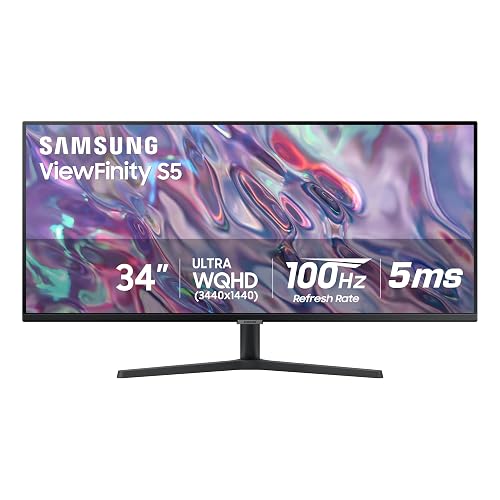 | Best Ultrawide | Screen Size: 34-inch | Resolution: 3440 x 1440 | Panel Type: LCD | VIEW LATEST PRICE | Read Our Analysis |
| ViewSonic VX3276-4K-MHD 32-Inch 4K IPS Monitor | 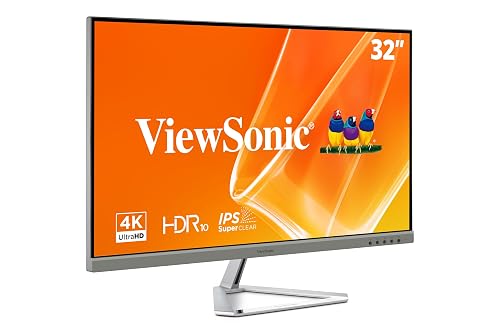 | Best Value | Screen Size: 32-inch | Resolution: 3840 x 2160 | Panel Type: MVA | VIEW LATEST PRICE | Read Our Analysis |
| Dell 27 Plus 4K Monitor S2725QS | 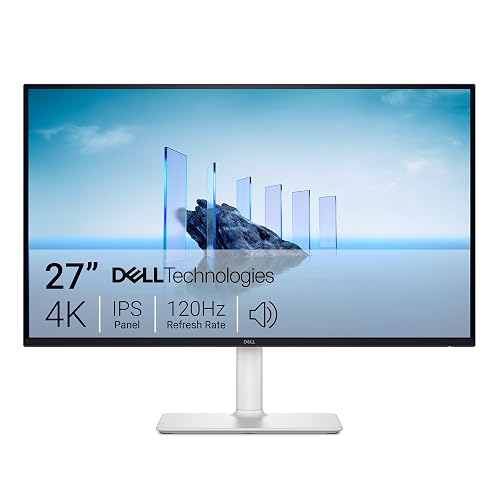 | Best Refresh Rate | Screen Size: 27-inch | Resolution: 3840 x 2160 | Panel Type: IPS | VIEW LATEST PRICE | Read Our Analysis |
| LG Ultrafine 32-inch 4K UHD Monitor | 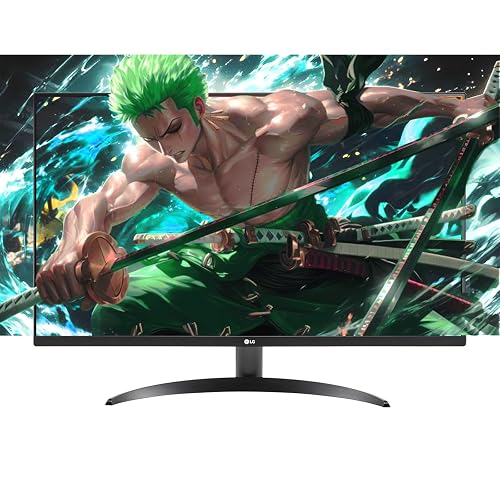 | Best Multimedia | Screen Size: 32-inch | Resolution: 3840 x 2160 | Panel Type: VA | VIEW LATEST PRICE | Read Our Analysis |
| ASUS ProArt PA279CV 27-Inch 4K HDR Monitor |  | Best For Creators | Screen Size: 27-inch | Resolution: 3840 x 2160 | Panel Type: IPS LCD | VIEW LATEST PRICE | Read Our Analysis |
| Acer Nitro 27-inch 4K Gaming Monitor (VG270K) | 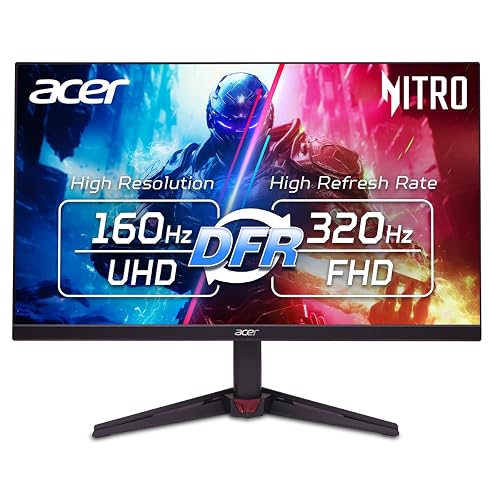 | Best For Gaming | Screen Size: 27-inch | Resolution: 3840 x 2160 | Panel Type: IPS | VIEW LATEST PRICE | Read Our Analysis |
| ASUS ProArt 27” 4K HDR Monitor (PA279CRV) | 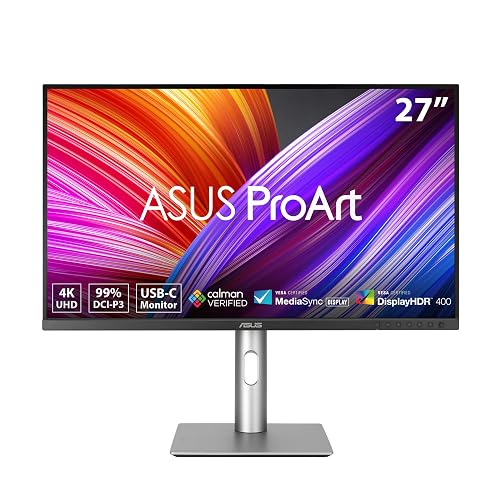 | Professional Grade | Screen Size: 27-inch | Resolution: 3840 x 2160 | Panel Type: IPS | VIEW LATEST PRICE | Read Our Analysis |
| ASUS ROG Swift 32-inch 4K OLED Monitor |  | Premium OLED Pick | Screen Size: 32-inch | Resolution: 3840 x 2160 | Panel Type: QD-OLED | VIEW LATEST PRICE | Read Our Analysis |
| LG 32UR500K-B 32-inch 4K UHD Monitor |  | Best Budget 32-Inch | Screen Size: 32-inch | Resolution: 3840 x 2160 | Panel Type: VA | VIEW LATEST PRICE | Read Our Analysis |
| MSI MPG 321URX 32-Inch 4K QD-OLED Monitor | 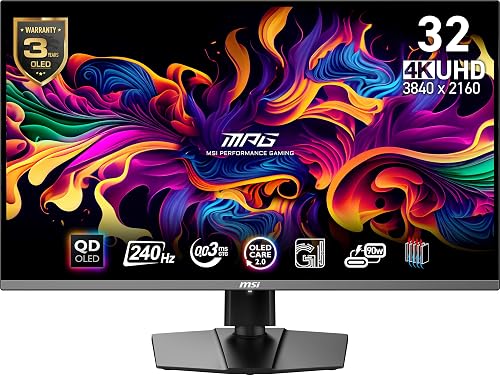 | Best QD-OLED | Screen Size: 31.5-inch | Resolution: 3840 x 2160 | Panel Type: QD-OLED | VIEW LATEST PRICE | Read Our Analysis |
More Details on Our Top Picks
Samsung ViewFinity S50GC Ultra-WQHD Monitor (LS34C502GANXZA)
If you want a monitor that gives you more room to edit timelines, compare images, and manage side by side tools, the Samsung ViewFinity S50GC stands out with its 34-inch Ultra-WQHD 3440 x 1440 display and wide 21:9 aspect ratio. It features a matte LCD panel, HDR10, a 3000:1 contrast ratio, and over 1 billion colors for richer image depth. For smoother navigation, it also includes a 100Hz refresh rate, 5ms response time, and FreeSync support.
You can multitask efficiently with PBP and PIP, while Intelligent Eye Care, Flicker Free technology, and auto brightness help reduce strain during long editing sessions.
- Screen Size:34-inch
- Resolution:3440 x 1440
- Panel Type:LCD
- Refresh Rate:100Hz
- Response Time:5ms
- Ports:2x HDMI, DisplayPort, USB
- Additional Feature:PBP/PIP multitasking
- Additional Feature:Intelligent Eye Care
- Additional Feature:Ambient light sensor
ViewSonic VX3276-4K-MHD 32-Inch 4K IPS Monitor
Photographers who want a large 32-inch workspace without paying premium prices will appreciate the ViewSonic VX3276-4K-MHD. It offers 3840 x 2160 resolution, HDR10 support, strong contrast, and rich color that make edits look vivid and detailed. Its MVA panel provides 178-degree viewing angles, a matte anti-glare finish, and 118% color gamut coverage.
You can connect laptops, PCs, and Macs through HDMI, DisplayPort, or Mini DisplayPort, and it includes two HDMI ports. Frameless ultra-thin bezels give the screen a clean, modern look, while Eye Care, Flicker-Free technology, and a Blue Light Filter help reduce strain during long sessions. A three-year warranty adds extra peace of mind.
- Screen Size:32-inch
- Resolution:3840 x 2160
- Panel Type:MVA
- Refresh Rate:60Hz
- Response Time:4ms
- Ports:2x HDMI, DisplayPort, Mini DisplayPort
- Additional Feature:Eye Care technology
- Additional Feature:Frameless ultra-thin bezels
- Additional Feature:3-year limited warranty
Dell 27 Plus 4K Monitor S2725QS
Dell’s 27 Plus 4K Monitor S2725QS suits photo editors who want sharp 3840 x 2160 detail, accurate color, and a smoother workflow on a 27-inch IPS display. It offers 99% sRGB coverage, 350 nits brightness, a 1500:1 contrast ratio, HDR readiness, and wide 178° viewing angles, all with a matte anti-glare finish.
Its 120Hz refresh rate, 0.03ms response time, Adaptive Sync, and AMD FreeSync Premium help keep motion clear. Improved ComfortView Plus reduces blue light by up to 35%, which helps during long editing sessions. You also get integrated speakers, HDMI and DisplayPort connectivity, full ergonomic adjustments, and Dell’s Advanced Exchange and Premium Panel Exchange coverage.
- Screen Size:27-inch
- Resolution:3840 x 2160
- Panel Type:IPS
- Refresh Rate:120Hz
- Response Time:0.03ms
- Ports:2x HDMI, DisplayPort
- Additional Feature:Integrated speakers
- Additional Feature:ComfortView Plus
- Additional Feature:Fully adjustable stand
LG Ultrafine 32-inch 4K UHD Monitor
The LG Ultrafine 32-inch 4K UHD Monitor suits photo editors who want a larger workspace without stepping into a premium price tier, thanks to its 31.5-inch 3840 x 2160 display and 90% DCI-P3 color coverage. It also includes HDR10 support, a matte VA panel, wide 178° viewing angles, and a borderless design that keeps your images front and center. Reader Mode and Flicker Safe help reduce eye strain during long editing sessions.
You can split windows with OnScreen Control, connect through dual HDMI or DisplayPort, and use the built-in speakers for casual media work. FreeSync, Black Stabilizer, and Responsive Action Sync also deliver smoother performance after hours.
- Screen Size:32-inch
- Resolution:3840 x 2160
- Panel Type:VA
- Refresh Rate:60Hz
- Response Time:4ms
- Ports:2x HDMI, DisplayPort
- Additional Feature:90% DCI-P3
- Additional Feature:Built-in stereo speakers
- Additional Feature:OnScreen Control
ASUS ProArt PA279CV 27-Inch 4K HDR Monitor
Need a color-accurate 4K display that will not complicate your workflow? The ASUS ProArt PA279CV features a 27-inch IPS panel with 3840 x 2160 resolution, 100% sRGB, 100% Rec. 709, Calman Verified tuning, and Delta E < 2 accuracy. It also includes HDR support, wide 178-degree viewing angles, and a matte finish that helps reduce distractions.
You can connect a laptop or Mac through USB-C with 65W Power Delivery, along with DisplayPort, HDMI, and a four-port USB hub. Height, tilt, swivel, and pivot adjustments support a more comfortable setup. With FreeSync, TÜV eye-care features, and a three-year warranty, it remains versatile and dependable.
- Screen Size:27-inch
- Resolution:3840 x 2160
- Panel Type:IPS LCD
- Refresh Rate:60Hz
- Response Time:5ms
- Ports:2x HDMI, DisplayPort, USB-C, 4x USB-A
- Additional Feature:Calman Verified
- Additional Feature:Delta E <2
- Additional Feature:USB-C 65W PD
Acer Nitro 27-inch 4K Gaming Monitor (VG270K)
Acer’s Nitro VG270K suits photo editors who want a sharp 27-inch 4K IPS panel and also appreciate strong gaming specs. It offers a 3840 x 2160 resolution, a matte finish, HDR10 support, and 90% DCI-P3 coverage, helping you view detailed images with solid color and reduced glare.
If you also game, this monitor adds clear value. It supports FreeSync Premium, Adaptive Sync, up to 160Hz at 4K, and up to 320Hz at Full HD, with fast response times that reduce tearing and ghosting. You also get DisplayPort 1.4, two HDMI 2.1 ports, tilt adjustment, VESA mounting, built-in speakers, and a three-year warranty.
- Screen Size:27-inch
- Resolution:3840 x 2160
- Panel Type:IPS
- Refresh Rate:Up to 160Hz
- Response Time:1ms
- Ports:2x HDMI 2.1, DisplayPort 1.4
- Additional Feature:FreeSync Premium
- Additional Feature:HDMI 2.1
- Additional Feature:Built-in speakers
ASUS ProArt 27” 4K HDR Monitor (PA279CRV)
ASUS ProArt PA279CRV suits photographers and retouchers who want dependable color in a compact format. It features a 27-inch 4K IPS panel with a matte finish, wide 178° viewing angles, and strong HDR brightness. With 99% Adobe RGB and 99% DCI-P3 coverage, Calman Verified certification, factory pre-calibration, and Delta E < 2 accuracy, it gives you confidence in what you see on screen.
You can connect a laptop, desktop, or tablet through USB-C with DisplayPort and 96W charging, along with HDMI, DisplayPort, USB, and daisy-chaining support. The ergonomic stand, eye-care features, built-in speakers, and low 26.14W power draw help make daily editing more comfortable and efficient.
- Screen Size:27-inch
- Resolution:3840 x 2160
- Panel Type:IPS
- Refresh Rate:60Hz
- Response Time:5ms
- Ports:2x HDMI, DisplayPort, USB-C, 4x USB
- Additional Feature:99% Adobe RGB
- Additional Feature:USB-C 96W PD
- Additional Feature:Daisy-chain support
ASUS ROG Swift 32-inch 4K OLED Monitor
Built for creators who want one display for both serious photo work and high-end gaming, the ASUS ROG Swift 32-inch 4K OLED Monitor combines a 32-inch 4K QD-OLED panel with true 10-bit color, 99% DCI-P3 coverage, and Delta E < 2 accuracy. It delivers deep blacks, bright highlights, and strong HDR performance with DisplayHDR 400 True Black and a 1,500,000:1 contrast ratio.
For editing, the matte finish, optional uniform brightness, and wide viewing angles support more consistent image evaluation. For gaming, the 240Hz refresh rate, 0.03ms response time, and G-SYNC compatibility help keep motion smooth and responsive. USB-C with 90W charging, ergonomic adjustability, and OLED care features add practical everyday convenience.
- Screen Size:32-inch
- Resolution:3840 x 2160
- Panel Type:QD-OLED
- Refresh Rate:240Hz
- Response Time:0.03ms
- Ports:2x HDMI, DisplayPort, USB-C, 3x USB-A
- Additional Feature:QD-OLED panel
- Additional Feature:DisplayHDR 400 True Black
- Additional Feature:OLED burn-in protection
LG 32UR500K-B 32-inch 4K UHD Monitor
If you want a larger editing workspace without moving into a premium price bracket, the LG 32UR500K-B is a strong option. Its 31.5-inch 4K UHD panel with HDR10 support delivers sharp 3840 x 2160 detail, a matte VA screen, and up to 90% DCI-P3 coverage for reliable color work. The 16:9 layout provides ample space for timelines, toolbars, and full-resolution previews.
It also includes practical features such as dual HDMI, DisplayPort, built-in speakers with Waves MaxxAudio, and OnScreen Control for simple screen splitting. Tilt adjustment, wall-mount support, Reader Mode, Flicker Safe, and FreeSync help make extended sessions more comfortable.
- Screen Size:32-inch
- Resolution:3840 x 2160
- Panel Type:VA
- Refresh Rate:60Hz
- Response Time:4ms
- Ports:2x HDMI, DisplayPort
- Additional Feature:Built-in stereo speakers
- Additional Feature:OnScreen Control
- Additional Feature:Reader Mode
MSI MPG 321URX 32-Inch 4K QD-OLED Monitor
If you want one display that can handle both serious photo work and ultra smooth gaming, the MSI MPG 321URX stands out with its 31.5 inch 4K QD OLED panel, 10 bit color, 99% DCI P3 coverage, and ΔE ≤ 2 accuracy. You get deep contrast, True Black 400 HDR, glossy punch, and wide 178° viewing angles for detailed edits.
It also gives you 240Hz, 0.03ms response time, Adaptive Sync, and FreeSync, so you can switch from retouching to fast gameplay without compromise. HDMI 2.1, DisplayPort 1.4a, and USB C with 90W delivery keep your setup flexible, while AI KVM, PiP/PbP, OLED Care 2.0, and the adjustable stand add everyday convenience.
- Screen Size:31.5-inch
- Resolution:3840 x 2160
- Panel Type:QD-OLED
- Refresh Rate:240Hz
- Response Time:0.03ms
- Ports:HDMI 2.1, DP 1.4a, USB-C, 3x USB
- Additional Feature:QD-OLED panel
- Additional Feature:AI KVM
- Additional Feature:OLED Care 2.0
Factors to Consider When Choosing 4K HDR Monitors for Photo Editing
When you choose a 4K HDR monitor for photo editing, focus on the features that directly affect color accuracy and workflow. Pay close attention to color gamut coverage, factory calibration accuracy, brightness and HDR performance, and the panel type that best supports your editing style. You should also review connectivity and ergonomics, since both can make your setup more efficient and comfortable.
Color Gamut Coverage
A wide color gamut gives you a more faithful view of modern image files, so it is smart to look for coverage such as 99% DCI-P3, 99% Adobe RGB, or 100% sRGB, depending on your workflow. Broader gamut support lets your monitor reproduce more of the colors captured by today’s cameras and used in HDR content.
If you edit mainly for the web or standard digital delivery, 100% sRGB should be your baseline. If you want richer color for HDR, video, or vivid stills, around 90% DCI-P3 is a solid target, but near full DCI-P3 gives you more headroom. If you print or work with photography focused color spaces, 99% Adobe RGB matters more. Whenever you switch between different outputs, a monitor that supports both DCI-P3 and Adobe RGB gives you much greater overall flexibility.
Factory Calibration Accuracy
Wide gamut coverage helps only when the monitor displays those colors accurately, which is why factory calibration deserves close attention. When you buy a display with verified factory settings, you begin closer to true color and spend less time correcting it yourself before editing.
You should look for a low Delta E rating, ideally below 2, because that means color errors are usually subtle enough to be difficult to notice in real images. A printed or digital calibration report adds confidence, since it shows the panel was actually measured instead of broadly marketed as accurate. It also helps to have presets for sRGB, Rec. 709, Adobe RGB, or DCI-P3, so you can match consistent workflows. Consistent gamma and screen uniformity let you judge skin tones, gradients, and shadow detail more reliably.
Brightness And HDR
Because HDR editing depends on seeing bright highlights and deep shadows clearly, pay close attention to a monitor’s brightness and contrast performance. For photo work, you need enough peak brightness to reveal specular highlights without obscuring subtle shadow detail. Many 4K HDR monitors range from about 250 to 1000 cd/m², so performance varies widely.
You should also confirm support for a true HDR standard, such as HDR10 or VESA DisplayHDR certification, because that indicates a wider luminance range than SDR. Higher contrast ratios, such as 2500:1 or 3000:1, give HDR images more depth and separation. If you edit in a bright room, higher sustained brightness and a matte anti-reflective coating help you evaluate previews more consistently. Still, do not focus on brightness alone; tone mapping and color accuracy also need to remain reliable.
Panel Type Choice
While you compare panel types for 4K HDR photo editing, IPS usually stands out for its wide 178° viewing angles and more consistent color across the screen. That makes it a strong choice when you need reliable tones from edge to edge while retouching images at 3840 x 2160 resolution.
VA panels can give you stronger native contrast, often around 1000:1 to 3000:1, so shadows look deeper. Still, they usually are not as dependable as IPS for color critical edits. OLED and QD-OLED displays push contrast dramatically higher, sometimes reaching 1,500,000:1, with rich blacks and punchy highlights, but you will want to weigh burn-in risk during long sessions. If you edit in bright rooms, a matte IPS or VA screen helps cut reflections. Also weigh gamut coverage and calibration, not panel type alone.
Connectivity And Ergonomics
A well-equipped monitor should simplify your workflow, not create adapter hassles or physical strain. Prioritize versatile inputs such as HDMI, DisplayPort, and USB-C, since your editing setup may need fast connections to a desktop, laptop, or calibration tool. A built-in USB hub also helps reduce cable clutter and gives you convenient access for card readers, drawing tablets, and external drives.
If you use a laptop, choose a USB-C connection that supports both video and power delivery, ideally 65W to 96W, so a single cable can handle everything. You should also evaluate the stand. Height, tilt, swivel, and pivot adjustments help you position the screen accurately and stay comfortable during long sessions. VESA support and wall-mount compatibility provide added flexibility, especially if you want a cleaner desk or a properly aligned dual-monitor setup.
Frequently Asked Questions
How Often Should I Recalibrate a 4K HDR Monitor for Photo Editing?
Recalibrate your 4K HDR monitor every 4 to 8 weeks for photo editing, or sooner if colors drift, your lighting changes, or client work requires exact accuracy. This helps you maintain consistent, reliable color and brightness.
Do I Need a Monitor Hood for Accurate Photo Editing Colors?
Probably, yes. Monitor hoods help. They block pesky glare, reduce reflected room light, and keep your perceived colors more consistent. When you edit near windows or bright lamps, you’ll notice cleaner, truer results without constant second-guessing.
Can Ambient Room Lighting Affect HDR Photo Editing Accuracy?
Yes, ambient room lighting can affect your HDR photo editing accuracy. Bright, uneven, or colored light can shift your perception of contrast and color. You will get more reliable results when you control the lighting, reduce glare, and keep conditions consistent.
Is a Hardware Calibrator Necessary for Professional Photo Editing Workflows?
Yes, you need a hardware calibrator for professional photo editing workflows. It provides consistent, accurate color, aligns your display with output standards, and detects drift over time, so your edits remain reliable across devices.
What Desk Setup Helps Reduce Glare on Glossy 4K Monitors?
Position your desk to minimize direct light. Place the monitor perpendicular to windows, use blackout curtains, add bias lighting, and choose a matte desk surface. This setup helps reduce reflections, ease eye strain, and keep colors accurate.




