

With RTX 5060 laptops you can get near-flagship gaming performance at a lower price point, and that shift is changing what you should expect in 2026.
You will see strong picks from ASUS, Acer, Alienware, and MSI, but the real differences come down to cooling, display quality, battery life, and portability.
The right choice is not obvious yet; one model may fit your needs better than the rest.


More Details on Our Top Picks
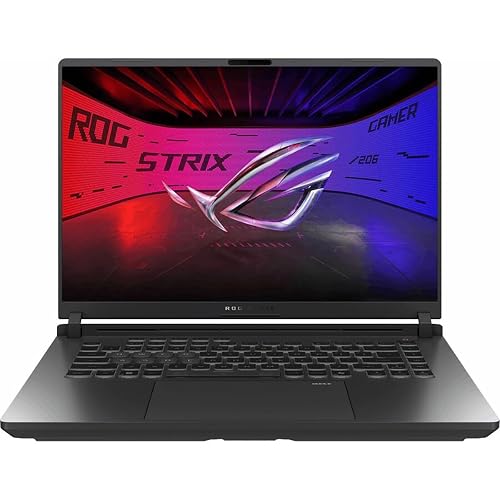
ASUS ROG Strix G16 Gaming Laptop (2025)
If you want a gaming laptop that pairs strong RTX 5060 performance with a fast 16-inch 165Hz display, the ASUS ROG Strix G16 (2025) is a great fit. It includes an Intel Core i7-14650HX, 16 GB of DDR5 RAM, and a 1 TB PCIe Gen 4 SSD for quick loads and smooth multitasking. The RTX 5060 uses Blackwell, supports DLSS 4, and has 8 GB of VRAM to help you push modern games. Its ROG Nebula panel delivers 1920 x 1200 resolution, a 3 ms response time, and reduced glare. ROG Intelligent Cooling, Wi-Fi 7, and Thunderbolt round out the package.
- CPU:Intel Core i7-14650HX
- RAM:16 GB DDR5
- Storage:1 TB SSD
- Screen Size:16-inch
- Refresh Rate:165 Hz
- Operating System:Windows 11 Home
- Additional Feature:16:10 Nebula Display
- Additional Feature:End-to-end vapor chamber
- Additional Feature:360° RGB light bar
ASUS ROG Strix G16 Gaming Laptop RTX 5060
The ASUS ROG Strix G16 Gaming Laptop with RTX 5060 is a strong pick for gamers who want high-end performance in a sleek, well-cooled 16-inch machine. It ships with Windows 11 Home, an Intel Core Ultra 9 275HX, and NVIDIA’s Blackwell-based RTX 5060, featuring DLSS 4 and Max-Q tuning. Its 32GB DDR5-5600MHz memory and 1TB PCIe Gen 4 SSD keep multitasking and game storage smooth. The 2.5K 240Hz Nebula display, ACR film, and Dolby Vision HDR deliver sharp visuals. ROG intelligent cooling includes a vapor chamber, tri-fans, and liquid metal, so you can play longer, quieter, and with steadier performance.
- CPU:Intel Core Ultra 9 275HX
- RAM:32 GB DDR5
- Storage:1 TB SSD
- Screen Size:16-inch
- Refresh Rate:240 Hz
- Operating System:Windows 11 Home
- Additional Feature:2.5K resolution
- Additional Feature:240Hz display
- Additional Feature:Dolby Vision HDR
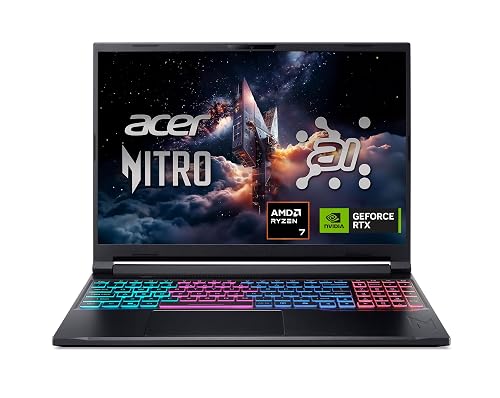
Acer Nitro V 16S AI Gaming Laptop (ANV16S-41-R2AJ)
Acer’s Nitro V 16S AI (ANV16S-41-R2AJ) is a strong pick for gamers who want RTX 5060 performance in a portable 16-inch chassis without giving up a fast display or generous memory. You get an AMD Ryzen 7 260, 32GB of DDR5 RAM, and a 1TB PCIe Gen 4 SSD, so you can multitask and load games quickly. The 180Hz WUXGA IPS screen keeps motion smooth, and 100% sRGB helps visuals look clean. At 4.6 pounds, it stays manageable, and its USB4, HDMI 2.1, and Wi-Fi 6 support make it versatile.
- CPU:AMD Ryzen 7 260
- RAM:32 GB DDR5
- Storage:1 TB SSD
- Screen Size:16-inch
- Refresh Rate:180 Hz
- Operating System:Windows 11 Home
- Additional Feature:100% sRGB gamut
- Additional Feature:USB4 charging support
- Additional Feature:Killer Ethernet E2600
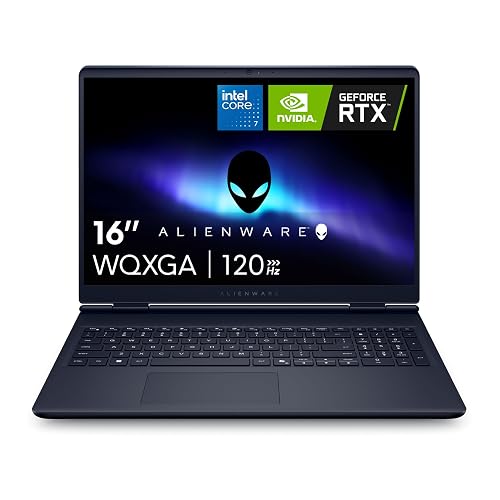
Alienware 16 Aurora Laptop AC16250 with RTX 5060
The Alienware 16 Aurora AC16250 with RTX 5060 is a strong choice if you want a roomy 16-inch 2560 x 1600 display, a modern Intel Core 7-240H CPU, and solid everyday gaming hardware in a premium-looking blue chassis. It includes 16GB of DDR5 memory, a 1TB SSD, and RTX 5060 graphics with 8GB of GDDR7 for smooth 1080p performance and good results in many 1600p games. Cryo-Chamber cooling, a 96Wh battery, Wi-Fi 7, and a generous port selection round out the feature set. Add the backlit keyboard, numeric pad, and onsite service, and you have a polished gaming machine.
- CPU:Intel Core 7-240H
- RAM:16 GB DDR5
- Storage:1 TB SSD
- Screen Size:16-inch
- Refresh Rate:N/A
- Operating System:Windows 11 Home
- Additional Feature:2560 x 1600 display
- Additional Feature:Cryo-Chamber cooling
- Additional Feature:96Wh battery
Acer Nitro V Gaming Laptop (ANV15-52-98KV)
If you want a gaming laptop that pairs RTX 5060 performance with a sharp 165Hz display and plenty of everyday versatility, the Acer Nitro V Gaming Laptop (ANV15-52-98KV) makes a strong case. It includes an Intel Core i9-13900H, 16GB of RAM, and a 1TB PCIe Gen 4 SSD for fast loading and smooth multitasking. The RTX 5060 uses Blackwell architecture, supports DLSS 4, and delivers 572 AI TOPS to help you run modern games. You also get Wi-Fi 6, Thunderbolt 4, HDMI 2.1, dual fans, and a 76Wh battery in a 4.7 pound chassis.
- CPU:Intel Core i9-13900H
- RAM:16 GB DDR4
- Storage:1 TB SSD
- Screen Size:15.6-inch
- Refresh Rate:165 Hz
- Operating System:Windows 11 Home
- Additional Feature:1080p matte display
- Additional Feature:Thunderbolt 4 port
- Additional Feature:76Wh battery
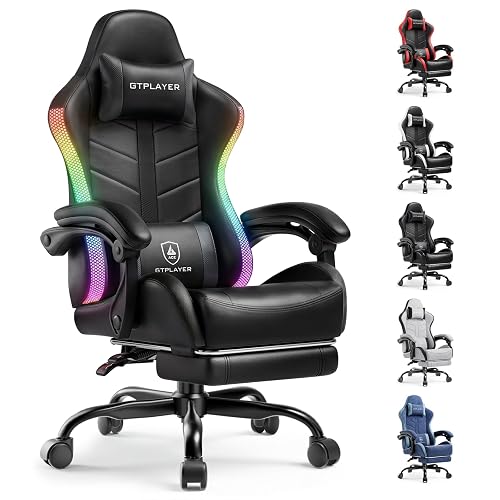
GTPLAYER RGB Gaming Chair with Footrest
The GTPLAYER RGB Gaming Chair with Footrest is a strong pick if you want a gaming setup that blends comfort with style, especially for long sessions at your desk. You get customizable RGB lighting with a USB remote, so you can match your room’s vibe fast. The chair reclines from 90° to 155°, adjusts in height, and includes a retractable footrest for breaks. A removable headrest and lumbar cushion support your neck and back, and breathable PU leather, silent swivel wheels, and a sturdy 350-lb metal frame keep you comfortable, stable, and moving smoothly.
- CPU:N/A
- RAM:N/A
- Storage:N/A
- Screen Size:N/A
- Refresh Rate:N/A
- Operating System:N/A
- Additional Feature:90°-155° recline
- Additional Feature:Retractable footrest
- Additional Feature:350 lb capacity
MSI Cyborg 17 Gaming Laptop RTX 5060
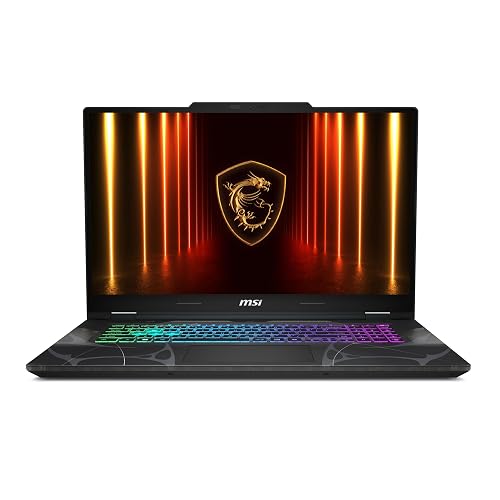
With its 17.3-inch 144Hz FHD display and RTX 5060 graphics, the MSI Cyborg 17 B2RWFKG-074US is a strong pick if you want a large-screen gaming laptop that also handles schoolwork, streaming, and multitasking without feeling cramped. You get an Intel Core 7-240H, 16GB DDR5 RAM, and a 1TB NVMe SSD for fast load times. Cooler Boost helps manage heat, and Wi-Fi 6E, HDMI, USB-C, and Ethernet keep you connected. At 5.3 pounds, it is portable enough for daily use, and the backlit keyboard adds convenience.
- CPU:Intel Core 7-240H
- RAM:16 GB DDR5
- Storage:1 TB SSD
- Screen Size:17.3-inch
- Refresh Rate:144 Hz
- Operating System:Windows 11 Home
- Additional Feature:17.3-inch display
- Additional Feature:96GB max memory
- Additional Feature:Cooler Boost thermal design
Factors to Consider When Choosing Gaming Laptops With Rtx 5060
When choosing an RTX 5060 gaming laptop, look beyond the badge and compare the GPU performance tier so you know what frame rates to expect. Also ensure a strong CPU pairing, choose the appropriate display resolution and refresh rate, have sufficient memory and storage, and select a cooling design that can handle long gaming sessions.
GPU Performance Tiers
At this tier, the RTX 5060 sits in the sweet spot for high-quality gaming, usually pairing 8 GB of GDDR7 memory with modern Blackwell features like DLSS 4 and Multi Frame Generation. You should expect strong results in current games at high settings, but not ultra-maximum 4K play. This GPU tier shines most at 1080p to 1600p, where you can enjoy smooth performance on 144 Hz or 240 Hz displays. Do not judge a laptop by the RTX 5060 name alone; check the memory size, cooling system, and screen resolution and refresh rate. Those choices decide how well the laptop uses this GPU tier, and they shape whether you get balanced image quality and frame rates or leave performance on the table.
CPU Pairing Matters
A strong CPU pairing matters just as much as the RTX 5060 itself, because a weak processor can bottleneck high frame rates and hold back smooth play, especially on 165 Hz to 240 Hz displays. You will get better results with modern CPUs that offer strong multicore performance, such as 14 to 16 core chips or advanced hybrid designs. They keep gameplay steady while the GPU handles rendering. Look for boost clocks around 5.1 GHz to 5.4 GHz, as they can raise minimum FPS and reduce stutter in demanding games. If you stream, edit, or keep apps open in the background, choose an eight core or better CPU. Otherwise, an underpowered chip can cap the RTX 5060’s potential even with fast RAM and storage, and you will notice the difference quickly in heavy titles.
Display Resolution And Refresh
Display choice can make as much difference as the RTX 5060 itself. A higher-resolution panel, such as 2560 x 1600, looks sharper than 1920 x 1080 or 1920 x 1200, but it also demands more from the GPU. If you play fast-paced shooters or esports titles, a 240 Hz screen provides smoother motion than 165 Hz or 144 Hz and helps you react faster. For a balanced setup, 180 Hz or 165 Hz still feels far better than 60 Hz. Also look for a 3 ms response time to reduce blur and ghosting during quick camera swings. Prioritize refresh rate for competitive play, and prioritize resolution for single-player games where detail matters more than raw speed.
Memory And Storage Capacity
For most RTX 5060 gaming laptops, 16 GB of RAM is sufficient for good performance, while 32 GB provides more breathing room for multitasking, streaming, and newer games. Check whether the memory is upgradeable, because some models stop at 16 GB, while others allow you to reach 32 GB or even 96 GB across two slots. If possible, choose DDR5-5600 MHz, as it offers better bandwidth than older DDR4 and can improve system responsiveness. For storage, a 1 TB PCIe Gen 4 SSD is a solid baseline for modern games. If you keep a large library or work with creative files, look for extra M.2 slots or higher-capacity drives, since many laptops ship with only one installed.
Cooling And Thermal Design
When choosing an RTX 5060 gaming laptop, cooling should be a top priority because the GPU and CPU can generate significant heat during long 144 Hz to 240 Hz gaming sessions. Look for dual or tri-fan systems, vapor chamber cooling, or a dedicated thermal layout that keeps temperatures steady under load. Liquid metal on the CPU or chipset can improve heat transfer and help the laptop maintain higher boost clocks. Strong airflow with multiple intake and exhaust paths reduces throttling and helps keep noise down. If the laptop offers software fan control and performance monitoring, you can fine-tune the balance between temperature, frame rates, and acoustics. For higher-power models, robust thermals are even more important.
Port Selection And Connectivity
Once you’ve checked cooling, review the ports and wireless options, since they determine how well an RTX 5060 laptop fits your setup. Aim for a mix of modern and legacy connections: USB4 or Thunderbolt for fast drives and docks, plus USB-A, HDMI, and Ethernet for everyday gear. Check whether the laptop offers HDMI 2.1 or DisplayPort over USB-C if you plan to run high-resolution, high-refresh monitors. If you’ll charge or dock over USB-C, confirm Power Delivery support, because some models only handle up to 65W. Also, ensure the wireless stack includes Wi-Fi 6E or Wi-Fi 7, and Bluetooth 5.3 or 5.4. Finally, verify the port layout so you have enough space for audio, peripherals, and wired networking.
Battery Life Expectations
Battery life on RTX 5060 gaming laptops is something you plan around, not something you expect to last all day. Many models can drop to around two hours under typical use and far less during gaming. You will get better unplugged time from larger batteries, such as 65 Wh, 76 Wh, 90 Wh, or 96 Wh, but high-refresh displays and powerful CPUs still drain power quickly. A 90 Wh machine may feel noticeably better for light work, yet for play the GPU, CPU, and 165 Hz to 240 Hz panels all work harder. Standby figures can look impressive, sometimes approaching 50 hours, but that does not translate to gaming. If battery life matters, compare battery capacity, screen refresh rate, and CPU efficiency, rather than judging by the GPU alone.
Weight And Portability
Weight matters a lot with RTX 5060 gaming laptops, especially if you plan to carry one every day. You will notice the difference fast: models around 4.6 to 4.7 pounds feel much easier on your shoulder than 5.3 to 5.5 pound machines, which can drag down a backpack or briefcase. Thickness matters too. Slim laptops around 0.62 to 0.79 inches slide into bags more easily than chunkier 0.87 to 0.93 inch designs. Bigger 16 to 17.3 inch laptops usually give you a larger display, but they also add bulk. If you move your laptop often, do not judge portability by weight alone. Check the full size and chassis width so you know it will actually fit your bag and stay comfortable to carry.
Frequently Asked Questions
How Long Does an RTX 5060 Laptop Battery Usually Last While Gaming?
You can usually expect about 1 to 2 hours of gaming on an RTX 5060 laptop, sometimes less on maximum settings. Battery capacity, screen brightness, and cooling all affect actual unplugged playtime.
Do RTX 5060 Laptops Support External 4K Monitors?
Yes, you can connect RTX 5060 laptops to external 4K monitors, and it is a game-changer. You will usually use HDMI 2.1 or USB-C/DisplayPort, and you can enjoy sharp visuals, though performance depends on the game settings.
Is RTX 5060 Enough for VR Gaming in 2026?
Yes, you will likely get solid VR gaming in 2026 with an RTX 5060, especially for mainstream headsets and well optimized titles. You will want a strong CPU, enough RAM, and lower to medium settings for the smoothest experience.
Can RTX 5060 Laptops Handle Video Editing and Streaming Smoothly?
Yes, RTX 5060 laptops can handle video editing and streaming smoothly. You can edit 1080p projects and many 4K projects well, and you can stream while gaming too. Is that not exactly what you need?
What Warranty Length Is Typical for RTX 5060 Gaming Laptops?
Most RTX 5060 gaming laptops include a one year warranty. Some brands provide two year coverage or offer extended plans. You can often purchase additional protection, so review the seller’s warranty terms before you commit.




