


If you manage timelines, meetings, and documents all day, the right laptop keeps you moving without slowing you down.
In 2026 you want a machine that handles multitasking, stays connected, and will not die halfway through a client call. The best options vary more than you might expect, especially when you compare portability, power, and battery life.
This is where the real differences start to matter.
| HP 15 Touchscreen Business Laptop (i7 16GB 512GB) | 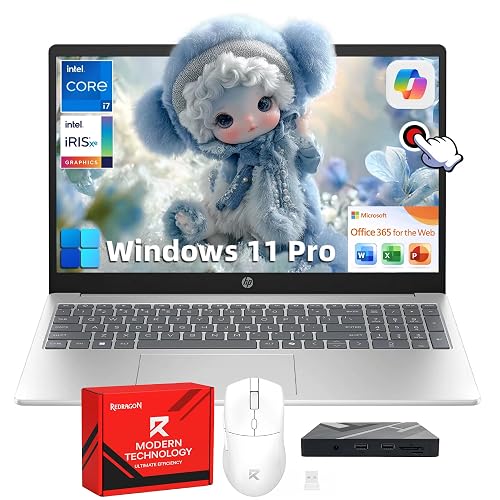 | Best Overall | Processor: Intel Core i7-1355U | Memory: 16 GB DDR4 | Storage: 512 GB SSD | VIEW LATEST PRICE | Read Our Analysis |
| Lenovo V-Series V15 Business Laptop Ryzen 7 1TB SSD | 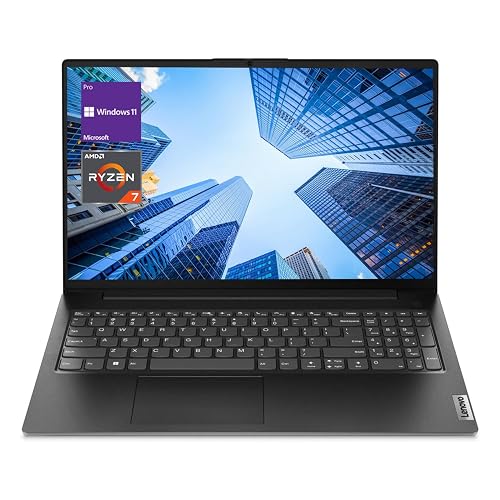 | Best Performance | Processor: AMD Ryzen 7 7730U | Memory: 40 GB DDR4 | Storage: 1 TB SSD | VIEW LATEST PRICE | Read Our Analysis |
| HP 15.6″ Business Laptop with Office 365 and Earphones | 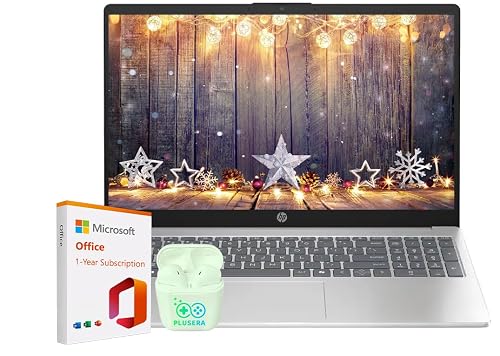 | Best Budget | Processor: Intel N100 | Memory: 16 GB DDR4 | Storage: SSD | VIEW LATEST PRICE | Read Our Analysis |
| HP Flagship 17 Business Laptop with Ryzen 5 | 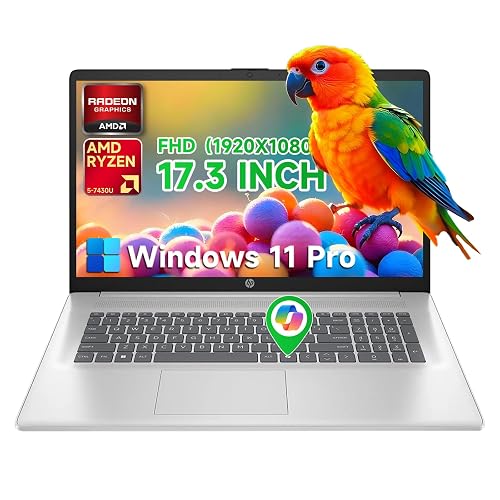 | Best Large Screen | Processor: AMD Ryzen 5 7430U | Memory: 32 GB DDR4 | Storage: 1 TB SSD | VIEW LATEST PRICE | Read Our Analysis |
| HP Ultrabook 14 Laptop with Office and Windows 11 Pro | 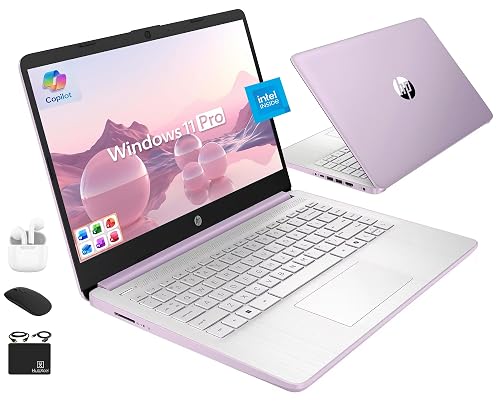 | Best Portable | Processor: Intel N150 | Memory: 16 GB DDR4 | Storage: 128 GB UFS + 500 GB external | VIEW LATEST PRICE | Read Our Analysis |
| HP 15.6″ Business Laptop with Office 365 AI Copilot | 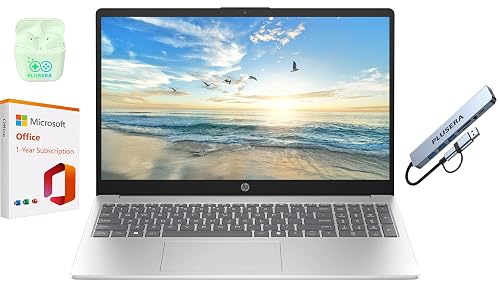 | Best Bundle | Processor: Intel N200 | Memory: 16 GB DDR4 | Storage: 128 GB SSD | VIEW LATEST PRICE | Read Our Analysis |
More Details on Our Top Picks
HP 15 Touchscreen Business Laptop (i7 16GB 512GB)
If you need a reliable workhorse for coordinating timelines, calls, and documents on the move, the HP 15 Touchscreen Business Laptop fits the job well. It comes with Windows 11 Pro, a 13th Gen Intel Core i7-1355U, 16GB of RAM, and a 512GB PCIe SSD for quick multitasking and fast file access. The 15.6-inch Full HD touchscreen helps you tap through schedules and zoom into plans. Wi-Fi 6, Bluetooth 5.3, and ports for USB-C, HDMI, and USB-A keep you connected. At 3.52 pounds, it is easy to carry, and HP Fast Charge helps you stay productive between meetings.
- Processor:Intel Core i7-1355U
- Memory:16 GB DDR4
- Storage:512 GB SSD
- Display Size:15.6-inch
- Operating System:Windows 11 Pro
- Wireless:Wi‑Fi 6, Bluetooth 5.3
- Additional Feature:Full HD touchscreen
- Additional Feature:Numeric keypad
- Additional Feature:HP Fast Charge
Lenovo V-Series V15 Business Laptop Ryzen 7 1TB SSD
The Lenovo V-Series V15 is a strong fit for project managers who want a practical business laptop with serious multitasking power. It includes an AMD Ryzen 7 7730U, 40 GB of RAM, and a 1 TB NVMe SSD, so you can juggle schedules, spreadsheets, and meetings without slowdown. The 15.6-inch FHD screen, numeric keypad, and Windows 11 Pro help you work faster. At 3.59 pounds, it is portable enough for hybrid work. You also get Wi-Fi 6, Bluetooth 5.0, HDMI, Ethernet, and a webcam for dependable connectivity.
- Processor:AMD Ryzen 7 7730U
- Memory:40 GB DDR4
- Storage:1 TB SSD
- Display Size:15.6-inch
- Operating System:Windows 11 Pro
- Wireless:Wi‑Fi 6, Bluetooth 5.0
- Additional Feature:40 GB RAM
- Additional Feature:RJ45 Ethernet port
- Additional Feature:1-year warranty
HP 15.6″ Business Laptop with Office 365 and Earphones
With 16 GB of RAM, an Intel N100 processor, and Microsoft Office 365 included, this HP 15.6″ Business Laptop is ideal for project managers who need reliable multitasking for schedules, reports, and video calls. You will boot quickly, switch tasks smoothly, and manage work on Windows 11 with Copilot AI support. The 15.6-inch anti-glare display, full-size keyboard, and 720p camera with privacy shutter help you stay productive. Wi-Fi 6, Bluetooth 5.4, USB-C, HDMI, and earphones keep you connected. You will also get up to 11.75 hours of battery life, plus fast charging for busy days.
- Processor:Intel N100
- Memory:16 GB DDR4
- Storage:SSD
- Display Size:15.6-inch
- Operating System:Windows 11
- Wireless:Wi‑Fi 6, Bluetooth 5.4
- Additional Feature:720p privacy shutter
- Additional Feature:PLUSERA earphones
- Additional Feature:11.75-hour battery
HP Flagship 17 Business Laptop with Ryzen 5
HP’s Flagship 17 Business Laptop with Ryzen 5 is a strong fit for project managers who need a roomy 17.3-inch Full HD display, 32 GB of RAM, and a full-sized keyboard with a numeric pad to keep schedules, budgets, and reports moving smoothly. You also get Windows 11 Pro, a Ryzen 5 7430U, and 1 TB of SSD storage for fast multitasking. Wi-Fi 6, Bluetooth 5.3, USB-C, HDMI, and USB-A ports help you connect easily. At about 4.6 pounds, it is portable enough for hybrid work, and HP Fast Charge helps you stay productive between meetings.
- Processor:AMD Ryzen 5 7430U
- Memory:32 GB DDR4
- Storage:1 TB SSD
- Display Size:17.3-inch
- Operating System:Windows 11 Pro
- Wireless:Wi‑Fi 6, Bluetooth 5.3
- Additional Feature:17.3-inch IPS display
- Additional Feature:32 GB RAM
- Additional Feature:HP True Vision webcam
HP Ultrabook 14 Laptop with Office and Windows 11 Pro
If you are a project manager who wants a lightweight work laptop that is ready to use out of the box, the HP Ultrabook 14 stands out with Windows 11 Pro and lifetime Microsoft Office 2024 included. It is powered by a 13th Gen Intel N150 CPU, has 16 GB of RAM, and offers 628 GB of combined storage, so you can handle documents, meetings, and planning tools without lag. The 14-inch HD anti-glare display, Wi-Fi 6, and a 9-hour battery support mobile work. At 3.24 pounds it is easy to carry, and the bundled mouse, earbuds, and external drive add value.
- Processor:Intel N150
- Memory:16 GB DDR4
- Storage:128 GB UFS + 500 GB external
- Display Size:14-inch
- Operating System:Windows 11 Pro
- Wireless:Wi‑Fi 6, Bluetooth 5.4
- Additional Feature:Honey Lavender color
- Additional Feature:500 GB external drive
- Additional Feature:Copilot key
HP 15.6″ Business Laptop with Office 365 AI Copilot
The HP 15.6″ Business Laptop is designed for project managers who need a practical, budget-friendly work machine with Office 365 and AI Copilot built in. It includes a quad-core Intel N200, 16 GB of RAM, and a 128 GB SSD, so you can run spreadsheets, calls, and documents without lag. The 15.6-inch display, full-size keyboard with numeric keypad, and webcam shutter help you work securely and comfortably. Wi-Fi 6, Bluetooth, USB-C, HDMI, and three USB ports keep you connected. It runs Windows 11, weighs 4.6 pounds, and includes earphones and an 8-in-1 hub.
- Processor:Intel N200
- Memory:16 GB DDR4
- Storage:128 GB SSD
- Display Size:15.6-inch
- Operating System:Windows 11
- Wireless:Wi‑Fi, Bluetooth
- Additional Feature:8-in-1 hub
- Additional Feature:Camera privacy shutter
- Additional Feature:S Mode switch option
Factors to Consider When Choosing Laptops For Project Managers
When choosing a laptop for project management, prioritize sufficient processing power and memory so multiple tools run smoothly. Opt for fast storage, a sharp display, and the ports you need, as these features make daily workflow easier. Weigh these factors to select a laptop that keeps up with your pace and priorities.
Processing Power
For smooth day-to-day work, choose a laptop with at least a quad-core CPU that can boost above about 3.0 to 3.5 GHz, so multitasking, video calls, and project-management tools stay responsive. Favor processors with strong single-thread performance, because spreadsheets, Gantt charts, and quick UI actions feel snappier. At the same time, more cores help when you export reports, sync data, or run a virtual machine. If you travel often, choose a power-efficient U-series or Ryzen U-series chip, so you do not trade battery life for speed. When you handle local databases or heavy analysis, look for six to eight cores or more and larger caches. Modern processors that support DDR4, LPDDR4x, DDR5, and PCIe NVMe also improve real-world responsiveness and file access.
Memory Capacity
Because project managers often juggle task boards, video calls, spreadsheets, and dozens of browser tabs at once, aim for at least 16 GB of RAM to keep everything responsive and avoid slowdowns from swapping. That baseline handles everyday project work well. If you regularly spin up virtual machines, analyze large datasets, or work with massive spreadsheets, move to 32 GB or more so peak workloads do not stall your momentum. Faster RAM and dual-channel memory can also sharpen responsiveness, so choose matched modules that your laptop supports. Just as important, pick a model with user-accessible SODIMM slots so you can upgrade later as your workload grows. Enough memory reduces paging, and paired with an NVMe SSD you will get smoother overall performance.
Storage Speed
Speed matters just as much as capacity, so favor a PCIe NVMe SSD over SATA or eMMC storage to keep projects moving quickly. You will get far faster sequential reads and writes, which helps when moving large files, running virtual machines, and finishing backups without waiting around. For everyday responsiveness, look for strong random I/O performance and high IOPS, since that keeps apps opening smoothly when you are juggling lots of tools. A PCIe x4 NVMe drive usually outperforms x2 options, because the extra lanes raise throughput. If you handle archives, video, or frequent snapshots, choose a 1 TB or larger SSD, as higher fill levels can reduce performance. Also check TBW or DWPD ratings to ensure the drive lasts through heavy project work.
Display Quality
After storage speed keeps files and apps moving, the display is what you will stare at all day, so it should be sharp, comfortable, and easy to read in any setting. You will usually get the best balance from a 14 to 15.6 inch Full HD IPS or OLED panel, since it gives you enough space for charts and dashboards without making the laptop bulky. Pick a matte or anti-glare screen with at least 250 to 300 nits, so reflections do not wash out meetings. If you watch video calls or live dashboards often, a 60 to 120 Hz refresh rate and low response time can make motion smoother and easier on your eyes. Aim for 100 percent sRGB and Delta E below 3 for accurate reports. Touchscreen? Only if you will annotate often.
Port Selection
Ports are the project manager’s quiet lifeline, so choose a laptop that can connect cleanly without a bag full of adapters. You should get at least one USB-C port that runs at 10 Gbps or faster and supports DisplayPort or Thunderbolt mode, because that lets you move files quickly and hook up a monitor or dock with one cable. Aim for two or more USB-A ports so you can connect keyboards, mice, and drives without fuss. Check for HDMI or mini-DisplayPort output that handles 4K at 60 Hz for sharp presentations. You will also want Gigabit Ethernet, or a dependable adapter path, for stable conferencing. Finally, make sure you have a headphone and mic jack and enough USB access for headsets, webcams, and audio gear.
Battery Life
Battery life matters because you can’t afford to spend a workday hunting for outlets or carrying a charger everywhere. Aim for 8 to 10 hours of real-world use, including web browsing, email, and video calls, so you can get through meetings without recharging. Fast charging helps too; a laptop that reaches 50% in 30 to 45 minutes can restore useful runtime during short breaks or travel. Don’t judge battery life by Wh alone. You should pair capacity with power-efficient CPUs and low-power displays for better results. Check standby behavior, adaptive brightness, and background app limits, then test drain with spreadsheets and conferencing. For long projects, look for user-replaceable batteries or battery health tools, so you can preserve capacity over time.
Portability Factors
Once you have sorted out battery life, portability becomes the next big factor for project managers who move between offices, meetings, and travel days. Aim for a laptop under about 4 pounds, so it will not wear you down during long commutes or back-to-back meetings. A thin chassis, around 0.7 to 0.8 inches, slips easily into a briefcase or carry-on without feeling bulky. You should get at least 8 to 10 hours of real-world runtime, plus fast charging so you can recover about half a charge during a short break. Choose a model with USB-C and at least one USB-A or HDMI port, and consider a reinforced body or a spill-resistant keyboard if you travel often.
Collaboration Features
For project managers, collaboration features can make or break daily productivity, so choose a laptop that handles meetings, sharing, and multitasking without friction. Aim for a 720p or better webcam, dual-array microphones, and clear stereo speakers, or at minimum strong headset support, so calls stay crisp. Choose Wi-Fi 6, Bluetooth 5.x, and Ethernet for dependable connections in offices, homes, and client sites. You will also want USB-C with DisplayPort and power delivery, HDMI, and fast USB-A ports to connect monitors, docks, and peripherals quickly. With 16 GB of RAM and NVMe storage, you can juggle video calls, screen sharing, cloud sync, and multiple browser tabs smoothly. Finally, check for a camera shutter, TPM, and OS-level access controls to protect sensitive files.
Frequently Asked Questions
How Important Is Battery Life for Project Management Travel?
Battery life is crucial for project management travel; you will work through flights, delays, and meetings without hunting for outlets. If your laptop lasts all day, you remain productive and reduce stress.
Do Project Managers Need a Dedicated Graphics Card?
Usually you do not need a dedicated graphics card; integrated graphics handle project tools well. If you edit videos or run CAD, get one. Nearly 80% of PM work is productivity focused, so you will save money and battery.
Is Windows 11 Pro Better for Team Collaboration?
Yes. Windows 11 Pro can improve collaboration with stronger security, domain access, and Remote Desktop. You will still rely on your team apps, but it gives you more control and smoother business sharing.
How Much Storage Do Project Managers Really Need?
You will usually need 512 GB, which lets you store files, apps, and backups comfortably. If you rely mostly on cloud tools, 256 GB can be sufficient. Choose more storage if you keep many presentations, media files, or offline project archives.
Are Touchscreen Laptops Useful for Project Managers?
Yes, touchscreen laptops can help you annotate documents, present ideas, and navigate quickly in meetings. You still want a comfortable keyboard and strong battery, so touch should complement, not replace, core productivity features.




