


Cheap does not have to mean cramped. Intel Celeron N laptops in 2026 prove it. If you need a light school machine, the Samsung Galaxy Chromebook Go and Acer Chromebook 15 keep things simple and dependable, and the HP 14 models add useful ports and a backlit keyboard for busy days.
When you want more room to work, the VocBook 15 brings 16GB RAM and a 512GB SSD, which feels rare at this price.
| Samsung Galaxy Chromebook Go Laptop (XE340XDA-KA2US) | 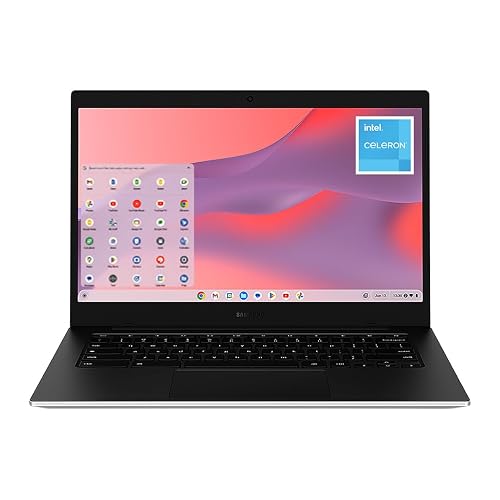 | Best Chromebook | Processor: Intel Celeron N4500 | Screen Size: 14-inch | RAM: 4 GB | VIEW LATEST PRICE | Read Our Analysis |
| HP 14″ HD Laptop Windows 11 Renewed | 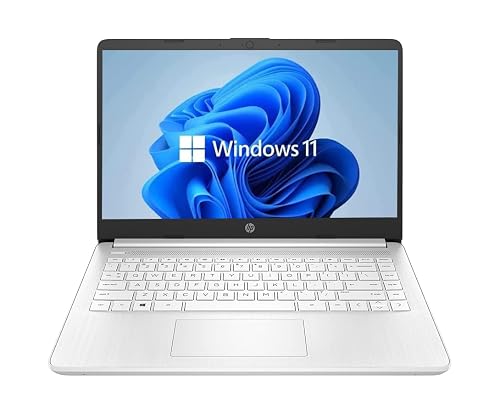 | Best Renewed Pick | Processor: Intel Celeron Dual-Core | Screen Size: 14-inch | RAM: 4 GB | VIEW LATEST PRICE | Read Our Analysis |
| VocBook 15 Windows 11 Laptop 16GB RAM 512GB SSD | 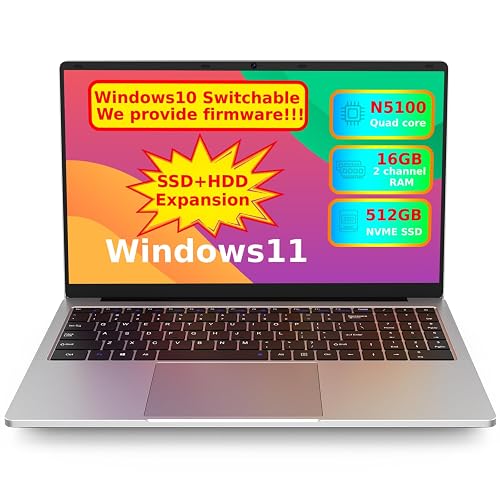 | Best Performance | Processor: Celeron JasperLake N5100 | Screen Size: 15.6-inch | RAM: 16 GB | VIEW LATEST PRICE | Read Our Analysis |
| Acer 2024 Chromebook 15″ HD IPS (Renewed) | 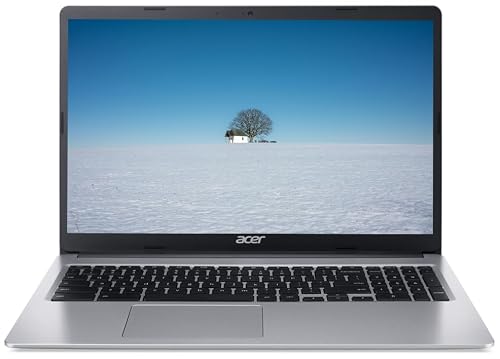 | Best Budget Chromebook | Processor: Intel Celeron N | Screen Size: 15-inch | RAM: 4 GB | VIEW LATEST PRICE | Read Our Analysis |
| HP 14 Laptop (14-dq0010nr Indigo Blue) | 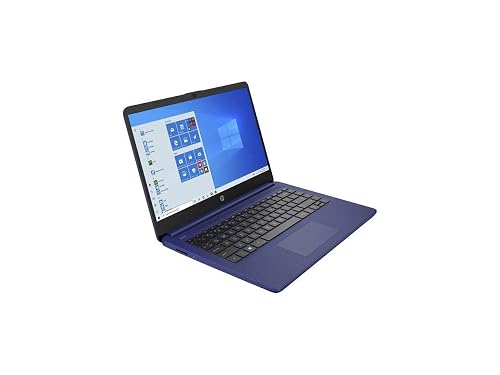 | Best Everyday Laptop | Processor: Intel Celeron N4020 | Screen Size: 14-inch | RAM: 4 GB | VIEW LATEST PRICE | Read Our Analysis |
More Details on Our Top Picks
Samsung Galaxy Chromebook Go Laptop (XE340XDA-KA2US)
If you want a budget Chromebook that is easy to carry and simple to live with, the Samsung Galaxy Chromebook Go XE340XDA-KA2US is a smart pick for students, remote learners, and anyone who mostly works in the browser. It offers a 14-inch touchscreen, up to 12 hours of battery life, and a slim 3.2-pound body that slips into your bag without drama. The Intel Celeron N4500, 4 GB of RAM, and 64 GB SSD handle tabs, documents, and classwork well. Wi-Fi 6, Bluetooth 5.1, USB, HDMI, and microSD keep you connected and ready.
- Processor:Intel Celeron N4500
- Screen Size:14-inch
- RAM:4 GB
- Storage:64 GB SSD
- Wireless:Wi-Fi 6 / Bluetooth 5.1
- Operating System:Chrome OS
- Additional Feature:450 nit brightness
- Additional Feature:Military tough build
- Additional Feature:12-hour battery life
HP 14″ HD Laptop Windows 11 Renewed
The HP 14″ HD Laptop, Windows 11, Renewed is a practical choice for students, remote workers, and everyday users who want an affordable laptop that is easy to use. It features a 14-inch HD BrightView screen, an Intel Celeron dual-core processor, 4 GB of DDR4 RAM, and a 64 GB SSD for basic tasks. Windows 11 provides a familiar interface. A backlit keyboard, USB-C, USB-A, SD card reader, and webcam keep you ready for class, calls, and light work. Because it is renewed and verified, you can save money with less worry.
- Processor:Intel Celeron Dual-Core
- Screen Size:14-inch
- RAM:4 GB
- Storage:64 GB SSD
- Wireless:Wi-Fi / Bluetooth
- Operating System:Windows 11
- Additional Feature:Renewed condition
- Additional Feature:Backlit keyboard
- Additional Feature:Webcam with mic
VocBook 15 Windows 11 Laptop 16GB RAM 512GB SSD
The VocBook 15 is a good choice if you want a roomy 15.6-inch laptop that feels less cramped than most budget options, yet remains light enough for daily carry. It comes with Windows 11 Home, a Celeron N5100 processor, and 16GB of RAM, so everyday tasks run smoothly. The 512GB NVMe SSD provides fast boot times and ample storage. The FHD IPS screen looks sharp, and the 8500 mAh battery can last 8 to 10 hours. You also get Wi-Fi 5, Type-C charging, Ethernet, and a numeric keypad, making this a practical companion.
- Processor:Celeron JasperLake N5100
- Screen Size:15.6-inch
- RAM:16 GB
- Storage:512 GB SSD
- Wireless:Wi-Fi 5 / Bluetooth 5.0
- Operating System:Windows 11 Home
- Additional Feature:16GB RAM
- Additional Feature:512GB NVMe SSD
- Additional Feature:15.6-inch FHD IPS
Acer 2024 Chromebook 15″ HD IPS (Renewed)
With its 15-inch HD IPS ComfyView display, this renewed Acer Chromebook is a practical choice for students, casual users, and anyone who wants a larger screen without a large price tag. The 1366 x 768 panel delivers clear visuals, and the Intel Celeron N processor reaches up to 2.70 GHz for everyday tasks. Running Chrome OS lets you move quickly through browsing, documents, and streaming. It includes 4 GB LPDDR4 memory and 64 GB eMMC storage to keep things lightweight. USB Type-A, USB Type-C, WiFi, Bluetooth, a webcam, and the charger are included, so it is ready for work right away.
- Processor:Intel Celeron N
- Screen Size:15-inch
- RAM:4 GB
- Storage:64 GB eMMC
- Wireless:6th Gen WiFi / Bluetooth
- Operating System:Chrome OS
- Additional Feature:HD IPS ComfyView
- Additional Feature:Integrated webcam
- Additional Feature:2x USB-C ports
HP 14 Laptop (14-dq0010nr Indigo Blue)
HP 14 Laptop (14-dq0010nr) is a simple, low-cost 14-inch laptop that handles everyday tasks without much fuss. It has a thin, light Indigo Blue design, so it is easy to carry. The 14-inch HD screen uses a micro-edge bezel, which provides more visible space. Inside, the Intel Celeron N4020, 4 GB of RAM, and 64 GB of eMMC storage handle web browsing, documents, and streaming. You also get Windows 11 Home, Wi-Fi 5, Bluetooth, three USB ports, HDMI, a 720p camera, and about 10 hours of battery life.
- Processor:Intel Celeron N4020
- Screen Size:14-inch
- RAM:4 GB
- Storage:64 GB eMMC
- Wireless:Wi-Fi 5 / Bluetooth
- Operating System:Windows 11 Home
- Additional Feature:HP Fast Charge
- Additional Feature:Microsoft 365 included
- Additional Feature:720p HD camera
Factors to Consider When Choosing Intel Celeron N Laptops
When choosing an Intel Celeron N laptop, begin with processor speed, memory, and storage, since these determine how smoothly everyday tasks run. Next evaluate display quality and battery life, because they affect your comfort during long work or study sessions. Finally verify the available ports and connectivity so you can connect peripherals without last-minute problems.
Processor Speed
Processor speed is one of the first things you should check in an Intel Celeron N laptop, because it shapes how quick the machine feels in everyday use. You will usually see speeds around 1.1 GHz to 2.8 GHz, so look at both the base clock and the turbo boost. A higher GHz number can help, but it does not tell the whole story. Single core design and cache size can also change how fast tasks feel. If you mostly browse, edit documents, or stream video, a Celeron N around 2.0 GHz with a 2.6 GHz boost can work well. Also, a strong burst speed can make apps open faster, but cooling and power limits affect how long that speed lasts.
Memory and Storage
Memory and storage can make just as much difference as speed in a budget Intel Celeron N laptop, because they shape how smooth the whole system feels day to-day. If you only need light work, 4 GB RAM may get by, but 16 GB gives you far more room for tabs, apps, and calm multitasking. Faster memory, like 3200 MHz LPDDR4X, can also help the system feel snappier than 2400 MHz DDR4. For storage, 64 GB eMMC or SSD space works for basics, yet it fills fast. A 512 GB PCIe NVMe SSD gives you better load times and room for files, media, and updates. Also check for microSD support or extra drive upgrades, since that extra flexibility can save you later.
Display Quality
A sharp display can make a budget Intel Celeron N laptop feel much more pleasant to use, even if the chip itself stays modest. Aim for 1920 x 1080 resolution when you can, because it gives you cleaner text and more room for tabs. If you often work near windows, check brightness as well. Around 300 nits works well indoors, and 450 nits helps a lot in stronger light. Next, look for IPS panels, since they keep colors steadier and viewing angles wider than basic LCD screens. A touchscreen can add convenience, but it will not fix a blurry low resolution panel. Finally, narrow bezels can make the screen feel bigger and more immersive, which helps a small laptop feel less cramped.
Battery Life
Battery life can make or break a budget Intel Celeron N laptop, especially if you plan to carry it through a school day or a long commute. When you compare models, check the rated runtime first. Some last 8 to 10 hours, while others reach 12 hours or more. Also look at battery size in watt hours; a 64.6 Wh pack usually gives you more unplugged time than a 35 Wh or 41 Wh pack. Standby time matters too, because some laptops can sit for nearly 12 hours and still keep a charge. Lighter designs and low power screens can help, but your real battery life depends on brightness, Wi Fi use, and workload. If you travel often, choose fast charging as well.
Ports And Connectivity
Ports and connectivity can turn a cheap Intel Celeron N laptop from “good enough” into “easy to live with,” so check the side and rear edges before you buy. Count the ports first, because some models give you only one USB-C and two USB-A ports, while others add HDMI, microSD, and a headphone jack. Then look at wireless support. Wi-Fi 6 or Wi-Fi 5/802.11ac usually feels steadier than 802.11n, especially in busy homes. If you need a cable for work or gaming, check for Ethernet or RJ45 support, since many thin laptops skip it. Also confirm Bluetooth 5.0 or 5.1 for smoother accessory connections. Finally, make sure the laptop has HDMI and microSD if you move files or use an extra monitor often.
Frequently Asked Questions
How Long Does the Battery Last on Intel Celeron N Laptops?
You can typically expect 6 to 12 hours of battery life on Intel Celeron N laptops, depending on screen size, battery capacity, and usage. Light web browsing will last toward the higher end; video streaming and multitasking will reduce runtime.
Can Intel Celeron N Laptops Handle Zoom and Google Meet Smoothly?
Yes, you can use Intel Celeron N laptops for Zoom and Google Meet. You will get smoother calls if you keep tabs closed, lower video quality, and avoid heavy multitasking during meetings.
Are Intel Celeron N Laptops Good for Students and Light Homework?
Yes, if you keep expectations modest, you will do fine. You can write essays, browse the web, and watch lectures easily, it is a steady bicycle, not a race car. Avoid heavy multitasking, and you will stay productive for school.
Do Intel Celeron N Laptops Support Linux Installations?
Yes, you can often install Linux on Intel Celeron N laptops, and you will usually see better performance than with Windows. Check Wi-Fi, audio, and storage compatibility first, because some models require extra drivers.
What Accessories Improve Performance on Intel Celeron N Laptops?
Upgrading your Celeron N laptop starts with an SSD, which can cut boot times by roughly 60%. You will also benefit from adding more RAM, using a cooling pad, and a USB-C hub to reduce port bottlenecks.




