


You want speed, comfort, and a laptop that feels polished in your hands.
In 2026, the best Intel Core i7 laptops hit the sweet spot between premium build, easy portability, and everyday power, whether you prefer a slim 14 inch HP, a dependable Dell Latitude, or a larger Inspiron with more room to work.
The real difference is in the small details, and that is where your next choice gets interesting.
| HP 14 Inch Laptop with Intel Core i7 | 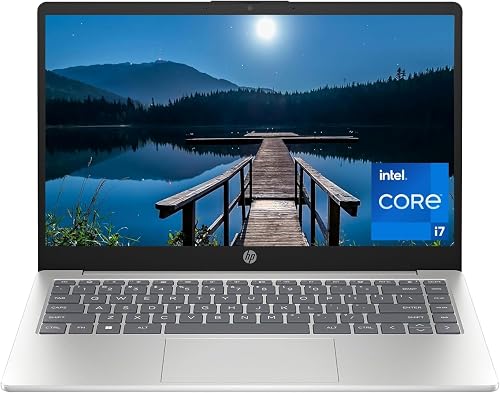 | Best Overall | Screen Size: 14-inch | Display Resolution: 1920 x 1080 | Processor Family: Intel Core i7-1355U | VIEW LATEST PRICE | Read Our Analysis |
| Dell Latitude 7420 FHD Laptop with i7 Processor | 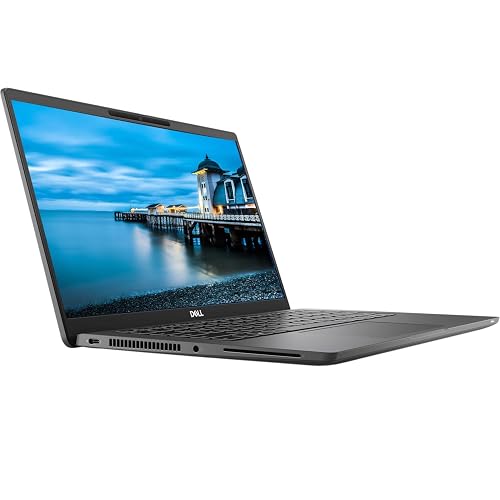 | Best Refurbished | Screen Size: 14-inch | Display Resolution: 1920 x 1080 | Processor Family: Intel Core i7-1165G7 | VIEW LATEST PRICE | Read Our Analysis |
| Dell Inspiron 3520 15.6″ Touchscreen i7 Laptop | 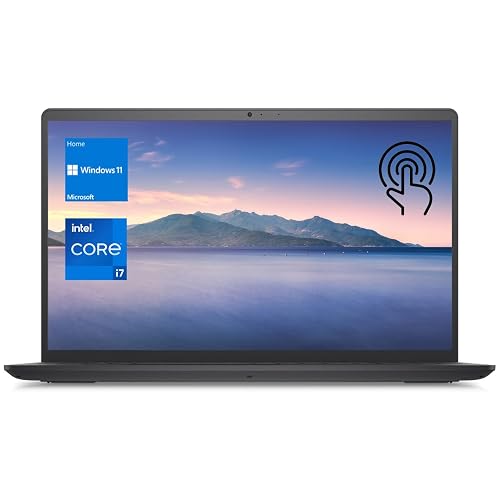 | Best Touchscreen | Screen Size: 15.6-inch | Display Resolution: 1920 x 1080 | Processor Family: Intel Core i7-1255U | VIEW LATEST PRICE | Read Our Analysis |
| Dell Latitude 5420 Laptop i7-1185G7 16GB 512GB SSD | 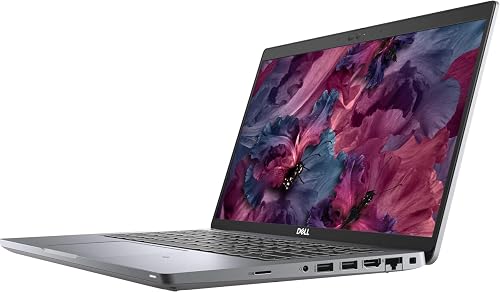 | Best Business Pick | Screen Size: 14-inch | Display Resolution: 1920 x 1080 | Processor Family: Intel Core i7-1185G7 | VIEW LATEST PRICE | Read Our Analysis |
| Dell Inspiron 15 3530 Business Laptop (i7 32GB 1TB) | 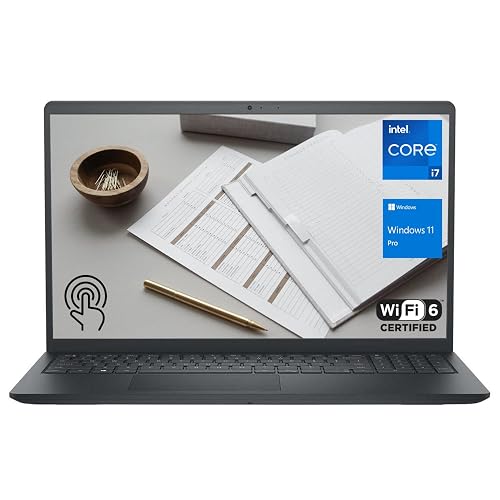 | Best Premium Value | Screen Size: 15.6-inch | Display Resolution: 1920 x 1080 | Processor Family: Intel Core i7-1355U | VIEW LATEST PRICE | Read Our Analysis |
More Details on Our Top Picks
HP 14 Inch Laptop with Intel Core i7
If you want a laptop that is easy to carry and still has enough power for busy daily work, the HP 14 Inch Laptop with Intel Core i7 is a smart choice. You get a sharp 14-inch FHD display, so text and video look clear without glare. Inside, the 13th Gen Core i7, 16 GB of RAM, and a 512 GB SSD help you move quickly through work and study. It is slim and light, and includes Wi-Fi, Bluetooth, USB ports, HDMI, and a camera shutter. Battery life reaches up to 8 hours, and it supports fast charging.
- Screen Size:14-inch
- Display Resolution:1920 x 1080
- Processor Family:Intel Core i7-1355U
- Memory:16 GB
- Storage:512 GB SSD
- Operating System:Windows 11 Home
- Additional Feature:Anti-glare FHD panel
- Additional Feature:Camera shutter privacy
- Additional Feature:EPEAT Gold Registered
Dell Latitude 7420 FHD Laptop with i7 Processor
The Dell Latitude 7420 FHD laptop with an Intel Core i7-1165G7 is a solid choice for anyone who needs a lightweight, reliable business machine that feels fast in everyday use. It includes 16 GB of RAM, a 512 GB NVMe SSD, and Intel Iris Xe graphics, so applications open quickly and multitasking remains smooth. The 14-inch FHD matte screen reduces glare, and the backlit keyboard and responsive touchpad make work easier. At just 2.66 pounds, it is comfortable to carry. Windows 11 Pro, Wi-Fi 6, and an HDMI port add practical everyday value.
- Screen Size:14-inch
- Display Resolution:1920 x 1080
- Processor Family:Intel Core i7-1165G7
- Memory:16 GB
- Storage:512 GB SSD
- Operating System:Windows 11 Pro
- Additional Feature:Carbon fiber chassis
- Additional Feature:Wi-Fi 6 AX201
- Additional Feature:Backlit keyboard
Dell Inspiron 3520 15.6″ Touchscreen i7 Laptop
The Dell Inspiron 3520 15.6″ Touchscreen i7 laptop is ideal when you need serious everyday speed without a bulky setup. It includes an Intel Core i7-1255U, 32 GB of RAM, and a 1 TB SSD, so apps launch quickly and multitasking stays smooth. The 15.6-inch FHD IPS touchscreen is bright and roomy, and the numeric keypad makes data entry easier. You also get Intel Iris Xe Graphics, Wi-Fi, Bluetooth, HDMI, multiple USB ports, an SD card reader, a webcam, and Windows 11 Home, all in a clean black design.
- Screen Size:15.6-inch
- Display Resolution:1920 x 1080
- Processor Family:Intel Core i7-1255U
- Memory:32 GB
- Storage:1 TB SSD
- Operating System:Windows 11 Home
- Additional Feature:Touchscreen display
- Additional Feature:Numeric keypad
- Additional Feature:SD card reader
Dell Latitude 5420 Laptop i7-1185G7 16GB 512GB SSD
With an 11th Gen Intel Core i7-1185G7 processor, 16 GB of RAM, and a 512 GB SSD, the Latitude 5420 is an excellent 14-inch work laptop that stays responsive in daily use. The 1920 x 1080 matte display reduces glare and helps minimize eye strain. Thunderbolt 4, HDMI, Ethernet, and USB ports simplify docking and desk setups. This unit ships certified refurbished, so the hardware has been inspected, Windows 11 Pro is included, and a 90-day warranty is provided. Weighing 3.88 pounds, it is sturdy without feeling like a burden in your bag.
- Screen Size:14-inch
- Display Resolution:1920 x 1080
- Processor Family:Intel Core i7-1185G7
- Memory:16 GB
- Storage:512 GB SSD
- Operating System:Windows 11 Pro
- Additional Feature:Thunderbolt 4 ports
- Additional Feature:Ethernet port
- Additional Feature:64GB RAM support
Dell Inspiron 15 3530 Business Laptop (i7 32GB 1TB)
A strong fit for busy professionals, the Inspiron 15 3530 delivers everyday performance that makes work more manageable. It includes a 13th Gen Core i7-1355U, 32 GB of RAM, and a 1 TB SSD, so apps open quickly and files stay close. The 15.6-inch FHD touchscreen is responsive, and the anti-glare finish reduces reflections in bright rooms. With Windows 11 Pro, Wi-Fi 6, Bluetooth 5.0, and a 1080p webcam, you stay ready for meetings. At 3.6 pounds, it remains easy to carry.
- Screen Size:15.6-inch
- Display Resolution:1920 x 1080
- Processor Family:Intel Core i7-1355U
- Memory:32 GB
- Storage:1 TB SSD
- Operating System:Windows 11 Pro
- Additional Feature:1080P HD webcam
- Additional Feature:Bluetooth 5.0
- Additional Feature:Touchscreen display
Factors to Consider When Choosing Intel Core i7 Laptops
When choosing an Intel Core i7 laptop, start with the processor generation. Newer chips generally run faster and manage power more efficiently. Next check RAM, storage speed, display quality, and battery life, as these components determine how smooth and comfortable daily use will be. Balance these factors well and you will get a laptop that performs strongly without adding extra effort on your part.
Processor Generation
Processor generation matters more than many people think, because it can shape how fast your Intel Core i7 laptop feels every day. When you compare 11th, 12th, and 13th Gen models, the newer chip usually gives you better efficiency and a smoother experience. You may also get higher boost clocks; some 13th Gen i7 processors reach up to 5.0 GHz, while many 11th and 12th Gen chips top out around 4.7 GHz. That extra speed helps when you switch tasks quickly or keep many apps open. Newer generations can also use smarter core designs, such as 10-core, 12-thread configurations, which make the laptop feel more responsive. If memory and SSD size match, processor generation often becomes the biggest sign of speed and future proofing.
RAM Capacity
For most people, 16 GB of RAM is the sweet spot in an Intel Core i7 laptop, because it handles everyday multitasking with ease. You can keep many apps and browser tabs open without the system feeling tight or sluggish. If you work with large files, edit photos or video, or run virtual machines, 32 GB gives you more breathing room and keeps performance smoother. Also check the laptop’s maximum supported RAM before you buy, since some models stop at 16 GB, while others can reach 32 GB or 64 GB. That matters if you want room to grow later. RAM speed matters too; 2400 MHz, 3200 MHz, or higher can boost responsiveness alongside capacity.
Storage Speed
Storage speed affects how fast an Intel Core i7 laptop feels in daily use, even if the processor is powerful. Look for a PCIe NVMe M.2 SSD, since it boots faster and opens apps quicker than older SATA drives. Also pay attention to PCIe generation and lane width, because newer, wider connections usually move data with less waiting. A 512 GB or 1 TB SSD will not always be faster, but it does provide more room for files and cache, which can help keep performance smooth. If you work with large files, faster storage makes saves, copies, and launches feel much snappier. If your laptop has only one M.2 slot, buying a capable SSD now can avoid awkward upgrades later.
Display Quality
How clear and comfortable will that screen feel after a long day of work? A Full HD 1920 × 1080 display gives you a strong start, with about 2 million pixels that keep text and images sharp. If you work in bright rooms, choose an anti-glare or matte finish so reflections stay low and your eyes feel less tired. A 14-inch or 15.6-inch screen usually gives you a sweet spot, since it balances easy carrying with a view that does not feel cramped. If you want richer motion and better color from the side, look for an IPS panel with wide viewing angles and at least 250 nits of brightness. Touchscreens add flexibility, while non-touch models often feel cleaner and simpler.
Battery Life
Battery life on Intel Core i7 laptops can vary, so look past the number on the box. Some models advertise about 8 hours, while others prioritize speed and drain faster. If you want more unplugged time, a 50 Wh battery generally outlasts a 30 Wh pack. Efficient chips and smart power features help most when you are browsing or editing documents. Bright screens, larger displays, and touchscreen use can reduce battery life, so keep that in mind if you work away from an outlet. Fast charging can also save the day, with some laptops reaching 50 percent in about 45 minutes, so you are not stuck waiting around.
Port Selection
Once you have checked battery life, the next thing to consider is the port mix, because the right laptop should fit your gear without making you hunt for adapters. You will want a balanced set of USB-A and USB-C ports, so your older mouse and newer charger both work smoothly. HDMI also matters, since it lets you hook up a monitor or projector quickly for meetings or class. If your office still uses cables, an Ethernet port can provide steadier internet than Wi-Fi. Card slots, such as SD or microSD, make it easy to move photos and videos from cameras. Thunderbolt 4 or USB 3.2 Type-C ports add even more flexibility, since they can handle fast transfers, external displays, and power on some models.
Portability Weight
When portability matters, weight should be one of the first things you check, because a laptop can feel very different in real life than it looks on paper. A lighter Core i7 laptop is much easier to carry every day, especially if you commute, travel, or move between classes and meetings. Models around 2.66 lb feel far easier in a backpack than heavier ones near 3.6 lb or 3.88 lb, and even 1 to 2 pounds can surprise you after a long day. A thin 14-inch design often gives you the best balance of comfort and screen space. If you want easy packing, look for slim dimensions and low weight together, since a heavier laptop can feel like a small brick after a while.
Frequently Asked Questions
Which Core i7 Generation Offers the Best Balance of Speed and Battery Life?
You’ll usually get the best balance with Intel’s 13th-gen Core i7; it is fast, efficient, and widely tuned in premium laptops. If you want newer features, 14th-gen models can match it, but battery life varies more.
Are Premium-Feeling i7 Laptops Better for Travel or Desk Work?
You will usually prefer premium-feeling i7 laptops for travel, because you carry them more. You will still enjoy them at a desk, but portability, battery life, and build quality matter more when you are on the move.
Do All i7 Laptops Support Windows 11 Smoothly?
No, not every i7 laptop runs Windows 11 smoothly. Check RAM, SSD speed, cooling performance, and the GPU. Newer models typically perform best; older or budget systems can still feel sluggish.
How Important Is Thunderbolt Support in a 2026 i7 Laptop?
Thunderbolt is a gateway to high performance and flexibility. You will appreciate it if you use docks, fast external drives, or multiple monitors. If your use is mostly browsing, streaming, and writing, you will not miss it on an i7 laptop.
Can an i7 Laptop Stay Quiet During Heavy Multitasking?
Yes. You can keep an i7 laptop quiet during heavy multitasking if you choose a model with efficient cooling, tuned power limits, and larger fans. You will still hear some noise under sustained load, however.




