


If you are shopping for a budget laptop in 2026, Intel Pentium Gold models can still deliver solid everyday performance without draining your wallet. In this roundup, you will find seven picks that handle browsing, streaming, classwork, and light multitasking with less fuss than you might expect.
Some prioritize portability, while others offer larger screens and useful ports. Next, note which model quietly provides the best combination of comfort, storage, and value.
| Lenovo Chromebook C340 2-in-1 Laptop (81T90003US) |  | Best Convertible | Processor: Intel Pentium Gold 4417U | Screen Size: 15.6 inches | Display Resolution: 1920 x 1080 | VIEW LATEST PRICE | Read Our Analysis |
| HP 2020 15.6″ HD Laptop (Pentium Gold 6405U) | 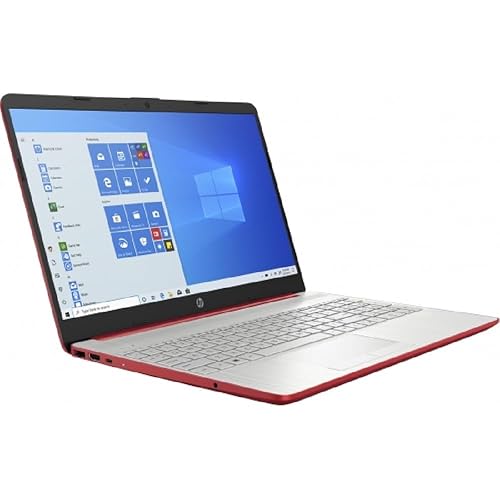 | Best Traditional Laptop | Processor: Intel Pentium Gold 6405U | Screen Size: 15.6 inches | Display Resolution: 1366 x 768 | VIEW LATEST PRICE | Read Our Analysis |
| HP 2019 14″ Laptop (14-CF0012DX) | 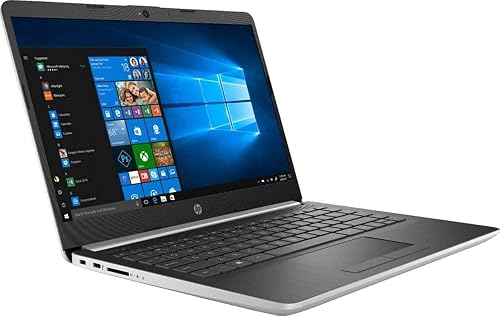 | Best Compact Pick | Processor: Intel Pentium Gold G4417U | Screen Size: 14 inches | Display Resolution: 1366 x 768 | VIEW LATEST PRICE | Read Our Analysis |
| HP 15.6″ Laptop (15-fd0083wm) Renewed |  | Best Renewed Option | Processor: Intel Pentium N200 | Screen Size: 15.6 inches | Display Resolution: 1366 x 768 | VIEW LATEST PRICE | Read Our Analysis |
| Lenovo Ideapad 3 Laptop (81WA00B1US) | 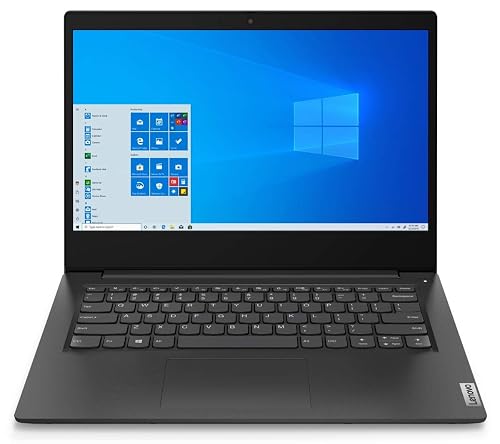 | Best Refurbished Value | Processor: Intel Pentium Gold 6405U | Screen Size: 14 inches | Display Resolution: 1366 x 768 | VIEW LATEST PRICE | Read Our Analysis |
| Phatom 15.6″ FHD Laptop Computer (Windows 11) | 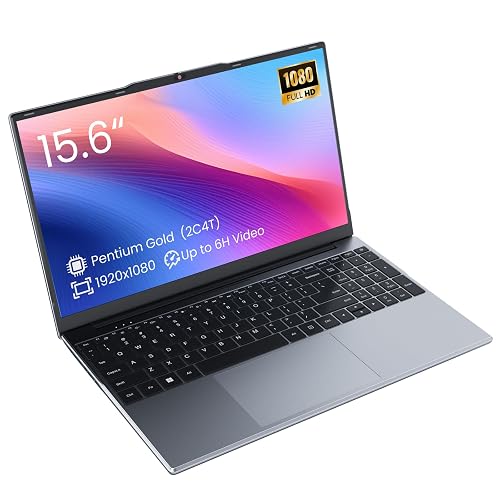 | Best FHD Display | Processor: Pentium Gold processor | Screen Size: 15.6 inches | Display Resolution: 1920 x 1080 | VIEW LATEST PRICE | Read Our Analysis |
| 15.6″ Windows 11 Laptop for Students and Business | 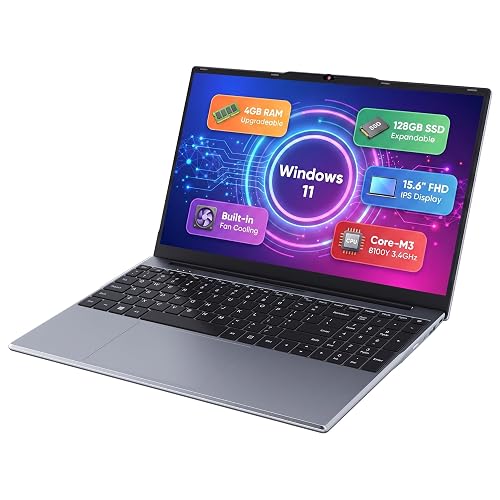 | Best For Students | Processor: Intel Core m3-8100Y | Screen Size: 15.6 inches | Display Resolution: 1920 x 1080 | VIEW LATEST PRICE | Read Our Analysis |
More Details on Our Top Picks
Lenovo Chromebook C340 2-in-1 Laptop (81T90003US)
If you want a laptop that is easy to live with, the Lenovo Chromebook C340 2-in-1 is a smart pick. It offers a large 15.6-inch Full HD touchscreen, a 360-degree hinge, and the simple speed of Chrome OS in one friendly package. You can flip it into laptop, tablet, tent, or stand mode, so you can keep working or watching the way you prefer. It weighs 4.4 pounds and still feels sturdy. You get a full keyboard with a number pad, 4 GB of RAM, a 32 GB SSD, dual speakers, Wi-Fi, Bluetooth, and about 10 hours of battery life.
- Processor:Intel Pentium Gold 4417U
- Screen Size:15.6 inches
- Display Resolution:1920 x 1080
- RAM:4 GB
- Storage:32 GB SSD
- Wireless:Wi‑Fi and Bluetooth
- Additional Feature:360° convertible hinge
- Additional Feature:FHD IPS touchscreen
- Additional Feature:Google Play access
HP 2020 15.6″ HD Laptop (Pentium Gold 6405U)
The HP 2020 15.6″ HD Laptop with the Pentium Gold 6405U is a sensible, budget-friendly choice for everyday work, school tasks, and light streaming when you do not need extra processing power. It features a 15.6-inch HD screen, a 720p webcam, and dual microphones for clear video calls. The 4 GB of RAM and 500 GB hard drive are suitable for basic use, while Wi-Fi, Bluetooth, HDMI, Ethernet, and USB-C keep you connected. The Scarlet Red design and a claimed 10-hour battery life add style and portability. It ships with Windows 10 Home in S mode for a straightforward, secure user experience.
- Processor:Intel Pentium Gold 6405U
- Screen Size:15.6 inches
- Display Resolution:1366 x 768
- RAM:4 GB
- Storage:500 GB HDD
- Wireless:Wi‑Fi and Bluetooth
- Additional Feature:RJ-45 Ethernet port
- Additional Feature:720p HD webcam
- Additional Feature:SD card reader
HP 2019 14″ Laptop (14-CF0012DX)
The HP 2019 14-inch 14-CF0012DX is a sensible choice if you want a simple, budget-friendly laptop that covers everyday work with ease. It includes a Pentium Gold G4417U processor, 4 GB of RAM, and a 128 GB SSD, so boot times are quick and basic tasks remain responsive. The 14-inch BrightView display is compact, and the chiclet keyboard with numeric keypad aids typing. Connectivity options include Wi-Fi, Bluetooth, HDMI, and three USB ports. Windows 10 Home, a webcam, and a 1-year warranty complete the package.
- Processor:Intel Pentium Gold G4417U
- Screen Size:14 inches
- Display Resolution:1366 x 768
- RAM:4 GB
- Storage:128 GB SSD
- Wireless:Wi‑Fi and Bluetooth
- Additional Feature:M.2 SSD slot
- Additional Feature:Audio recording support
- Additional Feature:Numeric keypad
HP 15.6″ Laptop (15-fd0083wm) Renewed
Built for budget-minded buyers who want a light everyday laptop without extra fuss, the HP 15.6″ Laptop 15-fd0083wm Renewed is a sensible choice for simple schoolwork, web browsing, streaming, and basic office tasks. It includes a Pentium N200 processor, 4 GB of RAM, and 128 GB of storage, so it stays responsive for everyday use. The 15.6-inch screen provides roomy viewing and the roughly 3.5-pound body is easy to carry. Windows 11, Wi-Fi, a webcam, and convenient USB and HDMI style ports help you stay ready without feeling overwhelmed.
- Processor:Intel Pentium N200
- Screen Size:15.6 inches
- Display Resolution:1366 x 768
- RAM:4 GB
- Storage:128 GB UFS/SSD
- Wireless:Wi‑Fi
- Additional Feature:Windows 11 installed
- Additional Feature:350-nit brightness
- Additional Feature:DisplayPort via USB-C
Lenovo Ideapad 3 Laptop (81WA00B1US)
If you want a budget-friendly laptop that still feels useful in 2026, the Lenovo IdeaPad 3 81WA00B1US makes sense for students, home users, and light business tasks. It includes a 10th Gen Pentium Gold 6405U, 4 GB RAM, and a 128 GB SSD, so everyday apps open quickly. The 14-inch anti-glare HD screen helps in bright rooms, and the 1.5 kg build stays easy to carry. Because it is refurbished, you may notice minor scratches, but testing and cleaning provide peace of mind. Wi-Fi, Bluetooth 5, HDMI, and Windows 10 keep your setup simple.
- Processor:Intel Pentium Gold 6405U
- Screen Size:14 inches
- Display Resolution:1366 x 768
- RAM:4 GB
- Storage:128 GB SSD
- Wireless:Wi‑Fi and Bluetooth
- Additional Feature:Anti-glare coating
- Additional Feature:Bluetooth 5
- Additional Feature:Refurbished certified
Phatom 15.6″ FHD Laptop Computer (Windows 11)
The Phatom 15.6″ FHD Laptop Computer with Windows 11 is a simple, budget-friendly machine that handles everyday tasks without drama. Its Pentium Gold processor manages browsing, writing, and light multitasking with ease. You get a bright 15.6-inch Full HD IPS screen, so classes and presentations look sharp. It starts with 4 GB of RAM and a 128 GB SSD, and both can be upgraded. Connectivity includes USB-C, HDMI, WiFi 5, and Bluetooth 5.0. At about 3.8 pounds, it is easy to carry.
- Processor:Pentium Gold processor
- Screen Size:15.6 inches
- Display Resolution:1920 x 1080
- RAM:4 GB
- Storage:128 GB M.2 SATA SSD
- Wireless:Wi‑Fi and Bluetooth
- Additional Feature:Dual SO-DIMM slots
- Additional Feature:MicroSD card slot
- Additional Feature:4K HDMI output
15.6″ Windows 11 Laptop for Students and Business
A 6-inch Windows 11 laptop is not suitable for students or business users. A 15.6-inch model with an Intel Core m3-8100Y provides a more practical setup for daily work, classes, and travel. You get smooth performance for studying, streaming, and multitasking, and active fan cooling keeps heat under control while the laptop remains quiet. The 15.6-inch FHD IPS display delivers clear text and wide viewing angles, and the keyboard with numeric keypad makes typing easier. You can also upgrade RAM and storage as your needs grow.
- Processor:Intel Core m3-8100Y
- Screen Size:15.6 inches
- Display Resolution:1920 x 1080
- RAM:4 GB
- Storage:128 GB SSD
- Wireless:Wi‑Fi and Bluetooth
- Additional Feature:Privacy camera slider
- Additional Feature:180-degree hinge
- Additional Feature:2MP camera
Factors to Consider When Choosing Intel Pentium Gold Laptops
When choosing an Intel Pentium Gold laptop, start by evaluating processor performance, as it determines how smoothly everyday tasks run. Check memory capacity and storage type next, because they affect speed, multitasking, and how quickly files open. Also consider display quality and battery life, since a bright screen and long unplugged use make the laptop more reliable in daily use.
Processor Performance
Processor performance in Intel Pentium Gold laptops is about setting the right expectations, because these chips are built for everyday tasks, not heavy lifting. You will get smooth web browsing, video streaming, and office work from their low-power dual-core design. Most models run between 1.1 GHz and 2.4 GHz, so speed feels decent, but not snappy under pressure. Built-in Intel UHD or HD graphics can handle 720p to 1080p video and simple browser games, yet they will not shine in demanding 3D apps. For better day-to-day response, look for a model with faster storage and enough memory, since those choices matter a lot. Pentium Gold chips usually stay cool and sip power, which helps battery life, even if long multitasking sessions slow performance.
Memory Capacity
Even if Pentium Gold laptops handle basic tasks well, memory size can determine how pleasant they feel day to day. Treat 4 GB as the bare minimum, not the sweet spot, because it can slow you down when you open several tabs or switch apps. For smoother browsing, streaming, and light work, 8 GB usually feels much better and reduces stuttering. Also check the memory type and speed, since faster DDR4 can improve everyday responsiveness and integrated graphics performance. If your laptop has two slots, dual channel memory can provide a real boost. If you want to keep the laptop longer, choose 8 GB to 16 GB or a model you can upgrade later.
Storage Type
Storage can make or break how a Pentium Gold laptop feels in daily use, so it is worth looking past the sticker price and checking what is actually inside. You will want an SSD, not a slow HDD, because it cuts boot times and makes apps open fast. If you can, choose NVMe PCIe, since it is often two to five times quicker than SATA and helps when you juggle files or browser tabs. Capacity matters too. A 256 GB drive usually feels safer than a tiny 64 GB one, especially when your system leans on local storage for cache and swap. Also check the upgrade path, an M.2 slot or 2.5-inch bay is great, while soldered or eMMC storage can box you in later.
Display Quality
A good display can make a low-cost Pentium Gold laptop far more pleasant to use, so do not settle too quickly. Aim for at least a 1920×1080 Full HD screen on a 14 to 15.6 inch model; that keeps text sharp and gives you room for tabs, documents, and video. IPS or other wide-angle panels also matter, since they keep colors and contrast steadier when you lean back or share your screen. Next, check brightness. About 250 nits works well indoors, while 300 nits or more helps in brighter rooms. If you work near lights, a matte finish can reduce glare. For color tasks, look for roughly 60% sRGB and good calibration.
Battery Life
Battery life usually comes down to a few simple things, and they matter a lot on Pentium Gold laptops. You should look first at battery size, because 30 to 56 Wh can change your day a lot. Then check the screen. A 720p matte panel with lower brightness usually sips power, while a 1080p touchscreen at full brightness can drain it fast. Storage and memory matter too, so SSDs and LPDDR or low voltage DDR help you stretch each charge. Also, your habits change everything. Light web browsing can run for hours, but streaming, video calls, cloud sync, and Android apps will cut that time. Finally, trust Wh ratings and real use cases more than vague “up to” claims when you compare models.
Port Selection
On a Pentium Gold laptop, the right ports can make daily use feel smooth instead of frustrating. Make sure it has at least one USB-A port, because your mouse, flash drive, and older accessories still need it. Next, check for a USB-C port with data support, and ideally DisplayPort Alt Mode or power delivery, so you can charge and connect a screen with one cable. HDMI matters too, especially if you want easy TV or monitor hookup without adapters. If you move photos often, an SD or microSD card reader will save time and hassle. Also confirm a headphone and microphone combo jack. If you need steady internet, look for Ethernet or USB-to-Ethernet support for a dependable wired connection.
Build And Weight
When you shop for an Intel Pentium Gold laptop, build and weight affect daily comfort. For easier carrying, consider smaller 14-inch models; many 14 to 15.6-inch systems weigh 1.5 to 4.4 pounds. Thin-and-light designs feel great in a bag, but they often leave less room for upgrades and reduced thermal headroom. If you want more versatility, a 2-in-1 with a 360-degree hinge can flip into tablet mode, but it usually adds thickness and weight. Metal bodies feel sturdy and premium, while plastic helps keep weight down. Finally, consider battery capacity, because a larger pack lasts longer, but it can also make the laptop harder to carry.
Frequently Asked Questions
How Long Do Intel Pentium Gold Laptops Typically Last on a Single Charge?
You can typically expect about 5 to 8 hours per charge. Screen brightness, the apps you run, battery capacity, and battery age all affect that. Streaming video or heavy multitasking will reduce runtime, while light browsing can extend it.
Are Intel Pentium Gold Laptops Good for Basic Photo Editing Tasks?
Yes, you can handle light photo tweaks, but you will get modest results, not high performance. You can edit small images, crop, adjust colors, and apply simple filters. For heavy layers or large files, you will notice reduced responsiveness and slower performance.
Can Pentium Gold Laptops Run Linux Distributions Smoothly?
Yes. You can run lightweight Linux distributions smoothly on a Pentium Gold laptop if you choose a distro with a modest desktop, provide enough RAM, and use an SSD. You will get responsive everyday performance. Heavier desktop environments may lag.
What Upgrade Options Are Usually Available in Pentium Gold Laptops?
You can usually upgrade the RAM and storage. Around 80% of Pentium Gold laptops allow swapping the SSD, but many have soldered memory. Check your specific model before buying parts.
Are Intel Pentium Gold Laptops Suitable for Zoom Classes and Meetings?
Yes, you can use a Pentium Gold laptop for Zoom classes and meetings if you keep tasks light. You will get workable video and audio, but expect slower multitasking, especially with many tabs or apps open.




