


If you are considering a Pentium Silver laptop in 2026, you are likely looking for something calm, practical, and budget friendly.
The good news is that today’s best models do more than handle browsing and streaming. They also offer room to grow, with better screens, larger storage options, and useful ports.
Next, review the models that match real daily needs, because a few may surprise you.


More Details on Our Top Picks
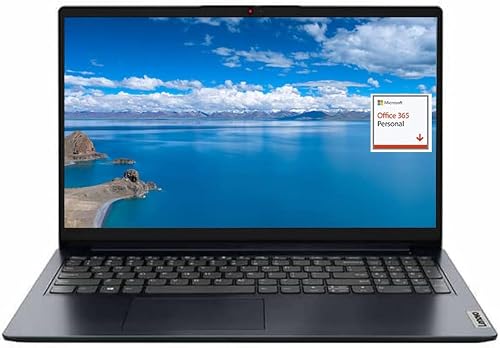
Lenovo IdeaPad 1 15.6″ FHD Laptop N6000
If you want a low-cost laptop that still feels practical for everyday use, the Lenovo IdeaPad 1 15.6″ FHD with the Intel Pentium Silver N6000 is a solid choice. It includes a 15.6-inch anti-glare Full HD screen, 12 GB of RAM, a fast 256 GB SSD, and 128 GB of eMMC storage. The Pentium Silver processor handles browsing, streaming, and light productivity reliably. Connectivity includes Wi-Fi 6, Bluetooth 5.0, USB-C, HDMI, and an SD card reader, so setup is straightforward. At 1.6 kg it remains easy to carry. Battery life can reach up to 9 hours.
- Display Size:15.6″
- Operating System:Windows 11
- RAM:12 GB
- Storage:256 GB SSD + 128 GB eMMC
- Webcam:Integrated webcam
- Wi-Fi:Wi‑Fi 6
- Additional Feature:FHD anti-glare display
- Additional Feature:Dolby Audio speakers
- Additional Feature:128GB eMMC storage
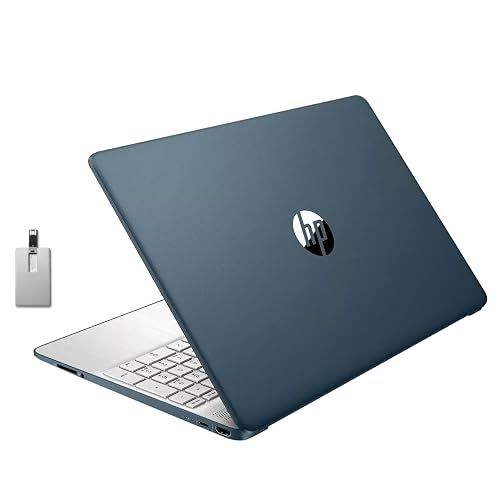
HP 15.6″ Laptop with Pentium 4GB RAM (Renewed)
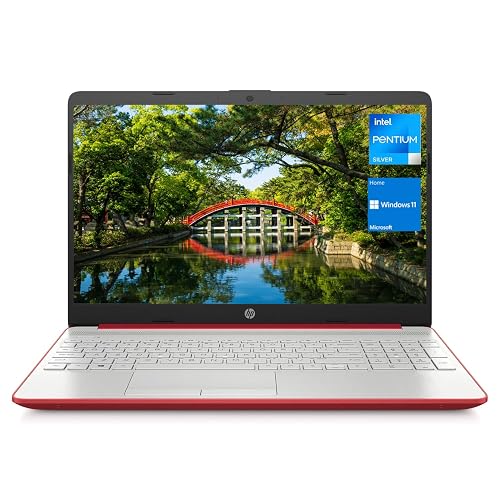
The HP 15.6″ Laptop, model 15-fd0083wm, is a practical choice for anyone needing a straightforward Windows 11 machine for everyday tasks without spending a lot. It features a 15.6-inch LCD screen, a quad-core Pentium processor, and 4 GB of DDR4 memory for light use. With 128 GB of UFS storage, you can keep files, apps, and downloads organized. It handles streaming, online shopping, and social chats well. The Scarlet Red finish adds a bold touch, and the included charger helps you get started quickly.
- Display Size:15.6″
- Operating System:Windows 11
- RAM:4 GB
- Storage:128 GB UFS
- Webcam:Integrated webcam
- Wi-Fi:Wi‑Fi
- Additional Feature:Windows 11 renewed
- Additional Feature:128GB UFS storage
- Additional Feature:Scarlet Red finish
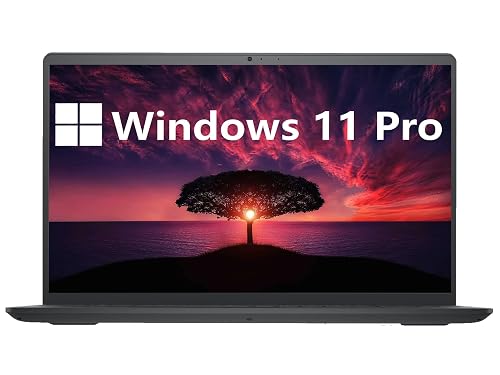
Dell Inspiron 3000 Business Laptop 15.6 HD Display
Dell Inspiron 3000 Business Laptop, 15.6 HD Display is a smart fit for you when you want a budget-friendly work laptop that still feels practical and steady for everyday business tasks. Its Pentium Silver N5030 processor, 16 GB of RAM, and 1 TB hard drive help you open files, manage spreadsheets, and keep projects moving. The 15.6-inch anti-glare screen, backlit keyboard, and numeric keypad make long days easier. Plus, Wi-Fi, Bluetooth, HDMI, USB ports, and ExpressCharge give you useful flexibility without fuss. The black chassis feels simple, and Windows 11 Pro keeps your work setup familiar.
- Display Size:15.6″
- Operating System:Windows 11 Pro
- RAM:16 GB
- Storage:1 TB HDD
- Webcam:Built-in HD webcam
- Wi-Fi:Wi‑Fi 5
- Additional Feature:Windows 11 Pro
- Additional Feature:Backlit numeric keyboard
- Additional Feature:ExpressCharge support
HP 15.6″ Student Laptop Intel Pentium N5030 8GB RAM
HP’s 15.6-inch Student Laptop is ideal for students and everyday users who want a simple Windows 11 machine without paying for extra power they may never use. It comes with an Intel Pentium Silver N5030, 8GB of DDR4 memory, and a 256GB PCIe SSD, so apps open quickly and files stay within easy reach. The 15.6-inch anti-glare HD screen reduces reflections, and the full-size keyboard with a number pad makes homework easier. You also get Wi-Fi 5, Bluetooth, fast charging, and a light 3.75-pound build for daily carry.
- Display Size:15.6″
- Operating System:Windows 11
- RAM:8 GB
- Storage:256 GB SSD
- Webcam:HP True Vision HD
- Wi-Fi:Wi‑Fi 5
- Additional Feature:HP Fast Charge
- Additional Feature:True Vision HD camera
- Additional Feature:Bonus 32GB USB
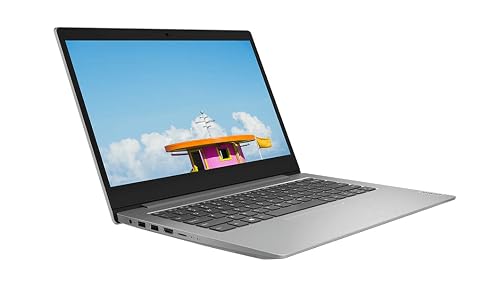
Lenovo IdeaPad 1 14″ HD Laptop (N5030)
Built for light everyday work, the Lenovo IdeaPad 1 14″ HD Laptop with the Intel Pentium Silver N5030 is ideal if you want a simple Windows 11 device for school, email, web browsing, and streaming without paying for extras you will not use. It features a 14-inch HD touch-ready screen, 4 GB of RAM, and a 128 GB SSD for quick startup. The slim Platinum Grey body is easy to carry, and Wi-Fi 5, Bluetooth 4.2, USB-A ports, HDMI, and a microSD slot keep you connected. It runs Windows 11 Home in S Mode, so it stays tidy, safe, and user friendly.
- Display Size:14″
- Operating System:Windows 11 Home S
- RAM:4 GB
- Storage:128 GB NVMe SSD
- Webcam:Webcam included
- Wi-Fi:Wi‑Fi 5
- Additional Feature:Touchscreen display
- Additional Feature:Windows 11 S Mode
- Additional Feature:31Wh battery
HP 17.3″ Touchscreen Laptop 20GB RAM 1TB SSD
If you want a large, easy-to-use laptop that handles everyday work without feeling cramped, this HP 17.3 inch touchscreen model deserves a close look. You get a roomy HD+ display, a full-size keyboard with a number pad, and touch support that makes tapping, scrolling, and casual use feel natural. The Pentium Silver N5030, 20 GB of DDR4 memory, and 1 TB SSD help you move through business tasks, browser tabs, and files with less waiting. It also includes USB-C, HDMI, three USB ports, Wi-Fi, Bluetooth, speakers, and a webcam, so you stay ready.
- Display Size:17.3″
- Operating System:Windows 11 Home S
- RAM:20 GB
- Storage:1 TB NVMe SSD
- Webcam:Front camera
- Wi-Fi:Wi‑Fi
- Additional Feature:17.3-inch touchscreen
- Additional Feature:1TB NVMe SSD
- Additional Feature:20GB RAM
HP 15.6″ Business and Student Laptop (N5030)
The HP 15.6″ Business and Student Laptop with Intel Pentium Silver N5030 is a practical choice if you want a roomy screen, ample storage, and reliable everyday performance without paying for extras you may never use. It includes 16GB of RAM, a 1TB SSD, and Windows 11 Home, so apps open quickly and files remain accessible. The 15.6-inch HD display is well suited for class notes and office tasks. Built-in webcam, Wi-Fi, Bluetooth, HDMI, USB-C, USB-A, and Ethernet keep you connected. At 3.9 pounds, it remains fairly portable.
- Display Size:15.6″
- Operating System:Windows 11 Home
- RAM:16 GB
- Storage:1 TB M.2 SSD
- Webcam:Integrated webcam
- Wi-Fi:Wi‑Fi
- Additional Feature:RJ45 Ethernet port
- Additional Feature:16GB DDR4 RAM
- Additional Feature:Automatic backup software
Factors to Consider When Choosing Intel Pentium Silver Laptops
When choosing an Intel Pentium Silver laptop, begin with processor performance because it determines how smoothly your apps and browser tabs run. Next evaluate memory and storage, as they influence speed, multitasking capability, and available space for files. Also consider display quality, battery life, and ports, since these affect daily comfort and flexibility. A well balanced choice addresses all five factors so the laptop does not feel adequate on paper but underperform by midday.
Processor Performance
Processor performance matters a lot with Intel Pentium Silver laptops, because these chips are made for simple, everyday work, not heavy lifting. Look at the four cores and four threads, and consider the base clock and turbo speed; bursty tasks feel much snappier when boost clocks rise near 3.0 GHz. Next, note the small 4 MB L3 cache, since it can slow quick data access when you switch between apps. The integrated UHD graphics handle browsing, video, and light photo edits well, but they will not suit serious gaming. Also, these chips stay cool and sip power, yet that means sustained speed remains modest. Finally, faster DDR4 memory can help the whole system feel more responsive, which is useful when you want smooth everyday use without drama.
Memory And Storage
At a minimum, memory and storage determine how smooth a Pentium Silver laptop feels in daily use. Aim for at least 8 GB of DDR4 RAM, because 4 GB can feel tight when you keep several tabs open or do light editing. Also check whether the laptop has soldered memory or a single slot, since upgrades may be limited. Next, consider storage. An NVMe SSD provides faster boots and quicker app launches than eMMC or a slow HDD. If you need more room, a dual storage setup can keep Windows on the SSD and your files on a larger drive. Finally, compare RAM speed and dual channel support, because both can improve responsiveness and integrated graphics.
Display Quality
A good display can make a Pentium Silver laptop far more pleasant to use every day, so start by checking resolution first. On a 14-inch or 15.6-inch screen, Full HD gives you sharper text and more room to work than HD, reducing eye strain. Next, choose an IPS or other wide-viewing-angle panel, as it keeps colors steady when you tilt the screen or share it with someone. You should also look for a matte finish and at least 250 nits of brightness, since those features help cut glare in bright rooms. If you watch videos or edit photos casually, check color range and contrast as well. In that case, better color is more important than touch.
Battery Life
Now that you have checked screen quality, battery life should be next on your list, because even the nicest laptop becomes annoying fast if it dies by midafternoon. With Intel Pentium Silver chips you can often expect eight to eleven hours during light work like browsing or video. Still, actual runtime depends on battery capacity. A 30 to 50 Wh pack usually provides solid day use, while larger packs last longer.
Next, watch the display. Bigger, brighter, or higher-resolution screens can cut runtime by 20 to 50 percent. Heavy multitasking, constant disk use, and extra background apps also drain power faster. Choose a model with smart power settings, efficient wireless hardware, and fast-charge support, since that can restore 50 to 80 percent in under an hour.
Ports And Connectivity
For a laptop you carry every day, ports and wireless features can make life much easier or much more annoying. Look for at least one USB Type-C port, and prefer USB 3.x for faster transfers and support for display adapters. A mix of USB Type-A ports helps you keep older drives, mice, and printers working without fuss. Also check for HDMI or DisplayPort support so you can plug into a monitor directly. If you move photos or videos often, an SD or microSD reader saves time and storage space. Wi-Fi 6 and Bluetooth 5.0 or newer provide steadier connections and smoother multitasking. If you use Ethernet or many accessories, make sure the laptop has an RJ-45 jack and enough usable ports, so you are not dependent on dongles.
Frequently Asked Questions
Are Intel Pentium Silver Laptops Good for Basic Office Work?
Yes, you can use one like a trusty bicycle for basic office work. You will handle emails, documents, spreadsheets, and web apps fine, but avoid heavy multitasking, large files, or demanding software.
Can Pentium Silver Laptops Run Windows 11 Smoothly?
Yes, Windows 11 can run on Pentium Silver laptops, but you will notice sluggish performance when many apps are open. Performance improves with 8 GB of RAM, an SSD, and if you stick to light tasks only.
How Long Does the Battery Usually Last on These Laptops?
You’ll usually get 6 to 10 hours, depending on screen size, battery capacity, and usage. Streaming video, gaming, or keeping brightness high will drain the battery faster. Light browsing will extend runtime.
Are Pentium Silver Laptops Suitable for Light Gaming?
Yes, you can game lightly on them; that aligns with their design for simple fun. You can run indie titles, older games, and cloud gaming, but do not expect smooth performance in demanding modern games.
Should I Choose 4GB or 8GB RAM for Better Performance?
You should choose 8GB RAM for better performance. It will handle multitasking, browsing, and light gaming much more smoothly than 4GB. If you can afford it, you will notice fewer slowdowns and better future proofing.




