


If you want a curved monitor that is easy on your eyes and still looks sharp on your desk, you have strong choices in 2026. Some focus on smooth gaming, while others make everyday work calmer and more comfortable. The best part is you do not have to trade color, speed, or screen space to get a curved design. Below, you will see which models earn their place and why one of them may fit your setup better than you expect.
| LG 32MR50C-B 32-Inch Curved FHD Monitor | 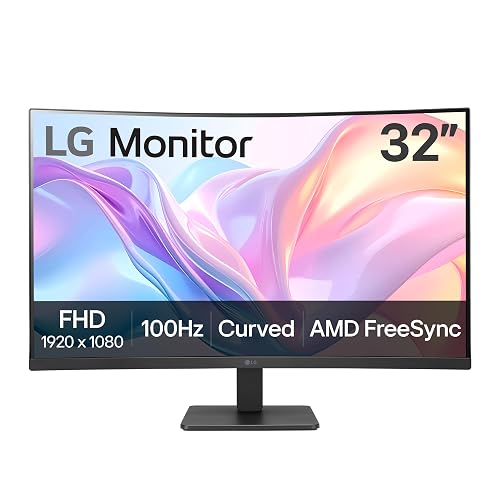 | Budget-Friendly Pick | Screen Size: 32-inch | Curvature: Curved | Resolution: FHD 1920 x 1080 | VIEW LATEST PRICE | Read Our Analysis |
| LG UltraGear 32-inch Curved QHD 180Hz Gaming Monitor |  | Best Overall | Screen Size: 32-inch | Curvature: 1000R | Resolution: QHD 2560 x 1440 | VIEW LATEST PRICE | Read Our Analysis |
| LG UltraGear 27-inch Curved Gaming Monitor (27GS60QC-B) | 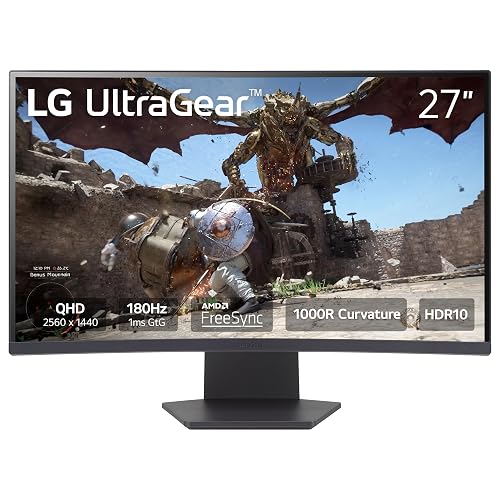 | Best Compact Option | Screen Size: 27-inch | Curvature: 1000R | Resolution: QHD 2560 x 1440 | VIEW LATEST PRICE | Read Our Analysis |
| Alienware 34 Curved Gaming Monitor AW3425DWM |  | Best Ultrawide Gaming | Screen Size: 34-inch | Curvature: 1500R | Resolution: WQHD | VIEW LATEST PRICE | Read Our Analysis |
| Dell 34 Plus USB-C Curved Monitor S3425DW | 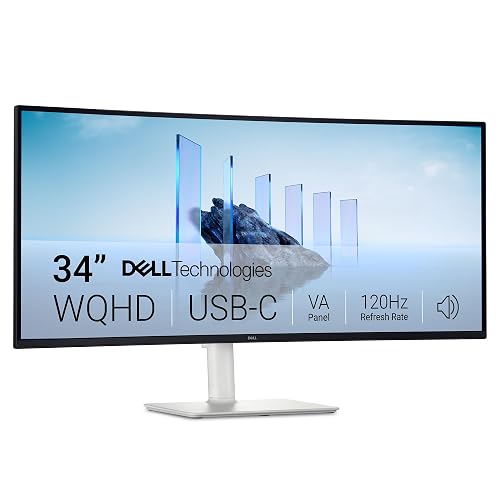 | Best USB-C Monitor | Screen Size: 34-inch | Curvature: Curved | Resolution: 3440 x 1440 | VIEW LATEST PRICE | Read Our Analysis |
| LG 34SR60QC-W 34-inch Curved Smart UltraWide Monitor | 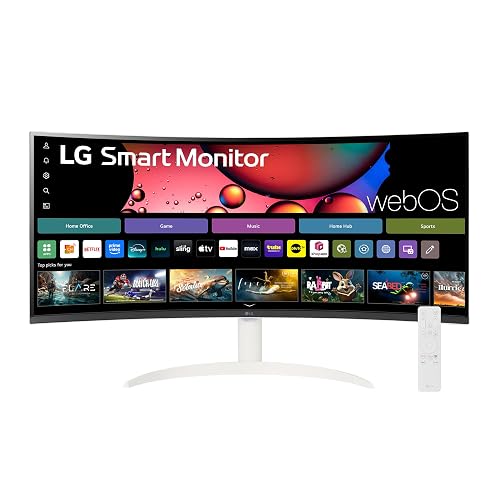 | Best Smart Monitor | Screen Size: 34-inch | Curvature: 1800R | Resolution: 3440 x 1440 | VIEW LATEST PRICE | Read Our Analysis |
| Quntis Curved Monitor Light Bar with RGB Backlight | 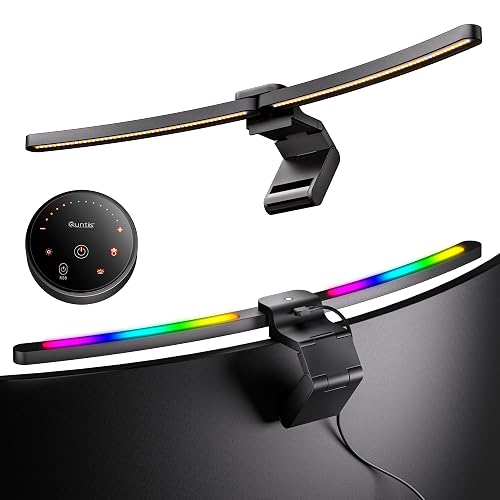 | Best Accessory Pick | Screen Size: 34-inch+ compatible | Curvature: 1000R–3000R support | Resolution: N/A | VIEW LATEST PRICE | Read Our Analysis |
More Details on Our Top Picks
LG 32MR50C-B 32-Inch Curved FHD Monitor
The LG 32MR50C-B 32-inch curved FHD monitor is a strong pick if you want a large screen that is easy on the eyes and performs smoothly in daily use. Its VA panel and 1920 x 1080 resolution deliver vivid color and clear detail, so your work and movies look crisp. The 100 Hz refresh rate and AMD FreeSync help reduce stutter and blur in fast games. Reader Mode reduces blue light for long sessions. OnScreen Control, split view, HDMI, Dynamic Action Sync, Black Stabilizer, and tilt adjustment keep setup simple and comfortable.
- Screen Size:32-inch
- Curvature:Curved
- Resolution:FHD 1920 x 1080
- Refresh Rate:100Hz
- Panel Type:VA
- Adaptive Sync:AMD FreeSync
- Additional Feature:Reader Mode
- Additional Feature:Black Stabilizer
- Additional Feature:Tilt-adjustable stand
LG UltraGear 32-inch Curved QHD 180Hz Gaming Monitor
If you want a gaming monitor that feels fast, looks sharp, and wraps more of the action around your view, the LG UltraGear 32GS60QC-B makes a strong case for itself. You get a 32-inch QHD screen with 180Hz speed, 1 ms response time, and AMD FreeSync for smoother play. The 1000R curve helps your eyes stay engaged, while the VA panel, 3000:1 contrast ratio, and 99% sRGB coverage keep scenes rich. The borderless design and HDR10 support, along with HDMI and DisplayPort inputs and tilt adjustment, make setup easy and comfortable.
- Screen Size:32-inch
- Curvature:1000R
- Resolution:QHD 2560 x 1440
- Refresh Rate:180Hz
- Panel Type:VA
- Adaptive Sync:AMD FreeSync / VESA Adaptive Sync
- Additional Feature:99% sRGB gamut
- Additional Feature:Three-side borderless
- Additional Feature:HDMI and DisplayPort
LG UltraGear 27-inch Curved Gaming Monitor (27GS60QC-B)
Built for gamers who want sharp detail and smooth motion, the LG UltraGear 27GS60QC-B delivers a strong mix of speed, clarity, and comfort in a 27-inch curved design. It features QHD 2560 x 1440 resolution, a 1000R VA panel, and 99% sRGB for rich, clean images. The 180Hz refresh rate and 1 ms response time help gameplay feel quick and steady. AMD FreeSync, Adaptive Sync, and Low Latency mode reduce tearing. The borderless look, tilt stand, and HDMI, DisplayPort, and headphone ports keep setup simple and neat.
- Screen Size:27-inch
- Curvature:1000R
- Resolution:QHD 2560 x 1440
- Refresh Rate:180Hz
- Panel Type:VA
- Adaptive Sync:AMD FreeSync / Adaptive Sync
- Additional Feature:Flicker-Free
- Additional Feature:Headphone output
- Additional Feature:10.58-pound weight
Alienware 34 Curved Gaming Monitor AW3425DWM
Alienware 34 Curved Gaming Monitor AW3425DWM is ideal if you want a screen that keeps up with fast games while maintaining rich, clean visuals. It features a 34-inch ultrawide WQHD display with a 1500R curve, so your field of view feels wide and natural. The 180Hz refresh rate and 1ms response time help motion remain sharp and smooth. AMD FreeSync Premium and VESA Adaptive Sync reduce tearing. With 95% DCI-P3 coverage, DisplayHDR 400 certification, and low blue light support, your eyes stay calmer during extended use.
- Screen Size:34-inch
- Curvature:1500R
- Resolution:WQHD
- Refresh Rate:180Hz
- Panel Type:Not specified
- Adaptive Sync:AMD FreeSync Premium / VESA Adaptive Sync
- Additional Feature:DCI-P3 95% coverage
- Additional Feature:DisplayHDR 400
- Additional Feature:Low blue light
Dell 34 Plus USB-C Curved Monitor S3425DW
The Dell 34 Plus USB-C Curved Monitor S3425DW is an excellent choice when you want a wide, immersive screen that remains practical for everyday use. Its 34-inch curved display and 3440 x 1440 resolution deliver sharp detail across a 21:9 workspace. With up to 120 Hz, AMD FreeSync Premium, and a 0.03 ms response time, motion stays smooth and tear-free. The VA panel provides 3000:1 contrast, HDR readiness, and rich color with 99% sRGB and 95% DCI-P3. ComfortView Plus and USB-C with 65 W power keep your desk calm, neat, and ready.
- Screen Size:34-inch
- Curvature:Curved
- Resolution:3440 x 1440
- Refresh Rate:Up to 120Hz
- Panel Type:VA
- Adaptive Sync:AMD FreeSync Premium
- Additional Feature:USB-C charging
- Additional Feature:Integrated speakers
- Additional Feature:ComfortView Plus
LG 34SR60QC-W 34-inch Curved Smart UltraWide Monitor
LG’s 34SR60QC-W 34-inch Curved Smart UltraWide Monitor is a strong pick if you want one screen that can do a lot without crowding your desk. You get a 34-inch 3440 x 1440 UltraWide panel with an 1800R curve, so your work and movies feel wide and natural. The VA screen, 100 Hz refresh rate, 5 ms response time, and HDR10 support help keep motion smooth and contrast deep. webOS23 adds Netflix, Prime Video, AirPlay 2, and more. With HDMI, USB, Bluetooth, built-in speakers, and wall-mount support, it fits work and play neatly.
- Screen Size:34-inch
- Curvature:1800R
- Resolution:3440 x 1440
- Refresh Rate:100Hz
- Panel Type:VA
- Adaptive Sync:Adaptive Sync / G-Sync Compatible
- Additional Feature:webOS23 built in
- Additional Feature:AirPlay 2 support
- Additional Feature:Bluetooth connectivity
Quntis Curved Monitor Light Bar with RGB Backlight
Quntis’ Curved Monitor Light Bar with RGB Backlight is a smart pick if you use a 34-inch or larger curved screen and want softer, more comfortable light for long hours at your desk. It features a foldable dual bar, a 45° design, and a strong clamp that supports thin or thick monitor backs. The bar fits 1000R to 3000R curves and reaches up to 1400 lux. You can tune brightness, color temperature, and 15 RGB modes. Its auto-dimming sensor, RG0 blue light rating, and RA98 color support help reduce eye strain while you work, game, or study.
- Screen Size:34-inch+ compatible
- Curvature:1000R–3000R support
- Resolution:N/A
- Refresh Rate:N/A
- Panel Type:Not a monitor
- Adaptive Sync:N/A
- Additional Feature:15 RGB modes
- Additional Feature:Auto-dimming sensor
- Additional Feature:RA98 color rendering
Factors to Consider When Choosing IPS LED Curved Monitors
When choosing an IPS LED curved monitor, start with panel quality, because it determines color accuracy, contrast, and viewing comfort. Next, evaluate the curvature radius, resolution and size, refresh rate, and connectivity options so the screen matches your space, your eyes, and your tasks. The right combination makes your setup feel smoother and more natural, which benefits both work and entertainment.
Panel Quality
Panel quality determines how a curved monitor feels in daily use, because the screen itself decides how rich, sharp, and comfortable the image looks. Check the panel type first. VA panels often provide strong contrast, around 3000:1, so blacks look deeper and scenes feel more layered. Next, consider color gamut. A screen with 99% sRGB or 95% DCI-P3 can display richer, more accurate color, which helps photos, games, and videos feel more lifelike. Resolution matters as well; QHD 2560 x 1440 typically delivers cleaner text and finer detail than FHD. For daily comfort, around 300 cd/m² is sufficient for indoor use, and HDR can add extra sparkle. A matte finish and 178 degree viewing angles help keep the image clear from different seats.
Curvature Radius
Curvature radius plays a big role in how a curved IPS LED monitor feels on your desk, because it shapes how close the screen seems to wrap around you. You will see it listed as an R value. A smaller number, like 1000R, gives you a tighter curve than 1800R, so the display feels more wrapped and immersive. If you use a large ultrawide, a tighter curve can help keep more of the screen at a similar distance from your eyes. For mixed use, a moderate curve often feels more natural and less distracting. An extreme curve stands out more, so it works best when you sit centered and focus on one main task. Match the radius to your usual viewing distance, and you will reduce edge distortion and feel more comfortable during long sessions.
Resolution And Size
Size and resolution work together to determine how clean and comfortable a curved IPS LED monitor feels, so you cannot treat them as separate choices. A 32-inch screen at 1920 × 1080 may show softer text and fuzzier edges. A 27-inch QHD panel at 2560 × 1440 usually looks sharper because the pixels sit closer together. If you need more room for side-by-side windows, a 34-inch ultrawide at 3440 × 1440 gives extra horizontal space and still keeps good detail. Larger screens can feel more immersive, but they require enough pixels to remain crisp. At normal desk distance, higher resolutions reduce visible pixelation so your eyes do not have to work as hard.
Refresh Rate
Once you’ve picked a size and resolution that feel right, the next thing to check is refresh rate, because it shapes how smooth the screen feels in real use. Refresh rate, measured in hertz, tells you how many times per second the image updates. For daily browsing, email, and streaming, around 100 Hz can cut stutter and blur far better than a basic 60 Hz panel. If you game, 180 Hz can make fast motion look cleaner and feel more responsive, which is a useful advantage when every frame counts. You’ll get the most from higher rates when your device can push enough frames. Also, pairing a faster display with variable refresh support can help reduce tearing and keep gameplay fluid, even during chaotic moments.
Connectivity Options
When you choose an IPS LED curved monitor, the connection ports matter as much as the screen because they determine how easily the monitor fits your devices. Check the video inputs first. You may need HDMI, DisplayPort, or USB-C; some models offer only one option, while others provide extra ports and a USB hub. If you want a neater desk, USB-C with power delivery helps a lot because one cable can carry video, data, and charging. Next, look for USB 3.0 Type-A ports for a webcam, keyboard, or flash drive. If you switch between consoles or PCs, two HDMI ports or HDMI plus DisplayPort makes life easier. Also confirm Bluetooth, a headphone output, or built-in speakers if you want simple audio and wireless support.
Frequently Asked Questions
What Curvature Is Best for Work and Gaming?
For work and gaming, choose a curvature between 1000R and 1500R for a more immersive experience. If you need a safer option for spreadsheets and editing, 1800R is a better choice. This provides a balanced curve that is easier on your eyes overall.
Do Curved Monitors Reduce Eye Strain?
Yes, you might feel less strain with a curved monitor because it matches your natural field of view, but you still need proper brightness, distance, and breaks. Otherwise, eye fatigue can still occur.
Are IPS Curved Monitors Better for Color Accuracy?
Yes, you will usually get better color accuracy from an IPS curved monitor, similar to a steady hand on a wide canvas. You will see richer, more consistent colors and wider viewing angles, but calibration still matters.
Can Curved Monitors Be Wall-Mounted Easily?
Yes, you can wall-mount curved monitors if they support VESA mounting and you use a compatible bracket. You will need enough wall clearance, because the curve can affect fit, cable access, and viewing angle.
Do Curved Monitors Work Well for Multi-Monitor Setups?
Yes, you will juggle them like synchronized donuts. Curved monitors can work well in multi-monitor setups if you align the bezels and choose matching radii, but mismatched curves can make your desk look like a carnival mirror.




