


If you are choosing a business laptop in 2026, you want one that will not slow you down on busy days or make travel feel like a chore.
The best picks combine speed, security, and comfort, from slim 14-inch models for the road to more powerful 15.6-inch machines for heavy multitasking.
You will also find smart extras such as Office 2024, privacy shutters, fast charging, and bright anti-glare screens.
The best part is that the right choice may surprise you.

More Details on Our Top Picks
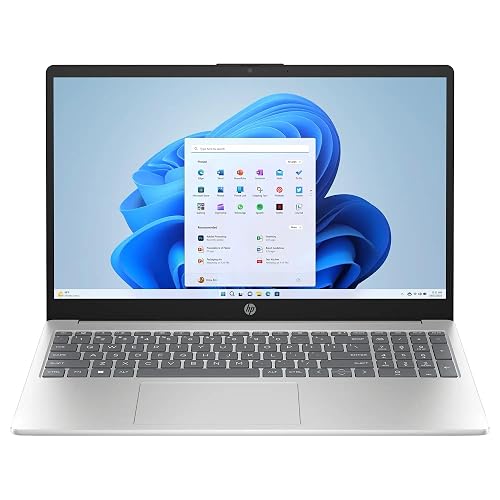
HP 15.6″ Business Laptop with Office 2024 and AI
If you need a business laptop that feels practical, dependable, and ready for daily work, the HP 15.6″ Business Laptop with Office 2024 is a strong fit. It includes 16 GB of RAM, a 1 TB SSD, and a 12th Gen Intel Core i3 that handles email, documents, and spreadsheets with ease. The 15.6-inch touchscreen provides simple control, while Windows 11 Pro and Office 2024 keep your tools familiar. The light silver design travels well, and the fast-charge battery helps when your day runs long and the coffee does too.
- Processor:Intel Core i3-1215U
- RAM:16 GB
- Storage:1 TB SSD
- Screen Size:15.6-inch
- Operating System:Windows 11 Pro
- Wireless:Wi‑Fi 5, Bluetooth 5
- Additional Feature:Touchscreen display
- Additional Feature:Lifetime Office 2024
- Additional Feature:AI chat assistant
Dell 15 Laptop DC15250 15.6-inch FHD 120Hz Display
The Dell 15 Laptop DC15250 is designed for business users who want a practical mix of speed, comfort, and all-day usability without paying for extras they will not use. It features a 12th Gen Intel Core i3 processor, 8 GB of DDR4 memory, and a 512 GB SSD, so applications open quickly and performance stays smooth. The 15.6-inch FHD 120 Hz matte display reduces eye strain, and ComfortView plus lifted hinges enhance long-session comfort. With Wi-Fi 6, Bluetooth 5.3, three USB ports, HDMI, and a numeric keypad, it keeps your workflow moving.
- Processor:Intel Core 3 100U
- RAM:8 GB
- Storage:512 GB SSD
- Screen Size:15.6-inch
- Operating System:Windows 11 Home
- Wireless:Wi‑Fi 6, Bluetooth 5.3
- Additional Feature:120Hz display
- Additional Feature:Numeric keypad
- Additional Feature:ComfortView software
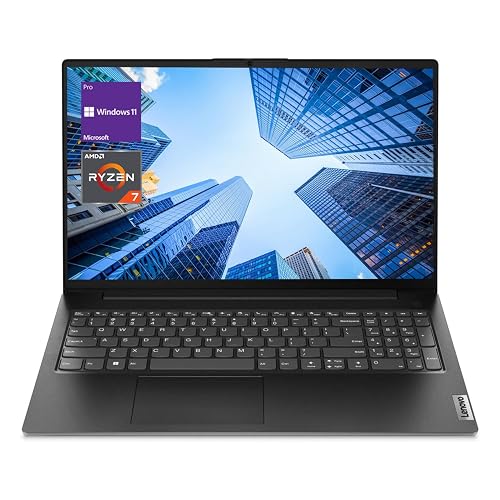
Lenovo V-Series V15 Business Laptop (Ryzen 7 40GB 1TB)
Lenovo’s V-Series V15 is a smart pick for business users who need speed, space, and steady day-to-day performance without fuss. It features an AMD Ryzen 7 7730U with 8 cores and 16 threads, so applications open quickly and stay responsive. With 40 GB of RAM and a 1 TB NVMe SSD, you can switch between files, tabs, and meetings without frozen screens. The 15.6-inch FHD display keeps work clear, while Windows 11 Pro helps you stay organized. You also get a range of ports, Wi-Fi, Bluetooth, a webcam, and a numeric keypad for easier daily tasks.
- Processor:AMD Ryzen 7 7730U
- RAM:40 GB
- Storage:1 TB SSD
- Screen Size:15.6-inch
- Operating System:Windows 11 Pro
- Wireless:Wi‑Fi, Bluetooth
- Additional Feature:40GB RAM
- Additional Feature:RJ45 Ethernet port
- Additional Feature:Windows 11 Pro
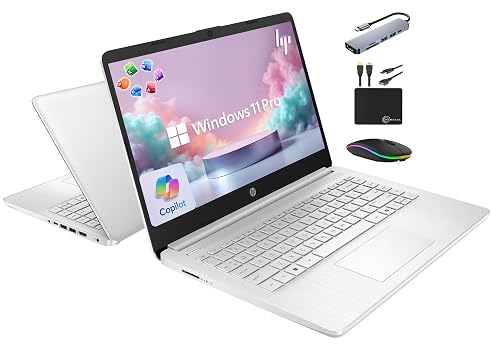
HP 14″ Business Laptop with Office and Copilot AI
HP’s 2025 Flagship 14 Laptop is a smart pick for business users who want a simple, reliable machine with real work tools already in place. It features an Intel N150 chip, 16 GB of RAM, and Windows 11 Pro for smooth daily performance. Office 2024 is included and there is a Copilot key, so you can start working right away. The 14-inch anti-glare screen, Wi-Fi 6, and Bluetooth 5.4 keep you connected. At 3.24 pounds with a nine-hour battery and fast charge, it is easy to carry everywhere.
- Processor:Intel Processor N150
- RAM:16 GB
- Storage:628 GB total
- Screen Size:14-inch
- Operating System:Windows 11 Pro
- Wireless:Wi‑Fi 6, Bluetooth 5.4
- Additional Feature:Copilot key
- Additional Feature:6-in-1 docking hub
- Additional Feature:Up to 9 hours
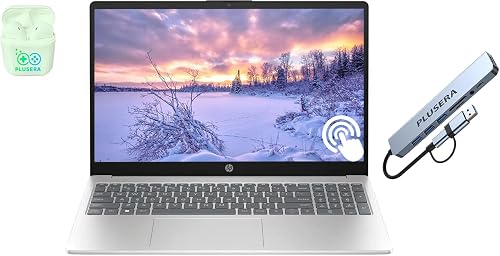
HP 15.6″ Touchscreen Business Laptop 32GB RAM
Built for busy professionals who need a lot of speed without a lot of fuss, this HP 15.6-inch touchscreen business laptop stands out most for its large 32 GB of RAM and roomy 1.5 TB of total storage. You can keep many apps open while your files stay close at hand. The 13th Gen Intel Core i3 chip, with six cores and up to 4.4 GHz boost, handles daily work smoothly. The 15.6-inch touchscreen, full-size keyboard, and number pad make typing and tapping easy. Wi-Fi 6, USB-C, HDMI, Windows 11, and a privacy shutter round out a practical, travel-friendly setup.
- Processor:Intel Core i3
- RAM:32 GB
- Storage:1.5 TB total
- Screen Size:15.6-inch
- Operating System:Windows 11
- Wireless:Wi‑Fi 6, Bluetooth
- Additional Feature:32GB RAM
- Additional Feature:Privacy shutter
- Additional Feature:Docking station set
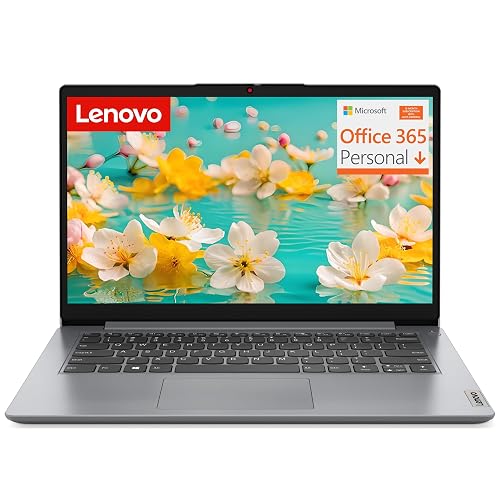
Lenovo 2026 Laptop for Business and Students
The Lenovo 2026 laptop is ideal if you need a lightweight, easy-to-carry machine that still handles everyday work without drama. It includes an Intel Celeron N4200 quad-core processor, 4 GB of RAM, and 128 GB of eMMC storage, so your browser, documents, and streaming remain smooth enough for school or office tasks. The 14-inch anti-glare screen helps reduce eye strain, and the 2.89-pound body slips into a bag with ease. With Windows 11 Home, Microsoft 365, Wi-Fi, Bluetooth 5.1, USB-C, HDMI, and a privacy-shutter webcam, it keeps you ready.
- Processor:Intel Celeron N4200
- RAM:4 GB
- Storage:128 GB eMMC
- Screen Size:14-inch
- Operating System:Windows 11 Home
- Wireless:Wi‑Fi, Bluetooth 5.1
- Additional Feature:2.89 lb weight
- Additional Feature:Privacy shutter
- Additional Feature:1-year Microsoft 365
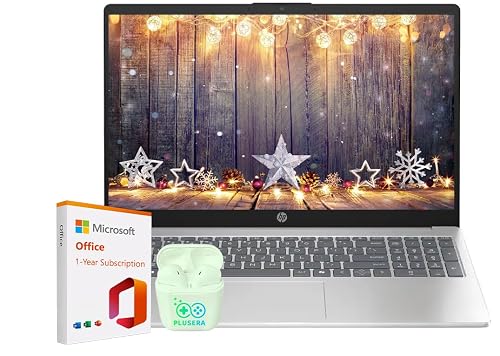
HP 15.6″ Business Laptop with Microsoft Office 365
If you need a work-ready laptop that keeps your day moving, the HP 15.6″ Business Laptop with Microsoft Office 365 is a smart fit, especially if you handle emails, documents, video calls, and spreadsheets in one place. It includes Windows 11, an Intel N100 chip, and 16 GB of RAM for smooth multitasking. The 15.6-inch anti-glare screen, 720p camera with privacy shutter, and stereo sound help you stay focused and look professional. Plus, Wi-Fi 6, USB-C, HDMI, and an estimated 11.75-hour battery life keep you connected.
- Processor:Intel N100
- RAM:16 GB
- Storage:128 GB SSD
- Screen Size:15.6-inch
- Operating System:Windows 11
- Wireless:Wi‑Fi 6, Bluetooth 5.4
- Additional Feature:11.75-hour battery
- Additional Feature:Includes earphones
- Additional Feature:Fast Charge support
Factors to Consider When Choosing Laptops for Business
When choosing a business laptop, start with processing power and memory, because they determine how smoothly your applications and multitasking run. Next, consider storage speed and display quality; these affect how fast you work and how comfortable you are during long days. Do not forget portability factors, such as weight, battery life, and size, because the best laptop should fit your work style without dragging you down.
Processing Power
Strong processing power can make your workday feel much less stressful. A business laptop must keep up with email, spreadsheets, video calls, and multiple open apps at once. Choose a CPU with six or more cores and eight or more threads, since it handles everyday business tasks more smoothly than basic two or four core chips. Higher turbo speeds, around 4.4 GHz to 4.7 GHz, also help when opening large files or switching between programs quickly. A larger cache, about 10 MB to 16 MB, can reduce small pauses. Newer, higher tier processors usually perform best when paired with at least 16 GB of RAM. Integrated graphics are sufficient for normal office work, but the CPU still does most of the heavy lifting.
Memory Capacity
For most business users, 16 GB of RAM is the sweet spot, keeping your laptop feeling smooth during busy days with office apps, browser tabs, and video calls all open at once. If you handle larger spreadsheets, heavy multitasking, or virtual machines, step up to 32 GB or more so you do not fight lag when work piles up. Also pay attention to memory speed, since DDR4 systems often run around 2666 to 3200 MHz and can feel more responsive in daily use. If you want extra flexibility, choose a model with a higher maximum memory limit, because some business laptops let you upgrade to 64 GB later. That way your laptop can grow with your workload instead of holding you back.
Storage Speed
Storage speed can make a business laptop feel quick and calm, even on a packed workday. Start with SSD storage, since it opens files and apps far faster than older drives and cuts boot delays. If you juggle many tasks, a PCIe NVMe M.2 SSD gives you the best performance for large documents and fast transfers. Next, check the interface, because a fast PCIe x4 connection matters more than storage size alone. A 1 TB drive can still lag if its design is weak. For light work, eMMC may be adequate, but it feels slower and less smooth. When you move big files often, choose speed first, then capacity.
Display Quality
A good business display can save your eyes, your patience, and a lot of squinting on a busy day. You will want Full HD 1920 × 1080, because it gives you sharper text and more room for windows than HD 1366 × 768. Next, check the screen finish. A matte or anti-glare panel cuts reflections, so you can read reports in a bright office without fighting glare. Brightness matters too. Around 250 nits works well indoors, but more helps when you sit near windows or move between lighting conditions. Touch support can make tapping notes easier, yet it is nice to have, not essential. Color coverage, such as 45% NTSC, is fine for spreadsheets and documents, but it is not ideal when color accuracy really counts.
Portability Factors
Once you’ve picked a clear, easy-to-read display, consider how often you will actually carry the laptop. If you move between meetings, client sites, or home and office, weight matters a lot. A machine around 2.9 to 3.3 pounds feels far easier on your shoulder than one closer to 4.5 pounds. A thin chassis, about 0.7 inches, also slides into bags more smoothly than a bulkier 0.8 inch design. You may prefer a 14-inch screen, since it travels better than a 15.6-inch model even if it gives you less room. For frequent travel, look for a compact charger, a light build, and built-in wireless features. Together, these factors make your workday feel less like a workout.
Battery Life
Battery life is often the make-or-break detail for a business laptop, especially if you spend long stretches away from a wall outlet. You should look for a model that can handle a full work session, not just a quick burst. Some laptops last about five hours, while stronger ones run nine to nearly 12 hours. A 41 Wh battery can help, but it will not tell the whole story. Screen brightness, resolution, and processor load all shape real-world runtime. If you pick a power-hungry display or chip, you may trade endurance for speed. Fast charging also helps; some systems can reach 50 percent in about 45 minutes. If you travel often, choose efficiency and rated battery life together.
Connectivity Ports
Even with strong battery life, your business laptop still needs the right ports to keep your day moving without extra gear and frustration. You will want a mix of USB-C and USB-A ports, so you can plug in new devices and older accessories without hunting for adapters. HDMI output matters too, because you can connect to monitors, projectors, and meeting room screens in seconds.
For office work, Ethernet support can save you from shaky Wi-Fi during large uploads or video calls. A headphone and microphone combo jack also helps when you are joining meetings with a wired headset. If you often move files or use storage cards, look for SD card readers and several total ports. More connections mean less swapping, fewer delays, and a smoother workday.
Security Features
When you choose a business laptop, security should be one of the first things you check, because your files, logins, and client data all need steady protection. Look for Windows 11 Pro or another professional system that gives you hardware-based isolation, strong encryption, and built-in malware defense. If you work in cafés, coworking spaces, or shared offices, biometric sign-in and secure boot help stop strangers from getting in. A device-level encryption layer adds another shield, which is comforting when your laptop travels with you. Also check for a webcam privacy shutter, since it blocks surprise camera access with one quick slide. Finally, modern wireless support makes security updates easier to install, so your laptop stays current without turning your day into a tech chase.
Frequently Asked Questions
Which Business Laptop Offers the Best Battery Life for Travel?
Choose the Apple MacBook Air with the M3 chip. It delivers all-day battery life, is lightweight and portable, and supports fast charging. If you travel frequently, you can work longer, pack lighter, and worry less.
Are Business Laptops Suitable for Video Editing and Design Work?
Yes. You can use business laptops for video editing and design. Choose a model with a strong CPU, a dedicated GPU, plenty of RAM, and a color-accurate display for smooth, reliable creative work.
Which Ports Are Essential for Modern Business Laptops?
You should have USB-C/Thunderbolt, at least one USB-A, HDMI, and a headphone jack. If you travel frequently, consider an SD card reader. Optional extras include Ethernet or a docking-compatible USB-C port.
Can I Upgrade RAM and Storage on These Business Laptops?
Yes. You can often upgrade RAM and storage, but check the exact model first. You can usually swap the SSD easily; RAM may be soldered, which limits upgrades on thinner business laptops.
Which Laptop Is Best for Secure Remote Work and Meetings?
You’ll likely want the Lenovo ThinkPad X1 Carbon. It offers strong security, a great webcam, solid microphones, and reliable performance for video calls. It is light, durable, and handles remote work smoothly anywhere.




