


Choosing a laptop for a teen in 2026 can feel tricky, but you can make it simple by focusing on real daily needs like classwork, video calls, note taking, and battery life.
Some picks lean toward rugged school use, such as the Dell Latitude 3190 2-in-1, while others give you more room to multitask, such as the HP Stream 14 and Acer Aspire Go 15.
The best part is how each one fits a different student routine.
| Dell Latitude 3190 2-in-1 Touchscreen Laptop (Renewed) | 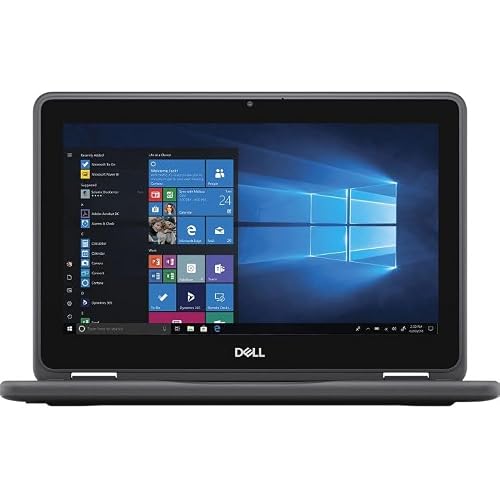 | Best Budget 2-in-1 | Screen Size: 11.6 inches | Resolution: 1366 x 768 | Processor: Intel Celeron N5030 | VIEW LATEST PRICE | Read Our Analysis |
| HP Portable Laptop with 14″ HD Display | 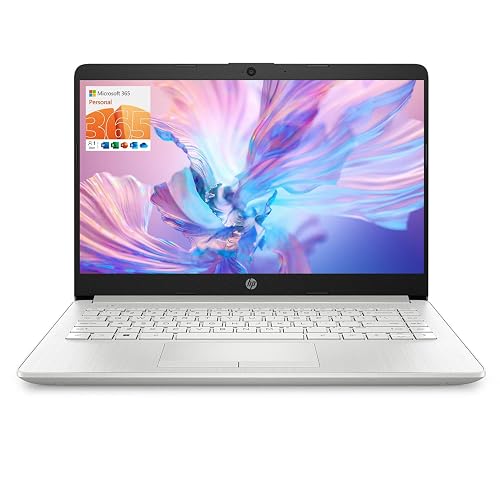 | Best All-Around | Screen Size: 14 inches | Resolution: 1366 x 768 | Processor: Intel Celeron N4120 | VIEW LATEST PRICE | Read Our Analysis |
| Acer Aspire Go 15 AI Ready Laptop (AG15-32P-39R2) | 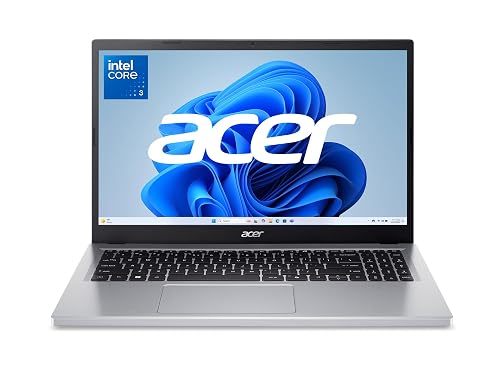 | Best For Productivity | Screen Size: 15.6 inches | Resolution: 1920 x 1080 | Processor: Intel Core 3 N355 | VIEW LATEST PRICE | Read Our Analysis |
| Samsung Galaxy Chromebook Go Laptop (XE340XDA-KA2US) | 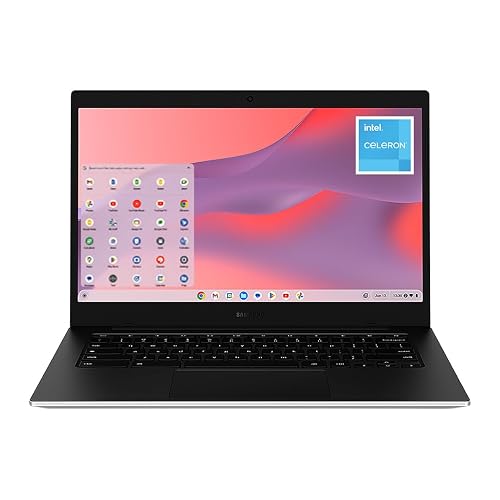 | Best Chromebook | Screen Size: 14 inches | Resolution: 1366 x 768 | Processor: Intel Celeron N4500 | VIEW LATEST PRICE | Read Our Analysis |
| HP 14″ HD Windows 11 Laptop (Renewed) | 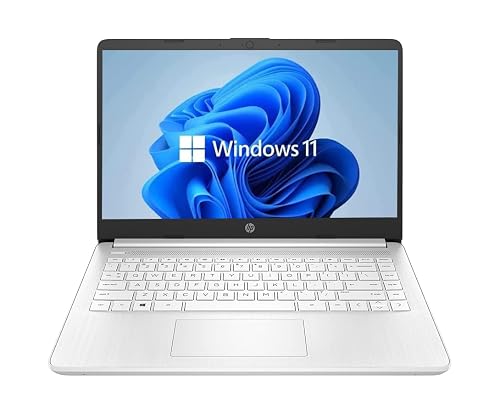 | Best Renewed Pick | Screen Size: 14 inches | Resolution: 1366 x 768 | Processor: Intel Celeron Dual-Core | VIEW LATEST PRICE | Read Our Analysis |
| Acer Chromebook 315 Laptop (CB315-4H-C8XU) | 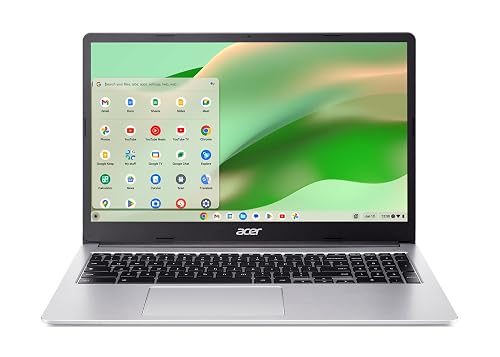 | Best Battery Life | Screen Size: 15.6 inches | Resolution: 1920 x 1080 | Processor: Intel Celeron N4500 | VIEW LATEST PRICE | Read Our Analysis |
| HP Stream 14″ Laptop with 16GB RAM 416GB Storage | 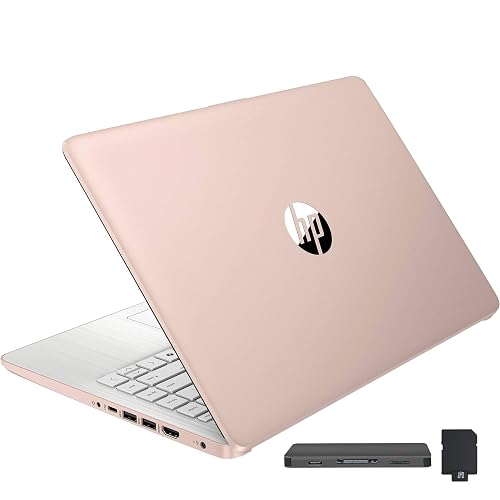 | Most Storage | Screen Size: 14 inches | Resolution: 1366 x 768 | Processor: Intel Processor N4120 / N150 | VIEW LATEST PRICE | Read Our Analysis |
More Details on Our Top Picks
Dell Latitude 3190 2-in-1 Touchscreen Laptop (Renewed)
The Dell Latitude 3190 2-in-1 Touchscreen Laptop is a smart choice for a sturdy school device that can keep up with a busy teen’s day. It features an 11.6-inch HD touchscreen, a full-size keyboard, and stylus support, so you can type, tap, and sketch with ease. The Intel Celeron N5030 processor, 4 GB of RAM, and 128 GB SSD handle homework, notes, and web tasks reliably. Windows 11 Pro adds useful management and security tools. With up to 11 hours of battery life, Wi-Fi 5, HDMI, and two USB 3.1 ports, it stays practical and ready.
- Screen Size:11.6 inches
- Resolution:1366 x 768
- Processor:Intel Celeron N5030
- RAM:4 GB
- Storage:128 GB SSD
- Operating System:Windows 11 Pro
- Additional Feature:2-in-1 convertible
- Additional Feature:Stylus support
- Additional Feature:11-hour battery
HP Portable Laptop with 14″ HD Display
HP’s Portable Laptop with a 14-inch HD display is well suited for teens who need a simple, dependable machine for schoolwork, video calls, and everyday browsing without paying for extra power they may never use. It includes 16 GB of RAM, so switching between tabs feels smooth, and Windows 11 Home keeps the experience familiar. The 64 GB of storage is modest but adequate for documents and class apps. A 10.25-hour battery helps you get through a full day. The 1.5 kg silver clamshell design, built-in webcam, Wi-Fi, Bluetooth 5, and extra ports make daily use easy.
- Screen Size:14 inches
- Resolution:1366 x 768
- Processor:Intel Celeron N4120
- RAM:16 GB
- Storage:64 GB eMMC
- Operating System:Windows 11 Home
- Additional Feature:Webcam included
- Additional Feature:Bluetooth 5
- Additional Feature:Numeric keypad
Acer Aspire Go 15 AI Ready Laptop (AG15-32P-39R2)
Acer’s Aspire Go 15 AI Ready Laptop suits teens who want a simple, dependable machine for schoolwork, video calls, and everyday browsing without paying for extra power they may never use. It includes an 8-core Intel Core 3 processor, 8 GB of DDR5 memory, and 128 GB of UFS storage, so apps open quickly enough for class. The 15.6-inch Full HD IPS screen looks sharp, and BluelightShield helps reduce eye strain. In addition, Wi-Fi 6, USB-C, HDMI 2.1, a clear 720p camera, and long battery life keep you ready anywhere.
- Screen Size:15.6 inches
- Resolution:1920 x 1080
- Processor:Intel Core 3 N355
- RAM:8 GB
- Storage:128 GB UFS
- Operating System:Windows 11 Home in S Mode
- Additional Feature:Copilot support
- Additional Feature:2x USB-C
- Additional Feature:HDMI 2.1
Samsung Galaxy Chromebook Go Laptop (XE340XDA-KA2US)
For teens who want a light, reliable laptop that can keep up with school and busy days, the Samsung Galaxy Chromebook Go XE340XDA-KA2US makes a strong case. It has a slim 14 inch design, a silver finish, and a tough build that can handle bumps in a backpack. Inside, the Intel Celeron N4500, 4 GB of RAM, and 64 GB of storage cover everyday homework and browsing. ChromeOS keeps the experience simple. With up to 12 hours of battery life, fast Wi Fi, and Google tools like Gmail, Docs, and Gemini, you can stay organized and connected.
- Screen Size:14 inches
- Resolution:1366 x 768
- Processor:Intel Celeron N4500
- RAM:4 GB
- Storage:64 GB
- Operating System:ChromeOS
- Additional Feature:Military tough design
- Additional Feature:ChromeOS
- Additional Feature:Google AI Pro trial
HP 14″ HD Windows 11 Laptop (Renewed)
This renewed HP 14″ HD Windows 11 Laptop is a practical choice for teens who need an affordable, easy-to-use school machine. It has a 14-inch BrightView screen, so class notes, videos, and browsing remain clear for daily tasks. The Intel Celeron processor, 4 GB of RAM, and 64 GB SSD handle homework, email, and light multitasking without fuss. A backlit keyboard helps in dim rooms, and Wi-Fi, Bluetooth, USB-C, and USB-A keep you connected. Weighing about 4.25 pounds, it is simple to carry.
- Screen Size:14 inches
- Resolution:1366 x 768
- Processor:Intel Celeron Dual-Core
- RAM:4 GB
- Storage:64 GB SSD
- Operating System:Windows 11
- Additional Feature:Backlit keyboard
- Additional Feature:Renewed condition
- Additional Feature:HP webcam
Acer Chromebook 315 Laptop (CB315-4H-C8XU)
The Acer Chromebook 315 Laptop (CB315-4H-C8XU) is a practical choice for teens who want a large screen, a simple setup, and sufficient speed for schoolwork without the hassle. It runs Chrome OS, boots quickly, and receives automatic updates so students can begin classwork right away. The 15.6-inch Full HD display renders documents, videos, and multiple tabs clearly. With 4 GB of memory, 64 GB of storage, and Intel Celeron processing, it handles everyday tasks reliably. You also get Wi-Fi 6, Bluetooth 5.1, two USB-C ports, access to Android apps, offline file support, and up to 10 hours of battery life.
- Screen Size:15.6 inches
- Resolution:1920 x 1080
- Processor:Intel Celeron N4500
- RAM:4 GB
- Storage:64 GB eMMC
- Operating System:Chrome OS
- Additional Feature:Google Play access
- Additional Feature:Wi-Fi 6
- Additional Feature:OceanGlass touchpad
HP Stream 14″ Laptop with 16GB RAM 416GB Storage
A teen who needs a roomy, dependable laptop for schoolwork, streaming, and everyday multitasking will likely like the HP Stream 14. Its 16GB of RAM and 416GB of storage provide far more breathing room than a basic budget machine. You get a 14-inch HD BrightView screen, a 720p camera, and a matte finish that helps cut glare in class or at home. It runs Windows 11 in S mode, so setup is simple. The 10-hour battery, lightweight 3.24-pound build, and included docking extras make the day easier.
- Screen Size:14 inches
- Resolution:1366 x 768
- Processor:Intel Processor N4120 / N150
- RAM:16 GB
- Storage:128 GB eMMC
- Operating System:Windows 11 S / S Mode
- Additional Feature:7-in-1 docking station
- Additional Feature:No Bluetooth
- Additional Feature:1-year Office 365
Factors to Consider When Choosing Laptops for Teens
When choosing a laptop for a teen, match the device to how they will actually use it, whether for schoolwork, streaming, or creative projects. Consider performance needs, screen size, battery life, portability, and storage capacity, since each factor can make daily use easier or more frustrating. A balanced choice helps you avoid paying for power they will not use or ending up with a laptop that feels cramped, heavy, or always low on space.
Performance Needs
Even if your teen only needs a laptop for school, performance still matters more than it may seem at first. You will want enough speed for homework, searches, and video calls without constant freezing. A dual-core Celeron with 4 GB RAM can handle light tasks, but 8 GB or 16 GB feels much smoother when your teen jumps between tabs, docs, and class meetings. Storage matters too, because 64 GB fills fast once apps and files pile up. Aim for 128 GB or more so cleanup does not become a weekly chore. For quicker everyday use, look for a processor with boost speeds around 2.6 to 2.8 GHz. If your teen uses creative apps or many tabs, choose a quad-core or 8-core chip. Integrated graphics are fine for schoolwork and streaming.
Screen Size
Screen size can make a teen’s laptop feel easy to use or oddly frustrating, so it is worth thinking about before you buy. A 13 to 14 inch screen is often the sweet spot, because you get enough space for homework, streaming, and class notes without carrying a bulky machine. If you need something very light, an 11.6 inch display slips into a backpack easily, but it can feel tight for split screens and long typing sessions. A 15.6 inch screen gives you more room for documents and games, yet it is less convenient to lug around. Also, do not ignore resolution. A 1920 x 1080 display looks sharper and is easier on the eyes than a basic HD screen.
Battery Life
Battery life can make or break a teen’s laptop experience, especially if you need it to last from first bell to the last homework check. Aim for 10 to 12 hours so you can get through classes, clubs, and assignments without hunting for an outlet. Battery capacity matters too, because a 30 Wh pack usually will not last as long as a larger one. Also evaluate the components inside the laptop. Lower-power processors and efficient screens help stretch every charge during browsing, document work, and video calls. Keep in mind that Wi-Fi, Bluetooth, and bright screens drain power faster, so real-world use often falls short of the advertised figures. If you travel or stay busy after school, choose fast charging or a battery that can handle a full day.
Portability Matters
When you’re choosing a laptop for a teen, portability matters more than it might first seem. If your teen carries it every day, look for a model near 1.5 kg or less, because extra weight adds up fast in a backpack. A thin design, ideally under 0.75 inches, also slips into a bag more easily and feels less clumsy between classes. Screen size matters too; 11.6 to 14 inches usually travels better than 15.6 inches. If you prefer a convertible or 2-in-1, check the weight carefully, since the extra hinge can make it heavier. Finally, aim for 10 hours of battery life or more, so your teen can leave the charger at home and still make it through the school day with less stress.
Storage Capacity
Now that you have the size and weight right, storage should be high on your list too, because a teen’s laptop can fill up faster than you might expect. Aim for at least 64 GB, since school files, browser data, photos, and apps can crowd a smaller drive quickly. If possible, choose 128 GB for more room for documents, offline lessons, and media. That way you do not have to move or delete files all the time. Also pay attention to storage type. Solid state storage is faster and feels much snappier when you open apps or start up. If space is tight, card readers or external drive support can help. If most work lives in the cloud, less local storage may be acceptable, but downloads and creative projects need more space.
Webcam And Audio
A built-in webcam matters a lot for teens because school days now often include video calls, online classes, and group projects that happen face to face on a screen. Aim for at least a 720p camera; a sharper lens will make you look clearer and help you feel more confident. If privacy matters, choose a laptop with a camera shutter or no webcam at all. Next, check the microphones. Built-in mics let you speak up in class, and better noise reduction cuts room noise so your voice is easier to hear. A combined headphone and mic jack gives you more control when using a wired headset. Finally, stereo speakers and sound tuning make streaming, lessons, and music sound fuller on a small laptop.
Operating System Choices
Which operating system will actually fit your teen’s school life? Start by checking what the school uses, because your teen needs software that works without stress. Windows usually gives the widest support for class apps, printers, and extra tools for clubs or STEM work. Chrome OS can be a smart pick if most schoolwork lives in Google Docs, Classroom, and web apps. It also starts fast and updates itself, which saves time before class. If a laptop uses S Mode or another restricted setup, make sure it can run the needed apps, or switch out of that mode if allowed. Also consider account setup, parental controls, and whether the system will still feel useful in a few school years.
Frequently Asked Questions
Which Laptop Is Best for Gaming-Heavy Teens?
Choose a laptop with an RTX 4060 or better, a fast Intel Core i7 or Ryzen 7, and 16 GB of RAM. That configuration handles modern games smoothly, and it also delivers solid performance for school work.
Do Teens Need Touchscreen Laptops for School?
About 70% of school apps do not need touch input, so you probably do not need a touchscreen laptop. You will save money and get better battery life, unless you prefer drawing, note taking, or tablet style flexibility.
How Much Storage Is Enough for Teen Use?
You’ll usually be fine with 512 GB for schoolwork, apps, and photos. If you store many games, videos, or creative projects, choose 1 TB. Do not buy less than 256 GB unless you plan to rely on cloud storage.
Are Chromebooks Good for Offline Homework?
A stitch in time saves nine. Yes, you can use Chromebooks for offline homework if you have downloaded files and apps in advance. You will be fine for documents, reading, and worksheets, but some assignments still require internet access.
What Battery Life Should Parents Expect for All-Day Classes?
You should expect 8 to 12 hours for all-day classes, though heavier use can reduce that. Aim for a laptop that still has about 20% battery remaining after school, homework, and streaming.




