

If you want a 24 inch gaming monitor in 2026, you need to balance refresh rate, panel quality, response time, and comfort.
Some models prioritize pure speed, while others offer better color, ergonomics, or overall value for everyday play.
The right choice depends on what you play and how you play, and a few standout options become clear once you know what to look for.
| ViewSonic XG2431 24-Inch 240Hz Gaming Monitor |  | Competitive Gaming Pick | Refresh Rate: 240Hz | Response Time: 0.5ms MPRT | Panel Type: Fast IPS | VIEW LATEST PRICE | Read Our Analysis |
| LG 24-inch Full HD IPS Monitor | 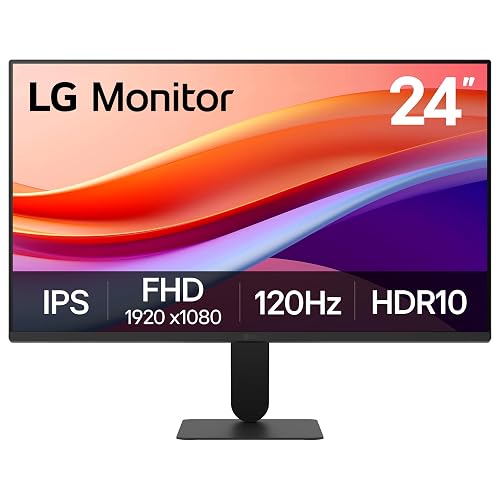 | Best For Casual Gaming | Refresh Rate: 120Hz | Response Time: 1ms MBR / 5ms | Panel Type: IPS | VIEW LATEST PRICE | Read Our Analysis |
| ViewSonic VA2456A-MHD 24-Inch 1080p IPS Monitor |  | Best For Work And Play | Refresh Rate: 120Hz | Response Time: 4ms | Panel Type: IPS | VIEW LATEST PRICE | Read Our Analysis |
| LG UltraGear 24-inch FHD Gaming Monitor (24GS50F-B) | 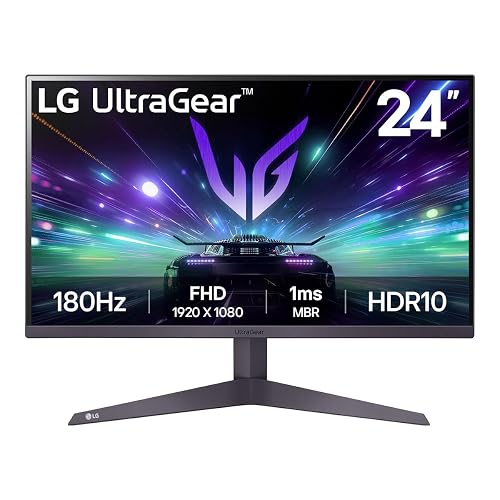 | Best Midrange Pick | Refresh Rate: 180Hz | Response Time: 1ms MBR / 5ms | Panel Type: LCD / LED with IPS picture quality enhancement | VIEW LATEST PRICE | Read Our Analysis |
| LG 24G411A-B 24-inch Ultragear Gaming Monitor | 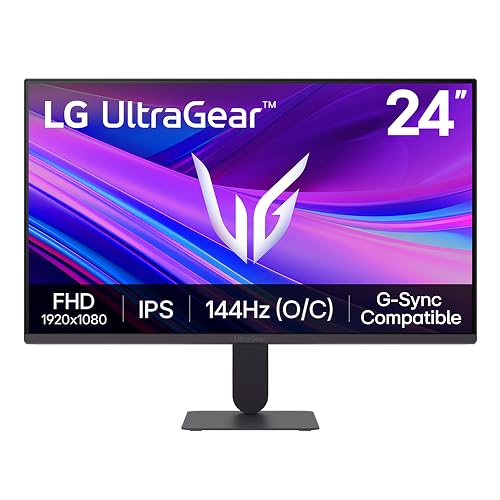 | Best Value Gaming | Refresh Rate: 120Hz native / 144Hz OC | Response Time: 1ms MBR | Panel Type: IPS | VIEW LATEST PRICE | Read Our Analysis |
| ASUS 24-Inch Frameless Full HD Monitor (VA24EHF) |  | Budget-Friendly Pick | Refresh Rate: 100Hz | Response Time: 1ms MPRT | Panel Type: IPS | VIEW LATEST PRICE | Read Our Analysis |
| ASUS TUF Gaming 24” 1080P Monitor (VG249QL3A) | 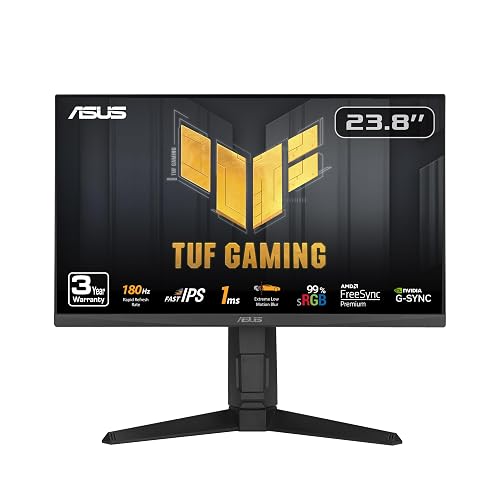 | Best Ergonomic Choice | Refresh Rate: 180Hz | Response Time: 1ms GTG | Panel Type: Fast IPS | VIEW LATEST PRICE | Read Our Analysis |
| MSI PRO MP243L E14 24-inch FHD Monitor | 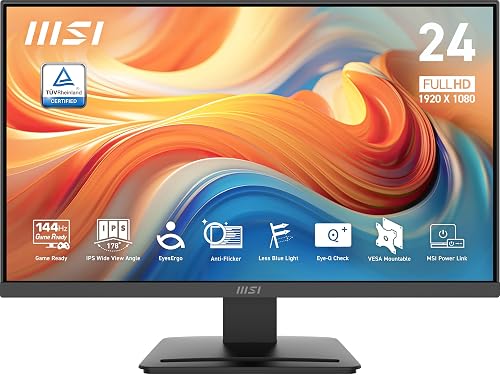 | Best For Everyday Use | Refresh Rate: 144Hz | Response Time: 1ms | Panel Type: IPS | VIEW LATEST PRICE | Read Our Analysis |
| Samsung 24” Borderless Business Monitor (LS24D402GANXGO) | 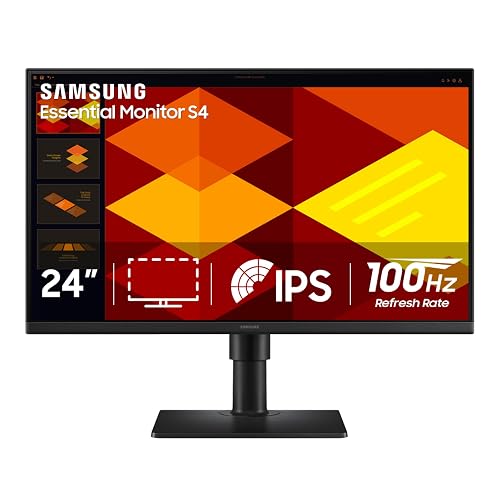 | Best For Productivity | Refresh Rate: 100Hz | Response Time: 5ms | Panel Type: IPS | VIEW LATEST PRICE | Read Our Analysis |
| ASUS TUF Gaming Curved Monitor (VG24VQER) | 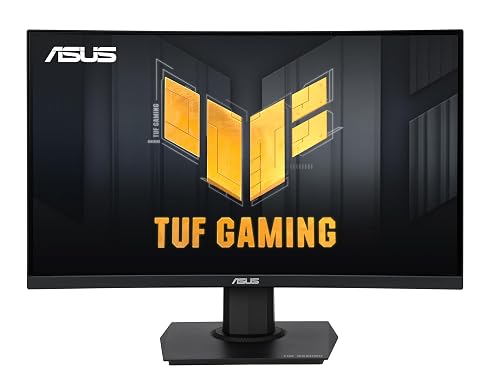 | Best Curved Pick | Refresh Rate: 180Hz | Response Time: 1ms MPRT | Panel Type: LED / LCD | VIEW LATEST PRICE | Read Our Analysis |
More Details on Our Top Picks
ViewSonic XG2431 24-Inch 240Hz Gaming Monitor
When you want a 24-inch gaming monitor built for competitive play, the ViewSonic XG2431 stands out with its 240Hz refresh rate, 0.5ms MPRT response time, and Fast IPS panel. You get smooth, tear-free action with FreeSync Premium, G-Sync compatibility, and Adaptive Sync. The Full HD IPS display delivers solid clarity, wide 178° viewing angles, HDR400 support, and a matte finish that reduces glare.
You can also adjust it for comfort with tilt, swivel, pivot, and height settings. Eye Care features, a blue light filter, and flicker-free support help during long sessions. HDMI, DisplayPort, USB, built-in speakers, and a three-year warranty add everyday value.
- Refresh Rate:240Hz
- Response Time:0.5ms MPRT
- Panel Type:Fast IPS
- Brightness:350 nits
- Adaptive Sync:FreeSync Premium / G-Sync Compatible
- HDMI Ports:2
- Additional Feature:HDR400 support
- Additional Feature:Ergonomic adjustable stand
- Additional Feature:Built-in speakers
LG 24-inch Full HD IPS Monitor
LG’s 24-inch Full HD IPS monitor is a strong choice for gamers and everyday users who want smooth 120Hz performance without sacrificing color accuracy or desk space. It features a 23.8-inch 1080p IPS display with HDR10, up to 99% sRGB, wide 178° viewing angles, and a clean three-side borderless design.
For gaming, it includes 1ms MBR, FreeSync, Dynamic Action Sync, Black Stabilizer, and reduced input lag for clearer motion. For work, Reader Mode and Flicker Safe help support longer sessions, while LG Switch lets you divide the screen into six sections. Its slim, tilt-adjustable stand saves space and works well in dual-monitor setups.
- Refresh Rate:120Hz
- Response Time:1ms MBR / 5ms
- Panel Type:IPS
- Brightness:250 cd/m²
- Adaptive Sync:FreeSync
- HDMI Ports:1
- Additional Feature:HDR10 support
- Additional Feature:99% sRGB color
- Additional Feature:3-side borderless design
ViewSonic VA2456A-MHD 24-Inch 1080p IPS Monitor
ViewSonic’s VA2456A-MHD suits everyday users who want a versatile 24-inch monitor with wide IPS viewing angles and practical connectivity. You get a Full HD IPS panel with SuperClear technology, a matte anti-glare finish, and clear image quality for work, media, and general use.
For longer sessions, Flicker-Free technology, a Blue Light Filter, and preset view modes help reduce eye strain. You can connect your PC, laptop, Mac, or other devices through HDMI, DisplayPort, or VGA, and built-in speakers add convenience. The 3-sided frameless design also works well in multi-monitor setups or compact home office spaces.
- Refresh Rate:120Hz
- Response Time:4ms
- Panel Type:IPS
- Brightness:250 nits
- Adaptive Sync:FreeSync
- HDMI Ports:1
- Additional Feature:HDMI DisplayPort VGA
- Additional Feature:3-sided frameless design
- Additional Feature:3-year limited warranty
LG UltraGear 24-inch FHD Gaming Monitor (24GS50F-B)
For gamers who want a fast, no-fuss 24-inch display, the LG UltraGear 24GS50F-B stands out with its 180Hz refresh rate, 1ms MBR, and AMD FreeSync support for smoother, lower-latency play. It delivers Full HD resolution on a 23.7-inch matte screen, plus Adaptive Sync and Dynamic Action Sync to keep motion responsive. HDR10, 300 nits brightness, and a 1000:1 contrast ratio help games look more vivid.
The monitor also features a 3-side virtually borderless design, a slim profile, and tilt adjustment. HDMI and DisplayPort make setup simple, while Black Stabilizer, Crosshair, FPS Counter, and preset Gamer, FPS, and RTS modes provide useful competitive tools.
- Refresh Rate:180Hz
- Response Time:1ms MBR / 5ms
- Panel Type:LCD / LED with IPS picture quality enhancement
- Brightness:300 cd/m²
- Adaptive Sync:AMD FreeSync / Adaptive Sync
- HDMI Ports:1
- Additional Feature:HDR10 support
- Additional Feature:Black Stabilizer
- Additional Feature:FPS Counter
LG 24G411A-B 24-inch Ultragear Gaming Monitor
A strong pick for budget-minded players, the LG 24G411A-B gives you a 23.8-inch IPS panel with crisp 1080p resolution, a 120Hz native refresh rate, and a 144Hz overclock for smoother competitive play.
You also get HDR10, up to 99% sRGB coverage, and wide 178-degree viewing angles, so games and streams look lively from almost any seat. NVIDIA G-SYNC Compatible, AMD FreeSync, and Adaptive Sync help eliminate tearing, while 1ms MBR, Dynamic Action Sync, and Black Stabilizer keep motion sharp and make enemies easier to spot. Its matte screen, slim bezels, tilt adjustment, HDMI, DisplayPort, and useful split-screen software make it practical for everyday use.
- Refresh Rate:120Hz native / 144Hz OC
- Response Time:1ms MBR
- Panel Type:IPS
- Brightness:250 cd/m²
- Adaptive Sync:FreeSync / G-SYNC Compatible
- HDMI Ports:1
- Additional Feature:144Hz overclock
- Additional Feature:99% sRGB coverage
- Additional Feature:Crosshair feature
ASUS 24-Inch Frameless Full HD Monitor (VA24EHF)
ASUS’s VA24EHF suits gamers and everyday users who want a budget-friendly 24-inch monitor with smoother-than-standard motion. It features a 23.8-inch Full HD IPS screen, a frameless flat design, and wide 178° viewing angles that help images stay consistent from nearly any seat. Its 100Hz refresh rate, 1ms MPRT, Adaptive-Sync, FreeSync, VRR, and G-Sync Compatible support help deliver cleaner, tear-free gameplay.
It also includes TÜV Rheinland-certified Flicker-free and Low Blue Light features for added comfort during long sessions. HDMI connectivity, tilt adjustment, VESA mounting, low 12.02W power use, and broad PC and console compatibility make it a practical choice. A 3-year warranty adds extra peace of mind.
- Refresh Rate:100Hz
- Response Time:1ms MPRT
- Panel Type:IPS
- Brightness:856.5 lm
- Adaptive Sync:Adaptive-Sync / FreeSync / G-Sync Compatible
- HDMI Ports:1
- Additional Feature:Frameless design
- Additional Feature:TÜV Eye Care
- Additional Feature:VESA wall-mountable
ASUS TUF Gaming 24” 1080P Monitor (VG249QL3A)
Fast-paced competitive play is where the ASUS TUF Gaming VG249QL3A makes the most sense, especially if you want a 24-inch 1080p monitor with a 180Hz refresh rate and a 1ms GTG response time. It features a Fast IPS panel, ELMB, FreeSync Premium, G-SYNC compatibility, and AdaptiveSync for smoother motion and fewer distractions. Shadow Enhance also helps you spot enemies hiding in darker scenes.
You also get 99% sRGB coverage, 350-nit brightness, a matte finish, and wide viewing angles. ASUS includes height, tilt, swivel, and pivot adjustments, along with wall mounting, speakers, USB ports, HDMI, DisplayPort, and a reassuring three-year warranty.
- Refresh Rate:180Hz
- Response Time:1ms GTG
- Panel Type:Fast IPS
- Brightness:350 cd/m²
- Adaptive Sync:FreeSync Premium / G-SYNC Compatible
- HDMI Ports:1
- Additional Feature:Height adjustable stand
- Additional Feature:Shadow Boost
- Additional Feature:Four USB ports
MSI PRO MP243L E14 24-inch FHD Monitor
MSI’s PRO MP243L E14 suits gamers who want one display for both play and everyday use, with a 24-inch IPS panel, 1080p resolution, and 144Hz refresh rate. It also features a 1ms response time, Adaptive-Sync support, and HDR Ready performance, helping gameplay feel smooth and responsive in FPS, racing, and action titles. The matte screen, wide 178-degree viewing angles, and strong contrast help games look clean and colorful.
For longer sessions, it includes TÜV-certified Flicker Free, Low Blue Light, and MSI’s Eye-Q Check. Tilt adjustment, VESA support, slim bezels, HDMI 2.0, VGA, and a three-year warranty add practical flexibility.
- Refresh Rate:144Hz
- Response Time:1ms
- Panel Type:IPS
- Brightness:856.5 lm
- Adaptive Sync:Adaptive-Sync / FreeSync compatible
- HDMI Ports:1
- Additional Feature:HDR Ready
- Additional Feature:Eye-Q Check
- Additional Feature:HDMI-CEC support
Samsung 24” Borderless Business Monitor (LS24D402GANXGO)
If you want a 24-inch monitor that balances workday ergonomics with light gaming features, the Samsung 24” Borderless Business Monitor stands out with its IPS panel, 100Hz refresh rate, and FreeSync support. It delivers sharp 1080p visuals, consistent color, and wide 178° viewing angles with minimal washout.
Eye Saver Mode and flicker reduction help maintain comfort during long sessions. You can fine-tune Game Display Mode for genre-specific contrast and color, while the 5ms response time helps keep motion under control. The height-adjustable stand pivots 90 degrees, and the slim bezels help maximize desk space. With HDMI, DisplayPort, USB, and a three-year warranty, it fits easily into almost any setup.
- Refresh Rate:100Hz
- Response Time:5ms
- Panel Type:IPS
- Brightness:250 cd/m²
- Adaptive Sync:FreeSync / Adaptive Sync
- HDMI Ports:2
- Additional Feature:Height-adjustable stand
- Additional Feature:USB hub
- Additional Feature:Pivot 90° support
ASUS TUF Gaming Curved Monitor (VG24VQER)
If you want a 24-inch gaming monitor that balances speed and contrast, the ASUS TUF Gaming VG24VQER is a strong option, thanks to its 180Hz refresh rate, 1ms MPRT response time, and 1500R curved 23.6-inch Full HD panel. It also features a matte screen, a 3,000:1 contrast ratio, and 90% DCI-P3 coverage, so games look vivid without taking over your desk.
It also includes ELMB SYNC, AMD FreeSync, and Adaptive Sync to reduce blur, ghosting, and tearing during fast-paced gameplay. Shadow Boost improves visibility in darker scenes, while Flicker-Free technology and the Blue Light Filter help support longer sessions. HDMI 2.0, DisplayPort 1.2, VESA compatibility, and a three-year warranty add further value.
- Refresh Rate:180Hz
- Response Time:1ms MPRT
- Panel Type:LED / LCD
- Brightness:856.5 lm
- Adaptive Sync:AMD FreeSync / Adaptive Sync
- HDMI Ports:2
- Additional Feature:1500R curved screen
- Additional Feature:ELMB SYNC
- Additional Feature:DCI-P3 90%
Factors to Consider When Choosing 24 Inch Gaming Monitors
When you choose a 24 inch gaming monitor, focus on the features that affect speed, image quality, and comfort. Compare refresh rate and response time, panel type and color performance, and adaptive sync support for smoother gameplay. It also helps to check ergonomics, connectivity, and eye comfort features, so your setup fits your space and stays comfortable during long sessions.
Refresh Rate And Response
If you play fast-paced games, refresh rate and response time have a major impact on how smooth and clear the action looks on a 24-inch gaming monitor. A higher refresh rate, such as 120Hz, 144Hz, 180Hz, or 240Hz, makes movement look smoother than 60Hz and helps you track targets more easily.
You should also check response time, since lower figures like 1ms or 0.5ms MPRT reduce motion blur and ghosting during quick camera turns. Adaptive sync also matters, because it keeps frame delivery aligned with the monitor’s refresh rate, which helps reduce tearing, stutter, and perceived input lag. Some models also include motion blur reduction or other motion handling features to sharpen fast-moving objects, though these can lower brightness or affect image quality. For competitive play, prioritize both speed and clarity.
Panel Type And Color
Beyond speed, panel type and color performance shape how good games actually look on a 24-inch monitor. IPS panels are usually the safest choice because they deliver wide 178° viewing angles, so colors and contrast stay more consistent even when you are not perfectly centered.
You should also check color gamut coverage. A monitor with 99% sRGB or up to 90% DCI-P3 will usually produce richer, more accurate-looking scenes. Contrast ratio matters too, since values like 1000:1, 1300:1, or 1500:1 affect how deep blacks look and how much highlights stand out. If you game in a bright room, a matte screen helps reduce glare and maintain color visibility. HDR10 or HDR400 can improve highlight detail, but strong native contrast and wide color coverage still matter most for overall image quality.
Adaptive Sync Support
Image quality matters, but smooth gameplay also depends on how well the monitor stays in sync with your GPU. Adaptive Sync matches the monitor’s refresh rate to your graphics output, which helps reduce screen tearing, stuttering, and perceived input lag while you play. It is especially useful on 24-inch gaming monitors with 100Hz to 240Hz panels, because fluctuating frame rates can still cause visible tearing.
When you compare models, look for support for FreeSync, G-SYNC Compatible, or standard Adaptive-Sync. Broader support gives you more flexibility across different GPUs and devices. Also keep in mind that Adaptive Sync handles frame synchronization only. It does not fix blur caused by slow pixel transitions. For the best results, pair sync support with a fast response time. Some monitors also include motion reduction or low-latency features, but those are separate tools.
Ergonomics And Connectivity
While panel specs get most of the attention, ergonomics and connectivity have a major impact on how comfortable and practical a 24-inch gaming monitor feels in daily use. Look for a stand with height, tilt, swivel, and pivot adjustments, because these features help you position the screen correctly, improve posture, and support shared viewing or vertical setups.
If you want a cleaner desk, choose a monitor with VESA mount support so you can attach it to a wall bracket or monitor arm. Make sure the mounting pattern matches your hardware. Connectivity matters as well. Multiple inputs, such as HDMI and DisplayPort, let you keep a PC, console, or laptop connected without constantly swapping cables. USB ports, built-in hubs, and audio outputs add convenience by letting you connect peripherals directly through the monitor.
Eye Comfort Features
Comfort matters just as much as stand adjustment and ports, especially if you spend hours gaming, streaming, or studying on a 24-inch monitor. Prioritize flicker-free backlighting, because it reduces visible screen flicker and can help ease eye strain during long sessions. Low blue light filters or eye saver modes are also worth having, particularly if you play or work at night.
A matte or anti-glare finish helps cut reflections in bright rooms, so you are less likely to squint or deal with distracting glare. Reader modes can also be useful, since they adjust color and contrast for easier browsing, reading, or homework between matches. Finally, consider brightness. Many 24-inch monitors fall in the 250 to 350 cd/m² range, which gives you enough flexibility to find a comfortable indoor setting without being too harsh on your eyes.
Frequently Asked Questions
Can 24-Inch Gaming Monitors Work Well With Dual-Monitor Desk Setups?
Absolutely, 24-inch gaming monitors work great in dual-monitor desk setups. As the saying goes, two heads are better than one. You will save space, keep matching sightlines, and enjoy easier multitasking without overwhelming your desk.
Are 24-Inch Gaming Monitors Suitable for Console Gaming at 120HZ?
Yes, you’ll find 24-inch gaming monitors suitable for console gaming at 120Hz when they support HDMI 2.1 or compatible 120Hz modes. You get sharp visuals, responsive gameplay, and a compact screen that’s easy to place.
How Far Should I Sit From a 24-Inch Gaming Monitor?
You should sit about 2 to 3 feet from a 24-inch gaming monitor. That sweet spot keeps visuals crisp and is easier on your eyes. If you play competitively, you can move a bit closer, but do not sacrifice comfort.
Do 24-Inch Gaming Monitors Help Reduce Motion Sickness in Games?
Yes, 24-inch gaming monitors can help reduce motion sickness because they let you see more of the screen with less eye movement. High refresh rates, low latency, proper viewing distance, and stable frame pacing can also improve comfort.
Are Refurbished 24-Inch Gaming Monitors Worth Buying in 2026?
Yes, refurbished 24-inch gaming monitors can be worth buying in 2026. You get more value for your money if you verify the warranty, panel condition, refresh rate, and ports. Buy carefully, and you can get solid performance at a low price.




