

You’ve probably heard the theory that a 240Hz monitor only matters if you’re a serious esports player, but that is not the full story in 2026.
If you want smoother motion, lower input lag, and better value across different resolutions, the right deal can make a clear difference.
Some picks prioritize price, while others focus on OLED contrast or QHD sharpness, and a few balance almost everything well.
The key differences are not always obvious at first glance.



More Details on Our Top Picks
Samsung 25″ Odyssey G4 FHD Gaming Monitor
If you want a budget-friendly 240Hz gaming monitor that stays sharp in fast shooters, the Samsung 25″ Odyssey G4 is an easy fit. It features a 25-inch FHD IPS panel, a 1ms GTG response time, 400-nit brightness, HDR10, and wide 178° viewing angles. G-SYNC Compatible, FreeSync Premium, and Adaptive Sync help keep gameplay smooth and blur-free.
You can also adjust Black Equalizer for darker scenes and switch to Ultrawide Game View for a 21:9 viewpoint. The stand supports height, tilt, and swivel adjustments, and wall mounting is supported as well. With DisplayPort, two HDMI ports, USB, and Auto Source Switch+, your setup stays flexible, connected, and convenient every day.
- Resolution:1920 x 1080
- Panel Type:IPS
- Screen Size:25-inch
- Response Time:1ms GTG
- Brightness:400 nits
- Connectivity:DisplayPort, HDMI, USB
- Additional Feature:G-SYNC Compatible
- Additional Feature:Fully adjustable stand
- Additional Feature:Auto Source Switch+
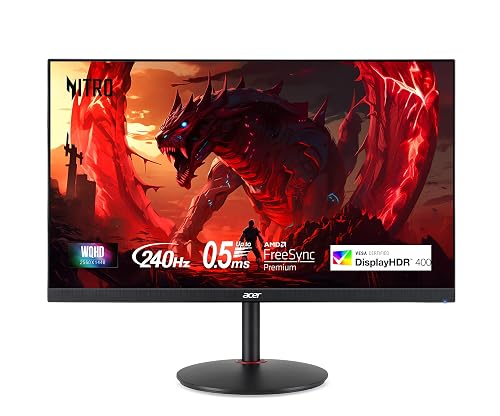
Acer Nitro 27-inch WQHD Gaming Monitor (XV272U)
Competitive players who want sharp 1440p visuals without sacrificing speed should put the Acer Nitro XV272U near the top of their list. It features a 27-inch IPS panel with a 2560 x 1440 resolution, 240Hz over DisplayPort, and up to 0.5ms G-to-G response time, so motion stays crisp and responsive.
AMD FreeSync Premium and Adaptive Sync help prevent tearing, while DisplayHDR 400, 400 nits of brightness, and 99% sRGB coverage give games strong color and solid visual impact. For connectivity, you get DisplayPort 1.4 and two HDMI 2.0 ports. The Ergostand is easy to adjust, and Acer’s three-year warranty adds extra peace of mind.
- Resolution:2560 x 1440
- Panel Type:IPS
- Screen Size:27-inch
- Response Time:1ms GtG / 0.5ms max
- Brightness:400 nits
- Connectivity:DisplayPort, HDMI, audio out, USB
- Additional Feature:DisplayHDR 400
- Additional Feature:Built-in 2W speakers
- Additional Feature:360° swivel stand
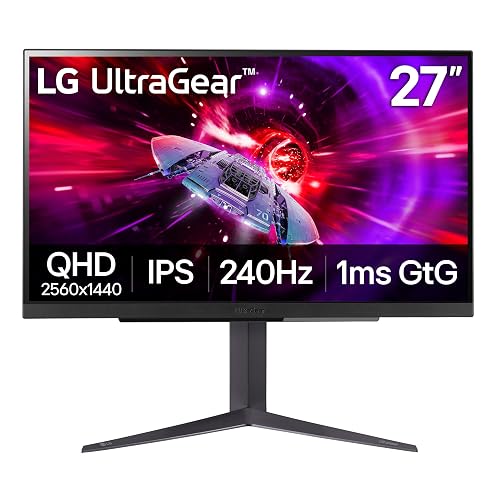
LG 27GR83Q-B 27-inch QHD 240Hz Gaming Monitor
Gamers who want a sharp step up from 1080p without giving up speed should keep the LG 27GR83Q-B near the top of their list, because its 27-inch QHD IPS panel combines a 240Hz refresh rate with a 1ms GtG response time for crisp, fast motion.
You also get G-SYNC Compatible and FreeSync Premium support, so gameplay looks smoother with less tearing, blur, and stutter. DisplayHDR 400, 95% DCI-P3 color, and a matte finish help games look vivid without distracting glare. You can adjust height, tilt, and pivot for comfort, then connect consoles or PCs through HDMI 2.1, DisplayPort, and USB. Useful extras include Black Stabilizer, Crosshair, and an FPS Counter.
- Resolution:2560 x 1440
- Panel Type:IPS
- Screen Size:27-inch
- Response Time:1ms GtG
- Brightness:400 cd/m²
- Connectivity:DisplayPort, HDMI, USB, headphone
- Additional Feature:DisplayHDR 400
- Additional Feature:DTS Headphone:X
- Additional Feature:FPS Counter
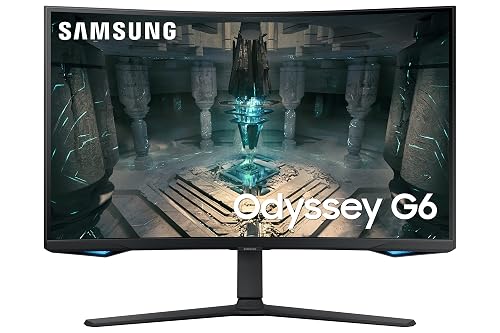
Samsung 27″ Odyssey G65B QHD Gaming Monitor
Samsung’s 27-inch Odyssey G65B is built for players who want 240Hz performance with sharp QHD detail. It features a 2560 x 1440 curved 1000R panel, DisplayHDR 600, 350 nits brightness, and a 2,500:1 contrast ratio for a more immersive, high-impact image. A 1ms GTG response time, Adaptive Sync, and FreeSync Premium Pro help keep motion smooth while reducing tearing, stutter, and input lag.
Gaming Hub, Samsung TV Plus, and console support make it easy to use beyond PC gaming. HDMI, DisplayPort, Ethernet, Wi-Fi, Bluetooth, and USB connectivity add versatility, and wall-mount support provides flexible setup options.
- Resolution:2560 x 1440
- Panel Type:LCD / LED
- Screen Size:27-inch
- Response Time:1ms GTG
- Brightness:350 cd/m²
- Connectivity:DisplayPort, HDMI, USB, Ethernet, Wi‑Fi, Bluetooth
- Additional Feature:1000R curved screen
- Additional Feature:Gaming Hub built-in
- Additional Feature:DisplayHDR 600
Alienware AW2723DF 27-Inch 240Hz Gaming Monitor
If you want a fast 27-inch QHD monitor that balances speed and image quality, the Alienware AW2723DF stands out with its 240Hz native refresh rate, 1ms GtG response time, and up to 280Hz overclock for even smoother gameplay. It features a Fast IPS panel with 2560 x 1440 resolution, 95% DCI-P3 color coverage, and DisplayHDR 600, so games look vivid and sharp.
It also supports G-SYNC Compatible and Adaptive Sync for tear-free action. The Legend 2.0 design includes AlienFX lighting, ergonomic adjustability, and strong connectivity, including HDMI, DisplayPort, Mini DisplayPort, USB ports, and excellent Dell warranty support.
- Resolution:2560 x 1440
- Panel Type:IPS
- Screen Size:27-inch
- Response Time:1ms GtG
- Brightness:450 nits
- Connectivity:DisplayPort, Mini DP, HDMI, USB, audio
- Additional Feature:280Hz overclocked refresh
- Additional Feature:DisplayHDR 600
- Additional Feature:AlienFX lighting
Acer Nitro 27-inch Curved Gaming Monitor (XZ270)
Acer’s Nitro XZ270 is a strong fit if you want a budget-friendly 240Hz monitor that still feels tuned for competitive play. It features a 27-inch curved VA panel with a 1500R curve, Full HD resolution, HDR10, and strong contrast that helps darker scenes stand out. AMD FreeSync Premium, 1ms VRB, and reduced input lag help keep motion smooth and ghosting under control.
You can adjust tilt, swivel, and height with Acer’s ErgoStand for better comfort during longer sessions. DisplayPort 1.4 and dual HDMI 2.0 ports make connectivity simple, while the built-in speakers handle basic audio needs. A 3-year warranty, VESA support, and an included HDMI cable add practical everyday value.
- Resolution:1920 x 1080
- Panel Type:VA
- Screen Size:27-inch
- Response Time:1ms VRB
- Brightness:250 nits
- Connectivity:DisplayPort, HDMI, audio out
- Additional Feature:1500R curved screen
- Additional Feature:Built-in 2W speakers
- Additional Feature:Quick-release stand
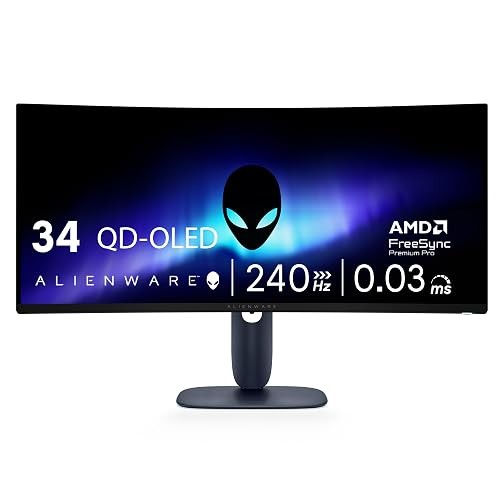
Alienware 34 240Hz QD-OLED Gaming Monitor
Alienware’s 34-inch AW3425DW is an excellent choice for players who want ultrawide immersion without sacrificing top-tier speed. It features a 3440 x 1440 QD-OLED panel with a 21:9 aspect ratio, an 1800R curve, a 240Hz refresh rate, and an exceptionally fast 0.03ms response time. This combination keeps motion sharp, while OLED contrast and 1000-nit peak HDR highlights give games a dramatic, high-impact look.
It also supports G-SYNC Compatible, FreeSync Premium Pro, and VESA AdaptiveSync for smoother frame delivery. Dell includes practical extras as well, including two HDMI ports, DisplayPort, USB connectivity, and height, tilt, and swivel adjustments. A solid three-year warranty adds extra peace of mind.
- Resolution:3440 x 1440
- Panel Type:QD-OLED
- Screen Size:34.2-inch
- Response Time:0.03ms
- Brightness:250 nits
- Connectivity:DisplayPort, HDMI, USB
- Additional Feature:QD-OLED panel
- Additional Feature:Ultrawide 21:9 aspect
- Additional Feature:TrueBlack 400 HDR
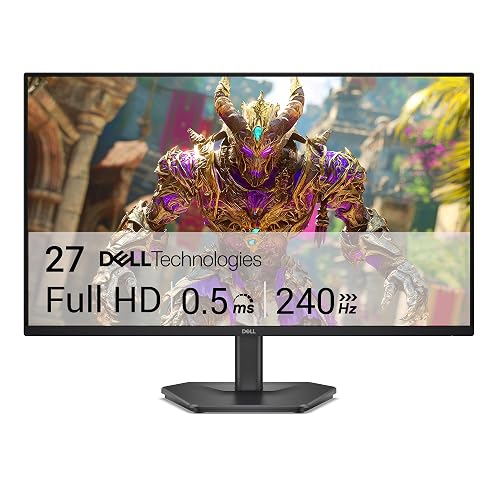
Dell 27-inch 240Hz Gaming Monitor (SE2726HG)
Dell’s SE2726HG is a smart pick for gamers who want 240Hz performance without paying extra for a higher-resolution panel they may not need. It features a 27-inch Fast IPS display with 1920 x 1080 resolution, a 0.5ms response time, and Adaptive Sync support, including AMD FreeSync Premium and HDMI VRR. The result is smoother motion, reduced tearing, and lower input lag during competitive play.
It also offers 99% sRGB color coverage, wide 178-degree viewing angles, a matte anti-glare finish, and TÜV Rheinland-certified eye comfort. With two HDMI ports, DisplayPort 1.4, tilt adjustment, and a three-year warranty, it is a practical, value-focused choice.
- Resolution:1920 x 1080
- Panel Type:IPS
- Screen Size:27-inch
- Response Time:0.5ms
- Brightness:300 nits
- Connectivity:DisplayPort, HDMI
- Additional Feature:HDMI VRR support
- Additional Feature:TÜV eye comfort
- Additional Feature:99% sRGB coverage
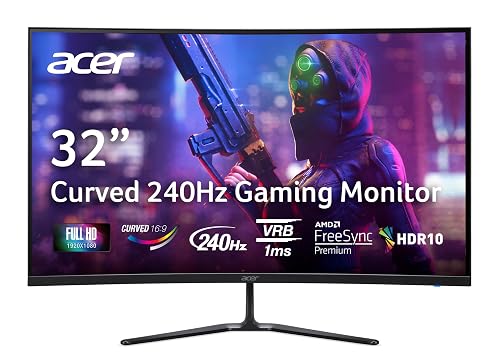
Acer Nitro 31.5-Inch Curved Gaming Monitor ED320Q
If you want a big-screen 240Hz monitor without spending too much, the Acer Nitro ED320Q is a strong choice. It features a 31.5-inch curved display with a 1500R curve, a slim ZeroFrame design, and a matte finish that helps reduce glare. Its Full HD resolution keeps performance within reach, while the 178-degree viewing angles and HDR10 support help games look more vibrant.
You also get AMD FreeSync Premium, a 1ms VRB response time, and a high contrast ratio for smoother, clearer motion. Acer includes Vision Care features, tilt adjustment, dual 2W speakers, and practical connectivity with DisplayPort 1.4, two HDMI 2.0 ports, audio out, and VESA mounting support.
- Resolution:1920 x 1080
- Panel Type:LCD
- Screen Size:31.5-inch
- Response Time:1ms VRB
- Brightness:Not specified
- Connectivity:DisplayPort, HDMI, audio out
- Additional Feature:1500R curved screen
- Additional Feature:Built-in 2W speakers
- Additional Feature:Acer Vision Care
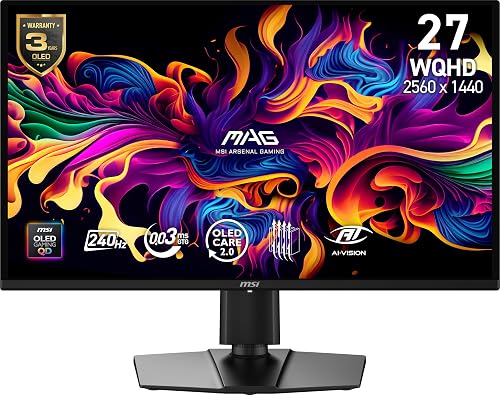
MSI MAG 274QP QD-OLED 27-Inch Gaming Monitor
MSI’s MAG 274QP QD-OLED is a standout pick for gamers who want elite motion clarity without sacrificing rich image quality. It features a 27-inch QD-OLED panel with 2560 x 1440 resolution, a 240Hz refresh rate, and an ultra-fast 0.03ms response time. With 99% DCI-P3 coverage, Delta E ≤2 accuracy, and a deep 1,500,000:1 contrast ratio, games look vivid and punchy.
It also includes FreeSync Premium, G-Sync compatibility, HDMI 2.1, and DisplayPort 1.4a for both PC and console play. OLED Care 2.0, a graphene passive heatsink, and fanless cooling help protect the panel. The adjustable stand, PiP and PbP modes, and MSI gaming tools add useful flexibility.
- Resolution:2560 x 1440
- Panel Type:QD-OLED
- Screen Size:27-inch
- Response Time:0.03ms GtG
- Brightness:Up to 400 nits
- Connectivity:DisplayPort, HDMI 2.1
- Additional Feature:OLED Care 2.0
- Additional Feature:Quantum Dot OLED
- Additional Feature:Picture-in-Picture
Factors to Consider When Choosing 240Hz Gaming Monitor Deals
When you compare 240Hz gaming monitor deals, start with resolution and screen size to match your setup and visual preferences. Also consider panel type, refresh performance, response time, and adaptive sync support so gameplay remains smooth and responsive. Finally, check HDR and color quality, since they can significantly affect how sharp, vivid, and immersive your games look.
Resolution And Screen Size
Because resolution and screen size work together, you should judge every 240Hz monitor deal by pixel density as well as refresh rate. If you play competitively, a 24 to 25 inch display at 1920 × 1080 often delivers sharp motion clarity while keeping games easier to run at 240Hz.
If you want more workspace and better detail, a 27 inch monitor at 2560 × 1440 usually makes more sense. Larger 31.5 to 34 inch screens feel more immersive, but 1080p looks less dense at that size and can appear softer. A 34 inch ultrawide with 3440 × 1440 gives you extra horizontal space and a wider field of view, though you will need more desk space and stronger hardware. Always match size and resolution carefully when comparing deals.
Panel Type Choice
Although refresh rate gets most of the attention, panel type has a major effect on how a 240Hz gaming monitor looks and feels in everyday use. If image quality matters to you, IPS panels usually offer wider 178° viewing angles and more consistent color. VA panels can provide much higher contrast, sometimes reaching up to 100,000,000:1 on certain curved models, which can make dark scenes look deeper and more detailed.
If you want the strongest black levels and HDR impact, OLED and QD-OLED panels stand out with contrast ratios around 1,500,000:1. You should also think about screen finish. Matte coatings reduce reflections in bright rooms, while glossy screens can make colors appear more vibrant but also show more glare. Finally, compare color gamut as well, since some panels combine 95% DCI-P3 or 99% sRGB coverage with strong overall visual performance.
Refresh And Response
Refresh rate and response time should be at the top of your checklist if smooth gameplay is your main goal. A true 240Hz monitor refreshes the image 240 times per second, so motion appears smoother than on 144Hz or 165Hz screens, as long as your PC can consistently deliver those high frame rates.
Response time is just as important. Aim for around 1ms GtG or lower to reduce motion blur, ghosting, and trailing during fast action. Check whether the panel can maintain that speed across the full screen, not only under ideal test conditions. Low input lag modes also help keep delay to a minimum. If you mainly play competitive shooters, fighters, or esports titles, a strong 240Hz and 1ms combination matters more than extra visual features when responsiveness and motion clarity are the priority.
Adaptive Sync Support
While 240Hz already delivers very smooth motion, Adaptive Sync makes that performance more consistent by matching the monitor’s refresh rate to your GPU’s frame output. You will notice less screen tearing, reduced stutter, and lower perceived input lag during fast gameplay, especially when your frame rate does not stay pinned at 240fps.
When you compare 240Hz monitor deals, look for broad support such as FreeSync, G-SYNC Compatible, or VESA AdaptiveSync. Some displays support multiple standards, which gives you better compatibility across different graphics cards. Adaptive Sync matters most when frame rates dip below the panel’s maximum refresh rate, because motion stays smoother than with fixed refresh behavior. At 240Hz, even small frame time inconsistencies can affect tracking and aiming, so check whether sync works over both DisplayPort and HDMI before you buy.
HDR And Color
Beyond refresh rate, HDR and color quality have a big impact on how good games actually look on a 240Hz monitor. If you want meaningful HDR, avoid vague HDR labels. Look for DisplayHDR 400, 600, or TrueBlack 400, since those tiers usually provide stronger highlights and better contrast.
You should also check color gamut coverage. A monitor with 95% DCI-P3 or 99% sRGB can show richer, more saturated worlds than one with a narrower range. Accuracy matters too, especially if you want natural-looking tones, so aim for a Delta E under 2. Contrast ratio also plays a major role in image depth. OLED-class panels can reach around 1,500,000:1, while many IPS displays are closer to 1,000:1. Finally, 400 nits or more gives HDR highlights more punch on screen.
Ports And Connectivity
Since port selection determines whether you can actually use 240Hz at full speed, make sure the monitor includes the right input for your setup, such as DisplayPort 1.4 or HDMI 2.1. Some 240Hz displays only reach their maximum refresh rate through one port type, so always confirm the specs before you buy.
You should also check how many video inputs you need. Many models offer two HDMI ports and one DisplayPort, while others add Mini DisplayPort for extra flexibility. If you want fewer cables on your desk, look for a built in USB hub with multiple USB 2.0, 3.0, or 3.2 connections. For consoles or several devices, verify HDMI VRR, Adaptive Sync, or FreeSync support on the available ports. If you use headphones or external speakers, a 3.5 mm audio out is useful.
Ergonomics And Mounting
A good stand matters more than many buyers expect, because proper positioning keeps long 240Hz gaming sessions comfortable and helps reduce neck strain. Prioritize at least tilt and height adjustment, since these features make it easier to align the screen with your natural eye level and seating position.
If you want more flexibility, look for swivel and pivot support. These adjustments help if you share the monitor, change seating angles, or rotate the display without moving the entire unit. A fully adjustable 4 way stand gives you the most control in one setup.
Also confirm VESA mount support before buying, especially 75 x 75 mm or 100 x 100 mm patterns. Finally, check the monitor’s size and weight, because larger 27 inch to 34.2 inch models may require sturdier arms or wall mounts.
Warranty And Value
When you compare 240Hz gaming monitor deals, do not focus only on the sticker price, because warranty coverage can change the real value of the purchase. Some models include only a 1 year warranty, while others offer 3 years, and that difference can matter if defects appear after months of heavy use.
You should also read the terms, not just the length of coverage. Some warranties cover only parts and labor, while stronger plans include advanced exchange, premium panel replacement, or burn in protection. Those extras can save time, reduce frustration, and lower replacement costs. A factory calibration report can also add value, especially if you want better image accuracy right out of the box. When you consider warranty strength along with power use and features, a more expensive monitor can still be the smarter purchase overall.
Frequently Asked Questions
How Long Do 240HZ Gaming Monitors Typically Last?
You can expect a 240Hz gaming monitor to last about 5 to 10 years. It may last longer if you manage heat, keep brightness at reasonable levels, avoid static images, and choose a reliable brand with strong build quality.
Are Refurbished 240HZ Gaming Monitors Worth Buying?
Yes, a refurbished 240Hz monitor can be worth buying if you check the warranty, seller reputation, dead pixels, and overall panel condition. It can save you money, but do not overlook the return policy.
Do 240HZ Monitors Consume More Electricity Than 144HZ Models?
Yes, 240Hz monitors usually use slightly more electricity than 144Hz models because they refresh more often. However, the actual difference depends more on screen size, panel type, brightness, and overall efficiency than on refresh rate alone.
What Warranty Coverage Is Common for Gaming Monitor Deals?
You will usually get one to three years of warranty coverage on gaming monitor deals. Check the dead-pixel policy, panel coverage, labor terms, and whether accidental damage or shipping is included.
When Is the Best Time to Buy 240HZ Monitor Deals?
You’ll find the best 240Hz monitor deals during Black Friday, Cyber Monday, Prime Day, and back-to-school sales. You can also save when new models launch, because retailers often discount older inventory to clear shelf space.




