

Like choosing between a rapier and a broadsword, picking a 240Hz gaming monitor depends on how you play. You’ll need to balance refresh rate, resolution, panel type, HDR performance, and size, because the right screen can improve both your aim and your overall experience.
From compact 1080p esports options to expansive 4K OLED displays, some models clearly stand above the rest, and a few may surprise you.
| Samsung Odyssey G4 25″ FHD Gaming Monitor |  | Budget-Friendly Pick | Resolution: 1920 x 1080 | Screen Size: 25-inch | Panel Type: IPS | VIEW LATEST PRICE | Read Our Analysis |
| Samsung 32″ Odyssey Neo G8 Gaming Monitor | 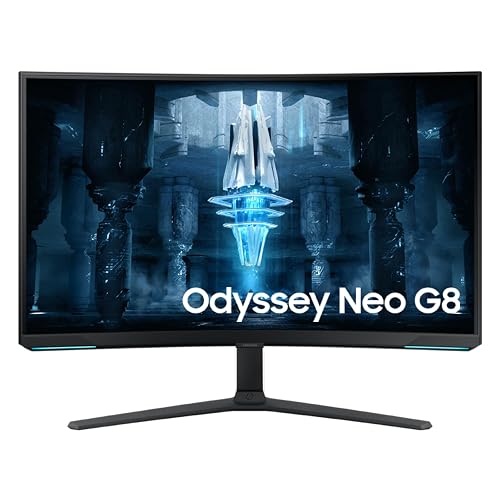 | Best 4K HDR | Resolution: 3840 x 2160 | Screen Size: 32-inch | Panel Type: VA | VIEW LATEST PRICE | Read Our Analysis |
| Acer Nitro 27-inch WQHD Gaming Monitor (XV272U) | 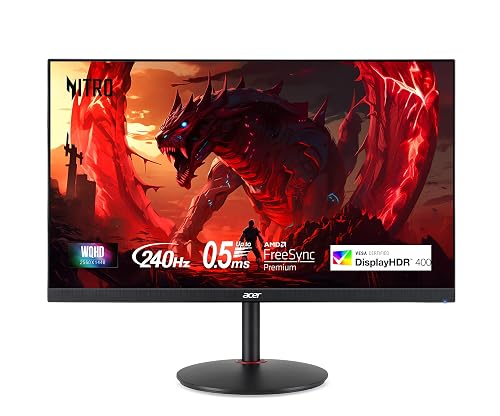 | Best Value | Resolution: 2560 x 1440 | Screen Size: 27-inch | Panel Type: IPS | VIEW LATEST PRICE | Read Our Analysis |
| LG UltraGear 27-inch QHD Gaming Monitor (27GR83Q-B) | 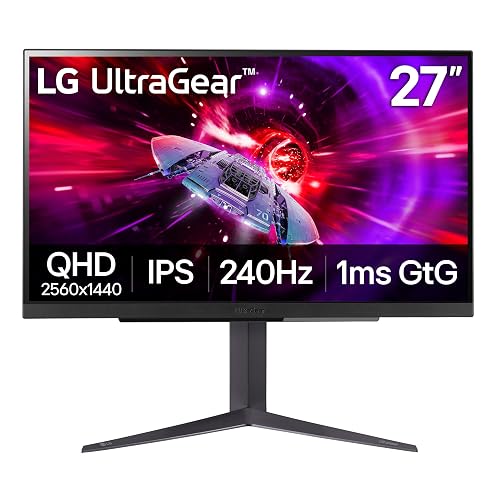 | Best Overall | Resolution: 2560 x 1440 | Screen Size: 27-inch | Panel Type: IPS | VIEW LATEST PRICE | Read Our Analysis |
| ASUS ROG Swift 32-inch 4K OLED Monitor |  | Premium OLED Pick | Resolution: 3840 x 2160 | Screen Size: 32-inch | Panel Type: QD-OLED | VIEW LATEST PRICE | Read Our Analysis |
| Alienware AW2723DF 27-Inch 240Hz Gaming Monitor |  | Editor’s Choice | Resolution: 2560 x 1440 | Screen Size: 27-inch | Panel Type: IPS | VIEW LATEST PRICE | Read Our Analysis |
| MSI MPG 321CURX QD-OLED 32-Inch 4K Monitor |  | Best Curved 4K | Resolution: 3840 x 2160 | Screen Size: 32-inch | Panel Type: QD-OLED | VIEW LATEST PRICE | Read Our Analysis |
| LG 34GX90SA-W 34-inch OLED Curved Gaming Monitor | 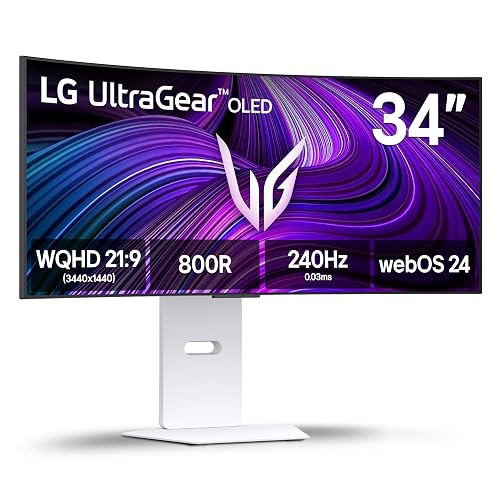 | Best Ultrawide OLED | Resolution: 3440 x 1440 | Screen Size: 34-inch | Panel Type: OLED | VIEW LATEST PRICE | Read Our Analysis |
| MSI MPG 321URX QD-OLED 32-inch 4K Monitor | 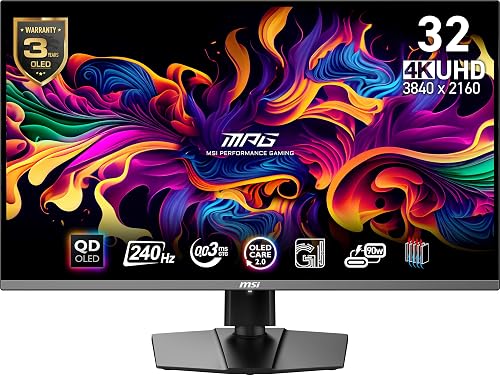 | Best For Consoles | Resolution: 3840 x 2160 | Screen Size: 31.5-inch | Panel Type: QD-OLED | VIEW LATEST PRICE | Read Our Analysis |
| AOC Agon PRO 27-inch QD-OLED Gaming Monitor | 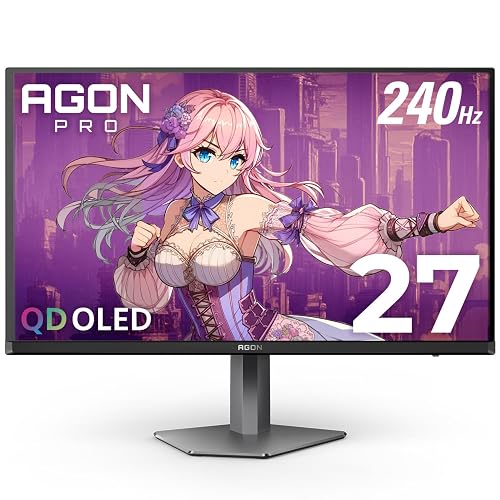 | Best OLED Value | Resolution: 2560 x 1440 | Screen Size: 27-inch | Panel Type: QD-OLED | VIEW LATEST PRICE | Read Our Analysis |
More Details on Our Top Picks
Samsung Odyssey G4 25″ FHD Gaming Monitor
When you want a 240Hz gaming monitor that prioritizes speed without sacrificing image quality, the Samsung Odyssey G4 25″ is a strong choice. It features a 25-inch FHD IPS display with HDR10, 400 nits brightness, wide 178° viewing angles, and strong contrast for a sharper, more vivid picture.
For competitive gaming, you get a 240Hz refresh rate, 1ms GTG response time, G-SYNC compatibility, FreeSync Premium, and Adaptive Sync for smoother gameplay. Black Equalizer, Low Input Lag Mode, and Ultrawide Game View help you respond faster. You can also adjust the height, tilt, and swivel for a more comfortable setup, then connect easily through HDMI, DisplayPort, and USB.
- Resolution:1920 x 1080
- Screen Size:25-inch
- Panel Type:IPS
- Response Time:1ms GTG
- Adaptive Sync:G-SYNC Compatible, FreeSync Premium
- Warranty:1-year
- Additional Feature:HDR10 support
- Additional Feature:Ultrawide Game View
- Additional Feature:Fully adjustable stand
Samsung 32″ Odyssey Neo G8 Gaming Monitor
Samsung’s 32-inch Odyssey Neo G8 is an excellent choice for gamers who want top-tier speed without sacrificing 4K clarity, pairing a 240Hz refresh rate with a 1ms GTG response time on a curved 3840 x 2160 display. Its 1000R VA panel features Quantum Mini LEDs, Quantum HDR2000, and up to 2,000 nits of brightness for impressive contrast and vivid highlights.
It also includes AMD FreeSync Premium Pro, G-Sync support, and Adaptive-Sync to help minimize tearing and input lag. The matte screen reduces glare, while CoreSync adds immersion with on-screen color matching. Auto Source Switch+ detects and switches to active devices quickly, and DisplayPort, HDMI, USB-C, plus VESA mounting provide added flexibility.
- Resolution:3840 x 2160
- Screen Size:32-inch
- Panel Type:VA
- Response Time:1ms GTG
- Adaptive Sync:G-SYNC, FreeSync Premium Pro
- Warranty:1-year
- Additional Feature:1000R curved screen
- Additional Feature:Quantum Mini LED
- Additional Feature:Quantum HDR2000
Acer Nitro 27-inch WQHD Gaming Monitor (XV272U)
Acer’s Nitro XV272U suits competitive players who want 240Hz performance without giving up the sharper look of a 27-inch WQHD IPS panel. You get 2560 x 1440 resolution, a matte finish, 99% sRGB color, 400 nits brightness, and DisplayHDR 400, so games and creative work both look crisp.
For speed, you’ll need DisplayPort 1.4 to reach 240Hz. HDMI tops out at 144Hz. FreeSync Premium, Adaptive Sync, and up to 0.5ms GtG help keep motion clean. The Ergostand lets you tilt, swivel, raise, or pivot the screen, and the compact design fits multi-monitor setups. You also get speakers, USB ports, and a three-year warranty.
- Resolution:2560 x 1440
- Screen Size:27-inch
- Panel Type:IPS
- Response Time:1ms GtG
- Adaptive Sync:FreeSync Premium, Adaptive Sync
- Warranty:3-year
- Additional Feature:DisplayHDR 400
- Additional Feature:Built-in dual speakers
- Additional Feature:3-year warranty
LG UltraGear 27-inch QHD Gaming Monitor (27GR83Q-B)
LG’s UltraGear 27GR83Q-B is a strong choice for competitive players who want an ideal balance of speed and image quality. Its 27-inch QHD IPS panel and 240Hz refresh rate deliver sharp 2560 x 1440 resolution, a 1ms GtG response time, and rich color with 95% DCI-P3 coverage. DisplayHDR 400 also adds more visual impact.
It also supports G-SYNC Compatible and FreeSync Premium to reduce tearing and stutter. Gaming features such as Motion Action Sync, Black Stabilizer, Crosshair, and an FPS Counter help improve responsiveness and visibility. HDMI 2.1, DisplayPort 1.4, USB connectivity, ergonomic adjustment options, and DTS Headphone:X complete the package.
- Resolution:2560 x 1440
- Screen Size:27-inch
- Panel Type:IPS
- Response Time:1ms GtG
- Adaptive Sync:G-SYNC Compatible, FreeSync Premium
- Warranty:1-year
- Additional Feature:HDMI 2.1
- Additional Feature:DTS Headphone:X
- Additional Feature:FPS Counter
ASUS ROG Swift 32-inch 4K OLED Monitor
If you want a 240Hz gaming monitor that combines elite speed with true 4K detail, the ASUS ROG Swift 32-inch 4K OLED is a standout choice. It features a 32-inch third-generation QD-OLED panel, 3840 x 2160 resolution, a 0.03 ms GTG response time, and rich contrast with DisplayHDR 400 True Black support.
You also get 99% DCI-P3 color, true 10-bit output, and Delta E < 2 accuracy for vivid, precise visuals. G-SYNC Compatible and Adaptive Sync help keep gameplay smooth, while ASUS cooling, graphene film, and OLED Care features help reduce burn-in risk. USB-C with 90W charging adds useful flexibility.
- Resolution:3840 x 2160
- Screen Size:32-inch
- Panel Type:QD-OLED
- Response Time:0.03ms GTG
- Adaptive Sync:G-SYNC Compatible, Adaptive Sync
- Warranty:3-year
- Additional Feature:QD-OLED panel
- Additional Feature:90W USB-C
- Additional Feature:OLED Care functions
Alienware AW2723DF 27-Inch 240Hz Gaming Monitor
Alienware’s AW2723DF is a strong pick for competitive players who want QHD sharpness without giving up elite speed, thanks to its 240Hz refresh rate, 1ms GtG response time, and 280Hz overclocking support. It features a 27-inch Fast IPS panel with a crisp 2560 x 1440 resolution, plus G-SYNC Compatible support and VESA Adaptive Sync for smooth, tear-free gameplay.
Its IPS Nano Color technology covers 95% of the DCI-P3 color gamut and works with DisplayHDR 600 to deliver vivid, punchy visuals. You can also adjust height, tilt, swivel, and pivot with ease. With five USB ports, HDMI, DisplayPort 1.4, AlienFX lighting, and a three-year warranty, it fits well into a serious gaming setup.
- Resolution:2560 x 1440
- Screen Size:27-inch
- Panel Type:IPS
- Response Time:1ms GtG
- Adaptive Sync:G-SYNC Compatible, Adaptive Sync
- Warranty:3-year
- Additional Feature:280Hz overclocked refresh
- Additional Feature:DisplayHDR 600
- Additional Feature:AlienFX lighting
MSI MPG 321CURX QD-OLED 32-Inch 4K Monitor
MSI’s MPG 321CURX QD-OLED is a standout pick for competitive players and console gamers who want 4K sharpness without giving up 240Hz speed. It features a 32-inch, 3840 x 2160 curved QD-OLED panel with a glossy finish, a 0.03ms response time, ClearMR 13000, and DisplayHDR True Black 400 for crisp motion and deep contrast.
You also get HDMI 2.1 with full 48Gbps bandwidth, support for 4K at 240Hz, plus 120Hz, VRR, and ALLM for consoles. G-SYNC Compatible and Adaptive Sync help keep gameplay smooth, while USB-C with 98W PD, KVM, OLED Care 2.0, and height adjustment make daily use easy.
- Resolution:3840 x 2160
- Screen Size:32-inch
- Panel Type:QD-OLED
- Response Time:0.03ms GtG
- Adaptive Sync:G-SYNC Compatible, Adaptive Sync
- Warranty:3-year
- Additional Feature:1700R curved screen
- Additional Feature:KVM support
- Additional Feature:98W USB-C PD
LG 34GX90SA-W 34-inch OLED Curved Gaming Monitor
LG’s 34GX90SA-W is a strong choice for gamers who want ultrawide immersion without sacrificing speed. It features a 34-inch WQHD OLED panel, an 800R curve, and a 240Hz refresh rate. You get a sharp 3440 x 1440 display, deep blacks, DisplayHDR True Black 400, and 98.5% DCI-P3 color for vivid, lifelike visuals.
It also delivers a 0.03ms response time, G-Sync Compatible and FreeSync Premium support, plus gaming tools such as Black Stabilizer, Crosshair, and an FPS Counter. webOS24 lets you stream apps or use GeForce NOW without a PC. HDMI 2.1, DisplayPort 1.4, USB-C with 65W power delivery, built-in speakers, and ergonomic adjustments complete the package.
- Resolution:3440 x 1440
- Screen Size:34-inch
- Panel Type:OLED
- Response Time:0.03ms
- Adaptive Sync:G-Sync Compatible, FreeSync Premium
- Warranty:2-year
- Additional Feature:webOS24 built-in
- Additional Feature:800R curved display
- Additional Feature:Cloud gaming support
MSI MPG 321URX QD-OLED 32-inch 4K Monitor
For gamers who want true 4K speed, the MSI MPG 321URX QD-OLED stands out with its 31.5-inch QD-OLED panel, 240Hz refresh rate, and ultra-fast 0.03ms response time. It delivers sharp UHD detail, VESA DisplayHDR True Black 400, strong glossy contrast, and rich 10-bit color with 99% DCI-P3 coverage and ΔE≤2 accuracy.
Adaptive-Sync and FreeSync help keep gameplay smooth, while OLED Care 2.0 adds panel protection features. You can connect a console, desktop, or laptop through HDMI 2.1, DisplayPort 1.4a, or USB-C with 90W charging. The adjustable stand, PiP/PbP, AI KVM, and Mystic Light add flexibility and a polished finish for serious players.
- Resolution:3840 x 2160
- Screen Size:31.5-inch
- Panel Type:QD-OLED
- Response Time:0.03ms GtG
- Adaptive Sync:Adaptive-Sync, FreeSync
- Warranty:3-year
- Additional Feature:AI KVM support
- Additional Feature:90W USB-C
- Additional Feature:PiP/PbP support
AOC Agon PRO 27-inch QD-OLED Gaming Monitor
AOC’s Agon PRO AG276QZD2 is a standout choice if you want esports-level speed without sacrificing OLED image quality. It features a 240Hz refresh rate, an ultra-fast 0.03ms GTG response time, and a 27-inch QHD QD-OLED panel. You also get vivid HDR10 visuals, deep contrast, and wide color coverage that makes games look exceptionally vibrant.
Adaptive Sync and G-Sync support help keep gameplay smooth, tear-free, and responsive. Motion blur reduction, low framerate compensation, six game modes, and Shadow Control also give you useful competitive advantages. You can connect a PC, laptop, or console, with support for up to 120Hz on consoles. Height adjustment, VESA mounting, built-in speakers, Eye Care features, and RGB lighting complete the package.
- Resolution:2560 x 1440
- Screen Size:27-inch
- Panel Type:QD-OLED
- Response Time:0.03ms GTG
- Adaptive Sync:Adaptive Sync, G-Sync
- Warranty:3-year
- Additional Feature:Built-in speakers
- Additional Feature:Light FX lighting
- Additional Feature:Shadow Control
Factors to Consider When Choosing 240Hz Gaming Monitors
When you choose a 240Hz gaming monitor, weigh resolution and screen size against the performance your system can sustain. Compare panel type, response time, and adaptive sync support to keep gameplay smooth and clear. HDR and brightness also matter, especially if you want stronger contrast and a more vivid image.
Resolution And Screen Size
In practice, resolution and screen size need to work together on a 240Hz gaming monitor, because maintaining very high frame rates matters just as much as keeping the image sharp. You want enough pixel density for clear detail without making your GPU struggle to sustain extremely high FPS. That balance becomes especially important in competitive games, where responsiveness takes priority.
For most setups, 24- to 27-inch screens offer the best balance. A 25-inch 1080p monitor usually places the lightest load on performance, which makes it easier to maximize frame rates. If you want sharper text and finer in-game detail, a 27-inch 1440p display is a strong upgrade. Larger 32-inch screens generally benefit from 4K or ultrawide resolutions, because lower resolutions can appear softer. Ultimately, the right choice depends on whether you value speed, clarity, or a more immersive field of view.
Panel Type Choice
Because panel technology affects both speed and image quality, it is one of the most important choices you will make when buying a 240Hz gaming monitor. IPS panels usually provide wider viewing angles and more consistent color, which makes them a strong option if you want fast gameplay without giving up image accuracy or overall balance.
VA panels typically offer stronger native contrast than IPS, which helps dark scenes appear richer and deeper. However, some VA models can show more smearing during fast motion. OLED and QD-OLED panels stand out for their extremely high contrast and excellent motion clarity. That makes them especially attractive for cinematic games and premium HDR experiences.
You should also consider the screen finish. Matte coatings reduce reflections, while glossy finishes often appear more vivid but reflect more ambient light in bright rooms.
Response Time Performance
Why does response time matter so much on a 240Hz monitor? At 240Hz, each frame stays onscreen for only about 4.17 ms, so slow pixel transitions quickly become visible. If you want cleaner motion, look for gray-to-gray performance around 1 ms or faster. The best 240Hz panels often advertise 0.03 ms to 1 ms GTG, which is better suited to fast shooters, racing games, and any title with rapid camera pans or flick shots.
Still, you should not judge by the headline number alone. Response time needs to stay consistent across different brightness levels and color transitions. If performance varies too much, you will still notice blur, smearing, or ghosting. A truly fast panel preserves target detail and keeps moving objects clearer, helping you track action more confidently in every competitive match.
Adaptive Sync Support
Although a 240Hz monitor can deliver exceptionally smooth motion, Adaptive Sync is just as important whenever your frame rate does not stay locked at 240 fps. It allows the display to match its refresh rate to your GPU output, which reduces screen tearing, stutter, and uneven motion during fast matches. This becomes even more important when performance drops below 240 fps.
When comparing monitors, check the supported Adaptive Sync range and whether the panel supports FreeSync or G-SYNC Compatible modes. Wider support usually results in smoother gameplay across a broader range of fluctuating frame rates. You should also confirm that Adaptive Sync works over the exact port you plan to use, since behavior can vary between DisplayPort, HDMI, console, and PC. A strong implementation keeps visuals tear free without adding noticeable latency, especially when paired with low input lag and fast response times.
HDR And Brightness
How much HDR quality matters depends on where and what you play, but brightness is a key part of the experience on a 240Hz gaming monitor. Higher peak brightness makes explosions, reflections, and other highlights look more lifelike, and premium HDR displays can range from roughly 400 nits to 2000 nits.
You should also check the HDR certification. DisplayHDR 400 is entry level, while DisplayHDR 600, True Black 400, and Quantum HDR2000 generally indicate better contrast and a stronger HDR effect. If you want the deepest blacks, OLED and QD-OLED panels excel and often reach contrast ratios around 1,500,000:1, which makes dark scenes stand out. If you game in a bright room, Mini LED or quantum dot backlighting can help, and a matte screen usually controls glare better than a glossy one.
Connectivity And Ports
While you’re choosing a 240Hz gaming monitor, port selection matters more than many buyers expect because it directly affects which devices can actually run at the panel’s full potential. You’ll want both DisplayPort and HDMI inputs so your PC, console, or laptop can use the connection that supports the best refresh rate.
Prioritize newer standards like DisplayPort 1.4 and HDMI 2.1 if you want high resolution at 240Hz without sacrificing image quality. USB connectivity also adds real convenience. A USB-C port with power delivery can charge a laptop, carry video, and simplify your setup with one cable. Extra USB 2.0 or USB 3.0 ports let you plug in a mouse, keyboard, or headset directly. If you use multiple devices, KVM support, auto source switching, and extra HDMI ports can make the setup much easier.
Ergonomics And Mounting
Since you’ll spend hours in front of a 240Hz display, ergonomics matter just as much as speed. Look for full stand adjustability, including height, tilt, swivel, and pivot. These controls help keep the screen at eye level, improve posture, and reduce neck strain during long gaming sessions. If you would rather use a monitor arm or wall mount, confirm VESA compatibility, ideally the common 100 x 100 mm pattern.
You should also consider size, weight, and desk footprint. A 32-inch monitor can weigh roughly 19 to 27 pounds and takes up more space than a lighter 25 to 27-inch model. For multi-monitor setups, choose slim bezels and a stand that leaves room for nearby screens and peripherals. With curved panels, stronger 800R or 1000R curves require careful positioning for comfort.
Warranty And Durability
Although refresh rate gets most of the attention, warranty coverage and long-term durability deserve careful review before you buy a 240Hz gaming monitor. A 2 to 3 year manufacturer warranty reduces replacement risk, which matters if you game for long hours on a high refresh panel.
You should also check durability features that help preserve image quality over time. OLED care, pixel cleaning, burn in reduction tools, and effective heat management can help a 240Hz display last longer. Solid build quality matters as well, so look for a sturdy stand, dependable height or tilt adjustments, and VESA or wall mount support that stays secure after frequent repositioning. Lower power draw, often around 20 to 45 watts, can modestly reduce heat buildup. Flicker free operation, low blue light modes, and strong ventilation also support comfortable, long-term daily use.
Frequently Asked Questions
Are 240HZ Gaming Monitors Worth It for Casual Gamers?
Yes, a 240Hz gaming monitor can be worth it if you enjoy smoother motion, faster response, and competitive games, but it is not necessary for casual play. The biggest benefit comes when your PC can consistently deliver high frame rates.
Do I Need a Powerful GPU for 240HZ Gaming?
Not always. You can use a less powerful GPU for 240Hz gaming if you lower settings and play esports titles. However, for newer AAA games at high settings, you will need strong graphics performance to keep frame rates consistently high.
Can HDMI Support 240HZ at All Resolutions?
No, HDMI does not support 240Hz at every resolution. HDMI 2.1 can handle 240Hz at some resolutions, such as 1080p and 1440p, but higher resolutions often require DisplayPort, compression, or a lower refresh rate.
Are 240HZ Monitors Good for Console Gaming?
Yes, 240Hz monitors can be good for console gaming, especially if you want lower input lag and smoother motion. You will benefit most from consoles and games that support 120Hz, while 240Hz provides extra headroom.
How Long Do OLED Gaming Monitors Typically Last?
You can typically expect an OLED gaming monitor to last around 20,000 to 30,000 hours before noticeable dimming. With moderate gaming use, that translates to roughly five to ten years, especially if you use burn-in protection features.




