

If you’re choosing a 27-inch monitor in 2026, you’ll need to balance resolution, refresh rate, color quality, and price more carefully than ever.
Some models offer strong everyday performance at a lower cost, while others earn a higher price with sharper detail, better accuracy, or smoother gaming.
The right choice depends on how you work, watch, or play, and a few of these options stand out for reasons you may not expect.
| HP Series 3 27-inch FHD Monitor (327se) | 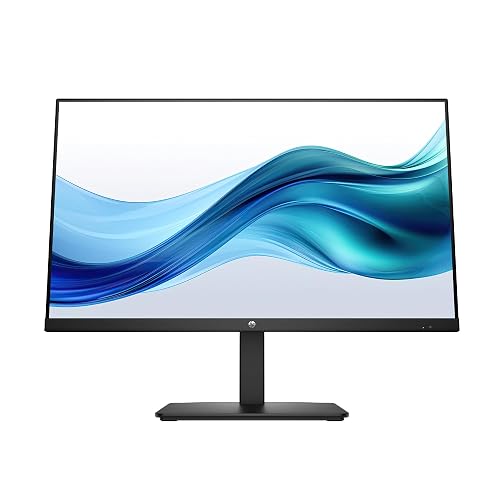 | Best Budget IPS | Resolution: 1920 x 1080 | Panel Type: IPS | Refresh Rate: 100Hz | VIEW LATEST PRICE | Read Our Analysis |
| Philips 271V8LB 27-Inch Full HD 100Hz Monitor | 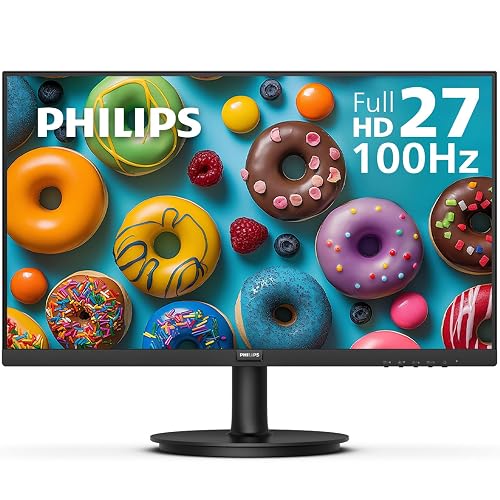 | Best Contrast Value | Resolution: 1920 x 1080 | Panel Type: VA | Refresh Rate: 100Hz | VIEW LATEST PRICE | Read Our Analysis |
| Acer Nitro 27-inch QHD Gaming Monitor (KG271U) | 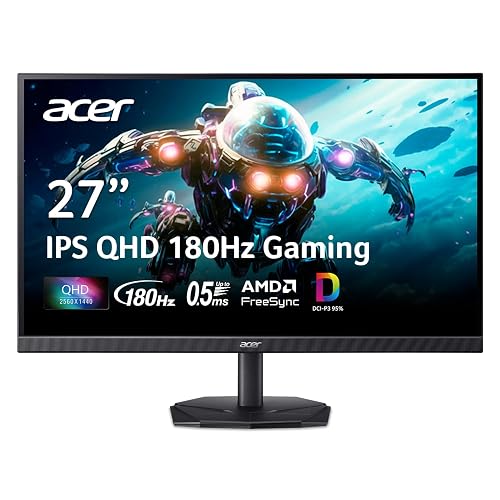 | Best Budget Gaming | Resolution: 2560 x 1440 | Panel Type: IPS | Refresh Rate: Up to 180Hz | VIEW LATEST PRICE | Read Our Analysis |
| ASUS ProArt 27-inch WQHD Monitor PA278CV | 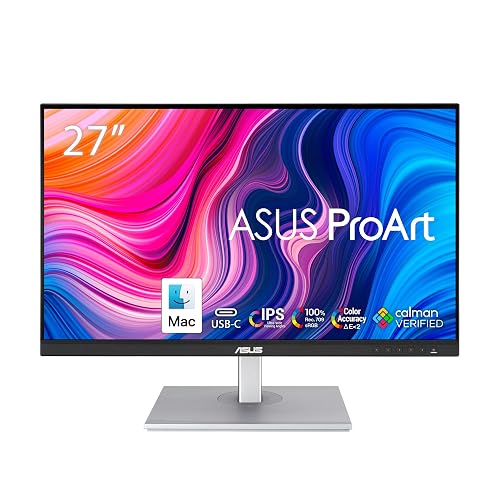 | Professional Grade | Resolution: 2560 x 1440 | Panel Type: IPS | Refresh Rate: 75Hz | VIEW LATEST PRICE | Read Our Analysis |
| Dell S2725DS 27-Inch QHD Monitor | 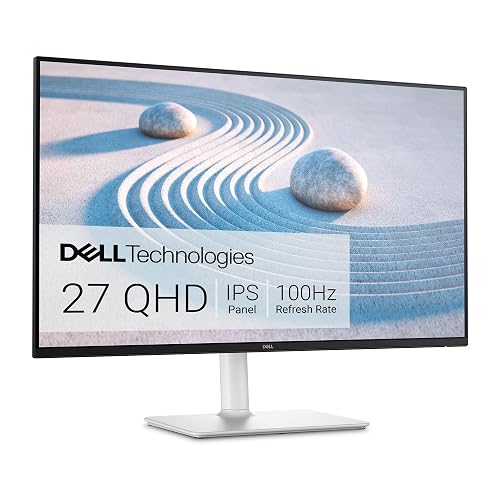 | Best Everyday QHD | Resolution: 2560 x 1440 | Panel Type: IPS | Refresh Rate: 100Hz | VIEW LATEST PRICE | Read Our Analysis |
| ViewSonic VS2747-H 27-Inch 1080p IPS Monitor |  | Best Basic Monitor | Resolution: 1920 x 1080 | Panel Type: IPS | Refresh Rate: 100Hz | VIEW LATEST PRICE | Read Our Analysis |
| Dell 27 Plus 4K Monitor S2725QS | 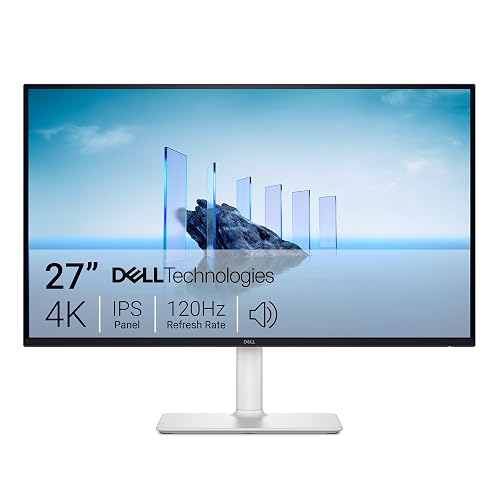 | Best 4K Upgrade | Resolution: 3840 x 2160 | Panel Type: IPS | Refresh Rate: 120Hz | VIEW LATEST PRICE | Read Our Analysis |
| LG 27GR83Q-B 27-inch QHD 240Hz Gaming Monitor | 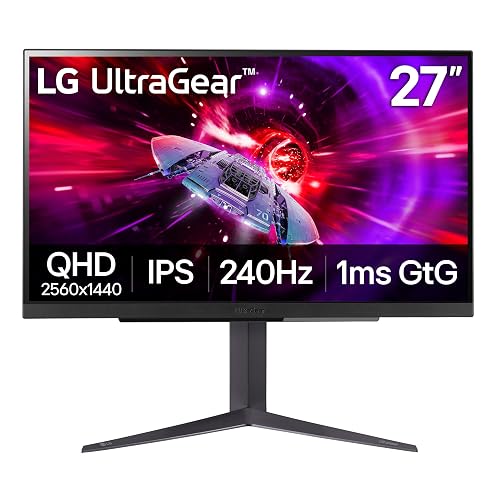 | Best For Esports | Resolution: 2560 x 1440 | Panel Type: IPS | Refresh Rate: 240Hz | VIEW LATEST PRICE | Read Our Analysis |
| Dell 27-inch Full HD Monitor SE2725HM |  | Most Affordable Dell | Resolution: 1920 x 1080 | Panel Type: IPS | Refresh Rate: 100Hz | VIEW LATEST PRICE | Read Our Analysis |
| LG 27-inch Full HD IPS Monitor (27U411A-B) | 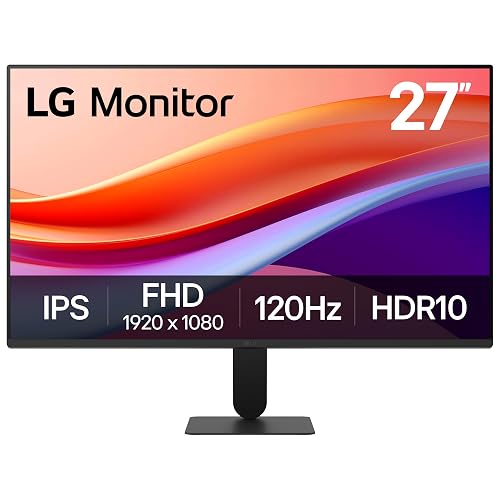 | Best Full HD Value | Resolution: 1920 x 1080 | Panel Type: IPS | Refresh Rate: 120Hz | VIEW LATEST PRICE | Read Our Analysis |
More Details on Our Top Picks
HP Series 3 27-inch FHD Monitor (327se)
If you want an affordable 27-inch screen for everyday entertainment and general use, the HP Series 3 27-inch FHD Monitor (327se) is a solid fit. It features a 1920 x 1080 IPS panel with wide 178° viewing angles, a matte finish, 250 nits brightness, and a 1300:1 contrast ratio. The 100Hz refresh rate and 5 ms response time help keep motion looking clearer.
You can connect a desktop or laptop through HDMI 1.4, DisplayPort 1.2, or VGA, and HP includes an HDMI cable. Dual 2W speakers, tilt adjustment, micro-edge bezels, and eye-care features add everyday comfort. Its recycled materials and energy-efficient design also improve its overall value.
- Resolution:1920 x 1080
- Panel Type:IPS
- Refresh Rate:100Hz
- Response Time:5 ms
- Brightness:250 nits
- Connectivity:VGA, HDMI 1.4, DisplayPort 1.2
- Additional Feature:HP Eye Ease
- Additional Feature:Dual 2W speakers
- Additional Feature:90% recycled plastics
Philips 271V8LB 27-Inch Full HD 100Hz Monitor
Philips 271V8LB is a strong choice for budget-conscious users who want a larger 27-inch screen, smoother 100Hz performance, and solid everyday image quality without paying extra for a higher-resolution display. It features a Full HD VA panel with rich 3000:1 contrast, 16.7 million colors, and wide 178-degree viewing angles.
The 100Hz refresh rate, 4ms response time, and Adaptive-Sync support smoother productivity and casual gaming with reduced stutter. Eye Care features, including LowBlue Mode, Flicker-Free technology, and EasyRead, help reduce strain during extended use. The frameless design gives it a modern look, works well in multi-monitor setups, and includes HDMI, VGA, VESA mounting support, and a reassuring four-year warranty.
- Resolution:1920 x 1080
- Panel Type:VA
- Refresh Rate:100Hz
- Response Time:4 ms
- Brightness:250 nits
- Connectivity:HDMI, VGA
- Additional Feature:Adaptive-Sync support
- Additional Feature:EasyRead document mode
- Additional Feature:4-year warranty
Acer Nitro 27-inch QHD Gaming Monitor (KG271U)
Acer’s Nitro KG271U stands out for gamers and multitaskers who want sharp QHD detail and very fast motion handling without moving to a more expensive display. It features a 27-inch IPS panel with 2560 x 1440 resolution, a zero-frame design, matte finish, and wide 178° viewing angles for a clear, consistent picture in both work and play.
With up to 180Hz, 0.5ms GTG, and AMD FreeSync, it reduces tearing, stuttering, ghosting, and input lag during fast-paced action. DCI-P3 95% color and HDR10 give games and creative projects a richer, more vibrant look. DisplayPort, dual HDMI, built-in speakers, tilt adjustment, wall-mount support, and eye-comfort features complete the package.
- Resolution:2560 x 1440
- Panel Type:IPS
- Refresh Rate:Up to 180Hz
- Response Time:Up to 0.5 ms GTG
- Brightness:250 cd/m²
- Connectivity:DisplayPort 1.2, 2 x HDMI 2.0
- Additional Feature:HDR10 support
- Additional Feature:DCI-P3 95%
- Additional Feature:Built-in speakers
ASUS ProArt 27-inch WQHD Monitor PA278CV
ASUS’s ProArt PA278CV is a strong choice for creators, professionals, and hybrid work setups that need accurate color without moving up to 4K pricing. It features a 27-inch WQHD IPS panel with a non-glare finish, 350 nits of brightness, wide 178-degree viewing angles, and a smooth 75Hz refresh rate.
For color-critical work, it covers 100% sRGB and 100% Rec. 709, comes factory calibrated, holds Calman Verified status, and targets Delta E below 2. USB-C supports DisplayPort and 65W charging, while HDMI, DisplayPort, a USB hub, and daisy chaining improve connectivity. The stand also supports easy height, tilt, and pivot adjustment.
- Resolution:2560 x 1440
- Panel Type:IPS
- Refresh Rate:75Hz
- Response Time:5 ms
- Brightness:350 cd/m²
- Connectivity:USB-C, DisplayPort, HDMI, USB hub, 3.5mm audio
- Additional Feature:Calman Verified
- Additional Feature:USB-C 65W PD
- Additional Feature:Delta E <2
Dell S2725DS 27-Inch QHD Monitor
If you want a versatile 27-inch monitor for work, streaming, and everyday gaming, the Dell S2725DS stands out with its QHD 2560 x 1440 resolution, delivering 1.77 times more detail than Full HD. It features IPS visuals, a matte anti-glare finish, 178° viewing angles, 99% sRGB color, and a 1500:1 contrast ratio. A 100Hz refresh rate, 8 ms response time, and Adaptive Sync with FreeSync help keep motion smooth.
It also includes dual 5W speakers, multiple audio profiles, and TÜV Rheinland eye comfort. The Ash White design offers height, tilt, swivel, and pivot adjustments, along with VESA support, HDMI, DisplayPort, and efficient 21.4W power consumption.
- Resolution:2560 x 1440
- Panel Type:IPS
- Refresh Rate:100Hz
- Response Time:8 ms
- Brightness:Not specified
- Connectivity:2 x HDMI, DisplayPort
- Additional Feature:Dual 5W speakers
- Additional Feature:99% sRGB
- Additional Feature:Full ergonomic stand
ViewSonic VS2747-H 27-Inch 1080p IPS Monitor
ViewSonic’s VS2747-H is a strong choice if you want an affordable 27-inch monitor for everyday work, streaming, and light gaming, because it combines a spacious Full HD IPS panel with a smoother 100Hz refresh rate and 1ms response time.
It delivers wide 178° viewing angles, a matte anti-glare finish, and Adaptive Sync support for cleaner motion. Flicker-Free technology and a Blue Light Filter help reduce eye strain, while presets for Game, Movie, Web, Text, and Mono let you adjust the image quickly. Its thin-bezel, three-sided frameless design looks clean on any desk, and HDMI plus VGA maintain compatibility with PCs, laptops, and Macs. A three-year warranty adds peace of mind.
- Resolution:1920 x 1080
- Panel Type:IPS
- Refresh Rate:100Hz
- Response Time:1 ms
- Brightness:250 nits
- Connectivity:HDMI, VGA
- Additional Feature:3-sided frameless design
- Additional Feature:Flicker-Free technology
- Additional Feature:3-year warranty
Dell 27 Plus 4K Monitor S2725QS
Dell’s 27 Plus 4K Monitor S2725QS is a strong choice for anyone who wants sharp 4K detail and smoother everyday performance without moving to a gaming focused display. It features a 27 inch IPS panel, 3840 x 2160 resolution, a 120Hz refresh rate, and Adaptive Sync with FreeSync Premium for cleaner, tear free motion. The matte, anti glare screen reaches 350 nits, covers 99% sRGB, and helps reduce eye strain with ComfortView Plus.
It also includes integrated speakers, ultra thin bezels, and a clean Ash White design. Height, tilt, swivel, and pivot adjustments make it easier to set up a comfortable workspace, while HDMI, DisplayPort, and Dell’s warranty provide added confidence for daily use.
- Resolution:3840 x 2160
- Panel Type:IPS
- Refresh Rate:120Hz
- Response Time:0.03 ms
- Brightness:350 nits
- Connectivity:2 x HDMI, DisplayPort
- Additional Feature:4K UHD resolution
- Additional Feature:ComfortView Plus
- Additional Feature:Integrated speakers
LG 27GR83Q-B 27-inch QHD 240Hz Gaming Monitor
LG’s 27GR83Q-B is a strong choice for competitive gamers who want a sharp 27-inch QHD picture and 240Hz performance. It features a fast IPS panel, 1ms GtG response time, low input lag, and HDMI 2.1 or DisplayPort 1.4 support for high refresh gameplay. G-SYNC Compatible and FreeSync Premium support help keep motion smooth and screen tearing under control.
It also includes HDR400 support, 95% DCI-P3 color coverage, and useful gaming tools such as Black Stabilizer, Adaptive Action Sync, Crosshair, and an FPS Counter. The matte, three-side borderless design looks clean, and the stand offers height, tilt, and pivot adjustments for a more comfortable setup.
- Resolution:2560 x 1440
- Panel Type:IPS
- Refresh Rate:240Hz
- Response Time:1 ms GtG
- Brightness:400 cd/m²
- Connectivity:2 x HDMI 2.1, DisplayPort 1.4, USB, headphone jack
- Additional Feature:G-SYNC Compatible
- Additional Feature:DisplayHDR 400
- Additional Feature:Black Stabilizer
Dell 27-inch Full HD Monitor SE2725HM
If you want an affordable 27-inch monitor for everyday work, browsing, and light entertainment, the Dell SE2725HM stands out with its Full HD IPS panel, 100Hz refresh rate, and wide 178° viewing angles. You get smooth scrolling, Adaptive Sync, FreeSync, and an anti-glare screen that stays comfortable during long sessions.
ComfortView Plus reduces blue light without affecting color accuracy, while TÜV Rheinland 3-Star certification and low flicker technology help reduce eye strain. You also get practical features like tilt adjustment, VESA support, a built-in power supply, and a cable holder. HDMI and VGA make setup simple, and Dell backs it with a 1-year Advanced Exchange warranty.
- Resolution:1920 x 1080
- Panel Type:IPS
- Refresh Rate:100Hz
- Response Time:8 ms
- Brightness:250 nits
- Connectivity:HDMI, VGA
- Additional Feature:ComfortView Plus
- Additional Feature:Built-in power supply
- Additional Feature:TÜV Rheinland certified
LG 27-inch Full HD IPS Monitor (27U411A-B)
For anyone who wants a large, budget-friendly screen for work and everyday use, the LG 27-inch Full HD IPS Monitor (27U411A-B) stands out with its 27-inch IPS panel, 120Hz refresh rate, and wide 178° viewing angles. It delivers sharp Full HD visuals, HDR10 support, 99% sRGB color, and a matte finish that helps reduce glare.
You also get 1ms Motion Blur Reduction, Adaptive Sync, FreeSync, G-Sync compatibility, and Dynamic Action Sync for smoother motion and faster response. Black Stabilizer helps improve visibility in dark scenes, while Flicker Safe and Reader Mode help reduce eye strain. Its 3-side borderless design, slim stand, tilt adjustment, and HDMI input help keep your setup clean.
- Resolution:1920 x 1080
- Panel Type:IPS
- Refresh Rate:120Hz
- Response Time:5 ms
- Brightness:250 cd/m²
- Connectivity:HDMI
- Additional Feature:HDR10 support
- Additional Feature:99% sRGB
- Additional Feature:Black Stabilizer
Factors to Consider When Choosing 27 Inch Monitors
When choosing a 27 inch monitor, start with resolution and sharpness, then compare panel type and color quality. You should also check refresh rate and response time so they match how you work or play. Finally, make sure the monitor offers the right connectivity, solid ergonomics, good eye comfort, and strong overall value.
Resolution And Sharpness
Although 1920 × 1080 is still common on 27-inch monitors, it looks less crisp at this size because the lower pixel density makes text and fine details appear softer. If you mainly browse or stream and want to save money, Full HD can still work, but you will notice the difference next to sharper options.
QHD, 2560 × 1440, gives you about 1.77 times more pixels than Full HD, so text, images, and interface elements look noticeably cleaner on a 27-inch display. If you want the sharpest common option, 4K, 3840 × 2160, delivers extremely fine detail and smoother-looking text, though you might need scaling so menus and icons stay readable. For reading, design, and multitasking, choosing a higher resolution usually gives you the best overall experience.
Panel Type And Color
Because panel technology shapes both image quality and comfort, it is worth paying close attention to how IPS and VA screens differ. IPS panels usually give you wider 178° viewing angles and more consistent colors from the side, while VA panels often produce much higher contrast, sometimes around 3000:1, for darker blacks and a more vivid image.
If you edit photos, videos, or design work, prioritize color accuracy. Look for coverage around 99% to 100% sRGB or Rec. 709, and about 95% DCI-P3 if you want richer wide-gamut color. Contrast also affects depth, so 1500:1 or 1900:1 can look noticeably better than 1000:1 class displays. Choose matte if you work near windows and want less glare. Choose glossy if you prefer extra vibrancy. For everyday use, aim for IPS or VA, Full HD or QHD, and 250 nits.
Refresh Rate And Response
You should also check response time, because lower figures like 1 ms to 5 ms reduce motion blur, ghosting, and smearing during quick scene changes. When gaming or moving the cursor quickly, a fast refresh rate combined with low response time improves perceived responsiveness and can help reduce input lag. Adaptive sync also matters because it matches the monitor’s refresh rate to frame output, which helps reduce tearing and stutter. For mostly static work, modest refresh rates can still feel perfectly fine.
Connectivity And Ergonomics
When comparing 27-inch monitors, connectivity and ergonomics can influence day-to-day usability just as much as image quality. Look for multiple inputs, including HDMI, DisplayPort, and VGA, so the monitor works easily with desktops, laptops, and older devices without requiring extra adapters. USB-C with DisplayPort support and power delivery can simplify your setup by carrying video and charging through a single cable, while built-in USB hubs provide easier access to peripherals.
Strong ergonomic adjustments are also important. Height, tilt, swivel, and pivot controls help you position the screen properly, which can improve posture during long work sessions. VESA mount support and daisy-chaining make multi-monitor setups cleaner and more flexible. Thin bezels, compact stands, and cable management features can also save desk space and keep the workspace organized.
Eye Comfort And Value
Although resolution and color often get the spotlight, eye comfort and overall value can matter just as much in a 27-inch monitor you use every day. Prioritize always-on low-blue-light modes, flicker-free backlights, and certifications like TÜV Rheinland or Eyesafe, since they can help reduce fatigue during long sessions. A matte or anti-glare panel also reduces reflections, and 178° viewing angles help keep the image consistent if you shift around.
When assessing value, pay attention to practical specs. Brightness in the 250 to 350 nit range usually provides clear text in bright rooms without requiring excessive output. A 100Hz refresh rate is a strong middle ground, making scrolling smoother than 60Hz without the added cost of a premium gaming display. Adaptive Sync, built-in speakers, and ergonomic tilt or height adjustment can also add useful everyday convenience for work or entertainment.
Frequently Asked Questions
Do 27-Inch Monitors Require Special Desk Mounts or VESA Adapters?
No, 27-inch monitors usually do not need special desk mounts or VESA adapters. You only need a mount with the right size, enough weight capacity, and a matching VESA pattern. If your monitor does not have VESA mounting holes, then you will need an adapter.
How Much Electricity Do 27-Inch Monitors Typically Use Annually?
A 27-inch monitor typically uses about 20 to 60 watts during operation, which adds up to roughly 30 to 100 kWh per year. Actual electricity use depends on factors such as brightness, panel type, refresh rate, and how many hours you use it each day.
Are Refurbished 27-Inch Monitors Worth Buying for Long-Term Reliability?
Yes, buying refurbished 27-inch monitors can be worthwhile for long-term reliability. Choose reputable sellers, review the warranty, verify panel hours, and avoid heavily used units if you want dependable performance over time.
Can 27-Inch Monitors Be Safely Used With Gaming Consoles?
Yes, you can safely use 27-inch monitors with gaming consoles, as long as you check HDMI compatibility, resolution, and refresh rate. You will get great results when the monitor supports your console’s output and offers low input lag.
What Warranty Length Is Ideal When Buying a 27-Inch Monitor?
Aim for a three-year warranty. It acts as your monitor’s safety net, like a sturdy umbrella before rain. It helps protect your investment, covers common failures, and provides peace of mind. If you plan to keep the monitor longer, choose a four-year warranty.




