

Choosing a 32-inch 4K monitor in 2026 means comparing options that prioritize sharp detail, smooth motion, and accurate color.
You will find OLED models designed for fast gaming, along with IPS and VA panels that work well for productivity and entertainment, plus smart displays that offer more than basic screen use.
The right choice depends on how you plan to use the monitor, and a few differences can have a bigger impact than they first appear to.
| LG UltraGear 32-inch Curved QHD Gaming Monitor |  | Best For Gaming | Resolution: 2560 x 1440 | Panel Type: VA | Refresh Rate: 180Hz | VIEW LATEST PRICE | Read Our Analysis |
| LG 32-Inch Ultrafine 4K UHD Monitor | 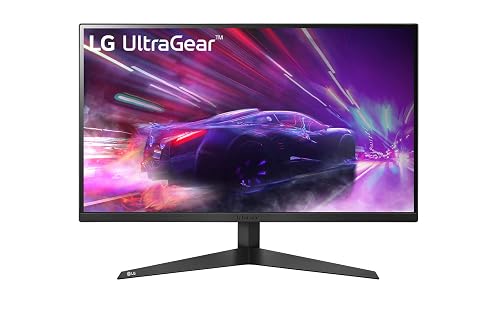 | Best Everyday 4K | Resolution: 3840 x 2160 | Panel Type: VA | Refresh Rate: 60Hz | VIEW LATEST PRICE | Read Our Analysis |
| ViewSonic VX3276-4K-MHD 32-Inch 4K IPS Monitor | 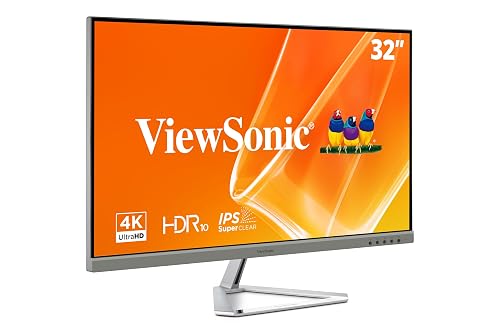 | Best For Creators | Resolution: 3840 x 2160 | Panel Type: IPS/MVA | Refresh Rate: 60Hz | VIEW LATEST PRICE | Read Our Analysis |
| LG Ultrafine 32-inch 4K UHD Monitor | 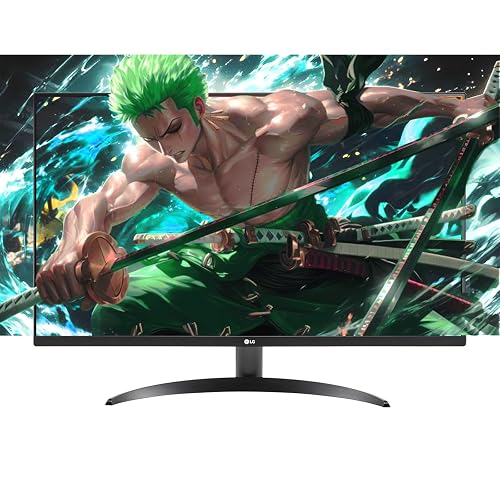 | Best Productivity Pick | Resolution: 3840 x 2160 | Panel Type: VA LED | Refresh Rate: 60Hz | VIEW LATEST PRICE | Read Our Analysis |
| ASUS ROG Swift 32” 4K OLED Monitor |  | Premium Gaming Pick | Resolution: 3840 x 2160 | Panel Type: QD-OLED | Refresh Rate: 240Hz | VIEW LATEST PRICE | Read Our Analysis |
| LG 32UP83A-W 32-Inch 4K UHD Monitor | 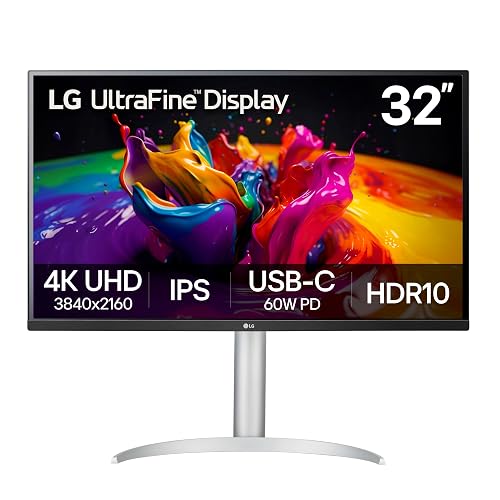 | Best For MacBooks | Resolution: 3840 x 2160 | Panel Type: IPS | Refresh Rate: 60Hz | VIEW LATEST PRICE | Read Our Analysis |
| LG 32UR500K-B 32-inch 4K UHD Monitor |  | Best Value 4K | Resolution: 3840 x 2160 | Panel Type: VA LED | Refresh Rate: 60Hz | VIEW LATEST PRICE | Read Our Analysis |
| Dell 32 Plus 4K Monitor (S3225QS) | 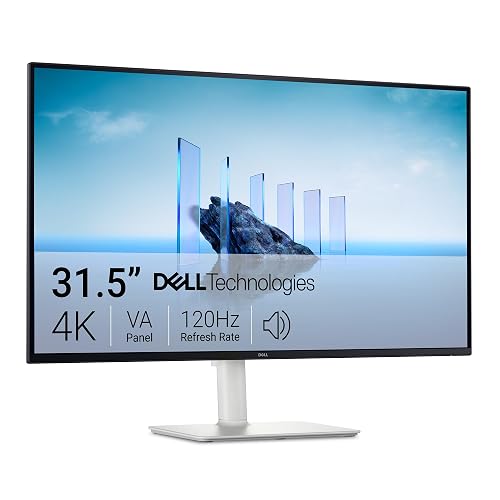 | Best For Entertainment | Resolution: 3840 x 2160 | Panel Type: VA | Refresh Rate: Up to 120Hz | VIEW LATEST PRICE | Read Our Analysis |
| MSI MPG 321URX 32-inch 4K QD-OLED Monitor | 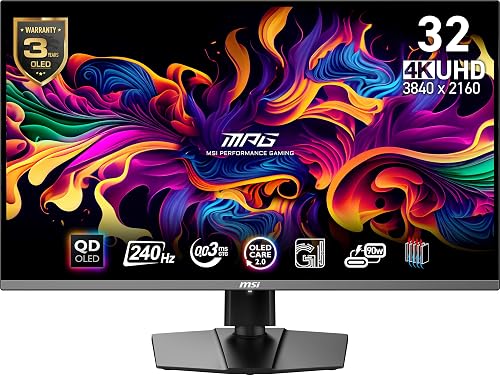 | Best OLED Upgrade | Resolution: 3840 x 2160 | Panel Type: QD-OLED | Refresh Rate: 240Hz | VIEW LATEST PRICE | Read Our Analysis |
| Samsung 32” Smart Monitor M8 4K UHD | 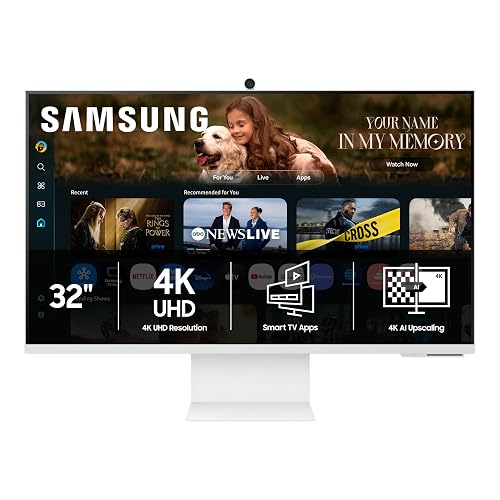 | Smartest Monitor | Resolution: 3840 x 2160 | Panel Type: LED/LCD | Refresh Rate: 60Hz | VIEW LATEST PRICE | Read Our Analysis |
More Details on Our Top Picks
LG UltraGear 32-inch Curved QHD Gaming Monitor
Should you want a screen that prioritizes speed and immersion over true 4K resolution, the LG UltraGear 32GS60QC-B fits competitive gamers especially well. You get a 32-inch VA panel with a 1000R curve, QHD 2560 x 1440 resolution, 180Hz refresh rate, and 1ms GtG response time for smooth, low-latency play.
Its 3000:1 contrast ratio, 99% sRGB coverage, HDR10 support, and matte finish help games look punchy without excessive glare. You can use FreeSync, VESA Adaptive Sync, Dynamic Action Sync, Black Stabilizer, and FPS Counter to stay competitive. The ultra-thin, three-side borderless design adds style, while HDMI, DisplayPort, USB, tilt adjustment, and wall mounting improve flexibility.
- Resolution:2560 x 1440
- Panel Type:VA
- Refresh Rate:180Hz
- Response Time:1ms GtG
- HDR Support:HDR10
- HDMI Ports:2
- Additional Feature:1000R curved screen
- Additional Feature:99% sRGB color
- Additional Feature:Black Stabilizer
LG 32-Inch Ultrafine 4K UHD Monitor
If you want a 32-inch 4K monitor that balances everyday productivity, media use, and light gaming, the LG 32-Inch Ultrafine 4K UHD Monitor stands out with its sharp 3840 x 2160 resolution, HDR10 support, and 90% DCI-P3 color coverage.
It features a 31.5-inch VA panel with a matte finish, 178-degree viewing angles, and a 4ms response time for clear visuals. FreeSync, Adaptive Sync, Progressive Action Sync, and Black Stabilizer help casual gaming feel smoother at 60Hz. Built-in dual speakers with Waves MaxxAudio add convenience, while OnScreen Control and split-screen tools improve multitasking. Its borderless black design, tilt-adjustable stand, wall-mount support, and HDMI and DisplayPort connectivity make it easy to fit into most desk setups.
- Resolution:3840 x 2160
- Panel Type:VA
- Refresh Rate:60Hz
- Response Time:4ms
- HDR Support:HDR10
- HDMI Ports:2
- Additional Feature:Built-in dual speakers
- Additional Feature:90% DCI-P3 color
- Additional Feature:OnScreen Control
ViewSonic VX3276-4K-MHD 32-Inch 4K IPS Monitor
For shoppers who want a stylish 32-inch 4K display for everyday work and entertainment, the ViewSonic VX3276-4K-MHD stands out with its sharp 3840 x 2160 resolution, IPS-class wide-angle viewing, and slim frameless design. It features a matte anti-glare screen, 300-nit brightness, 2500:1 contrast, HDR10, and a 118% color gamut for crisp, vivid visuals.
It also helps reduce eye strain with Flicker-Free technology, a Blue Light Filter, and preset modes for game, movie, web, text, and mono use. You can connect laptops, PCs, and Macs through two HDMI ports, DisplayPort, or mini DisplayPort. The three-year warranty adds peace of mind.
- Resolution:3840 x 2160
- Panel Type:IPS/MVA
- Refresh Rate:60Hz
- Response Time:4ms
- HDR Support:HDR10
- HDMI Ports:2
- Additional Feature:Flicker-Free technology
- Additional Feature:Blue Light Filter
- Additional Feature:Mini DisplayPort input
LG Ultrafine 32-inch 4K UHD Monitor
LG’s Ultrafine 32-inch 4K UHD monitor is a strong choice for users who want a large, sharp display for everyday productivity while still getting solid media performance. It features a 3840 x 2160 VA panel, HDR10 support, 90% DCI-P3 color coverage, and a matte finish that helps reduce glare. The borderless design and tilt-adjustable stand also help create a more comfortable setup.
For work, OnScreen Control makes screen splitting simple, while Flicker Safe and Reader Mode help reduce eye strain. For casual gaming, it includes FreeSync, Dynamic Action Sync, and Black Stabilizer. Dual HDMI, DisplayPort, stereo speakers, and a headphone output complete the package.
- Resolution:3840 x 2160
- Panel Type:VA LED
- Refresh Rate:60Hz
- Response Time:4ms
- HDR Support:HDR10
- HDMI Ports:2
- Additional Feature:Built-in stereo speakers
- Additional Feature:Reader Mode
- Additional Feature:90% DCI-P3 color
ASUS ROG Swift 32” 4K OLED Monitor
ASUS’s ROG Swift 32-inch 4K OLED is a strong choice for gamers who want elite speed and excellent image quality. It features a 4K QD-OLED panel with a 240Hz refresh rate, 0.03ms response time, deep blacks, and vivid color. Third-generation QD-OLED technology, true 10-bit color, 99% DCI-P3 coverage, and DisplayHDR 400 True Black help games and creative work look outstanding.
It also includes G-SYNC Compatible support, Adaptive Sync, and useful features such as Shadow Enhance, GAMEVISUAL, and USB-C with 90W charging. ASUS adds a custom heatsink, airflow-focused design, graphene film, and OLED Care tools to help reduce burn-in risk over time.
- Resolution:3840 x 2160
- Panel Type:QD-OLED
- Refresh Rate:240Hz
- Response Time:0.03ms GTG
- HDR Support:DisplayHDR 400 True Black
- HDMI Ports:2
- Additional Feature:QD-OLED panel
- Additional Feature:90W USB-C PD
- Additional Feature:Custom heatsink cooling
LG 32UP83A-W 32-Inch 4K UHD Monitor
A standout choice for creators and multitaskers, the LG 32UP83A-W pairs a 31.5-inch 4K IPS panel with 95% DCI-P3 color coverage, HDR10 support, and USB-C with 60W power delivery. It delivers sharp detail, wide 178° viewing angles, and strong clarity for editing, design, and everyday productivity. The anti-glare screen performs well in bright rooms, while Reader Mode helps reduce eye strain during long sessions.
It also supports casual gaming with AMD FreeSync, Dynamic Action Sync, Black Stabilizer, a 60Hz refresh rate, and a 5ms response time. USB-C, HDMI, DisplayPort, Screen Split, built-in speakers, and the adjustable stand make the setup flexible and efficient for most desks.
- Resolution:3840 x 2160
- Panel Type:IPS
- Refresh Rate:60Hz
- Response Time:5ms
- HDR Support:HDR10
- HDMI Ports:2
- Additional Feature:USB-C 60W charging
- Additional Feature:Height/pivot adjustable
- Additional Feature:DCI-P3 95% color
LG 32UR500K-B 32-inch 4K UHD Monitor
If you want a budget-friendly 32-inch 4K display for everyday work, streaming, and light gaming, the LG 32UR500K-B stands out with its 3840 x 2160 resolution, VA panel, and HDR10 support. It features a matte screen, up to 90% DCI-P3 color coverage, and wide 178° viewing angles, so content looks sharp and vibrant.
For gaming, it includes FreeSync, Adaptive Sync, Dynamic Action Sync, Black Stabilizer, and a 4ms response time to help keep motion smooth. It also includes built-in stereo speakers with Waves MaxxAudio, along with Reader Mode and Flicker Safe for added comfort. Two HDMI ports, DisplayPort, tilt adjustment, and wall-mount support complete the package.
- Resolution:3840 x 2160
- Panel Type:VA LED
- Refresh Rate:60Hz
- Response Time:4ms
- HDR Support:HDR10
- HDMI Ports:2
- Additional Feature:Built-in stereo speakers
- Additional Feature:Reader Mode
- Additional Feature:Borderless design
Dell 32 Plus 4K Monitor (S3225QS)
Dell’s 32 Plus 4K Monitor (S3225QS) is an especially strong fit if you want one screen that can handle work, gaming, and streaming without compromise. It features a 31.5-inch 3840 x 2160 VA panel with a matte, anti-glare finish, a 120Hz refresh rate, a 0.03ms response time, AMD FreeSync Premium, and Adaptive Sync for smooth visuals.
It also delivers rich, true-to-life color with 99% sRGB and 95% DCI-P3 coverage. ComfortView Plus reduces blue light to 35% or less for more comfortable all-day viewing. Dell also includes built-in speakers, ultra-thin bezels, height and tilt adjustment, HDMI and DisplayPort connectivity, plus a solid warranty package.
- Resolution:3840 x 2160
- Panel Type:VA
- Refresh Rate:Up to 120Hz
- Response Time:0.03ms
- HDR Support:HDR-ready
- HDMI Ports:2
- Additional Feature:Built-in speakers
- Additional Feature:Height adjustable stand
- Additional Feature:ComfortView Plus
MSI MPG 321URX 32-inch 4K QD-OLED Monitor
MSI’s MPG 321URX stands out as a top pick for gamers who want elite speed without sacrificing 4K image quality. It features a 31.5-inch QD-OLED panel, 3840 x 2160 resolution, a 240Hz refresh rate, and an exceptionally fast 0.03ms response time. The glossy screen, True Black 400 certification, 99% DCI-P3 coverage, and ΔE ≤2 accuracy produce excellent contrast and vivid, accurate color.
For connectivity, it supports HDMI 2.1, DisplayPort 1.4a, and USB-C with 90W power delivery, making it easy to connect a console, desktop, or laptop. Adaptive-Sync, FreeSync, OLED Care 2.0, and Console Mode help maintain smooth gameplay. The adjustable stand and three-year warranty add further value.
- Resolution:3840 x 2160
- Panel Type:QD-OLED
- Refresh Rate:240Hz
- Response Time:0.03ms GtG
- HDR Support:DisplayHDR True Black 400
- HDMI Ports:1
- Additional Feature:QD-OLED panel
- Additional Feature:90W USB-C PD
- Additional Feature:OLED Care 2.0
Samsung 32” Smart Monitor M8 4K UHD
Samsung’s 32-inch Smart Monitor M8 4K UHD is a strong choice for anyone who wants a single screen for work, streaming, and casual gaming. It features a sharp 3840 x 2160 display with a matte finish, 400-nit brightness, HDR10+, AI upscaling, and wide viewing angles. Its 3,000:1 contrast ratio helps movies and everyday office content look clear and detailed.
You can stream apps through Tizen, use Gaming Hub for cloud gaming, and benefit from Adaptive Sync, FreeSync, and G-Sync support for smoother gameplay. USB-C, HDMI, USB-A, Wi-Fi, and Bluetooth provide flexible connectivity. The ergonomic stand, SmartThings controls, and Knox security also make daily use more convenient and secure.
- Resolution:3840 x 2160
- Panel Type:LED/LCD
- Refresh Rate:60Hz
- Response Time:4ms
- HDR Support:HDR10+
- HDMI Ports:1
- Additional Feature:Smart TV apps
- Additional Feature:Gaming Hub
- Additional Feature:Wi-Fi built-in
Factors to Consider When Choosing 32 Inch 4K Monitors
When choosing a 32 inch 4K monitor, start by evaluating resolution and sharpness so text, images, and video appear clear and detailed. Next, compare panel types, refresh rate requirements, and color accuracy coverage based on how you plan to use the display. Finally, review the available connectivity and ports to ensure the monitor works well with your setup.
Resolution And Sharpness
Clarity matters most here. A 32-inch monitor with true 4K native resolution, 3840 × 2160, delivers much sharper text and finer image detail than QHD or 1080p at the same size. When you read, edit, code, or work in spreadsheets, that extra pixel density makes small fonts, cells, and interface elements look cleaner, with less jaggedness and visible pixelation.
You also get more usable detail for side-by-side multitasking, so windows stay crisp without requiring extreme zoom levels. Still, resolution alone does not tell the whole story. Two 32-inch monitors can share the same 3840 × 2160 specification yet differ slightly in perceived text clarity because subpixel layout and overall panel quality affect sharpness. When crispness is your priority, choose a model with true native 4K rather than a lower-resolution panel that relies on scaling.
Panel Type Differences
Sharpness tells you how detailed a 32-inch 4K monitor looks, but panel type shapes how that detail appears in real use. If you want deeper blacks, VA panels usually lead, often reaching contrast ratios around 1000:1 to 3000:1 or higher, so dark scenes look richer than they do on many IPS screens.
If you need dependable color and stable image quality from different seats, IPS panels usually serve you better. Many offer 178° viewing angles and stronger color coverage for accurate photo or design work. QD-OLED goes further with self-emissive pixels, near-instant 0.03 ms response times, excellent black levels, and strong motion clarity. As you compare options, do not focus on one spec alone. Check contrast ratio, viewing angle, response time, brightness, and color gamut together before you buy.
Refresh Rate Needs
Although resolution gets most of the attention, refresh rate has a major impact on how smooth a 32-inch 4K monitor feels in everyday use. Measured in hertz, refresh rate indicates how many times the screen updates each second. For browsing, office work, and streaming, 60 Hz is typically sufficient and can also be more power efficient.
If you play games or watch fast-paced content, the difference between 60 Hz and 120 Hz is immediately noticeable. Motion appears smoother, and input feels more responsive because the display updates more frequently. If you want even clearer motion, 180 Hz and 240 Hz can reduce blur further and feel especially smooth in competitive games. Still, it is important to match the monitor to your PC, console, and cable, since higher refresh rates only provide a benefit when your hardware can actually support them.
Color Accuracy Coverage
Why does color accuracy coverage matter so much on a 32-inch 4K monitor? It tells you how many colors the panel can actually reproduce within spaces like sRGB, DCI-P3, or Adobe RGB. Higher percentages mean a wider range of visible color, which becomes important when you edit photos, grade video, or create graphics.
For everyday desktop use and web content, around 99% sRGB is usually enough because that is where most non-professional content lives. If you do more serious creative work, aim for 90% to 95% DCI-P3. For color-critical tasks, 99% DCI-P3 provides a much wider gamut. Still, do not focus on numbers alone. A broad gamut can make reds, greens, and blues look richer, but you still need proper calibration to avoid oversaturation or color shifts.
Connectivity And Ports
When comparing 32-inch 4K monitors, make sure the port selection fits your setup from the start. You need the right mix, whether that includes two HDMI ports, a DisplayPort, USB-C, or USB-A for your PC, console, or laptop. If the monitor does not have what you need, you will end up relying on adapters and giving up convenience.
USB-C is even more important if you want one-cable laptop charging, but check the power delivery rating first, since some displays offer around 60W while others provide 90W. Extra USB ports and a built-in hub are also useful because they let you connect a keyboard, mouse, or external drive directly. Do not overlook a headphone jack, especially for desktop or console use. Finally, confirm compatibility, since some models support only HDMI and DisplayPort, while others also include USB-C.
Ergonomics And Mounting
Port selection matters, but the way a 32-inch 4K monitor fits your body and desk matters just as much. Prioritize height, tilt, swivel, and pivot adjustments so you can position the screen at eye level and reduce neck and shoulder strain. At this size, a stable stand with smooth tilt control helps maintain a comfortable viewing angle, whether you choose a flat or curved panel.
Look for VESA support, ideally 100 x 100 mm, if you plan to wall-mount the display or use a monitor arm. This gives you more placement flexibility and can free up desk space. Check the monitor’s weight as well, since heavier panels require sturdier desks or mounts. For longer work or gaming sessions, reader mode, flicker reduction, and low blue light features can improve comfort.
HDR And Brightness
Although many 32-inch 4K monitors advertise HDR, the best approach is to look beyond the label and evaluate brightness, contrast, and color gamut together. HDR support can range from basic HDR10 to more capable formats such as DisplayHDR True Black 400 or HDR10+ AI, and those differences affect how much highlight detail and contrast you actually see.
Peak brightness also deserves close attention. In this size category, most displays fall between 250 and 400 nits, and brighter panels usually create a stronger HDR effect, especially in bright rooms or visually intense scenes. Contrast is equally important, since many VA panels range from 1000:1 to 3000:1, while OLED-class displays produce much deeper blacks. When you combine that with a wide color gamut, such as 90%, 95%, or 99% DCI-P3, HDR will appear much more vivid overall.
Frequently Asked Questions
How Long Do 32-Inch 4K Monitors Typically Last?
You can expect a 32-inch 4K monitor to last about 5 to 10 years. If you use it moderately, keep it cool, and avoid running it at maximum brightness all the time, it will usually deliver longer, more reliable performance.
Are 32-Inch 4K Monitors Safe for Long Daily Use?
Yes, you can safely use 32-inch 4K monitors daily if you set proper brightness, maintain good posture, and take regular breaks. You can reduce eye strain by following the 20-20-20 rule and keeping an appropriate viewing distance.
Do 32-Inch 4K Monitors Increase Electricity Bills Significantly?
No, a 32-inch 4K monitor usually will not cause a significant increase in your electricity bill. Most models use a moderate amount of power, so operating costs remain low unless you use very high brightness for many hours every day.
Can I Wall-Mount Any 32-Inch 4K Monitor Easily?
About 90% of 32-inch monitors support VESA mounts, so you can usually wall-mount one without much difficulty. Check the VESA pattern, monitor weight, screw depth, and port access first, or you may run into installation problems.
What Warranty Coverage Is Common for 32-Inch 4K Monitors?
You’ll commonly get a one to three year limited warranty on 32-inch 4K monitors, covering manufacturing defects, parts, and labor. Some brands also include dead-pixel or advance replacement policies, but you should always check exclusions, shipping terms, and coverage details.




