

If you’re shopping for a 4K gaming monitor in 2026, you’ve got more strong options than ever, from affordable IPS panels to premium Mini-LED and OLED displays.
The challenge isn’t finding a good screen; it’s choosing the one that fits how you actually play.
Some models prioritize speed, others focus on image quality, and a few deliver both.
The monitors below stand out for their value and performance, along with the trade-offs you should understand before you decide.
| Samsung 34-inch ViewFinity S50GC Ultra-WQHD Monitor | 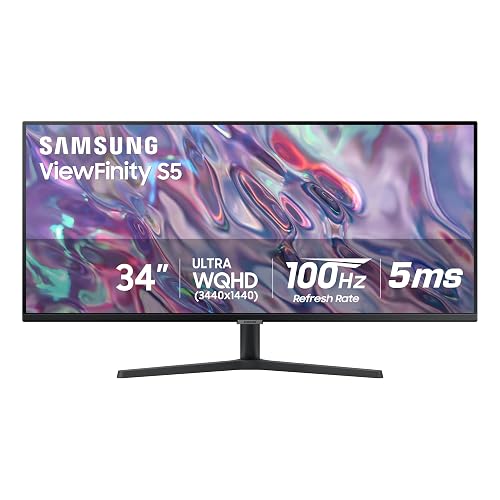 | Best Ultrawide Value | Resolution: 3440 x 1440 | Screen Size: 34-inch | Refresh Rate: 100Hz | VIEW LATEST PRICE | Read Our Analysis |
| Acer Nitro 27-Inch QHD Gaming Monitor (KG271U) | 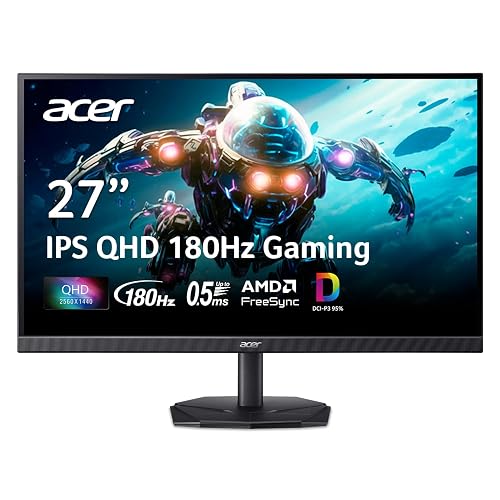 | Budget Gaming Pick | Resolution: 2560 x 1440 | Screen Size: 27-inch | Refresh Rate: 180Hz | VIEW LATEST PRICE | Read Our Analysis |
| LG UltraGear 27-inch Curved QHD Gaming Monitor | 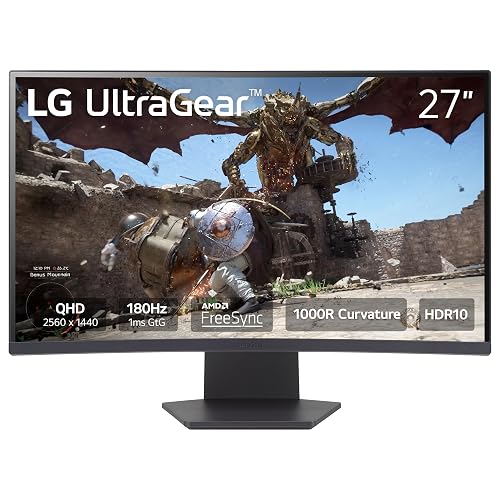 | Best Curved QHD | Resolution: 2560 x 1440 | Screen Size: 27-inch | Refresh Rate: 180Hz | VIEW LATEST PRICE | Read Our Analysis |
| Dell 27 Plus 4K Monitor (S2725QS) | 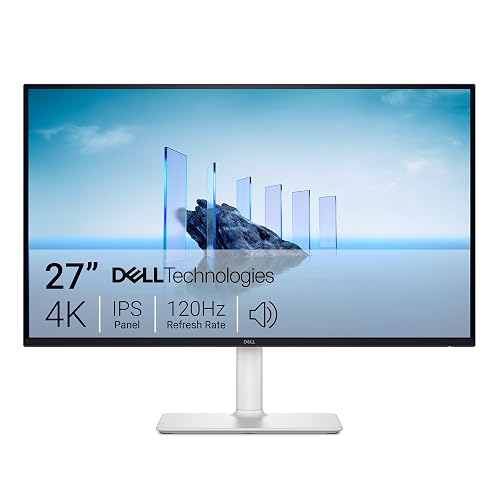 | Best 4K Everyday | Resolution: 3840 x 2160 | Screen Size: 27-inch | Refresh Rate: 120Hz | VIEW LATEST PRICE | Read Our Analysis |
| Samsung Odyssey Neo G8 32″ Gaming Monitor | 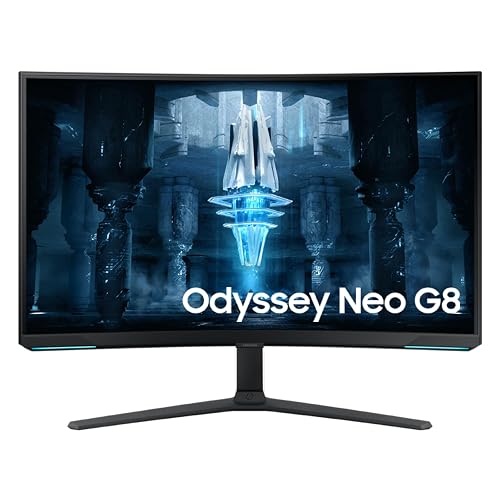 | Best Premium Gaming | Resolution: 3840 x 2160 | Screen Size: 32-inch | Refresh Rate: 240Hz | VIEW LATEST PRICE | Read Our Analysis |
| Acer Nitro 27-inch 4K Gaming Monitor (VG270K) | 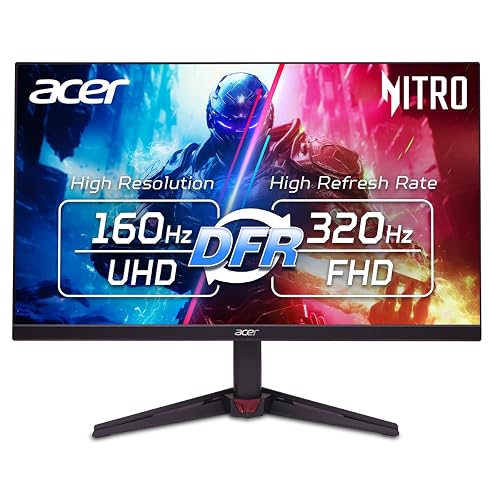 | Best 4K Value | Resolution: 3840 x 2160 | Screen Size: 27-inch | Refresh Rate: 160Hz | VIEW LATEST PRICE | Read Our Analysis |
| INNOCN 40C1R 40-Inch Ultrawide Monitor | 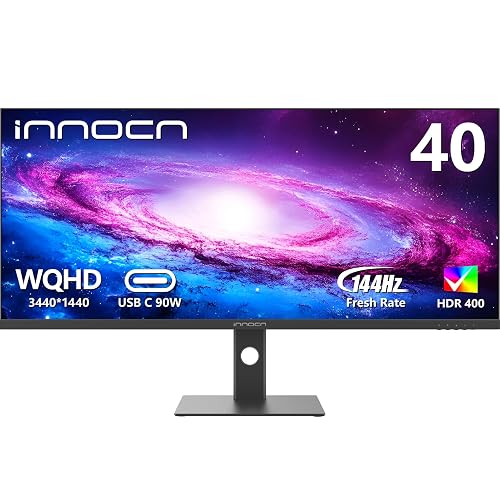 | Best Productivity Ultrawide | Resolution: 3440 x 1440 | Screen Size: 40-inch | Refresh Rate: 144Hz | VIEW LATEST PRICE | Read Our Analysis |
| ASUS ROG Swift 32” 4K OLED Monitor |  | Best OLED Splurge | Resolution: 3840 x 2160 | Screen Size: 32-inch | Refresh Rate: 240Hz | VIEW LATEST PRICE | Read Our Analysis |
| Samsung 43″ Odyssey Neo G7 Gaming Monitor | 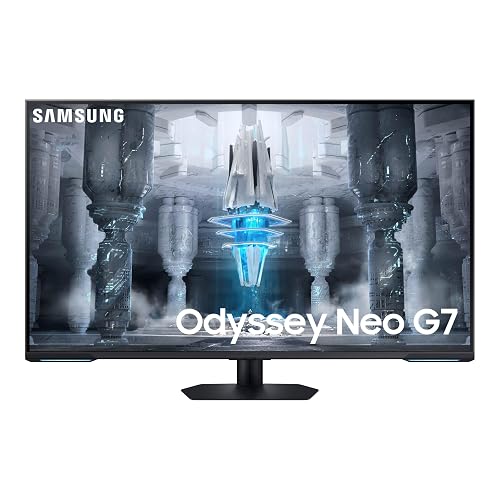 | Best Smart Gaming | Resolution: 3840 x 2160 | Screen Size: 43-inch | Refresh Rate: 144Hz | VIEW LATEST PRICE | Read Our Analysis |
| Alienware 34 Curved Gaming Monitor (AW3425DWM) |  | Best Immersive Curved | Resolution: 2560 x 1440 | Screen Size: 34-inch | Refresh Rate: 180Hz | VIEW LATEST PRICE | Read Our Analysis |
More Details on Our Top Picks
Samsung 34-inch ViewFinity S50GC Ultra-WQHD Monitor
Whenever you want an ultrawide display that balances gaming and productivity, the Samsung 34-inch ViewFinity S50GC stands out with its 34-inch Ultra-WQHD screen, 21:9 aspect ratio, and 3440 x 1440 resolution. You get a matte LCD panel, HDR10, 300 nits of brightness, and a 3000:1 contrast ratio that helps images look rich and clear.
For play, its 100Hz refresh rate, 5ms response time, and AMD FreeSync help keep action smooth with less blur and tearing. You can also protect your eyes with Intelligent Eye Care, Eye Saver Mode, and Flicker Free technology. HDMI, DisplayPort, USB, PIP, and PBP support make multitasking easy every day.
- Resolution:3440 x 1440
- Screen Size:34-inch
- Refresh Rate:100Hz
- Response Time:5ms
- Adaptive Sync:AMD FreeSync / Adaptive Sync
- Warranty:1-year
- Additional Feature:PIP/PBP multitasking
- Additional Feature:Intelligent Eye Care
- Additional Feature:Ambient light sensor
Acer Nitro 27-Inch QHD Gaming Monitor (KG271U)
Acer’s Nitro KG271U is a smart pick for gamers who want high-refresh QHD performance without paying premium 4K prices. It features a 27-inch IPS panel, a 180Hz refresh rate, and up to a 0.5ms GTG response time. You get sharp 2560 x 1440 visuals, wide 178-degree viewing angles, and 95% DCI-P3 color for vivid gameplay. HDR10 support, FreeSync, and low input lag help keep motion smooth and screen tearing under control.
You’ll also appreciate the matte zero-frame design, built-in speakers, and flexible connectivity with DisplayPort 1.2 and two HDMI 2.0 ports. Tilt adjustment, wall-mount support, and the included three-year warranty add practical value.
- Resolution:2560 x 1440
- Screen Size:27-inch
- Refresh Rate:180Hz
- Response Time:0.5ms
- Adaptive Sync:AMD FreeSync
- Warranty:3-year
- Additional Feature:IPS panel
- Additional Feature:Built-in speakers
- Additional Feature:95% DCI-P3
LG UltraGear 27-inch Curved QHD Gaming Monitor
Gamers who want a fast, immersive display without moving to a larger screen should take a close look at the LG UltraGear 27-inch Curved QHD Gaming Monitor. It features a 27-inch 1000R curved QHD panel with a matte finish, 99% sRGB color, HDR10 support, and a three-side virtually borderless design that helps keep your setup sleek.
For gaming, it offers a 180Hz refresh rate, 1ms GtG response time, AMD FreeSync, and Adaptive Sync for smooth, tear-free action. Adaptive Motion Sync, Black Stabilizer, and FPS Counter help you respond faster. You also get HDMI, DisplayPort, USB, a headphone jack, tilt adjustment, and wall-mount support.
- Resolution:2560 x 1440
- Screen Size:27-inch
- Refresh Rate:180Hz
- Response Time:1ms
- Adaptive Sync:AMD FreeSync / Adaptive Sync
- Warranty:1-year
- Additional Feature:1000R curved screen
- Additional Feature:Black Stabilizer
- Additional Feature:FPS Counter
Dell 27 Plus 4K Monitor (S2725QS)
Dell’s 27 Plus 4K Monitor (S2725QS) is a strong fit if you want a sharp 27-inch 4K display that handles both gaming and everyday work without overspending. It features a crisp 3840 x 2160 IPS panel, a 120Hz refresh rate, a 0.03ms response time, and AMD FreeSync Premium for smoother gameplay. Its matte anti-glare finish, 350-nit brightness, and 1500:1 contrast help games and videos look clean and balanced.
You’ll also appreciate the ultra-thin bezels, ash white design, ergonomic stand, and desk-mount support. Integrated speakers, two HDMI ports, DisplayPort, ComfortView Plus, HDR readiness, and 99% sRGB coverage also make it a versatile option for editing.
- Resolution:3840 x 2160
- Screen Size:27-inch
- Refresh Rate:120Hz
- Response Time:0.03ms
- Adaptive Sync:AMD FreeSync Premium / Adaptive Sync
- Warranty:1-year Advanced Exchange + Premium Panel
- Additional Feature:Integrated speakers
- Additional Feature:Height/pivot/swivel adjust
- Additional Feature:99% sRGB
Samsung Odyssey Neo G8 32″ Gaming Monitor
If you want a 4K gaming monitor that prioritizes speed just as much as image quality, the Samsung Odyssey Neo G8 32″ stands out with its 240Hz refresh rate and 1ms GTG response time.
It features a 32-inch 3840 x 2160 VA panel with a 1000R curve, Quantum Matrix Technology, and Quantum HDR2000 for strong contrast and highlights up to 2,000 nits. AMD FreeSync Premium Pro, G-Sync support, and Adaptive-Sync help keep gameplay smooth and tear-free. The matte screen, flicker-free design, and 178-degree viewing angles improve comfort. You can connect your PC or console through DisplayPort, HDMI, or USB-C, and it also supports easy wall mounting.
- Resolution:3840 x 2160
- Screen Size:32-inch
- Refresh Rate:240Hz
- Response Time:1ms
- Adaptive Sync:AMD FreeSync Premium Pro / G-Sync
- Warranty:1-year
- Additional Feature:Quantum HDR2000
- Additional Feature:1000R curved screen
- Additional Feature:G-Sync support
Acer Nitro 27-inch 4K Gaming Monitor (VG270K)
Acer’s Nitro VG270K is a strong choice if you want sharp 4K detail and fast competitive performance in a 27-inch display. It features an IPS panel, HDR10, 90% DCI-P3 color, and a matte finish that helps keep images crisp and vibrant.
For gaming, it includes AMD FreeSync Premium, up to 160Hz at 4K, and DFR mode that reaches 320Hz at 1080p. Response times drop to 0.5ms, which helps reduce blur, tearing, and ghosting during intense matches. You also get DisplayPort 1.4, two HDMI 2.1 ports, tilt adjustment, built-in speakers, VESA support, and a slim ZeroFrame design that works well in multi-monitor setups.
- Resolution:3840 x 2160
- Screen Size:27-inch
- Refresh Rate:160Hz
- Response Time:0.5ms
- Adaptive Sync:AMD FreeSync Premium
- Warranty:3-year
- Additional Feature:HDMI 2.1 ports
- Additional Feature:Built-in speakers
- Additional Feature:DFR 320Hz mode
INNOCN 40C1R 40-Inch Ultrawide Monitor
Gamers and multitaskers who want more screen space without moving to dual monitors should take a close look at the INNOCN 40C1R. It features a 40-inch 21:9 ultrawide panel with a sharp 3440 x 1440 resolution, HDR400, 500 nits of brightness, and 95% DCI-P3 color for vivid gaming and accurate creative work.
For gaming, it supports up to 144Hz over DisplayPort or 100Hz over HDMI, while AMD FreeSync Premium, Adaptive Sync, and a 1ms response time help keep motion smooth. USB-C, DisplayPort, and dual HDMI ports make it easy to connect PCs, consoles, phones, and tablets. It also includes PBP and PIP modes, ergonomic adjustments, low blue light, and wall-mount support.
- Resolution:3440 x 1440
- Screen Size:40-inch
- Refresh Rate:144Hz
- Response Time:1ms
- Adaptive Sync:AMD FreeSync Premium / Adaptive Sync
- Warranty:1-year
- Additional Feature:USB-C connectivity
- Additional Feature:Delta E <2
- Additional Feature:Height/swivel adjustment
ASUS ROG Swift 32” 4K OLED Monitor
For players who want top-tier speed without sacrificing image quality, the ASUS ROG Swift PG32UCDM stands out with a 32-inch 4K QD-OLED panel, a 240 Hz refresh rate, and an ultra-fast 0.03 ms response time. It delivers rich contrast, 99% DCI-P3 color, true 10-bit output, and DisplayHDR 400 True Black for vivid, accurate visuals.
It also includes G-SYNC Compatible support, Adaptive Sync, and blur-free motion. ASUS adds a custom heatsink, graphene film, and OLED Care tools to help reduce burn-in risk. With HDMI, DisplayPort, USB-C with 90W charging, ergonomic adjustments, and a three-year warranty, it is a premium choice.
- Resolution:3840 x 2160
- Screen Size:32-inch
- Refresh Rate:240Hz
- Response Time:0.03ms
- Adaptive Sync:G-SYNC Compatible / Adaptive Sync
- Warranty:3-year
- Additional Feature:QD-OLED panel
- Additional Feature:90W USB-C PD
- Additional Feature:OLED Care functions
Samsung 43″ Odyssey Neo G7 Gaming Monitor
Samsung’s 43-inch Odyssey Neo G7 stands out when you want a big-screen 4K gaming monitor that can handle console play, PC gaming, and streaming. It delivers a sharp 3840 x 2160 image, a 144Hz refresh rate, 1ms MPRT, and FreeSync Premium Pro for smooth, responsive motion. Quantum Mini LEDs, Quantum Matrix Technology, and HDR600 improve contrast, brightness, and highlight detail.
You also get Gaming Hub, Smart TV apps, Wi‑Fi, and Bluetooth for convenient entertainment access. Flex Move Screen and Ultrawide Game View add useful versatility. HDMI, DisplayPort, USB, Ethernet, plus the included remote and cables, help make setup simple.
- Resolution:3840 x 2160
- Screen Size:43-inch
- Refresh Rate:144Hz
- Response Time:1ms
- Adaptive Sync:AMD FreeSync Premium Pro / Adaptive Sync
- Warranty:1-year
- Additional Feature:Gaming Hub
- Additional Feature:Smart TV apps
- Additional Feature:Flex Move Screen
Alienware 34 Curved Gaming Monitor (AW3425DWM)
Alienware’s 34 Curved Gaming Monitor (AW3425DWM) is a strong fit if you want an ultrawide display that feels fast and immersive without moving up to a full 4K panel. It features a 34-inch, 1500R curved 21:9 screen with 2560 x 1440 resolution, a matte finish, and a 3,000:1 contrast ratio for deeper-looking scenes.
It also supports a 180Hz refresh rate and a 1ms gray-to-gray response time, so gameplay stays smooth and responsive. AMD FreeSync Premium and VESA AdaptiveSync help reduce tearing, while DisplayHDR 400 and 95% DCI-P3 color add extra visual impact. You also get HDMI, DisplayPort, USB connectivity, tilt and height adjustment, and a three-year warranty for added peace of mind.
- Resolution:2560 x 1440
- Screen Size:34-inch
- Refresh Rate:180Hz
- Response Time:1ms
- Adaptive Sync:AMD FreeSync Premium / AdaptiveSync
- Warranty:3-year
- Additional Feature:1500R curved ultrawide
- Additional Feature:DisplayHDR 400
- Additional Feature:Hardware low blue light
Factors to Consider When Choosing 4k Gaming Monitor Deals
When comparing 4k gaming monitor deals, start with resolution and panel type, since they directly affect image sharpness and color accuracy. It is also important to consider refresh rate, response time, and adaptive sync support based on the type of games you play, so performance feels smooth and responsive. HDR and brightness should not be ignored, because they influence contrast, highlight detail, and overall screen visibility in different lighting conditions.
Resolution And Panel Type
Clarity starts with native 4K resolution, so you’ll want a monitor that delivers the full 3840 × 2160 image for much sharper game detail and UI than 1080p. That gives you four times the pixels of 1080p, which makes textures, maps, and text look cleaner and more defined.
Panel type also shapes your experience. IPS panels give you wider viewing angles and steadier color, which helps in shared setups. VA panels usually offer stronger contrast and deeper blacks, so shadowy scenes gain more depth. OLED and QD-OLED displays push contrast much further and pair it with near-instant pixel response for exceptionally crisp motion. You should also check contrast ratings on LCDs, such as 1500:1 or 3000:1, along with matte coatings and roughly 178° viewing angles to keep bright-room visibility strong.
Refresh Rate Needs
A higher refresh rate can transform 4K gaming. Displays with 120Hz, 144Hz, 180Hz, or 240Hz look much smoother than 60Hz in fast-moving scenes. If you mostly play shooters, racing games, or other competitive titles, prioritize refresh rate over extra features. Smoother motion can make action easier to track and can reduce screen tearing and perceived input lag.
Before you buy, confirm that your PC or console can actually run 4K at the monitor’s rated refresh rate. Some models only reach their maximum Hz through specific ports, cables, or settings. Adaptive sync also becomes more important as refresh rates increase, because it helps maintain smooth gameplay when frame rates drop. For mixed use, 100Hz to 120Hz is a smart balance. 144Hz and above is better suited to enthusiasts who want maximum fluidity.
Response Time Performance
Refresh rate gets most of the attention, but response time also has a major effect on how clean 4K gaming looks in motion. When pixels change too slowly, you will notice motion blur and ghosting, especially during fast camera pans or competitive play. That is why lower response times matter, with top panels reaching roughly 0.03 ms to 1 ms gray-to-gray.
You should evaluate response time alongside refresh rate, not on its own. A 240Hz monitor will not look truly sharp if pixel transitions lag behind the refresh cycle. Faster response becomes even more important as frame rates rise because it keeps moving objects clearer. When you compare deals, check whether the specs use GTG or MPRT, since those measurements can differ significantly. In general, 1 ms class performance is strong, while 5 ms can produce visible smearing.
Adaptive Sync Support
Because 4K gaming can expose every dip in frame delivery, Adaptive Sync plays a key role in keeping gameplay smooth. It allows your monitor to match its refresh rate to your GPU’s frame output, which helps reduce screen tearing, minimize stuttering, and lower perceived input lag during gameplay. At 4K, frame rate fluctuations are often more noticeable, so this feature becomes even more important.
You should pay close attention to Adaptive Sync if you are buying a higher refresh rate panel, since 120Hz, 144Hz, 180Hz, and 240Hz displays benefit more when frame delivery varies. You will usually see this support listed as FreeSync, G-SYNC Compatible, or VESA AdaptiveSync, but the core function is the same. Before you buy, confirm that both your GPU and your connection standard support it, otherwise you may not be able to use the feature correctly.
HDR And Brightness
Why does HDR matter so much on a 4K gaming monitor? It makes bright highlights look more lifelike, so explosions, sunlight, and reflective surfaces feel richer and more convincing. When you compare deals, do not assume any HDR label guarantees a dramatic upgrade. Basic HDR often improves compatibility, but if peak brightness sits around 250 to 350 nits, you will not see much separation between bright and dark areas.
You will get a stronger experience from monitors closer to HDR600 or higher, especially in games with dark scenes and bright interface elements. If a display reaches 1,000 nits or more, HDR effects stand out more clearly, and fine highlight detail becomes easier to spot. Also check contrast ratio. Higher contrast helps maintain deep blacks while bright specular details stay vivid, not washed out.
Ports And Connectivity
USB-C is a useful bonus because it can carry video, support peripherals, and sometimes charge devices through a single cable. Extra USB ports on the monitor are also helpful, since they provide a convenient place to connect a mouse, keyboard, headset, or external drive. If you use multiple devices at once, look for Picture-in-Picture or Picture-by-Picture support so you can view two sources side by side.
Size And Ergonomics
While you compare 4K gaming monitor deals, size and ergonomics matter just as much as raw specs. A 32 to 43 inch display makes fine 4K detail easier to appreciate, but you will need enough desk depth so the image does not feel overpowering at normal viewing distances.
Think about shape and fit, too. A 34 inch ultrawide gives you a roomy 21:9 layout for side by side windows, while a standard 27 inch 16:9 model usually fits smaller desks better. Curved screens, especially those with a 1000R to 1500R curve, can pull the edges into view and reduce head movement during long sessions. You should also prioritize a stand with height, tilt, swivel, and pivot adjustments. If space is tight, VESA mounting can help you reclaim desk space and set a comfortable eye level.
Warranty And Value
Although price gets most of the attention, warranty coverage often determines whether a 4K gaming monitor deal actually saves you money. A longer warranty reduces your risk of paying for repairs or a replacement later, which matters even more with expensive displays. While one year of coverage is common, three years usually indicates better long-term value if you plan to keep the monitor for several years.
You should also look beyond the headline warranty term. Check how long parts and labor are covered, and see whether the monitor includes premium panel exchange or advanced exchange service. Those benefits can protect you more effectively than warranty length alone. The cheapest monitor is not always the best purchase when support is limited. Compare warranty coverage with power consumption, build quality, and included accessories so you can judge total value, not just the upfront cost.
Frequently Asked Questions
Do 4K Gaming Monitors Increase Electricity Usage Significantly?
No, 4K gaming monitors usually do not increase your electricity usage significantly. They provide sharper visuals while typically maintaining a modest power draw. In most cases, screen size, brightness, refresh rate, and panel type have a greater impact on power consumption than resolution alone during gaming.
How Long Do Gaming Monitors Typically Last With Daily Use?
You can expect a gaming monitor to last about 5 to 10 years with daily use. It may last longer if you keep the brightness at a reasonable level, prevent overheating, and handle it with care.
Are Extended Warranties Worth Buying for Gaming Monitors?
Better safe than sorry, yes, you should buy an extended warranty for a gaming monitor if it is affordable and specifically covers panel defects. It can protect you from expensive failures, but avoid overpriced plans with limited coverage.
Can 4K Gaming Monitors Be Safely Mounted on Monitor Arms?
Yes, you can safely mount 4K gaming monitors on monitor arms, as long as you match VESA compatibility, weight limits, and arm quality. Tighten the hardware properly, balance the arm, and test its movement to prevent strain.
What Is the Best Way to Clean a Gaming Monitor Screen?
Clean your gaming monitor with a dry microfiber cloth. About 80% of screen scratches come from paper towels and rough fabrics. If needed, lightly dampen the cloth with distilled water, then wipe gently.




