

You probably do not know that the best AI laptops aren not just faster, they are built around NPUs that handle local AI tasks without draining battery.
If you want a machine that keeps up with work, creative apps, and travel, the right choice matters more than ever.
From ASUSs powerful ROG Flow Z13 to Microsofts Copilot+ models and Apples latest MacBook Neo, one of these could be the smarter pick for you.
| ASUS ROG Flow Z13 Gaming Laptop (GZ302EA-XS99) |  | Best Performance | Processor: AMD Ryzen AI MAX+ 395 | Memory: 128GB | Storage: 1TB SSD | VIEW LATEST PRICE | Read Our Analysis |
| Microsoft Surface Pro 2-in-1 Copilot+ PC (2024) |  | Best Portable | Processor: Snapdragon X Elite | Memory: 16GB | Storage: 256GB SSD | VIEW LATEST PRICE | Read Our Analysis |
| Microsoft Surface Pro 2-in-1 Laptop/Tablet (2024) |  | Best 2-in-1 | Processor: Snapdragon X Elite | Memory: 16GB | Storage: 1TB SSD | VIEW LATEST PRICE | Read Our Analysis |
| Microsoft Surface Laptop 2024 Copilot+ PC 13.8″ 1TB SSD |  | Best Premium | Processor: Snapdragon X Elite | Memory: 32GB | Storage: 1TB SSD | VIEW LATEST PRICE | Read Our Analysis |
| Microsoft Surface Laptop (2024) Copilot+ PC 1TB SSD | 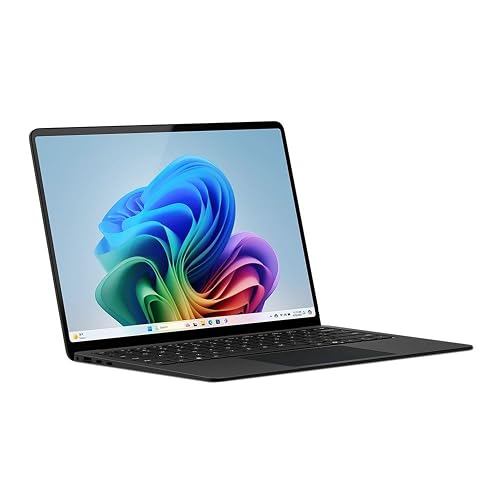 | Best Battery Life | Processor: Snapdragon X Elite | Memory: 32GB | Storage: 1TB SSD | VIEW LATEST PRICE | Read Our Analysis |
| Apple 2026 MacBook Neo 13-inch Laptop (A18 Pro) | 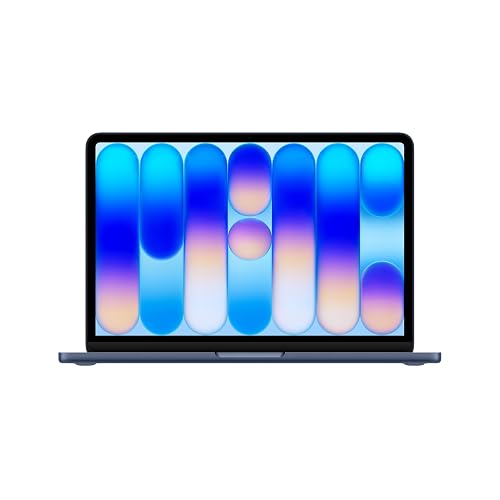 | Best for Apple Users | Processor: A18 Pro | Memory: 8GB | Storage: 512GB SSD | VIEW LATEST PRICE | Read Our Analysis |
More Details on Our Top Picks
ASUS ROG Flow Z13 Gaming Laptop (GZ302EA-XS99)
If you want an AI laptop that can also pull serious gaming duty, the ASUS ROG Flow Z13, GZ302EA-XS99, is a standout pick. It features an AMD Ryzen AI MAX+ 395 chip with 16 Zen 5 cores, Radeon 8060S graphics, and up to 50 TOPS of NPU power for Copilot+ tasks. The 13.4-inch Nebula touchscreen delivers 2.5K resolution, 180 Hz, and vivid DCI-P3 color. With 128 GB of RAM, a 1 TB SSD, Wi-Fi 7, and a 2.7 pound 2-in-1 chassis, you can work, create, and game anywhere.
- Processor:AMD Ryzen AI MAX+ 395
- Memory:128GB
- Storage:1TB SSD
- Display Size:13.4-inch
- Battery Life:Up to 10 hours
- Weight:2.7 lb
- Additional Feature:180Hz Nebula touchscreen
- Additional Feature:170° adjustable kickstand
- Additional Feature:Liquid metal cooling
Microsoft Surface Pro 2-in-1 Copilot+ PC (2024)
The Microsoft Surface Pro 2-in-1 Copilot+ PC (2024) is a strong pick if you want a lightweight Windows device that can switch between laptop and tablet modes without sacrificing power. It includes a 12-core Snapdragon X Elite, 16 GB of LPDDR5 RAM, and a 256 GB SSD, plus NPU support for Copilot+ features. The 13-inch PixelSense OLED touchscreen looks sharp at 2560 x 1600. At 895 grams, it is easy to carry, and the built-in kickstand helps in many situations. You also get Wi-Fi 7, USB-C, fast charging, and up to 14 hours of battery life.
- Processor:Snapdragon X Elite
- Memory:16GB
- Storage:256GB SSD
- Display Size:13-inch
- Battery Life:14 hours
- Weight:895 g
- Additional Feature:Detachable tablet design
- Additional Feature:14-hour battery life
- Additional Feature:5G connectivity
Microsoft Surface Pro 2-in-1 Laptop/Tablet (2024)
For professionals and students who want a premium Windows 11 Copilot+ PC that can work as both a laptop and a tablet, the Microsoft Surface Pro 2-in-1 (2024) stands out with its 13-inch OLED PixelSense touchscreen, Snapdragon X Elite processor, and 1TB SSD. You get 16GB DDR5 memory, NPU-powered Copilot+ features, and up to 14 hours of battery life. Its 2880 x 1920 display hits 600 nits, so you can work indoors or on the move. With Wi-Fi 6, Bluetooth 5.4, 5G, USB-C, and fast charging, it stays flexible for your day.
- Processor:Snapdragon X Elite
- Memory:16GB
- Storage:1TB SSD
- Display Size:13-inch
- Battery Life:14 hours
- Weight:2.96 lb
- Additional Feature:600-nit OLED display
- Additional Feature:Front-facing webcam
- Additional Feature:3-year warranty
Microsoft Surface Laptop 2024 Copilot+ PC 13.8″ 1TB SSD
Microsoft’s Surface Laptop 2024 Copilot+ PC is a strong choice if you want a lightweight business laptop that handles AI features and everyday productivity without sacrificing battery life. It is powered by a Snapdragon X Elite 12-core chip, 32GB of RAM, and a 1TB SSD, so apps open fast and multitasking feels smooth. The 13.8-inch PixelSense Flow touchscreen looks sharp at 2304 x 1536 and reaches 600 nits, and the haptic touchpad and backlit keyboard keep input comfortable. With up to 20 hours of battery life, Wi-Fi 7, and a 2.96-pound build, it is easy to carry anywhere.
- Processor:Snapdragon X Elite
- Memory:32GB
- Storage:1TB SSD
- Display Size:13.8-inch
- Battery Life:Up to 20 hours
- Weight:2.96 lb
- Additional Feature:Precision haptic touchpad
- Additional Feature:Omnisonic speakers
- Additional Feature:Recycled aluminum build
Microsoft Surface Laptop (2024) Copilot+ PC 1TB SSD
If you want a sleek AI laptop that balances serious performance with all-day mobility, the Microsoft Surface Laptop (2024) Copilot+ PC stands out with its Snapdragon X Elite chip, 32GB of RAM, and 1TB SSD. You get a 15-inch PixelSense touchscreen with a sharp 2496 x 1664 resolution and 600-nit brightness for clear viewing. Its 12-core processor, Adreno graphics, and blazing NPU speed help you power through work and Copilot+ tasks. Weighing 3.7 pounds, it lasts up to 20 hours, supports Wi‑Fi 7, and includes USB-C, HDMI/DisplayPort, and Dolby Atmos audio for versatile use.
- Processor:Snapdragon X Elite
- Memory:32GB
- Storage:1TB SSD
- Display Size:15-inch
- Battery Life:Up to 20 hours
- Weight:3.7 lb
- Additional Feature:15-inch PixelSense touchscreen
- Additional Feature:Built-in webcam
- Additional Feature:Dolby Atmos speakers
Apple 2026 MacBook Neo 13-inch Laptop (A18 Pro)
Apple’s 2026 MacBook Neo 13-inch Laptop is a strong pick if you want an AI-focused Mac that feels lightweight, efficient, and easy to live with. It includes the A18 Pro chip, a 16-core Neural Engine, and Apple Intelligence for on-device AI work, and delivers fast macOS performance. The 13-inch Liquid Retina display looks sharp, bright, and colorful, while the 1080p camera and dual microphones help you sound clear on calls. With 8 GB of unified memory, 512 GB of SSD storage, Touch ID, and up to 16 hours of video streaming, it stays portable at just 2.7 pounds.
- Processor:A18 Pro
- Memory:8GB
- Storage:512GB SSD
- Display Size:13-inch
- Battery Life:Up to 16 hours
- Weight:2.7 lb
- Additional Feature:Apple Intelligence built in
- Additional Feature:Touch ID security
- Additional Feature:1080p FaceTime HD camera
Factors to Consider When Choosing AI Laptops
When choosing an AI laptop, prioritize processor power and neural engine performance first, since they determine how well the system handles AI tasks. Also check memory and storage, because they affect speed, multitasking, and how much you can keep on the device. Finally, balance display quality, portability, battery life, and connectivity so the laptop fits the way you work every day.
AI Processor Power
AI processor power is a balancing act. You want a strong NPU for on-device AI tasks, a capable CPU for multitasking, enough fast memory for larger models, and a modern GPU architecture to keep everything moving smoothly. When comparing laptops, check dedicated neural capability first. An NPU rated up to 50 TOPS can speed up local AI work without leaning so hard on the CPU or GPU. Then evaluate core count, since a 16-core processor can keep inference and everyday apps responsive at once. Do not ignore memory. 128 GB of LPDDR5X at 8000 MHz helps with bigger models and crowded workflows. Finally, make sure the graphics hardware has newer compute units to support image generation, video processing, and inference alongside the NPU.
Neural Engine Performance
Neural engine performance indicates how much AI work a laptop can handle locally. Higher TOPS and more dedicated cores usually mean faster image generation, transcription, and real-time assistance. You will notice better speed when the laptop can process tasks on device instead of relying on the cloud. That improves responsiveness, protects privacy, and keeps AI features working offline. Pay attention to memory bandwidth as well, since AI models need quick data access and slower links can bottleneck inference. Efficient neural engines also help maintain steady performance without increasing heat or battery drain too much, which matters in thin laptops. When comparing models, check the advertised neural capability and how well the CPU, RAM, storage, and cooling support it.
Memory And Storage
Memory and storage can make or break an AI laptop, especially if you plan to run models locally or juggle creative work at the same time. You should have at least 16 GB of RAM; 32 GB is often smarter if you handle larger models, big datasets, or heavy multitasking. Some advanced systems even offer 128 GB for demanding workflows. Faster memory, such as LPDDR5X or unified memory running around 8000 MHz, can cut latency and keep inference and creative apps moving smoothly. Storage matters just as much. A 256 GB drive fills fast once you install AI tools, media, and files, so 1 TB gives you real breathing room. Choose a PCIe Gen 4 SSD or similar for quicker launches, faster asset loading, and better everyday responsiveness overall.
Display And Portability
Once you have sorted out memory and storage, the next big factors are the display and how easy the laptop is to carry. Choose a higher-resolution screen, such as 2560 × 1600 or 2880 × 1920, because it sharpens text and AI-generated images and gives you more workspace. OLED or premium IPS panels with wide color coverage, strong contrast, and about 500 to 600 nits of brightness help you see detail clearly in bright environments and when creating content. A 180 Hz refresh rate can make scrolling, pen input, and animations feel smoother, and fast response times reduce blur. For portability, check the weight carefully; devices can range from under 900 grams to nearly 3.7 pounds. Thin, detachable, or kickstand designs improve mobility, though they may compromise keyboard comfort.
Battery And Connectivity
Battery and connectivity can make or break your experience with an AI laptop, so balance endurance, charging speed, and port selection. Aim for a machine that pairs a strong battery with efficient hardware. Real-world runtime can fall anywhere from about 10 to 20 hours. If you travel or work unplugged, that spread matters. Fast charging helps too; a laptop that jumps from roughly 5% to 80% on a 65W or higher USB-C charger cuts downtime fast. For wireless, choose Wi-Fi 7 and Bluetooth 5.4 when you can. Also check the ports carefully, one USB-C port may limit you, while multiple USB-C ports and HDMI give you more flexibility. Verify video, power, and USB4 or Thunderbolt support.
Frequently Asked Questions
How Much RAM Do AI Laptops Need for Smooth Multitasking?
You will want 16 GB minimum for smooth multitasking, and 32 GB is preferable if you run multiple AI tools, keep many browser tabs open, or use creative applications. If you edit very large files or run local models, choose more than 32 GB.
Do AI Laptops Improve Battery Life During Everyday Use?
Yes, if you use them well. Qualcomm says some AI laptops can last up to 18 hours, and you will usually see gains from efficient chips, smarter power management, and on-device AI that reduces background strain.
Can AI Laptops Run Local AI Models Without Internet Access?
Yes, you can run local AI models offline if your laptop has enough RAM, a strong CPU or NPU, and compatible software. You will get faster, privacy-friendly results; however, larger models may still be limited.
Are AI Laptop Features Useful for Students and Remote Workers?
Yes, you will find AI laptop features useful if you study or work remotely, since they speed transcription, sharpen calls, and boost battery life. You can summarize notes, organize tasks, and stay productive anywhere.
Which Ports Matter Most for AI Laptop Productivity?
Thunderbolt 4 matters most for AI laptop productivity. A single port can reach 40 Gbps and drive external displays. You should also have USB-A, HDMI, and a headphone jack so you can connect peripherals quickly without dongles.




