


You are looking at a clean AM5 build, and the motherboard is the quiet piece that determines how far it can go. If you want Ryzen 9000 support, PCIe 5.0, Wi‑Fi 7, and solid power delivery without paying for fluff, the right board matters. These six picks cover high-end and practical options. One of them may suit your setup better than the rest.
| MSI MAG X870 Tomahawk WiFi Gaming Motherboard | 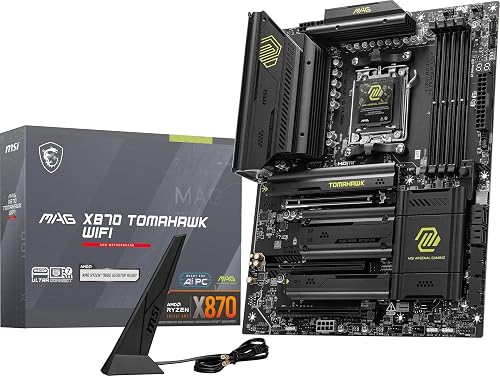 | Best Overall | Chipset: X870 | Form Factor: ATX | Memory Type: DDR5 | VIEW LATEST PRICE | Read Our Analysis |
| MSI PRO B650M-A WiFi AM5 Motherboard | 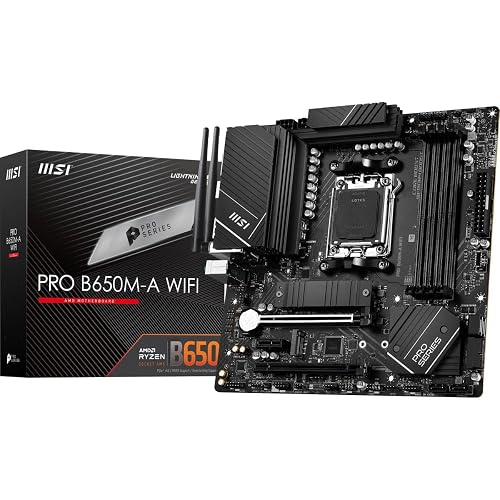 | Best Value | Chipset: B650 | Form Factor: mATX | Memory Type: DDR5 | VIEW LATEST PRICE | Read Our Analysis |
| ASUS ROG Strix X870E-E Gaming WiFi Motherboard |  | Premium Pick | Chipset: X870E | Form Factor: ATX | Memory Type: DDR5 | VIEW LATEST PRICE | Read Our Analysis |
| GIGABYTE X870 AORUS Elite WIFI7 AM5 Motherboard | 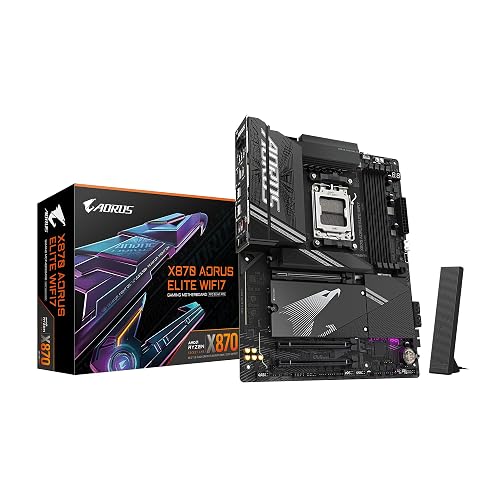 | Best Feature-Rich | Chipset: X870 | Form Factor: ATX | Memory Type: DDR5 | VIEW LATEST PRICE | Read Our Analysis |
| ASUS ROG Strix B850-A Gaming WiFi Motherboard | 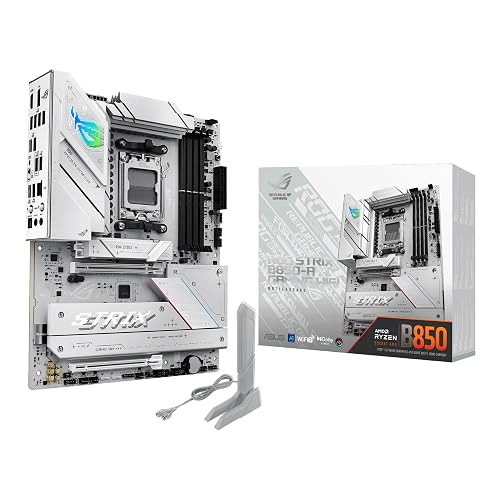 | Best For Builders | Chipset: B850 | Form Factor: ATX | Memory Type: DDR5 | VIEW LATEST PRICE | Read Our Analysis |
| GIGABYTE X870E AORUS PRO ICE Motherboard (AM5) | 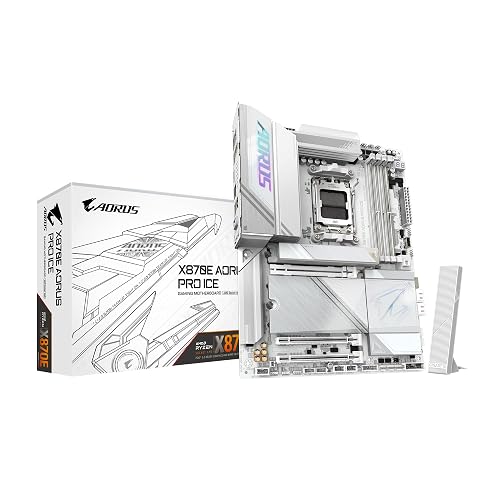 | Best High-End | Chipset: X870E | Form Factor: ATX | Memory Type: DDR5 | VIEW LATEST PRICE | Read Our Analysis |
More Details on Our Top Picks
MSI MAG X870 Tomahawk WiFi Gaming Motherboard
The MSI MAG X870 Tomahawk WiFi is a strong AM5 motherboard choice if you want a future-ready platform for AMD Ryzen 9000, 8000, or 7000 CPUs, especially with built-in USB4, Wi-Fi 7, and PCIe 5.0 support. You get DDR5, M.2 Gen5, and SATA 6Gb/s support for fast storage and memory upgrades. The 5Gbps LAN, Bluetooth 5.4, and HDMI and DisplayPort outputs give you flexible connectivity. Its extended PWM heatsink and enhanced circuit design help keep high-end processors running at full speed. Audio Boost 5 provides clearer, more immersive gaming sound.
- Chipset:X870
- Form Factor:ATX
- Memory Type:DDR5
- Wi-Fi:Wi-Fi 7
- Ethernet Speed:5Gb LAN
- USB4:Yes
- Additional Feature:PCIe 5.0 support
- Additional Feature:M.2 Gen5 support
- Additional Feature:Audio Boost 5
MSI PRO B650M-A WiFi AM5 Motherboard
MSI’s PRO B650M-A WiFi is a smart AM5 pick if you want a compact mATX board that still gives you room to grow. It supports Ryzen 9000, 8000, and 7000 CPUs, DDR5 memory up to 128 GB, and offers 2.5 Gbps LAN plus Wi‑Fi 6E. You get four DIMM slots, PCIe expansion, M.2 storage, and four SATA 6 Gbps ports for flexible builds. MSI also adds Core Boost, Memory Boost, and a premium thermal solution with an M.2 Shield Frozr, so you can expect steady performance, strong compatibility, and reliable cooling in Windows 11 builds.
- Chipset:B650
- Form Factor:mATX
- Memory Type:DDR5
- Wi-Fi:Wi-Fi 6E
- Ethernet Speed:2.5GbE
- USB4:Not listed
- Additional Feature:128 GB max memory
- Additional Feature:7200 MHz memory
- Additional Feature:Optical S/PDIF connector
ASUS ROG Strix X870E-E Gaming WiFi Motherboard
If you want a high-end AM5 board built for aggressive tuning and modern connectivity, the ASUS ROG Strix X870E-E Gaming WiFi stands out. You get support for Ryzen 9000, 8000, and 7000 CPUs on an ATX platform, plus an 18+2+2 power design with 110A stages for serious headroom. ASUS includes AI Overclocking, AI Cooling II, and AI Networking. Massive heatsinks, and an L-shaped heat pipe, keep temps in check. You also get PCIe 5.0 M.2 slots, USB4, WiFi 7, 5 Gb Ethernet, and smart DIY tools.
- Chipset:X870E
- Form Factor:ATX
- Memory Type:DDR5
- Wi-Fi:Wi-Fi 7
- Ethernet Speed:5Gb Ethernet
- USB4:Dual USB4
- Additional Feature:ASUS AI Overclocking
- Additional Feature:18+2+2 power solution
- Additional Feature:Dual USB4 Type-C
GIGABYTE X870 AORUS Elite WIFI7 AM5 Motherboard
GIGABYTE’s X870 AORUS Elite WIFI7 is a strong AM5 pick for you if you want a future-ready ATX board with serious connectivity and headroom for Ryzen 9000, 8000, or 7000 CPUs. You get DDR5 support across four DIMM slots, plus AMD EXPO for easy tuning. PCIe 5.0 and four M.2 slots give you plenty of upgrade room. The 16+2+2 power design, VRM Thermal Guard, and M.2 Thermal Guard help keep things stable. With dual USB4, front and rear USB-C, WiFi 7, 2.5GbE, EZ-Latch, Sensor Panel Link, and a 5-year warranty, it is built for flexibility and confidence.
- Chipset:X870
- Form Factor:ATX
- Memory Type:DDR5
- Wi-Fi:Wi-Fi 7
- Ethernet Speed:2.5GbE
- USB4:Dual USB4
- Additional Feature:5-Year Warranty
- Additional Feature:4 x M.2 slots
- Additional Feature:Sensor Panel Link
ASUS ROG Strix B850-A Gaming WiFi Motherboard
The ASUS ROG Strix B850-A Gaming WiFi is a strong AM5 pick if you want a high-end board for Ryzen 9000, 8000, or 7000 CPUs without overcomplicating the build. It uses a B850 chipset, 14+2+2 power stages rated at 80 A per stage, and an 8+8-pin ProCool connector for stable multi-core performance. DDR5 support reaches 8000 MHz and 192 GB across four slots. Expansion remains flexible with PCIe 5.0, four M.2 slots, and two SATA ports. You also get WiFi 7, 2.5G LAN, USB 20 Gbps Type-C, AI Networking II, and Aura Sync RGB.
- Chipset:B850
- Form Factor:ATX
- Memory Type:DDR5
- Wi-Fi:Wi-Fi 7
- Ethernet Speed:2.5G LAN
- USB4:USB-C 20Gbps
- Additional Feature:192 GB max memory
- Additional Feature:8000 MHz memory
- Additional Feature:Aura Sync RGB
GIGABYTE X870E AORUS PRO ICE Motherboard (AM5)
Built for Ryzen 9000, 8000, and 7000 processors, the GIGABYTE X870E AORUS PRO ICE is aimed at builders who want a high-end AM5 board with strong power delivery and modern connectivity. It uses a 16+2+2 phase design with 80A power stages, and includes VRM and M.2 Thermal Guard cooling. The board supports DDR5 memory across four DIMMs, up to 256GB. Storage options are robust, with PCIe 5.0 support and four M.2 slots. Dual USB4, WiFi 7, 2.5GbE LAN, and a five-year warranty round out the feature set.
- Chipset:X870E
- Form Factor:ATX
- Memory Type:DDR5
- Wi-Fi:Wi-Fi 7
- Ethernet Speed:2.5GbE
- USB4:Dual USB4
- Additional Feature:256 GB max memory
- Additional Feature:5-Year Manufacturer
- Additional Feature:Sensor Panel Link
Factors to Consider When Choosing an Am5 Motherboard
When choosing an AM5 motherboard, verify its CPU support range so it is compatible with the processor you plan to use. Compare chipset features, memory capacity, and expansion slots to ensure the board meets your performance requirements. Also review connectivity options, including the available ports and wireless support, to make your build easier to use.
CPU Support Range
To get the broadest AM5 compatibility, verify that the motherboard explicitly supports the Ryzen 7000, 8000, and 9000 desktop processor families. Do not assume every AM5 board works with every AM5 CPU, because some models only support a narrower set of processors. Check the manufacturer’s CPU compatibility list and match it to the chip you plan to use. If you are building now but may upgrade later, a board with support for Ryzen 9000, 8000, and 7000 gives you more flexibility and helps you avoid replacing the motherboard down the road. Choosing a board that matches your intended processor family also reduces the chance of BIOS or installation issues, saving you time and frustration.
Chipset Features
Chipset features shape what your AM5 motherboard can actually do, from everyday connectivity to long-term upgrade headroom. You will notice the biggest differences in ports, networking, and storage support. Higher-end chipsets can give you USB4 at up to 40 Gbps, while budget boards may stick to basic USB and HDMI. Networking also varies, you might get Wi-Fi 6E and Bluetooth 5.3, or step up to Wi-Fi 7, Bluetooth 5.4, and 2.5 GbE or 5 GbE LAN. If you want better future-proofing, look for PCIe 5.0 support for graphics and M.2 storage. More advanced boards can also include four M.2 slots, extra SATA ports, dual USB4, front-panel USB-C, and stronger thermal or power delivery support for demanding builds.
Memory Capacity
Memory capacity is one of the clearest ways to separate AM5 motherboards, and you should match the board to both your current needs and future plans. Some boards top out at 128 GB, while others reach 192 GB or 256 GB, so check the limit before you buy. For many advanced desktop setups, 128 GB is already plenty, but heavy multitasking, large creative projects, and memory‑hungry workloads benefit from extra headroom. You should also look at the slot layout, since most AM5 boards provide four DDR5 DIMM slots, which affects how you can grow over time. If you expect upgrades later, a board with more capacity room usually makes more sense than one that only fits today’s RAM. DDR5 speeds from 5600 MHz to 8000 MHz can matter as well.
Expansion Slots
Expansion slots are the backbone of an AM5 board’s upgrade path, so compare PCIe, M.2, and graphics support before you decide. AM5 boards usually give you 2 to 3 PCIe slots, and higher-end models may add PCIe 5.0 for newer graphics cards or expansion cards. Also check the M.2 count, since some boards offer 3 or 4 connectors, with Gen5 support on select models. If you will run multiple fast SSDs, choose a board with thermal guards or shielded M.2 heatsinks to keep drives cool under load. Board size matters too. ATX layouts usually fit more slots than mATX designs. Finally, make sure the main x16 slot is reinforced if you plan to use a heavy GPU.
Connectivity Options
When it comes to connectivity, think about how you will actually use the board day to day. If you move large files or set up a docked laptop-like configuration, look for USB-C and USB4 support; some AM5 boards offer USB4 ports with up to 40 Gbps speeds. Check the wireless specifications too, since you might get Wi‑Fi 6E, Wi‑Fi 7, and Bluetooth 5.3 or 5.4 depending on the model. For wired networking, compare 2.5 GbE and 5 GbE if you want quicker transfers and smoother online play. If you will use integrated graphics, confirm the board includes HDMI and DisplayPort. Finally, count rear and front panel USB ports carefully, because some boards give you about 8 to 19 total, plus USB-C headers for modern case connections.
Power Delivery
Power delivery is one of the most important AM5 motherboard factors to check, especially if you plan to run a high-core-count CPU or push boost and overclocking settings. You should look for a strong VRM design, such as 14+2+2 or 16+2+2 phases, because more phases usually deliver cleaner, steadier power. Higher per-stage ratings, like 80A or 110A, give you more headroom for demanding processors. Dual 8-pin CPU connectors can also help when you are using a hungry chip. Pay attention to alloy chokes, durable capacitors, and premium power stages, since they improve efficiency and stability. Finally, choose a board with large heatsinks, thermal pads, and solid VRM cooling, so your motherboard can handle heat and avoid throttling under load.
Frequently Asked Questions
Which AM5 Chipset Offers the Best Value for Most Gamers?
B650 typically offers the best value. You get strong gaming performance, some boards provide PCIe 5 options, and prices are lower than X670. If you do not need extra features, you can save money without sacrificing much.
Do All AM5 Motherboards Support DDR5 Memory?
Yes, you will need DDR5 on AM5 motherboards. AMD does not support DDR4 on that platform. Motherboards accept different speeds and capacities, so check compatibility before you buy.
Is Wifi 7 Worth Paying Extra for on AM5 Boards?
Wi‑Fi 7 is worthwhile only if you have a compatible router and high-speed internet; otherwise, you are paying extra for future-proofing you likely do not need today.
What BIOS Features Matter Most for Easy CPU Upgrades?
Prioritize BIOS Flashback, comprehensive CPU support lists, a clear AGESA update history, easy rollback options, and automatic safe boot settings. These features let you swap CPUs faster, recover from bad settings, and avoid compatibility headaches.
How Many M.2 Slots Do I Really Need?
Two M.2 slots usually suffice: one for your OS and one for games or projects, functioning like twin lightning-fast lanes on a motherboard highway. If you store a lot of data, choose three or more.




