

If you want an AMD Advantage gaming laptop, you want power, effective cooling, and a display that keeps up without adding extra weight.
From slim models like the Razer Blade 14 to value-focused Acer Nitro options, the best picks balance Ryzen performance with fast refresh rates and solid battery life.
Which ones deliver the best mix of speed, features, and price?
| Razer Blade 14 (2025) Gaming Laptop RTX 5060 |  | Premium Portable | Processor: AMD Ryzen AI 9 365 | Graphics: NVIDIA RTX 5060 | Display: 14″ 3K OLED, 120Hz | VIEW LATEST PRICE | Read Our Analysis |
| Acer Nitro V Gaming Laptop (ANV15-52-586Z) |  | Budget Gaming | Processor: Intel Core i5-13420H | Graphics: NVIDIA RTX 4050 | Display: 15.6″ FHD IPS, 165Hz | VIEW LATEST PRICE | Read Our Analysis |
| Acer Nitro V 16S AI Gaming Laptop (ANV16S-41-R2AJ) | 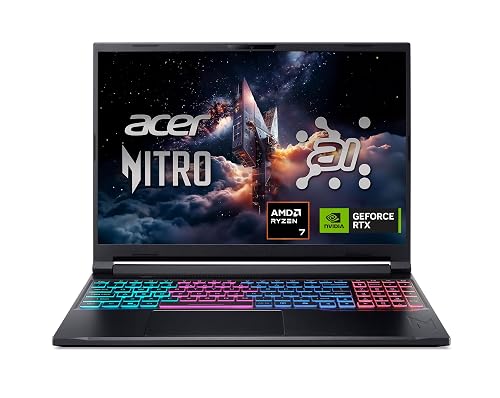 | Best Performance | Processor: AMD Ryzen 7 260 | Graphics: NVIDIA RTX 5060 | Display: 16″ WUXGA IPS, 180Hz | VIEW LATEST PRICE | Read Our Analysis |
| Acer Nitro V Gaming Laptop (ANV15-41-R5N6) |  | Best Value | Processor: AMD Ryzen 5 7535HS | Graphics: NVIDIA RTX 4050 | Display: 15.6″ FHD IPS, 144Hz | VIEW LATEST PRICE | Read Our Analysis |
| MALLRACE Gaming Laptop with AMD Ryzen 7000 Processor |  | Office-Friendly Pick | Processor: AMD Ryzen 5 7430U | Graphics: AMD Radeon Graphics | Display: 15.6″ FHD LCD, 60Hz | VIEW LATEST PRICE | Read Our Analysis |
| 2026 Gaming Laptop with Ryzen 7 16GB RAM | 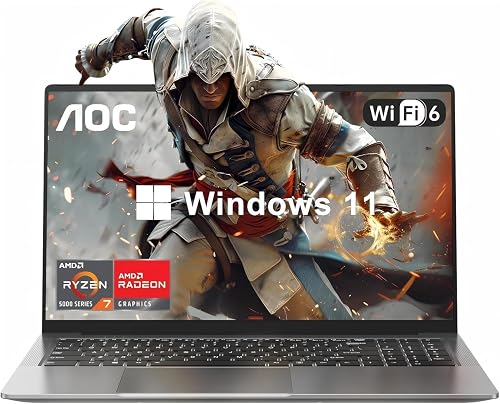 | Everyday Performer | Processor: AMD Ryzen 7 | Graphics: Integrated graphics | Display: 16.1″ FHD display | VIEW LATEST PRICE | Read Our Analysis |
More Details on Our Top Picks
Razer Blade 14 (2025) Gaming Laptop RTX 5060
If you want a gaming laptop that is easy to carry without giving up premium performance, the Razer Blade 14 (2025) stands out with its 0.62-inch thin aluminum unibody design, and 3.59-pound weight. It includes an AMD Ryzen AI 9 365 chip, RTX 5060 graphics, and DLSS 4 support for smooth play and fast creative work. The 14-inch 3K OLED screen delivers sharp, vivid visuals at 120Hz. You also get 16GB LPDDR5X memory, a 1TB SSD, Wi-Fi 7, and up to 11 hours of battery life, so you can work and game anywhere.
- Processor:AMD Ryzen AI 9 365
- Graphics:NVIDIA RTX 5060
- Display:14″ 3K OLED, 120Hz
- Memory:16GB LPDDR5X
- Storage:1TB SSD
- Operating System:Windows 11 Home
- Additional Feature:0.62-inch thin design
- Additional Feature:72 Whr battery
- Additional Feature:Face recognition login
Acer Nitro V Gaming Laptop (ANV15-52-586Z)
The Acer Nitro V Gaming Laptop (ANV15-52-586Z) is a strong pick for gamers who want solid performance without sacrificing everyday productivity. It features an Intel Core i5-13420H processor, which handles gaming, recording, streaming, and multitasking with ease. The NVIDIA GeForce RTX 4050 Laptop GPU delivers 194 AI TOPS, DLSS 3.5, and AI-enhanced ray tracing for sharper visuals and improved immersion. The 15.6-inch Full HD IPS display runs at 165 Hz, reducing ghosting and improving reaction accuracy. You also get 8 GB of DDR5 memory, upgradeable to 32 GB, plus a 512 GB PCIe Gen 4 SSD and Thunderbolt 4.
- Processor:Intel Core i5-13420H
- Graphics:NVIDIA RTX 4050
- Display:15.6″ FHD IPS, 165Hz
- Memory:8GB DDR5
- Storage:512GB SSD
- Operating System:Not specified
- Additional Feature:Thunderbolt 4 port
- Additional Feature:Killer Ethernet E2600
- Additional Feature:165Hz refresh rate
Acer Nitro V 16S AI Gaming Laptop (ANV16S-41-R2AJ)
With its Ryzen 7 260 processor and NVIDIA GeForce RTX 5060 GPU, the Acer Nitro V 16S AI Gaming Laptop (ANV16S-41-R2AJ) is a strong fit for gamers who want fast 180Hz visuals, solid AI-accelerated performance, and a portable 16-inch machine that can handle both play and everyday multitasking. It includes 32GB DDR5 memory, a 1TB Gen 4 SSD, and a WUXGA IPS panel with 100% sRGB for sharp, accurate image quality. Dual-fan cooling helps keep performance steady, and USB4, HDMI 2.1, Wi-Fi 6, and Killer Ethernet keep you ready for gaming anywhere.
- Processor:AMD Ryzen 7 260
- Graphics:NVIDIA RTX 5060
- Display:16″ WUXGA IPS, 180Hz
- Memory:32GB DDR5
- Storage:1TB SSD
- Operating System:Windows 11 Home
- Additional Feature:180Hz refresh rate
- Additional Feature:Dual-fan cooling
- Additional Feature:Built-in webcam
Acer Nitro V Gaming Laptop (ANV15-41-R5N6)
Acer’s Nitro V 15 (ANV15-41-R5N6) is a strong pick for gamers who want solid 1080p performance without jumping to a pricier rig. It includes an AMD Ryzen 5 7535HS, RTX 4050 graphics, 8 GB of DDR5 RAM, and a 512 GB SSD, so games load quickly and run smoothly. The 15.6-inch Full HD IPS panel runs at 144 Hz and reaches about 350 nits, giving sharp, fluid visuals. Wi‑Fi 6, Ethernet, HDMI, and four USB ports keep you connected. Dual fans, NitroSense, and a backlit keyboard help you stay in control.
- Processor:AMD Ryzen 5 7535HS
- Graphics:NVIDIA RTX 4050
- Display:15.6″ FHD IPS, 144Hz
- Memory:8GB DDR5
- Storage:512GB SSD
- Operating System:Windows 11 Home
- Additional Feature:Copilot key support
- Additional Feature:350 nits brightness
- Additional Feature:57 Wh battery
MALLRACE Gaming Laptop with AMD Ryzen 7000 Processor
If you want a budget-friendly laptop that can handle everyday work and light gaming, the MALLRACE Gaming Laptop with AMD Ryzen 7000 Processor is a solid fit. It features an AMD Ryzen 5 7430U with 6 cores, 12 threads, and Radeon Graphics, so Excel, office apps, and multitasking feel smooth. The 16GB DDR4 RAM can be expanded to 32GB, and the 512GB NVMe SSD provides fast storage. You also get a 15.6-inch 1080p matte display, Wi-Fi 6, Bluetooth 5.2, plenty of ports, a webcam switch, and a 4800mAh battery.
- Processor:AMD Ryzen 5 7430U
- Graphics:AMD Radeon Graphics
- Display:15.6″ FHD LCD, 60Hz
- Memory:16GB DDR4
- Storage:512GB SSD
- Operating System:Windows 11
- Additional Feature:Physical camera switch
- Additional Feature:180° hinge design
- Additional Feature:Dual-drive bay design
2026 Gaming Laptop with Ryzen 7 16GB RAM
Looking for a gaming laptop that handles fast-paced play and everyday multitasking without slowing down? This Ryzen 7 model has 8 cores and 16 threads, so you can game, stream, and work with ease. Its 16.1-inch Full HD display delivers vivid, detailed visuals. With 16GB DDR4 RAM and a 512GB NVMe SSD, apps, tabs, and startups stay quick. Wi-Fi 6, USB 3.2, HDMI, and Type-C ports add flexibility. You also get a backlit keyboard, Windows 11, up to 8 hours of battery life, and a durable metal body.
- Processor:AMD Ryzen 7
- Graphics:Integrated graphics
- Display:16.1″ FHD display
- Memory:16GB DDR4
- Storage:512GB SSD
- Operating System:Windows 11
- Additional Feature:Up to 8 hours
- Additional Feature:180° lay-flat hinge
- Additional Feature:Durable metal body
Factors to Consider When Choosing Amd Advantage Gaming Laptops
When choosing an AMD Advantage gaming laptop, check GPU performance and CPU power first, because they determine how smoothly games run. Also evaluate display quality, memory, and storage, as these affect visuals and everyday responsiveness. If you plan to game on the go, balance portability and battery life with the laptop’s performance.
GPU Performance
GPU performance comes down to three core things: power, architecture, and memory. You want a laptop GPU with higher wattage, since up to 115W total graphics power can lift frame rates in demanding games. Newer architectures also matter, especially when they bring improved ray tracing cores. Check for support for the latest upscaling and frame-generation tools, like DLSS 4 or Multi Frame Generation, as they can boost performance without wrecking image quality. Also look at AI throughput in TOPS; higher numbers, such as 194 or 572 AI TOPS, signal stronger AI-assisted gaming and rendering. Finally, favor 6GB or 8GB GDDR6 or GDDR7 VRAM, and pair that GPU with a 144Hz, 165Hz, or 180Hz display to see the gains clearly.
CPU Power
Just as graphics power shapes frame rates, the CPU decides how well an AMD Advantage gaming laptop keeps everything moving behind the scenes. Look for strong core and thread counts, since 6 to 8 core chips with boost clocks above 4.5 GHz handle modern games and heavy multitasking better. A fast processor also helps when you stream, record, or edit while playing, so your system stays responsive. Do not ignore cache size or thermal efficiency, either, as both affect sustained performance during long sessions. If the laptop includes AI acceleration, that can speed up system features and supported apps. Make sure the CPU matches the GPU, because even great graphics can feel limited when the processor cannot keep up with game logic and background tasks.
Display Quality
Display quality can make an AMD Advantage gaming laptop feel far more premium, so pay close attention to resolution, refresh rate, panel type, color range, brightness, and response time. Choose a 2560×1600 or 2880×1800 panel if you want sharper text and finer detail than standard 1920×1080 screens. For smoother gameplay, look for 120 Hz, 144 Hz, 165 Hz, or 180 Hz refresh rates; these make motion cleaner in fast-paced games. OLED panels typically deliver deeper blacks and stronger contrast, while IPS screens often offer steadier color and wider viewing angles. Also check for 100% sRGB or wider DCI-P3 and Adobe RGB coverage. Around 400 nits improves visibility, and sub-1 ms response times reduce blur and ghosting.
Memory And Storage
After checking the screen, turn to memory and storage, since they have a big impact on how responsive an AMD Advantage gaming laptop feels day to day. Aim for at least 16 GB of RAM so your games and apps run smoothly; choose 32 GB if you multitask heavily, create content, or want extra headroom. Faster DDR5 memory, especially 5600 MHz or 8000 MHz, can boost responsiveness over older DDR4 systems. For storage, pick an SSD, not a hard drive. NVMe PCIe Gen 4 drives cut boot, load, and transfer times. A 512 GB SSD works as a floor, but 1 TB or more gives you room for several large games and apps. Also, check RAM and M.2 upgrade options so you can expand later.
Portability And Battery
When portability matters, pay close attention to weight, thickness, and battery size, because AMD Advantage gaming laptops can vary a lot from about 3.59 lb to 4.63 lb and roughly 0.62 to 0.93 inches thick. If you will carry yours daily, a slimmer, lighter chassis makes a big difference in comfort. Battery options usually range from 57 Wh to 72 Wh, and claimed runtime can stretch from about 2 hours to as much as 11 hours depending on the setup. Keep in mind that high refresh screens and powerful GPUs often cut unplugged gaming time. Fast charging helps too; some models reach around 50% in 30 minutes. For all-day use, balance endurance, weight, and performance instead of chasing raw power alone.
Cooling Efficiency
Cooling efficiency matters as much as raw power, because it keeps an AMD Advantage gaming laptop performing consistently under heavy loads. Look for a vapor chamber or a dual-fan system, since both help your CPU and GPU stay stable during long gaming sessions. More intake and exhaust paths, especially quad intake and quad exhaust layouts, move heat out faster and reduce throttling. If you prefer a thinner machine, check for thermal hoods and aluminum unibody construction, which spread heat efficiently. Higher GPU power limits, such as 115W TGP, demand stronger cooling. Good thermal design also keeps fan noise down and helps you maintain steadier frame rates when gaming on 180 Hz or 165 Hz displays while multitasking.
Connectivity Options
Connectivity can make or break your AMD Advantage gaming laptop experience, so prioritize fast wireless options like Wi Fi 6, 6E, or 7 for stable online play, streaming, and large downloads. If you want even lower latency, choose Gigabit Ethernet or 2.5Gb Ethernet for a steadier wired link. You should also confirm the laptop includes USB C ports with USB4 or Thunderbolt support, since they speed up transfers, drive external displays, and simplify docking. For monitor setups, check for HDMI 2.1 or DisplayPort over USB C so you can connect high-resolution gaming screens without hassle. Finally, look at the full port mix: multiple USB A ports, an audio jack, and a card reader, which keep your peripherals ready and reduce dependence on adapters.
Frequently Asked Questions
How Does AMD Advantage Improve Battery Life During Gaming?
AMD Advantage improves gaming battery life by optimizing CPU and GPU power use, reducing wasted energy, and intelligently balancing performance. You get smoother frame rates, lower temperatures, and longer unplugged play sessions overall.
Do AMD Advantage Laptops Support Ray Tracing Smoothly?
Yes, you can enjoy ray tracing, but do not expect miracles. It is a dazzling, GPU-crushing feature. You will get smooth performance on higher-end AMD Advantage laptops if you tune settings, enable FSR, and target sensible resolutions.
Can I Upgrade RAM and Storage on These Gaming Laptops?
Yes. You can often upgrade RAM and storage, but you must verify your laptop’s exact model. Many models have accessible SO-DIMM slots and M.2 SSD bays, though some thin designs limit upgrade options.
Which Games Run Best on AMD Advantage Gaming Laptops?
You will get the best performance in esports and optimized AAA titles, such as Fortnite, Apex Legends, Valorant, Cyberpunk 2077, and Forza Horizon 5. You can also enjoy smooth play in many newer games with smart settings.
Are AMD Advantage Laptops Good for Streaming and Video Editing?
Yes. AMD Advantage laptops are well suited for streaming and video editing when equipped with a strong Ryzen processor, ample RAM, and fast storage. They handle multitasking effectively, and they edit footage smoothly.




