

If you want to stretch your budget without settling for a weak display, the right monitor can make a bigger difference than you might expect.
You will find 32-inch curved options, fast 144Hz and 200Hz panels, and practical models that handle work and gaming well.
The tricky part is knowing which models actually deliver value, and which only look good on paper.
| LG 32MR50C-B Curved 32-Inch FHD Monitor 100Hz | 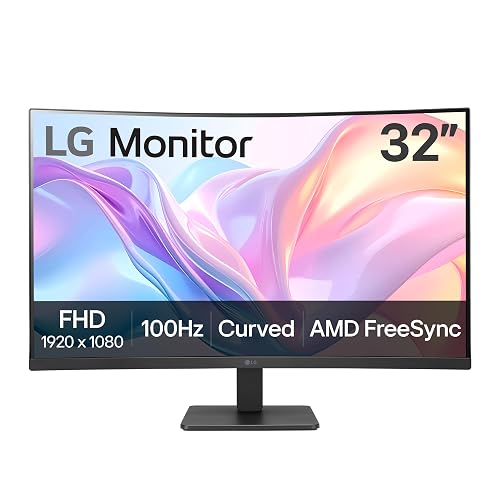 | Best Overall | Screen Size: 32-inch | Resolution: 1920 x 1080 | Panel Type: VA | VIEW LATEST PRICE | Read Our Analysis |
| ArcticPro 22-inch Full HD 144Hz Monitor | 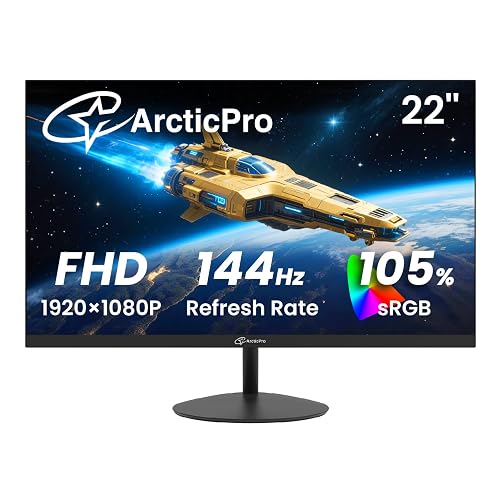 | Best Value | Screen Size: 22-inch | Resolution: 1920 x 1080 | Panel Type: VA | VIEW LATEST PRICE | Read Our Analysis |
| Gawfolk 24.5″ 200Hz FHD Gaming Monitor Black | 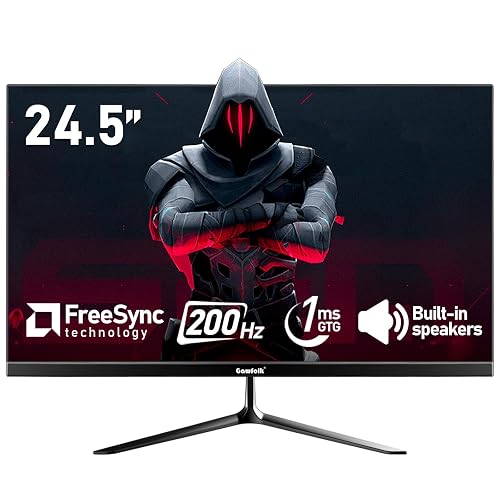 | Best for Gaming | Screen Size: 24.5-inch | Resolution: 1920 x 1080 | Panel Type: VA | VIEW LATEST PRICE | Read Our Analysis |
| Gawfolk 24.5-Inch 200Hz Gaming Monitor with Speakers | 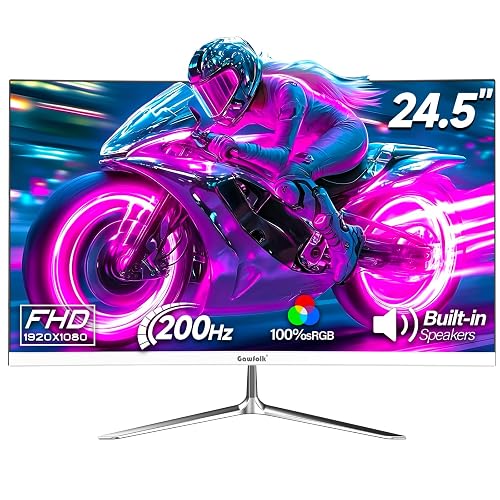 | Best with Speakers | Screen Size: 24.5-inch | Resolution: 1920 x 1080 | Panel Type: VA | VIEW LATEST PRICE | Read Our Analysis |
| Sceptre 22-Inch Gaming Monitor FHD 1080p (E225W-FW144) | 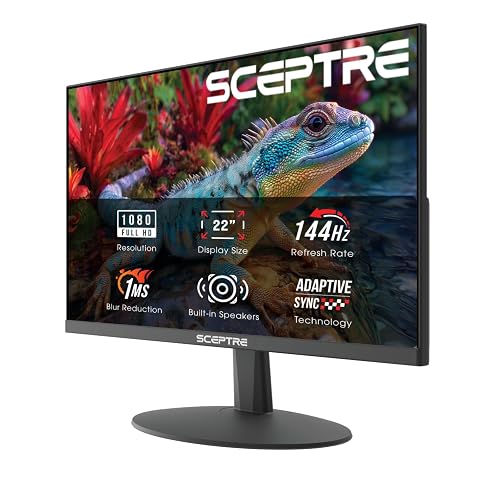 | Budget-Friendly Pick | Screen Size: 22-inch | Resolution: 1920 x 1080 | Panel Type: LED | VIEW LATEST PRICE | Read Our Analysis |
| SANSUI 24-Inch Curved 160Hz Gaming Monitor (ES-G24C1L) |  | Best Curved Monitor | Screen Size: 24-inch | Resolution: 1920 x 1080 | Panel Type: Fast VA | VIEW LATEST PRICE | Read Our Analysis |
More Details on Our Top Picks
LG 32MR50C-B Curved 32-Inch FHD Monitor 100Hz
If you want a big-screen budget monitor that feels great for everyday work and casual gaming, the LG 32MR50C-B is an easy pick. It has a 32-inch curved VA panel with FHD 1080p resolution, a 100Hz refresh rate, and AMD FreeSync, so motion stays smooth and screen tearing is reduced. The 3000:1 contrast helps dark scenes pop, while Reader Mode, Flicker-Free support, and reduced blue light ease long sessions. You can tweak your workspace with OnScreen Control, use the tilt stand, or mount the display on the wall. Connections include HDMI, D-Sub, and a headphone jack.
- Screen Size:32-inch
- Resolution:1920 x 1080
- Panel Type:VA
- Refresh Rate:100Hz
- Response Time:5ms
- Adaptive Sync:AMD FreeSync / Adaptive Sync
- Additional Feature:Reader Mode
- Additional Feature:3-side borderless design
- Additional Feature:Tilt-adjustable stand
ArcticPro 22-inch Full HD 144Hz Monitor
The ArcticPro 22-inch Full HD 144Hz Monitor is a solid choice for smooth performance on a tight budget, especially for everyday work, streaming, or casual gaming. It delivers 1920 x 1080 resolution on a VA panel, with 105% sRGB and 3000:1 contrast, so colors look rich and text remains clear. Its 144Hz maximum refresh rate, fast response time, and reduced motion blur help keep action smooth. You can tilt the screen, enjoy 178° viewing angles, and use LowBlue mode for greater eye comfort. HDMI, VGA, and VESA mounting provide flexible connectivity and mounting options.
- Screen Size:22-inch
- Resolution:1920 x 1080
- Panel Type:VA
- Refresh Rate:144Hz
- Response Time:Rapid response
- Adaptive Sync:Tear-free; sync support
- Additional Feature:105% sRGB
- Additional Feature:LowBlue mode
- Additional Feature:VESA 75×75 mount
Gawfolk 24.5″ 200Hz FHD Gaming Monitor Black
With its 24.5-inch FHD VA panel and 200Hz refresh rate, the Gawfolk GF240A is a strong choice for budget gamers who want smoother motion without spending much. It delivers 1ms GTG response, FreeSync support, and low latency, so fast scenes stay cleaner with less tearing and blur. Its 99% sRGB coverage, 178° viewing angles, and matte finish help the image look solid for everyday use. Use DisplayPort to reach the full 200Hz, or use HDMI for up to 120Hz. Built-in speakers, VESA 75×75 mounting, and a 1-year warranty add extra value.
- Screen Size:24.5-inch
- Resolution:1920 x 1080
- Panel Type:VA
- Refresh Rate:200Hz
- Response Time:1ms GTG
- Adaptive Sync:AMD FreeSync / Adaptive Sync
- Additional Feature:Built-in dual speakers
- Additional Feature:99% sRGB
- Additional Feature:1 USB 2.0 port
Gawfolk 24.5-Inch 200Hz Gaming Monitor with Speakers
Gawfolk’s 24.5-inch GF240A is a smart pick for budget gamers who want a fast 200Hz panel without spending much. You get a 1080p VA screen with 1 ms response, FreeSync, and tear-free play that feels smoother than most sub-$200 options. The matte, frameless white design looks clean, and built-in speakers save desk space. HDMI and DisplayPort let you connect a PC, Xbox, or laptop, but only DisplayPort reaches 200Hz. The monitor also offers flicker-free operation and low blue light care, 75 x 75 mm VESA mounting, and a 1-year warranty.
- Screen Size:24.5-inch
- Resolution:1920 x 1080
- Panel Type:VA
- Refresh Rate:200Hz
- Response Time:1ms
- Adaptive Sync:AMD FreeSync / Adaptive-Sync
- Additional Feature:100% sRGB
- Additional Feature:Built-in speakers
- Additional Feature:12V power
Sceptre 22-Inch Gaming Monitor FHD 1080p (E225W-FW144)
If you want a compact gaming monitor that does not stretch your budget, the Sceptre 22-Inch Gaming Monitor (E225W-FW144) is a strong pick. You get a 22-inch FHD 1080p panel with a 144Hz refresh rate and 1ms response time, so your games look smooth and feel responsive. The 2000:1 contrast, matte finish, and 170-degree viewing angle help images stay clear. You also get FreeSync, Adaptive Sync, built-in speakers, and Blue-Light Shift for eye comfort. HDMI, DisplayPort, and wall-mount support make setup easy for gaming, work, or editing.
- Screen Size:22-inch
- Resolution:1920 x 1080
- Panel Type:LED
- Refresh Rate:144Hz
- Response Time:1ms
- Adaptive Sync:Adaptive Sync / FreeSync
- Additional Feature:Built-in speakers
- Additional Feature:Blue-Light Shift
- Additional Feature:Dual monitor friendly
SANSUI 24-Inch Curved 160Hz Gaming Monitor (ES-G24C1L)
The SANSUI 24-Inch Curved 160Hz Gaming Monitor (ES-G24C1L) is a strong pick if you want a budget-friendly gaming display that still feels fast and responsive, thanks to its 160Hz refresh rate, 1ms MPRT, and FreeSync support. It features a 1500R curved 1080p Fast VA panel with a frameless look, 110% sRGB, and 300 nits of brightness for vivid color and solid contrast. HDMI 2.0 and DisplayPort 1.4 both support 160Hz. VESA mounting, tilt adjustment, and a 3.5mm jack add flexibility.
- Screen Size:24-inch
- Resolution:1920 x 1080
- Panel Type:Fast VA
- Refresh Rate:160Hz
- Response Time:1ms MPRT
- Adaptive Sync:FreeSync / Adaptive Sync
- Additional Feature:1500R curvature
- Additional Feature:HDR support
- Additional Feature:Game timer
Factors to Consider When Choosing Budget Monitors Under 200
When shopping for budget monitors under $200, prioritize screen size and resolution so the display fits your desk and appears sharp. Also check the refresh rate and panel type, as they determine motion smoothness and color accuracy. Consider eye comfort features, such as flicker-free technology and blue light filters, especially if you will spend long hours in front of the screen.
Screen Size
Screen size shapes both your workspace and how comfortable a monitor feels day to day. A 22-inch model works well for compact desks, while a 32-inch screen gives you a more immersive view. Match the display to your desk and viewing distance, because a bigger screen needs more room and usually sits farther away. If you work in a tight space, a smaller monitor can keep everything inside your natural field of view and reduce head movement. For everyday use, 24- to 25-inch models often strike the best balance between visibility and footprint. On a similar 1920 x 1080 setup, a smaller screen looks sharper per inch, while a larger one makes icons and text feel bigger and easier to read.
Resolution Quality
Resolution matters as much as screen size. For budget monitors under $200, 1920 × 1080 FHD is the best choice for most people. You will get a sharp enough picture for work, web browsing, and streaming on 22- to 32-inch monitors, with a good balance of quality and price. Keep in mind that the same 1080p panel looks crisper on a 22 or 24.5 inch screen than on a 32 inch one, because the pixels spread over more space. Focus on native resolution, not marketing claims like “picture enhancement,” since the actual 1920 × 1080 panel determines real detail. If you want easier-to-read text and finer image detail, choose the smaller 1080p display. For most budget use, 1080p makes the most sense.
Refresh Rate
Beyond resolution, refresh rate has a big impact on how a budget monitor feels day to day. If you want smoother scrolling and cleaner motion in games, look for at least 100Hz. That is a clear step up from 60Hz for everyday tasks. If you game often, 144Hz or higher gives you even better motion clarity and less blur in fast scenes. Just make sure your PC and cable can actually output that rate; some monitors only hit their top refresh over DisplayPort or faster HDMI. Adaptive Sync or FreeSync can also help by cutting tearing and stutter when frame rates jump around. For the best result, pair a high refresh rate with low response time, since refresh alone will not fully stop ghosting or trailing.
Panel Type
Panel type is one of the biggest trade-offs in a budget monitor. If you want richer contrast, VA panels usually give you more for your money, often reaching 3000:1 and making dark scenes look deeper while text stays sharp. That makes them a strong pick if you mainly game or watch movies on a budget. IPS panels are less common here, but you would choose them if you care more about color accuracy and consistent images from wider angles. Many budget models list 178° viewing support, so the picture holds up better when you are off-center. A matte or anti-glare finish also helps cut reflections, especially in bright rooms.
Eye Comfort Features
Once you’ve chosen the right panel type, consider features that make daily use easier on your eyes. Look for low blue light or blue-light filter modes if you spend hours reading, working, or streaming. Flicker-free technology also matters, as it reduces visible screen flicker that can increase eye strain over time. An anti-glare or matte finish cuts reflections from lamps and windows, helping you stay focused in brighter rooms. For text-heavy work, Reader Mode, LowBlue mode, or similar eye-care settings can be more comfortable. For gaming or fast video, Adaptive Sync or FreeSync smooths motion and can make the experience easier on your eyes.
Connectivity Options
When you’re comparing budget monitors under $200, the ports matter just as much as the display itself. Check that the monitor includes the connections you will actually use, like HDMI, DisplayPort, VGA, D-Sub, USB, or a 3.5 mm audio jack. Budget models can vary a lot, so do not assume every port is included. If you want higher refresh rates, verify which input supports them, since some panels reach 144 Hz, 160 Hz, or 200 Hz only through DisplayPort or HDMI 2.0. Make sure the monitor also matches your PC, laptop, or console, because the right standard affects performance. If you use speakers or headphones, audio output can simplify setup. For multi-monitor setups or a clean desk, compact ports and VESA support help keep cables organized.
Mounting And Adjustability
Mounting and adjustability matter a lot in budget monitors under $200, especially if you want a setup that feels comfortable and flexible. Check for VESA support first, since many budget models use a 75 x 75 mm pattern that lets you attach a wall arm or desk mount easily. You should also look for tilt, even if it is only about -5°, to 15°, because that small range can ease neck strain and improve your viewing angle. If the stand only tilts, make sure it still fits your desk height. A borderless design helps multi-monitor setups align neatly. If you choose a curved monitor, verify mount compatibility and stable placement before you buy.
Frequently Asked Questions
Which Monitor Has the Best Color Accuracy for Creative Work?
Choose the Dell P2419H for the best color accuracy in this range. It delivers reliable sRGB coverage and solid factory calibration, giving you more consistent, creative-ready colors than most budget rivals.
Do Any of These Monitors Support VESA Mounting?
Yes. Some of these monitors support VESA mounting, but you must check each model’s specifications first. Many budget screens use 75×75 mm or 100×100 mm VESA patterns, while others do not.
Are These Monitors Compatible With Consoles Like PS5 and Xbox?
Yes, you can use them with PS5 and Xbox if they have HDMI; you will get smooth console gaming. Check refresh rates and HDR support, because cheaper monitors may limit features or audio.
Which Model Has the Best Built-In Speakers?
You’ll usually get the best built-in speakers from the ASUS VY249HE; they sound clearer and fuller than most budget monitors. Still, you should not expect rich bass. External speakers will still help.
What Warranty Coverage Do These Budget Monitors Typically Include?
Straight talk: you will usually get a 1-year limited warranty covering defects, and some brands offer 2 years. Check the dead-pixel, panel, and return policies as well, since those details can be important.




