

If you’re shopping for a gaming laptop for League of Legends in 2026, you don’t need a huge spec sheet to get smooth, competitive performance, but the wrong choice can still hold you back.
The best models balance fast displays, capable GPUs, and cooling that won’t choke during long sessions. A few standouts go further than others, and one or two may surprise you when you look at what they offer.
| ASUS ROG Strix G16 Gaming Laptop (2025) |  | Best Overall | Processor: Intel Core i7-14650HX | Graphics: NVIDIA GeForce RTX 5060 | Display Size: 16-inch | VIEW LATEST PRICE | Read Our Analysis |
| HP Victus 15.6″ FHD Gaming Laptop RTX 4050 | 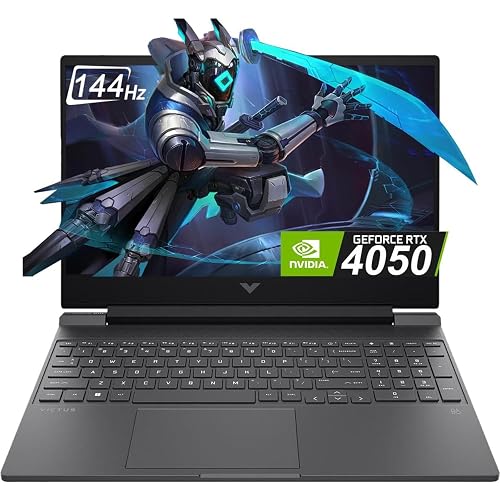 | Best Mid-Range | Processor: Intel Core i5-13420H | Graphics: NVIDIA GeForce RTX 4050 | Display Size: 15.6-inch | VIEW LATEST PRICE | Read Our Analysis |
| HP Victus 15.6″ i5 Gaming Laptop (RTX 3050) | 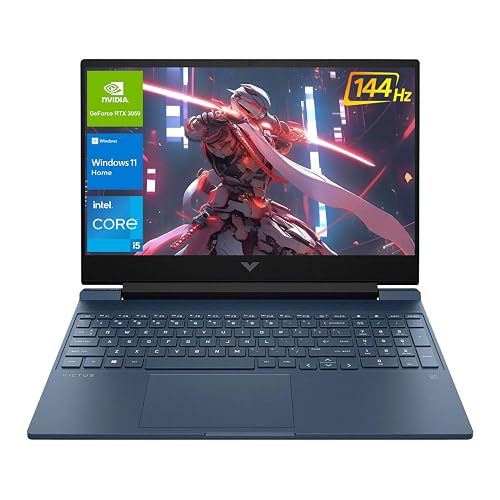 | Best Budget Pick | Processor: Intel Core i5-12450H | Graphics: NVIDIA GeForce RTX 3050 | Display Size: 15.6-inch | VIEW LATEST PRICE | Read Our Analysis |
| Acer Nitro V Gaming Laptop (ANV15-52-586Z) |  | Best Value | Processor: Intel Core i5-13420H | Graphics: NVIDIA GeForce RTX 4050 | Display Size: 15.6-inch | VIEW LATEST PRICE | Read Our Analysis |
| Acer Nitro V Gaming Laptop (ANV15-52-76NK) |  | Best Performance | Processor: Intel Core i7-13620H | Graphics: NVIDIA GeForce RTX 4050 | Display Size: 15.6-inch | VIEW LATEST PRICE | Read Our Analysis |
| NIMO 15.6″ FHD Light Gaming Laptop Ryzen 7 Pro 6850U | 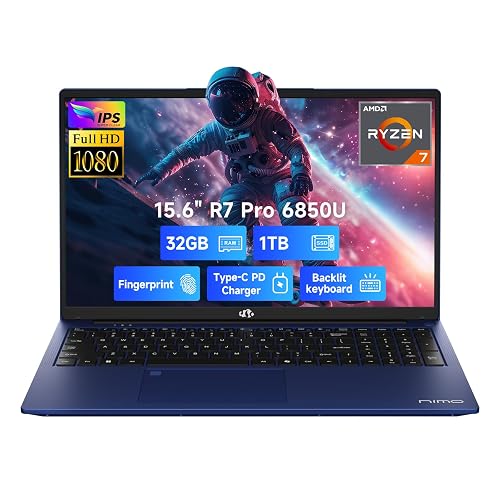 | Best Portable | Processor: AMD Ryzen 7 Pro 6850U | Graphics: Integrated AMD graphics | Display Size: 15.6-inch | VIEW LATEST PRICE | Read Our Analysis |
| ASUS TUF Gaming F16 Laptop (FX607VU-SS53) | 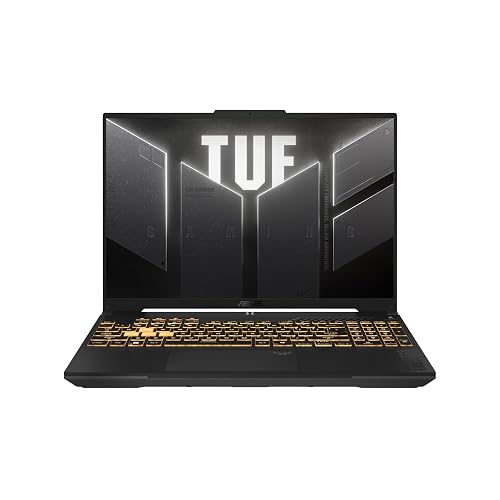 | Best Durable Pick | Processor: Intel Core 5 210H | Graphics: NVIDIA GeForce RTX 4050 | Display Size: 16-inch | VIEW LATEST PRICE | Read Our Analysis |
More Details on Our Top Picks
ASUS ROG Strix G16 Gaming Laptop (2025)
The ASUS ROG Strix G16 Gaming Laptop (2025) is a strong pick for League of Legends players who want smooth, competitive gameplay without overspending on extra power you will not use. It is powered by an Intel Core i7-14650HX and RTX 5060 graphics, with DLSS 4 for reliable frame rates. The 16-inch FHD+ 165Hz display and 3 ms response time help you track fights clearly. With 16 GB DDR5 RAM and a 1 TB SSD, you can multitask and store plenty of games. ROG intelligent cooling keeps it quiet and comfortable during long matches.
- Processor:Intel Core i7-14650HX
- Graphics:NVIDIA GeForce RTX 5060
- Display Size:16-inch
- Refresh Rate:165Hz
- Memory:16GB DDR5
- Storage:1TB SSD
- Additional Feature:NVIDIA Blackwell architecture
- Additional Feature:End-to-end vapor chamber
- Additional Feature:360° RGB light bar
HP Victus 15.6″ FHD Gaming Laptop RTX 4050
The HP Victus 2024 pairs a 13th Gen Intel Core i5-13420H with RTX 4050 graphics and a 144 Hz 15.6-inch FHD display, making it a strong choice for smooth League of Legends gameplay and capable of handling other competitive titles as well. You will get crisp motion on the IPS micro-edge anti-glare panel, and 16 GB of DDR4 RAM keeps multitasking snappy. The 512 GB PCIe Gen4 NVMe SSD delivers quick boot times and fast game loads. Windows 11 Home ships ready to use, and the Mica Silver finish keeps the laptop looking clean and understated.
- Processor:Intel Core i5-13420H
- Graphics:NVIDIA GeForce RTX 4050
- Display Size:15.6-inch
- Refresh Rate:144Hz
- Memory:16GB DDR4
- Storage:512GB SSD
- Additional Feature:IPS micro-edge panel
- Additional Feature:Anti-glare display
- Additional Feature:Mica Silver finish
HP Victus 15.6″ i5 Gaming Laptop (RTX 3050)
If you want a League of Legends laptop that feels fast without going overboard, the HP Victus 15.6-inch i5 gaming laptop is a strong pick. It features an Intel Core i5-12450H with 8 cores, 12 threads, and up to 4.4 GHz turbo, plus an RTX 3050 with 4 GB GDDR6 for solid 1080p play. Its 32 GB RAM and 1 TB NVMe SSD keep load times short and multitasking smooth. The 15.6-inch FHD IPS display runs at 144 Hz, so gameplay looks crisp. You also get Wi-Fi 6, Windows 11 Home, and a useful selection of ports.
- Processor:Intel Core i5-12450H
- Graphics:NVIDIA GeForce RTX 3050
- Display Size:15.6-inch
- Refresh Rate:144Hz
- Memory:32GB RAM
- Storage:1TB SSD
- Additional Feature:32GB high-bandwidth RAM
- Additional Feature:Full port selection
- Additional Feature:Android app compatibility
Acer Nitro V Gaming Laptop (ANV15-52-586Z)
Acer Nitro V Gaming Laptop (ANV15-52-586Z) is a strong pick for League of Legends players who want smooth, responsive gameplay on a budget-friendly 15.6-inch machine, thanks to its Intel Core i5-13420H, RTX 4050 graphics, and 165Hz Full HD display. You will get fast frame delivery, DLSS 3.5 support, and 6GB GDDR6 VRAM for extra headroom. Its 8GB DDR5 RAM and 512GB PCIe Gen 4 SSD keep Windows 11 Home and your games snappy, while Wi-Fi 6, Thunderbolt 4, and HDMI make setup easy. The backlit keyboard and numeric keypad help too.
- Processor:Intel Core i5-13420H
- Graphics:NVIDIA GeForce RTX 4050
- Display Size:15.6-inch
- Refresh Rate:165Hz
- Memory:8GB DDR5
- Storage:512GB SSD
- Additional Feature:194 AI TOPS
- Additional Feature:Thunderbolt 4 port
- Additional Feature:No webcam
Acer Nitro V Gaming Laptop (ANV15-52-76NK)
For players who want a sharp 165Hz display and plenty of power for smooth League of Legends matches, the Acer Nitro V Gaming Laptop (ANV15-52-76NK) is a strong pick. It includes an Intel Core i7-13620H, RTX 4050 graphics, and 16GB of DDR5 RAM, so your fights stay responsive and your settings can remain high. The 15.6-inch Full HD IPS screen looks crisp, and 1TB of PCIe Gen 4 storage delivers fast load times. You also get Wi-Fi 6, Thunderbolt 4, a backlit keyboard, and a numeric keypad in a 4.66 pound chassis.
- Processor:Intel Core i7-13620H
- Graphics:NVIDIA GeForce RTX 4050
- Display Size:15.6-inch
- Refresh Rate:165Hz
- Memory:16GB DDR5
- Storage:1TB SSD
- Additional Feature:194 AI TOPS
- Additional Feature:Up to 5 hours
- Additional Feature:No webcam
NIMO 15.6″ FHD Light Gaming Laptop Ryzen 7 Pro 6850U
The NIMO 15.6″ FHD Light Gaming Laptop Ryzen 7 Pro 6850U is an excellent choice for League of Legends players seeking portable desktop-level performance. Its Ryzen 7 Pro 6850U processor, 32GB of LPDDR5 memory, and 1TB PCIe 4.0 SSD deliver smooth multitasking, fast load times, and ample power for gaming and content creation. The 15.6-inch FHD IPS anti-glare display keeps matches clear, and the backlit keyboard with fingerprint touchpad adds convenience. The metal chassis feels sturdy, and 100W USB-C charging lets you top up quickly.
- Processor:AMD Ryzen 7 Pro 6850U
- Graphics:Integrated AMD graphics
- Display Size:15.6-inch
- Refresh Rate:Not specified
- Memory:32GB LPDDR5
- Storage:1TB SSD
- Additional Feature:2-year support
- Additional Feature:90-day returns
- Additional Feature:Fingerprint touchpad
ASUS TUF Gaming F16 Laptop (FX607VU-SS53)
With its Intel Core i5 12450H processor and NVIDIA GeForce RTX 4050 GPU running at up to 115W, the ASUS TUF Gaming F16 Laptop (FX607VU-SS53) is a strong pick if you want smooth League of Legends gameplay with extra headroom for multitasking or other esports titles. You also get NVIDIA Advanced Optimus for smarter graphics switching, and Windows 11 Home out of the box. Its 16-inch FHD+ 144Hz IPS panel, 16:10 aspect ratio, 100% sRGB coverage, and Adaptive-Sync help you stay sharp and responsive. The TUF chassis, MIL-STD-810H testing, and Arc Flow cooling keep things reliable and cool.
- Processor:Intel Core 5 210H
- Graphics:NVIDIA GeForce RTX 4050
- Display Size:16-inch
- Refresh Rate:144Hz
- Memory:Not specified
- Storage:Not specified
- Additional Feature:Military Grade testing
- Additional Feature:Arc Flow Fans
- Additional Feature:100% sRGB color
Factors to Consider When Choosing Gaming Laptops For League Of Legends
When choosing a gaming laptop for League of Legends, focus on smooth performance, a high display refresh rate, and reliable cooling so matches remain responsive. Also ensure you have sufficient memory and storage to keep the game and updates running well. If you plan to play on the go, consider battery life and portability.
Performance For Smooth Play
For smooth League of Legends play, choose a laptop built to keep frame times stable during hectic team fights and map-wide action. Pick a modern multi-core CPU, ideally a 13th or 14th Gen Intel H-series chip or something comparable, because it helps your game stay steady when abilities, minions, and champions fill the screen. Pair it with a dedicated GPU in the RTX 4050 class or higher for consistently strong FPS, and look for newer graphics features like DLSS if you want extra headroom under load. You should also get 16 GB of RAM, preferably DDR5, so background apps do not cause stutter. Finally, a 512 GB or 1 TB PCIe Gen 4 SSD keeps launches fast and the whole system responsive.
Display Refresh Rate
A higher refresh rate makes League of Legends feel smoother, so you’ll track camera pans, skill shots, and chaotic team fights more easily. If you’re choosing a gaming laptop, aim for at least a 144Hz display. It updates the image 144 times per second and feels far more responsive than a standard 60Hz panel. A 165Hz screen can give you a bit more motion clarity, which helps reduce blur during quick movement. Still, the display alone will not do the job; your laptop’s GPU and CPU need to push high frame rates consistently for the refresh rate to actually matter. If you play competitively, 144Hz is the practical baseline, and higher refresh rates can make your inputs and reactions feel cleaner, faster, and more precise.
Cooling And Thermals
Cooling matters just as much as raw performance, because a League of Legends laptop can only hold high frame rates if it stays cool under pressure. Favor models with vapor chambers, multiple fans, or several heat pipes, since they spread heat better during long ranked sessions. Liquid metal or other premium thermal compounds can also improve transfer from the CPU and GPU into the cooling system. Do not judge thermals by short bursts alone. A higher wattage chip can run hot under sustained load, so the chassis must handle that heat consistently. You will also benefit from anti dust filters and smart airflow paths, which help prevent blockage and buildup over time. If the laptop stays cooler without sounding like a jet, you are looking at efficient thermals.
Memory And Storage
Memory and storage matter more than many players expect, because they affect how smoothly your laptop handles the game and everything around it. For League of Legends, 16 GB of RAM gives you a solid baseline, so you can play smoothly while keeping voice chat, streaming tools, and browser tabs open. If you want snappier multitasking, choose DDR5 5600 MHz over older DDR4 memory. On the storage side, an SSD is a must. It boots faster, loads matches quicker, and moves files far more efficiently than a hard drive. A 512 GB SSD works for the game and a modest library, but 1 TB PCIe Gen 4 storage gives you extra space for patches, replays, and more games. If you multitask heavily, look for 32 GB support and expandable storage.
Battery And Portability
Once you have sorted out RAM and storage, battery life and portability become the next big factors if you plan to game or study away from a desk. Check the battery size and charging options, since gaming laptops can vary widely. A 57 Wh pack or 100 W USB-C charging can keep you moving longer. If you carry your laptop every day, aim for a lighter model around 4.66 lb, because it is easier on your shoulders and fits travel routines better. Slimmer machines, around 14.3 x 9.4 x 0.9 inches, slip into backpacks more easily. Efficient processors can extend unplugged use, while higher-power chips usually drain faster. USB-C charging and compact adapters also reduce cable clutter and make recharging on the go simpler.
Keyboard And Input
For League of Legends, the keyboard matters more than raw GPU power because fast ability combos, movement, and item usage depend on precise, repeated inputs. Look for low latency key travel that feels responsive every time you press a key. Backlighting helps when you play in dim rooms, and a full size layout with dedicated function keys can make hotkeys, pinging, and item activations quicker. If you use an external mouse, make sure the laptop has enough USB ports and a comfortable palm rest so your hand stays steady. A precise touchpad with multi gesture support is useful for navigation, but it should not be your main gameplay tool. Also consider whether a numeric keypad shifts the layout away from natural key spacing.
Graphics Capability
Graphics capability matters, but League of Legends does not demand a top-tier GPU. You will usually do well with a discrete graphics card that has at least 4 GB of dedicated VRAM, and 6 GB or more gives you extra room for higher settings and future updates. If you want smoother frame pacing and better efficiency, look for a GPU with modern upscaling features like DLSS. That can help you keep high frame rates without pushing power draw too hard. A midrange gaming GPU is enough for 1920 x 1080 or 1920 x 1200 play, especially on 144 Hz or 165 Hz panels. Just make sure the laptop’s cooling and power limits can sustain the GPU’s wattage, or performance may dip under load.
Frequently Asked Questions
What Screen Refresh Rate Is Best for League of Legends?
240Hz is best for League of Legends if your laptop can handle it, because you get smoother motion and a quicker feel. If you are budget-conscious, 144Hz still feels great and does not sacrifice much.
Is a Dedicated GPU Necessary for Smooth Gameplay?
Coincidentally, your smoothest games often depend on timing, not just power. You do not need a dedicated GPU for League of Legends, but you will enjoy steadier frame rates, cooler temperatures, and roomier graphics settings if you get one.
How Much RAM Do I Need for League of Legends?
You only need 8 GB of RAM for League of Legends. However, 16 GB provides smoother multitasking and better future proofing. If you stream, keep many browser tabs open, or run background applications, you will appreciate the extra headroom.
Do Cooling Systems Affect Long Gaming Sessions?
Absolutely, they can determine the success of a marathon session, because heat sneaks up like a thief. You will play more smoothly, avoid throttling, and keep your laptop comfortable longer when the cooling system moves air effectively.
Can These Laptops Handle Streaming While Playing?
Yes, you can stream while playing if your laptop has a strong CPU, enough RAM, and a solid GPU. You will get smoother performance with hardware encoding, and good cooling helps keep frame rates stable.




