

You do not need a desktop to enjoy smooth sim racing in 2026. The right gaming laptop can handle strong frame rates, steady cooling, and fast response on long stints, especially with RTX 5050, 5060, or 4050 graphics and a 144Hz or 165Hz display.
In the next section, you will see which models hold up best when the laps get longer and the heat starts to rise.
| ASUS ROG Strix G16 Gaming Laptop (2025) |  | Best Overall | Processor: Intel Core i7-14650HX | Graphics: RTX 5060 | Memory: 16GB DDR5 | VIEW LATEST PRICE | Read Our Analysis |
| ASUS TUF Gaming F16 Laptop (2025) | 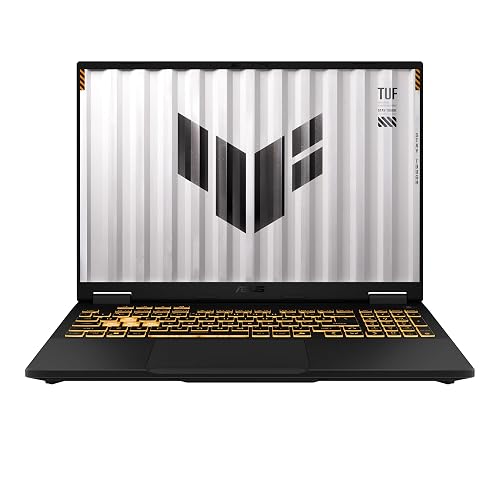 | Best Value | Processor: Intel Core i5-13450HX | Graphics: RTX 5050 | Memory: 16GB DDR5 | VIEW LATEST PRICE | Read Our Analysis |
| ASUS ROG Strix G16 Gaming Laptop 2025 | 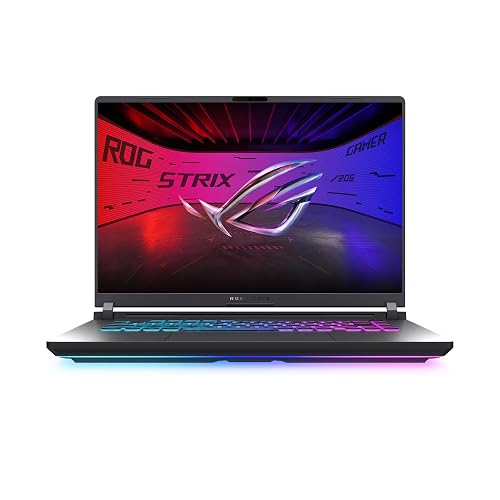 | Best Premium | Processor: Intel Core i7-14650HX | Graphics: RTX 5050 | Memory: 16GB DDR5 | VIEW LATEST PRICE | Read Our Analysis |
| ASUS TUF Gaming A17 Laptop (FA706NF-RS51) | 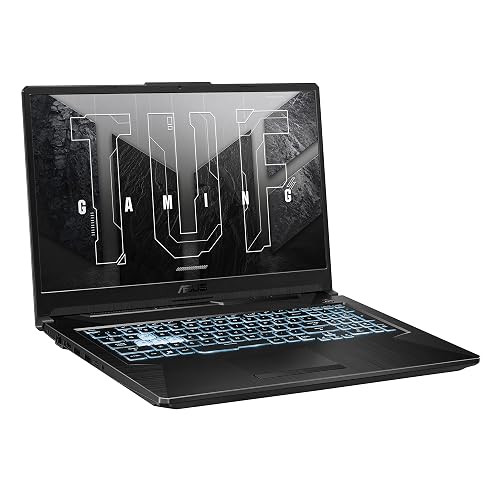 | Best Budget | Processor: AMD Ryzen 5 7535HS | Graphics: RTX 2050 | Memory: 8GB DDR5 | VIEW LATEST PRICE | Read Our Analysis |
| Acer Nitro V Gaming Laptop (ANV15-52-586Z) |  | Best Mid-Range | Processor: Intel Core i5-13420H | Graphics: RTX 4050 | Memory: 8GB DDR5 | VIEW LATEST PRICE | Read Our Analysis |
| MSI Katana 15 HX Gaming Laptop (B14WGK-016US) | 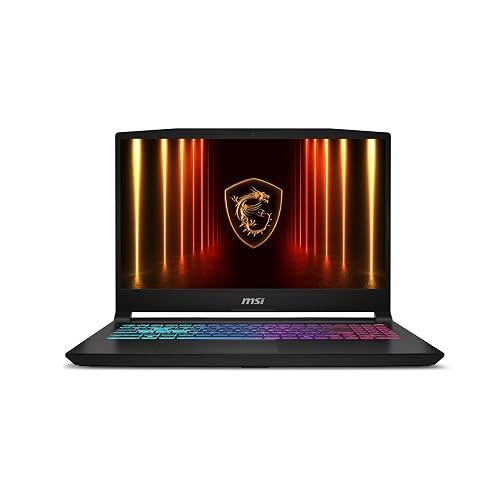 | Best Performance | Processor: Intel Core i9-14900HX | Graphics: RTX 5070 | Memory: 32GB DDR5 | VIEW LATEST PRICE | Read Our Analysis |
| Acer Nitro V Gaming Laptop (ANV15-52-76NK) |  | Best Storage | Processor: Intel Core i7-13620H | Graphics: RTX 4050 | Memory: 16GB DDR5 | VIEW LATEST PRICE | Read Our Analysis |
More Details on Our Top Picks
ASUS ROG Strix G16 Gaming Laptop (2025)
If you want a sim racing laptop that pairs strong performance with a smooth, responsive display, the ASUS ROG Strix G16 Gaming Laptop (2025) is a standout choice. It ships with Windows 11 Home, an Intel Core i7-14650HX, and an NVIDIA GeForce RTX 5060 with Blackwell, DLSS 4, and Max-Q support for fast, efficient racing. Its 16 GB of DDR5 memory and 1 TB PCIe Gen 4 SSD help you multitask and store games easily. The 16-inch FHD+ 165 Hz panel with a 3 ms response keeps motion crisp, and smart cooling keeps the system cool and quiet during long sessions.
- Processor:Intel Core i7-14650HX
- Graphics:RTX 5060
- Memory:16GB DDR5
- Storage:1TB SSD
- Refresh Rate:165Hz
- Display Size:16-inch
- Additional Feature:End-to-end vapor chamber
- Additional Feature:Tri-fan cooling
- Additional Feature:360° RGB light bar
ASUS TUF Gaming F16 Laptop (2025)
The ASUS TUF Gaming F16 (2025) is a strong pick for sim racers who want a balanced laptop with real gaming muscle, featuring an Intel Core i5-13450HX, an RTX 5050 Laptop GPU with up to 115W TGP, and a 165 Hz 16-inch FHD+ display. You get 10 cores, 16 GB DDR5 RAM, and a 512 GB PCIe Gen4 SSD for smooth race loading and multitasking. NVIDIA Advanced Optimus helps switch graphics efficiently, while Adaptive-Sync keeps motion clean. The 16:10 100% sRGB panel suits dashboards well, and the MIL-STD-810H chassis, 2nd Gen Arc Flow Fans, and 90 Wh battery add confidence.
- Processor:Intel Core i5-13450HX
- Graphics:RTX 5050
- Memory:16GB DDR5
- Storage:512GB SSD
- Refresh Rate:165Hz
- Display Size:16-inch
- Additional Feature:Military-grade testing
- Additional Feature:90Wh battery
- Additional Feature:NVIDIA Advanced Optimus
ASUS ROG Strix G16 Gaming Laptop 2025
With its Intel Core i7-14650HX and RTX 5050 graphics, the ASUS ROG Strix G16 (2025) is a strong pick for sim racers who want smooth performance, fast frame rates, and headroom for multitasking. You get a 16-inch 165Hz FHD+ panel with a 3ms response time, so racing lines stay sharp. The vapor chamber, tri-fan cooling, and liquid metal help sustain speed. You also get 16GB DDR5 RAM, a 1TB SSD, Wi-Fi 7, Thunderbolt, and easy upgrade access. At 4.9 pounds, it is portable enough for LAN nights.
- Processor:Intel Core i7-14650HX
- Graphics:RTX 5050
- Memory:16GB DDR5
- Storage:1TB SSD
- Refresh Rate:165Hz
- Display Size:16-inch
- Additional Feature:Wi-Fi 7 support
- Additional Feature:Thunderbolt port
- Additional Feature:Webcam included
ASUS TUF Gaming A17 Laptop (FA706NF-RS51)
ASUS TUF Gaming A17 Laptop (FA706NF-RS51) is a solid pick for sim racers who want a large 17.3-inch 144Hz display without paying for a top-tier GPU, especially if you are focused on smooth visuals and room to expand later. You get Windows 11, a Ryzen 5 7535HS, and an RTX 2050 with 60W Max TGP for capable 1080p racing. Adaptive-Sync helps cut tearing and stutter, and dual Arc Flow fans keep temperatures in check. With 8GB DDR5, a 512GB SSD, extra storage slots, and a 90-day Game Pass trial, you have a practical, durable starter rig.
- Processor:AMD Ryzen 5 7535HS
- Graphics:RTX 2050
- Memory:8GB DDR5
- Storage:512GB SSD
- Refresh Rate:144Hz
- Display Size:17.3-inch
- Additional Feature:Xbox Game Pass Ultimate
- Additional Feature:90-day free pass
- Additional Feature:Dual Arc Flow Fans
Acer Nitro V Gaming Laptop (ANV15-52-586Z)
If you want a budget-friendly sim racing laptop that still delivers strong 1080p performance, the Acer Nitro V Gaming Laptop (ANV15-52-586Z) is a smart pick. You get an Intel Core i5-13420H and an RTX 4050 with DLSS 3.5, so your racing games look sharper and run smoother. Its 15.6-inch Full HD IPS display at 165Hz helps cut ghosting and keeps motion fluid. With 8GB DDR5, a 512GB PCIe Gen 4 SSD, Wi-Fi 6, Thunderbolt 4, and a backlit keyboard, you are set for racing and multitasking.
- Processor:Intel Core i5-13420H
- Graphics:RTX 4050
- Memory:8GB DDR5
- Storage:512GB SSD
- Refresh Rate:165Hz
- Display Size:15.6-inch
- Additional Feature:Thunderbolt 4 port
- Additional Feature:Killer Ethernet E2600
- Additional Feature:Backlit keyboard
MSI Katana 15 HX Gaming Laptop (B14WGK-016US)
The MSI Katana 15 HX Gaming Laptop (B14WGK-016US) is a strong pick for sim racers who want high-end performance without moving up to a bulky desktop replacement. You get an Intel Core i9-14900HX, RTX 5070 graphics, and 32 GB of DDR5 memory, so demanding sims run smoothly. Its 15.6-inch QHD+ 165 Hz display keeps motion sharp, while Cooler Boost 5 helps sustain frame rates during long stints. You also get a 1 TB SSD, Wi-Fi 6E, Ethernet, and a 4-zone RGB keyboard with highlighted WASD keys. At 5 pounds, it is still easy to carry.
- Processor:Intel Core i9-14900HX
- Graphics:RTX 5070
- Memory:32GB DDR5
- Storage:1TB SSD
- Refresh Rate:165Hz
- Display Size:15.6-inch
- Additional Feature:4-zone RGB keyboard
- Additional Feature:Cooler Boost 5
- Additional Feature:Copilot support
Acer Nitro V Gaming Laptop (ANV15-52-76NK)
Need a fast, reliable sim racing laptop that can also handle streaming, recording, and multitasking? The Acer Nitro V Gaming Laptop, ANV15-52-76NK, delivers an Intel Core i7-13620H, 16 GB of DDR5 RAM and room to upgrade to 32 GB. You get an NVIDIA GeForce RTX 4050 with DLSS 3.5, ray tracing and 194 AI TOPS for sharper visuals. Its 15.6-inch Full HD IPS panel runs at 165 Hz, helping you track fast action with less ghosting. A 1 TB PCIe Gen 4 SSD speeds loading, while Wi-Fi 6, Killer Ethernet and Thunderbolt 4 keep you connected and ready.
- Processor:Intel Core i7-13620H
- Graphics:RTX 4050
- Memory:16GB DDR5
- Storage:1TB SSD
- Refresh Rate:165Hz
- Display Size:15.6-inch
- Additional Feature:16GB DDR5 memory
- Additional Feature:1TB PCIe Gen4 SSD
- Additional Feature:Thunderbolt 4 port
Factors to Consider When Choosing Gaming Laptops For Sim Racing
When choosing a gaming laptop for sim racing, prioritize a fast CPU and a strong GPU to keep performance smooth and responsive. Also look for a high-refresh display, plenty of RAM, and fast storage so races load quickly and run without stutter. These specifications deliver sharp visuals and steady frame rates that make sim racing feel correct.
CPU Performance
For sim racing, CPU performance is as important as the GPU because physics calculations, AI traffic, and telemetry can all push the processor hard. Look for a high core count chip with strong single-thread boost, since busy race starts and dense tracks can hammer the CPU. A practical baseline is at least 10 cores and boost speeds around 4.6 GHz or higher. If you stream, record, or multitask while racing, 14 to 24 cores and boost clocks up to 5.2 to 5.8 GHz provide more headroom. Even with a strong system, sim titles can become CPU limited at 165 Hz. Good thermal design matters too, because sustained performance helps prevent frame-time spikes during long endurance sessions and keeps your lap times consistent.
GPU Power
GPU power can make or break your sim racing experience, especially if you are targeting a 165Hz display where frame drops are much easier to notice. You will want a stronger GPU that can keep frame rates high and motion smooth in demanding races. Aim for newer architectures and higher tier chips, since DLSS 4, DLSS 3.5, and ray tracing support can boost performance and image quality. Check the GPU’s power limit too; a 115W max TGP often sustains better performance than a lower power version of the same model. More VRAM, such as 8GB GDDR7, also helps with heavy textures and complex tracks. Choose a laptop that can hold high resolution output without throttling, so you get steadier performance and less stutter throughout long sessions.
Display Smoothness
Display smoothness matters just as much as raw graphics power in sim racing, especially if you are chasing a 144Hz or 165Hz panel for fluid motion. You will notice the difference immediately when cars, curbs, and scenery sweep past at speed, because a fast refresh rate keeps everything looking steady and responsive. Aim for a panel with a low response time, around 3 ms, so quick steering inputs and sudden track changes stay crisp instead of smeared. Adaptive-Sync can help you avoid tearing and stutter when frame rates dip during demanding races. A 16:10 high-resolution display also improves visibility for dashboards, braking markers, and telemetry. IPS or another quality panel with strong color and contrast keeps details clear, so you can read the track more easily.
RAM Capacity
A solid RAM setup keeps sim racing laptops responsive when you run the game, telemetry tools, voice chat, and background apps at the same time. 16 GB of DDR5 RAM is the practical minimum, but 32 GB is a smarter choice if you use multiple monitors, stream live, or keep several heavy programs open while racing. Faster memory, such as DDR5-5600 MHz, can also help maintain smooth performance and avoid stutters during long sessions. If you want better flexibility, pick a laptop with two RAM slots so you can upgrade later. That matters because sim racing setups often grow over time. For the best long-term value, choose a system that already supports 32 GB or more, so you will not outgrow it as your tools and demands increase.
Storage Speed
Storage speed matters just as much as RAM when you want sim racing to feel responsive. You should look for a PCIe Gen 4 SSD, since it can cut game load times and get you into tracks, cars, and mods faster. For sim racing, a 1TB drive is usually smarter than 512GB because race sims, DLC, telemetry tools, and replay files add up quickly. Faster NVMe storage also helps large circuits and texture-heavy content load more smoothly when you jump between practice, qualifying, and race sessions. If the laptop includes extra SSD slots, you can keep your main drive speedy and still add space for games and recordings. Just remember that storage speed works best when you have enough capacity, too.
Cooling Efficiency
When you’re sim racing for long stints, efficient cooling isn’t optional, it keeps the CPU and GPU from throttling and helps frame rates stay stable lap after lap. Look for vapor chambers, multiple fans, and full-width heatsinks, because they pull heat away from the core components better than basic single-fan setups. That matters even more if the laptop advertises a 60W to 115W GPU power limit, since extra thermal headroom only helps when the chassis can sustain it. A stronger cooling design also keeps fan noise, surface temperatures, and performance swings lower during endurance sessions. In practice you’ll get smoother gameplay because the laptop can hold consistent clock speeds instead of delivering only short bursts of speed.
Frequently Asked Questions
Do Sim Racing Games Benefit More From High Refresh Rate or Higher Resolution?
You will usually benefit more from a higher refresh rate. Running at 120 fps can reduce input lag by about 8 ms compared with 60 fps, so you will react sooner in sim racing. Higher resolution mainly sharpens visual detail and does not improve control.
Is an External Wheelbase Compatible With All Gaming Laptops?
No, you cannot assume that. You will need compatible USB ports, appropriate driver support, and sufficient power delivery. Some wheelbases work with almost any laptop, but others require adapters or specific software to function correctly.
How Much VRAM Is Ideal for Sim Racing Titles in 2026?
You might assume more VRAM is always better. In 2026, 8 GB is the practical minimum for sim racing; 12 GB is the ideal balance of performance and cost, and 16 GB provides extra headroom for mods, high resolution textures, and future titles.
Can Laptop Cooling Affect Steady Frame Rates During Long Races?
Yes, laptop cooling can absolutely affect steady frame rates during long races. If it overheats, it will throttle CPU and GPU speeds, so you will see dips, stutter, and inconsistent performance over time.
Are OLED Screens Better Than IPS for Sim Racing?
OLED can deliver deep blacks and high contrast for sim racing, but IPS is often preferable if you need brighter, more stable visuals and less risk of burn-in. Choose OLED for contrast; choose IPS for safer marathon sessions.




