

If you’re shopping for a gaming laptop under $2,000 in 2026, you have real options, not just compromises. The best models now balance high FPS, solid cooling, and enough portability for daily use, with choices from the ASUS ROG Strix G16, the MSI Katana 15 HX, and the Acer Nitro V.
The right pick depends on more than specs, and a few details can change everything.
| ASUS ROG Strix G16 Gaming Laptop (2025) |  | Best Overall | Processor: Intel Core i7-14650HX | Graphics: RTX 5060 | Memory: 16GB | VIEW LATEST PRICE | Read Our Analysis |
| ASUS ROG Strix G16 Gaming Laptop (2025) | 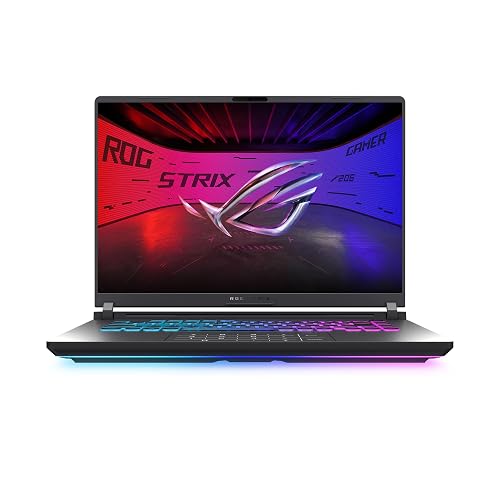 | Best Performance | Processor: AMD Ryzen 9 9955HX | Graphics: RTX 5070 | Memory: 32GB | VIEW LATEST PRICE | Read Our Analysis |
| ASUS TUF Gaming F16 Laptop with RTX 5050 | 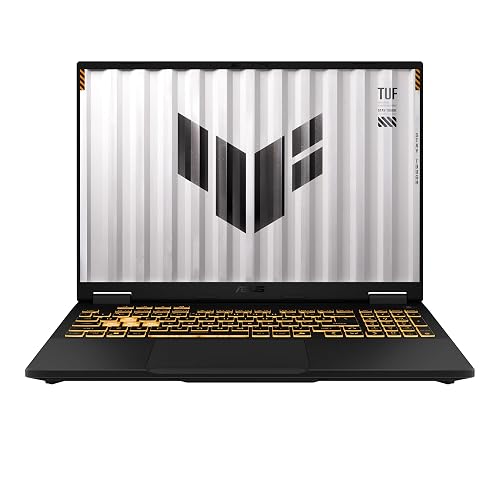 | Best Budget | Processor: Intel Core i5-13450HX | Graphics: RTX 5050 | Memory: 16GB | VIEW LATEST PRICE | Read Our Analysis |
| ASUS TUF Gaming A17 (2023) Laptop (FA706NF-RS51) | 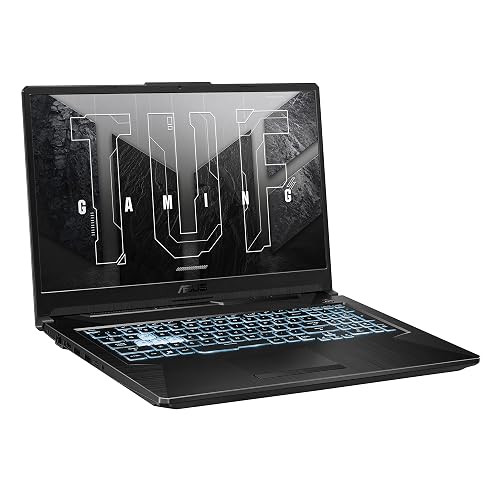 | Best Large-Screen | Processor: AMD Ryzen 5 7535HS | Graphics: RTX 2050 | Memory: 8GB | VIEW LATEST PRICE | Read Our Analysis |
| HP Victus 15.6 i5 Gaming Laptop (i5-12450H) | 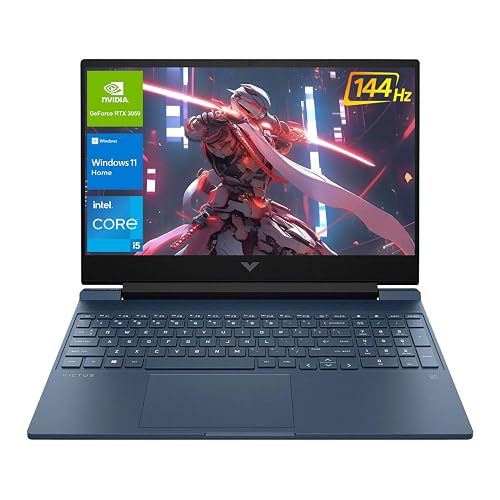 | Best Value | Processor: Intel Core i5-12450H | Graphics: RTX 3050 | Memory: 32GB | VIEW LATEST PRICE | Read Our Analysis |
| Acer Nitro V Gaming Laptop (ANV15-52-586Z) |  | Best Midrange | Processor: Intel Core i5-13420H | Graphics: RTX 4050 | Memory: 8GB | VIEW LATEST PRICE | Read Our Analysis |
| MSI Katana 15 HX Gaming Laptop (B14WGK-016US) | 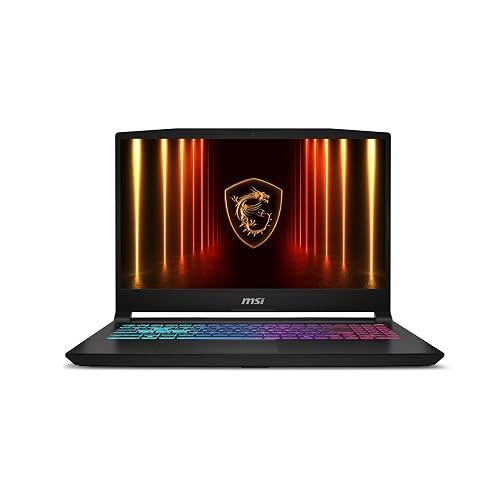 | Best Premium | Processor: Intel Core i9-14900HX | Graphics: RTX 5070 | Memory: 32GB | VIEW LATEST PRICE | Read Our Analysis |
More Details on Our Top Picks
ASUS ROG Strix G16 Gaming Laptop (2025)
If you want a gaming laptop under $2,000 that balances strong performance and future-ready features, the ASUS ROG Strix G16 (2025) is a smart pick. It includes an Intel Core i7-14650HX, RTX 5060 graphics, and 16GB of DDR5 RAM for smooth gaming and multitasking. The 16-inch 165Hz ROG Nebula display keeps action crisp, while DLSS 4 and Max-Q improve efficiency. You also get a 1TB PCIe Gen 4 SSD, Wi-Fi 7, Thunderbolt support, and easy upgrade access. ROG Intelligent Cooling uses tri-fan technology and a vapor chamber to keep temperatures steady under sustained load.
- Processor:Intel Core i7-14650HX
- Graphics:RTX 5060
- Memory:16GB
- Storage:1TB SSD
- Display:16-inch FHD+
- Refresh Rate:165Hz
- Additional Feature:ROG Intelligent Cooling
- Additional Feature:360° RGB light bar
- Additional Feature:Wi-Fi 7 support
ASUS ROG Strix G16 Gaming Laptop (2025)
The ASUS ROG Strix G16 (2025) is a strong pick for gamers who want high-end performance without pushing past the $2,000 mark, featuring an AMD Ryzen 9 9955HX, an RTX 5070 Laptop GPU, and a 16-inch 240Hz ROG Nebula display. You also get 32GB of DDR5-5600 RAM and a 1TB PCIe Gen 4 SSD for fast multitasking and quick load times. Its ROG Intelligent Cooling, a tri-fan setup, and full-surround vents help keep temperatures in check. Wi-Fi 6E, HDMI, Dolby Atmos, and easy upgradeability round out a smart, powerful gaming machine.
- Processor:AMD Ryzen 9 9955HX
- Graphics:RTX 5070
- Memory:32GB
- Storage:1TB SSD
- Display:16-inch 2.5K
- Refresh Rate:240Hz
- Additional Feature:AMD Ryzen 9 9955HX
- Additional Feature:Customizable RGB Aura Light Bar
- Additional Feature:3 months PC Game Pass
ASUS TUF Gaming F16 Laptop with RTX 5050
ASUS’s TUF Gaming F16 (2025) with the RTX 5050 is a strong pick if you want a budget-friendly gaming laptop that still delivers solid 1080p performance and a smooth 165Hz display. It includes an Intel Core i5-13450HX, 16GB of DDR5 RAM, and a 512GB PCIe Gen4 SSD, so everyday multitasking feels snappy. The 16-inch FHD+ panel offers 100% sRGB, Adaptive-Sync, and a 16:10 aspect ratio. With Wi-Fi 6E, a 90Wh battery, MIL-STD-810H durability, and quiet Arc Flow cooling, it is built for gaming on the go.
- Processor:Intel Core i5-13450HX
- Graphics:RTX 5050
- Memory:16GB
- Storage:512GB SSD
- Display:16-inch FHD+
- Refresh Rate:165Hz
- Additional Feature:MIL-STD-810H durability
- Additional Feature:2nd Gen Arc Flow Fans
- Additional Feature:NVIDIA Advanced Optimus
ASUS TUF Gaming A17 (2023) Laptop (FA706NF-RS51)
With its 17.3-inch 144Hz display, Ryzen 5 7535HS CPU, and RTX 2050 graphics, the ASUS TUF Gaming A17 (2023) FA706NF-RS51 is a strong choice for gamers who want a large-screen laptop that handles esports, casual gaming, and everyday multitasking without moving into premium pricing. It includes 8GB of DDR5 memory, a 512GB PCIe 4.0 SSD, and an extra SSD slot for future expansion. Adaptive-Sync reduces tearing, and the 84-blade Arc Flow fans keep thermals under control. Wi-Fi 6, USB-C, HDMI 2.0b, and MIL-STD-810H durability complete a practical, budget-friendly configuration.
- Processor:AMD Ryzen 5 7535HS
- Graphics:RTX 2050
- Memory:8GB
- Storage:512GB SSD
- Display:17.3-inch FHD
- Refresh Rate:144Hz
- Additional Feature:Additional SSD slot
- Additional Feature:MIL-STD-810H compliance
- Additional Feature:Free 90-day Xbox Game Pass
HP Victus 15.6 i5 Gaming Laptop (i5-12450H)
If you want a budget-friendly gaming laptop that can handle modern games and multitasking without slowing down, the HP Victus 15.6 i5 is a strong pick. It includes an Intel Core i5-12450H with 8 cores, 12 threads, and turbo speeds up to 4.4 GHz, plus an RTX 3050 with 4 GB GDDR6 for solid 1080p performance. The 32 GB of RAM and 1 TB NVMe SSD keep load times short and apps running smoothly. The 15.6-inch FHD 144 Hz IPS display keeps motion crisp. Wi-Fi 6, HDMI 2.1, USB-C, and a backlit keyboard add everyday convenience.
- Processor:Intel Core i5-12450H
- Graphics:RTX 3050
- Memory:32GB
- Storage:1TB SSD
- Display:15.6-inch FHD
- Refresh Rate:144Hz
- Additional Feature:HDMI 2.1 port
- Additional Feature:RJ-45 Ethernet port
- Additional Feature:Multi-format SD reader
Acer Nitro V Gaming Laptop (ANV15-52-586Z)
The Acer Nitro V Gaming Laptop (ANV15-52-586Z) is a smart pick if you want solid 1080p gaming performance without overspending, thanks to its Intel Core i5-13420H, RTX 4050 GPU, and 165Hz Full HD display. You get smooth play, DLSS 3.5 support, and enough power for streaming or multitasking. The 15.6-inch matte IPS panel looks sharp, and Wi-Fi 6, Thunderbolt 4, and Killer Ethernet keep you connected. With 8GB DDR5 RAM, a 512GB Gen 4 SSD, and a 4.7-pound chassis, it is practical, upgradeable, and portable.
- Processor:Intel Core i5-13420H
- Graphics:RTX 4050
- Memory:8GB
- Storage:512GB SSD
- Display:15.6-inch FHD
- Refresh Rate:165Hz
- Additional Feature:Thunderbolt 4 port
- Additional Feature:Killer Ethernet E2600
- Additional Feature:Protective sleeve included
MSI Katana 15 HX Gaming Laptop (B14WGK-016US)
MSI’s Katana 15 HX Gaming Laptop (B14WGK-016US) is a strong pick for gamers who want high-end performance without crossing the $2000 mark, thanks to its Intel Core i9-14900HX and NVIDIA GeForce RTX 5070 combo. You’ll get fast loads, high FPS, and smooth multitasking from its 24-core CPU, and Blackwell graphics bring ray tracing, DLSS 4, and sharper AI upscaling. The 15.6-inch QHD+ 165Hz display delivers crisp detail and accurate color. Cooler Boost 5 helps keep performance steady. With 32GB DDR5, a 1TB SSD, Wi-Fi 6E, and USB-C, this is a well-equipped machine.
- Processor:Intel Core i9-14900HX
- Graphics:RTX 5070
- Memory:32GB
- Storage:1TB SSD
- Display:15.6-inch QHD+
- Refresh Rate:165Hz
- Additional Feature:Cooler Boost 5
- Additional Feature:4-zone RGB keyboard
- Additional Feature:HDMI up to 8K
Factors to Consider When Choosing Gaming Laptops Under 2000
When choosing a gaming laptop under $2000, prioritize performance and FPS so your games run smoothly at your desired settings. Also choose a strong GPU with ray tracing support, a fast display refresh rate, sufficient RAM and storage, and effective cooling to keep thermals in check. These factors interact, so balance them to achieve the best overall gaming experience.
Performance And FPS
If you want higher FPS, focus first on a laptop CPU with strong multi-core boost performance, because gaming while running background tasks benefits from chips that can reach around 5.0 GHz or more. You will also want a newer GPU architecture with AI upscaling features like DLSS 4 or DLSS 3.5, since those technologies can raise frame rates without forcing the hardware to do all the work. For smoother play in demanding games, choose a mid to high tier GPU with at least 6 GB of graphics memory. Pair that with fast dual-channel DDR5 memory and a PCIe Gen 4 SSD to cut loading delays and keep gameplay responsive. If you buy a 165 Hz or 240 Hz display, you will notice the benefit when your system can push enough frames.
GPU And Ray Tracing
Beyond raw FPS, GPU choice becomes even more important once you care about ray tracing. You should prioritize a modern GPU with dedicated ray tracing hardware, because newer architectures usually handle lighting, reflections, and shadows better without crushing frame rates. Look for DLSS 4 or DLSS 3.5 support too, since upscaling can render fewer pixels and rebuild sharp images in ray traced games. If you game at higher resolutions, pick a mid to high tier GPU with plenty of VRAM, because ray traced effects eat memory fast. Efficiency focused designs like Max Q can help with thermals and power draw, but they do not replace stronger RT hardware. For smooth results, match your settings to what the GPU can sustain, not what the spec sheet promises.
Display Refresh Rate
A higher refresh rate can make a big difference in how smooth your games feel, especially with 144Hz, 165Hz, or 240Hz displays. For competitive play, 165Hz is often the sweet spot because it feels much smoother than 60Hz without overtaxing many laptops under $2000. If you want the crispest motion in esports titles, 240Hz can help you track targets more cleanly and react faster. You will also want a fast response time, ideally around 3 ms, so moving objects do not leave distracting ghosting behind. Remember, your GPU needs to deliver enough frames to take full advantage of that speed. Match the display to the performance you expect and you will get a noticeably better gaming experience.
RAM And Storage
When you shop for gaming laptops under $2000, 16GB of RAM is the practical floor. Thirty-two GB gives you more breathing room for heavier multitasking, newer games, and longer-lasting performance. You should also aim for DDR5 at 5600 MHz, since it moves data faster than older memory and can help cut stutter in demanding titles. Storage matters just as much. A 512GB SSD can disappear fast, while a 1TB PCIe Gen 4 NVMe drive gives you room for big installs and quicker boot times, launches, and transfers. Check for upgradeable RAM and extra SSD slots, because tool-free access or expansion bays let you expand later without replacing the whole laptop.
Cooling And Thermals
Under pressure, a gaming laptop’s cooling system can make or break performance, so examine how it handles heat. Look for advanced cooling hardware, such as vapor chambers, tri-fan setups, full-width heatsinks, or multiple heat pipes; these components pull heat away from the CPU and GPU during long matches. Liquid metal or high-efficiency thermal compounds can improve heat transfer and help prevent throttling, keeping frame rates steadier. Pay attention to venting area and end-to-end airflow paths, since they give thin laptops more room to dump heat from powerful parts. Well-engineered cooling for marathon sessions keeps temperatures down, and lower temperatures reduce clock-speed drops. Fan designs with larger blades or optimized airflow can also cut noise without sacrificing cooling.
Battery And Portability
Cooling only tells part of the story, because a gaming laptop also has to stay practical off the desk. Pay attention to battery capacity; a larger pack, such as 90 Wh, can help you game or work unplugged for longer. Still, don’t expect miracles. Heavy gaming drains even big batteries fast. Portability matters just as much if you carry your machine often. A laptop around 4.7 to 4.9 pounds and 0.7 to 0.93 inches thick feels easier to move, and a footprint near 13.9 by 10.4 inches fits bags better than a 17.3-inch chassis. Be aware that stronger CPUs, GPUs, and cooling hardware usually add weight and bulk, so pick efficient hardware and a balanced design over raw power alone.
Ports And Connectivity
Ports and connectivity can make or break how convenient a gaming laptop feels day to day, so check that it has a solid mix of high-speed USB-C and multiple USB-A ports for peripherals, storage, and accessories without constant adapter swapping. You will also want modern display outputs like HDMI or DisplayPort if you plan to run external monitors, especially at higher refresh rates or resolutions. Wi-Fi 6E or Wi-Fi 7 can give you steadier performance and lower latency on crowded networks. If you game online or move large files often, an Ethernet jack and Thunderbolt 4 or a similar high-bandwidth port are valuable. Finally, make sure the total port count fits your setup, since models may offer only two to four USB ports, plus extras like card readers.
Build Quality And Durability
When you shop for a gaming laptop under $2,000, build quality matters as much as raw performance. Check for MIL-STD-810H testing, since it indicates the machine can handle drops, vibration, humidity, and temperature swings. Pay attention to the chassis as well: reinforced hinges, a rigid clamshell, and minimal flex in the lid or keyboard deck usually mean better long-term reliability. Strong cooling design also protects durability. Full-width heatsinks, vapor chambers, and dual or tri-fan layouts help limit heat stress. If possible, choose a model with tool-free access to RAM and SSD slots, because upgrades and repairs become easier. A thicker, well-ventilated laptop may weigh more, but it will usually survive transport better than an ultra-thin one.
Frequently Asked Questions
What Screen Refresh Rate Is Best for Competitive Gaming?
For competitive gaming, choose 144 Hz or higher; 240 Hz feels even smoother if your system can sustain it. You will react faster, track motion more accurately, and gain a tangible advantage in fast-paced matches.
How Much RAM Is Ideal for Gaming in 2026?
You should aim for 16GB of RAM as the sweet spot for gaming in 2026. Choose 32GB if you want extra headroom for multitasking, mods, and future titles. Avoid 8GB, since it will bottleneck modern games.
Is Battery Life Important for a Gaming Laptop?
Yes, battery life matters if you play games away from a power outlet. You will have more flexibility for classes, travel, or couch use, although performance and cooling are more important when the laptop is plugged in.
Do Gaming Laptops Under $2000 Support External Monitors?
Yes. You can easily connect external monitors without sacrificing performance. Most models include HDMI, USB-C, or DisplayPort, so you can use larger screens, multitask more effectively, and game comfortably.
Should I Prioritize GPU or CPU for Gaming Performance?
You should usually prioritize the GPU for gaming performance, since it drives frame rates. If you play competitive games, a strong CPU still matters. Balance both, but do not sacrifice GPU power for a slightly faster processor.




