

About 68% of gamers say performance and cooling matter more than brand when choosing a laptop, and that is exactly where the best sub-$2500 models separate themselves. If you want strong frame rates without giving up portability, you have several solid options in 2026.
Some prioritize raw power, others focus on battery life or build quality, and one of them may fit your setup better than you expect.
| ASUS ROG Strix G16 Gaming Laptop (2025) |  | Best Overall | Processor: Intel Core i7-14650HX | Graphics: NVIDIA RTX 5060 | Display Size: 16-inch | VIEW LATEST PRICE | Read Our Analysis |
| ASUS TUF Gaming F16 (2025) Gaming Laptop | 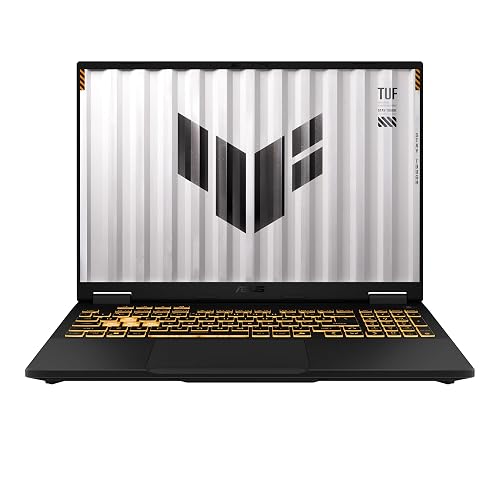 | Best Value | Processor: Intel Core i5-13450HX | Graphics: NVIDIA RTX 5050 | Display Size: 16-inch | VIEW LATEST PRICE | Read Our Analysis |
| HP Victus 15.6″ FHD Gaming Laptop RTX 4050 | 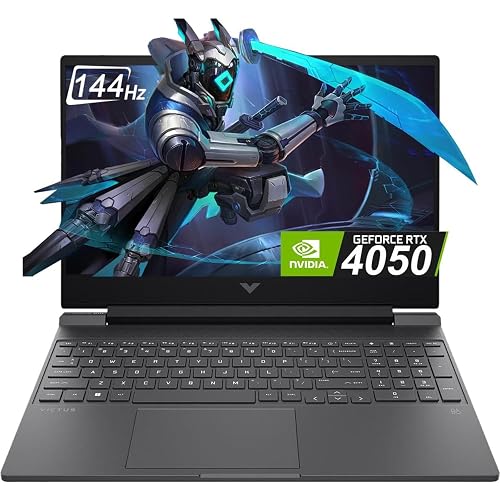 | Best Budget Pick | Processor: Intel Core i5-13420H | Graphics: NVIDIA RTX 4050 | Display Size: 15.6-inch | VIEW LATEST PRICE | Read Our Analysis |
| Acer Nitro V Gaming Laptop (ANV15-52-586Z) |  | Best Mid-Range | Processor: Intel Core i5-13420H | Graphics: NVIDIA RTX 4050 | Display Size: 15.6-inch | VIEW LATEST PRICE | Read Our Analysis |
| Acer Nitro V Gaming Laptop (ANV15-52-76NK) |  | Best Performance | Processor: Intel Core i7-13620H | Graphics: NVIDIA RTX 4050 | Display Size: 15.6-inch | VIEW LATEST PRICE | Read Our Analysis |
| ASUS TUF Gaming F16 Laptop (FX607VU-SS53) | 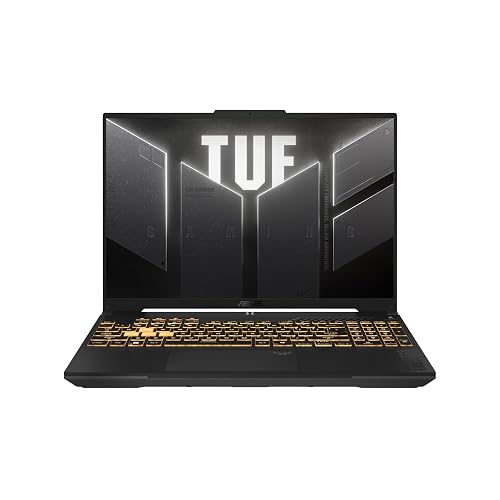 | Best For Durability | Processor: Intel Core 5 210H | Graphics: NVIDIA RTX 4050 | Display Size: 16-inch | VIEW LATEST PRICE | Read Our Analysis |
| MSI Thin 15 Gaming Laptop (B13VE-2678US) | 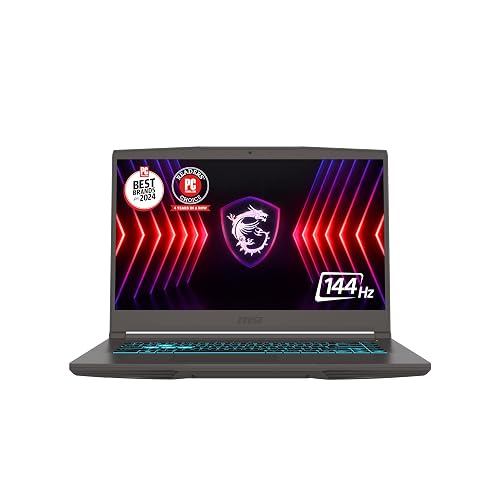 | Best Portable Option | Processor: Intel Core i7-13620H | Graphics: NVIDIA RTX 4050 | Display Size: 15.6-inch | VIEW LATEST PRICE | Read Our Analysis |
More Details on Our Top Picks
ASUS ROG Strix G16 Gaming Laptop (2025)
If you want a gaming laptop under $2500 that balances speed, smooth visuals, and strong cooling, the ASUS ROG Strix G16 Gaming Laptop (2025) is a standout pick. It runs Windows 11 Home and is powered by an Intel Core i7-14650HX and an NVIDIA GeForce RTX 5060 with Blackwell, DLSS 4, and Max-Q support. Its 16GB DDR5-5600MHz memory and 1TB PCIe Gen 4 SSD let you multitask smoothly and store plenty of games. The 16-inch FHD+ 165Hz, 3ms display looks sharp, and ROG cooling keeps the system quiet and comfortable.
- Processor:Intel Core i7-14650HX
- Graphics:NVIDIA RTX 5060
- Display Size:16-inch
- Refresh Rate:165Hz
- Memory:16GB DDR5
- Storage:1TB SSD
- Additional Feature:End-to-end vapor chamber
- Additional Feature:Tri-fan cooling system
- Additional Feature:360° RGB light bar
ASUS TUF Gaming F16 (2025) Gaming Laptop
The ASUS TUF Gaming F16 (2025) is a smart pick if you want a budget-friendly gaming laptop that still delivers serious performance, thanks to its Intel Core i5-13450HX, RTX 5050 GPU, and 115W max TGP. You get Windows 11 Home, NVIDIA Advanced Optimus, and a 16-inch FHD+ 165Hz display with a 16:10 aspect ratio, 100% sRGB, and Adaptive-Sync for smoother gameplay. Its classic TUF design looks clean, and MIL-STD-810H testing helps it handle tough use. The 2nd Gen Arc Flow Fans and full-width heatsink keep temperatures down and noise in check.
- Processor:Intel Core i5-13450HX
- Graphics:NVIDIA RTX 5050
- Display Size:16-inch
- Refresh Rate:165Hz
- Memory:16GB DDR5
- Storage:Not specified
- Additional Feature:Max TGP 115W
- Additional Feature:MIL-STD-810H tested
- Additional Feature:Arc Flow fans
HP Victus 15.6″ FHD Gaming Laptop RTX 4050
HP Victus 15.6″ FHD Gaming Laptop RTX 4050 is a smart pick if you want solid 1080p gaming performance without approaching a $2500 budget. It includes an Intel Core i5-13420H, RTX 4050 graphics, 16GB of DDR4 RAM, and a 512GB PCIe Gen4 SSD for fast load times. The 15.6-inch FHD IPS display runs at 144Hz, so gameplay looks smooth. You also get Wi-Fi 6, Bluetooth, a backlit keyboard, HDMI and USB-C, and about 8.5 hours of battery life. It is a practical, balanced choice for everyday gaming.
- Processor:Intel Core i5-13420H
- Graphics:NVIDIA RTX 4050
- Display Size:15.6-inch
- Refresh Rate:144Hz
- Memory:16GB DDR4
- Storage:512GB SSD
- Additional Feature:8.5-hour battery life
- Additional Feature:Backlit gaming keyboard
- Additional Feature:Wi-Fi 6 support
Acer Nitro V Gaming Laptop (ANV15-52-586Z)
With its Intel Core i5-13420H and RTX 4050 GPU, the Acer Nitro V (ANV15-52-586Z) is a smart pick if you want a budget-friendly gaming laptop that can handle modern titles at 1080p without exceeding the $2500 ceiling. It includes 8GB of DDR5 RAM, a 512GB PCIe Gen 4 SSD, and support for up to 32GB, so upgrades remain straightforward. The 15.6-inch Full HD IPS screen runs at 165Hz and looks sharp. You also get Thunderbolt 4, Wi-Fi 6, Ethernet, and a backlit keyboard for everyday flexibility.
- Processor:Intel Core i5-13420H
- Graphics:NVIDIA RTX 4050
- Display Size:15.6-inch
- Refresh Rate:165Hz
- Memory:8GB DDR5
- Storage:512GB SSD
- Additional Feature:Thunderbolt 4 port
- Additional Feature:300-nit display
- Additional Feature:Protective sleeve included
Acer Nitro V Gaming Laptop (ANV15-52-76NK)
If you want a budget-friendly gaming laptop that still delivers strong 1080p performance, the Acer Nitro V Gaming Laptop, ANV15-52-76NK, is a smart pick. It includes an Intel Core i7-13620H and an NVIDIA RTX 4050 with 6 GB GDDR6, so you can game, stream, and multitask smoothly. The 15.6-inch FHD IPS display runs at 165 Hz, which keeps motion crisp and responsive. With 16 GB DDR5 RAM, a 1 TB PCIe Gen 4 SSD, Wi-Fi 6, Thunderbolt 4, and a backlit keyboard, you are well equipped. It weighs 4.66 pounds and lasts about five hours.
- Processor:Intel Core i7-13620H
- Graphics:NVIDIA RTX 4050
- Display Size:15.6-inch
- Refresh Rate:165Hz
- Memory:16GB DDR5
- Storage:1TB SSD
- Additional Feature:1TB PCIe Gen4 SSD
- Additional Feature:5-hour battery life
- Additional Feature:No webcam
ASUS TUF Gaming F16 Laptop (FX607VU-SS53)
The ASUS TUF Gaming F16 Laptop (FX607VU-SS53) is a strong pick for gamers who want solid 1080p performance without exceeding their budget, thanks to its Intel Core i5-12450H processor, RTX 4050 GPU, and 115W max TGP. You also get Windows 11, NVIDIA Advanced Optimus, and a 16-inch FHD+ IPS-level display with 144 Hz refresh, a 16:10 aspect ratio, 100% sRGB coverage, and Adaptive-Sync for smoother play. Its classic TUF design looks clean, and MIL-STD-810H testing helps it withstand rough use. Arc Flow Fans, five heat pipes, four exhaust vents, and an anti-dust filter keep it cool and quieter.
- Processor:Intel Core 5 210H
- Graphics:NVIDIA RTX 4050
- Display Size:16-inch
- Refresh Rate:144Hz
- Memory:16GB DDR5
- Storage:Not specified
- Additional Feature:4 exhaust vents
- Additional Feature:5 heat pipes
- Additional Feature:Anti-dust filter
MSI Thin 15 Gaming Laptop (B13VE-2678US)
The MSI Thin 15 (B13VE-2678US) is a smart pick if you want a portable 15.6-inch gaming laptop that still delivers enough power for smooth 1080p play. It includes a 13th Gen Intel Core i7-13620H, NVIDIA RTX 4050 graphics, 16 GB of RAM, and a 512 GB NVMe SSD for fast load times. The 144 Hz Full HD matte display keeps motion sharp, and Cooler Boost helps sustain performance. Connectivity covers Wi‑Fi 6E, Bluetooth 5.3, four USB ports, HDMI, and Ethernet, and the keyboard is backlit for low-light use. Battery life is about four hours.
- Processor:Intel Core i7-13620H
- Graphics:NVIDIA RTX 4050
- Display Size:15.6-inch
- Refresh Rate:144Hz
- Memory:16GB DDR4
- Storage:512GB SSD
- Additional Feature:Wi-Fi 6E
- Additional Feature:Webcam included
- Additional Feature:Supports 2 monitors
Factors to Consider When Choosing Gaming Laptops Under 2500 Dollars
When choosing a gaming laptop under $2500, match the GPU to the games you plan to play and the settings you expect. Select a CPU that keeps up and avoids bottlenecks. Choose a display with a fast refresh rate for smoother action. Do not overlook memory, storage, and cooling, since they affect speed, load times, and sustained performance.
GPU Performance Needs
If you want a gaming laptop under $2,500 that still feels fast a few years from now, GPU performance should be one of your biggest priorities. Look for a higher-tier laptop GPU with a newer architecture, since it will handle modern games better and support features like DLSS 4 or DLSS 3.5 for higher frame rates and sharper visuals. Do not focus only on VRAM; 6 GB GDDR6 can work, but stronger throughput matters as games get heavier. Power limits matter as well, because a 115 W version usually sustains better performance than a lower-wattage model. For smooth 1080p play on 144 Hz or 165 Hz panels, you need consistent high frame rates, not just brief spikes. Ray tracing and AI features help, but they also require strong raw GPU power.
CPU Power Balance
A strong gaming laptop CPU should keep pace with the GPU so it does not bottleneck performance in CPU-heavy esports and open-world games. You will usually want an 8-core to 10-core mobile processor, because it handles gaming, streaming, and multitasking well without overwhelming the cooling system. Higher base and boost clocks also matter; chips that can reach around 4.6 GHz to 4.9 GHz often deliver steadier frame consistency in fast-paced titles. HX-class processors can give you more sustained performance, but they also need stronger cooling and can drain battery life faster if the laptop is not engineered well. For most buyers, it is smarter to choose enough CPU headroom for today’s games and background apps than to overspend on the fastest chip, since gains shrink once the GPU becomes the limit.
Display Refresh Rates
Higher refresh rates like 144Hz or 165Hz can make a gaming laptop feel much smoother by reducing blur in fast-paced action. If you play esports, racing, or other twitchy games, you will notice sharper motion, easier tracking, and quicker-feeling camera turns. A 165Hz panel is ideal when you want the most responsive feel, since it can display up to 165 frames per second. A 144Hz display is still excellent under $2500, giving you a big upgrade over 60Hz without demanding as much from the system. Make sure the panel also has a low response time, because slow pixels can still smear motion. For competitive play, prioritize refresh rate over a basic screen.
Memory And Storage
When you are choosing a gaming laptop under $2500, memory and storage have a big impact on perceived speed and long-term usefulness. Sixteen GB of RAM is a solid baseline for gaming, but 32 GB is better if you stream, multitask heavily, or want more headroom for the future. Look for faster memory, such as DDR5-5600 MHz, since it can feel snappier than DDR4-3200 MHz. For storage, 1 TB is far more practical than 512 GB because modern games consume space quickly. A PCIe Gen 4 SSD provides quicker installs, shorter load times, and faster transfers. Before you buy, check for upgradeable RAM and extra storage slots so you can expand later.
Cooling And Thermals
After memory and storage, cooling becomes the next big factor in how a gaming laptop actually performs day to day. Look for vapor chambers, multiple fans, and several heat pipes, because they help keep CPU and GPU temperatures steady during long sessions. If you pair the system with a higher-wattage GPU, such as a 115W-class chip, stronger thermal management matters even more. Full-width vents, full-width heatsinks, and anti-dust filters can improve airflow, limit heat buildup, and help your frame rates stay consistent. You also want cooling that does not sound harsh under load. The best designs balance temperature control with lower noise, so you can game, stream, and multitask without the laptop throttling or getting uncomfortably loud.
Portability And Weight
Portability and weight matter more than many buyers expect, because even about a 1 lb difference can change how comfortable a gaming laptop feels to carry every day. When you compare models, check the weight first. A 4.5 to 5.0 lb laptop is usually far easier to move than one over 7 lb. Thin, light designs work better if you commute, pack your machine for class, or shift between home and work. Heavier laptops can offer stronger cooling, but they are harder to haul. Also look at the chassis size, because a smaller footprint fits bags and sleeves more easily. Do not ignore the charger; a bulky power brick can make an otherwise light system feel far less portable overall.
Battery And Connectivity
Battery and connectivity matter just as much as size and weight, especially if you plan to game away from a wall outlet or use the laptop with a full set of peripherals. You will usually see gaming battery life fall between 4 and 8.5 hours, so a larger battery can help when you are unplugged. Look for capacity listed in watt-hours; 52.4 Wh is modest, while 57 Wh or 70 Wh often lasts longer. For wireless, you should want Wi-Fi 6 or Wi-Fi 6E plus Bluetooth for smooth online play and easy pairing. For wired use, check for Ethernet, HDMI, USB-A, USB-C, and Thunderbolt 4. Port counts can range from 5 to 7, so make sure you have room for your mouse, headset, monitor, and storage.
Frequently Asked Questions
Which Gaming Laptop Under $2500 Has the Best Battery Life?
The Asus ROG Zephyrus G14 generally provides the best battery life due to its efficient processor and smaller display. Check recent reviews to confirm, but it remains the strongest all-around choice for endurance.
Are These Laptops Good for Competitive Esports Gaming?
Yes. Choose a laptop with a high refresh display, low response time, and a powerful CPU for strong esports performance. Use wired peripherals as well, because they improve consistency and competitive control.
Which Model Is Easiest to Upgrade Later?
You can most easily upgrade a laptop that uses standard RAM and has two M.2 slots, so your theory is correct. Models with removable bottom covers and no soldered memory let you swap parts quickly later.
Do Any of These Laptops Support External 4K Monitors?
Yes, you can connect external 4K monitors to most of these laptops via HDMI 2.1 or USB-C/Thunderbolt ports. You will get smooth 4K output, and some models can even handle multiple displays at once.
Which Gaming Laptop Offers the Quietest Cooling System?
You’ll find the quietest cooling in Asus ROG Zephyrus models; their fans whisper like a breeze, not a storm. You can game comfortably, and they keep noise low without sacrificing strong performance.




