

If you’re chasing a 240Hz gaming laptop in 2026, you have more strong choices than ever, but not all of them suit the same kind of player.
You will find fast ASUS ROG Strix models, larger power-focused machines, and a few that quietly balance speed, screen quality, and portability better than expected.
The real difference often comes down to what matters most in play, and that is where the choice gets interesting.
| ASUS ROG Strix G16 Gaming Laptop (2025) | 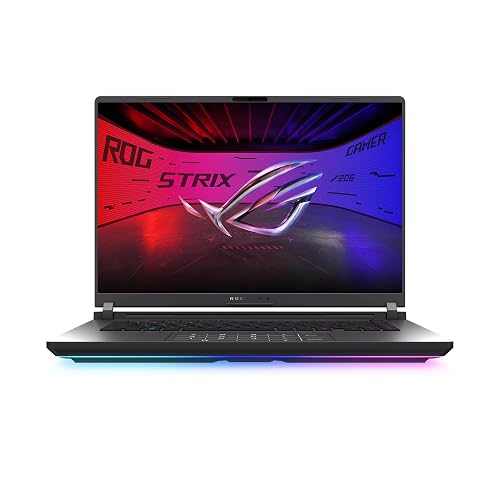 | Best Overall | Processor: Intel Core Ultra 9 275HX | Graphics: RTX 5070 Ti | RAM: 32GB | VIEW LATEST PRICE | Read Our Analysis |
| ASUS ROG Strix G16 Gaming Laptop 2025 | 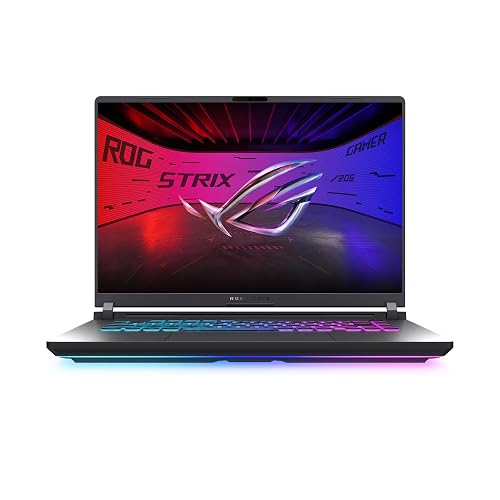 | Best Value | Processor: Intel Core Ultra 9 275HX | Graphics: RTX 5060 | RAM: 16GB | VIEW LATEST PRICE | Read Our Analysis |
| ASUS ROG Strix G16 Gaming Laptop 2025 | 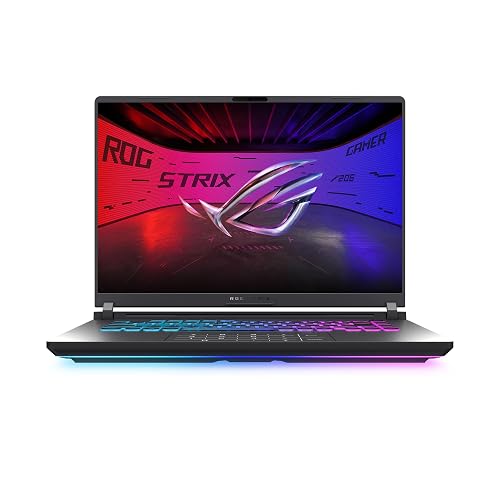 | Best for Creators | Processor: AMD Ryzen 9 9955HX | Graphics: RTX 5070 | RAM: 32GB | VIEW LATEST PRICE | Read Our Analysis |
| ASUS ROG Strix SCAR 18 Gaming Laptop | 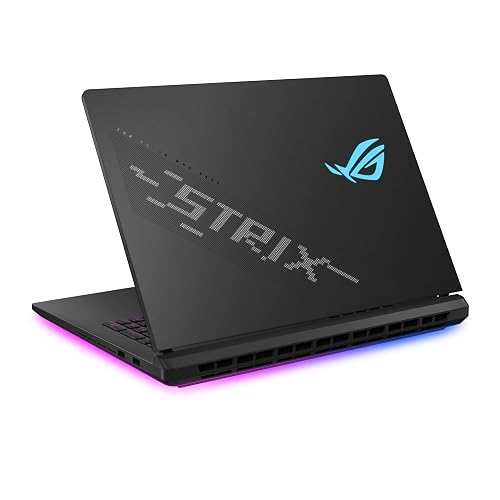 | Premium Powerhouse | Processor: Intel Core Ultra 9 275HX | Graphics: RTX 5080 | RAM: 32GB | VIEW LATEST PRICE | Read Our Analysis |
| ASUS ROG Strix G17 Gaming Laptop (G713PV-DS94) | 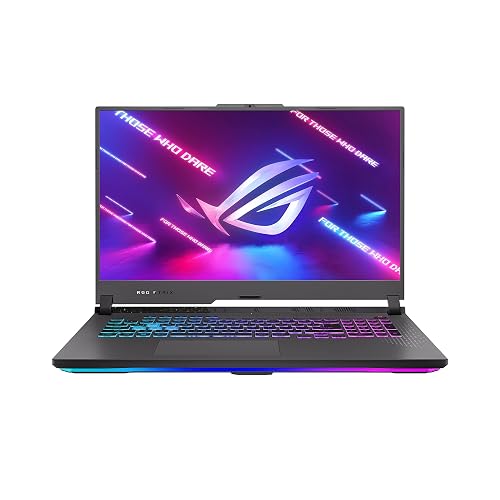 | Best Budget Pick | Processor: AMD Ryzen 9 7945HX | Graphics: RTX 4060 | RAM: 16GB | VIEW LATEST PRICE | Read Our Analysis |
| ASUS ROG Strix G16 Gaming Laptop (G614JU-ES94) | 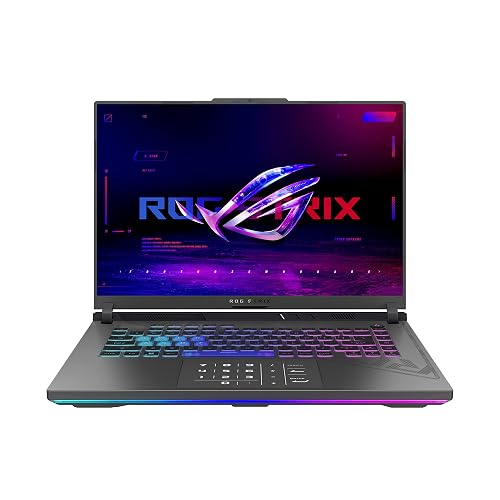 | Best Midrange Pick | Processor: Intel Core i9-13980HX | Graphics: RTX 4050 | RAM: 16GB | VIEW LATEST PRICE | Read Our Analysis |
| ASUS ROG Strix G17 Gaming Laptop (G713PI-DS94) | 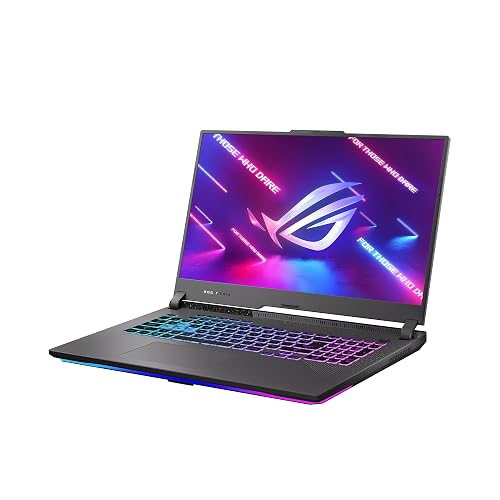 | Best Performance Pick | Processor: AMD Ryzen 9 7945HX | Graphics: RTX 4070 | RAM: 16GB | VIEW LATEST PRICE | Read Our Analysis |
More Details on Our Top Picks
ASUS ROG Strix G16 Gaming Laptop (2025)
The ASUS ROG Strix G16 Gaming Laptop (2025) is a strong pick if you want a 240Hz gaming laptop that can keep up with fast-paced competitive play. It is powered by an Intel Core Ultra 9 275HX processor, an RTX 5070 Ti with DLSS 4, and 32GB of DDR5 memory for smooth multitasking. Its 16-inch Nebula display delivers 2.5K resolution, a 3 ms response time, and vivid IPS clarity. ROG Intelligent Cooling, tri-fan technology, and a vapor chamber help it stay steady. Wi-Fi 7, Thunderbolt, and a 1 TB SSD round out the package.
- Processor:Intel Core Ultra 9 275HX
- Graphics:RTX 5070 Ti
- RAM:32GB
- Storage:1TB SSD
- Display Size:16-inch
- Refresh Rate:240Hz
- Additional Feature:End-to-end vapor chamber
- Additional Feature:Full-surround RGB lightbar
- Additional Feature:Wi‑Fi 7
ASUS ROG Strix G16 Gaming Laptop 2025
If you want a gaming laptop that pairs serious speed with a sharp, fluid panel, the ASUS ROG Strix G16 Gaming Laptop 2025 is a strong fit. It runs Windows 11 Home and features an Intel Core Ultra 9 Processor 275HX, plus an NVIDIA GeForce RTX 5060 Laptop GPU built on Blackwell architecture with DLSS 4 and Max-Q technologies. Its 16 GB DDR5-5600 MHz memory and 1 TB PCIe Gen 4 SSD keep multitasking and storage easy. The 16-inch ROG Nebula Display delivers 2.5K resolution, 240 Hz refresh, 3 ms response, Dolby Vision HDR, and low glare. Cooling stays quiet and steady as well.
- Processor:Intel Core Ultra 9 275HX
- Graphics:RTX 5060
- RAM:16GB
- Storage:1TB SSD
- Display Size:16-inch
- Refresh Rate:240Hz
- Additional Feature:360° RGB light bar
- Additional Feature:Keyboard-peripheral sync
- Additional Feature:Stealth Mode lighting
ASUS ROG Strix G16 Gaming Laptop 2025
ASUS ROG Strix G16 Gaming Laptop 2025 is a strong pick for gamers who want fast, sharp visuals and serious performance in one machine. It runs Windows 11 Home, is powered by an AMD Ryzen 9 9955HX, and includes NVIDIA GeForce RTX 5070 with Blackwell architecture, DLSS 4, and Max-Q efficiency for smooth play. The 16-inch ROG Nebula display delivers 2.5K resolution, a 240 Hz refresh rate, and a 3 ms response time. With 32 GB DDR5 memory, a 1 TB PCIe Gen 4 SSD, and intelligent cooling, you can multitask, store games, and stay comfortable. The RGB light bar adds style, and Stealth Mode keeps the appearance professional.
- Processor:AMD Ryzen 9 9955HX
- Graphics:RTX 5070
- RAM:32GB
- Storage:1TB SSD
- Display Size:16-inch
- Refresh Rate:240Hz
- Additional Feature:AMD Ryzen 9 9955HX
- Additional Feature:Full-width heatsink
- Additional Feature:Refined, sleek design
ASUS ROG Strix SCAR 18 Gaming Laptop
With its 18-inch 240Hz Nebula HDR mini-LED panel, the ROG Strix SCAR 18 is a top choice if you want a large, ultra-fast display for competitive gaming and immersive play. The 2.5K 16:10 screen offers more than 2,000 dimming zones, 100% DCI-P3 color coverage, and 500 nit brightness. Inside, Intel Core Ultra 9 275HX and an NVIDIA RTX 5080 handle demanding games with ease. You also get 32GB of DDR5 RAM, a 2TB SSD, Wi-Fi 7, advanced cooling, and tool-free upgrade access.
- Processor:Intel Core Ultra 9 275HX
- Graphics:RTX 5080
- RAM:32GB
- Storage:2TB SSD
- Display Size:18-inch
- Refresh Rate:240Hz
- Additional Feature:Mini LED display
- Additional Feature:AniMe Vision lid
- Additional Feature:Tool-free access
ASUS ROG Strix G17 Gaming Laptop (G713PV-DS94)
The ASUS ROG Strix G17 (G713PV-DS94) is a strong pick for gamers who want a large 17.3-inch QHD screen with a 240 Hz refresh rate and high-end performance in a single machine. It includes a Ryzen 9 7945HX, an RTX 4060 with a 140 W TGP, 16 GB of DDR5 memory, and a 1 TB PCIe 4.0 SSD, so you can play and multitask smoothly. The panel adds 3 ms response time, Dolby Vision, and 100% DCI-P3 color. ROG Intelligent Cooling, liquid metal, a MUX Switch, and Advanced Optimus help keep performance consistent.
- Processor:AMD Ryzen 9 7945HX
- Graphics:RTX 4060
- RAM:16GB
- Storage:1TB SSD
- Display Size:17.3-inch
- Refresh Rate:240Hz
- Additional Feature:140W Max TGP
- Additional Feature:4 memory slots
- Additional Feature:Boundary microphone
ASUS ROG Strix G16 Gaming Laptop (G614JU-ES94)
If you want a 240Hz gaming laptop that pairs a sharp 16-inch 16:10 QHD panel with serious power, the ASUS ROG Strix G16 (G614JU-ES94) is a strong fit. It includes an Intel Core i9-13980HX, RTX 4050 graphics, 16GB DDR5 RAM, and a 1TB PCIe 4.0 SSD. The Nebula Display offers 3 ms response, 100% DCI-P3 coverage, and Pantone validation. ROG Intelligent Cooling, liquid metal, Tri-Fan technology, and a MUX switch help sustain performance. You also get Wi-Fi 6E, HDMI, Ethernet, and a 90 Wh battery.
- Processor:Intel Core i9-13980HX
- Graphics:RTX 4050
- RAM:16GB
- Storage:1TB SSD
- Display Size:16-inch
- Refresh Rate:240Hz
- Additional Feature:Pantone Validation
- Additional Feature:Third intake fan
- Additional Feature:Direct dGPU routing
ASUS ROG Strix G17 Gaming Laptop (G713PI-DS94)
Built for competitive players who want a big-screen edge, the ASUS ROG Strix G17 Gaming Laptop (G713PI-DS94) pairs a 17.3-inch QHD panel with a 240Hz refresh rate and 3ms response time for fast, fluid motion. You also get 100% DCI-P3 color, Dolby Vision, and Adaptive-Sync for sharp, vibrant gameplay. Inside, the Ryzen 9 7945HX and RTX 4070 with 140W TGP deliver strong performance. Sixteen gigabytes of DDR5 memory and a 1TB PCIe 4.0 SSD keep the system responsive. ROG Intelligent Cooling with liquid metal helps sustain speed, and MUX Switch, Advanced Optimus, and Game Pass add extra value.
- Processor:AMD Ryzen 9 7945HX
- Graphics:RTX 4070
- RAM:16GB
- Storage:1TB SSD
- Display Size:17.3-inch
- Refresh Rate:240Hz
- Additional Feature:5–10% performance boost
- Additional Feature:Free 90-day Game Pass
- Additional Feature:Automatic GPU switching
Factors to Consider When Choosing Gaming Laptops With 240Hz Display
When choosing a gaming laptop with a 240Hz display, check the panel resolution and confirm your GPU can actually drive those frames. Also evaluate cooling efficiency and response time, since both affect how smooth and stable gameplay feels. Keep portability in mind as well; thinner, lighter laptops often sacrifice some performance and thermals.
Panel Resolution
Panel resolution is a major factor in how a 240Hz gaming laptop looks and feels. You will commonly see 1920 x 1080, 2560 x 1440, or 2560 x 1600 panels, and each affects how sharp games and text appear. Higher resolutions provide finer detail and cleaner edges, so a 2.5K screen looks noticeably sharper at the same size. Note that 2560 x 1600 uses a 16:10 aspect ratio, which gives you more vertical space than 2560 x 1440. That extra room can make browsing and multitasking more comfortable. Choose based on what you value most, maximum image sharpness or a resolution that is easier to live with at very high refresh rates.
GPU Performance
A sharp 240 Hz screen is only part of the story; the GPU has to keep up if you want to see that refresh rate in real games. You need a graphics chip that can drive near 240 FPS in the titles you actually play, so high-end options like the RTX 5070 Ti, RTX 5080, or similar-class GPUs make far more sense than RTX 4050 or RTX 4060 models. Don’t look at the GPU name alone, a 140 W Max TGP can matter just as much because it affects sustained performance. Features like DLSS 4 and Max-Q can also lift frame rates and efficiency. For competitive gaming, check 1% lows and frame pacing too, since a 240 Hz panel feels best when motion stays smooth, responsive, and consistent.
Cooling Efficiency
Even the best 240Hz display will not feel truly smooth if the laptop cannot stay cool enough to maintain high frame rates without thermal throttling. Check whether the laptop uses advanced cooling like vapor chambers, tri-fan layouts, or liquid metal, since these help pull heat away from the CPU and GPU faster. That matters even more if you are buying a machine with a high-wattage graphics chip or a high-core-count processor for demanding 2.5K gaming. Look for full-surround vents and large heatsinks as well, because they improve airflow and keep performance steadier during long sessions. Good cooling also makes the laptop quieter and more comfortable, so your keyboard and palm rest do not turn into hot spots while you play.
Response Time
How fast should the screen react for a 240Hz gaming laptop to feel truly responsive? Aim for a response time of 3 ms or lower. A 240Hz panel refreshes every 4.17 milliseconds, so a 3 ms display can keep pace with those updates and preserve smooth motion. Faster pixel transitions reduce ghosting and trailing, which you will notice during rapid camera swings and quick target tracking in competitive games. If response time is much higher than the refresh interval, frames can look blurred or delayed even though the panel refreshes quickly. For the best competitive experience, do not focus on refresh rate alone. Pair 240Hz with low response time to get sharper motion, cleaner transitions, and a display that feels more accurate when every millisecond counts.
Portability Tradeoffs
Portability matters just as much as speed when you are choosing a 240Hz gaming laptop. If you move from a 16-inch model at about 6.0 lb and 0.9 in thick to an 18-inch machine around 6.3 lb and 0.93 in thick, you will notice the bag feels bulkier right away. Even small weight jumps, for example from 5.9 lb to 6.7 lb, can make daily commuting or travel tiring. Bigger screens boost immersion, but 17.3-inch and 18-inch laptops crowd backpacks, desks, and tight spaces. Do not assume a 90Wh battery solves portability, because high-performance hardware often requires a large power adapter. If you want easier travel, slim options under 1.0 inch usually carry far better than thicker, 1.2-inch models.
Frequently Asked Questions
How Does 240HZ Improve Competitive Gaming Performance?
240Hz reduces motion blur and lowers input latency, so you see opponents sooner and react faster. You track targets more smoothly, aim with greater precision, and experience less stutter, providing a clear competitive advantage.
Is 240HZ Noticeable for Non-Competitive Gaming?
Yes, you will notice 240 Hz in non-competitive games if you value smoother motion and reduced blur. It does not provide a large competitive advantage, but visuals will feel more fluid and responsive overall.
Does a 240HZ Display Reduce Battery Life?
Yes, you will usually lose some battery life, because the screen refreshes more often. You can extend runtime by switching to a lower refresh rate, reducing brightness, and using power saving modes when gaming is not required.
Can Integrated Graphics Fully Utilize a 240HZ Screen?
No, you usually cannot fully utilize a 240 Hz screen with integrated graphics in demanding games. If you are just browsing or playing light titles, you may occasionally see smoother motion. You need strong GPU output for the true benefit.
What Refresh Rate Is Better Than 240HZ for Gaming?
360Hz is better than 240Hz for gaming if your PC can push enough frames. You get smoother motion and lower input lag, but you will not notice much unless your system stays near that frame rate.




