

If you’re eyeing the ASUS ROG Strix G16 with Intel Core Ultra 9 and an RTX 5070 Ti, you’re already in the right performance range for 2026 gaming.
You’ll also see options like the ROG Strix SCAR 18, Legion Pro 7i, and MSI Vector 16 HX AI, each built for speed, cooling, and sharp displays.
The real question is which one fits your games, desk space, and budget best.
The differences matter more than they first seem.
| ASUS ROG Strix G16 Gaming Laptop (2025) | 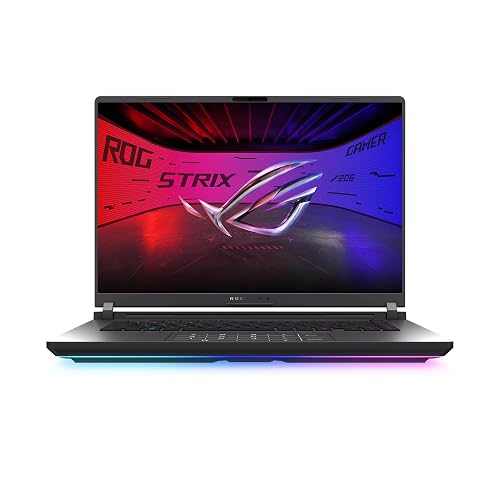 | Best Overall | Processor: Intel Core Ultra 9 275HX | Graphics: RTX 5070 Ti | Memory: 32GB DDR5 | VIEW LATEST PRICE | Read Our Analysis |
| ASUS ROG Strix G16 Gaming Laptop (2025) | 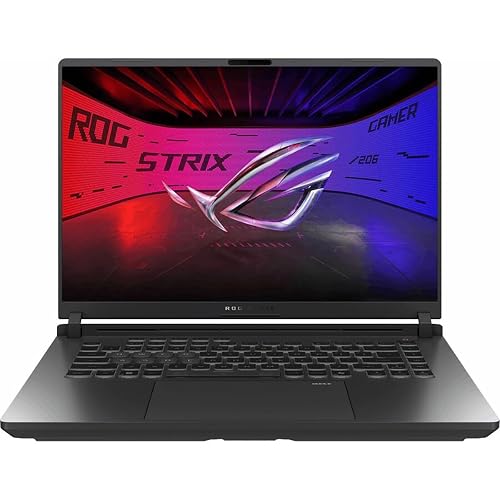 | Best Value | Processor: Intel Core Ultra 9 275HX | Graphics: RTX 5060 | Memory: 32GB DDR5 | VIEW LATEST PRICE | Read Our Analysis |
| ASUS ROG Strix SCAR 18 Gaming Laptop | 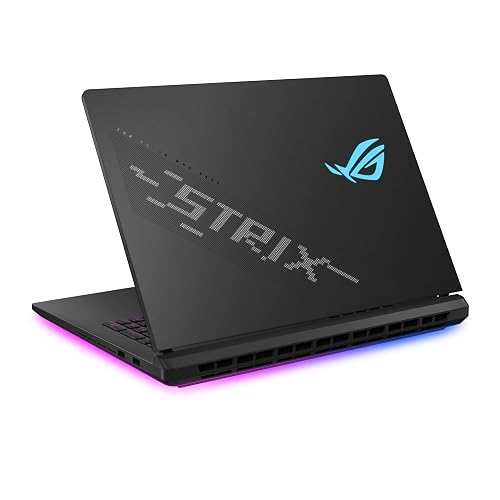 | Premium Powerhouse | Processor: Intel Core Ultra 9 275HX | Graphics: RTX 5080 | Memory: 32GB DDR5 | VIEW LATEST PRICE | Read Our Analysis |
| Lenovo Legion Pro 7i Gaming Laptop 240Hz OLED | 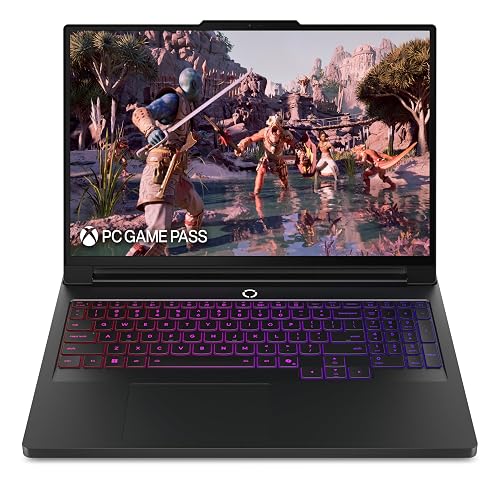 | Best OLED | Processor: Intel Core Ultra 9 275HX | Graphics: RTX 5070 Ti | Memory: 32GB DDR5 | VIEW LATEST PRICE | Read Our Analysis |
| MSI Vector 16 HX AI Gaming Laptop (A2XWHG-211US) | 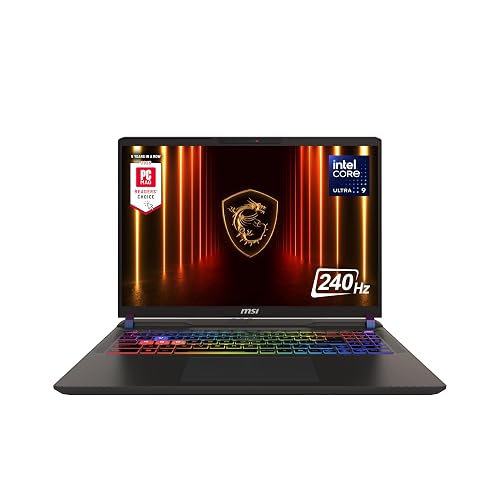 | Best For Creators | Processor: Intel Core Ultra 9-275HX | Graphics: RTX 5070 Ti | Memory: 16GB DDR5 | VIEW LATEST PRICE | Read Our Analysis |
| Acer Nitro V Gaming Laptop ANV16-72-933F | 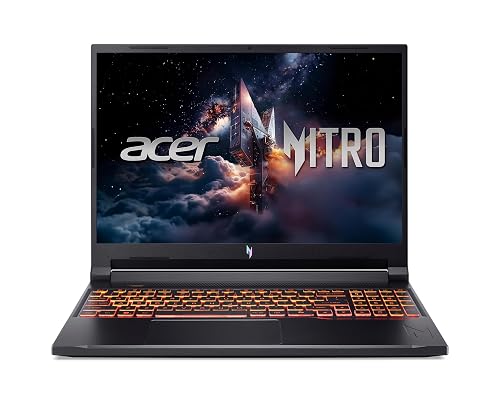 | Best Budget Pick | Processor: Intel Core 9 270H | Graphics: RTX 5070 | Memory: 32GB DDR5 | VIEW LATEST PRICE | Read Our Analysis |
| Lenovo Legion LOQ AI Gaming Laptop i7 RTX 5050 | 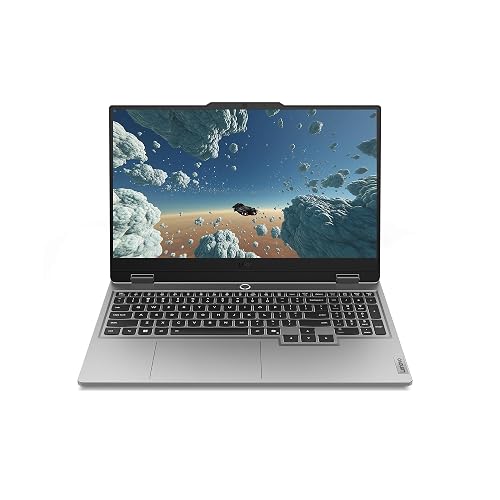 | Best Entry-Level | Processor: Intel Core i7-13650HX | Graphics: RTX 5050 | Memory: 16GB | VIEW LATEST PRICE | Read Our Analysis |
More Details on Our Top Picks
ASUS ROG Strix G16 Gaming Laptop (2025)
If you want a gaming laptop that can handle fast-paced esports, demanding AAA titles, and creative work without slowing down, the ASUS ROG Strix G16 Gaming Laptop (2025) is a strong pick. It is powered by an Intel Core Ultra 9 275HX, RTX 5070 Ti graphics, 32GB of DDR5-5600 memory, and a 1TB PCIe Gen 4 SSD for quick loads and smooth multitasking. The 16-inch 2.5K 240Hz Nebula display keeps motion sharp, and ROG Intelligent Cooling helps it run cooler and quieter. Wi-Fi 7, Thunderbolt, RGB lighting, and a 90Wh battery round out this capable Windows 11 Home machine.
- Processor:Intel Core Ultra 9 275HX
- Graphics:RTX 5070 Ti
- Memory:32GB DDR5
- Storage:1TB SSD
- Display:16″ 2.5K 240Hz
- Operating System:Windows 11 Home
- Additional Feature:End-to-end vapor chamber
- Additional Feature:Full-surround RGB light bar
- Additional Feature:Stealth Mode lighting off
ASUS ROG Strix G16 Gaming Laptop (2025)
The ASUS ROG Strix G16 Gaming Laptop (2025) is a strong fit for gamers who want high-end speed and smooth visuals in a more refined package. It ships with Windows 11 Home, an Intel Core Ultra 9 275HX, and an NVIDIA GeForce RTX 5060 with Blackwell, DLSS 4, and Max-Q support for efficient performance. With 32GB of DDR5 memory and a 1TB PCIe Gen 4 SSD, you can multitask easily and keep a large game library installed. The 16-inch Nebula Display delivers 2.5K resolution, 240 Hz refresh rate, and 3 ms response clarity. ROG cooling keeps the system quiet and ready.
- Processor:Intel Core Ultra 9 275HX
- Graphics:RTX 5060
- Memory:32GB DDR5
- Storage:1TB SSD
- Display:16″ 2.5K 240Hz
- Operating System:Windows 11 Home
- Additional Feature:360° RGB light bar
- Additional Feature:Stealth Mode lighting off
- Additional Feature:Tri-fan cooling system
ASUS ROG Strix SCAR 18 Gaming Laptop
With its Intel Core Ultra 9 275HX chip, RTX 5080 graphics, and 18-inch 240 Hz Mini LED display, the ASUS ROG Strix SCAR 18 is built for users who want a top-tier gaming laptop that can also handle heavy creative work. You get 32 GB of DDR5 RAM, a 2 TB Gen 4 SSD, and easy tool-free access for upgrades. ROG Intelligent Cooling uses a vapor chamber and a tri-fan design to keep performance steady. Wi-Fi 7, Thunderbolt, Dolby Atmos, and a 90 Wh battery round out the package. It is large, fast, and unapologetically premium.
- Processor:Intel Core Ultra 9 275HX
- Graphics:RTX 5080
- Memory:32GB DDR5
- Storage:2TB SSD
- Display:18″ 2.5K 240Hz
- Operating System:Windows 11 Pro
- Additional Feature:AniMe Vision lid display
- Additional Feature:Tool-free hardware access
- Additional Feature:Mini LED backlight
Lenovo Legion Pro 7i Gaming Laptop 240Hz OLED
Built for gamers and creators who want top-tier speed without sacrificing image quality, the Lenovo Legion Pro 7i pairs an Intel Core Ultra 9 275HX processor with an NVIDIA GeForce RTX 5070 Ti GPU and a 16-inch 2.5K 240Hz OLED display. You’ll enjoy 24 cores, ray tracing, and AI-enhanced DLSS 4 for demanding AAA and eSports games. Lenovo AI Engine+ tunes performance in real time, while Coldfront: Vapor cooling keeps thermals in check with whisper-quiet fans. You also get 400W charging support, a 99.9Whr battery, and three months of PC Game Pass with EA Play.
- Processor:Intel Core Ultra 9 275HX
- Graphics:RTX 5070 Ti
- Memory:32GB DDR5
- Storage:400W charging support
- Display:16″ OLED 240Hz
- Operating System:Windows 11 Home
- Additional Feature:Lenovo AI Engine+
- Additional Feature:400W charging support
- Additional Feature:Factory calibration report
MSI Vector 16 HX AI Gaming Laptop (A2XWHG-211US)
If you want a gaming laptop that can handle demanding play and heavy multitasking, the MSI Vector 16 HX AI Gaming Laptop (A2XWHG-211US) makes a strong case with its Intel Core Ultra 9-275HX, 24-core processor and NVIDIA GeForce RTX 5070 Ti GPU. You get desktop-level speed, faster AI tasks, and smooth modern-game performance with ray tracing and DLSS 4. Its 16-inch QHD+ 240Hz display keeps motion ultra-fluid, while Cooler Boost 5 helps sustain power. Thunderbolt 5, Wi-Fi 7, a 1TB SSD, 16GB of DDR5 memory, and a 24-zone RGB keyboard round out a versatile Copilot+ ready machine.
- Processor:Intel Core Ultra 9-275HX
- Graphics:RTX 5070 Ti
- Memory:16GB DDR5
- Storage:1TB SSD
- Display:16″ QHD+ 240Hz
- Operating System:Windows 11 Home
- Additional Feature:Thunderbolt 5 support
- Additional Feature:24-zone RGB keyboard
- Additional Feature:Copilot+ ready
Acer Nitro V Gaming Laptop ANV16-72-933F
The Acer Nitro V Gaming Laptop ANV16-72-933F is a strong choice if you want a 16-inch gaming laptop that pairs an Intel Core Ultra 9 270H processor with an NVIDIA GeForce RTX 5070 Laptop GPU. You get 14-core performance, up to 5.8 GHz boost, and Intel application optimization in Windows 11 Home. The 16-inch WUXGA IPS panel runs at 180 Hz, reaches 400 nits, and covers 100% sRGB. With 32 GB DDR5 RAM, a 1 TB PCIe Gen 4 SSD, Thunderbolt, HDMI, Ethernet, Wi-Fi 6, and a 76 Wh battery, it is ready for serious play.
- Processor:Intel Core 9 270H
- Graphics:RTX 5070
- Memory:32GB DDR5
- Storage:1TB SSD
- Display:16″ WUXGA 180Hz
- Operating System:Windows 11 Home
- Additional Feature:798 AI TOPS
- Additional Feature:4th-gen RT Cores
- Additional Feature:76Wh battery
Lenovo Legion LOQ AI Gaming Laptop i7 RTX 5050
For gamers who want smooth 1080p play with dependable AI tuning, the Lenovo Legion LOQ AI Gaming Laptop pairs an Intel Core i7-13650HX with an RTX 5050, 16GB of memory, and 1TB of storage. You will get AI-enhanced settings that optimize CPU, GPU, and system behavior for steadier FPS and less hassle. Its 15.6-inch FHD IPS panel runs at 144Hz with NVIDIA G-Sync, so you can reduce tearing and stutter. Hyperchamber Cooling, turbo fans, copper heat pipes, and AI Engine+ help keep temperatures in check. The Luna Grey chassis remains portable, and Rapid Charge Pro gets you back to full power quickly.
- Processor:Intel Core i7-13650HX
- Graphics:RTX 5050
- Memory:16GB
- Storage:1TB storage
- Display:15.6″ FHD 144Hz
- Operating System:Windows 11 Home
- Additional Feature:Hyperchamber cooling
- Additional Feature:Rapid Charge Pro
- Additional Feature:White backlight keyboard
Factors to Consider When Choosing Gaming Laptops With Intel Core Ultra 9
When choosing a gaming laptop with Intel Core Ultra 9, first evaluate the GPU’s performance, since it determines frame rates and visual fidelity. Also prioritize a high-quality display, effective cooling, and sufficient memory and storage to ensure games run smoothly. If you plan to game on the go, balance raw performance with portability and battery life.
GPU Performance
GPU performance is the deciding factor in how well an Intel Core Ultra 9 gaming laptop feels in actual play, so match the graphics tier to your target resolution and refresh rate first. You do not need the fastest chip if you are gaming at moderate settings, but avoid underbuying, because the GPU still drives frame rate and visual quality. Entry-level RTX 5050 class models suit lighter play, while RTX 5080 class options handle demanding titles with ease. Look for Blackwell based GPUs with DLSS 4 and Max-Q efficiency features, since they can lift performance without wasting power. For many gamers, an RTX 5070 Ti class GPU hits the sweet spot, especially in 16 inch, 2.5K, 240 Hz laptops. If you want heavy ray tracing, choose 16 GB graphics memory.
Display Quality
Display quality matters just as much as raw speed, especially if you want an Intel Core Ultra 9 gaming laptop that feels sharp and stays comfortable to use. Look for a 16:10 panel with at least 2560 x 1600 resolution. It delivers more detail and extra vertical space than 1080p. A 240 Hz refresh rate helps fast games look smoother, and a 3 ms response time reduces blur and ghosting. OLED or Mini LED screens generally provide better contrast, deeper blacks, brighter highlights, and stronger color accuracy than basic IPS panels. Anti glare coating, full 100 percent DCI-P3 or sRGB coverage, and 400 to 500 nits of brightness also make a display easier to see and better for vivid gaming and creative work.
Cooling Efficiency
Cooling efficiency is a major factor if you want an Intel Core Ultra 9 gaming laptop that stays fast under pressure, not just on short bursts. Look for vapor chambers, tri-fan layouts, and sandwiched heatsinks, because they pull heat away from the CPU and GPU more effectively during long sessions. Liquid metal thermal material and well-designed air channels also help you keep performance steady when the processor and graphics chip work hard. A larger chassis often cools better, since it can fit bigger fans and more heat pipes. You will also want software control, such as dynamic fan curves, to balance noise and temperature. Check for sustained clock speeds, because good cooling prevents throttling, loud fans, overheating, and frame drops.
Memory And Storage
Memory and storage matter just as much as raw speed when you choose an Intel Core Ultra 9 gaming laptop. You should aim for 32GB of DDR5 memory as your baseline, since it keeps modern games smooth while you multitask and run background apps. Faster DDR5-5600MHz RAM can also help you avoid bottlenecks in CPU-heavy games and creation work. For storage, a 1TB PCIe Gen 4 SSD gives you quick launches and decent room for your library, but big games can fill it fast. If you like keeping several AAA titles installed, 2TB is a smarter choice. Also, check the laptop’s slot layout and upgrade path, because limited or fixed memory can make future expansion tougher.
Portability And Battery
When you weigh portability on an Intel Core Ultra 9 gaming laptop, battery size, weight, and thickness matter just as much as performance. Aim for a 90Wh to 99.9Wh battery so you can game or work longer unplugged without running into airline limits. If you carry your laptop daily, choose a model around 5.3 to 6.0 lb and roughly 0.86 to 0.96 in thick; it will feel far easier to travel with than a 6.3 lb, 1 inch class machine. Keep in mind that bigger cooling systems can add bulk. You should also look for fast charging and smart power management, since both cut downtime and stretch battery life. Workload aware tuning helps too, so you do not rely on battery size alone.
Frequently Asked Questions
Are Intel Core Ultra 9 Gaming Laptops Good for Streaming?
Yes. You can stream well on Intel Core Ultra 9 gaming laptops if you have strong cooling, sufficient RAM, and a capable GPU. They will handle gaming and encoding smoothly, but battery life typically will not impress.
How Long Does the Battery Last While Gaming?
You can expect about 1 to 3 hours of gaming, depending on settings, screen brightness, and the game. The battery will drain faster at maximum performance; you can extend play time by lowering graphics and capping frame rates.
Do These Laptops Support External 4K Monitors?
Yes. You can connect external 4K monitors using HDMI 2.1 or Thunderbolt 4/USB4 ports, and you will generally get smooth performance. Check each laptop’s GPU outputs and supported refresh rates before buying.
Can I Upgrade RAM and Storage Later?
Yes, in many cases you can upgrade storage, but RAM is often soldered to the motherboard so it cannot be upgraded. Check the exact model before buying, unless you want to encounter costly, surprising limitations.
Which Model Is Best for Travel and Portability?
You should choose the ASUS ROG Zephyrus G14. It is light, slim, and still powerful enough for gaming. It fits easily in a bag, and offers better battery life for travel.




