


If you’re choosing a gaming mouse for 2026, you must balance more than DPI numbers and flashy features. The right pick can sharpen aim, reduce fatigue, and match the way you actually play, whether you want wireless freedom, MMO control, or esports speed. Some models stand out for comfort and battery life, while others focus on raw precision. The real difference comes down to which trade-offs matter most to you.
| Razer Basilisk V3 Pro Wireless Gaming Mouse 35K DPI | 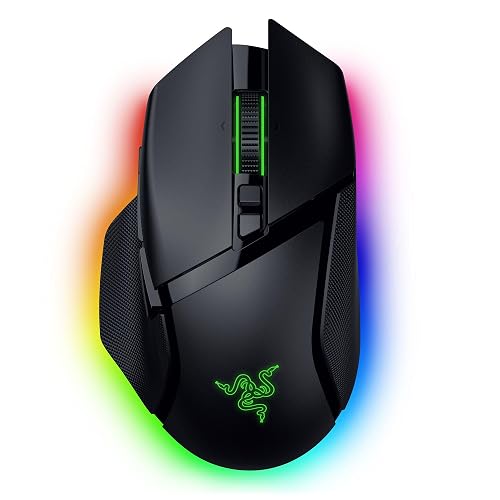 | Best RGB Wireless | Sensor DPI: 35K DPI | Connectivity: Tri-mode wireless | Hand Orientation: Right-handed | VIEW LATEST PRICE | Read Our Analysis |
| Corsair Scimitar Elite Wireless MMO Gaming Mouse |  | Best MMO Mouse | Sensor DPI: 33K DPI | Connectivity: Tri-mode wireless | Hand Orientation: Right-handed | VIEW LATEST PRICE | Read Our Analysis |
| Razer Basilisk V3 35K Wired Ergonomic Gaming Mouse | 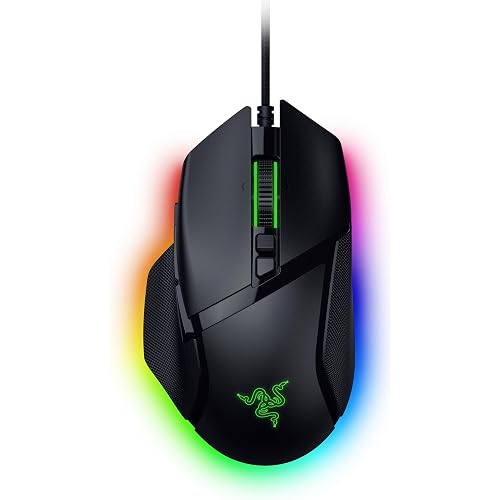 | Best Wired Option | Sensor DPI: 35K DPI | Connectivity: Wired | Hand Orientation: Right-handed | VIEW LATEST PRICE | Read Our Analysis |
| Razer DeathAdder V4 Pro Wireless Gaming Mouse | 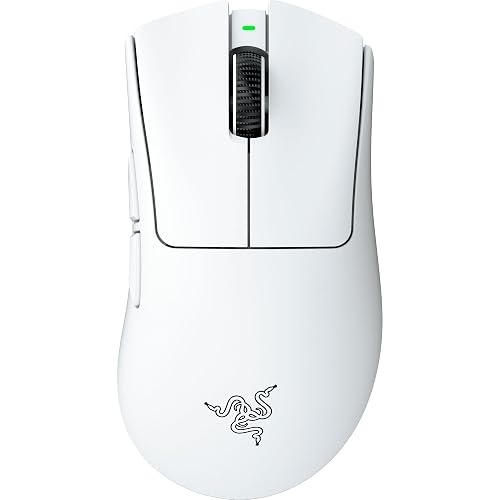 | Best Lightweight | Sensor DPI: 45K DPI | Connectivity: Wireless | Hand Orientation: Right-handed | VIEW LATEST PRICE | Read Our Analysis |
| Logitech G PRO 2 Lightspeed Wireless Gaming Mouse | 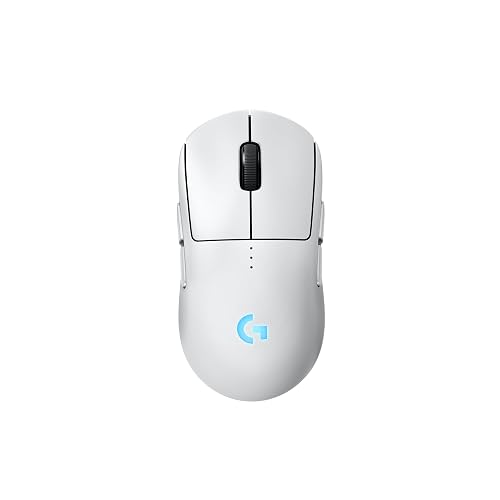 | Best Ambidextrous | Sensor DPI: 44K DPI | Connectivity: Wireless | Hand Orientation: Ambidextrous | VIEW LATEST PRICE | Read Our Analysis |
| Logitech PRO X2 SUPERSTRIKE Wireless Gaming Mouse |  | Fastest Clicks | Sensor DPI: 44K DPI | Connectivity: Wireless | Hand Orientation: Right-handed | VIEW LATEST PRICE | Read Our Analysis |
| MCHOSE L7 Ultra+ Wireless Gaming Mouse 42K DPI | 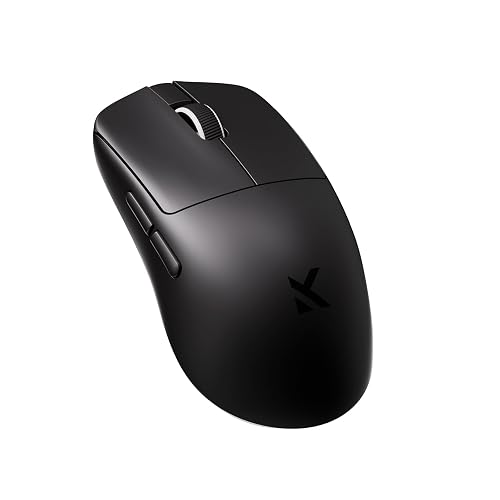 | Best Ultra-Light | Sensor DPI: 42K DPI | Connectivity: Tri-mode wireless | Hand Orientation: Ambidextrous | VIEW LATEST PRICE | Read Our Analysis |
More Details on Our Top Picks
Razer Basilisk V3 Pro Wireless Gaming Mouse 35K DPI
If you want a premium wireless gaming mouse built for precision and control, the Razer Basilisk V3 Pro 35K is a standout pick for right-handed PC gamers. It features a Focus Pro 35K optical sensor with 1 DPI steps, 99.8% accuracy, and smart tracking on more surfaces, including glass. The HyperScroll Tilt Wheel offers tactile, free-spin, and smart-reel modes. You can customize 13 controls, use Hypershift, and switch between 2.4 GHz, Bluetooth, or USB-C. It also delivers up to 210 hours on Bluetooth, 13-zone Chroma lighting, and a 2 year warranty.
- Sensor DPI:35K DPI
- Connectivity:Tri-mode wireless
- Hand Orientation:Right-handed
- Weight:0.43 kg
- Lighting:13-zone RGB
- Buttons:13 controls
- Additional Feature:HyperScroll Tilt Wheel
- Additional Feature:13-zone Chroma underglow
- Additional Feature:Smart-Reel scrolling mode
Corsair Scimitar Elite Wireless MMO Gaming Mouse
The Corsair Scimitar Elite Wireless MMO Gaming Mouse is a solid choice for MMO players who need extensive button control, offering 16 programmable buttons and an adjustable 12-button Key Slider. It includes native Elgato Stream Deck support, so you can trigger macros, streams, or productivity shortcuts quickly. Its MARKSMAN S sensor reaches 33,000 DPI with 1 DPI steps for precise tuning. You can connect via SLIPSTREAM wireless, Bluetooth, or USB, and expect long battery life. The right-hand shape, 114 g frame, and iCUE profiles let you customize the mouse to your preferences.
- Sensor DPI:33K DPI
- Connectivity:Tri-mode wireless
- Hand Orientation:Right-handed
- Weight:114 g
- Lighting:3-zone RGB
- Buttons:16 programmable buttons
- Additional Feature:12-button Key Slider
- Additional Feature:Elgato Stream Deck integration
- Additional Feature:3 onboard profiles
Razer Basilisk V3 35K Wired Ergonomic Gaming Mouse
Built for right-handed players who want precision and customization, the Razer Basilisk V3 35K provides a wired ergonomic shape, a Focus Pro 35K sensor with 1 DPI adjustments, and 13 programmable controls for fine-tuning every move. It delivers 99.8% tracking accuracy, Smart Tracking, and Motion Sync for reliable aim even on glass. The HyperScroll Tilt Wheel includes tactile, free-spin, and smart-reel modes with adjustable tension. Razer Optical switches and a Speedflex cable keep clicks crisp and swipes smooth. Chroma lighting, Hypershift, and Synapse support complete the feature set for a highly adaptable mouse.
- Sensor DPI:35K DPI
- Connectivity:Wired
- Hand Orientation:Right-handed
- Weight:0.18 kg
- Lighting:11-zone RGB
- Buttons:13 controls
- Additional Feature:Razer Optical Switches Gen-3
- Additional Feature:90-million click lifecycle
- Additional Feature:Speedflex Cable
Razer DeathAdder V4 Pro Wireless Gaming Mouse
At just 57 g, the Razer DeathAdder V4 Pro is an excellent choice for competitive players who want a fast, agile mouse without sacrificing comfort. It features Razer’s award-winning ergonomic shape, a smooth-touch finish, and re-engineered weight balance that helps you make tighter, faster movements. HyperSpeed Wireless Gen 2 keeps your connection ultra-stable, and true 8000 Hz polling delivers 37% lower latency in standard tests. The Focus Pro 45K sensor tracks up to 45,000 DPI with 99.8% accuracy, while optical switches and an optical scroll wheel provide crisp control. Battery life reaches up to 150 hours.
- Sensor DPI:45K DPI
- Connectivity:Wireless
- Hand Orientation:Right-handed
- Weight:57 g
- Lighting:None listed
- Buttons:Not specified
- Additional Feature:57g ultra-lightweight
- Additional Feature:Optical scroll wheel
- Additional Feature:100-million click lifecycle
Logitech G PRO 2 Lightspeed Wireless Gaming Mouse
Logitech’s G PRO 2 Lightspeed Wireless Gaming Mouse is a strong pick if you want tournament-grade performance in a lightweight, ambidextrous shell. You get the HERO 2 sensor with up to 44K DPI, 888+ IPS tracking, and 88 g acceleration, so your aim stays sharp in fast fights. LIGHTSPEED wireless keeps input responsive and reliable, and LIGHTFORCE switches give you crisp clicks with optical speed. You can remap up to four magnetic side buttons, enjoy up to 95 hours of battery life, and use USB-C charging. It works on PC and Mac with G HUB.
- Sensor DPI:44K DPI
- Connectivity:Wireless
- Hand Orientation:Ambidextrous
- Weight:95 g
- Lighting:None listed
- Buttons:4 side buttons
- Additional Feature:Ambidextrous modular design
- Additional Feature:LIGHTFORCE switches
- Additional Feature:Magnetic side buttons
Logitech PRO X2 SUPERSTRIKE Wireless Gaming Mouse
If you want an ultra-light esports mouse that prioritizes speed and control, the Logitech G PRO X2 SUPERSTRIKE is a strong fit. You get a 61 g right-hand shell, co-designed with esports athletes, and extra-large UHMWPE feet that glide smoothly. Its HERO 2 sensor tracks up to 44,000 DPI, 888 IPS, and 88 g. You can tune 10 actuation points, 5 rapid-trigger resets, and click haptics through G HUB. LIGHTSPEED wireless, 8 kHz polling, and USB-C charging keep performance responsive. The 5-button design, 60 to 90 hour battery life, and POWERPLAY 2 support round out the package.
- Sensor DPI:44K DPI
- Connectivity:Wireless
- Hand Orientation:Right-handed
- Weight:61 g
- Lighting:None listed
- Buttons:5 buttons
- Additional Feature:Haptic Inductive Trigger System
- Additional Feature:10-level actuation points
- Additional Feature:30 ms faster clicks
MCHOSE L7 Ultra+ Wireless Gaming Mouse 42K DPI
The MCHOSE L7 Ultra+ is a strong pick if you want a lightweight, ultra-fast wireless gaming mouse built for competitive play and long sessions. At just 48 g, its holeless shell, high hump, and small waist fit many hand sizes and grip styles comfortably. You get a PAW3950 sensor with 42,000 DPI, 50 g acceleration, and 750 IPS tracking for precise aim. Kailh optical switches reduce accidental clicks, while dual 8K polling keeps input lag at 0.125 ms. With Bluetooth, 2.4 GHz, and wired support, it is versatile as well.
- Sensor DPI:42K DPI
- Connectivity:Tri-mode wireless
- Hand Orientation:Ambidextrous
- Weight:48 g
- Lighting:None listed
- Buttons:7 programmable buttons
- Additional Feature:Holeless structure
- Additional Feature:Kailh optical switches
- Additional Feature:150-million click lifespan
Factors to Consider When Choosing Gaming Mice
When choosing a gaming mouse, focus on sensor precision, button customization, wireless performance, ergonomic fit, and battery life. Choose a mouse that tracks accurately, feels comfortable in your hand, and performs reliably during long sessions. The right balance of features makes play smoother and more consistent.
Sensor Precision
Sensor precision matters because raw DPI numbers do not tell the whole story, and higher DPI alone does not guarantee better accuracy. Check how closely the sensor tracks your movement, not just how high it can go. Low resolution error, for example 99.8% accuracy, indicates the mouse follows your hand with little drift or skip. Smart tracking and motion sync can also help you keep consistent control by adapting to different surfaces and syncing movement data more smoothly. If you game on a desk, mat, or glass, broader surface support provides more reliable tracking. Fine step adjustments, such as 1 DPI increments, let you tune sensitivity to your aim style without overshooting your preference.
Button Customization
Button layout can be a game changer, so look for a mouse with plenty of programmable buttons if you want more actions at your fingertips. Some models offer 13, 16, or even more assignable controls. You can remap those inputs to macros, push to talk, ping, or media shortcuts, so the mouse does more than basic clicks. If you swap between gaming, work, and streaming, choose one with profile switching and onboard memory. That way you will not need to reprogram it every time. Secondary function layers can double your options by giving one button two roles, which helps when the shell has fewer physical controls. Adjustable side buttons also matter, because you can match placement to your grip, hand size, and favorite game genre for faster, more comfortable access.
Wireless Performance
Once you have dialed in button layout, wireless performance becomes the next major factor that shapes how a gaming mouse feels in play. Start with the connection type: 2.4 GHz typically delivers the best speed, Bluetooth adds convenience, and tri-mode mice let you switch between them for different devices. Next, check polling rate, since 1,000 Hz, 8,000 Hz, or dual 8K modes can reduce delay and make clicks feel instant. Battery life matters as well; some mice last about 22 hours at maximum speed, while others exceed 100 hours in saver modes. Also consider low-latency wireless systems that remain steady during fast motion. USB-C play-and-charge support helps keep you in the game.
Ergonomic Fit
How a gaming mouse fits your hand can matter just as much as its specs. Match the shape to your grip style, because a palm, claw, or fingertip hold each needs different support. If you are right-handed, a contoured shell can feel more natural; if you want flexibility, an ambidextrous body may suit you better. Weight also changes comfort. Ultra-light mice around 48 to 61 g feel quicker and easier to steer, while heavier models near 114 g can feel more planted. For medium or large hands, a higher hump or larger body can add support. A smaller waist and balanced weight distribution can also reduce strain. Finally, choose a matte or smooth-touch finish that helps your hand stay secure and relaxed.
Battery Life
Battery life can make or break a wireless gaming mouse, especially if you play often or dislike frequent charging. You will see huge differences, from about 22 hours at max performance to 500 hours with power saving settings and lights off. If you use 8,000 Hz polling or advanced sensor modes, expect runtime to fall faster than with 1,000 Hz. Bluetooth usually lasts longer than a 2.4 GHz dongle, sometimes reaching 210 to 500 hours, versus about 95 to 150 hours. RGB lighting, especially multi zone effects, can drain power quickly, so turning it off is an easy win. Rechargeable mice also help because you can keep playing while they charge, reducing downtime when the battery runs low.
Frequently Asked Questions
Which Gaming Mouse Works Best for Claw Grip Users?
A claw grip mouse feels like a bird in your hand. You will usually do best with a lightweight, medium-sized model with a high hump, such as the Logitech G Pro X Superlight or the Razer Viper Mini.
Are Lightweight Mice Better for Fast-Paced Competitive Games?
Yes, if you value quick flicks and reduced fatigue, lightweight mice generally help in fast-paced competitive games. You can react faster, but you still need a shape and sensor that suit your grip and control.
How Often Should I Replace a Gaming Mouse?
You should replace your gaming mouse when buttons start double-clicking, tracking skips, feet wear flat, or battery life declines, typically every 2 to 5 years. If it still feels responsive and comfortable, there is no need to rush.
Do Wired Mice Still Offer Lower Latency Than Wireless?
Yes, wired mice usually offer slightly lower latency, but top wireless models now feel nearly identical in practice. You will notice the difference most in competitive play, and wireless convenience often outweighs it.
Which Mouse Shape Suits Small Hands Best?
What shape suits small hands best? A compact claw or fingertip shape is usually best, because it lets you reach buttons easily without stretching. Choose short, low-profile mice with gentle curves for better control.




