


You probably do not know that a gaming monitor privacy screen can reduce side-angle visibility far more than it alters color or brightness.
When you choose the right fit, you can protect your display from prying eyes without ruining your setup.
The best options for 2026 balance clarity, easy mounting, and real eye comfort.
The details behind each one are what separate a smart buy from a regret.
| Computer Privacy Screen Filter for 24 Inch Monitor | 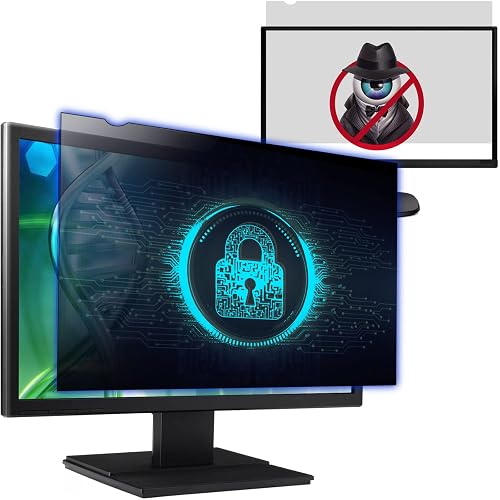 | Best for 24-Inch | Screen Size: 24-inch | Aspect Ratio: 16:9 | Privacy Type: Left/right privacy | VIEW LATEST PRICE | Read Our Analysis |
| 27-Inch Widescreen Monitor Privacy Screen Filter | | Best for 27-Inch | Screen Size: 27-inch | Aspect Ratio: 16:9 | Privacy Type: Anti-spy filter | VIEW LATEST PRICE | Read Our Analysis |
| Computer Privacy Screen Filter for 21.5 Inch Monitor | | Best for 21.5-Inch | Screen Size: 21.5-inch | Aspect Ratio: 16:9 | Privacy Type: Anti-spy filter | VIEW LATEST PRICE | Read Our Analysis |
| Computer Privacy Screen Filter for 24″ Widescreen Monitor | 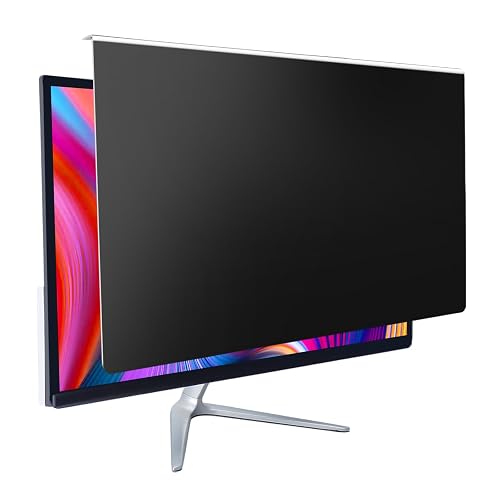 | Best Blue-Light Filter | Screen Size: 24-inch | Aspect Ratio: 16:9 | Privacy Type: Enhanced privacy filter | VIEW LATEST PRICE | Read Our Analysis |
| 2 Pack Magnetic 24 Inch Privacy Screen Monitor | 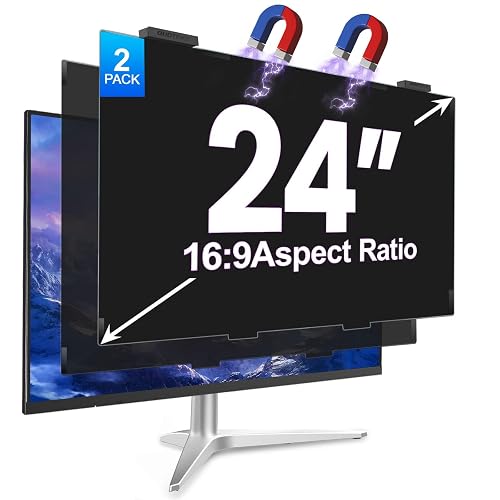 | Best Magnetic | Screen Size: 24-inch | Aspect Ratio: 16:9 | Privacy Type: Anti-spy filter | VIEW LATEST PRICE | Read Our Analysis |
| Magicmoon 24 Inch Privacy Screen Filter (2-Pack) | 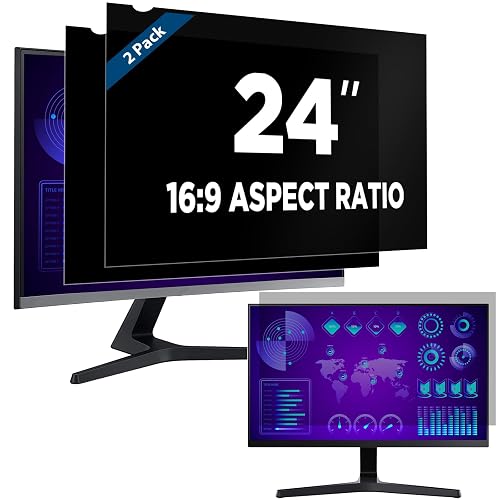 | Best 2-Pack | Screen Size: 24-inch | Aspect Ratio: 16:9 | Privacy Type: Privacy filter | VIEW LATEST PRICE | Read Our Analysis |
| 15.6 Inch Laptop Privacy Screen Filter 16:9 | 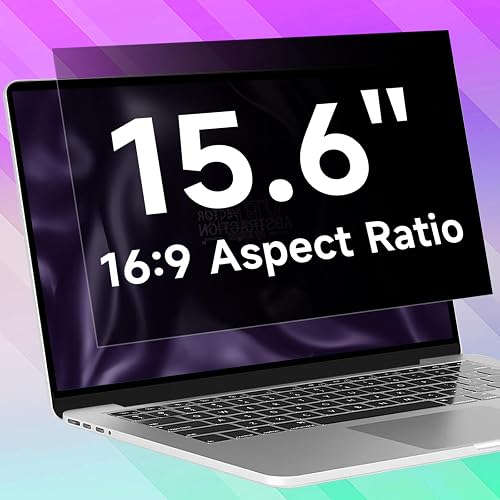 | Best for Laptops | Screen Size: 15.6-inch | Aspect Ratio: 16:9 | Privacy Type: Anti-spy | VIEW LATEST PRICE | Read Our Analysis |
More Details on Our Top Picks
Computer Privacy Screen Filter for 24 Inch Monitor
If you need a privacy screen for a 24-inch 16:9 widescreen monitor, this filter is a strong fit. It is sized for a visible area of 20 15/16″ x 11 13/16″ and provides side-angle privacy from about 30° to 180° while remaining clear when viewed straight on. Measure only the screen’s width and height, not the diagonal, and avoid 24″ 16:10 displays. In bright offices you can use the matte side to reduce glare, or flip to the glossy side for stronger privacy. Choose adhesive strips or slide-mount tabs for easy, secure installation.
- Screen Size:24-inch
- Aspect Ratio:16:9
- Privacy Type:Left/right privacy
- Front View:Clear front view
- Anti-Glare:Matte/glossy reversible
- Install Type:Adhesive or tabs
- Additional Feature:Fits 24-inch 16:9
- Additional Feature:Matte/glossy reversible sides
- Additional Feature:Slide-mount removal option
27-Inch Widescreen Monitor Privacy Screen Filter
The 27-inch widescreen monitor privacy screen filter is a strong choice if you use a 27-inch 16:9 display and want side-angle privacy without losing a clear front view. It fits only flat screens with a visible area of 23 9/16″ x 13 1/4″, so do not choose by diagonal size alone. The anti-spy filter darkens views from the sides while keeping your straight-on image clear. You can flip the matte side for less glare, or use the glossy side for stronger privacy. Install it with adhesive strips or slide tabs, then clean it with the included microfiber cloth.
- Screen Size:27-inch
- Aspect Ratio:16:9
- Privacy Type:Anti-spy filter
- Front View:Clear front view
- Anti-Glare:Anti-glare reversible
- Install Type:Adhesive or tabs
- Additional Feature:3H hardness coating
- Additional Feature:8 clarity rating
- Additional Feature:Includes microfiber cloth
Computer Privacy Screen Filter for 21.5 Inch Monitor
For a 21.5-inch, 16:9 widescreen monitor, this privacy screen filter fits when you need side-view blocking without sacrificing a clear front view. The visible area is 18 3/4″ x 10 9/16″, and it is designed for flat screens only, as curved displays will not fit. It blocks views from the sides between 30 degrees and 180 degrees while keeping your direct view clear. Use the matte side to reduce glare, or the glossy side for stronger privacy. Install it with adhesive strips or slide mount tabs.
- Screen Size:21.5-inch
- Aspect Ratio:16:9
- Privacy Type:Anti-spy filter
- Front View:Clear front view
- Anti-Glare:Anti-glare reversible
- Install Type:Adhesive or tabs
- Additional Feature:Fits flat screens
- Additional Feature:8.5 clarity rating
- Additional Feature:3H hardness coating
Computer Privacy Screen Filter for 24″ Widescreen Monitor
This 24″ hanging privacy screen is a smart pick when you want to shield a 23.6″ to 24″ widescreen monitor in busy spaces while still keeping your display usable for work, kids’ learning, or gaming. It fits 16:9 desktops from HP, Dell, Samsung, Lenovo, LG, Acer, ASUS, ViewSonic, and more. The enhanced filter limits side views to 30 to 60 degrees, so you keep prying eyes out. You also get HD anti-blue light protection, 96% UV filtering, and scratch resistance. Installation is quick, removal is easy, and clarity stays strong at 90.
- Screen Size:24-inch
- Aspect Ratio:16:9
- Privacy Type:Enhanced privacy filter
- Front View:Clear front view
- Anti-Glare:Anti-blue light
- Install Type:Hanging mount
- Additional Feature:Filters 96% UV
- Additional Feature:Reduces blue light
- Additional Feature:Hanging design
2 Pack Magnetic 24 Inch Privacy Screen Monitor
If you want a simple way to protect what’s on your 24-inch gaming monitor without messy adhesive, the 2-pack magnetic privacy screen is a strong fit. You can snap it on in about a second, remove it cleanly, and reuse the magnets whenever you switch devices or setups. It fits 16:9 frameless 24-inch displays from brands like HP, Dell, LG, and Samsung, with near edge-to-edge coverage. The 28° viewing angle blocks side views while keeping your front view sharp. It also cuts 98% of blue light, reduces glare, and adds scratch-resistant 9H protection.
- Screen Size:24-inch
- Aspect Ratio:16:9
- Privacy Type:Anti-spy filter
- Front View:Front-angle clarity
- Anti-Glare:Anti-reflective matte
- Install Type:Magnetic
- Additional Feature:Magnetic installation
- Additional Feature:9H hardness protection
- Additional Feature:2-pack bundle
Magicmoon 24 Inch Privacy Screen Filter (2-Pack)
Magicmoon’s 24-inch Privacy Screen Filter, 2-Pack, is a smart pick when you need to keep a 16:9 widescreen monitor visible only from the front. Side views darken at about 30 to 60 degrees, while the direct view stays bright. You can use it on a 24-inch display measuring 531 mm by 298 mm, or 20 15/16 x 11 13/16 inches. It also blocks 30 percent of blue light, helping ease eye strain. In shared offices, you will keep sensitive work private. Install it with adhesive strips or slide tabs, and remove it easily when needed.
- Screen Size:24-inch
- Aspect Ratio:16:9
- Privacy Type:Privacy filter
- Front View:Bright direct view
- Anti-Glare:Blue-light blocking
- Install Type:Adhesive or tabs
- Additional Feature:Blocks 30% blue light
- Additional Feature:Magicmoon filter only
- Additional Feature:Slide mount tabs
15.6 Inch Laptop Privacy Screen Filter 16:9
A 15.6-inch 16:9 privacy screen filter is a smart choice if you work in public and need to keep your display out of side view. It provides ±25° privacy blocking, so people beside you cannot easily read sensitive work while you still see a clear front view. Its layered anti-blue light design helps reduce eye strain, headaches, and fatigue. The matte, anti-glare surface also resists fingerprints and smudges. It fits 15.6-inch laptops with a 16:9 ratio, not 16:10, and installs with back adhesive. You also get scratch, dent, and waterproof protection.
- Screen Size:15.6-inch
- Aspect Ratio:16:9
- Privacy Type:Anti-spy
- Front View:Clear front view
- Anti-Glare:Anti-glare matte
- Install Type:Adhesive backing
- Additional Feature:Touchscreen compatible
- Additional Feature:5H hardness
- Additional Feature:Waterproof material
Factors to Consider When Choosing Gaming Monitor Privacy Screens
When choosing a gaming monitor privacy screen, ensure it matches your monitor size and aspect ratio so it installs correctly. Check the privacy viewing angle, glare reducing finish, and mounting method to confirm they suit your setup. Also consider brightness and clarity, since a good screen should protect your view without making games look dull or washed out.
Screen Size Compatibility
Start by matching the privacy screen to your monitor’s exact visible width and height, not just the diagonal size. A 24-inch, 27-inch, 21.5-inch, or 15.6-inch display can all have different dimensions. Check the aspect ratio first, because many filters only fit standard 16:9 widescreen monitors and will not work on 16:10 or curved displays. Measure the active screen area, excluding the bezel, and aim for just 1 to 3 mm of tolerance, so the filter sits flush. For reference, a 24-inch panel is about 20 15/16 in by 11 13/16 in, a 27-inch panel is about 23 9/16 in by 13 1/4 in, and a 21.5-inch panel is about 18 3/4 in by 10 9/16 in. Even 15.6-inch filters can differ, so check compatibility before you buy.
Privacy Viewing Angle
Privacy viewing angle is the specification that tells you how far off to the sides a gaming monitor privacy screen can block your content while keeping the front view clear. When you shop, check the angle range carefully. Many screens let you read straight on, but fade fast from neighboring seats, often around 30° to 60°, or even 30° to 180°. If you game in a crowded room, a narrower angle usually gives you stronger privacy. If you need more side visibility, choose a wider angle. Also, your monitor’s brightness can change how private the filter feels, so test it at your usual settings. Some filters focus on blocking side views while keeping visibility behind you, so angle control matters more than distance.
Glare And Finish
Glare and finish can make a big difference in how well a gaming monitor privacy screen works in your setup. If you game in a bright room, a matte finish usually serves you best, because it cuts reflections and keeps the image easier to see. Glossy or reversible glossy sides can block side views more aggressively, but they often reflect more light, which can get distracting. Many privacy filters give you both options, so you can switch between a lower-glare matte side and a higher-privacy glossy side when needed. Anti-glare coatings also help reduce reflections while preserving front-facing readability. In dim rooms, though, these screens often lose some of their glare control and privacy advantages, so you will get better results in well-lit spaces.
Mounting Method Options
Mounting matters as much as the screen itself, because the attachment style affects both security and convenience. Check whether the privacy screen uses clear adhesive strips, slide-mount tabs, a hanging design, or magnetic attachment. Adhesive strips give the most fixed hold, so they suit a monitor surface when you want maximum security. Slide-mount tabs work better with a raised bezel and make removal easier. Hanging or clip-style designs let you install and remove the filter quickly, which helps if you change setups often. Magnetic mounting is the fastest option, often snapping on in about a second, and it leaves no residue. Before you buy, confirm your monitor’s front edge: flat, raised, or frameless.
Brightness And Clarity
Brightness affects how a gaming monitor privacy screen performs, so consider both visibility and side-angle protection. Your monitor’s brightness can change how strongly the screen darkens from the side, making the privacy effect variable rather than fixed. Most screens remain clear when viewed head-on, then darken for viewers from about 30 degrees to 180 degrees off center. Also check clarity ratings, which often range from 8 to 10; higher scores typically indicate a sharper image. Matte finishes reduce glare and reflections, while glossy finishes can improve privacy but may catch more light. For best results, use your screen in a bright room, since dim lighting can make the image look softer and reduce effective clarity.
Frequently Asked Questions
How Do Privacy Screens Affect Competitive Gaming Performance?
Privacy screens reduce off-axis visibility, but they also lower brightness and can impair color accuracy, which hurts reaction clarity. Some models cut luminance by up to 30 percent, so you may notice slower target spotting.
Can Privacy Screens Damage OLED or Curved Gaming Monitors?
Yes, a rigid, poorly fitted privacy screen can damage OLED or curved monitors. Choose a flexible, correctly sized filter to reduce pressure risk, and remove it carefully for cleaning.
Do Privacy Screens Reduce Blue Light for Marathon Gaming Sessions?
Yes, privacy screens can act like sunglasses for your monitor, slightly reducing blue light and glare during marathon sessions. You should still use proper brightness settings, take regular breaks, and consider enabling blue-light mode for better comfort.
Are Privacy Screens Compatible With Ultra-Wide Gaming Monitor Setups?
Yes, you can use privacy screens on many ultra-wide gaming monitors, but you will need a model sized for your display. Check the exact dimensions, mounting style, and curvature first, since fit affects visibility and performance.
How Often Should a Gaming Monitor Privacy Screen Be Replaced?
Replace your gaming monitor privacy screen every 1 to 3 years, or sooner if you notice scratches, peeling, or reduced clarity. If the screen begins to dim your view, that indicates it is time for a replacement.




