

Nearly 70% of gamers say refresh rate matters more than size, so you are likely comparing 144Hz monitors in 2026. You want smoother motion, lower input lag, and a panel that fits your setup. From ASUS and Acer to LG, Samsung, and SANSUI, each pick balances speed, clarity, and value in a slightly different way. The right choice is not obvious yet. The differences will matter more than you think.


More Details on Our Top Picks
ASUS TUF 27 Inch Gaming Monitor VG277Q1A
If you want a 27 inch gaming monitor that keeps fast action smooth and clear, the ASUS TUF VG277Q1A is a strong pick. You get Full HD 1080p on a tilt adjustable screen, plus a 165 Hz refresh rate that supports 144 Hz and a 1 ms MPRT response time. ASUS ELMB and Adaptive Sync help cut ghosting and tearing, while FreeSync Premium, NVIDIA GeForce Adaptive Sync, and AMD Radeon FreeSync broaden compatibility. Shadow Boost lifts dark scenes without washing out highlights. The monitor includes HDMI, DisplayPort, a power cord, and a 3 month Adobe Creative Cloud offer.
- Screen Size:27-inch
- Resolution:1920 x 1080
- Refresh Rate:165Hz
- Panel Type:Not specified
- Adaptive Sync:FreeSync Premium / Adaptive-Sync
- Response Time:1ms MPRT
- Additional Feature:ELMB motion blur reduction
- Additional Feature:Shadow Boost details
- Additional Feature:NVIDIA Adaptive-Sync support
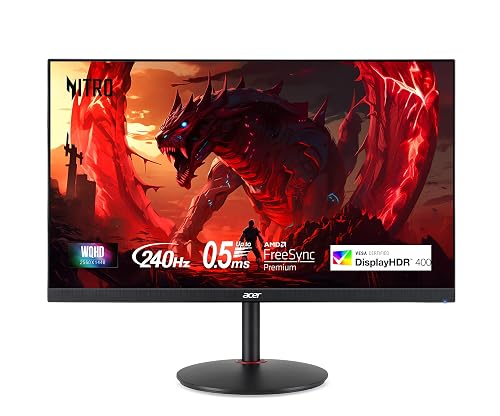
Acer Nitro 27″ WQHD Gaming Monitor (XV272U W2bmiiprx)
The Acer Nitro 27″ WQHD Gaming Monitor (XV272U W2bmiiprx) is a strong pick if you want a sharp 1440p IPS display with seriously fast gaming performance. You get a 27-inch 2560 x 1440 panel with 99% sRGB and DisplayHDR 400, so colors look vivid and detailed. For gaming, AMD FreeSync Premium helps keep motion smooth. The panel reaches 240Hz over DisplayPort, and 144Hz over HDMI. You also get 1 ms response, adjustable ergonomics, dual 2W speakers, and both DisplayPort and HDMI cables included.
- Screen Size:27-inch
- Resolution:2560 x 1440
- Refresh Rate:240Hz
- Panel Type:IPS
- Adaptive Sync:FreeSync Premium
- Response Time:1ms G to G
- Additional Feature:DisplayHDR 400
- Additional Feature:99% sRGB color
- Additional Feature:360° swivel stand
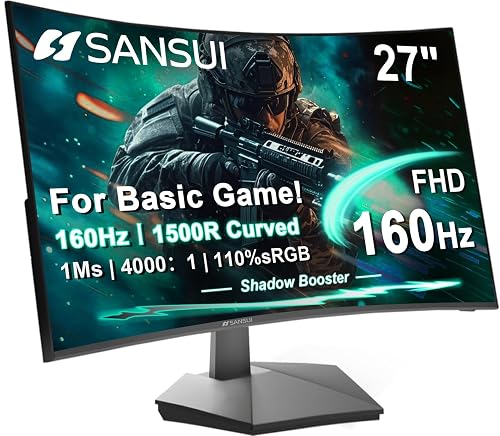
SANSUI 27 Inch Curved 160Hz Gaming Monitor
With its 27-inch 1500R curved FHD panel and 160Hz refresh rate, the SANSUI monitor is a budget-friendly option for fast-paced gaming, movies, and everyday work. You get smoother motion with 1ms MPRT and FreeSync, plus HDR support for more vivid scenes. A 4000:1 contrast ratio, 300 nits brightness, and 110% sRGB coverage keep images punchy and accurate. Game Assistant tools, preset modes, and Low Blue Light add flexibility. HDMI 2.0, DP 1.4, and VESA 100x100mm mounting round out a practical curved setup.
- Screen Size:27-inch
- Resolution:1920 x 1080
- Refresh Rate:160Hz
- Panel Type:Not specified
- Adaptive Sync:FreeSync
- Response Time:1ms MPRT
- Additional Feature:1500R curved screen
- Additional Feature:4000:1 contrast ratio
- Additional Feature:Game assistant tools
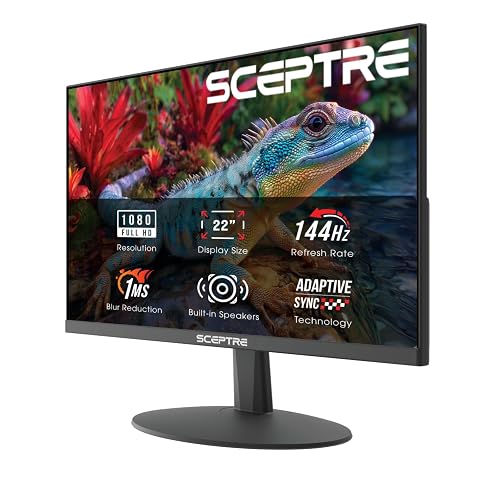
Sceptre 22-Inch Gaming Monitor 1080p 144Hz (E225W-FW144)
Sceptre’s 22-inch E225W-FW144G is a solid pick if you want a compact 1080p monitor that still delivers smooth 144Hz gameplay. Its 1920 x 1080 FHD panel, 1 ms response time, and FreeSync support help keep fast action crisp and tear-free. You also get a 2000:1 contrast ratio, 170-degree viewing angle, matte finish, and minimal bezels for a clean setup. With HDMI, DisplayPort, built-in speakers, Blue-Light Shift, and wall-mount support, it suits gaming, business, and photo editing. A 1-year warranty adds extra peace of mind.
- Screen Size:22-inch
- Resolution:1920 x 1080
- Refresh Rate:144Hz
- Panel Type:LED
- Adaptive Sync:FreeSync / Adaptive Sync
- Response Time:1ms
- Additional Feature:Built-in speakers
- Additional Feature:Blue-Light Shift
- Additional Feature:Wall mount compatible
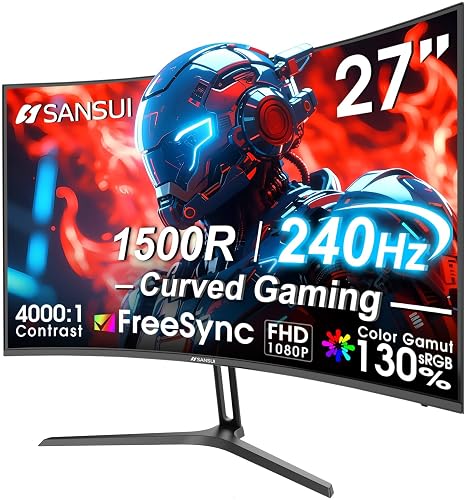
SANSUI 27 Inch Curved 240Hz Gaming Monitor
If you want a fast, budget-friendly curved display for competitive play, SANSUI’s 27-inch ES-G27C1 PRO stands out with its 240Hz refresh rate and 1ms response time. You get a 1500R 27-inch FHD panel that keeps fast motion smooth, while FreeSync, OverDrive, and MPRT help reduce tearing and blur. The matte screen delivers 300 nits brightness, HDR support, and 130% sRGB coverage for vivid color, and the 178-degree viewing angle stays consistent. Use HDMI or DP 1.4, mount it with VESA 100×100, and rely on the 1-year warranty.
- Screen Size:27-inch
- Resolution:1920 x 1080
- Refresh Rate:240Hz
- Panel Type:LED
- Adaptive Sync:FreeSync / Adaptive Sync
- Response Time:1ms
- Additional Feature:130% sRGB color
- Additional Feature:95% DCI-P3
- Additional Feature:Lifetime technical support
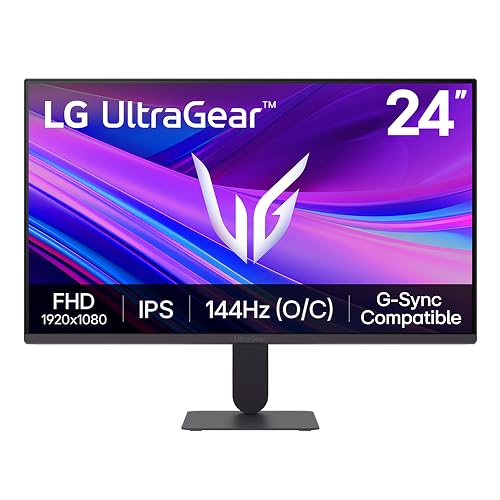
LG UltraGear 24-inch IPS Gaming Monitor (24G411A-B)
The LG UltraGear 24G411A-B is a strong pick for gamers who want fast, responsive play in a compact 24-inch form factor. You get a Full HD IPS panel with HDR10 and up to 99% sRGB coverage, so your games look vivid and clean. The 120Hz native refresh rate overclocks to 144Hz, and 1ms MBR helps keep motion sharp. With G-SYNC Compatible and FreeSync support, you will enjoy tear-free play. Dynamic Action Sync, Black Stabilizer, and Crosshair tools boost control, and the slim bezel design fits neatly on your desk.
- Screen Size:24-inch
- Resolution:1920 x 1080
- Refresh Rate:120Hz
- Panel Type:IPS
- Adaptive Sync:G-SYNC Compatible / FreeSync
- Response Time:1ms MBR
- Additional Feature:HDR10 support
- Additional Feature:Dynamic Action Sync
- Additional Feature:Split screen support
Samsung Odyssey G5 QHD Gaming Monitor (LS27FG532ENXZA)
Samsung’s Odyssey G5 QHD gaming monitor (LS27FG532ENXZA) suits gamers who want sharper detail and faster motion on a 27-inch display without moving into a premium price tier. It features a 2560 x 1440 IPS panel with a 178° viewing angle, so images stay crisp from more positions. The 200Hz refresh rate and 1ms MPRT response help you track action smoothly, while AMD FreeSync Premium reduces tearing and lag. HDR10 adds depth, Black Equalizer brightens dark scenes, and Virtual Aim Point can improve aim. Auto Source Switch+ makes swapping devices easy.
- Screen Size:27-inch
- Resolution:2560 x 1440
- Refresh Rate:200Hz
- Panel Type:IPS
- Adaptive Sync:FreeSync Premium
- Response Time:1ms MPRT
- Additional Feature:Auto Source Switch+
- Additional Feature:Black Equalizer
- Additional Feature:Virtual Aim Point
Factors to Consider When Choosing Gaming Monitors 144hz
When choosing a 144Hz gaming monitor, consider refresh rate, response time, panel type, screen resolution, and adaptive sync. Choose a display that keeps motion smooth, reduces blur, and complements your gaming setup. The right combination of these features makes games feel sharper and more responsive.
Refresh Rate
Refresh rate tells you how many times per second a monitor updates the image, so a 144Hz display refreshes 144 times each second. That faster update rate can make motion look smoother than 60Hz and reduce the blur you notice in quick matches. You get the best benefit when your PC or console can push frame rates that meet or exceed 144fps. Check the connection too, because some monitors only reach their full refresh rate through DisplayPort, not HDMI. For most competitive games, 144Hz provides a sensible balance of fluid motion and reasonable cost. If you want sharper-feeling gameplay without paying for extreme high-end panels, this refresh rate is often the sweet spot.
Response Time
Response time is the next spec to check after refresh rate, because a 144Hz monitor still needs fast pixel changes to keep motion clean. Look for low numbers, such as 1 ms, since quicker pixel shifts help cut motion blur and ghosting in fast-paced games. At 144Hz, slow response times can stand out more, and you will notice trailing artifacts if the panel cannot keep up. Faster response times also make rapid camera movement look sharper, which helps you track enemies and moving objects with less strain. You may see labels such as 1 ms MPRT or 1 ms G to G, but do not assume they are identical, because testing methods differ. Balance response time with 144Hz performance for the clearest gameplay.
Panel Type
Panel type shapes both how a 144Hz gaming monitor looks and how it feels in motion. You will usually get the most balanced experience from IPS, since it gives you wide 178° viewing angles and strong color coverage, often around 99% sRGB or better. That means the image stays more consistent when you shift positions. If you care most about competitive play, pair the panel with low latency features like 1 ms response times, adaptive sync, and a true 144 Hz refresh rate to cut blur and tearing. Non IPS panels can still work well if you want deeper dark scenes, with contrast figures like 2000:1 or 4000:1. Choose the panel that fits how you play, not just how the screen is shaped.
Screen Resolution
After you choose the panel type, the next major factor is screen resolution, since it controls how sharp games look and how hard your system must work. For gaming monitors at 144 Hz you will usually choose between 1920 × 1080 and 2560 × 1440. 1080p is easier to drive, so it is a smart pick if you want to hit 144 fps with less strain on your GPU. At 27 inches it can look less sharp because the pixels spread farther apart. 1440p provides cleaner edges, crisper text, and more detail, and the jump in clarity is easy to notice. It is still practical for high refresh gaming, but you will need stronger hardware to keep frame rates high and steady.
Adaptive Sync
Adaptive Sync matters because it matches your monitor’s refresh rate to your GPU’s frame rate, which helps cut screen tearing, stutter, and input lag during fast-paced games. You will notice the biggest benefit on 144 Hz or faster displays, where small frame-rate swings can become obvious. Variable refresh technologies keep motion smoother across a wider range, so gameplay stays responsive even when your FPS drops below peak. This feature also works well with low response time and motion blur reduction, helping fast-moving scenes look cleaner. Before you buy, check that your graphics card supports the sync standard and that your connection type can carry it. If the match is not right, you will not get the smooth, tear-free experience you are paying for.
Connectivity Ports
Ports are the gatekeepers of 144Hz performance, so match the monitor input to your device. Check whether your PC, console, or laptop uses HDMI or DisplayPort, because 144Hz often depends on both the port and its version. For the most dependable high-refresh setup, favor DisplayPort, as many monitors deliver their best refresh rates there. Look for extra HDMI or DisplayPort inputs if you switch between devices, since more ports make that easier. If you use external audio, confirm the monitor has an audio-out jack or built-in speakers. Also verify the included cable supports the refresh standard you need. A matching cable can save setup time and help you reach the advertised 144Hz mode right away with no fuss.
Screen Size
Screen size shapes how immersive a 144Hz gaming monitor feels, and most gamers land in the 22 to 27 inch range. If you want a wider field of view, a 27 inch screen can pull you deeper into the action. If you prefer tighter focus, a 22 inch display helps you keep the whole image in view with less eye movement. At the same resolution, however, a larger panel can make pixels seem less dense, so match size with sharpness and your usual viewing distance. Many gamers settle on 24 to 27 inch monitors because they balance visibility, immersion, and desk space well. For fast-paced play, choose a size that lets you read targets and HUD elements quickly without constant scanning.
Ergonomic Adjustments
When you’re choosing a 144Hz gaming monitor, ergonomic adjustments matter just as much as refresh rate. You should look for height, tilt, swivel, and pivot options so you can match the screen to your eyes and posture. A height range of about 4 to 5 inches usually gives you enough room to fine-tune comfort without extra accessories. Tilt from -5°, to 15° can ease neck strain and cut glare from ceiling lights. Swivel and pivot help if you share a desk, move between seating positions, or rotate the display for work. If the stand feels restrictive, check for VESA 100 x 100 mm mounting support; that lets you add a monitor arm or wall mount for better ergonomics.
Frequently Asked Questions
Do 144HZ Monitors Improve Console Gaming Performance?
Yes, you will get smoother motion and lower input lag on consoles that support 120Hz, but you will not always reach 144Hz. Your games will feel more responsive, though resolution and console settings still matter.
Is 144HZ Enough for Competitive Esports in 2026?
Yes, 144Hz is sufficient for competitive esports in 2026, though you will notice more motion blur compared with higher refresh rates. It is like trading a sports car for a motorcycle: still fast, responsive, and fully playable for most players.
Which Panel Type Is Best for Motion Clarity?
TN panels generally offer the best motion clarity, because they refresh very quickly and produce less motion blur. You will see sharper action in fast-paced games. IPS and OLED panels can look better overall, but they sacrifice some motion clarity.
Can 144HZ Monitors Support HDR Effectively?
Yes, you can get effective HDR on 144Hz monitors, but you need high peak brightness, strong contrast, and local dimming. You will notice stronger highlights and richer colors. Cheap panels often look only mediocre.
Do I Need Displayport for 144HZ at 1440P?
Not always. You can use HDMI 2.0 or 2.1 if your monitor and GPU support it. At 1440p, though, DisplayPort is the safer bet for 144 Hz, especially when you want fewer hiccups and a more reliable experience.




