

Nearly 70% of console players now prefer monitors over TVs for tighter response times, and that shift makes your PS5 or Xbox setup more important than ever.
You want the right mix of size, clarity, HDR, and refresh rate, but not every screen handles console gaming the same way.
The best picks for 2026 offer clear wins in performance and comfort, and one of them may surprise you.
| Acer Nitro 27″ QHD IPS Gaming Monitor (KG271U N3bmiipx) | 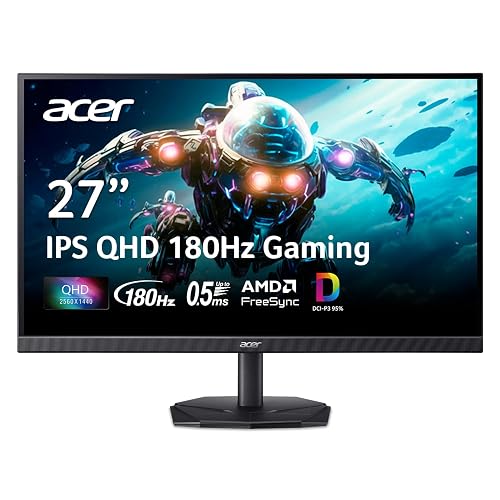 | Best All-Rounder | Screen Size: 27-inch | Resolution: QHD 2560 x 1440 | Refresh Rate: Up to 180Hz | VIEW LATEST PRICE | Read Our Analysis |
| LG UltraGear 32-inch Curved QHD Gaming Monitor (32GS60QC-B) |  | Best Curved Display | Screen Size: 32-inch | Resolution: QHD 2560 x 1440 | Refresh Rate: 180Hz | VIEW LATEST PRICE | Read Our Analysis |
| KTC 27M1 27 Inch 1440P Gaming Monitor |  | Best Premium Value | Screen Size: 27-inch | Resolution: QHD 2560 x 1440 | Refresh Rate: 210Hz | VIEW LATEST PRICE | Read Our Analysis |
| SANSUI 32 Inch Curved 240Hz Gaming Monitor | 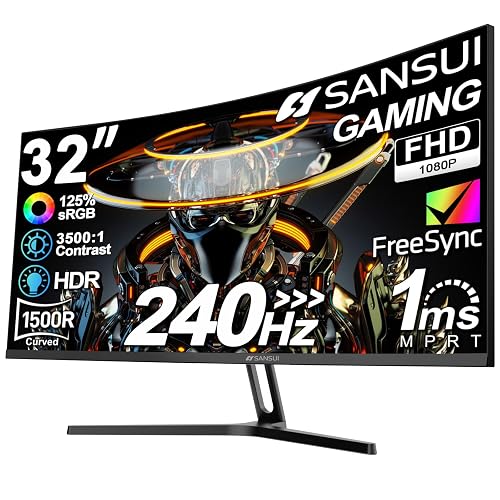 | Best Budget Curved | Screen Size: 32-inch | Resolution: FHD 1920 x 1080 | Refresh Rate: 240Hz | VIEW LATEST PRICE | Read Our Analysis |
| LG 27GR83Q-B 27-inch Ultragear QHD Gaming Monitor | 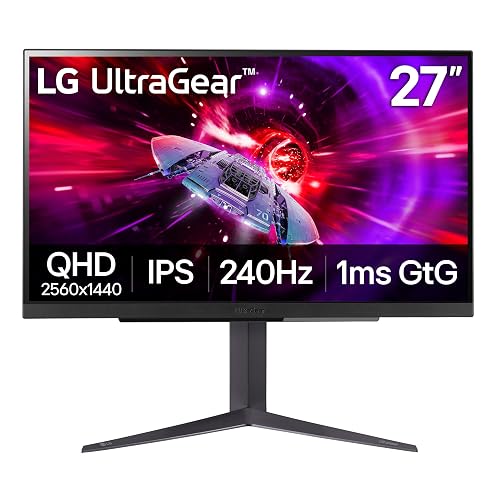 | Best Competitive Pick | Screen Size: 27-inch | Resolution: QHD 2560 x 1440 | Refresh Rate: 240Hz | VIEW LATEST PRICE | Read Our Analysis |
| Sceptre 22-Inch Gaming Monitor FHD 144Hz (E225W-FW144) | 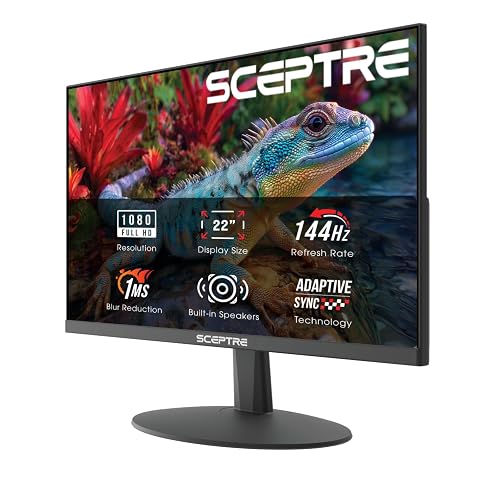 | Best Budget Option | Screen Size: 22-inch | Resolution: FHD 1920 x 1080 | Refresh Rate: Up to 144Hz | VIEW LATEST PRICE | Read Our Analysis |
| SANSUI 27 Inch Curved 240Hz Gaming Monitor | 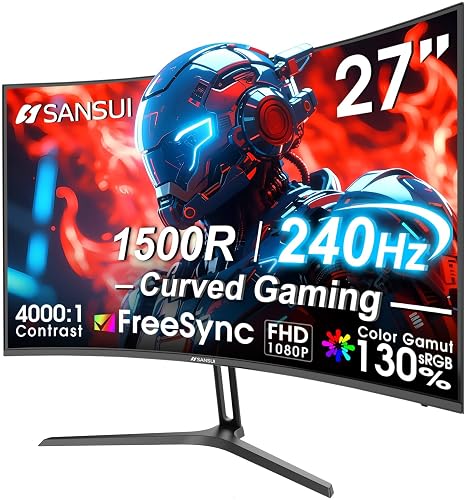 | Best Fast-FPS Pick | Screen Size: 27-inch | Resolution: FHD 1920 x 1080 | Refresh Rate: Up to 240Hz | VIEW LATEST PRICE | Read Our Analysis |
More Details on Our Top Picks
Acer Nitro 27″ QHD IPS Gaming Monitor (KG271U N3bmiipx)
If you want a 27-inch gaming monitor that balances sharp visuals with fast response, the Acer Nitro KG271U N3bmiipx is a strong choice for PS5 and Xbox. It features a 2560 x 1440 QHD IPS panel with a zero-frame design, so games look crisp and immersive. AMD FreeSync and up to 180Hz refresh rate help you enjoy smooth motion, lower input lag, and less tearing or stuttering. The 0.5ms GTG response keeps action clean. With HDR10, 95% DCI-P3 coverage, and two HDMI 2.0 ports, the monitor also handles creative work.
- Screen Size:27-inch
- Resolution:QHD 2560 x 1440
- Refresh Rate:Up to 180Hz
- Response Time:Up to 0.5ms GTG
- Adaptive Sync:AMD FreeSync
- HDR Support:HDR 10
- Additional Feature:Zero-frame design
- Additional Feature:DCI-P3 95% color
- Additional Feature:HDR 10 support
LG UltraGear 32-inch Curved QHD Gaming Monitor (32GS60QC-B)
The LG UltraGear 32-inch Curved QHD Gaming Monitor (32GS60QC-B) is an excellent choice if you want a fast, immersive display for console gaming. It features a 180Hz refresh rate, 1ms GtG response time, and a 1000R curved 32-inch screen. You get QHD clarity, low-latency play, and smooth motion in every match. AMD FreeSync helps keep visuals tear-free, while HDR10 and up to 99% sRGB improve color and contrast. Use Gamer, FPS, or RTS modes, plus Dynamic Action Sync and Black Stabilizer, for sharper control. Its borderless design and tilt stand make setup easy, and HDMI and DisplayPort inputs are included.
- Screen Size:32-inch
- Resolution:QHD 2560 x 1440
- Refresh Rate:180Hz
- Response Time:1ms GtG
- Adaptive Sync:AMD FreeSync
- HDR Support:HDR10
- Additional Feature:1000R curvature
- Additional Feature:Three-side borderless design
- Additional Feature:Black Stabilizer
KTC 27M1 27 Inch 1440P Gaming Monitor
KTC’s 27M1 is a strong pick for console gamers who want sharp 1440p visuals and fast performance without overpaying. It has a 27-inch Fast IPS panel with native QHD resolution, 450 nits of brightness, 130% sRGB color coverage, and HDR support, so games look vivid and detailed. The 210Hz refresh rate and 1 ms MPRT response keep motion smooth, while Adaptive Sync, FreeSync, and G-Sync compatibility reduce tearing. You can use HDMI 2.0 for 144 Hz or DisplayPort for up to 210 Hz. It also offers height, tilt, swivel, and pivot adjustments, built-in speakers, and a low blue light mode.
- Screen Size:27-inch
- Resolution:QHD 2560 x 1440
- Refresh Rate:210Hz
- Response Time:1ms MPRT
- Adaptive Sync:FreeSync / G-Sync
- HDR Support:HDR support
- Additional Feature:130% sRGB gamut
- Additional Feature:Built-in dual speakers
- Additional Feature:Height adjustable stand
SANSUI 32 Inch Curved 240Hz Gaming Monitor
SANSUI’s 32-inch curved monitor is aimed at players who want ultra-smooth console-style gaming on a budget-friendly FHD screen. It features a 1500R curve, 240Hz refresh rate, and 1ms MPRT, so motion stays crisp in fast games. FreeSync, Adaptive Sync, anti-flicker, and low blue light help you play comfortably. The 1080p panel delivers 300 nits brightness, HDR support, 125% sRGB, and 3500:1 contrast. Connect your console via HDMI or DisplayPort, use the VESA mount, and enjoy the frameless design.
- Screen Size:32-inch
- Resolution:FHD 1920 x 1080
- Refresh Rate:240Hz
- Response Time:1ms MPRT
- Adaptive Sync:FreeSync / Adaptive Sync
- HDR Support:HDR support
- Additional Feature:1500R curvature
- Additional Feature:3500:1 contrast ratio
- Additional Feature:No built-in speakers
LG 27GR83Q-B 27-inch Ultragear QHD Gaming Monitor
If you want a PS5 or Xbox monitor that balances sharp detail with very fast motion handling, the LG 27GR83Q-B is a strong pick. It features a 27-inch UltraGear IPS panel with QHD 2560 x 1440 resolution, 240 Hz refresh, and 1 ms response for crisp, responsive play. HDMI 2.1 and DisplayPort 1.4 support high-speed output; G-SYNC Compatible and FreeSync Premium help cut tearing and stutter. You also get VESA DisplayHDR 400, up to 95% DCI-P3 color coverage, gamer presets, Black Stabilizer, crosshair options, DTS Headphone:X, and an adjustable stand.
- Screen Size:27-inch
- Resolution:QHD 2560 x 1440
- Refresh Rate:240Hz
- Response Time:1ms GtG
- Adaptive Sync:NVIDIA G-SYNC / FreeSync Premium
- HDR Support:VESA DisplayHDR 400
- Additional Feature:VESA DisplayHDR 400
- Additional Feature:DTS Headphone:X audio
- Additional Feature:Crosshair overlay
Sceptre 22-Inch Gaming Monitor FHD 144Hz (E225W-FW144)
The Sceptre 22-inch Gaming Monitor (E225W-FW144) is a strong pick if you want a compact PS5 or Xbox display with fast gameplay and a simple setup. You get 1080p sharpness, a 144Hz refresh rate, and a 1ms response time, so motion stays smooth and responsive. Its 2000:1 contrast and matte panel help keep details clear, while FreeSync and Adaptive Sync reduce tearing. Use the HDMI port or DisplayPort, and enjoy built-in speakers, blue-light reduction, and a nearly bezel-free design. It is wall-mountable, weighs just 7 pounds, and comes with a 1-year warranty.
- Screen Size:22-inch
- Resolution:FHD 1920 x 1080
- Refresh Rate:Up to 144Hz
- Response Time:1ms
- Adaptive Sync:Adaptive Sync / FreeSync
- HDR Support:HDR not listed
- Additional Feature:Built-in speakers
- Additional Feature:Blue-Light Shift
- Additional Feature:Nearly bezel-free design
SANSUI 27 Inch Curved 240Hz Gaming Monitor
With a 240 Hz refresh rate, 1 ms MPRT response time, and FreeSync support, this 27 inch SANSUI curved monitor is a strong pick for fast, responsive gameplay on PS5 or Xbox, and for competitive titles on PC. You get a 1080p FHD image on a 1500R curve that pulls you into the action. Black level adjustment, shadow booster, game presets, and a crosshair assist in shooters. It also delivers 130% sRGB, 95% DCI-P3, HDR, and a durable metal stand. Connect via HDMI, DisplayPort 1.4, or VESA mount.
- Screen Size:27-inch
- Resolution:FHD 1920 x 1080
- Refresh Rate:Up to 240Hz
- Response Time:1ms MPRT
- Adaptive Sync:FreeSync
- HDR Support:HDR support
- Additional Feature:1500R curved screen
- Additional Feature:Crosshair feature
- Additional Feature:130% sRGB gamut
Factors to Consider When Choosing Gaming Monitors for PS5 and Xbox
When choosing a gaming monitor for your PS5 or Xbox, prioritize resolution and clarity so games remain sharp and detailed. Match refresh rate and response time to your play style, since both affect how smooth and responsive the action feels. Also consider console compatibility and HDR with strong color, as they simplify setup and improve visual quality.
Resolution And Clarity
Resolution matters a lot for PS5 and Xbox gaming. A 2560 × 1440 QHD monitor usually looks sharper than 1920 × 1080 FHD, especially on 27- to 32-inch screens where pixel density becomes more noticeable. You will notice cleaner text, clearer HUD elements, richer textures, and more defined distant details, which makes games feel crisper overall. A 27-inch 1440p display gives a good balance of sharpness and easy scaling, while a 32-inch 1080p panel can look softer, because each pixel covers more space. HDR can boost highlights and contrast, but it does not replace native clarity. For console gaming, choose a monitor with a native resolution that fits your screen size and select 1440p or higher when you want the most detailed image.
Refresh Rate Matters
A 120 Hz or higher refresh rate can make PS5 and Xbox games look and feel much smoother, especially in fast-paced shooters, racing games, and action titles. You will notice cleaner motion because the screen updates more often. Options such as 144 Hz, 180 Hz, 210 Hz, or 240 Hz can make aiming, tracking, and camera movement feel more responsive. Make sure your console and game actually support that refresh rate, since the monitor cannot exceed the system’s output. For best results, pair a high refresh rate with a low response time so fast action stays clear. When a game runs below the monitor’s maximum, adaptive sync can help reduce tearing and stuttering while keeping motion smooth.
Response Time Speed
One of the most important specs to check is response time. For PS5 or Xbox gaming, aim for a monitor around 1 ms or lower to keep motion blur in check. That speed helps fast-moving scenes look sharper, especially when you whip the camera around or line up a shot. It also reduces ghosting, smearing, and trailing, so action remains easier to read in competitive games. If a monitor lists GTG or MPRT, compare the numbers carefully because they measure different things and do not always reflect the same real-world performance. A fast response time works best with a high refresh rate, since the display can only show motion as cleanly as its pixels change between frames.
Console Compatibility
When choosing a monitor for PS5 or Xbox, make sure it supports HDMI input, since consoles use HDMI for normal play rather than DisplayPort. Also check whether it can handle 120Hz or higher over HDMI, because many games offer 120 fps modes and need enough bandwidth. A QHD 2560 x 1440 or FHD 1920 x 1080 panel usually provides sharp, console-friendly scaling and broad compatibility. Adaptive sync support, such as FreeSync, can help reduce tearing and stutter when frame rates dip. If you want HDR gaming, confirm the monitor supports HDR and can actually process console HDR well, because basic support does not always deliver strong results. Picking the right connection and resolution now will save you frustration later.
HDR And Color
HDR and color can make a big difference in how PS5 and Xbox games look, so choose a monitor with solid HDR support such as HDR10 or DisplayHDR 400. HDR improves highlights, shadow detail, and scene depth, making games feel more lifelike. Check color gamut coverage; panels with about 95% DCI-P3 or 125% to 130% sRGB typically deliver richer, more saturated visuals than standard-gamut screens. For more accurate reproduction, look for strong, consistent colors, especially on IPS panels, which often suit detailed artwork and cinematic games. Higher color depth, for example 1.07 billion colors, helps reduce banding in skies, lighting, and UI gradients. For the best HDR, pair wide color coverage with sufficient brightness so highlights truly pop.
Screen Size And Curve
Screen size sets the tone for your setup. For PS5 and Xbox gaming, 27-inch and 32-inch monitors are the most common picks because they strike a good balance between immersion and easy viewing at typical desk distances. If you sit close, a 27-inch panel keeps details within easy view. A 32-inch screen feels more immersive, especially if you sit a bit farther back or want larger on-screen elements. Curve matters more on bigger displays. A 1000R curve wraps the image tightly and can pull you in, while 1500R feels milder and easier to adjust to. If you prefer a classic look, choose flat. If you want extra depth and a more surround-like feel, a curved screen can make your gaming setup feel more engaging.
Frequently Asked Questions
Do PS5 and Xbox Support 4K at 120HZ on All Monitors?
No. You need a monitor with HDMI 2.1 and explicit 4K at 120 Hz support, otherwise you will be limited to lower refresh rates or reduced resolution.
Which Monitors Work Best for Split-Screen Gaming?
Wide screens, yet sharp details. Choose a 32 to 43 inch 4K monitor with strong viewing angles, low input lag, and good brightness. You will split-screen more comfortably on ultrawide displays or large flat panels.
Do These Monitors Include Built-In Speakers?
Some models include built-in speakers, but many do not, so check each model’s specifications. Built-in speakers usually sound modest. For better audio during gaming, movies, or chat, use external speakers or headphones.
Can I Use These Monitors for PC Gaming Too?
Yes, you can use them for PC gaming as well. You will get the same sharp visuals, fast response times, and high refresh rates, provided your PC supports the monitor’s resolution, ports, and gaming features.
Which Monitor Has the Lowest Input Lag?
You will usually get the lowest input lag from a fast 120 Hz or 144 Hz HDMI 2.1 monitor with a gaming mode, such as the LG OLED options. Check professional reviews, because lag varies by model and by settings.




