


If you want your PS5 to look its best in 2026, you need a monitor that balances speed, sharp detail, and comfort for long sessions. The right pick is not just about refresh rate or screen size; it is about how well the display matches the console’s strengths. From premium QHD panels to budget curved options, these seven monitors cover a wide range of needs, and one of them may fit your setup better than you expect.
| Acer Nitro 27″ QHD IPS Gaming Monitor (KG271U N3bmiipx) | 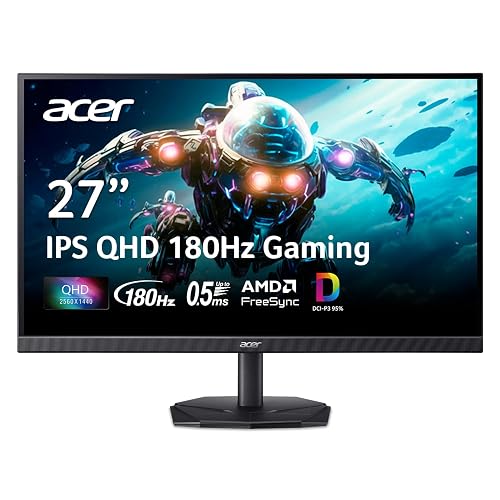 | Best All-Around | Screen Size: 27-inch | Resolution: QHD 2560 x 1440 | Refresh Rate: 180Hz | VIEW LATEST PRICE | Read Our Analysis |
| LG Ultragear 32-inch Curved Gaming Monitor (32GS60QC-B) |  | Best Big Screen | Screen Size: 32-inch | Resolution: QHD 2560 x 1440 | Refresh Rate: 180Hz | VIEW LATEST PRICE | Read Our Analysis |
| SANSUI 27″ Curved 120Hz USB-C Monitor with Speakers | 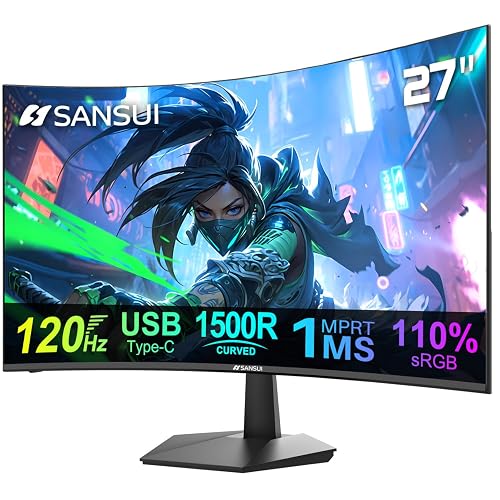 | Best Budget Curved | Screen Size: 27-inch | Resolution: FHD 1920 x 1080 | Refresh Rate: 120Hz | VIEW LATEST PRICE | Read Our Analysis |
| SANSUI 32 Inch Curved 240Hz Gaming Monitor | 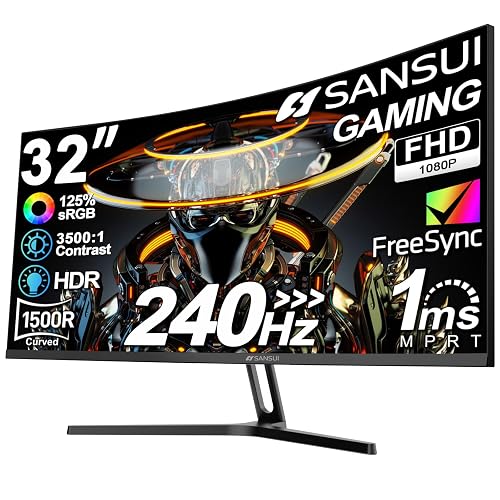 | Best High Refresh | Screen Size: 32-inch | Resolution: FHD 1920 x 1080 | Refresh Rate: 240Hz | VIEW LATEST PRICE | Read Our Analysis |
| Sceptre Curved 27-inch Prime Gaming Monitor (C275W-FW100T) | 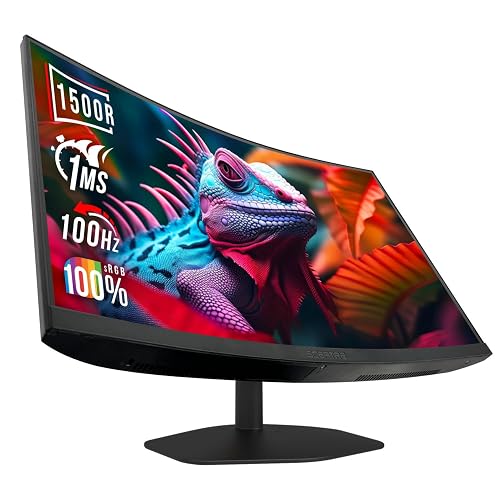 | Best Value Curved | Screen Size: 27-inch | Resolution: FHD 1920 x 1080 | Refresh Rate: 100Hz | VIEW LATEST PRICE | Read Our Analysis |
| SANSUI 24 Inch Gaming Monitor 200Hz FreeSync HDR |  | Best 24-Inch | Screen Size: 24-inch | Resolution: FHD 1920 x 1080 | Refresh Rate: 200Hz | VIEW LATEST PRICE | Read Our Analysis |
| SANSUI 27 Inch Curved 160Hz Gaming Monitor | 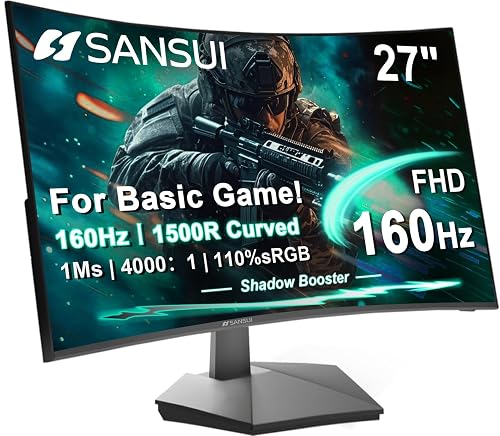 | Best Midrange Pick | Screen Size: 27-inch | Resolution: FHD 1920 x 1080 | Refresh Rate: 160Hz | VIEW LATEST PRICE | Read Our Analysis |
More Details on Our Top Picks
Acer Nitro 27″ QHD IPS Gaming Monitor (KG271U N3bmiipx)
If you want a PS5-ready monitor that balances sharp image quality with fast gameplay, the Acer Nitro 27″ QHD IPS (KG271U N3bmiipx) is a strong pick. You get a 27-inch QHD IPS panel with crisp 2560 x 1440 detail, wide viewing angles, and a matte finish that cuts glare. AMD FreeSync, 180Hz, and 0.5ms GTG help you play smoothly with low input lag. DCI-P3 95% and HDR10 improve color and contrast. You also get DisplayPort, dual HDMI 2.0, speakers, tilt, and wall-mount support.
- Screen Size:27-inch
- Resolution:QHD 2560 x 1440
- Refresh Rate:180Hz
- Curvature:Flat
- HDR Support:HDR10
- Adaptive Sync:AMD FreeSync
- Additional Feature:DCI-P3 95% coverage
- Additional Feature:0.5ms GTG response
- Additional Feature:Built-in speakers
LG Ultragear 32-inch Curved Gaming Monitor (32GS60QC-B)
The LG UltraGear 32GS60QC-B is a strong pick for PS5 players who want a large, immersive screen with fast performance, featuring a 32-inch 1000R curved QHD panel, 180Hz refresh rate, and 1ms response time. You get smooth, tear-free gameplay with AMD FreeSync, plus HDR10 and up to 99% sRGB for vivid image quality. Dynamic Action Sync and Black Stabilizer help you react faster in competitive matches. Its three-side borderless design, tilt adjustment, and space-saving black frame fit neatly on your desk. Two HDMI ports and a DisplayPort keep setup easy.
- Screen Size:32-inch
- Resolution:QHD 2560 x 1440
- Refresh Rate:180Hz
- Curvature:1000R curved
- HDR Support:HDR10
- Adaptive Sync:AMD FreeSync
- Additional Feature:1000R curved screen
- Additional Feature:Black Stabilizer mode
- Additional Feature:Full HD mode
SANSUI 27″ Curved 120Hz USB-C Monitor with Speakers
With its 27-inch curved 1080p panel, 120Hz refresh rate, and 1ms MPRT, the SANSUI 27″ Curved USB-C Monitor is a strong fit for PS5 players who want smoother motion without spending a lot. You get Adaptive Sync, HDR support, 110% sRGB coverage, and 300 nits of brightness for lively, responsive gameplay. The 1500R curve helps keep you immersed, and the ultra-thin bezel looks clean on your desk. USB-C and HDMI 1.4 provide simple hookup options, and the built-in 2W speakers add convenience. Eye-care features also help reduce strain.
- Screen Size:27-inch
- Resolution:FHD 1920 x 1080
- Refresh Rate:120Hz
- Curvature:1500R curved
- HDR Support:HDR
- Adaptive Sync:Adaptive Sync
- Additional Feature:USB-C connectivity
- Additional Feature:110% sRGB gamut
- Additional Feature:Built-in speakers
SANSUI 32 Inch Curved 240Hz Gaming Monitor
A 32-inch curved screen and 240Hz refresh rate make the SANSUI ES-G32C1F a strong pick for PS5 players who want a bigger, more immersive display for fast-paced games. It has a 1500R curve, 1080p resolution, HDR support, and 125% sRGB color for vivid gameplay. Its 1ms MPRT and FreeSync help reduce blur and tearing. The matte panel, anti-flicker, and low blue light features ease long sessions. HDMI and DisplayPort 1.4 both support 240Hz. You will not get speakers, but the 3.5mm jack, VESA mount, and 1-year warranty add flexibility.
- Screen Size:32-inch
- Resolution:FHD 1920 x 1080
- Refresh Rate:240Hz
- Curvature:1500R curved
- HDR Support:HDR
- Adaptive Sync:FreeSync / Adaptive Sync
- Additional Feature:240Hz over HDMI
- Additional Feature:3500:1 contrast ratio
- Additional Feature:No built-in speakers
Sceptre Curved 27-inch Prime Gaming Monitor (C275W-FW100T)
For PS5 players who want a budget-friendly curved monitor with smooth 100Hz gameplay, the Sceptre Curved 27-inch Prime Gaming Monitor (C275W-FW100T) is a strong fit. You get a 27-inch 1500R VA panel, 1080p sharpness, and a 1ms response time that keeps motion feeling crisp. Adaptive Sync and FreeSync help reduce tearing, and FPS and RTS modes let you tweak performance fast. You can connect easily through two HDMI ports or DisplayPort, and the built-in speakers, plus VESA mount support, make your setup cleaner and more flexible.
- Screen Size:27-inch
- Resolution:FHD 1920 x 1080
- Refresh Rate:100Hz
- Curvature:1500R curved
- HDR Support:No HDR listed
- Adaptive Sync:Adaptive Sync / FreeSync
- Additional Feature:1,000,000:1 contrast
- Additional Feature:100% sRGB gamut
- Additional Feature:Built-in speakers
SANSUI 24 Inch Gaming Monitor 200Hz FreeSync HDR
The SANSUI 24-inch gaming monitor suits PS5 players who want a compact 1080p display with fast, smooth gameplay, thanks to its 200Hz refresh rate, 1ms MPRT response time, and FreeSync support. You also get HDR, 110% sRGB color coverage, and a 4000:1 contrast ratio for punchier images. Its matte, anti-glare panel helps in bright rooms, and CrossHair, Timer, Black Level Adjust, plus gaming presets give you extra control. With HDMI and DisplayPort 1.4, VESA mounting, and a 1-year warranty, it is a practical budget pick.
- Screen Size:24-inch
- Resolution:FHD 1920 x 1080
- Refresh Rate:200Hz
- Curvature:Flat
- HDR Support:HDR
- Adaptive Sync:FreeSync
- Additional Feature:CrossHair gaming tool
- Additional Feature:75×75 VESA mount
- Additional Feature:No built-in speakers
SANSUI 27 Inch Curved 160Hz Gaming Monitor
If you want a PS5 monitor that feels fast and immersive without jumping to a premium price, the SANSUI 27 Inch Curved 160Hz Gaming Monitor is a solid fit. You get a 27-inch 1500R curved FHD panel with 300 nits brightness, 110% sRGB, HDR, and a matte anti-glare finish that keeps images clear. Its 160Hz refresh rate, 1ms MPRT, and FreeSync help gameplay feel smooth and responsive. HDMI 2.0 supports up to 160Hz, and the included cable makes setup easy. VESA mounting and tilt adjustment add flexibility, but you will not get built-in speakers.
- Screen Size:27-inch
- Resolution:FHD 1920 x 1080
- Refresh Rate:160Hz
- Curvature:1500R curved
- HDR Support:HDR
- Adaptive Sync:FreeSync
- Additional Feature:Game Assistant tools
- Additional Feature:HDMI 2.0 support
- Additional Feature:Tilt-only stand
Factors to Consider When Choosing Gaming Monitors For PS5
When choosing a gaming monitor for PS5, check for 4K resolution support and a refresh rate that matches your gameplay needs. Also evaluate HDR performance, HDMI 2.1 connectivity, and whether the screen size and curvature fit your setup. These features have a significant impact on how sharp, smooth, and immersive your games feel.
4K Resolution Support
4K resolution is the best choice for PS5 gaming on a monitor, so look for a native 3840 × 2160 panel so the console can render games at full UHD clarity instead of scaling down to 1440p or 1080p. True 4K keeps text, HUDs, and distant scenery crisp, which matters even more on larger screens where lower resolutions can look soft. If you settle for QHD or FHD, your PS5 may upscale or output a lower-resolution image, and you will usually lose sharpness. 4K also pairs well with HDR and a quality panel, because detail and contrast reinforce each other for a richer image. Before you buy, check that the monitor supports 4K at the refresh rate you want, since resolution and frame rate are not the same thing.
Refresh Rate Matching
For PS5 gaming, choose a monitor whose refresh rate matches what the console and your games can actually output, because a high number on the spec sheet does not matter unless the PS5 can use it. For most setups, 120 Hz is the sweet spot, since many PS5 titles target 60 Hz or 120 Hz modes. A monitor rated at 144 Hz, 160 Hz, 180 Hz, or even 240 Hz will not make PS5 games run faster than the console allows; however, it can provide headroom for future hardware. You should also use the correct input mode and cable so the display accepts the full signal instead of dropping to 60 Hz. Adaptive sync and low response time can help motion feel smoother, but they do not replace proper refresh rate matching.
HDR Performance Quality
Once you match the monitor refresh rate to what your PS5 can actually output, evaluate HDR performance quality next, because the HDR label alone does not guarantee a good picture. Prioritize real brightness and contrast first. Around 300 nits with strong contrast usually looks better than 250 nits with a 1000:1 ratio. Deeper contrast, for example 3500:1 or 4000:1, helps you see richer blacks and clearer separation between light and dark areas. Check color gamut coverage too; 95% DCI-P3 or 110% sRGB will usually deliver more vivid HDR colors than basic 100% sRGB panels. A 120 Hz display will not make HDR brighter, but it can keep high-frame-rate HDR gameplay smooth. Matte, anti-glare screens also help in bright rooms.
HDMI 2.1 Connectivity
HDMI 2.1 matters if you want your PS5 monitor to keep up with the console’s full gaming potential, because it carries the bandwidth needed for features like 4K at 120Hz on compatible displays. Look for a native HDMI port that supports those high refresh modes without dropping resolution or relying on compression. If a monitor only includes HDMI 2.0, it can still work, but you may miss the PS5’s full 120Hz output. HDMI 2.1 also helps when you use variable refresh rate and fast-paced gameplay, since it can preserve image quality and reduce latency on supported screens. Check the specs carefully, because stronger HDMI support gives you a smoother, cleaner console gaming experience overall.
Screen Size And Curvature
When choosing a PS5 monitor, match screen size and curvature to how far you sit from the display. A 27-inch screen usually provides the best balance; it feels immersive, yet you can still take in the whole image easily at a desk. If you want a more cinematic look, a 32-inch monitor can fill more of your view. You will likely need extra distance so you do not have to keep moving your head. Curved displays with 1000R to 1500R bends can boost immersion, especially on larger panels. On smaller screens you will barely notice the curve, but on a 32-inch model it can pull the edges closer. Choose the size and curve that keep you comfortable during long sessions.
Frequently Asked Questions
Does PS5 Support 1440P at 120HZ on All Monitors?
No, your PS5 will not support 1440p at 120Hz on every monitor. The monitor must support HDMI 2.0 or HDMI 2.1, have compatible EDID, and accept 120Hz at 1440p.
Can PS5 Use HDR With Variable Refresh Rate?
Yes, you can use HDR with VRR on your PS5 if your display supports both. You will get richer tones and smoother motion together, though some screens may gently dim brightness or alter color slightly.
Is HDMI 2.1 Necessary for the Best PS5 Gaming Experience?
No, you do not need HDMI 2.1 for a great PS5 experience, but you will want it for 4K at 120 Hz, VRR, and the smoothest gameplay. If you are fine with 60 Hz, HDMI 2.0 works.
Do Curved Monitors Affect PS5 Image Quality or Gameplay?
Yes, curved monitors can slightly warp your view, but you will often feel more immersed. You will not harm PS5 image quality, though you may notice edge distortion or uneven reflections depending on panel shape and seating distance.
Which PS5 Games Actually Support 120HZ Output?
You can get 120 Hz in games such as Call of Duty, Fortnite, Rocket League, Gran Turismo 7, Destiny 2, and Devil May Cry 5 Special Edition. You must enable the compatible mode options and use a display that supports 120 Hz.




