

If you are looking at gaming PCs built around AMD Ryzen 9 9950X in 2026, you are probably after more than raw speed. You want a system that can push 4K games, handle streaming, and still leave room for future upgrades. The best picks do exactly that, but differences in cooling, GPU pairing, and value can change the answer quickly. Here is where the strongest options begin to separate themselves.


More Details on Our Top Picks
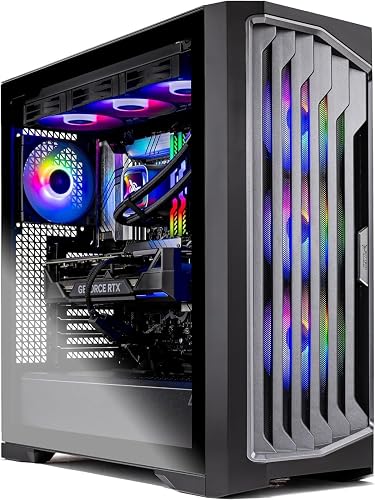
iBUYPOWER Y40 PRO Gaming PC Desktop (Y40BA9N57T01)
If you want a ready-to-play desktop that favors balanced high-end gaming over CPU bragging rights, the iBUYPOWER Y40 PRO Gaming PC Desktop (Y40BA9N57T01) is a strong fit. It includes an AMD Ryzen 9 7900X, RTX 5070 Ti 16GB, and 32GB of DDR5 RAM. You also get a 2TB NVMe SSD, 240mm liquid cooling, and a tempered-glass HYTE Y40 case with RGB fans. Windows 11 Home, Wi-Fi, Bluetooth, and an included keyboard and mouse make setup easy. The system is built for gaming, streaming, editing, and AI work, all without bloatware.
- CPU:AMD Ryzen 9 7900X
- GPU:RTX 5070 Ti 16GB
- RAM:32GB
- Storage:2TB NVMe SSD
- Cooling:240mm liquid cooling
- Operating System:Windows 11 Home
- Additional Feature:NVIDIA Studio support
- Additional Feature:802.11AC Wi‑Fi
- Additional Feature:Tempered glass RGB case
Skytech Gaming Legacy 4 PC with Ryzen 9 9950X3D
Skytech’s Legacy 4 is the rig to choose when you want uncompromised 4K gaming. It pairs the Ryzen 9 9950X3D with an RTX 5090, 64GB of DDR5, and a 2TB Gen5 SSD for ultra settings, fast load times, and smooth 60+ FPS performance in demanding titles. You also get a 420mm AIO, ARGB fans, and a 1200W Gold ATX 3 PSU to keep thermals and power delivery in check. Wi‑Fi 7, Windows 11 Home, and included peripherals make setup straightforward.
- CPU:AMD Ryzen 9 9950X3D
- GPU:RTX 5090 32GB
- RAM:64GB
- Storage:2TB Gen5 NVMe SSD
- Cooling:420mm AIO liquid cooling
- Operating System:Windows 11 Home
- Additional Feature:RTX 5090 graphics
- Additional Feature:Wi‑Fi 7 support
- Additional Feature:1200W Gold PSU
Thermaltake LCGS View Gaming Desktop (VXLS-X870-580-LCS)
Thermaltake’s LCGS View Gaming Desktop (VXLS-X870-580-LCS) is an excellent choice if you want a high-end Ryzen 9 9950X3D gaming PC that also serves as a showpiece. The white dual-chamber tower features panoramic tempered-glass panels and RGB lighting. Inside, you get an AMD X870 motherboard, 32 GB of fast DDR5-6000 memory, and a 2 TB NVMe SSD for quick load times. The RTX 5080 supports 4K gaming via DisplayPort or HDMI. A 360 mm liquid cooler helps keep the processor stable. The system also includes Wi-Fi, USB-C, and a one-year warranty.
- CPU:AMD Ryzen 9 9950X3D
- GPU:RTX 5080
- RAM:32GB
- Storage:2TB NVMe M.2 SSD
- Cooling:360mm liquid cooling
- Operating System:Windows 11
- Additional Feature:AMD X870 chipset
- Additional Feature:Dual chamber design
- Additional Feature:Panoramic glass panels
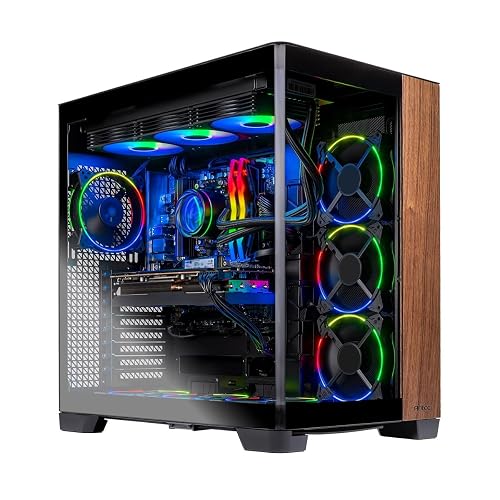
Skytech Gaming Prism 4 Desktop PC (Ryzen 9 9950X3D)
The Skytech Gaming Prism 4 Desktop PC is a standout pick for gamers who want top-tier Ryzen 9 9950X3D performance paired with an RTX 5080. It delivers the frame rates and responsiveness needed for high-refresh 4K play and demanding creative work. The system includes 64GB of DDR5-6000 RGB memory, a 4TB Gen4 NVMe SSD, and an X870 motherboard for a fast, capable platform. A 360mm AIO cooler and a 1000W Gold ATX 3 PSU help keep components stable. Windows 11 is preinstalled, Wi-Fi is included, there is no bloatware, and a free keyboard and mouse are provided.
- CPU:AMD Ryzen 9 9950X3D
- GPU:RTX 5080 16GB
- RAM:64GB
- Storage:4TB Gen4 NVMe SSD
- Cooling:360mm AIO liquid cooling
- Operating System:Windows 11 Home
- Additional Feature:4TB Gen4 SSD
- Additional Feature:Prism 4 Wood Curve
- Additional Feature:Assembled in USA
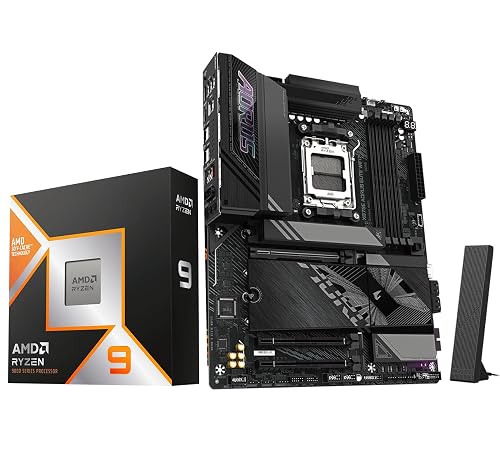
Micro Center Ryzen 9 9950X3D CPU with ASUS X870E-E Motherboard
If you want a high-end gaming PC that also handles heavy multitasking, the Micro Center Ryzen 9 9950X3D bundle with ASUS X870E-E motherboard is an excellent fit. You get 16 cores, 32 threads, 5.7 GHz boost speeds, and 144 MB of combined cache for fast gaming and content creation. The ASUS ROG Strix X870E-E adds DDR5 support, PCIe 5.0 storage, Wi-Fi 7, USB4, and strong 18+2+2 power delivery. Since you will need your own cooler, plan for a quality solution. This AM5 combo gives you serious upgrade headroom and overclocking flexibility.
- CPU:AMD Ryzen 9 9950X3D
- GPU:Integrated Radeon Graphics
- RAM:Up to 256GB
- Storage:2TB M.2 SSD
- Cooling:Heatsinks/board cooling
- Operating System:Windows 11 / 10
- Additional Feature:ASUS ROG Strix motherboard
- Additional Feature:8000 MHz memory support
- Additional Feature:PCIe 5.0 M.2 slots
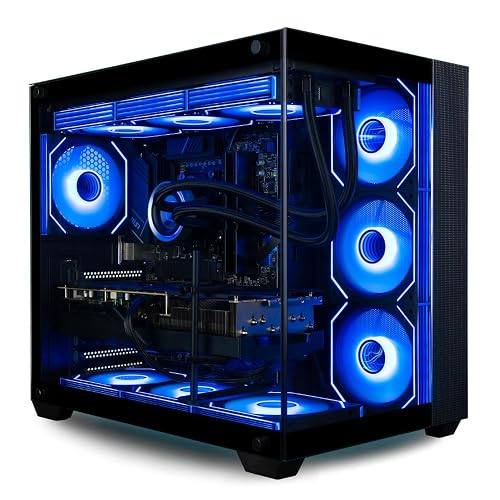
Panorama XL RTX 5080 Gaming Desktop PC
With AMD Ryzen 9 9950X3D, an RTX 5080, and 32 GB of DDR5 memory, the Panorama XL is built for anyone who wants a high-end gaming desktop that also handles streaming, content creation, and VR without breaking a sweat. You get 16 cores and 32 threads, a 2 TB Gen4 SSD, and 360 mm liquid cooling, plus 10 ARGB fans for steady thermals. Its tempered-glass case looks sharp, and the included keyboard and mouse let you jump in fast. Windows 11 Pro, WiFi 7, and lifetime support round out the package.
- CPU:AMD Ryzen 9 9950X3D
- GPU:RTX 5080 16GB
- RAM:32GB
- Storage:2TB Gen4 NVMe SSD
- Cooling:360mm liquid cooling
- Operating System:Windows 11 Pro
- Additional Feature:Windows 11 Pro
- Additional Feature:10 ARGB PWM fans
- Additional Feature:3-year hardware warranty
Panorama XL RTX 5080 Gaming Desktop PC
Panorama XL RTX 5080 Gaming Desktop PC is a strong pick if you want elite 2026 gaming performance in a ready-to-run build. It pairs an AMD Ryzen 9 9950X3D with an NVIDIA GeForce RTX 5080 and 64GB of DDR5 memory. You get 16 cores and 32 threads, a 2TB Gen4 NVMe SSD, and 16GB of GDDR7 VRAM for smooth ultra-settings play, streaming, and VR. A 360mm liquid cooler and 10 ARGB fans help it stay composed. Wi-Fi 7, Windows 11 Pro, no bloatware, and lifetime support make it easy to own.
- CPU:AMD Ryzen 9 9950X3D
- GPU:RTX 5080
- RAM:64GB
- Storage:2TB Gen4 NVMe SSD
- Cooling:360mm liquid cooling
- Operating System:Windows 11 Pro
- Additional Feature:64GB DDR5 SDRAM
- Additional Feature:Secure Boot enabled
- Additional Feature:3-year hardware warranty
Factors to Consider When Choosing Gaming PCs With AMD Ryzen 9 9950X
When choosing a gaming PC with the AMD Ryzen 9 9950X, consider the CPU core count and ensure the GPU matches the performance you need. Also provide enough memory and fast storage so games load quickly and multitasking remains smooth. Do not overlook cooling efficiency, since strong thermals help the system maintain performance during long gaming sessions.
CPU Core Count
Core count matters most if you are gaming while juggling streaming, recording, or other heavy background tasks, because a 16-core, 32-thread Ryzen 9 9950X has far more parallel processing headroom than 12-core chips. That extra capacity helps keep gameplay smooth while you record, broadcast, or run chat apps, browsers, and launchers in the background. It also pays off if you edit video, train AI models, or render 3D scenes after you play. Still, more cores do not automatically mean higher FPS. You should balance core count with strong per-core speed and good game optimization. Once core counts are already high, your experience usually depends more on cooling, memory speed, and GPU strength than on adding even more CPU cores.
GPU Performance Tier
GPU performance tier is critical when you are building a gaming PC around the Ryzen 9 9950X, because a strong CPU cannot compensate for a weak graphics card. If you pair this chip with a midrange GPU, you will often leave performance on the table and see frame rates well below what the processor can drive. For high-refresh 1440p and 4K gaming, favor top-tier cards; they deliver more shader throughput and usually more VRAM for ultra textures and ray tracing. At 4K, the GPU becomes the main bottleneck, so a flagship class card can improve smoothness more than a faster CPU. If you mainly play competitive 1080p, an upper-midrange card may be enough, but the tier still shapes latency and peak frame rates.
Memory Capacity
Memory capacity is one of the easiest ways to future-proof a Ryzen 9 9950X gaming PC. For most high-end builds, aim for 32 GB of DDR5 RAM as a solid baseline. If you multitask heavily, stream, or keep memory-hungry apps open, 64 GB gives you more breathing room. Check your motherboard’s maximum supported memory, because many AM5 boards top out at 128 GB or 256 GB, even if you start smaller. You will usually get better bandwidth and stability from two matched sticks in dual-channel mode than from a single module. Also consider a board with at least four RAM slots, so you can expand later for content creation, modded games, or future upgrades without replacing everything.
Storage Speed
Storage speed matters more than many buyers realize, especially when you are building a Ryzen 9 9950X gaming PC. Choose an NVMe SSD over SATA storage, since PCIe based drives load games and open world assets much faster than older options. A Gen4 NVMe drive provides a strong gaming baseline. Gen5 models push higher sequential throughput for huge file transfers and demanding future workloads. Aim for at least 2 TB if you want room for today’s oversized games, because many releases top 100 GB each. Faster storage helps most with boot times, game launches, level loading, and patch installs, not raw frame rates. If you edit video or handle media files, quicker read and write speeds can also cut waiting during imports, caching, and exports.
Cooling Efficiency
When you are running a Ryzen 9 9950X, cooling efficiency is not optional, it is what keeps performance steady under pressure. This 16-core chip can draw around 170W at stock, so you need a strong liquid cooler to prevent temperature spikes during long gaming sessions. Larger 360 mm or 420 mm AIO radiators usually shed heat better than smaller units, helping you maintain higher boost clocks when the action stays intense. You should also use multiple high-airflow case fans, since they push hot air away from the CPU and GPU area instead of trapping it inside the chassis. A tempered-glass case can look great, but it still needs solid intake and exhaust paths. Better cooling reduces thermal throttling and delivers more consistent frequencies.
Connectivity Options
Connectivity options matter just as much as raw performance, because you need a Ryzen 9 9950X gaming PC that fits your setup without extra hassle. Look for modern wireless support, ideally WiFi 7, or at least WiFi 6 or 802.11ac, plus Bluetooth for easy pairing and flexible placement. Do not skip a wired Ethernet port; a gigabit RJ45 connection usually gives lower latency and steadier online play than wireless. Check the rear I/O closely, too, because USB counts vary widely, from just 2 or 3 ports to 11 or more. Verify HDMI and DisplayPort outputs if you use multiple monitors or a 4K screen. If you game with a headset or mic, make sure dedicated audio, mic, and headphone jacks are included.
Frequently Asked Questions
Is Ryzen 9 9950X Better for Gaming Than 9950X3D?
No, the 9950X3D will usually deliver better gaming performance because its extra 3D V-Cache improves many titles. You would prefer the 9950X only if you need stronger all-around productivity performance.
What Cooling Is Ideal for a Ryzen 9 9950X Gaming PC?
Think of cooling as essential armor for your Ryzen 9 9950X gaming PC. Use a premium 360mm AIO or a top-tier air cooler; either option will keep the system cool, maintain quiet operation, and sustain peak performance under heavy loads.
How Much Power Does a 9950X Gaming System Typically Need?
You will typically need a 750W to 1000W power supply, depending on your GPU. The 9950X itself does not draw extreme power, but your graphics card and cooling can raise overall system requirements.
Can Ryzen 9 9950X Handle 4K Gaming Smoothly?
Yes, you can game smoothly at 4K with a Ryzen 9 9950X, but performance will depend largely on your GPU. Expect excellent results with a powerful graphics card and optimized settings.
Which Motherboard Chipset Pairs Best With Ryzen 9 9950X?
You’ll want X670E or X870E; why settle for less when you’re pairing a flagship CPU? They provide PCIe 5.0, robust VRMs, and upgrade headroom, so you will maximize performance and future-proof your build.




