


You probably do not know that a few gaming SSDs now rival workstation drives in sustained speed, not just peak numbers. If you are eyeing faster loads or a PS5 upgrade, the difference between a good deal and a short-lived discount can be bigger than you think.
These seven picks cover PCIe 5.0, strong Gen4 options, and storage sizes that fit real gaming needs, and one or two stand out for reasons you might not expect.


More Details on Our Top Picks
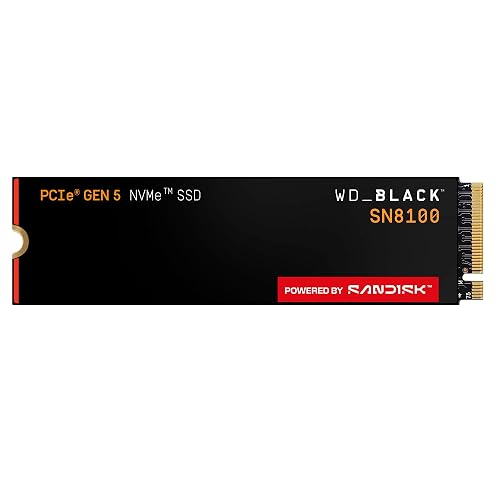
WD_Black SN8100 1TB PCIe 5.0 NVMe SSD (WDS100T1X0M)
If you want a blazing-fast gaming SSD that helps your PC feel more responsive, the WD_Black SN8100 1TB stands out with PCIe 5.0 speeds and up to 14,900 MB/s sequential read performance. You get an M.2 2280 NVMe drive built for modern rigs, with strong efficiency at 7.5W or less average power. It is over 100% more power efficient than prior PCIe 4.0 WD_Black models. You can monitor health with SanDisk Dashboard and move data with Acronis True Image. For speed, reliability, and a tidy install, this drive delivers.
- Form Factor:M.2 2280
- Interface:PCIe 5.0 x4 NVMe
- Capacity:1TB
- SSD Type:NVMe SSD
- Gaming Use:Gaming
- Internal Drive:Internal SSD
- Additional Feature:PCIe Gen5.0 x4
- Additional Feature:14,900 MB/s read
- Additional Feature:100%+ efficiency gain
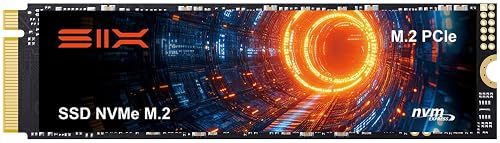
SIX 1TB NVMe M.2 PCIe 4.0 SSD with Heatsink
The SIX X7400 1TB NVMe M.2 PCIe 4.0 SSD with heatsink is a strong pick for gamers and creators who want faster load times and snappier file transfers without sacrificing compatibility. You get a compact M.2 2280 drive with PCIe Gen4x4 support, plus backward compatibility for older systems. It can hit up to 7,350 MB/s sequential read speeds, which helps you boot quicker, move large files faster, and keep gameplay smooth. You can use it in a PS5, desktop, or laptop. SIX includes a heatsink, screw, and screwdriver, and backs the drive with a 5 year warranty.
- Form Factor:M.2 2280
- Interface:PCIe 4.0 x4 NVMe
- Capacity:1TB
- SSD Type:NVMe SSD
- Gaming Use:Gaming / PS5
- Internal Drive:Internal SSD
- Additional Feature:7,350 MB/s read
- Additional Feature:Includes heatsink kit
- Additional Feature:5-year limited warranty
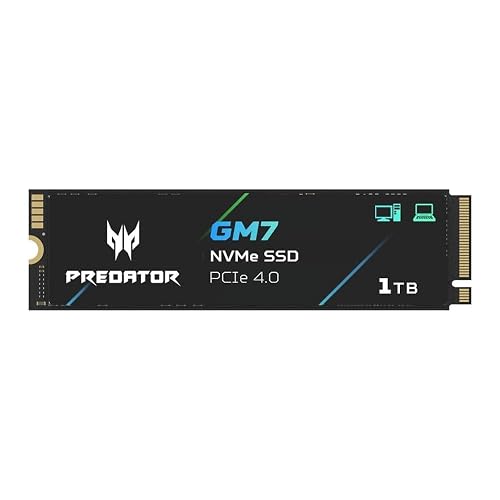
Acer Predator GM7 1TB NVMe SSD (BL.9BWWR.118)
Acer’s Predator GM7 1TB NVMe SSD is a strong pick for gamers who want fast PCIe 4.0 performance without overpaying, delivering up to 7,400 MB/s read and 6,500 MB/s write speeds in a compact M.2 2280 drive. You can install it in a desktop, laptop, or PS5 for quicker load times and smoother installs. Its TLC NAND, SLC cache, and HMB support help keep performance steady, while thermal throttling and power management protect the drive under heavy use. Biwin Intelligence provides cloning, diagnostics, and migration tools, plus a five year warranty.
- Form Factor:M.2 2280
- Interface:PCIe 4.0 x4 NVMe
- Capacity:1TB
- SSD Type:NVMe SSD
- Gaming Use:Gaming / PS5
- Internal Drive:Internal SSD
- Additional Feature:7,400 MB/s read
- Additional Feature:Biwin Intelligence software
- Additional Feature:Lower power design
1TB M.2 NVMe Gen4x4 Gaming SSD for PS5 PC
With blazing PCIe Gen4x4 speeds up to 7,401 MB/s, this 1TB M.2 NVMe SSD is a smart pick for PS5 players and PC gamers who want faster load times and reliable, high-performance storage. It delivers up to 1,049K random read IOPS, and includes SLC cache and HMB to keep everyday gaming snappy. The slim, single-sided M.2 2280 design fits tight laptop spaces, and the graphite heat spreader helps curb throttling. Built with TLC 3D NAND, 500 TBW endurance, LDPC error correction, and TRIM support, it handles heavy games and long sessions well.
- Form Factor:M.2 2280
- Interface:PCIe 4.0 x4 NVMe
- Capacity:1TB
- SSD Type:NVMe SSD
- Gaming Use:Gaming / PS5
- Internal Drive:Internal SSD
- Additional Feature:1,049K IOPS
- Additional Feature:Graphite heat spreader
- Additional Feature:500 TBW endurance
TEAMGROUP T-Force G50 1TB NVMe Gaming SSD
If you want a PS5-compatible NVMe upgrade that keeps pace with modern gaming, the TEAMGROUP T-Force G50 1TB is a strong pick. It is a PCIe Gen4x4 M.2 2280 drive with an InnoGrit controller and 3D TLC NAND, plus SLC caching for quick loading and smooth installs. It reaches up to 5,000 MB/s read and 4,800 MB/s write. The ultra-thin graphene heat spreader helps keep temperatures in check. TEAMGROUP also backs it with a 5-year limited warranty, so you are covered. Check the official site for the latest details.
- Form Factor:M.2 2280
- Interface:PCIe 4.0 x4 NVMe
- Capacity:1TB
- SSD Type:NVMe SSD
- Gaming Use:Gaming / PS5
- Internal Drive:Internal SSD
- Additional Feature:5,000 MB/s read
- Additional Feature:Graphene heat spreader
- Additional Feature:InnoGrit controller
M.2 2280 NVMe SSD 2TB PCIe Gen 4 (GM988)
The GM988 2TB M.2 2280 NVMe SSD is an excellent choice for gamers and power users who want PCIe 4.0 speed without compromise. It delivers up to 7,350 MB/s read and 6,600 MB/s write performance, so games load fast and projects move smoothly. Dynamic SLC cache, HMB, and 7,300 MT/s memory help you multitask, render, and boot quickly. A graphene-copper cooler keeps temperatures in check, and TRIM, NCQ, SMART, plus backward compatibility provide added confidence. It is compatible with Windows, Linux, PS5, Xbox Series, desktops, and laptops.
- Form Factor:M.2 2280
- Interface:PCIe 4.0 x4 NVMe
- Capacity:2TB
- SSD Type:NVMe SSD
- Gaming Use:Gaming / PS5
- Internal Drive:Internal SSD
- Additional Feature:7,350 MB/s read
- Additional Feature:Graphene-copper cooling
- Additional Feature:Lifetime technical support
KingSpec 2TB M.2 NVMe PCIe 4.0 SSD
KingSpec’s 2TB M.2 NVMe PCIe 4.0 SSD is a smart pick if you want to level up a gaming PC, PS5, or gaming laptop without paying for top-tier flagship speeds. It delivers up to 4,000 MB/s read and 3,500 MB/s write performance, and includes PCIe 3.0 backward compatibility for older systems. The M.2 2280 format installs quickly, and the drive’s NAND, error correction, wear leveling, SMART, TRIM, and thermal controls help keep performance steady under load. Choose it for large games, creative projects, and big files.
- Form Factor:M.2 2280
- Interface:PCIe 4.0 x4 NVMe
- Capacity:2TB
- SSD Type:NVMe SSD
- Gaming Use:Gaming / PS5
- Internal Drive:Internal SSD
- Additional Feature:4,000 MB/s read
- Additional Feature:Bad block management
- Additional Feature:SMART and TRIM
Factors to Consider When Choosing Gaming SSD Deals January 2026
When comparing gaming SSD deals in January 2026, check read and write speeds first so games load quickly and install smoothly. Also match PCIe generation compatibility, capacity, endurance, and thermal management to your system so the drive performs well and lasts. If you are buying for a console, confirm PS5 compatibility before purchase.
Read And Write Speeds
For gaming, faster sequential read speeds help levels and assets stream more quickly. PCIe Gen4 drives around 7,000 MB/s are already solid, and Gen5 models that top 14,000 MB/s can cut load times further on compatible systems. You should also check random 4K read and write IOPS, since they affect game installs, launches, and background saves more than headline speeds do. Higher IOPS make your system feel snappier. For big downloads or patches, sustained write performance matters because an SLC cache can keep transfers fast before speeds drop. Do not ignore thermals either, because heat can throttle both reads and writes during long sessions. Compare peak specs with sustained test results so you know what you will actually get in play.
PCIe Gen Compatibility
Speed matters, but you also need to make sure the drive matches your platform. PCIe generation sets the ceiling for performance; Gen4 x4 can reach about 8 GB/s, while Gen5 x4 can double that. If your motherboard or CPU only supports Gen3 or Gen4, a faster drive will still work, but it will drop to the slot’s bandwidth and will not hit its headline speeds. That matters on consoles and many laptops too, since Gen5 usually adds little unless the system supports Gen5 M.2. You should also check BIOS support and how each M.2 slot is wired, because some lanes come from the CPU and others from the chipset, which can limit speed. Keep cooling in mind, since Gen5 drives often run hotter and need better airflow.
Capacity And Endurance
Aim for at least 1 TB if you are building a modern gaming library, and 2 TB or more makes sense if you want room for multiple big AAA installs or game capture footage. You should also check endurance ratings, especially TBW or DWPD, because they tell you how much data the drive can handle over time. For a 1 TB gaming NVMe, several hundred TBW, such as 300 to 600, usually provides comfortable multi-year use. Bigger drives often last longer as well, since TBW usually scales with capacity, so a 2 TB model can outlast a 1 TB drive under similar workloads. If you install games often, patch constantly, or record footage, choose higher TBW and TLC over QLC when possible. Also weigh warranty length alongside endurance.
Thermal Management
Once you’ve narrowed down capacity and endurance, thermal management becomes the next big factor in a gaming SSD deal. You should favor drives with heatsinks, heat spreaders, or graphite and copper layers that cut temperature spikes and slow thermal throttling during long gaming sessions. Check reviews for sustained transfer rates and throttling thresholds, since strong sequential and IOPS performance under load helps you avoid mid-session slowdowns. If your rig is tight on space, choose single-sided M.2 models or low-profile cooling that fits cramped laptops and slim expansion bays. Built-in thermal sensors, dynamic power management, and firmware-controlled throttling also help balance speed and longevity. Finally, make sure your case airflow and M.2 placement can dissipate heat effectively for steadier performance.
PS5 Compatibility
For PS5 compatibility, you need an M.2 NVMe SSD in the 2280 form factor, or another supported length, with PCIe Gen4 x4 support to meet Sony’s storage requirements. Look for a sequential read speed of at least 5,500 MB/s so games load fast and stream assets smoothly. Make sure the drive fits the console’s bay; single-sided modules, or slim double-sided models, usually work best. If the SSD includes a heatsink, confirm it stays low-profile enough to clear the cover. You will also want NVMe support, solid endurance for frequent installs and updates, and a capacity that matches your game library. Before you buy, update your PS5 firmware and double-check the SSD’s dimensions and clearance.
Warranty And Support
When you compare gaming SSD deals, don’t stop at the sticker price, check the warranty length and what it actually covers. Three to five years is common, but coverage can vary by capacity and normal use. Confirm the warranty protects the full drive and covers everyday consumer use, not just select parts. Read the fine print for manufacturing defects, TBW limits, and wear-related exclusions, and make sure third-party firmware or unauthorized mods will not void it. Also look for useful support tools like firmware updates, diagnostics, and cloning software. Before you buy, review the claim process, turnaround time, and whether you will get an RMA label, advance replacement, or pay return shipping yourself. SMART data and endurance ratings can also affect approval.
Value Versus Performance
Value matters more than raw speed in most gaming SSD deals, so match the drive to how you actually play. If your library leans on huge worlds and constant texture streaming, PCIe 5.0 or fast PCIe 4.0 drives with 7,000 MB/s-plus reads can help. For most games, though, load times flatten before peak numbers, so do not overpay for speed you will not notice. Check cost per GB alongside TBW; a pricier drive can still save money if it lasts longer. Also weigh sustained writes and cooling, since steady throughput beats flashy peaks in long sessions. Make sure your motherboard and M.2 slot can use the drive fully. Bonus software and a longer warranty can tip the value equation as well.
Frequently Asked Questions
How Much SSD Capacity Do Modern Games Usually Require?
Modern games typically require 50 GB to 150 GB each, and some exceed 200 GB. Plan for at least 1 TB total, because updates, DLC, and your library will quickly consume space.
Does PCIE 5.0 Improve Gaming Performance Over PCIE 4.0?
Not much; you will usually see little to no increase in gaming FPS with PCIe 5.0 compared to PCIe 4.0. You will mainly notice faster large file transfers, and differences in game load times are minimal on current hardware.
Are Heatsinks Necessary for All Gaming SSDS?
No, you do not need heatsinks for all gaming SSDs. Like a marathon runner sipping water, I watched a PCIe 4.0 drive stay cool in a PS5. Only NVMe drives that run hot really benefit from heatsinks.
Can I Use a Gaming SSD in Both PS5 and PC?
Yes. You can use a gaming SSD in both your PS5 and your PC if it is compatible. Each device requires a different format, so you may need to move or back up data before switching the drive.
How Long Do NVME Gaming SSDS Typically Last?
You will typically get 5 to 10 years from an NVMe gaming SSD, often longer. You can extend its life by avoiding constant full-drive writes, keeping firmware updated, and monitoring wear with SMART tools regularly.




