


If you want lower lag and steadier matches, the right Wi‑Fi 7 router can make a real difference.
You will see models built for fast 6 GHz links, wider channels, stronger QoS, and multi-gig ports that keep traffic moving cleanly under pressure.
Some focus on mesh coverage, while others prioritize raw gaming speed.
The real question is which one fits your setup best, and that is where things get interesting.
| Amazon eero Max 7 Mesh WiFi Router | 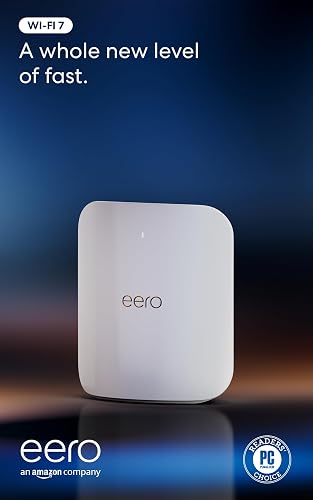 | Best Overall | Wi‑Fi 7: Yes | Tri‑Band: Tri-band | 6 GHz Band: Yes | VIEW LATEST PRICE | Read Our Analysis |
| GL.iNet Flint 3 WiFi 7 Router | 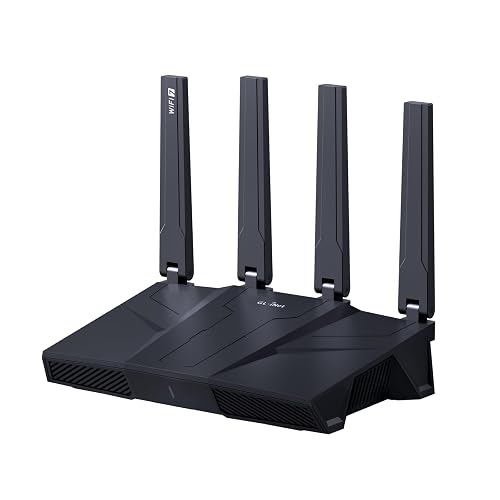 | Best Value | Wi‑Fi 7: Yes | Tri‑Band: Tri-band | 6 GHz Band: Yes | VIEW LATEST PRICE | Read Our Analysis |
| ASUS ROG Rapture WiFi 6E Gaming Router (GT-AXE16000) | 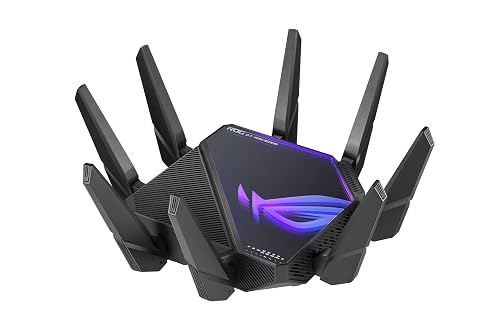 | Best Premium Pick | Wi‑Fi 7: Yes | Tri‑Band: Quad-band | 6 GHz Band: Yes | VIEW LATEST PRICE | Read Our Analysis |
| NETGEAR Nighthawk Tri-Band WiFi 7 Router (RS300) |  | Best Coverage | Wi‑Fi 7: Yes | Tri‑Band: Tri-band | 6 GHz Band: Yes | VIEW LATEST PRICE | Read Our Analysis |
| NETGEAR Nighthawk WiFi 7 Router (RS200) | | Best Budget Pick | Wi‑Fi 7: Yes | Tri‑Band: Dual-band | 6 GHz Band: Yes | VIEW LATEST PRICE | Read Our Analysis |
| ASUS ROG Rapture GT-AX11000 Pro Gaming Router |  | Best For Gaming | Wi‑Fi 7: No | Tri‑Band: Tri-band | 6 GHz Band: No | VIEW LATEST PRICE | Read Our Analysis |
| ASUS ROG Rapture GT-BE98 PRO WiFi 7 Gaming Router | 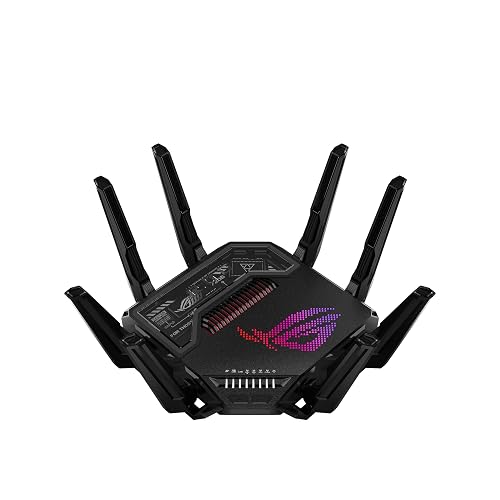 | Best Performance | Wi‑Fi 7: Yes | Tri‑Band: Tri-band | 6 GHz Band: Yes | VIEW LATEST PRICE | Read Our Analysis |
More Details on Our Top Picks
Amazon eero Max 7 Mesh WiFi Router
If you want a Wi‑Fi 7 router that can handle serious gaming and a crowded smart home at the same time, the Amazon eero Max 7 stands out with tri-band performance, multi-gig wired ports, and support for 250+ devices. You get up to 4.3 Gbps wireless speeds, BE20800 class hardware, and two 10 GbE plus two 2.5 GbE ports for fast backhaul or wired gaming. It covers up to 2,500 sq. ft., and it supports Thread, Matter, and Zigbee control. Use the eero app for setup, remote management, and WPA3 security.
- Wi‑Fi 7:Yes
- Tri‑Band:Tri-band
- 6 GHz Band:Yes
- Multi‑Gig Ports:2x 10 GbE + 2x 2.5 GbE
- Gaming Features:Low-latency/high-throughput
- Mesh Support:Thread/Matter hub
- Additional Feature:Thread smart home hub
- Additional Feature:Matter controller support
- Additional Feature:Bluetooth Low Energy 5.0
GL.iNet Flint 3 WiFi 7 Router
The GL.iNet Flint 3 WiFi 7 Router is a strong pick for gamers and power users who want fast, low-latency networking with room for lots of devices. You get tri-band WiFi 7 with 6 GHz support, MLO, and up to 9 Gbps theoretical speeds, so your matches and streams stay responsive. Its 2.5 Gbps ports, 1 GB DDR4 RAM, and 8 GB eMMC help you handle heavy traffic. You can block ads with AdGuard Home, run WireGuard or OpenVPN, and cover up to 2,000 square feet. It supports over 100 devices and arrives with a 2 year warranty.
- Wi‑Fi 7:Yes
- Tri‑Band:Tri-band
- 6 GHz Band:Yes
- Multi‑Gig Ports:2.5 Gbps LAN / up to 2.5 Gbps upstream
- Gaming Features:Low-latency gaming
- Mesh Support:Remote access support
- Additional Feature:AdGuard Home support
- Additional Feature:Bark parental controls
- Additional Feature:Linux router firmware
ASUS ROG Rapture WiFi 6E Gaming Router (GT-AXE16000)
With its quad-band Wi Fi 6E design and a theoretical top speed of 16,000 Mbps, the ASUS ROG Rapture GT-AXE16000 is built for serious gamers who want low latency and high-capacity networking across multiple devices. It provides a dedicated 6 GHz band for cleaner channels, plus dual 10G ports and a 2.5G WAN for fast wired backbones. ASUS RangeBoost Plus helps extend coverage, and triple-level game acceleration keeps gaming traffic prioritized. AiMesh support, WPA3 security, QoS, and parental controls add flexibility. The black router includes 12 fixed antennas, 2 GB of RAM, and a three year warranty.
- Wi‑Fi 7:Yes
- Tri‑Band:Quad-band
- 6 GHz Band:Yes
- Multi‑Gig Ports:2x 10G + 2.5G WAN
- Gaming Features:Triple-level game acceleration
- Mesh Support:AiMesh support
- Additional Feature:Quad-band design
- Additional Feature:12 fixed antennas
- Additional Feature:Touch control methods
NETGEAR Nighthawk Tri-Band WiFi 7 Router (RS300)
Built for gamers and busy households that need fast, reliable whole-home coverage, the NETGEAR Nighthawk Tri-Band WiFi 7 Router (RS300) delivers Wi‑Fi 7 speeds up to 9.3 Gbps, 6 GHz support, and 320 MHz channels to handle demanding play, streaming, and video calls simultaneously. It can cover up to 2,500 sq. ft. and support as many as 100 devices using MU‑MIMO and OFDMA. Two 2.5 Gig LAN ports and a 2.5 Gig WAN port help you move data quickly. WPA3, automatic updates, and NETGEAR Advanced Router Protection keep your network secure.
- Wi‑Fi 7:Yes
- Tri‑Band:Tri-band
- 6 GHz Band:Yes
- Multi‑Gig Ports:2x 2.5G + 2x 1G
- Gaming Features:Game acceleration
- Mesh Support:No
- Additional Feature:Automatic firmware updates
- Additional Feature:Netgear OS platform
- Additional Feature:Free expert help
NETGEAR Nighthawk WiFi 7 Router (RS200)
If you want a fast, compact Wi‑Fi 7 router for gaming and busy households, the NETGEAR Nighthawk RS200 deserves close consideration. It provides dual-band Wi‑Fi 7 with speeds up to 6.5 Gbps, which can feel about 2.4 times faster than Wi‑Fi 6. Its 2.5 Gig internet port lets you use multi-gig wired service, and it can support up to 80 devices across 2,500 sq. ft. You will need your own modem for cable internet, but it is compatible with any ISP. The router is optimized for gaming, streaming, calls, and general entertainment. Free expert help is included.
- Wi‑Fi 7:Yes
- Tri‑Band:Dual-band
- 6 GHz Band:Yes
- Multi‑Gig Ports:2.5 Gig internet port
- Gaming Features:Gaming optimized
- Mesh Support:No
- Additional Feature:Dual-band design
- Additional Feature:Compact body
- Additional Feature:80-device support
ASUS ROG Rapture GT-AX11000 Pro Gaming Router
The ASUS ROG Rapture GT-AX11000 Pro is a strong fit for serious gamers who want fast, reliable networking without extra hassle. You get WiFi 6 tri-band performance with combined speeds up to 11,000 Mbps, plus 160 MHz channels that boost efficiency. ASUS RangeBoost Plus helps extend your signal and coverage, so you can stay connected farther away. The 64-bit quad-core 2.0 GHz CPU and high-performance chipsets keep traffic moving smoothly. You also get a 2.5 G port, a 10 G port, triple-level game acceleration, subscription-free security, and AiMesh support.
- Wi‑Fi 7:No
- Tri‑Band:Tri-band
- 6 GHz Band:No
- Multi‑Gig Ports:1x 2.5G + 1x 10G
- Gaming Features:Triple-level game acceleration
- Mesh Support:AiMesh compatibility
- Additional Feature:64-bit quad-core CPU
- Additional Feature:2.0 GHz processor
- Additional Feature:Subscription-free security
ASUS ROG Rapture GT-BE98 PRO WiFi 7 Gaming Router
ASUS ROG Rapture GT-BE98 PRO is a standout choice if you need a WiFi 7 gaming router that can keep up with a busy, high-performance setup. It delivers WiFi 7 speeds, 320 MHz channels, 4096-QAM, and Multi-Link Operation for smoother, more stable connections. With peak throughput up to 30 Gbps, it handles heavy gaming and streaming. External dual-feeding antennas boost range, and dual 10G plus four 2.5G ports provide serious wired flexibility. Triple-level Game Acceleration, Mobile Game Mode, AiMesh, a built-in VPN, and subscription-free security complete the package.
- Wi‑Fi 7:Yes
- Tri‑Band:Tri-band
- 6 GHz Band:Yes
- Multi‑Gig Ports:2x 10G + 4x 2.5G
- Gaming Features:Triple-level Game Acceleration
- Mesh Support:AiMesh support
- Additional Feature:4096-QAM modulation
- Additional Feature:Mobile Game Mode
- Additional Feature:External dual-feeding antennas
Factors to Consider When Choosing Gaming Wi Fi 7 Routers For Low Latency Performance
When choosing a gaming Wi Fi 7 router for low latency, verify it supports the latest Wi Fi 7 standards and multi link operation. Also evaluate bandwidth and channel options, wired port configuration, and how many devices the router can handle without slowing down. These factors help keep gameplay responsive even when your network is busy.
Wi-Fi 7 Standards
Wi‑Fi 7 (IEEE 802.11be) brings several features that matter for gaming latency, especially on busy networks. You get wider 320 MHz channels and higher-order 4096‑QAM, which can move data faster and shorten airtime for game packets. The standard also expands spatial streams and MU‑MIMO, so your router can handle more simultaneous traffic without piling up delays. Enhanced OFDMA scheduling and preamble puncturing help the network assign resources more precisely and dodge interference, which keeps latency steadier under load. Wi‑Fi 7 also raises theoretical throughput and cuts worst-case frame times. You will not see the full benefit unless the router implementation, scheduling, and overall network conditions are strong.
Multi-Link Operation
Multi-Link Operation (MLO) lets you use more than one band at once, so your gaming traffic can move across 2.4, 5, and 6 GHz links instead of waiting on a single path. You get lower per-packet latency because the router can send and receive on the best link in real time. If congestion or interference hits one path, MLO can shift traffic in sub-millisecond steps, which helps cut jitter and keep your aim steady. It also adds resilience, packet loss on one link does not have to drop the session. For the best results, both your router and your gaming device need coordinated MLO support, plus smart scheduling that prioritizes game traffic across available links.
Bandwidth And Channels
Bandwidth and channels determine how fast your gaming traffic actually moves, not just the headline Wi Fi 7 spec. When you choose wider channels, such as 160 MHz or 320 MHz on 6 GHz, you give your router more room to push data, which reduces contention and helps latency stay low during heavy game downloads or streaming. You will also benefit from Multi Link Operation, since it can send traffic over 2.4, 5, and 6 GHz at once and switch to the least crowded path. Make sure your network has enough total bandwidth too, because weak uplinks can create queues and delay packets. Good band steering and automatic channel selection reduce interference, and 6 GHz often delivers the cleanest, most consistent path for competitive gaming.
Wired Port Options
When you’re choosing a gaming Wi‑Fi 7 router, don’t overlook the wired ports, because they can make or break low-latency performance. Favor multi-gig Ethernet, ideally 2.5 Gbps or faster, on both WAN and LAN so wired traffic does not bottleneck your games. For the best backbone, look for a configurable 10 GbE port, or dual 10 GbE ports, for links between your gaming PC, NAS, or mesh node. Make sure the router auto-senses each connection and lets you assign WAN or LAN as needed. Extra high-speed LAN ports let you give critical devices their own line, cutting contention and jitter. If you need more throughput, check for LACP, or port trunking, support.
Device Capacity
Device capacity matters just as much as raw speed, because a gaming Wi-Fi 7 router can bog down fast if too many consoles, PCs, cameras, and smart devices are fighting for airtime. You should favor models rated for 100 or more simultaneous clients if your home stays crowded. MU-MIMO, OFDMA, and Multi-Link Operation help the router serve multiple devices at once, so your game traffic does not wait behind everyone else’s streams and downloads. A multi-core CPU and 1 to 2 GB of RAM keep packet handling smooth when loads spike. High-speed 2.5G or 10G Ethernet ports, plus wired backhaul support, move heavy traffic off Wi-Fi. Per-device prioritization in firmware also helps your gaming PC or console hold low latency.
Latency Optimization Features
For low-latency gaming, focus beyond raw wireless speed and prioritize features that reduce delay, jitter, and retransmissions. Multi-Link Operation can use 2.4, 5, and 6 GHz bands simultaneously, giving your traffic alternate paths and reducing retries. OFDMA and smart uplink and downlink scheduling divide channels into smaller resource units, so your router spends less time fighting congestion when other devices are active. Hardware-accelerated QoS, or game prioritization, can reserve airtime for your packets and help keep round-trip times steady. Wider channels and 4K or 4096-QAM can shorten airtime per transfer, easing pressure on the link. Finally, choose a router with multi-gig wired ports and robust WAN and LAN support so your network does not bottleneck before packets reach the game server.
Coverage And Layout
Coverage matters as much as top-end speed, so size a Wi‑Fi 7 router or mesh system to your home’s floor plan and device load. Estimate the square footage each unit must cover; for a typical single-floor home, target about 2,000 to 2,500 sq ft per node. Place the main router centrally, high up, and away from walls, metal, and large appliances so your gaming device gets a cleaner path and less multipath interference. If you have multiple floors or a tricky layout, choose mesh nodes or a wired backhaul instead of relying on one powerful router that creates dead zones. Also factor in concrete, brick, and foil insulation, which can severely reduce 6 GHz and 5 GHz range. Dense device clusters need additional access points to reduce contention and scheduling delays.
Frequently Asked Questions
How Much Input Lag Can a Wi‑Fi 7 Router Reduce in Gaming?
You will typically reduce input lag by only a few milliseconds, not achieve dramatic improvements. Wi‑Fi 7 mainly lowers jitter and congestion. If your old router performed poorly, you may notice smoother and more responsive gameplay, but a wired connection still provides the best results.
Do Wi‑Fi 7 Routers Improve Cloud Gaming Stability on Busy Networks?
Yes, Wi‑Fi 7 routers can make your cloud gaming feel rock solid on crowded networks, reducing hiccups, drops, and jitter like a laser scalpel. You will still need a strong internet plan and proper setup for best results.
Which Security Features Matter Most for Gaming Routers?
You should prioritize WPA3, automatic firmware updates, strong administrator passwords, a guest network, and built-in firewall protection. These features keep your router secure, reduce the risk of intrusion, and let you game confidently without exposing your devices.
Can Wi‑Fi 7 Routers Prioritize Gaming Traffic Automatically?
Yes, Wi‑Fi 7 routers can automatically prioritize your gaming traffic, many use QoS and device detection. With 40% less latency in ideal setups, you will usually get smoother gameplay without manual tweaks or constant monitoring.
Is Wi‑Fi 7 Worth Upgrading From Wi‑Fi 6E for Console Gaming?
Yes. If you game wirelessly and want lower latency, better congestion handling, and future proofing, Wi‑Fi 7 can be worth it. If your Wi‑Fi 6E already feels smooth, you will not notice much difference yet.




