


If you’re eyeing a Dell Inspiron in 2026, you have real choices, not just a random list of specs.
The Inspiron 3530 handles daily tasks with ease. The 16 Plus 7640 delivers stronger Intel Core i7 performance and a sharper 2.5K 120Hz screen. If touch matters, the 3520 and the 15.6-inch Pro model keep things simple and useful. The Ryzen 7 Inspiron 16 5645 provides better balance for heavy multitasking, and the details ahead show which one truly matches your day.
| Dell Inspiron Touchscreen Laptop 15.6″ Windows 11 Pro | 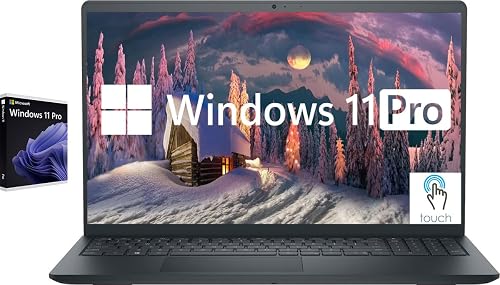 | Best Touchscreen Value | Processor: Intel Core i5-1155G7 | Display Size: 15.6-inch | Resolution: FHD 1920 x 1080 | VIEW LATEST PRICE | Read Our Analysis |
| Dell Inspiron 3530 Laptop with 15.6-inch FHD Display | 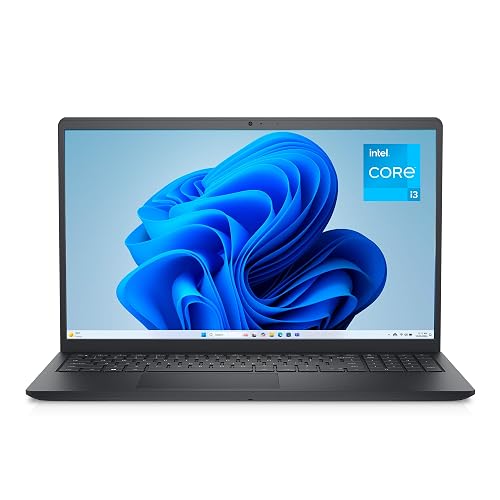 | Budget Pick | Processor: Intel Core i3-1305U | Display Size: 15.6-inch | Resolution: FHD 1920 x 1080 | VIEW LATEST PRICE | Read Our Analysis |
| Dell Inspiron 16 Plus 7640 Laptop (i7-13620H) | 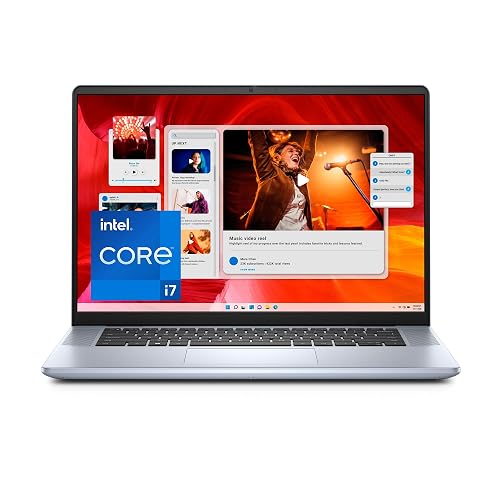 | Best Performance | Processor: Intel Core i7-13620H | Display Size: 16.0-inch | Resolution: 2.5K 2560 x 1600 | VIEW LATEST PRICE | Read Our Analysis |
| Dell Inspiron 3520 15.6″ Touchscreen i7 Laptop | 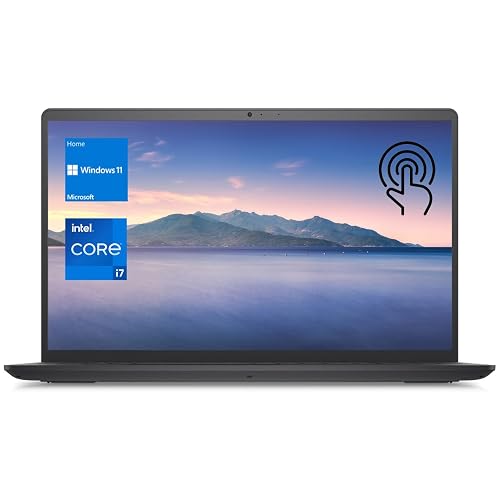 | Best Touchscreen | Processor: Intel Core i7-1255U | Display Size: 15.6-inch | Resolution: FHD 1920 x 1080 | VIEW LATEST PRICE | Read Our Analysis |
| Dell Inspiron 16 5645 Laptop (Ryzen 7 1TB SSD) |  | Best Battery Life | Processor: AMD Ryzen 7 8840U | Display Size: 16-inch | Resolution: FHD+ 1920 x 1200 | VIEW LATEST PRICE | Read Our Analysis |
More Details on Our Top Picks
Dell Inspiron Touchscreen Laptop 15.6″ Windows 11 Pro
If you want a laptop that is ready for daily use, the Dell Inspiron Touchscreen Laptop 15.6″ with Windows 11 Pro is a smart choice. It includes an 11th Gen Core i5, 32 GB of RAM, and a 1 TB SSD, so apps open quickly and multitasking runs smoothly. The 15.6-inch Full HD touchscreen provides clear, easy viewing, and the anti-glare IPS panel helps in bright rooms. Its slim 3.65-pound build, Wi-Fi 5, Bluetooth 5, HDMI, USB ports, and 720p webcam keep work, class, and calls simple.
- Processor:Intel Core i5-1155G7
- Display Size:15.6-inch
- Resolution:FHD 1920 x 1080
- RAM:32 GB
- Storage:1 TB SSD
- Operating System:Windows 11 Pro
- Additional Feature:Touchscreen display
- Additional Feature:32GB DDR4 RAM
- Additional Feature:720p HD webcam
Dell Inspiron 3530 Laptop with 15.6-inch FHD Display
The Dell Inspiron 3530 is a smart pick for students, home users, and light business work, offering the essentials without making daily tasks feel like a chore. It features a 15.6-inch FHD anti-glare display, a 13th Gen Core i3 processor, 8 GB of RAM, and a 512 GB SSD for quick starts and smooth multitasking. Weighing 3.7 pounds, it is easy to carry, and the lift-hinge keyboard feels natural. Wi-Fi 6, Bluetooth 5.3, HDMI, and multiple USB ports keep you connected.
- Processor:Intel Core i3-1305U
- Display Size:15.6-inch
- Resolution:FHD 1920 x 1080
- RAM:8 GB
- Storage:512 GB SSD
- Operating System:Windows 11 Home
- Additional Feature:Wi‑Fi 6 support
- Additional Feature:Bluetooth 5.3
- Additional Feature:Lift-hinge typing angle
Dell Inspiron 16 Plus 7640 Laptop (i7-13620H)
The Dell Inspiron 16 Plus 7640 is a roomy 16-inch laptop that suits work, classes, and light entertainment without forcing you to carry a heavy machine all day. It includes an Intel Core i7-13620H processor, 16 GB of LPDDR5 memory, and a 1 TB SSD, so apps open quickly and files remain close at hand. The 2.5K 120 Hz matte screen reduces glare, and ComfortView Plus helps ease eye strain. Connectivity includes Wi-Fi 6E, Thunderbolt 4, HDMI, and Dolby Atmos audio. Weighing 4.8 pounds, it stays portable and feels sturdy.
- Processor:Intel Core i7-13620H
- Display Size:16.0-inch
- Resolution:2.5K 2560 x 1600
- RAM:16 GB
- Storage:1 TB SSD
- Operating System:Windows 11 Home
- Additional Feature:120Hz refresh rate
- Additional Feature:Thunderbolt 4 port
- Additional Feature:Dell ComfortView Plus
Dell Inspiron 3520 15.6″ Touchscreen i7 Laptop
Built for users who want a fast, roomy, and easy-to-handle Windows laptop, the Dell Inspiron 15 3520 is ideal when you need reliable everyday performance without carrying a heavy machine. It includes a 12th gen Intel Core i7, 32 GB of RAM, and a 1 TB SSD, so apps open quickly and multitasking remains smooth. The 15.6-inch FHD touchscreen provides clear, touch-friendly control, and the numeric keypad aids productivity. Weighing 3.7 pounds, it is easy to carry. Wi-Fi, HDMI, multiple USB ports, and Windows 11 Home complete a practical setup.
- Processor:Intel Core i7-1255U
- Display Size:15.6-inch
- Resolution:FHD 1920 x 1080
- RAM:32 GB
- Storage:1 TB SSD
- Operating System:Windows 11 Home
- Additional Feature:Capacitive touchscreen
- Additional Feature:BrightView micro-edge screen
- Additional Feature:32GB RAM
Dell Inspiron 16 5645 Laptop (Ryzen 7 1TB SSD)
If you want a roomy laptop that feels ready for work, class, and everyday life, the Dell Inspiron 16 5645 with Ryzen 7 and a 1TB SSD is a smart pick. It features a 16-inch FHD+ matte screen with ComfortView Plus, so your eyes can stay fresher. The Ryzen 7 8840U, 16GB DDR5 RAM, and Radeon Graphics handle busy days with ease. You also get Dolby Atmos sound, a sharp FHD camera, and a privacy shutter. With Wi-Fi 6E, a fingerprint reader, and a full-size keyboard, it keeps life simple and secure.
- Processor:AMD Ryzen 7 8840U
- Display Size:16-inch
- Resolution:FHD+ 1920 x 1200
- RAM:16 GB
- Storage:1 TB SSD
- Operating System:Windows 11 Home
- Additional Feature:Dolby Vision support
- Additional Feature:Fingerprint reader
- Additional Feature:AI noise reduction
Factors to Consider When Choosing Inspiron Laptops
When choosing an Inspiron laptop, begin by considering how you will use it each day because that determines the performance you need. Next evaluate the display, memory, storage, ports, and battery life to ensure the laptop matches your work, habits, and travel requirements. A careful choice now can prevent slow load times, awkward adapters, and the familiar search for a charger later.
Performance Needs
Your Inspiron’s performance should match how you actually use your day, and that is where the real decision starts. If you mainly handle email, documents, and a few tabs, a 4-core, 8-thread chip can feel just fine. But once you juggle video calls, spreadsheets, and lots of browser tabs, you will want 8-core or 10-core power with boost clocks up to 4.9 GHz or 5.1 GHz. More memory helps too; 16 GB to 32 GB gives you room to breathe when apps pile up. For speed, a 1 TB SSD usually feels snappier than a 512 GB drive, especially with bigger files. Integrated graphics work well for office tasks and streaming, while stronger chip and memory combinations keep everything running smoother.
Display Quality
Display quality affects how pleasant an Inspiron feels every day, so pay close attention to the panel before you buy. For sharper text and more workspace, choose a higher resolution such as 1920 x 1200 or 2560 x 1600 instead of basic 1920 x 1080. Next, check the screen type. IPS or similar wide-view panels keep colors and contrast steadier when viewed from the side, which is better for shared use. Brightness also matters; about 220 nits is only modest for indoor use, while higher brightness helps in sunny rooms. Finally, pick an anti-glare or matte finish to reduce reflections. If you want touch, choose it; if not, a non-touch screen will look cleaner.
Memory And Storage
Next, choose storage that fits your needs. A 512 GB SSD works for light use; 1 TB or larger gives you room for photos, videos, and software. SSDs boot faster and load files quicker than hard drives, so your laptop feels ready sooner. If you want to upgrade later, check memory slots and M.2 slots before you buy.
Port Selection
How many ports do you really need? Start by counting the devices you use every day, then check the laptop’s total port count. Some Inspiron models give you only four ports, while others offer four or more with three USB connections, HDMI, and a card reader. That mix matters if you want to plug in older accessories, move files quickly, or connect an extra screen. Look for USB-A and USB-C or Thunderbolt style ports, so you are not stuck hunting for adapters. If you use monitors or projectors, make sure HDMI is included, because external display support can be listed separately from the built-in screen. An SD card reader helps too, especially for school, business, or creative work. Also check whether a port is USB 2.0 or USB 3.2.
Battery Life
If you’ve already checked the port layout, battery life is the next thing that can make or break your day with an Inspiron. You’ll see big gaps here, even among 15.6 inch models, with some lasting about 6 hours and others reaching 7. A 54 Wh battery can give you more room to work than a 41 or 42 Wh pack, but capacity alone won’t save you. Faster processors and brighter, high refresh screens can drain power sooner, so choose them only if you need the extra speed or smoothness. Also, battery claims often change between active use and standby. If you want real unplugged time, look for strong efficiency, a larger battery, and a display that does not sip power like it is on a coffee break.
Weight And Portability
Weight matters more than many buyers expect, especially when you carry your Inspiron every day through campus, an office, or airport security. You will notice the difference quickly when a laptop weighs about 3.6 to 3.7 pounds instead of closer to 4.7 or 4.8 pounds. A lighter machine reduces shoulder strain and makes quick moves less awkward. Thin models, around 0.68 to 0.75 inches thick, also slip into a backpack or briefcase more cleanly. In addition, a smaller footprint, about 14.0 by 9.3 inches, travels more easily than a larger 16-inch design that is roughly 14.0 by 9.8 inches. Ultra-portable Inspirons offer a solid balance of screen space and mobility. Heavier systems can work as well, but they require more effort every time you go.
Operating System Choices
The operating system shapes almost everything you will do on an Inspiron, from the menus you see to the apps you can install and the security tools you can use. Match it to your daily work first, not last. If you want a simple setup for school, family use, or streaming, a home edition is usually easier and lighter. If you need company or school controls, choose a professional edition for stronger device management, domain joining, and tighter security. Also check that it is 64-bit, since that supports modern apps, drivers, and more memory. If your IT team sets rules, make sure the system supports them before you compare specs. That small check can prevent headaches later.
Frequently Asked Questions
Which Inspiron Model Offers the Best Battery Life for Travel?
You’ll usually get the best travel battery life from an Inspiron 14 with an efficient Intel Core Ultra or Ryzen chip, especially the non-touch FHD model. You’ll enjoy lighter weight, longer runtimes, and easier charging.
Are Inspiron Laptops Good for Light Gaming in 2026?
Yes, if you treat gaming like a polite hobby. You will run light titles fine on newer Inspirons, especially with integrated graphics, but do not expect them to slay AAA beasts. Aim for good cooling, sufficient RAM, and an SSD.
Can Inspiron Laptops Support External 4K Monitors?
Yes, you can often connect Inspiron laptops to external 4K monitors if your model has HDMI 2.0, USB-C with DisplayPort, or Thunderbolt. Check the port specifications, refresh rates, and GPU support to ensure the best results.
How Often Should I Upgrade an Inspiron Laptop’s RAM?
Upgrade your Inspiron’s RAM when you notice slowdowns, typically every 3 to 5 years. If multitasking feels laggy or applications start swapping heavily, add memory sooner. Check your model’s maximum supported RAM and compatibility before purchasing.
Do Inspiron Laptops Come With International Warranty Coverage?
Yes. Some Inspiron laptops include international warranty coverage, but it depends on your specific model and region. Check Dell’s warranty terms before you buy.




