


If you have been eyeing a compact PC lately, you will notice the 2026 Intel Core i3 all-in-one field has become surprisingly sharp.
You can get smooth everyday performance, tidy cable-free setups, and displays that are easy on the eyes without paying for extras you will not use. HPs 23.8-inch options and Lenovos 24-inch models make strong cases, and Dell offers another path worth a closer look. The real question is which one fits your day best.
| HP 23.8″ All-in-One Desktop PC (24-cr0430) | 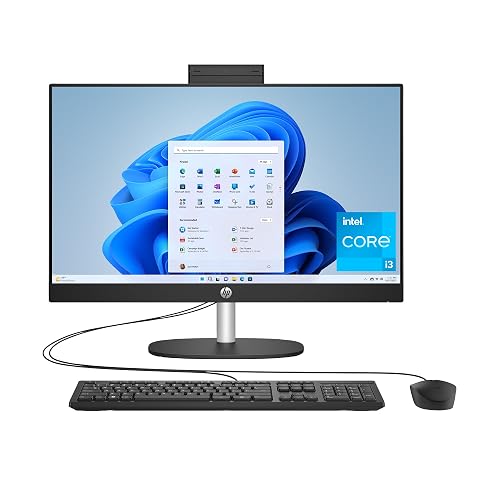 | Best Overall | Processor: Intel Core i3-N300 | Display Size: 23.8-inch | Resolution: 1920 x 1080 | VIEW LATEST PRICE | Read Our Analysis |
| HP 23.8-inch All-in-One Desktop PC (24-cr0030) | 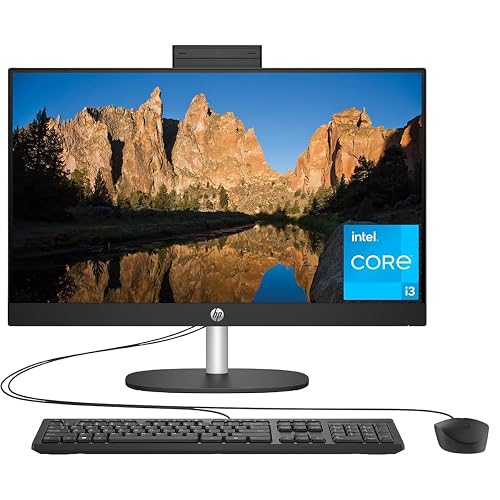 | Best Value | Processor: Intel Core i3-N300 | Display Size: 23.8-inch | Resolution: 1920 x 1080 | VIEW LATEST PRICE | Read Our Analysis |
| Lenovo 24 All-in-One Desktop PC 16GB RAM 512GB SSD | 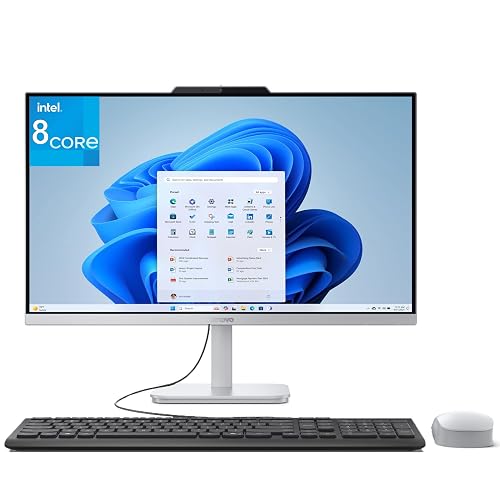 | Best for Multitasking | Processor: Intel Core i3-N305 | Display Size: 23.8-inch | Resolution: 1920 x 1080 | VIEW LATEST PRICE | Read Our Analysis |
| Lenovo 24 23.8″ All-in-One Desktop PC (i3-N305) | | Best for Home Office | Processor: Intel Core i3-N305 | Display Size: 23.8-inch | Resolution: 1920 x 1080 | VIEW LATEST PRICE | Read Our Analysis |
| Dell 24 All-in-One Desktop (ec24250) | 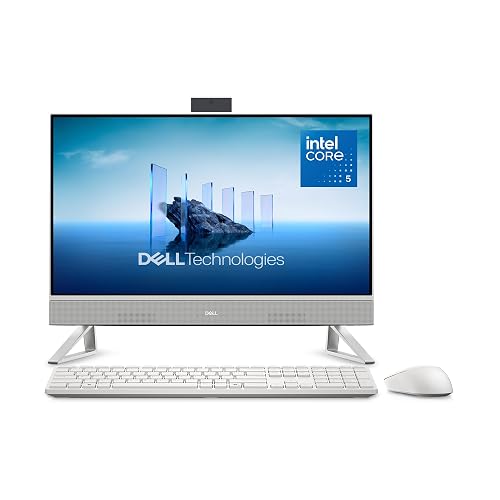 | Best Premium Pick | Processor: Intel Core 5 120U | Display Size: 23.8-inch | Resolution: 1920 x 1080 | VIEW LATEST PRICE | Read Our Analysis |
More Details on Our Top Picks
HP 23.8″ All-in-One Desktop PC (24-cr0430)
The HP 23.8-inch All-in-One Desktop PC (24-cr0430) is a smart pick if you want a clean, space-saving computer that still feels fast enough for everyday work, school, and family use. You get a bright 1080p IPS screen with slim edges, so your photos, video calls, and browser tabs look sharp. The Intel Core i3-N300, 8 GB of RAM, and a 256 GB SSD keep things moving well for browsing, documents, and streaming. Plus, Wi-Fi 6, Bluetooth 5.3, and a range of useful ports make setup and connectivity easy. It also includes Windows 11 Home, built-in speakers, and other helpful extras.
- Processor:Intel Core i3-N300
- Display Size:23.8-inch
- Resolution:1920 x 1080
- RAM:8 GB
- Storage:256 GB SSD
- Operating System:Windows 11 Home
- Additional Feature:Three-sided micro-edge display
- Additional Feature:Wi-Fi 6 support
- Additional Feature:Bluetooth 5.3
HP 23.8-inch All-in-One Desktop PC (24-cr0030)
HP’s 23.8-inch All-in-One Desktop PC (24-cr0030) is a smart pick if you want a simple home computer that handles everyday tasks without crowding your desk. It includes an Intel Core i3-N300, 8 GB of RAM, and a 256 GB SSD, so apps open fast and performance feels smooth. The 23.8-inch FHD IPS screen delivers sharp, roomy viewing, and the slim Shell White design keeps your workspace neat. Plus, Wi-Fi 6, Bluetooth 5.3, plenty of USB ports, and a pop-up privacy camera help you stay connected and comfortable every day.
- Processor:Intel Core i3-N300
- Display Size:23.8-inch
- Resolution:1920 x 1080
- RAM:8 GB
- Storage:256 GB SSD
- Operating System:Windows 11 Home
- Additional Feature:Pop-up privacy camera
- Additional Feature:Dual array microphones
- Additional Feature:Recycled plastic build
Lenovo 24 All-in-One Desktop PC 16GB RAM 512GB SSD
With its Intel Core i3-N305 processor, 16GB of RAM, and 512GB SSD, the Lenovo 24 All-in-One Desktop PC is a smart choice if you want a desktop that feels quick, tidy, and easy to live with every day. You will get smooth multitasking for office work and light content creation, plus fast boot times for less waiting. Its 23.8-inch FHD IPS screen looks crisp and delivers 99% sRGB color for editing and streaming. The slim white design saves desk space, and Wi-Fi 6, Bluetooth 5.2, and plenty of ports keep your setup flexible and simple.
- Processor:Intel Core i3-N305
- Display Size:23.8-inch
- Resolution:1920 x 1080
- RAM:16 GB
- Storage:512 GB SSD
- Operating System:Windows 11
- Additional Feature:99% sRGB color
- Additional Feature:Built-in HD webcam
- Additional Feature:Office 365 web
Lenovo 24 23.8″ All-in-One Desktop PC (i3-N305)
Lenovo’s 24-inch all-in-one PC is a smart choice if you want a clean, simple desktop that handles everyday work with ease. It includes an Intel Core i3-N305 with 8 cores, 8 GB of RAM, and a 512 GB SSD, so apps open quickly and multitasking feels smooth. The 23.8-inch FHD IPS screen delivers crisp text, good color, and reduced glare, which helps during long study or work sessions. You also get Wi-Fi 6, Bluetooth 5.2, HDMI and USB ports, an HD webcam, speakers, and a keyboard and mouse.
- Processor:Intel Core i3-N305
- Display Size:23.8-inch
- Resolution:1920 x 1080
- RAM:8 GB
- Storage:512 GB SSD
- Operating System:Windows 11
- Additional Feature:99% sRGB color
- Additional Feature:Firmware TPM 2.0
- Additional Feature:Kensington security slot
Dell 24 All-in-One Desktop (ec24250)
Dell’s 24 All-in-One Desktop ec24250 is a smart pick if you want a tidy, easy-to-use PC that still feels fast and modern. You get a 23.8-inch FHD touch screen with vivid color, strong contrast, and ComfortView Plus for gentler viewing. Inside, the Intel Core 5 120U, 16GB DDR5 RAM, and 512GB SSD help you move through work and school tasks smoothly. The 5MP IR camera, Dolby Atmos speakers, Wi-Fi 6, and included keyboard and mouse make setup easy. It is a calm, capable desk partner.
- Processor:Intel Core 5 120U
- Display Size:23.8-inch
- Resolution:1920 x 1080
- RAM:16 GB
- Storage:512 GB SSD
- Operating System:Windows 11 Home
- Additional Feature:5MP+IR camera
- Additional Feature:Touch display
- Additional Feature:Dolby Atmos sound
Factors to Consider When Choosing Intel Core i3 All-in-One Computers
When choosing an Intel Core i3 all-in-one computer, begin with the display size and quality, since the screen handles most tasks. Match the processor, memory, and storage to your daily needs, because a responsive system is preferable to one that stalls at critical moments. Also review the ports, wireless features, webcam, and audio, so your setup supports calls, file transfers, and routine tasks.
Display Size And Quality
A 23.8-inch display is a very smart choice for many Intel Core i3 all-in-one computers, because it gives you a roomy, desktop-like view without crowding your desk. Look for Full HD 1920 x 1080, since it keeps text sharp and photos clear on this size. IPS panels help you see the screen well from the side, and wide 178-degree viewing makes it easier when you shift in your chair. Anti-glare coating, DC dimming, and low-blue-light support can ease eye strain during long sessions. Next, check color and brightness. A panel with about 99% sRGB and around 250 nits gives you steadier, richer images for daily work, school, and streaming without fuss.
Processor Performance Needs
For most Intel Core i3 all-in-one computers, the real sweet spot is having enough power to keep your day moving without wasting money on features you will not use. Look for an 8-core chip that can boost to about 3.8 GHz, because that level handles web browsing, email, streaming, and document editing with ease. If you juggle many tabs or run several apps at once, choose 8 GB of RAM at minimum, and 16 GB if your workload is heavier. Also pick newer Core i3 variants with more cache and more efficient cores, since they feel snappier during short bursts. Integrated graphics are fine for everyday productivity, but they will not perform well for gaming or heavy editing. A PCIe NVMe SSD also helps the system feel quicker.
Memory And Storage
Memory and storage shape how smooth your Intel Core i3 all-in-one feels every day, so choose them with care. For light use, 8 GB of DDR4 RAM and a 256 GB PCIe NVMe SSD usually perform well. If you keep many tabs, apps, or photos open, 16 GB can reduce slowdowns and make multitasking less stressful. A 512 GB SSD gives you more breathing room for files and larger programs. NVMe storage boots faster, opens apps quicker, and moves files with less waiting. Also check upgrade limits before you buy, because some models let you add memory while others do not. When you balance RAM and storage together, you get a system that fits your day without feeling cramped.
Port And Wireless Options
Near the back and sides of an Intel Core i3 all-in-one, the ports and wireless features can make daily use feel easy or frustrating, so it is worth checking them closely before you buy. You will want at least one USB Type-C 5 Gbps port, because it gives you faster accessory support and more flexible connections. Also look for a mix of USB-A 5 Gbps and USB 2.0 ports, so you can plug in newer gear and older input devices at the same time. An HDMI-out 1.4 or 1.4b port helps if you need a second screen or projector. For wireless, Wi-Fi 6 and Bluetooth 5.2 or 5.3 are smart picks. If you prefer steady internet, an RJ-45 Ethernet port can save the day.
Webcam And Audio
What good is a sleek Intel Core i3 all-in-one if the webcam makes every call look fuzzy and the audio turns your meeting into a guessing game? Look for a built-in webcam with a privacy feature, such as a pop-up cover, so you can block the lens when you are done. A 5 MP plus IR camera gives sharper video and better face sign-in than a basic HD unit. Next, check the microphones. Dual-array microphones with noise reduction help your voice cut through fan hum and background chatter. Then evaluate the speakers. Entry models often use 2 W per channel; 5 W by 2 sounds fuller. If you want richer sound, Dolby Atmos can help, and reduced blue-light modes make long chats easier on your eyes.
Design And Desk Space
An all-in-one Intel Core i3 PC can save a lot of desk space because it combines the screen and main hardware into a single, compact unit. You also reduce cable clutter, which helps the setup look neat instead of crowded. A 23.8-inch Full HD model provides enough room for daily work without feeling bulky beside your keyboard and mouse. If you want more screen and less bezel, choose a three-sided micro-edge design. It expands the view without taking up extra space. A slim stand or a tilt-adjustable base lets you push the PC closer to the wall, so you can sit comfortably in a tight spot. Lighter models are easier to move, while heavier ones can be stubborn when you rearrange furniture.
Operating System Features
Peace of mind starts with the operating system, because it shapes how your Intel Core i3 all-in-one feels to use every day. You will usually see Windows 11 Home, which is a solid pick if you want simple setup and familiar menus. Next, check the built-in security tools, such as Windows Defender, Windows Firewall, Windows Hello, and TPM 2.0 support, since they help guard your files without extra effort. Then make sure your apps run well, whether you use desktop programs or browser-based editors when Wi-Fi is available. Also verify webcam and privacy controls, so you can manage the camera with confidence. Finally, confirm support for USB, Bluetooth, Wi-Fi, and Ethernet, because reliable connections save time and reduce stress.
Warranty And Support
When comparing Intel Core i3 all-in-one computers, warranty and support can prevent a lot of future hassle. Check how long the hardware is covered; some models provide only a 1-year limited warranty while technical support may end after 90 days. Also confirm whether technical help is included with the warranty or sold as a separate plan, because that difference can change your actual level of protection. Next, look for clear support channels, such as web help that is available 24 hours a day, 7 days a week, so you are not left waiting. Finally, verify the scope of assistance, since some plans cover only setup and defects and not broader repairs. For real peace of mind, choose a model with both 1-year warranty coverage and 1-year support.
Frequently Asked Questions
Are Intel Core i3 All-In-One Computers Good for Gaming?
No, you will not get far, they are more like a scooter than a sports car for gaming. You can play light titles, but demanding games will stutter. For better performance, choose a stronger CPU and a dedicated graphics card.
Can I Upgrade the RAM Later?
Yes, you can sometimes upgrade the RAM later, but you must check your all-in-one’s model first. Some models allow easy access to memory slots, while others use soldered memory, making upgrades impossible.
Do These All-In-Ones Support Dual Monitors?
Yes, many do, but you need to check the exact model’s video ports. You can usually run dual monitors through HDMI and USB-C, but some all-in-ones support only one external display.
How Long Do Their Warranties Usually Last?
Warranties are typically one year, though some last two or three years, and manufacturers may offer lifetime coverage for early failures. Always check the seller, as coverage varies by brand and bundle.
Are Intel Core i3 All-In-Ones Good for Video Editing?
Yes. You can edit light videos on an Intel Core i3 all-in-one, but you will experience slow exports and limited multitasking. For 4K, you need more CPU cores, additional RAM, and a dedicated graphics card.




