


If you want a laptop that feels smarter than its price tag, Intel Core i3 models in 2026 can surprise you in a good way.
You’ll find solid picks such as the Dell Inspiron 3530, Lenovo IdeaPad 1 Gen 7, HP 14, Acer Chromebook Plus 515, and Lenovo IdeaPad 3, each suited to a different kind of daily use.
The real trick is knowing which mix of speed, battery life, and screen quality matters most, because one small choice can change everything.
| Dell Inspiron 3530 Laptop Intel Core i3 512GB SSD | 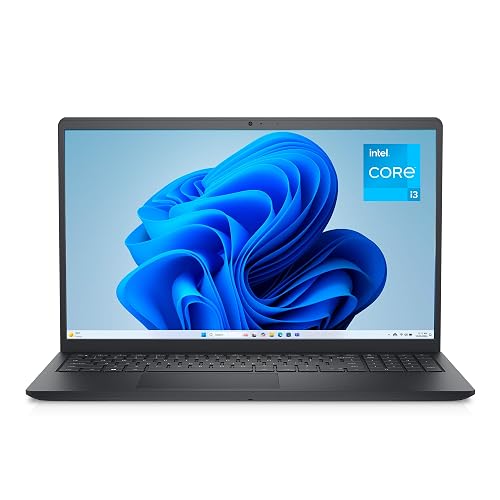 | Best Overall | Processor: Intel Core i3-1305U | Display Size: 15.6-inch | Display Resolution: FHD 1920 x 1080 | VIEW LATEST PRICE | Read Our Analysis |
| HP 14-inch Laptop Intel Core i3-N305 256GB SSD | 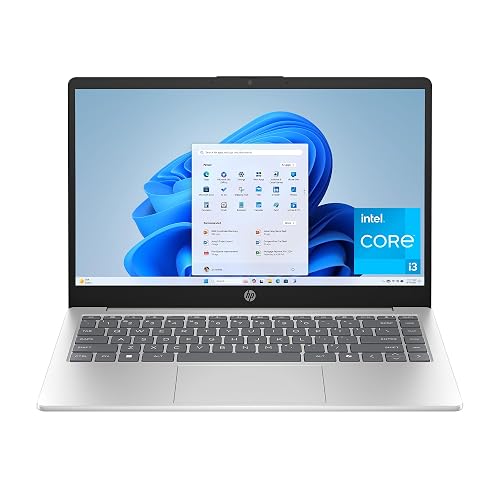 | Best Portable | Processor: Intel Core i3-N305 | Display Size: 14-inch | Display Resolution: HD 1366 x 768 | VIEW LATEST PRICE | Read Our Analysis |
| Lenovo IdeaPad 3 14 Laptop with Intel Core i3 | 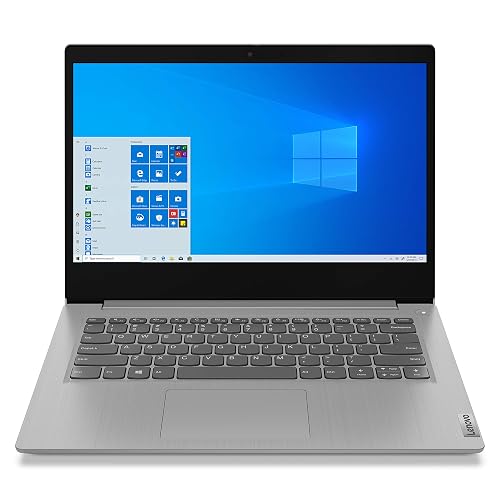 | Budget-Friendly Pick | Processor: Intel Core i3-1005G1 | Display Size: 14-inch | Display Resolution: FHD 1920 x 1080 | VIEW LATEST PRICE | Read Our Analysis |
| Acer Chromebook Plus 515 Laptop with Touch Display | 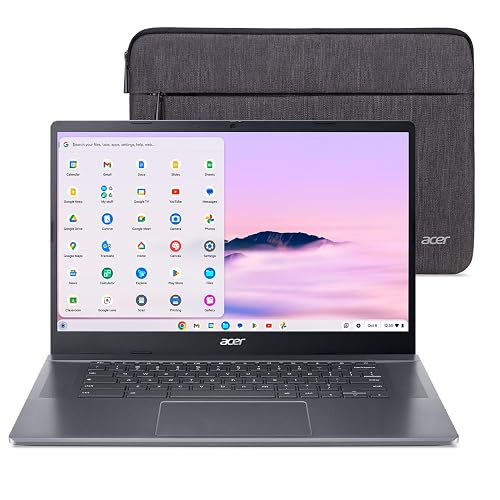 | Best for Productivity | Processor: Intel Core i3-1305U | Display Size: 15.6-inch | Display Resolution: FHD 1920 x 1080 | VIEW LATEST PRICE | Read Our Analysis |
| Lenovo IdeaPad 1 Gen 7 Laptop 16GB/512GB Touchscreen | 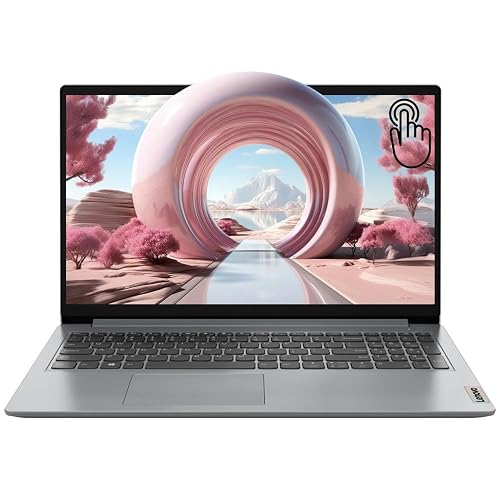 | Best for Multitasking | Processor: Intel Core i3-1215U | Display Size: 15.6-inch | Display Resolution: FHD 1920 x 1080 | VIEW LATEST PRICE | Read Our Analysis |
More Details on Our Top Picks
Dell Inspiron 3530 Laptop Intel Core i3 512GB SSD
If you want a dependable everyday laptop that is easy to live with, the Dell Inspiron 3530 with Intel Core i3 and a 512GB SSD is a smart choice for students, home users, and remote workers who need steady speed without paying for extra power they will not use. You get a 15.6-inch FHD screen, clear Intel UHD graphics, and ComfortView to reduce eye strain. The Core i3-1305U, 8GB of RAM, and SSD help apps open quickly. The roomy keyboard with numeric keypad, lift hinge, and a solid selection of ports make daily work simple and calm.
- Processor:Intel Core i3-1305U
- Display Size:15.6-inch
- Display Resolution:FHD 1920 x 1080
- Memory:8GB DDR4
- Storage:512GB SSD
- Operating System:Windows 11 Home
- Additional Feature:TÜV Rheinland low blue light
- Additional Feature:Separate numeric keypad
- Additional Feature:Adaptive thermals
HP 14-inch Laptop Intel Core i3-N305 256GB SSD
The HP 14-inch Laptop with the Intel Core i3-N305 is a practical choice for users who want a lightweight, dependable Windows laptop without paying for extra performance they will not need. It includes 8GB of RAM, a 256GB SSD, and fast boot times, so everyday tasks run smoothly. The 14-inch HD anti-glare screen keeps visuals clear, and the HD camera, dual microphones, and dual speakers handle calls effectively. Connectivity options include Wi-Fi 6, Bluetooth 5.4, USB-C, and HDMI, providing flexible ports. The battery lasts about 8.45 hours, and Fast Charge helps when you need a quick boost.
- Processor:Intel Core i3-N305
- Display Size:14-inch
- Display Resolution:HD 1366 x 768
- Memory:8GB DDR4
- Storage:256GB SSD
- Operating System:Windows 11 Home in S Mode
- Additional Feature:HP Fast Charge
- Additional Feature:Physical camera shutter
- Additional Feature:Dedicated mic mute button
Lenovo IdeaPad 3 14 Laptop with Intel Core i3
Lenovo’s IdeaPad 3 14 with Intel Core i3 is a good choice if you want a budget-friendly laptop for everyday work, school tasks, and light browsing without a bulky machine. It includes a 10th Gen Core i3-1005G1, 4 GB of RAM, and a 128 GB SSD, so it performs reliably for basic tasks. The 14-inch FHD screen is sharp, and narrow bezels keep the design compact. You can connect easily using USB, HDMI, Bluetooth 5.0, and Wi-Fi. At 3.3 pounds, it remains easy to carry.
- Processor:Intel Core i3-1005G1
- Display Size:14-inch
- Display Resolution:FHD 1920 x 1080
- Memory:4GB DDR4
- Storage:128GB SSD
- Operating System:Windows 10 S
- Additional Feature:720p physical shutter webcam
- Additional Feature:Dolby Audio speakers
- Additional Feature:SD card reader
Acer Chromebook Plus 515 Laptop with Touch Display
Acer’s Chromebook Plus 515 with touch display makes a lot of sense for you if you want a fast, simple laptop that feels ready for school, work, and everyday life without the usual tech headache. You get ChromeOS, Google apps, and 12 months of Google AI Pro, plus NotebookLM and Gemini tools for faster drafting, cleanup, and Q&A. The Intel Core i3-1305U, 8GB LPDDR5X, and 256GB SSD keep things snappy. The 15.6-inch Full HD touch screen, Wi-Fi 6E, USB-C, HDMI, and up to 10 hours of battery life make daily use feel easy.
- Processor:Intel Core i3-1305U
- Display Size:15.6-inch
- Display Resolution:FHD 1920 x 1080
- Memory:8GB LPDDR5X
- Storage:256GB SSD
- Operating System:ChromeOS
- Additional Feature:Google AI Pro
- Additional Feature:Titan C2 security chip
- Additional Feature:Wi-Fi 6E
Lenovo IdeaPad 1 Gen 7 Laptop 16GB/512GB Touchscreen
If you want a 2026 Intel Core i3 laptop that is easy to live with, the Lenovo IdeaPad 1 Gen 7 is a smart fit for students, home users, and office workers who need solid speed without paying for extra power they will not use. It includes an Intel Core i3-1215U, 16 GB of RAM, and a 512 GB SSD so apps open fast and multitask smoothly. The 15.6-inch FHD IPS touchscreen makes scrolling and tapping simple. Wi-Fi 6, HDMI, USB-C, and a fingerprint reader add useful everyday value. It is light enough to carry and reliable enough to trust.
- Processor:Intel Core i3-1215U
- Display Size:15.6-inch
- Display Resolution:FHD 1920 x 1080
- Memory:16GB DDR4
- Storage:512GB SSD
- Operating System:Windows 11 Home
- Additional Feature:Fingerprint reader
- Additional Feature:Touchscreen display
- Additional Feature:Privacy camera shutter
Factors to Consider When Choosing Intel Core i3 Laptops
When choosing an Intel Core i3 laptop, start with the processor generation, since newer chips generally feel snappier and handle everyday tasks better. Next evaluate memory, storage, display quality, battery life, and the ports you will actually use, so the laptop fits your daily routine rather than just sounding good on paper. That approach helps you pick a machine that feels comfortable, lasts through your day, and avoids frustrating connectivity issues.
Processor Generation
Processor generation is one of the biggest clues to how a Core i3 laptop will actually feel day to day. When you compare models, do not stop at the Core i3 name. A 12th Gen or 13th Gen chip is usually newer than a 10th Gen one, and that newer badge can mean better efficiency, stronger integrated graphics, and smarter power use. You may also get more cores or a newer hybrid layout, which helps your laptop respond faster when you browse, join video calls, or handle office work. By contrast, a 10th Gen Core i3 can sit in older designs with slower base clocks and fewer platform perks. If you want a laptop that still feels fresh in 2026, the generation number matters just as much as the label.
Memory And Storage
Along with the Core i3 generation, memory and storage shape how smooth the laptop feels every time you open it. Treat 8 GB of RAM as the normal starting point for everyday use. Sixteen GB gives you more breathing room when you juggle tabs, calls, and apps. Storage matters just as much. A 128 GB SSD fills up fast, 256 GB works for moderate needs, and 512 GB gives you far more space for files and software. Choose PCIe NVMe or Gen4 SSDs when you can, since they boot faster and load apps quicker. If you plan to keep the laptop for years, look for upgrade support, because extra RAM can save you from an early replacement.
Display Quality
A clear display can make a modest Intel Core i3 laptop much easier to live with. If you read, browse, or work in split windows, choose Full HD 1920 × 1080 over HD 1366 × 768. You will get sharper text and more room to juggle tasks without constant zooming. Screen size matters too. A 14-inch model is easier to carry, while a 15.6-inch screen gives you more space to see details. An IPS panel usually looks better than a standard LCD because it keeps colors steadier and viewing angles wider. For comfort, look for an anti-glare coating and low blue light support, especially if you stare at the screen for hours. Touchscreen support can add convenience, but it will not improve picture quality.
Battery Life
Battery life can make or break your daily use, especially when you are carrying a lightweight Intel Core i3 laptop from class, the office, or the couch. You want a model that lasts through real tasks, not just on paper. Look for laptops rated around 8.45 to 10 hours if you need all-day comfort, while 35 Wh batteries often land closer to 7.5 hours. Bigger batteries usually help, but display choice matters too, since brighter, higher-resolution screens drain faster. Efficient processors, integrated graphics, and power-saving features can stretch runtime further. Also, fast charging helps when you are always moving, because some systems jump from 0% to 50% in about 45 minutes. That kind of speed saves your day when life gets busy.
Ports And Connectivity
Ports and wireless links quietly shape how easy a Core i3 laptop is to use each day. Count the ports first. A good setup often includes USB Type-C, two USB Type-A ports, HDMI, a combined headphone and microphone jack, and possibly an SD card reader. Next, check the wireless side. Wi-Fi 6 or Wi-Fi 6E can make your home network feel faster, and Bluetooth 5.1 or 5.4 helps your mouse, earbuds, and speaker stay paired without fuss. If you use an external monitor, verify that HDMI works and that USB-C also supports DisplayPort video. Also check USB-C power, since some ports only transfer data while others can charge. For calls, webcams with shutters, dual microphones, and mute buttons add convenience.
Frequently Asked Questions
Which Core i3 Laptops Support Upgrading RAM Later?
You will usually find upgradeable RAM in budget Core i3 laptops with removable service panels, such as many Lenovo IdeaPad, Acer Aspire, and Dell Inspiron models. Check your exact model’s manual, because many thin laptops have soldered memory.
Are Intel Core i3 Laptops Good for Light Gaming?
Yes, you can do light gaming on Intel Core i3 laptops, but manage expectations. You will handle esports, indie titles, and older games well; do not expect high settings or smooth performance on recent AAA games.
Do Core i3 Laptops Work Well With External Monitors?
Yes, your Core i3 laptop can work well with external monitors if it has the right HDMI or USB-C port. You will get smooth everyday productivity, but gaming and heavy multitasking may feel limited.
How Long Do Core i3 Laptop Batteries Typically Last?
You will typically get 6 to 10 hours from a Core i3 laptop, depending on battery capacity, screen brightness, and workload. If you stream, play games, or multitask heavily, you will usually see less.
Can Core i3 Laptops Handle Zoom and Video Calls Smoothly?
Yes, you can sail through Zoom calls on a Core i3 if you keep your tabs light and your laptop has 8GB RAM; otherwise the engine may stutter during screen sharing, background blur, or multitasking.




