


Could a Core i5 all-in-one really give you the right mix of speed, style, and ease in 2026? It often can, and the best models prove it with smooth daily performance, bright screens, and tidy setups that help your desk feel calmer.
HP’s 23.8-inch and 27-inch options, plus Dell’s 24-inch touch model, each bring useful strengths.
The right choice depends on your space, your tasks, and the small details that matter more than you might expect.
| HP 23.8″ All-in-One Desktop PC (24-cr0112) | 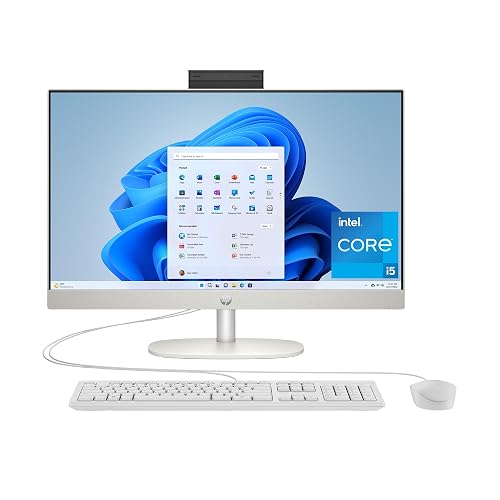 | Best Overall | Display Size: 23.8-inch | Screen Type: FHD IPS | RAM: 16 GB | VIEW LATEST PRICE | Read Our Analysis |
| HP 27″ All-in-One Desktop PC (27-cr0170) | 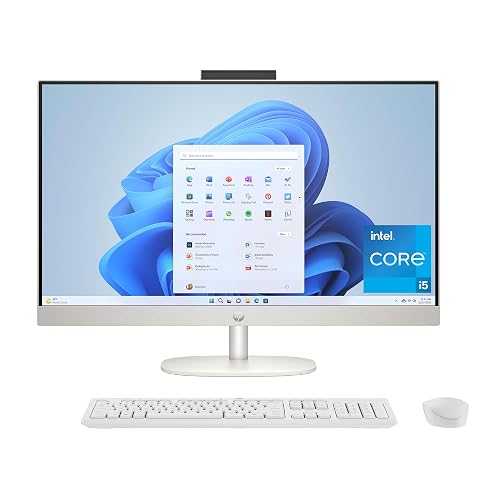 | Best for Families | Display Size: 27-inch | Screen Type: FHD touchscreen | RAM: 16 GB | VIEW LATEST PRICE | Read Our Analysis |
| HP 24-inch All-in-One Desktop PC (24-cr0320) |  | Budget-Friendly Pick | Display Size: 24-inch | Screen Type: FHD IPS | RAM: 8 GB | VIEW LATEST PRICE | Read Our Analysis |
| GMKtec G3 Pro Mini PC i3-10110U 16GB/512GB | 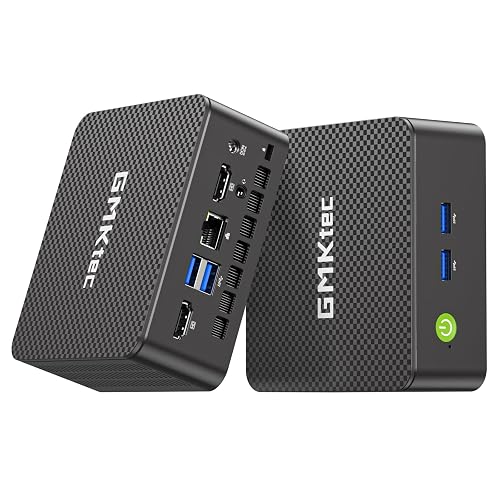 | Mini PC Alternative | Display Size: N/A | Screen Type: N/A | RAM: 16 GB | VIEW LATEST PRICE | Read Our Analysis |
| Dell 24 All-in-One Desktop (ec24250) | 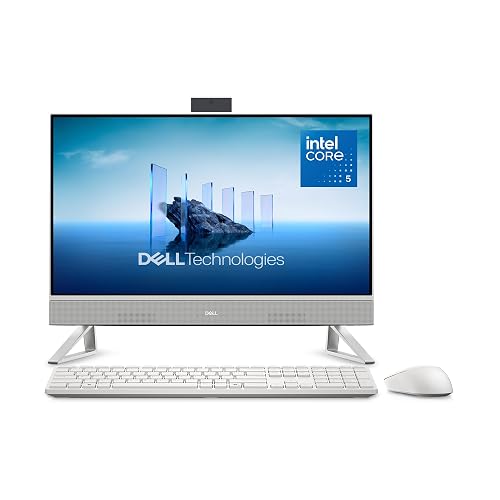 | Best Premium Pick | Display Size: 23.8-inch | Screen Type: FHD IPS touch | RAM: 16 GB | VIEW LATEST PRICE | Read Our Analysis |
More Details on Our Top Picks
HP 23.8″ All-in-One Desktop PC (24-cr0112)
If you want a home computer that feels simple, fast, and easy to live with, the HP 23.8-inch All-in-One Desktop PC (24-cr0112) makes a strong case for itself. It features a clean Shell White design, a bright 23.8-inch FHD IPS screen, and Windows 11 Home in a single, compact package. The 13th Gen Intel Core i5 processor, 16 GB of memory, and 512 GB SSD help you move through work, school, and streaming without fuss. Included accessories and connectivity, such as the keyboard, mouse, Wi-Fi, HDMI out, and dual speakers, make setup straightforward.
- Display Size:23.8-inch
- Screen Type:FHD IPS
- RAM:16 GB
- Storage:512 GB SSD
- Operating System:Windows 11 Home
- Wireless:Wi-Fi / LAN
- Additional Feature:Intel Core i5-1334U
- Additional Feature:Three-sided micro-edge screen
- Additional Feature:HP 125 USB keyboard
HP 27″ All-in-One Desktop PC (27-cr0170)
The HP 27″ All-in-One Desktop PC (27-cr0170) is a smart pick for anyone who wants a large, uncluttered workspace. It features a 27-inch FHD touchscreen with a slim three-sided micro-edge design, giving the display a wide, open feel. The Intel Core i5-1335U, 16 GB of RAM, and Intel UHD Graphics let you stream 4K video smoothly and run 720p games. A 512 GB SSD keeps files accessible. With Wi-Fi 6, Bluetooth 5.4, Windows 11 Home, Copilot, and a privacy camera, the system is ready for work and everyday use.
- Display Size:27-inch
- Screen Type:FHD touchscreen
- RAM:16 GB
- Storage:512 GB SSD
- Operating System:Windows 11 Home
- Wireless:Wi-Fi 6 / Bluetooth 5.4
- Additional Feature:FHD touchscreen display
- Additional Feature:Microsoft Copilot
- Additional Feature:Pop-up privacy camera
HP 24-inch All-in-One Desktop PC (24-cr0320)
The HP 24-cr0320 is a sensible choice for anyone who wants a clean, space-saving desktop that still feels quick for everyday work. It includes a 13th Gen Intel Core i5-1334U, 8 GB of RAM, and a 256 GB NVMe SSD, so apps open quickly and multitasking remains smooth. The 23.8-inch FHD IPS screen looks sharp, and the slim, three-sided micro-edge design keeps your desk feeling open. A pop-up privacy camera and dual microphones improve security and call quality. Wi-Fi 6, Bluetooth 5.3, and a selection of useful ports make daily use easy. A wired keyboard, mouse, and Windows 11 Home are included.
- Display Size:24-inch
- Screen Type:FHD IPS
- RAM:8 GB
- Storage:256 GB SSD
- Operating System:Windows 11 Home
- Wireless:Wi-Fi 6 / Bluetooth 5.3
- Additional Feature:Jet Black finish
- Additional Feature:Realtek RTL8852BE wireless
- Additional Feature:QWERTY keyboard layout
GMKtec G3 Pro Mini PC i3-10110U 16GB/512GB
GMKtec G3 Pro Mini PC, with its Intel Core i3-10110U and 16GB of dual-channel memory, suits users who want a compact machine that still feels quick and dependable for everyday work. You get strong single-core performance, smooth multitasking, and easy 4K playback with AV1 decoding. Its 512GB SSD helps the system boot fast and open files without lag. You can add more storage through the NVMe slot. With USB 3.2, dual HDMI 2.0, WiFi 6, Bluetooth 5.2, and 2.5GbE, you can plug in, connect, and work with less fuss.
- Display Size:N/A
- Screen Type:N/A
- RAM:16 GB
- Storage:512 GB SSD
- Operating System:N/A
- Wireless:WiFi 6 / Bluetooth 5.2
- Additional Feature:Dual 4K@60Hz output
- Additional Feature:Intel i226 2.5GbE
- Additional Feature:Wake On LAN
Dell 24 All-in-One Desktop (ec24250)
The Dell 24 All-in-One Desktop ec24250 is ideal if you want a clean, space-saving PC that still feels fast and comfortable for daily work, school, or family use. It features a 23.8-inch FHD touch screen with sharp color, improved contrast, and ComfortView Plus for easier viewing. Powered by an Intel Core 5 120U, with 16GB DDR5 memory and a 512GB SSD, it helps apps open quickly. A 5MP IR camera, Dolby Atmos speakers, Wi-Fi 6, and plenty of ports make calls, streaming, and device connections simple. A keyboard and mouse are included.
- Display Size:23.8-inch
- Screen Type:FHD IPS touch
- RAM:16 GB
- Storage:512 GB SSD
- Operating System:Windows 11 Home
- Wireless:Wi-Fi 802.11ax / Bluetooth
- Additional Feature:Intel Core 5 120U
- Additional Feature:5MP+IR camera
- Additional Feature:Dolby Atmos sound
Factors to Consider When Choosing Intel Core i5 All-in-One Computers
When choosing an Intel Core i5 all-in-one computer, begin with the display size because it determines how comfortable the screen will be for work, school, or streaming. Next, verify the processor generation and memory capacity, since they influence overall speed. Finally, review storage performance and port selection so the system matches the way you actually use it.
Display Size
Display size strongly affects how an Intel Core i5 all-in-one feels in daily use. The right choice depends on your available space and comfort. If your desk is tight, a 23.8-inch model can fit neatly and still provide a full 1920 x 1080 FHD screen for work, streaming, and everyday tasks. If you want more breathing room, a 27-inch display can make text easier to read and side-by-side windows feel less cramped, even at the same FHD resolution. Also consider thin bezels and three-sided micro-edge designs, as they make the screen appear larger. Finally, check the screen-to-body ratio. Around 89% to 90% usually indicates more visible screen and less wasted frame.
Processor Generation
Processor generation is one of the biggest clues to how an Intel Core i5 all-in-one will feel day to day. When you pick a newer i5, you usually get better speed for each watt, higher boost clocks, and smoother graphics performance. That can matter a lot in a clean family hub or a busy home office. For example, a 13th Gen chip can boost up to 4.6 GHz, while older chips may top out lower. Newer generations also tend to handle multitasking better because their core designs are more refined. If you want a machine that stays quick, runs cooler, and feels more current, choose the newest i5 generation you can find. It often gives the best long-term mix of speed, comfort, and efficiency.
Memory Capacity
Sixteen gigabytes of RAM is often the sweet spot for an Intel Core i5 all-in-one computer, because it gives you enough room to multitask without that annoying slowdown that shows up right when you need your machine to keep up. If you only need email, web browsing, and document work, 8 GB can still do the job, but you will feel the squeeze faster with lots of tabs open. Also check the RAM speed, since DDR4 at 3200 MT/s and DDR5 at 5200 MHz can make apps feel snappier. Next, look at the maximum memory limit. Some models stop at 16 GB, while others give you more room later. Finally, dual-channel memory can boost bandwidth, which helps integrated graphics feel smoother too.
Storage Speed
After you’ve checked memory, storage speed should be next on your list, because it shapes how fast the whole all-in-one feels in daily use. Look for an SSD first, since it opens files and apps far quicker than a hard drive. If you can, choose a PCIe NVMe drive, because it usually reads and writes faster than SATA SSDs and helps the PC boot and launch big programs with less waiting.
A 512 GB SSD is a smart middle ground for most people. It gives you enough room for software, photos, and videos without filling up too fast. Smaller 256 GB drives can get crowded quickly. Faster storage also makes multitasking smoother when you jump between apps or move large files. If you need room later, check for extra storage expansion options as well.
Port Selection
When you evaluate an Intel Core i5 all-in-one, the ports determine whether everyday use feels smooth or awkward fast. Aim for at least one USB-C 5 Gbps port and several USB-A 5 Gbps ports so you can connect fast accessories and standard devices at the same time. Older USB 2.0 Type-A ports remain useful for keyboards and mice, and they keep things simple. If you plan to use a second screen, check for HDMI out with 4K at 60 Hz and dual-display support. A headphone and mic combo jack makes headset use easy, and built-in Ethernet provides a steady wired connection when Wi-Fi is unreliable.
Connectivity Options
Connectivity can make or break an Intel Core i5 all-in-one, because it determines how easily the system fits into your daily routine. Look for at least one USB-C 5 Gbps port and multiple USB-A ports so new gadgets and older gear both plug in without a fuss. Next, check for HDMI-out 1.4 or 2.0 if you want to add a second screen or extend your workspace. For wireless use, Wi-Fi 6 or newer provides faster, more reliable internet at home or in the office. Bluetooth 5.3 or 5.4 helps your keyboard, mouse, speakers, and headset stay connected with fewer hiccups. If you want the most reliable network speed, an Ethernet RJ-45 port remains a smart choice.
Warranty Coverage
A solid warranty can save you a lot of stress, so check it before you buy an Intel Core i5 all-in-one computer. Start with at least one year of hardware coverage, because many all-in-one systems only include limited support. Then see if tech help comes separately, because setup and software assistance may last just 90 days. If you want less downtime, look for onsite service, because basic plans often cover parts and labor only. Also read the fine print on exclusions, especially damage that is not tied to a factory defect. Finally, compare bundled extras like migration help; six months of support can be far more useful than a bare-bones warranty when you are moving files and settling in.
Frequently Asked Questions
Do Intel Core i5 AIOS Support Dual Monitors?
Yes. You can usually run dual monitors from an Intel Core i5 all-in-one if it has multiple video outputs or USB-C DisplayPort support. Check your model’s ports and graphics capabilities first.
Can I Upgrade RAM in an All-In-One PC?
Yes, you can sometimes upgrade RAM in an all-in-one PC, but it is often a locked door. Check your model’s service manual, because some AIOs let you swap modules, while others do not.
Are AIO Computers Good for Video Calls?
Yes. AIO computers work well for video calls; they include an integrated camera, microphone, and speakers, and they create a clean workspace. Check camera resolution, microphone clarity, and Wi‑Fi strength before buying.
How Much Desk Space Does a 27-Inch AIO Need?
You will usually need about 22 to 26 inches of width, and 8 to 10 inches of depth for a 27-inch AIO. It varies by stand, so check the exact dimensions first and leave room for cables, keyboard, and airflow.
Do Intel Core i5 AIOS Include Built-In Webcams?
Yes, most Intel Core i5 AIOs include built-in webcams, and you will usually get a microphone as well. Check the specifications though, because some models omit privacy shutters or higher-resolution cameras.




