


Like picking the right key for a stubborn lock, choosing an Intel Core i5 in 2026 comes down to matching the chip to your real needs, not just the biggest number on the box.
You will see the i5-14600K leading for gaming and heavy multitasking, while the i5-14600KF is a better fit if you already own a graphics card.
The i5-14400F is ideal for smart budget builds, and the i5-13500 delivers smooth everyday performance.
The real question is which one fits your setup best.
| Intel Core i5-14400F Desktop Processor 10-Core 4.7 GHz | 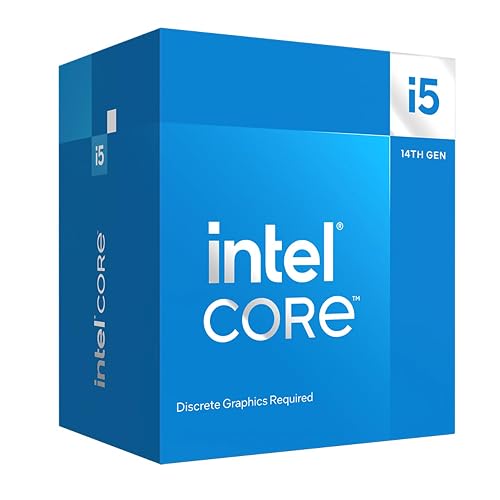 | Budget Pick | Socket: LGA1700 | Cores: 10 cores | Threads: 16 threads | VIEW LATEST PRICE | Read Our Analysis |
| Intel Core Ultra 7 Desktop Processor 265KF | 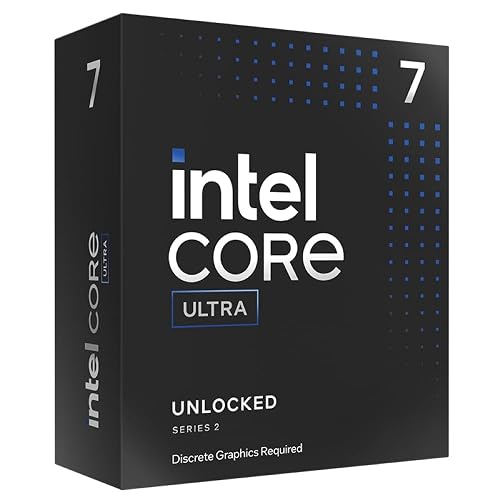 | Best Performance | Socket: LGA 1851 | Cores: 20 cores | Threads: 20 threads | VIEW LATEST PRICE | Read Our Analysis |
| Intel® Core™ i5-14600K Desktop Processor | 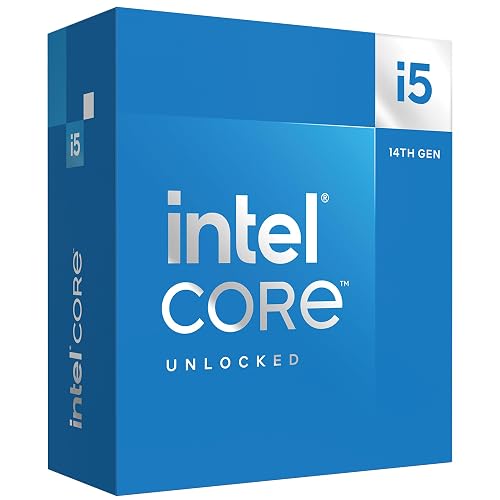 | Best Overall | Socket: LGA 1700 | Cores: 14 cores | Threads: 20 threads | VIEW LATEST PRICE | Read Our Analysis |
| Intel Core i5-14600KF Gaming Desktop Processor |  | Best Gaming | Socket: LGA 1700 | Cores: 14 cores | Threads: 20 threads | VIEW LATEST PRICE | Read Our Analysis |
| Intel Core i5-13500 Desktop Processor 14 Cores | 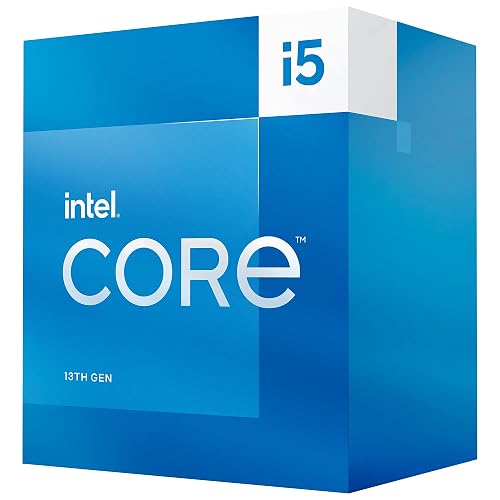 | Best Value | Socket: LGA 1700 | Cores: 14 cores | Threads: 20 threads | VIEW LATEST PRICE | Read Our Analysis |
More Details on Our Top Picks
Intel Core i5-14400F Desktop Processor 10-Core 4.7 GHz
If you want a budget-friendly Intel chip that still feels quick in games and everyday work, the Core i5-14400F is a smart pick. You get 10 cores, 16 threads, and boost speeds up to 4.7 GHz, so your PC can handle play, browsing, and editing without feeling sluggish. Its hybrid design splits heavy and light tasks well, which helps keep things smooth. Because it lacks integrated graphics, you will need a discrete GPU. Even so, you get DDR4 or DDR5 support, PCIe 5.0, and the included RM1 cooler.
- Socket:LGA1700
- Cores:10 cores
- Threads:16 threads
- Max Speed:4.7 GHz
- Graphics:No integrated graphics
- Memory Support:DDR4/DDR5
- Additional Feature:14th Gen CPU
- Additional Feature:Intel Laminar RM1
- Additional Feature:20MB cache
Intel Core Ultra 7 Desktop Processor 265KF
The Intel Core Ultra 7 Desktop Processor 265KF is a strong choice if you want high-end desktop performance without paying for built-in graphics you will not use. It offers 20 cores and 20 threads, with boost speeds up to 5.5 GHz, so heavy games and demanding applications feel quick and smooth. Because it is unlocked, you can tune it for extra performance if your setup allows. It also supports DDR5, PCIe 5.0, and Intel 800 Series motherboards. With a 125 W base power rating and a three-year warranty, it delivers serious performance.
- Socket:LGA 1851
- Cores:20 cores
- Threads:20 threads
- Max Speed:5.5 GHz
- Graphics:No processor graphics
- Memory Support:DDR5
- Additional Feature:20-core design
- Additional Feature:5.5 GHz max
- Additional Feature:3-year warranty
Intel® Core™ i5-14600K Desktop Processor
Intel’s Core i5-14600K is a smart pick when you want strong gaming performance, smooth multitasking, and room to grow without moving to a pricier chip. It has 14 cores, with 6 P-cores and 8 E-cores, plus 20 threads, so games, apps, and background tasks can run simultaneously. It boosts up to 5.3 GHz, which delivers quick, responsive performance. As an unlocked processor, you can tune it for more power. It also supports DDR4 and DDR5, PCIe 5.0, and Intel UHD Graphics 770 for flexible builds.
- Socket:LGA 1700
- Cores:14 cores
- Threads:20 threads
- Max Speed:5.3 GHz
- Graphics:Intel UHD Graphics 770
- Memory Support:DDR4/DDR5
- Additional Feature:Integrated UHD 770
- Additional Feature:14 cores total
- Additional Feature:125W base power
Intel Core i5-14600KF Gaming Desktop Processor
Built for gamers and power users who want strong speed without giving up control, the Intel Core i5-14600KF Gaming Desktop Processor stands out with 14 cores, 20 threads, and an unrestrained design that lets you push performance further. You get six P-cores and eight E-cores, so your games and apps can work together smoothly. Peak responsiveness is supported by up to 5.3 GHz Max Turbo Frequency. Because it is overclockable, you can fine-tune performance. It supports DDR4 and DDR5 memory, reduces load times, and requires discrete graphics. Compatible with Intel 600 and 700 series motherboards, it fits many builds.
- Socket:LGA 1700
- Cores:14 cores
- Threads:20 threads
- Max Speed:5.3 GHz
- Graphics:Discrete graphics required
- Memory Support:DDR4/DDR5
- Additional Feature:Gaming optimized
- Additional Feature:Reduced load times
- Additional Feature:BIOS update may
Intel Core i5-13500 Desktop Processor 14 Cores
Need a desktop chip that feels fast without pushing your budget too hard? The Intel Core i5-13500 gives you 14 cores, with 6 P-cores and 8 E-cores, so you get smooth multitasking and a smart workload split. You can boost up to 4.8 GHz, and the 24 MB cache helps keep everyday apps snappy. It uses a 65 W base power, so it stays fairly efficient. You also get Intel UHD Graphics 770, support for DDR4 and DDR5, PCIe 4.0 and PCIe 5.0, and an included Laminar RH1 cooler for easier setup.
- Socket:LGA 1700
- Cores:14 cores
- Threads:20 threads
- Max Speed:4.8 GHz
- Graphics:Intel UHD Graphics 770
- Memory Support:DDR4/DDR5
- Additional Feature:Intel Optane support
- Additional Feature:Intel Laminar RH1
- Additional Feature:Turbo Boost Max
Factors to Consider When Choosing Intel Core i5 CPU Processors
When choosing an Intel Core i5 CPU, match the core count and clock speed to the tasks you perform daily. Check whether you need integrated graphics, as that can save you the cost of a separate GPU, and confirm the socket matches your motherboard. Also review power requirements so your system runs smoothly without excess heat or unexpected issues.
Core Count
Core count is one of the easiest ways to judge how much work an Intel Core i5 processor can handle at once, and it matters more than you might think. You will see Core i5 options here with 10 cores to 14 cores, so the class is not one-size-fits-all. More cores usually help you keep games, browser tabs, chats, and office apps moving together without the system feeling crowded. Still, core count does not tell the full story, because some chips mix performance cores and efficiency cores. That mix changes how the CPU splits jobs. Also compare thread count too, since 14 cores may support 20 threads while 10 cores may support 16. Look at both numbers together before you choose.
Clock Speed
Clock speed is the next thing you should check, because it shows how fast an Intel Core i5 can work on each task. When you see base and turbo frequencies, think of them as your CPU’s calm pace and its quick sprint. A higher GHz rating usually helps you get faster app launches, smoother gameplay, and snappier single-core performance. For example, a 5.3 GHz chip can feel more responsive than a 4.7 GHz model when one core is under heavy load. Still, do not chase numbers alone. You need to balance clock speed with core count and thread count, or the whole picture becomes unclear. Cooling and power limits also matter, since a chip can only maintain its top speed if the system allows adequate airflow and power delivery.
Integrated Graphics
How useful would your Intel Core i5 be without a graphics card? Not very, if the chip lacks integrated graphics. You need onboard graphics to see anything on your monitor before you add a separate GPU. Some i5 models, such as those with Intel UHD Graphics 770, give you that option right away. Others omit integrated graphics and require discrete graphics only. That choice matters because integrated graphics can handle email, web browsing, streaming, and quick setup tasks with ease. They also help when you troubleshoot a system or build a PC in stages. When you shop, check the specs carefully. If you want a simpler, cheaper start, choose an i5 with graphics included. If you plan to add a powerful GPU soon, you can skip that feature.
Socket Compatibility
A good Intel Core i5 needs the right home, and that starts with the socket. Match the CPU socket to your motherboard socket first, or the chip will not fit and your system will not start. Many current desktop i5 models use LGA1700, while newer boards may require LGA1851, so check that specification early. Even then, do not stop there. You also need the motherboard chipset to officially support the processor, because a socket match alone does not guarantee full compatibility. Sometimes an older board can still work after a BIOS update, which can rescue the build. Choosing a CPU and board that share the same socket standard also helps ensure support for memory, PCIe, and platform features.
Power Requirements
Power matters as much as socket fit when you choose an Intel Core i5, because the right chip still has to run safely and smoothly in your system. Check the base power rating first. Some desktop i5 chips are rated at 65 W, while faster unlocked models can reach 125 W. Then look at peak draw, since a 65 W part may spike to 148 W under load. That matters during gaming or long work sessions. You also need a power supply that can feed the CPU and a discrete graphics card, because some i5 models skip built-in graphics. Finally, think about cooling. Lower power chips may include a stock cooler, but higher power versions often need stronger aftermarket cooling for steady performance and fewer hot surprises.
Memory Support
Memory support can make or break your Intel Core i5 choice, because the right chip has to work with the RAM you already have or plan to buy. Check the CPU specs first, since some i5 models support both DDR4 and DDR5, while others only run DDR5. Then match the motherboard to that memory support, because LGA1700 boards can change what you can actually use. If you want to keep your old sticks, confirm DDR4 before you buy, or you may face a pricey surprise. Also, do not guess based on core count or speed, since even unblocked desktop chips can support different memory types. Finally, verify the maximum supported memory in the processor details, so your build stays ready for upgrades later.
Frequently Asked Questions
Which Intel Core i5 CPU Is Best for Video Editing?
You’ll get the best video editing performance from an Intel Core i5-14600K, it is fast, handles multitasking well, and offers strong integrated graphics. If you’re on a budget, the i5-13600K is still an excellent choice.
Do Intel Core i5 Processors Support Integrated Graphics?
Yes, many Intel Core i5 processors include integrated graphics, but not all do. Check the exact model number, because some F-series chips omit graphics; standard models include Intel UHD or Iris Xe.
Is an Aftermarket Cooler Necessary for Core i5 CPUS?
No, you do not always need one. Stock coolers are adequate for many Core i5 models, but an aftermarket cooler lowers temperatures, reduces noise, and improves sustained performance, especially if you overclock or run heavy workloads.
How Much Power Do Intel Core i5 Processors Consume?
You’ll usually see Intel Core i5 processors consume about 65W to 125W under load; brief boosts can push consumption higher. Expect lower power usage at idle, and actual results depend on the specific model, workload, and settings.
Are Intel Core i5 CPUS Good for Gaming and Streaming?
Yes, you can game and stream well with an Intel Core i5, especially newer models. You will get solid frame rates and multitasking, but you may need a strong GPU and enough RAM for smoother streaming.




