


Like a quiet power move in a busy office, the best Intel UHD Graphics tower PCs for 2026 give you smooth everyday speed without drama.
You will see strong picks like HP OmniDesk, Dell Tower ECT1250, and OptiPlex models with Core Ultra or 14th gen chips, roomy DDR5 memory, fast NVMe storage, and support for multiple displays.
If you want a tower that feels ready for work, light creative tasks, and long term peace of mind, the details ahead matter.
| HP OmniDesk Desktop PC with Intel Core i3-14100 | 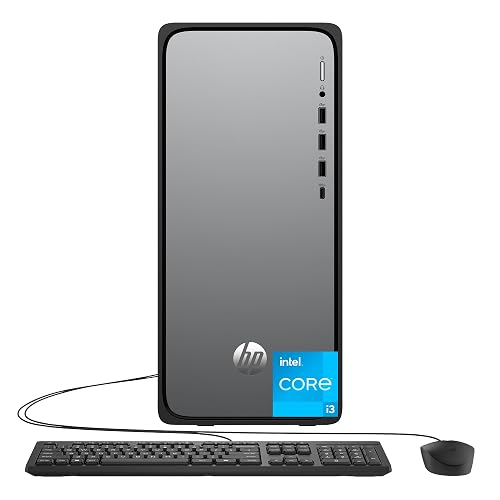 | Best Entry-Level | Processor: Intel Core i3-14100 | Memory: 8 GB DDR5 | Storage: 512 GB SSD | VIEW LATEST PRICE | Read Our Analysis |
| HP OmniDesk Desktop PC (i7-14700 16GB RAM 2TB SSD) | 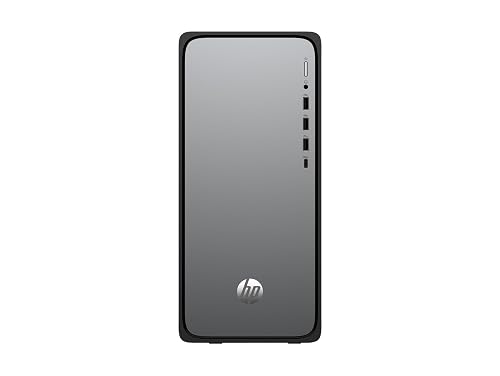 | Best Performance | Processor: Intel Core i7-14700 | Memory: 16 GB DDR5 | Storage: 2 TB SSD | VIEW LATEST PRICE | Read Our Analysis |
| Dell Tower Desktop ECT1250 with Core Ultra 7-265 | 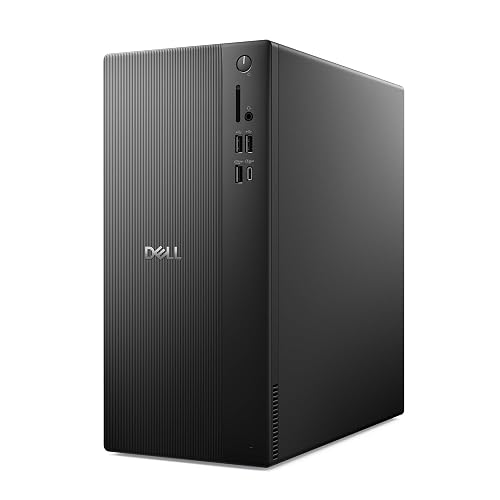 | Best Premium | Processor: Intel Core Ultra 7-265 | Memory: 32 GB | Storage: 1 TB SSD | VIEW LATEST PRICE | Read Our Analysis |
| Dell Slim Desktop ECS1250 with Core Ultra 5-225 | 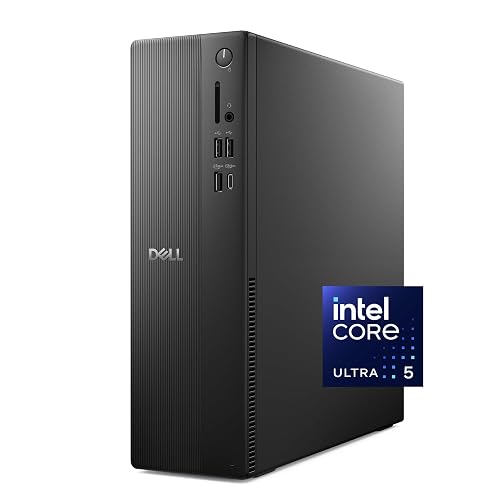 | Best Slim Tower | Processor: Intel Core Ultra 5-225 | Memory: 16 GB | Storage: 512 GB SSD | VIEW LATEST PRICE | Read Our Analysis |
| Dell OptiPlex Tower Desktop Core i5 32GB RAM 1TB SSD |  | Best Business | Processor: Intel Core i5-14500 vPro | Memory: 32 GB DDR5 | Storage: 1 TB SSD | VIEW LATEST PRICE | Read Our Analysis |
| Dell OptiPlex 3070 SFF Desktop with i7 32GB 1TB SSD | 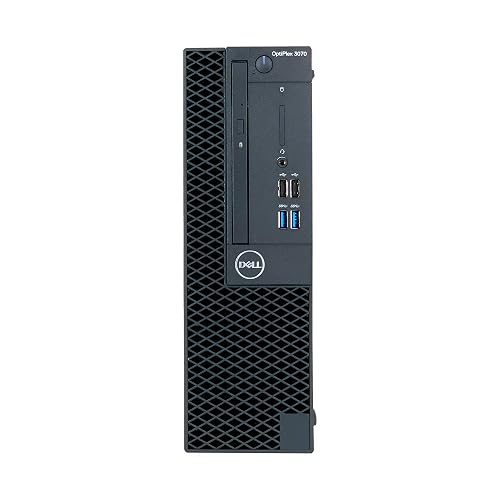 | Best Renewed Value | Processor: Intel Core i7-9700 | Memory: 32 GB DDR4 | Storage: 1 TB SSD | VIEW LATEST PRICE | Read Our Analysis |
| Dell Tower Desktop ECT1250 with Core Ultra 7-265 | | Best For Workspaces | Processor: Intel Core Ultra 7-265 | Memory: 16 GB DDR5 | Storage: 1 TB SSD | VIEW LATEST PRICE | Read Our Analysis |
More Details on Our Top Picks
HP OmniDesk Desktop PC with Intel Core i3-14100
The HP OmniDesk Desktop PC with Intel Core i3-14100 is a smart fit if you want a compact tower that is easy to live with every day. It includes an Intel Core i3-14100, 8 GB of DDR5 memory, and a 512 GB PCIe Gen4 SSD, so Windows 11 Home boots quickly and everyday tasks remain smooth. Intel UHD Graphics 730 supports 4K streaming and light 720p gaming. Wi-Fi 6, Bluetooth 5.4, HDMI, DisplayPort, and USB-C make setup simple. A keyboard, mouse, and a 3-month PC Game Pass are included.
- Processor:Intel Core i3-14100
- Memory:8 GB DDR5
- Storage:512 GB SSD
- Operating System:Windows 11 Home
- Graphics:Intel UHD Graphics 730
- Wireless:Wi-Fi 6, Bluetooth 5.4
- Additional Feature:EPEAT Gold certified
- Additional Feature:3 months PC Game Pass
- Additional Feature:Kensington lock slot
HP OmniDesk Desktop PC (i7-14700 16GB RAM 2TB SSD)
HP OmniDesk Desktop PC M02-0075t is a smart pick if you want a fast, roomy tower that handles everyday work without feeling cramped. It includes an Intel Core i7-14700, so apps open quickly and multitasking stays smooth. With 16GB of DDR5 memory and a 2TB PCIe Gen4 SSD, you get space for files and speed for busy days. Intel UHD Graphics cover streaming, office work, and light creative tasks. Wi-Fi 6, Bluetooth 5.4, HDMI, and DisplayPort keep setup simple. A black keyboard and mouse are included so you can start right away.
- Processor:Intel Core i7-14700
- Memory:16 GB DDR5
- Storage:2 TB SSD
- Operating System:Windows 11 Home
- Graphics:Intel UHD Graphics
- Wireless:Wi-Fi 6, Bluetooth 5.4
- Additional Feature:20-core processor
- Additional Feature:Copilot key keyboard
- Additional Feature:90-day warranty
Dell Tower Desktop ECT1250 with Core Ultra 7-265
If you want a desktop that feels ready for work right away, the Dell Tower Desktop ECT1250 with Core Ultra 7-265 makes a strong case for itself. It includes an Intel Core Ultra 7-265 processor, UHD Graphics, 32 GB of memory, and a 1 TB M.2 SSD, so apps open fast and multitasking stays smooth. You can drive up to four FHD monitors, or two 4K displays, which helps keep your workspace calm and productive. The tool-less side panel, hardware TPM, lock options, recycled design, and onsite service make upgrades, security, and support straightforward.
- Processor:Intel Core Ultra 7-265
- Memory:32 GB
- Storage:1 TB SSD
- Operating System:Windows 11
- Graphics:Intel UHD Graphics
- Wireless:Wi-Fi, Bluetooth
- Additional Feature:Up to four monitors
- Additional Feature:Tool-less side access
- Additional Feature:1 Year Onsite Service
Dell Slim Desktop ECS1250 with Core Ultra 5-225
Dell Slim Desktop ECS1250 with Core Ultra 5-225 is a smart pick for anyone who wants a compact work PC that still feels fast and flexible. It includes Intel UHD Graphics, 16 GB memory, and a 512 GB SSD, so everyday apps open quickly and run smoothly. Built-in AI helps you work and create with less friction, and Windows 11 Home keeps the experience familiar. The slim design fits tight desks, and the chassis uses recycled materials for a more sustainable build. You can drive four FHD screens or two 4K displays. Inside upgrades are simple with tool-less access, security is enhanced with TPM, and onsite support is available.
- Processor:Intel Core Ultra 5-225
- Memory:16 GB
- Storage:512 GB SSD
- Operating System:Windows 11 Home
- Graphics:UHD Graphics
- Wireless:Wi-Fi, Bluetooth
- Additional Feature:Slim form factor
- Additional Feature:6 Months Dell Migrate
- Additional Feature:Padlock loop security
Dell OptiPlex Tower Desktop Core i5 32GB RAM 1TB SSD
This tower is a smart pick for anyone who wants serious everyday power without the stress of a bulky workstation setup. It features a 14th Gen Core i5-14500 vPro, so your apps feel quick, multitasking stays smooth, and your work remains protected. With 32GB of DDR5 memory and a 1TB PCIe NVMe SSD, you can open large files fast and keep plenty of space for projects. Intel UHD Graphics 770 supports dual 4K displays, which helps when you juggle charts, code, or meetings. Windows 11 Pro and BitLocker are included, and easy USB, HDMI, and Ethernet ports make your desk feel ready today.
- Processor:Intel Core i5-14500 vPro
- Memory:32 GB DDR5
- Storage:1 TB SSD
- Operating System:Windows 11 Pro
- Graphics:Intel UHD Graphics 770
- Wireless:Not specified
- Additional Feature:Intel vPro platform
- Additional Feature:BitLocker encryption
- Additional Feature:Dual 4K display
Dell OptiPlex 3070 SFF Desktop with i7 32GB 1TB SSD
A compact workhorse, the Dell OptiPlex 3070 SFF Desktop with i7, 32GB, and 1TB SSD is a smart pick for anyone who wants reliable speed in a small space. You get an 8-core Intel Core i7-9700, so daily work feels quick and smooth. The 32GB of RAM helps you keep many tabs and apps open without stress. The 1TB SSD provides fast startup and plenty of room. Intel UHD Graphics 630 handles 4K output, and Windows 11 Pro, TPM 2.0, and the DVD burner add practical value for home or office use.
- Processor:Intel Core i7-9700
- Memory:32 GB DDR4
- Storage:1 TB SSD
- Operating System:Windows 11 Pro
- Graphics:Intel UHD Graphics 630
- Wireless:Wi-Fi, Bluetooth
- Additional Feature:DVD burner included
- Additional Feature:TPM 2.0 security
- Additional Feature:Small form factor
Dell Tower Desktop ECT1250 with Core Ultra 7-265
With Intel UHD Graphics and the Core Ultra 7-265 at its center, the Dell Tower Desktop ECT1250 is a solid choice for a business-ready tower that handles everyday work without fuss. It includes 16GB of DDR5 memory, a fast 1TB SSD, and Windows 11 Pro for smooth multitasking. The tower supports up to four FHD monitors, or two 4K screens, so your workspace can expand as needed. A removable side panel makes upgrades straightforward, and TPM, a lock slot, and Wi-Fi 6 provide added security and connectivity. The system ships with a keyboard and mouse, and includes onsite service.
- Processor:Intel Core Ultra 7-265
- Memory:16 GB DDR5
- Storage:1 TB SSD
- Operating System:Windows 11 Pro
- Graphics:Intel UHD Graphics
- Wireless:Wi-Fi 6, Bluetooth
- Additional Feature:8 USB ports
- Additional Feature:SD card reader
- Additional Feature:1 Year Onsite Service
Factors to Consider When Choosing Intel UHD Graphics Tower Computers
When choosing an Intel UHD Graphics tower computer, begin with the processor because it sets the pace for everyday work and enables smoother multitasking. Then evaluate memory, storage speed, and connectivity so the system can keep up without annoying slowdowns. Also confirm that display support matches your monitor setup, or you could end up with a strong tower and a poor screen pairing.
Processor Performance
Power starts with the processor, and that matters more than many people expect in Intel UHD Graphics tower computers. Look at core and thread counts first, because more of them help you juggle apps, streams, and background tasks without stutter. Next, check base and boost clocks. Faster clocks lift single-threaded work, which you will notice in games and everyday interactions. Then compare cache size, since a bigger L3 cache can cut delays and keep CPU-heavy graphics tasks smoother. After that, consider the CPU generation and architecture, because newer chips often do more work per clock and run integrated graphics more efficiently. Finally, weigh TDP and cooling. Strong sustained performance needs enough thermal headroom to maintain boost speeds longer.
Memory Capacity
Memory often makes the difference between a tower that feels calm and one that feels cramped. For smooth multitasking and light creation, aim for at least 16 GB of DDR5 RAM. That gives you room for tabs, apps, and media without annoying stutter. If you game at 720p to 1080p or edit with the Intel UHD GPU, 32 GB can feel noticeably steadier than 8 GB, because shared memory helps the graphics chip work harder. Also check speed. DDR5 at 4800 to 5600 MT/s can boost bandwidth more than slower DDR4. Finally, choose dual-channel memory when you can, and confirm your tower’s upgrade limits and slot count so you have room to grow later.
Storage Speed
Storage speed often determines how snappy your Intel UHD Graphics tower feels day to day. You will notice the biggest jump with an NVMe PCIe Gen4 M.2 SSD, which can read and write around 5,000 to 7,000 MB/s. That is far quicker than a SATA SSD, so your PC boots faster and apps open with less waiting. Next, pay attention to random IOPS, because they shape how smooth multitasking feels when you swap programs or load files. Also, match the drive to the slot and lane count on your motherboard, or you will leave speed on the table. Finally, check TBW and sustained write speed. Cheap NVMe drives can slow down during big transfers, and that is never fun when you are busy.
Connectivity Options
After you pick a fast SSD, the next thing to check is how well the tower can actually connect to your screen, network, and devices. You will want at least one DisplayPort 1.4a or HDMI 2.1 output, since that provides a solid path for sharp 4K external use. Next, look for a smart mix of USB ports. A USB-C 10 Gbps port helps with fast drives and docks, and several Type-A ports keep your mouse, keyboard, and older accessories from fighting for space. Also do not skip a Gigabit Ethernet jack for steady, low-lag online work. If you use wireless gear, Wi-Fi 6 and Bluetooth 5.x make life easier. Finally, an audio combo jack, plus extra audio options, helps keep calls and content creation tidy.
Display Support
Display support often makes the difference between a tower that feels flexible and one that feels cramped. Check how many video outputs you get, such as HDMI 2.1 or DisplayPort 1.4a, so your monitors actually connect the way you want. Next, confirm the tower can run your full setup at once; that may mean two 4K at 60 Hz screens or four FHD panels through daisy chaining. Match refresh rate and HDR needs with the integrated GPU and memory share, because weak support can make a sharp display feel dull. Also review bandwidth, cable specifications, and adapter compatibility. Finally, ensure the port layout leaves room for KVMs, docks, and easy swaps.
Security Features
Security should sit right alongside display support when you choose an Intel UHD Graphics tower computer, because a great screen setup will not help much if the system feels easy to tamper with. Look for a TPM chip first, since it helps with secure boot, disk encryption, and integrity checks. Make sure the tower supports UEFI secure boot with signed bootloaders, so startup threats have a harder time slipping in. You will also want hardware-backed encryption, such as BitLocker with TPM, plus BIOS or UEFI passwords to keep your data locked down. After that, check for a Kensington lock slot or padlock loop to slow theft. Finally, confirm the vendor offers current firmware and a clear update path, because security patches matter.
Frequently Asked Questions
Can Intel UHD Graphics Handle Dual 4K Monitors Smoothly?
Like a tightrope, it can balance dual 4K monitors for everyday work, but you will notice strain with video, gaming, or heavy multitasking. You will get smooth results only if your tasks remain light and your drivers are current.
Which Intel UHD Tower Is Best for Light Video Editing?
Choose a tower with the latest Intel Core i5 or i7, 16 GB of RAM, and SSD storage. Intel UHD performs best for light editing when paired with strong CPU performance and fast memory.
Do These Towers Support Wi-Fi 6E or Wi-Fi 7?
Yes, some do, but you will need to check each tower’s exact configuration. Many include Wi‑Fi 6E, but Wi‑Fi 7 is less common and often requires a newer motherboard or an add-in card.
Can I Upgrade the RAM and Storage Later?
Yes, you can usually upgrade both. For example, if you start with 16 GB of RAM and a 512 GB SSD, you can later add more memory or swap in a larger drive, depending on the motherboard and case.
Are Intel UHD Graphics Suitable for Casual Gaming?
Yes, you can play casual games on Intel UHD Graphics, especially older or lighter titles. You will get better results at lower settings and resolutions. Do not expect smooth performance in demanding games.




