


When a hard drive carries your files, your footage, and your peace of mind, it should earn your trust. In 2026, you can narrow the field quickly by looking at storage size, speed, noise, and workload rating.
That is why drives such as the Seagate Exos X16, IronWolf Pro, SkyHawk AI, and solid 4TB to 12TB options all matter. One choice may fit your setup far better than the rest, and the difference can be larger than you think.
More Details on Our Top Picks
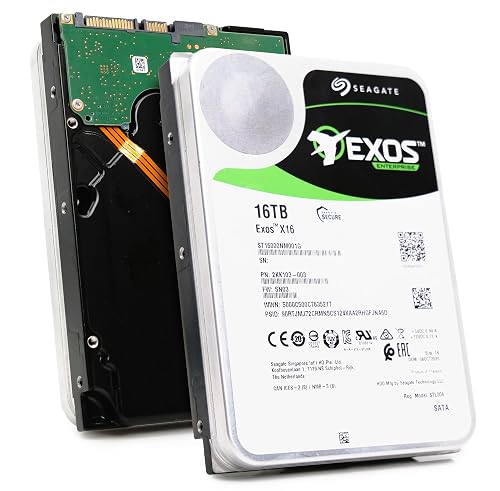
Seagate Exos X16 16TB Enterprise Hard Drive (Renewed)
If you need a tough, high-capacity drive for a business NAS, storage server, or a busy desktop setup, the Seagate Exos X16 16TB Renewed is a strong fit. You get 16TB, 7200 RPM, and 261 MB/s sustained speed, so your files move fast and stay ready. Its 256 MB cache and SATA 6.0 Gb/s interface help keep work smooth, while PowerBalance improves IOPS per watt. The helium-sealed 3.5 inch design feels solid, and the renewed unit comes with protective foam packaging and warranty support, so you can buy with more confidence.
- Capacity:16TB
- Form Factor:3.5-inch
- Interface:SATA 6.0 Gb/s
- Cache:256MB
- RPM:7200 RPM
- Internal Use:Enterprise storage
- Additional Feature:Helium-sealed design
- Additional Feature:PowerBalance IOPS efficiency
- Additional Feature:Six-month replacement warranty
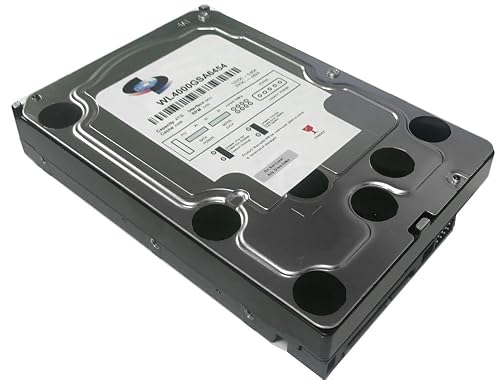
WL 4TB Internal Surveillance DVR Hard Drive
The WL 4TB Internal Surveillance DVR Hard Drive is a smart pick for anyone who needs a quiet, dependable storage workhorse for nonstop video recording. You get 4TB of space, a 5400 RPM drive, and a 64MB cache, so your DVR or NVR can keep writing footage without drama. Because it uses SATA III and a 3.5 inch design, it fits many Mac and PC systems. You will also appreciate the low power use and the steady 24/7 build. It ships sealed and new, so you start with clean storage.
- Capacity:4TB
- Form Factor:3.5-inch
- Interface:SATA III
- Cache:64MB
- RPM:5400 RPM
- Internal Use:Surveillance DVR
- Additional Feature:24/7 surveillance recording
- Additional Feature:Zero bad sectors
- Additional Feature:Sealed bulk pack
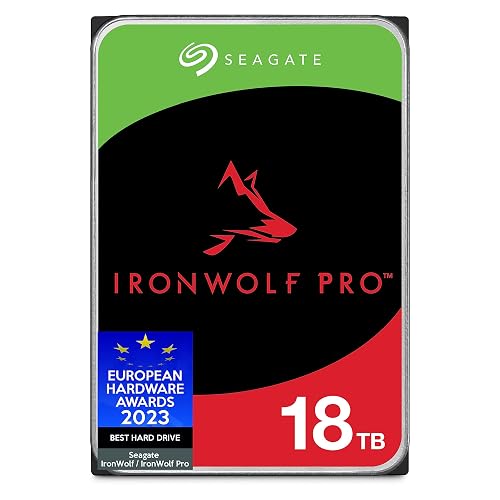
Seagate IronWolf Pro 18TB NAS HDD ST18000NE000 SATA 6Gb/s 3.5″ (Renewed)
Seagate’s IronWolf Pro 18TB NAS HDD, model ST18000NE000, stands out for anyone who needs a tough, high-capacity drive that can keep up with nonstop storage demands. You get 18TB, 7200 RPM speed, and a 256MB cache, so your files move smoothly. Because it uses All-CMR recording, you can trust steady 24×7 work. AgileArray, TLER, and RV sensors help protect your NAS in RAID setups with up to 24 drives. IronWolf Health Management adds clear warnings, and the included data recovery service gives you extra peace of mind.
- Capacity:18TB
- Form Factor:3.5-inch
- Interface:SATA 6.0 Gb/s
- Cache:256MB
- RPM:7200 RPM
- Internal Use:NAS
- Additional Feature:AgileArray NAS optimization
- Additional Feature:IronWolf Health Management
- Additional Feature:Data Recovery Service
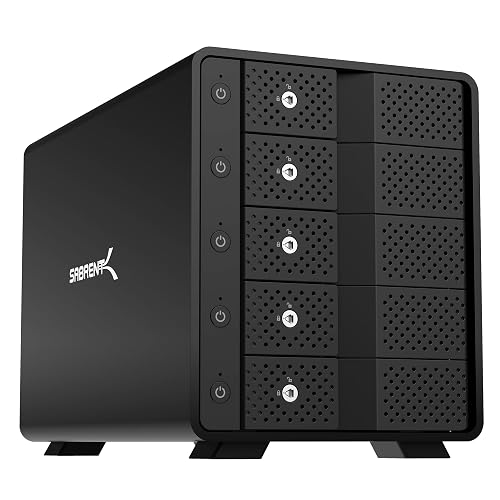
SABRENT 5-Bay USB-C SATA Docking Station (DS-SC5B)
Built for people who want simple, separate drive access without the mess of RAID setup, the SABRENT 5-Bay USB-C SATA Docking Station (DS-SC5B) makes a strong case for itself right away. It provides five tray-less bays for 3.5-inch SATA HDDs or SSDs, and each drive appears as an individual device. With USB 3.2 Gen 2 over USB-C, file transfers reach up to 10 Gbps. The aluminum body and a 120 mm fan help keep temperatures down, while locks, switches, and LEDs provide straightforward control and peace of mind.
- Capacity:N/A
- Form Factor:N/A
- Interface:USB-C
- Cache:N/A
- RPM:N/A
- Internal Use:Multi-drive storage
- Additional Feature:Five hot-swap bays
- Additional Feature:Individual bay power switches
- Additional Feature:Kensington lock slot
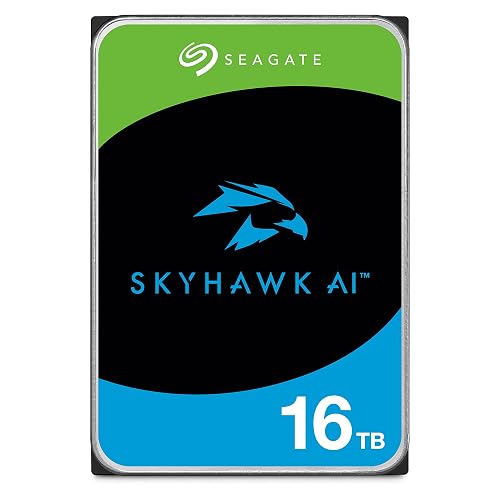
Seagate Skyhawk AI 16TB Internal Hard Drive (ST16000VE000)
Need a drive that can keep up with nonstop surveillance without breaking a sweat? The Seagate SkyHawk AI 16TB, model ST16000VE000, delivers reliable performance. You get 16TB of SATA storage in a 3.5-inch form factor, 7,200 RPM performance and a 256MB cache. It supports up to 16 AI streams and 64 HD cameras, so your feeds remain steady. ImagePerfect AI firmware helps protect image quality during 24/7 reads, and a 550TB per year workload rating handles continuous use. You also get Drive Health Management, Rescue Services, and a three year warranty.
- Capacity:16TB
- Form Factor:3.5-inch
- Interface:SATA 6.0 Gb/s
- Cache:256MB
- RPM:7200 RPM
- Internal Use:Surveillance / AI
- Additional Feature:Supports 16 AI streams
- Additional Feature:ImagePerfect AI firmware
- Additional Feature:550 TB/year workload
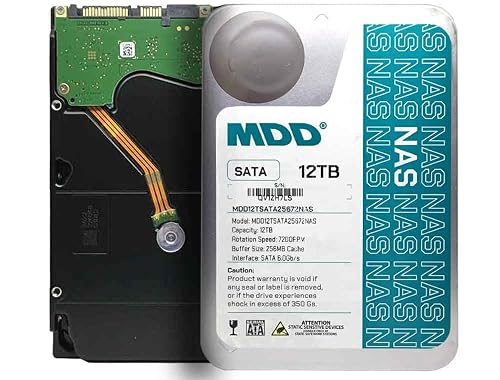
MDD 12TB 7200RPM SATA NAS Hard Drive (Renewed)
If you want a NAS drive that provides large storage without making your setup feel slow or fragile, the MDD 12TB 7200RPM SATA NAS Hard Drive, renewed, is a strong fit. You get 12 TB in a 3.5-inch body, plus 7,200 RPM spindle speed and 256 MB cache for smoother sharing. It uses SATA 6 Gb/s, so it installs easily in many NAS, RAID, desktop, and DVR systems. Because it is built for long runtime, you can rely on it for daily backups and heavy file access. Format it first, then put it to work.
- Capacity:12TB
- Form Factor:3.5-inch
- Interface:SATA 6.0 Gb/s
- Cache:256MB
- RPM:7200 RPM
- Internal Use:NAS / RAID
- Additional Feature:Five-year reseller warranty
- Additional Feature:1,000,000-hour MTBF
- Additional Feature:Bare drive only
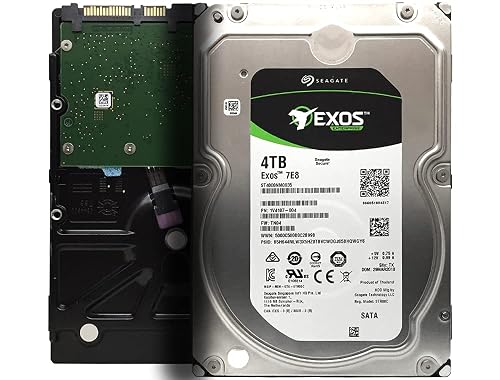
Seagate Exos 7E8 4TB Enterprise Hard Drive (ST4000NM0035)
The Seagate Exos 7E8 4TB Enterprise Hard Drive, model ST4000NM0035, is a strong pick when you need steady, round-the-clock storage without the drama. Its 3.5 inch SATA design, 128 MB cache, and 512n format fit servers, storage systems, and business NAS setups with ease. Because it supports up to 550 TB per year, you can push it hard in busy workloads. Its 2,000,000 hour MTBF and enterprise heritage make it suitable for nonstop use. Certified refurbished and simply boxed, it keeps value and reliability close together.
- Capacity:4TB
- Form Factor:3.5-inch
- Interface:SATA
- Cache:128MB
- RPM:N/A
- Internal Use:Enterprise storage
- Additional Feature:2,000,000-hour MTBF
- Additional Feature:550 TB/year workload
- Additional Feature:Frustration Free packaging
Factors to Consider When Choosing Internal Hard Drives
When choosing an internal hard drive, start by determining how much storage you actually need and then match that capacity to the appropriate speed and cache for your workload. Check form factor compatibility, reliability, and endurance so the drive performs well in your system and holds up under sustained use. Finally, consider your primary use case; the best drive for gaming, bulk storage, or intensive editing may not be the same.
Capacity Requirements
Storage needs can sneak up on you fast, so size your drive with both today and tomorrow in mind. Start by adding up your files. A single hour of 4K video can consume 100 to 400 GB, and high resolution photos can take 20 to 50 MB each. Then add 20 to 50 percent extra room so you do not get stuck deleting files later.
Next, match the drive size to how you work. Very large 8 to 18 plus TB drives are best for archives and surveillance. For active projects, smaller drives or multiple drives often work better. Also check your bay limits and RAID configuration so you do not waste space. Finally, consider how often you write data and how long you keep it. That helps you avoid buying too little or too much.
Speed And Cache
Speed affects whether a hard drive feels snappy or sluggish, so pay attention to both RPM and cache. A 7200 RPM drive generally delivers faster read and write times, improved random access, and smoother large file transfers compared with a 5400 RPM model. Cache is important as well; a larger DRAM buffer, such as 128 MB or 256 MB, helps the drive handle short bursts, queue commands, and reduce small delays. That combination matters even more when you run multiple apps or support multiple users, because it reduces lag spikes and keeps IOPS steadier. Keep in mind that faster drives can run hotter and use more power, so choose speed that fits your system without overtaxing it.
Form Factor Compatibility
Before you buy an internal hard drive, make sure it actually fits your system, because a great drive can still become a frustrating mismatch. First, match the drive’s form factor to your bay: 3.5-inch models usually suit desktops and NAS units, while 2.5-inch drives fit laptops and compact cases. Next, check the connection type. A SATA drive needs a SATA port, and an NVMe drive needs an M.2 slot with PCIe support. Then measure bay height and thickness, especially for 2.5-inch drives, since slim 7 mm or 9.5 mm fits can matter. If you use multiple drives, confirm bay count and hot-swap support. Also watch power and cooling, because bigger drives often need more room and airflow.
Reliability And Endurance
Now that the drive fits your system, you also want to know it can keep up without wearing out too soon. Check MTBF and workload ratings first, because they hint at how much nonstop use a drive can handle. For NAS or server duty, look for MTBFs in the millions of hours and workload limits of several hundred TB each year. Then compare drive class and duty cycle, since a 24 by 7 model ages differently than an intermittent one. Faster 7,200 RPM drives and larger caches can also ease strain by moving data with less delay. If you run multiple drives, choose models with vibration sensors and RAID friendly firmware, such as TLER. Finally, a longer warranty or rescue service shows the maker believes the drive can stick around.
Use Case Fit
A drive only feels “right” when it matches the job you need it to do, and that is where use case fit matters most. If you store huge media files or backups, favor higher capacity and strong sustained MB/s. For everyday desktop work, a smaller, quicker drive often feels snappier. Next, match speed and cache to the task. A 7,200 RPM drive with a 256 MB cache usually gives better random and steady throughput for NAS, servers, and editing. Then check duty cycle. If your system runs all day, pick a 24×7 drive with a high TB write rating. Also look for TLER, vibration control, or surveillance firmware when your setup needs them. Finally, compare MTBF and warranty for peace of mind.
Frequently Asked Questions
How Do Internal Hard Drives Differ From SSDS?
Internal hard drives use spinning platters, so you typically get more storage for less money, but with slower speeds and more noise. SSDs use flash memory, so you get faster boot times, quieter operation, and better durability.
Can I Use a NAS Drive in a Desktop PC?
Yes. You can use a NAS drive in your desktop PC if it matches your motherboard’s interface and power connectors. It provides reliable storage, but it may be louder and slower than drives designed specifically for desktops.
What Does a Hard Drive’s Cache Size Affect?
A larger cache speeds up short bursts, so you will notice quicker file transfers and smoother multitasking. It will not fix slow platters; like a sponge, it soaks up short-term demand before the drive catches its breath.
Are Renewed Hard Drives Safe to Buy?
Yes, you can buy renewed hard drives safely if you check the seller’s warranty, return policy, SMART data, and health report. Reduce risk by choosing reputable refurbishers, and back up your data regularly.
How Long Do Enterprise Hard Drives Usually Last?
Usually you can expect enterprise hard drives to last about 5 to 7 years, sometimes longer. Why risk guessing? You will get better uptime if you monitor health, manage heat, and replace drives proactively.




