


If your PC audio feels flat, it is like watching a movie with the color turned down, and that is exactly where the best internal sound cards for 2026 step in. You will see why Creative’s AE-7 and AE-5 Plus stand out for rich detail, why the Sound Blaster Z SE still earns trust for clean 7.1 support, and how budget picks like Audigy FX V2 and Padarsey can lift your setup without drama.
| Creative Sound Blaster Z SE Gaming Sound Card | 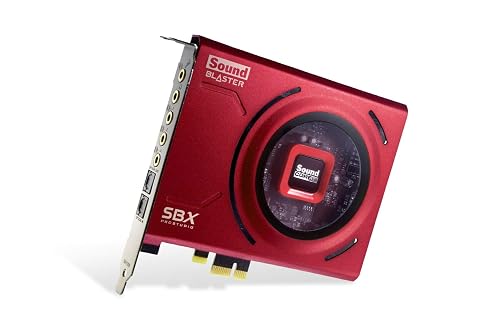 | Best for Gaming | Interface: PCIe x1 | Channels: 7.1 virtual / 5.1 discrete | Max Sample Rate: 192 kHz | VIEW LATEST PRICE | Read Our Analysis |
| Padarsey PCIe 5.1 Internal Sound Card for PC | 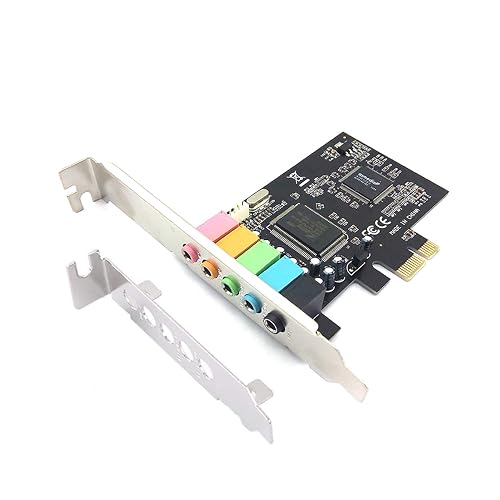 | Budget-Friendly Pick | Interface: PCIe | Channels: 5.1 | Max Sample Rate: 48 kHz | VIEW LATEST PRICE | Read Our Analysis |
| Creative Sound BlasterX AE-5 Plus Gaming Sound Card |  | Best RGB Card | Interface: PCIe x4 | Channels: 7.1 virtual / 5.1 discrete | Max Sample Rate: 384 kHz | VIEW LATEST PRICE | Read Our Analysis |
| Creative Sound Blaster AE-7 Internal PCIe Sound Card | 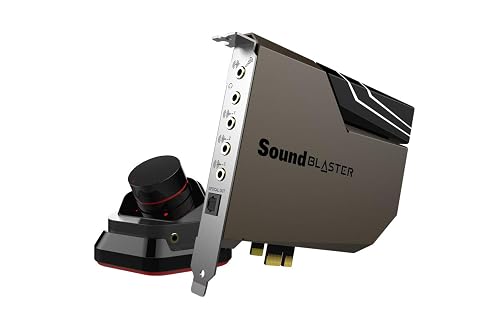 | Best Audiophile | Interface: PCIe x4 | Channels: 7.1 virtual / 5.1 discrete | Max Sample Rate: 384 kHz | VIEW LATEST PRICE | Read Our Analysis |
| Creative Sound BlasterX AE-5 Plus Gaming Sound Card | 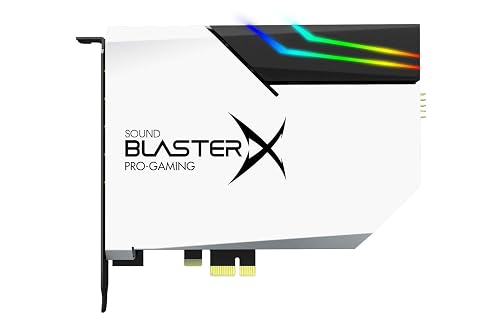 | Best for Headphones | Interface: PCIe x1 | Channels: 7.1 virtual / 5.1 discrete | Max Sample Rate: 384 kHz | VIEW LATEST PRICE | Read Our Analysis |
| Creative Sound Blaster Recon3D THX PCIE Sound Card SB1350 | 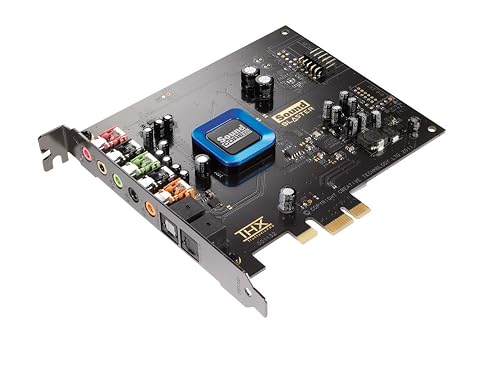 | Best for Voice Chat | Interface: PCIe x1 | Channels: 5.1 | Max Sample Rate: 96 kHz | VIEW LATEST PRICE | Read Our Analysis |
| Creative – Sound Blaster Audigy FX V2 Sound Card | 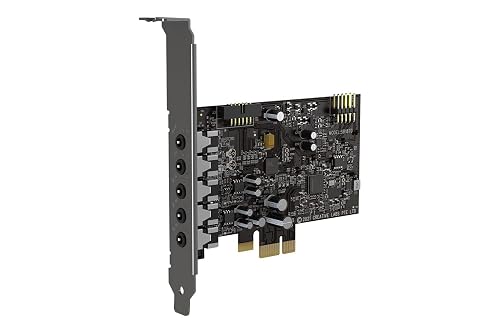 | Best Value | Interface: PCIe x1 | Channels: 7.1 / 5.1 | Max Sample Rate: 192 kHz | VIEW LATEST PRICE | Read Our Analysis |
More Details on Our Top Picks
Creative Sound Blaster Z SE Gaming Sound Card
If you want a best-fit internal sound card for gaming and clear desktop audio, the Creative Sound Blaster Z SE stands out. It is a PCIe x1 card with 24-bit/192 kHz sound, up to 116 dB SNR, and gold-plated connectors. It drives up to 600 ohm headphones, so your cans will not feel left out. You can switch between speakers and headphones in software. Virtual 7.1, discrete 5.1, Dolby Digital Live, and DTS keep games lively. Sound Blaster Command, SBX EQ presets, and CrystalVoice help voices stay sharp and natural.
- Interface:PCIe x1
- Channels:7.1 virtual / 5.1 discrete
- Max Sample Rate:192 kHz
- Headphone Amp:Up to 600 Ω
- SNR:116 dB
- Encoding:Dolby Digital Live / DTS
- Additional Feature:600 ohm support
- Additional Feature:CrystalVoice noise reduction
- Additional Feature:SBX gaming EQ presets
Padarsey PCIe 5.1 Internal Sound Card for PC
Padarsey’s PCIe 5.1 Internal Sound Card is a practical choice for anyone who wants to revive an older PC with clearer 5.1 surround sound without a complicated setup. It uses a CMI8738 chip, fits a PCIe slot, and supports stereo or surround output at up to 48 kHz. You get MIC, line, front, rear, and subwoofer ports so speakers are easy to map. The included low-profile bracket helps in tight cases, and the driver CD simplifies installation. If you have no sound, disable onboard audio first.
- Interface:PCIe
- Channels:5.1
- Max Sample Rate:48 kHz
- Headphone Amp:Not specified
- SNR:10 dB
- Encoding:None listed
- Additional Feature:Low-profile bracket
- Additional Feature:3D surround entertainment
- Additional Feature:Included CD driver
Creative Sound BlasterX AE-5 Plus Gaming Sound Card
The Creative Sound BlasterX AE-5 Plus is a strong choice for gamers and headphone enthusiasts who want cleaner, fuller sound without switching to a bulky external unit. You install it in a PCIe x4 slot, then the SABRE32-class DAC reveals greater detail with up to 32-bit/384 kHz playback and 122 dB dynamic range. Its Xamp bi-amp powers each earcup separately, allowing 600-ohm or planar headphones to perform optimally. You also get 5.1 discrete and 7.1 virtual surround, Dolby Digital Live, DTS encoding, and Sound Blaster Command tuning for vocals, bass, and RGB customization.
- Interface:PCIe x4
- Channels:7.1 virtual / 5.1 discrete
- Max Sample Rate:384 kHz
- Headphone Amp:Xamp, up to 600 Ω
- SNR:122 dB
- Encoding:Dolby Digital Live / DTS
- Additional Feature:RGB LED strip
- Additional Feature:Xamp bi-amplifier
- Additional Feature:16.8 million colors
Creative Sound Blaster AE-7 Internal PCIe Sound Card
Creative Sound Blaster AE-7 Internal PCIe Sound Card makes a strong pick for you if you want near-audiophile sound without turning your PC build into a science project. You get an ESS SABRE-class 9018 DAC, 127 dB dynamic range, and up to 32-bit/384 kHz playback with DSD64 support. Its Xamp bi-amp powers each earcup separately, so your headphones can breathe, even up to 600 ohms. The on-card quad-core processor handles audio work. Dolby Digital Live, DTS Connect, and the volume-control module keep your setup simple, sharp, and satisfying.
- Interface:PCIe x4
- Channels:7.1 virtual / 5.1 discrete
- Max Sample Rate:384 kHz
- Headphone Amp:Xamp, up to 600 Ω
- SNR:127 dB
- Encoding:Dolby Digital Live / DTS
- Additional Feature:Audio Control Module
- Additional Feature:Dedicated quad-core processor
- Additional Feature:DSD64 support
Creative Sound BlasterX AE-5 Plus Gaming Sound Card
Need a gaming and headphone upgrade that does not force you to compromise? The Creative Sound BlasterX AE-5 Plus Pure Edition fits into a PCIe x1 slot, so you can install it in your Windows PC with ease. Its SABRE32 DAC supports 32-bit/384 kHz resolution, and a 122 dB SNR keeps details clean and crisp. You also get Xamp bi-amping, which can drive studio headphones up to 600 ohms, including planar models. Sound Blaster Command lets you tune vocals, bass, and surround cues. Add Dolby Digital Live, DTS, and RGB lighting, and you have serious control.
- Interface:PCIe x1
- Channels:7.1 virtual / 5.1 discrete
- Max Sample Rate:384 kHz
- Headphone Amp:Xamp, up to 600 Ω
- SNR:122 dB
- Encoding:Dolby Digital Live / DTS
- Additional Feature:Pure white finish
- Additional Feature:Four RGB strips
- Additional Feature:Customizable lighting patterns
Creative Sound Blaster Recon3D THX PCIE Sound Card SB1350
Built for gamers and voice-focused users, the Sound Blaster Recon3D THX PCIe Sound Card SB1350 delivers a strong combination of clean audio, surround effects, and smart voice tools in a compact card. It includes a Sound Core3D quad-core DSP that reduces CPU load, and THX TruStudio Pro for rich 5.1 sound. Scout Mode helps you detect faint in-game sounds more quickly. CrystalVoice provides echo cancellation, noise reduction, and Smart Volume to keep calls clear. With a 600 ohm headphone amplifier, 96 kHz output, and PCIe x1 form factor, the card offers solid performance and flexibility.
- Interface:PCIe x1
- Channels:5.1
- Max Sample Rate:96 kHz
- Headphone Amp:Up to 600 Ω
- SNR:105 dB
- Encoding:Dolby Digital Live
- Additional Feature:THX TruStudio Pro
- Additional Feature:Scout Mode
- Additional Feature:CrystalVoice suite
Creative – Sound Blaster Audigy FX V2 Sound Card
If you want a simple upgrade that still feels serious, the Sound Blaster Audigy FX V2 makes a strong case for your PC. It is a PCI Express x1 card for Windows 10 systems, so setup stays easy. It supports stereo and surround output, and 5.1 and 7.1 channels for fuller sound in games and movies. With 192 kHz playback and a 120 dB signal to noise ratio, you can expect clean detail. It is a compact 190 gram card with a solid reputation, backed by 262 reviews and a 4.2 star rating.
- Interface:PCIe x1
- Channels:7.1 / 5.1
- Max Sample Rate:192 kHz
- Headphone Amp:High-impedance support
- SNR:120 dB
- Encoding:Dolby Digital Live
- Additional Feature:120 dB SNR
- Additional Feature:Windows 10 support
- Additional Feature:7.1 surround output
Factors to Consider When Choosing Internal Sound Cards
When choosing an internal sound card, begin with audio quality, channel support, and compatibility with your PC setup. Also check headphone power and software features, because underpowered outputs can make headphones sound weak and clumsy software can make setup a chore. Picking the right combination for your needs yields clearer sound and fewer problems down the line.
Audio Quality
Audio quality can be the difference between sound that merely plays and sound that truly feels alive. You will notice this quickly when a card uses a strong DAC, such as 24-bit/192 kHz or 32-bit/384 kHz, because it preserves tiny details. A higher dynamic range, around 110 to 127 dB, also helps by lowering hiss and bringing soft sounds into focus. If you use demanding headphones, choose a built-in amp with low output impedance and enough power for models up to 600 ohms. Low distortion and low jitter matter as well, since they keep timing tight and tones natural. Finally, quality analog stages and gold-plated connectors help keep the signal clean from the card to your gear.
Channel Support
Great sound can still fall flat if the card sends it to the wrong places, so channel support matters just as much as raw audio quality. Match the card’s channels to your setup. Stereo works well for simple listening, while discrete 5.1 or 7.1 gives you separate outputs for true surround speaker systems. If you only use headphones, virtual 7.1 can widen the soundstage, but it will not feed extra physical speakers. For a home theater rig, check whether the card can encode Dolby or DTS in real time, since that lets you send multichannel sound over one digital link. Choose the option that fits your speakers, receiver, and listening habits without forcing awkward workarounds.
Compatibility Needs
Even the best sound card can become a headache if it does not fit your system, so compatibility should come first. Check your motherboard before you buy; you need the right PCI Express slot, whether x1, x4, or x16. Then check your operating system, since missing drivers can leave features only partially functional and cause frustration. Measure your case so the card and any control module or LED strip actually fit without squeezing them. Also match the card to your gear, from headphones and microphones to speakers and amplifiers, so the connectors and power range suit your setup. Finally, compare channel support and sample-rate options, because your playback and recording needs should align cleanly.
Headphone Power
A sound card’s headphone power can make the difference between music that feels alive and music that sounds thin, quiet, or strained. Check the amp’s output power first, because high-impedance headphones, even 300 to 600 ohms, need real voltage to play loud without distortion. Next, look at output impedance. If it stays at 1 ohm or below, your low-impedance headphones keep tighter bass and a more accurate tone. Then compare the gain stages or built-in headphone amp with your headphone’s sensitivity and impedance, to ensure enough current and voltage for clean listening. Finally, review the rated drive range, SNR, and THD+N. Better numbers usually mean less hiss, less grit, and more detail when you turn the volume up.
Software Features
Once your headphones are matched to the right power, the software becomes the part that shapes how the card feels in daily use. You should want control software with EQ presets and profile saving, so you can switch from music to movies or games without fuss. Next, check that the driver package supports your OS and receives updates, because that keeps things stable and reduces latency issues. Also look for surround virtualization, bass management, and mic tools like noise reduction and echo cancellation, since they improve both sound and voice chat. If you record, low-latency modes such as ASIO and routing controls matter a lot. Finally, make sure you can set amp gain, input sensitivity, and sample rates up to 192 kHz or 384 kHz.
Frequently Asked Questions
Which Internal Sound Card Works Best for Streaming and Voice Chat?
You’ll get the best streaming and voice chat results from a card with a clean mic preamp, low noise, and crisp monitoring, such as the Creative Sound Blaster AE-9. It keeps your voice clear and responsive.
Do Internal Sound Cards Improve FPS in Games?
No, an internal sound card will not increase your FPS. Your GPU and CPU determine frame rates. You might free a very small amount of system resources, but the difference is negligible, rooted in legacy hardware and barely noticeable.
Are PCIE Sound Cards Compatible With Laptops?
No, you usually cannot use PCIe sound cards in laptops because they lack PCIe expansion slots. You can use USB audio interfaces or external DACs instead; they will work with your laptop easily.
Can I Use an Internal Sound Card With Wireless Headphones?
Yes. You can use an internal sound card with wireless headphones if the headphones connect via the PC’s Bluetooth, a USB dongle, or a wireless base station. The audio will still be processed and sent from the sound card’s output.
How Difficult Is Installing an Internal Sound Card?
Installing one is straightforward. Open your case, seat the card, secure it, connect power if required, and install the drivers. You will generally need basic tools and some patience, but you can do it.




