


When your PC starts acting like it is stuck in slow motion, the right SSD can feel like a small rescue. You have budget SATA picks like the JOIOT and KingSpec drives, solid middle-ground options such as the Silicon Power A55, Crucial BX500, and WD Blue SA510, and a speed-focused star in the WD_Black SN7100. Each one fits a different need. The real question is which drive gives you the best mix of speed, space, and peace of mind.


More Details on Our Top Picks
JOIOT 512GB 2.5″ SATA III Internal SSD
The JOIOT X12 512GB 2.5-inch SATA III SSD is a smart pick if you want a simple, low-stress upgrade that makes an older laptop or desktop feel faster right away. You get 512GB of space, with read speeds up to 550 MB/s and write speeds up to 450 MB/s. Boot times and app launches feel much snappier. Its 3D TLC NAND helps with durability, and the shock-resistant design suits daily travel. Because it uses a standard 2.5-inch SATA III setup, you can install it with ease and enjoy smoother gaming, media playback, and creative work.
- Capacity:512GB
- Form Factor:2.5-inch
- Interface:SATA III
- Read Speed:Up to 550 MB/s
- NAND Type:3D NAND TLC
- Warranty:Not specified
- Additional Feature:3D NAND TLC
- Additional Feature:Shock resistant
- Additional Feature:Improved heat dissipation
Silicon Power 1TB A55 SATA III SSD (SU001TBSS3A55S25EC)
Silicon Power’s 1TB Ace A55 SATA III SSD is a smart pick if you want a simple, reliable speed boost for a desktop, ultrabook, or slim notebook without spending extra on features you may never use. It is a 2.5-inch, 7 mm drive with 3D NAND, up to 500 MB/s transfer speeds, and SLC cache for snappier writes. The drive uses ECC, bad block management, and S.M.A.R.T. monitoring, so you can feel more confident about your data. It is shock resistant, includes SP Toolbox, and carries a 3-year limited warranty.
- Capacity:1TB
- Form Factor:2.5-inch
- Interface:SATA III
- Read Speed:Up to 500 MB/s
- NAND Type:3D NAND
- Warranty:3-year limited
- Additional Feature:SLC Cache Technology
- Additional Feature:Bad Block Management
- Additional Feature:SP Toolbox included
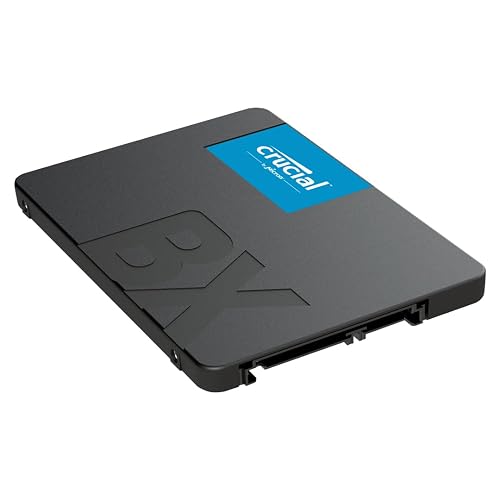
Crucial BX500 1TB SATA Internal SSD (CT1000BX500SSD1)
Crucial BX500 1TB SATA SSD is a smart pick if you want a simple, low-cost upgrade that can wake up an older PC or laptop without any drama. You get a 2.5-inch, 7mm drive that fits many systems, plus SATA 6.0 Gb/s support and read speeds up to 540 MB/s. That means faster boots, quicker file loads, and smoother everyday use. Micron 3D NAND and 256 MB cache help keep performance steady. It also uses less power, so your battery can last longer, and the 3-year warranty adds peace of mind.
- Capacity:1TB
- Form Factor:2.5-inch
- Interface:SATA 6.0 Gb/s
- Read Speed:Up to 540 MB/s
- NAND Type:Micron 3D NAND
- Warranty:3-year limited
- Additional Feature:256 MB cache
- Additional Feature:Data recovery service
- Additional Feature:Frustration-Free Packaging
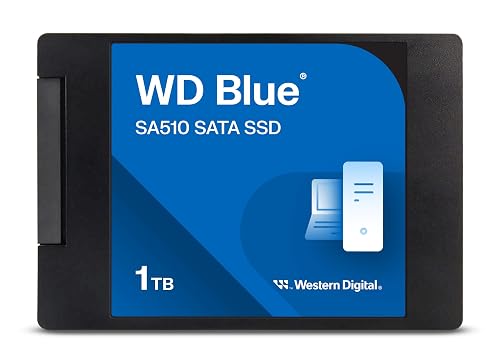
Western Digital WD Blue SA510 1TB SATA SSD
If you need a reliable SATA upgrade that can revive an older PC or laptop, the Western Digital WD Blue SA510 1TB SSD is a strong choice. It is a 2.5-inch, 7 mm drive that fits many bays, and it offers SATA III speeds up to 560 MB/s for faster boots and smoother everyday performance. Designed for PC and laptop use, it helps reduce lag during file editing, content creation, and multitasking. Acronis True Image and data recovery support provide added peace of mind, and a 5-year warranty gives additional coverage.
- Capacity:1TB
- Form Factor:2.5-inch
- Interface:SATA III
- Read Speed:Up to 560 MB/s
- NAND Type:3D NAND
- Warranty:5-year limited
- Additional Feature:Acronis True Image
- Additional Feature:5-year warranty
- Additional Feature:Data recovery service
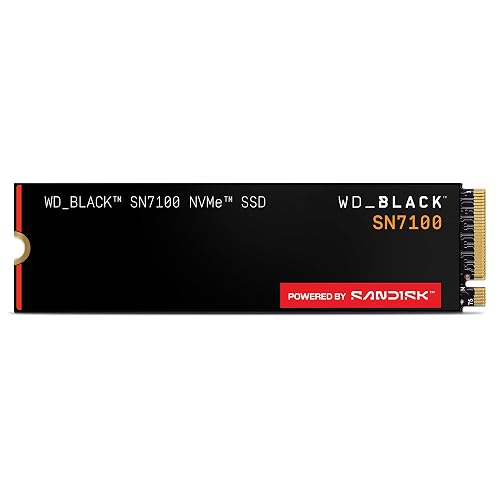
WD_Black SN7100 2TB NVMe SSD (WDS200T4X0E)
The WD_Black SN7100 2TB NVMe SSD is a smart pick for gamers who want fast load times without wasting power, especially on laptops and handheld systems that need strong speed and good battery life. You get PCIe Gen4 performance, with read speeds up to 7,250 MB/s and writes up to 6,900 MB/s. Games open quickly and large files move with ease. Its TLC 3D NAND helps keep things efficient, and you can use WD_BLACK Dashboard on Windows to tune it. It fits desktops, PS5, and Xbox Series consoles, and delivers a noticeable upgrade.
- Capacity:2TB
- Form Factor:M.2 2280
- Interface:PCIe Gen4 NVMe
- Read Speed:Up to 7,250 MB/s
- NAND Type:TLC 3D NAND
- Warranty:3-year limited
- Additional Feature:PCIe Gen4 NVMe
- Additional Feature:WD_BLACK Dashboard
- Additional Feature:Xbox and PS5 compatible
KingSpec 512GB 2.5″ SATA III Internal SSD
KingSpec’s 512GB 2.5-inch SATA III internal SSD is a solid choice for anyone seeking a simple, low-cost performance upgrade for an older laptop, desktop, or gaming console. It delivers up to 550 MB/s read and 520 MB/s write, so systems boot faster and applications open with less waiting. The 3D NAND design, NCQ, TRIM, and S.M.A.R.T. support help it remain responsive and healthy. It operates quietly, consumes little power, and offers resistance to shock and heat. With broad OS compatibility and a 3-year warranty, you can upgrade with confidence.
- Capacity:512GB
- Form Factor:2.5-inch
- Interface:SATA Rev. 3.0
- Read Speed:Up to 550 MB/s
- NAND Type:3D NAND
- Warranty:3-year limited
- Additional Feature:Lifetime technical support
- Additional Feature:Wear leveling
- Additional Feature:TRIM support
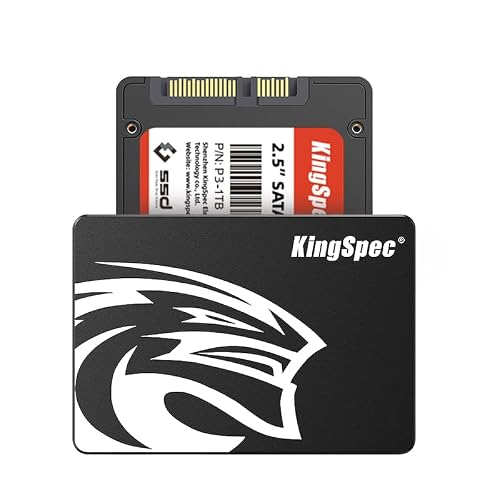
KingSpec 1TB 2.5″ SATA III Internal SSD
Built for everyday users who want a simple upgrade without a big price tag, the KingSpec 1TB 2.5″ SATA III Internal SSD delivers a solid mix of speed, storage, and broad compatibility. It provides up to 550 MB/s read and 520 MB/s write performance, so your laptop or desktop boots faster and launches apps more responsively. The drive uses 3D NAND in a metal case and features a shock-resistant design to help protect your data. NCQ, TRIM, S.M.A.R.T., and wear leveling operate quietly in the background. It fits many systems, including gaming consoles.
- Capacity:1TB
- Form Factor:2.5-inch
- Interface:SATA Rev. 3.0
- Read Speed:Up to 550 MB/s
- NAND Type:3D NAND
- Warranty:3-year limited
- Additional Feature:Metal enclosure
- Additional Feature:Lifetime technical support
- Additional Feature:Over-provisioning
Factors to Consider When Choosing an Internal SSD
When choosing an internal SSD, start with how much space you really need, because the right capacity prevents your files, games, and apps from filling up too quickly. Next, make sure the drive matches your system’s interface and check its read and write speeds, since both affect how quickly your PC boots and loads files. Also evaluate reliability, endurance, and warranty support, because a solid SSD should protect your data and provide peace of mind for years.
Storage Capacity Needs
Your SSD capacity should match how you actually use your PC, because running out of space becomes frustrating fast. For basic work and light gaming, 256 to 512 GB usually works well. If you play large games, edit video, or keep huge media libraries, aim for 1 TB or more. Leave 50 to 100 GB for your operating system and core apps, so updates and temporary files do not crowd your drive. Consider your file types: 4K video, RAW photos, and virtual machines consume space quickly, so plan for growth over the next two to three years. Keep 10 to 20 percent free for better write performance and reduced wear. If you use two drives, put the operating system on the faster one and store bulk files on the larger drive.
Interface Compatibility
Picking the right SSD size is only part of the job, because the drive also has to fit and work with your system. First, check your motherboard or laptop manual for the right form factor and interface, such as 2.5-inch SATA III or M.2 PCIe NVMe. Then confirm the M.2 slot keying, since some slots only accept SATA, while others support NVMe lanes. Next, match the bay thickness and connector type, because a 7mm or 9.5mm 2.5-inch drive needs the correct space, and an M.2 drive requires the proper screw standoff. Also verify that your BIOS, UEFI, and operating system can boot from and recognize the SSD. That simple check prevents a very unhelpful surprise later.
Read Write Speed
Speed matters more than many buyers first think, because an SSD’s read and write rates shape how fast your apps open, how quickly games and files load, and how smooth your system feels under pressure. Look at sequential speeds first, since they show how fast the drive moves large files. Then check random IOPS, because they affect day-to-day responsiveness when you open lots of small files or jump between apps. Also match the drive to your interface; a fast PCIe NVMe model can shine, but SATA III will cap its performance. Finally, pay attention to sustained write speed and cache, since some drives stay quick longer during heavy transfers, while others slow down sooner and feel less steady.
Reliability And Endurance
Even if an SSD looks fast on paper, reliability and endurance determine how long it can keep doing that job without drama. Favor 3D NAND, especially TLC or QLC, because layered cells usually handle more rewrites than older planar designs. Next, check TBW or DWPD ratings; higher numbers mean the drive can tolerate heavier writing before wear builds up. Firmware also matters, so look for wear leveling, garbage collection, TRIM, and over provisioning, as these features reduce write stress. ECC and S.M.A.R.T. reporting help protect your files and provide early warning if cells start to degrade. Finally, a stronger controller plus SLC or DRAM cache can smooth large writes and reduce the NAND workload. That is a clear win for long term peace of mind.
Warranty And Support
Because an SSD can fail without much warning, the warranty and support behind it matter just as much as its speed. Check the warranty length first, since many consumer drives cover three to five years. Then read the fine print and see what it protects. Good coverage should handle defects and early failure, and sometimes data loss too. Also ask how RMA works. Some brands swap the drive only, while others want the full unit back, which can slow you down. Next, confirm whether you must register the product or keep proof of purchase. After that, look at support options like phone, email, firmware tools, and diagnostics. Finally, watch for exclusions, including damage, tampering, extra wear, or shipping costs, because surprises sting.
Frequently Asked Questions
How Do I Know if My Motherboard Supports NVME SSDS?
Check your motherboard manual or the manufacturer website for M.2 slots and NVMe support. You can also inspect the BIOS or UEFI and the board specifications; if they list PCIe or NVMe, the board supports NVMe SSDs.
Should I Choose SATA or NVME for My Main System Drive?
Choose NVMe for your main system drive; it is significantly faster and can make your PC feel like new. Choose SATA only if your budget is tight or your motherboard does not support NVMe speeds and features.
Will an SSD Improve Gaming Performance on Older PCS?
You will see faster game loading and smoother transitions between levels, but you should not expect significantly higher FPS. If your older PC still uses a mechanical hard drive, installing an SSD will make the system feel much more responsive overall.
How Much SSD Capacity Do I Need for Everyday Use?
You will usually want 500 GB for everyday use; 250 GB becomes cramped quickly. If you store lots of photos, apps, or games, choose 1 TB. For basic browsing and documents, 256 GB can work, but it is not ideal.
Do Internal SSDS Require Heatsinks for Normal Operation?
No, you typically do not need a heatsink for normal operation, especially for tasks like web browsing, streaming, or office work. A heatsink may be beneficial if the SSD becomes hot during sustained heavy file transfers or prolonged gaming sessions.




